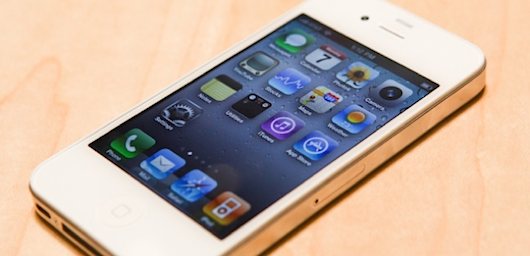
iPhone

Stay up-to-date on the latest iPhone news and learn new tips and tricks with our comprehensive tutorials. From software updates to new features, we’ve got you covered.

SwitcherCleaner Micromanages Your iPhone’s App Switcher

SwitcherCleaner allows for more fine tuned control over the apps in your App Switcher. It works by automatically placing the items found in your App Switcher into "quit" mode, and only displays apps that are actually running.

SwitcherCleaner is an offshoot of a previously released tweak entitled SwitcherMod. In fact, it borrows its only two features directly from SwitcherMod and brings them to iOS 5...

Many Naughty New York City Merchants Caught Buying Stolen iOS Devices

It's pretty clear that Apple's iPhone and iPad line is a popular one amongst shoppers, but while most will pick up their new gadgets the legitimate way, it is an unfortunate fact that some will seek to procure their Apple devices by less scrupulous means.

New York City is one place where iPhone thefts in particular are almost commonplace, and iPads are fast becoming one of the most sought after devices as well. That's why the New York City Police set about trying to track down the places where stolen iPhones and iPads go once they have been lifted, and as a result have made 141 arrests.

Checking out over 600 locations believed participate in the sales of stolen Apple hardware, the NYPD made the arrests after offering to sell devices for between $50 and $200, all the while clearly identifying that the goods were stolen.

Watch Siri Play the Piano

Since Apple unveiled the iPhone 4S back in October sporting the new Siri feature, the digital assistant has been the talk of the internet. We've seen Siri do everything from starting a car to changing channels on a TV set.

So what will the voice-controlled assistant take on next? Yamaha has the answer to that: play the piano. Folks at the world renowned electronics and instruments company have taught Siri to play the piano. Well, sort of...

Some Users Able to Get 3G Data on T-Mobile Using an Unlocked iPhone

T-Mobile customers hoping for a chance to carry the iPhone have had a rough last couple of months. First of all, rumors that the carrier would be offering Apple's handset this year have been effectively debunked. And then there was that whole AT&T takeover debacle.

So it looks like T-Mobile subscribers will have to stick to carrying unlocked iPhones. This has been possible for years, but due to the lack of 3G data, it's kind of unpopular. However, a recent report says that 3G data is actually possible on an unlocked T-Mobile iPhone...

NCInstaCall: Make Phone Calls Directly From Notification Center

NCInstaCall is a jailbreak widget for iOS 5 that allows you to make phone calls directly from Notification Center; hence, the "NC" in NCInstaCall.

The purpose of the tweak is to allow you to dial your friends from anywhere. The fact that Notification Center is accessible from anywhere in iOS 5 makes this possible.

Take a peek at our video synopsis of NCInstaCall inside...

Apple is Dreaming Up Wearable Computers That Talk to the iPhone and Use Siri

In a world where we all stare at our iPhone screens while walking around in public, Apple is working on the next-generation of mobile computing: wearable technology. The latest iPod nano can be worn as a watch, but that's only the beginning of what Apple has in development.

The New York Times has revealed some of Apple's internal plans for wearable computing. The company is working on a Siri-controlled experience that interfaces with the iPhone. Apple employees have reportedly already started testing such devices.

How to Jailbreak iOS 5.0.1 With RedSn0w Beta 9

As promised, a new and improved version of RedSn0w was unleashed just a few moments ago, and one of its primary features is the ability to jailbreak iOS 5.0.1 outright without the assistance of any additional firmware.

This makes for one of the easiest jailbreak methods possible for iOS 5.0.1. Check inside for a video walkthrough of the jailbreak process, along with a brief tutorial...

Quickpick: Set Shortcuts in Notification Center Without Jailbreaking

Since Apple released iOS 5, users have been running out of reasons to jailbreak their devices. The software update replaced several tweaks and utilities that were only available to jailbreakers in previous versions of iOS.

So, why are people still jailbreaking iOS 5? A major reason is for the ability to customize the Notification Center with widgets and system shortcuts. But you may not even have to jailbreak for that anymore, thanks to a new app called Quickpick.

Spotfb: Execute Spotlight Commands to Launch Facebook Sections

Spotfb is a jailbreak tweak that allows you to launch different sections of the official Facebook app by means of predefined Spotlight commands.

All you need to do is swipe over to your Spotlight page, type the command, and tap return. It'll then launch the specific Facebook page that pertains to the command that you typed.

Honestly, we're not sure who would be willing to use such a tweak; it'd be much faster to just launch the app and venture to your desired section, wouldn't it?

GridTab for Safari Improves the Tab Experience in Mobile Safari

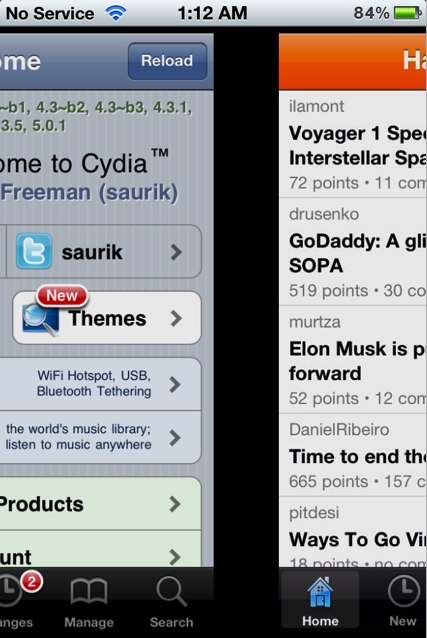
We've covered it in the past, but GridTab for Safari was recently updated with iOS 5 compatibility, so we thought it was a great time to bring you a video walkthrough of this exceptional tweak.

The purpose of GridTab is simple — to improve the tabbed browsing experience in Mobile Safari. Does it achieve its goal in doing so? Check inside for the answer...

Consume 2.0 Released to Help You Track Your Usage on the iPhone and iPad

Bjango, the company behind great apps like iStat, has released Consume 2.0 in the App Store. The huge update introduces an iPad version of the popular usage tracker and iCloud support.

Consume is a gorgeous app that lets you easily track your data usage, packages, and even reward cards. Version 2.0 makes an already-fantastic app even better.

‘Automatic Dictation’ Brings a Siri-Like Experience to Your iPhone

It's not Siri. In fact, it's not even close. Yet, you still may find it interesting enough to give it a shot, especially if you're already a user of Voice Activator.

Automatic Dictation is essentially a meshing together of Voice Activator and Dragon Dictation. It basically allows you to (almost) use Dragon Dictation completely handsfree. It even allows you to send tweets directly from your dictation screen.

In the end, it's a very clunky semi-hand-free solution that works, but it's definitely no Siri...