iPad

From the latest news to the most comprehensive tutorials, learn how to get the most out of your iPad with our step-by-step guides and expert tips.

Luca Todesco talks at POC2019, reveals checkra1n team identities and plans

If you’ve been following the development of the checkm8-based checkra1n jailbreak all this time, then you’ll be excited to hear that one of the project’s most vocal developers, Luca Todesco, took the stage at POC2019 in Seoul, South Korea to discuss the jailbreak and reveal particularly captivating details about the checkra1n team’s members, long-term plans, and more.

Todesco entitled his Keynote presentation “The One Weird Trick SecureROM Hates,” and from what we can gather, the checkra1n team is comprised of the following members, many of which might be familiar to veteran jailbreakers:

Sileo v1.5.2 now available with iOS 13-centric improvements

Despite the recent and controversial announcement that Sileo’s development had been ‘suspended until further notice,’ project lead developer CoolStar appears to have since overturned that declaration. Thursday evening, CoolStar announced a second update to the alternative package manager since that announcement, formally bringing it up to version 1.5.2.

Surprisingly, the official @GetSileo Twitter page didn’t make mention of the latest Sileo update, but it’s worth noting that CoolStar posted a memo about it not too long ago in his official Discord channel:

Give notification badges a custom aesthetic with BadgeMe

The infamous notification badge has looked almost the same on the iOS platform for more than a decade. The single most significant transformation befell with the release of iOS 7 when Apple nixed skeuomorphism from the bulk of iOS’ user interface, but even then, it didn’t change much.

The circumstances are absolutely astounding, but they aren’t hopeless. Those lucky enough to have a pwned handset in their possession can change how their notification badges look right this very second with the help of a newly released jailbreak tweak called BadgeMe by iOS developer Sirius24.

Apple unsigns iOS 13.1.2 and 13.1.3, thwarting downgrades from 13.2

Apple closed the signing window for two different iOS versions for various handsets Wednesday evening, including 13.1.2 and 13.1.3.

It’s regular practice for Apple to stop signing older versions of iOS after a newer release has been available for some time. Doing so both prevents software downgrades by the jailbreak-savvy and encourages software updates for everyone else to ensure users take advantage of the latest features and security patches.

Arcade review: Dear Reader

Dear reader, do you love books as much as you love video games? Would you like to play and read at the same time? Do you want to play and improve your vocabulary while reading some of the world's most famous books? I don't know how, but this went from an Arcade review to an infomercial really quick.

Adobe releases Photoshop for iPad, announces Illustrator

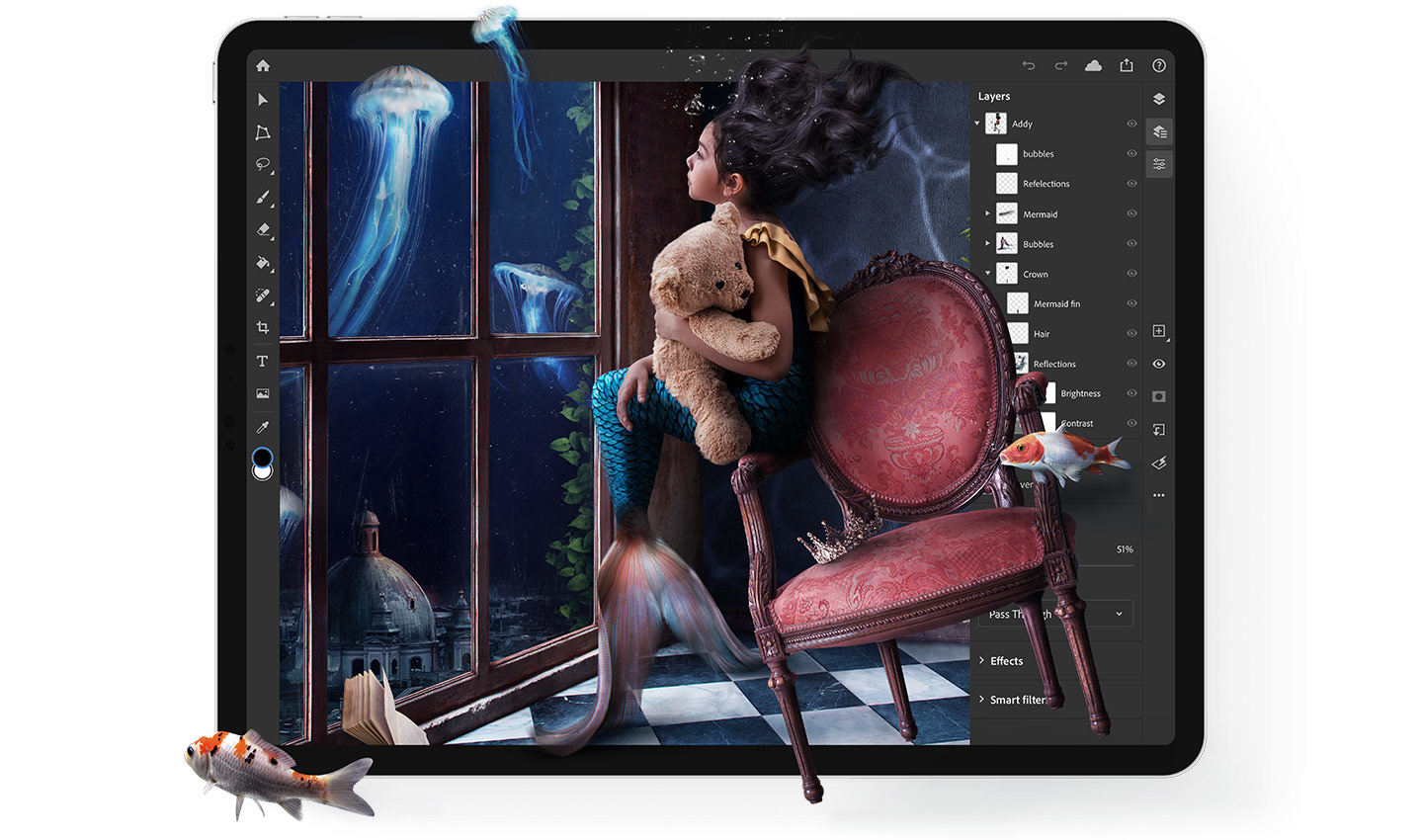
Photoshop on iPad

It's been a year since Adobe first previewed a version of Photoshop running on an iPad at its Adobe MAX conference in Los Angeles, with a promise to release the app sometime in 2019. Now the software is available for download from the App Store. It's a free download, though unlocking and using it requires an active Creative Cloud subscription.

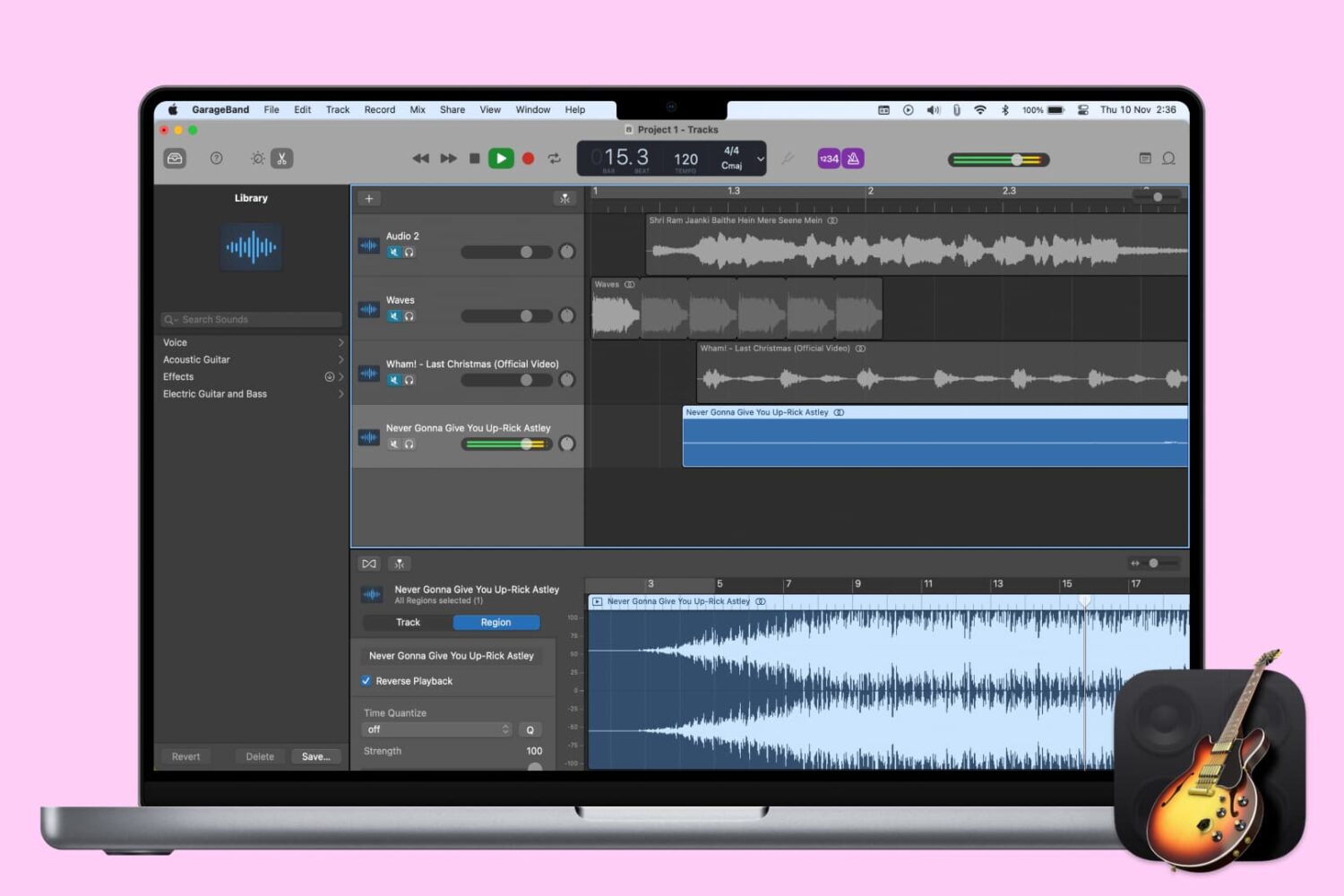
How to reverse a track in GarageBand on Mac and iOS

Reverse Playback switch in GarageBand on Mac

When you’re creating or editing a song in GarageBand, you might want to add something unique to it by reversing a track. Playing a track backwards can give you an unusual sound that you might not be able to replicate another way.

Here’s how to reverse a track (or region) in GarageBand on Mac, iPhone, or iPad.

ScreenSafe protects your iPhone’s display from burn-in with screensavers

Handsets equipped with OLED displays are particularly adept at displaying high-contrast colors due to the true blacks they exhibit, especially when compared to handsets sporting traditional LCD displays. On the other hand, OLED displays are also notorious for screen burn-in issues, and that’s where screensavers come in.

Modern iPhones such as the iPhone X, XS, and 11 Pro (including their larger counterparts) come standard with OLED displays, and while Apple has already done plenty to mitigate screen burn-in with these devices, they haven’t yet adopted screensavers on the iOS platform. With that in mind, a new jailbreak tweak release called ScreenSafe by iOS developer Kushy comes off as particularly interesting.

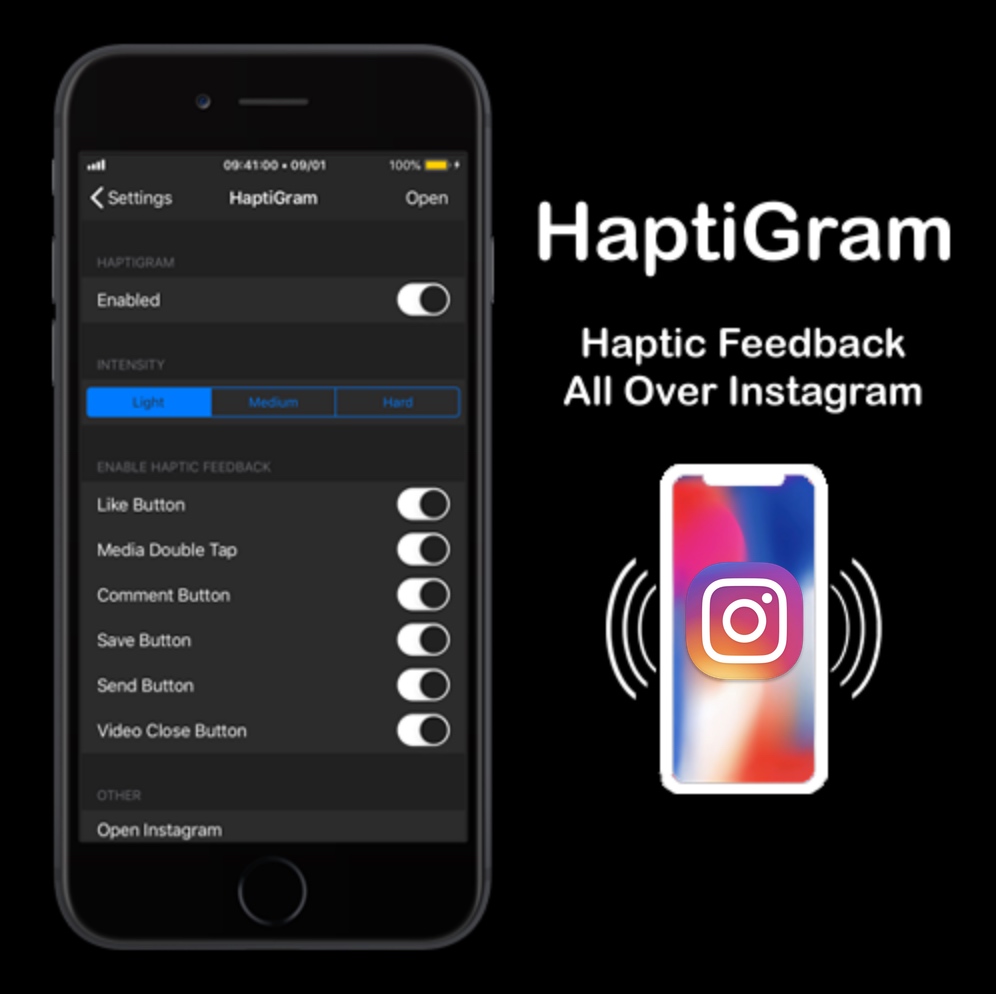
Add haptic feedback to the Instagram app with HaptiGram

If you’re a jailbreaker that uses the Instagram app and also happens to enjoy subtle vibrations when performing actions (better known as haptic feedback), then we think you’ll take a particular liking to a newly released jailbreak tweak called HaptiGram by iOS developer iCraze.

As you may have inferred already from the context clues above, HaptiGram integrates haptic feedback into various actions performed in the official Instagram application for iOS. According to the developer, haptic feedback can be felt when doing any of the following things: