iOS

Jailbreak tweaks of the week: Dots 2, Gravitation, Springtomize 5, and more…

Hot off the heels of an updated unc0ver jailbreak with support for iOS 13.0-13.3 on A12(X)-A13 devices, it is now possible to jailbreak the bulk of all iPhones or iPads in circulation with either checkra1n or unc0ver. The only exception would be A12 or newer devices running iOS 13.3.1.

If you have a jailbreakable device, then you may want to find some add-ons to go along with it. In this piece, we'll discuss our favorite jailbreak tweaks released between Monday, February 17th and Sunday February 23rd. As usual, we'll kick things off by talking about our favorite releases and then wrap things up with an outline of the rest afterward.

Give Control Center a rounder aesthetic with RoundedCC

Those looking for a quick and easy way to give their newly jailbroken handset a way to stand out from the crowd might enjoy the likes of a newly released jailbreak tweak called RoundedCC by iOS developer neoney.

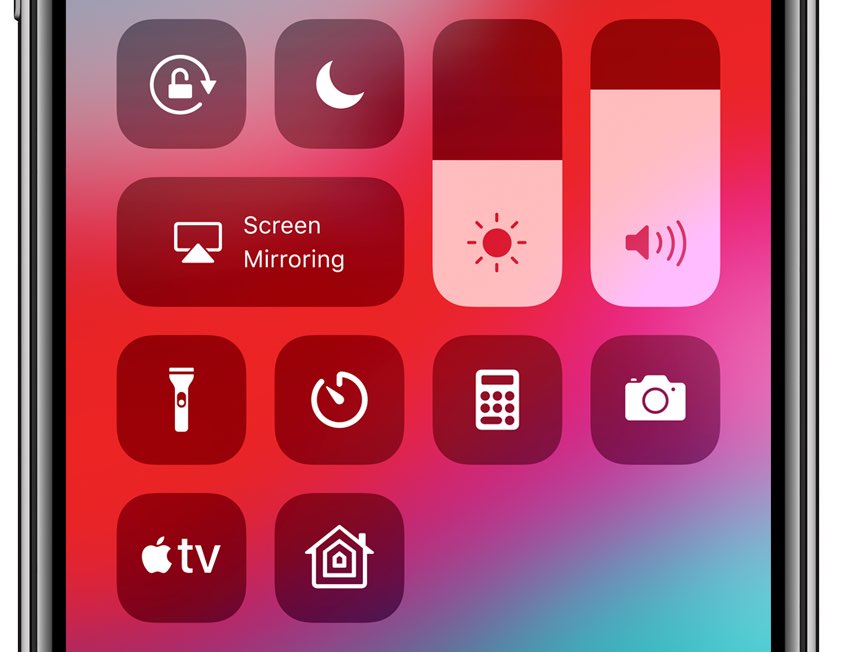
As most would probably infer from the tweak’s rather conspicuous name, RoundedCC gives Control Center a much rounder aesthetic. It replaces much of the interface’s rectangular features and either transforms them into circles or eliminates most of the straight lines.

Runaway displays your current internet speed in the Status Bar

Whenever you browse the internet on your iPhone and wonder why things aren’t quite loading as quickly as they should be, you might be inclined to download an internet speed-testing app to determine whether it’s a problem with the app or with your internet connection. But if you’re jailbroken, this additional step may not be entirely necessary.

Say hello to Runaway, a newly released and free jailbreak tweak by iOS developer ned that incorporates a convenient network speed indicator just beneath the Status Bar’s time display on any notched iPhone, such as the iPhone X and newer.

How to get Cydia running alongside Sileo on checkra1n

In case you missed it, the Sileo Team has officially released Diatrus’ Cydia fork that permits checkra1n jailbreak users to have both the Cydia and Sileo package managers running on the same device. This was a historic moment for the Sileo Team because it’s the first time that an official solution of this magnitude has ever been released for a jailbreak not created by the Electra Team.

If you’re using the checkra1n jailbreak and you want to have both the Cydia and Sileo package managers present on your device, then you’ve come to the right place. In this tutorial, we’ll show you how.
Sileo Team launches Diatrus’ Cydia fork, permitting Cydia & Sileo on the same device

Sileo and Cydia icons.

If you’re using the checkra1n jailbreak and you’ve been on the fence about using the Sileo Team’s brand-new installer to get Sileo on your iPhone or iPad because of its conflicts with the pre-installed Cydia package manager, then we’ve got good news for you!

With the help of prominent Sileo porter Diatrus, the Sileo Team has officially launched a new Cydia fork on its GetSileo repository that will allow checkra1n devices to run both Cydia and Sileo side-by-side on the same device using the same version of APT.

ReachCC13 opens Control Center with iOS’ native Reachability gesture

Control Center is an incredibly convenient section of iOS that provides instantaneous access to your favorite toggles and shortcuts, but if you have a larger iPhone such as the XS Max or 11 Pro Max, then you might have trouble getting to the interface with just one hand given how the gesture to open Control Center involves the very top-right corner of the display.

Here to solve the aforementioned problem is a newly released and free jailbreak tweak called ReachCC13 by iOS developer Kritanta. Just as the name implies, this tweak modifies the behavior of the iPhone’s native Reachability gesture to launch Control Center when invoked instead.

Diatrus to release a Cydia fork for checkra1n & unc0ver that works with Sileo

It was only a couple of days ago that the Sileo Team released a brand-new Sileo package manager installer for the checkra1n jailbreak. The updated installer, created with the help of prominent Sileo porter Diatrus, leaves most of checkra1n’s bootstrap components intact. On the other hand, the installer still upgrades APT to a version that is incompatible with the pre-installed Cydia package manager, thus uninstalling it in the process.

If you were hoping that you could finally use Sileo on your checkra1n device without having to uninstall Cydia, then the Sileo Team’s updated installer probably left you disappointed. Fortunately, Diatrus seems to be working on a solution that could answer the community’s cries to have both package managers present on the same checkra1n or unc0ver device.

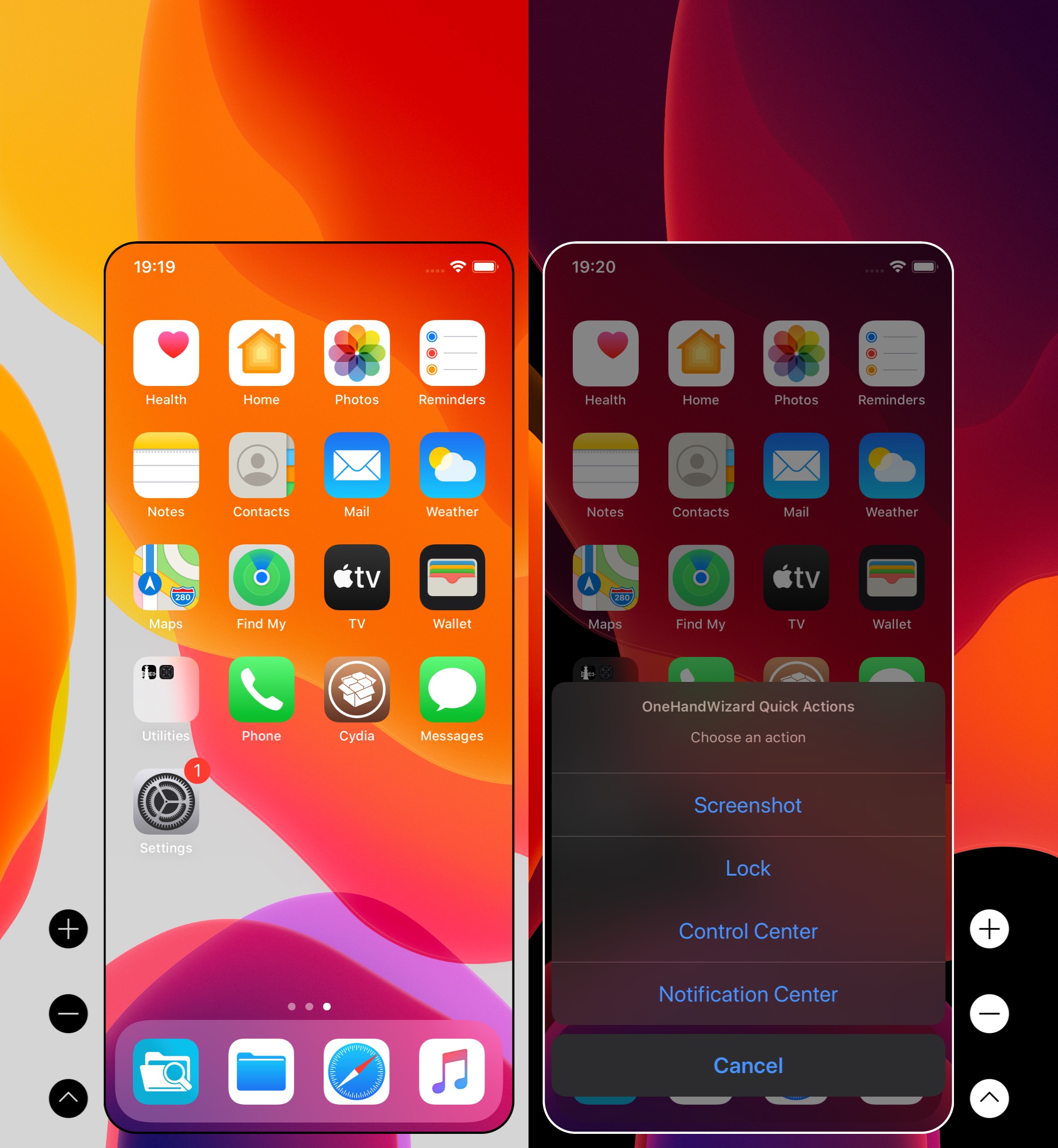
OneHandWizard 2 makes one-handed usage of massive iPhones easier

There’s no doubting the fact that smartphones are receiving larger displays by popular demand, and while this can be considered a benefit from the standpoint of media consumption, it also tends to be a shortcoming by way of one-handed usage.

Apple tries to make things on handsets with large displays easier to reach with just one hand through a native Accessibility feature called Reachability, but using it can be cumbersome, and it tends to lack much-needed functionality. For those who demand more out of their one-handed smartphone usage, it’s tough to go wrong with a jailbreak tweak called OneHandWizard 2 by iOS developer sharedRoutine.

iOS 13.4 lets your iPhone listen for Hey Siri even when faced down or covered

You know how you can temporarily prevent “Hey Siri” from listening and stop notifications on your iPhone by laying the handset with its face down, without changing any settings? This underrated feature is called Facedown Detection and it doesn't require any toggles or initial setup. iOS 13.4 adds a brand new accessibility setting designed to override Facedown Detection's automatic disabling of Hey Siri when the phone is faced down or covered.