Learn how to use Apple Maps on your iPhone, iPad, and Mac to find local points of interest in a new region or a location you're traveling to.
How to find local points of interest in Apple Maps
Learn how to use Apple Maps on your iPhone, iPad, and Mac to find local points of interest in a new region or a location you're traveling to.
There are so many jailbreak tweaks out there in addition to all the new releases we cover every day that it can be challenging for new jailbreakers to know exactly where they should start. Having said that, it’s one of our top priorities here at iDownloadBlog to assist our readers with tweak discovery. We curate specialized lists like the one you’re reading now to help shine the spotlight on worthwhile releases that you may find interesting.
In this week’s addition to our rolling series that homes in on the best jailbreak tweaks for specific facets of iOS 14, we’ll focus on the wallpaper; everywhere it might appear. The wallpaper is the first thing users see when using their device, and it’s a personal choice for the end user to make. Given these circumstances, it’s easy to see why someone would want the best wallpaper user experience they can get, and a jailbreak can help with that.
With the grand unveiling of the newest version of Safari for iOS and iPadOS, Apple welcomed a few big changes to the experience. The biggest, along with tab groups in general, is that the address bar has been moved to the bottom of the iPhone. However, Apple has been listening to the masses --especially those who have been adamant that the upcoming changes aren't great-- and keeps tweaking that experience ahead of the public launch later this year. And today is no different.
Apple is moving towards the public launch of iOS 15, iPadOS 15, macOS 12 Monterey, watchOS 8, and tvOS 15 later this year. To help get there, though, the company is still in the beta testing phase. As a result, the company has just issued the latest betas for a few of its most popular platforms.
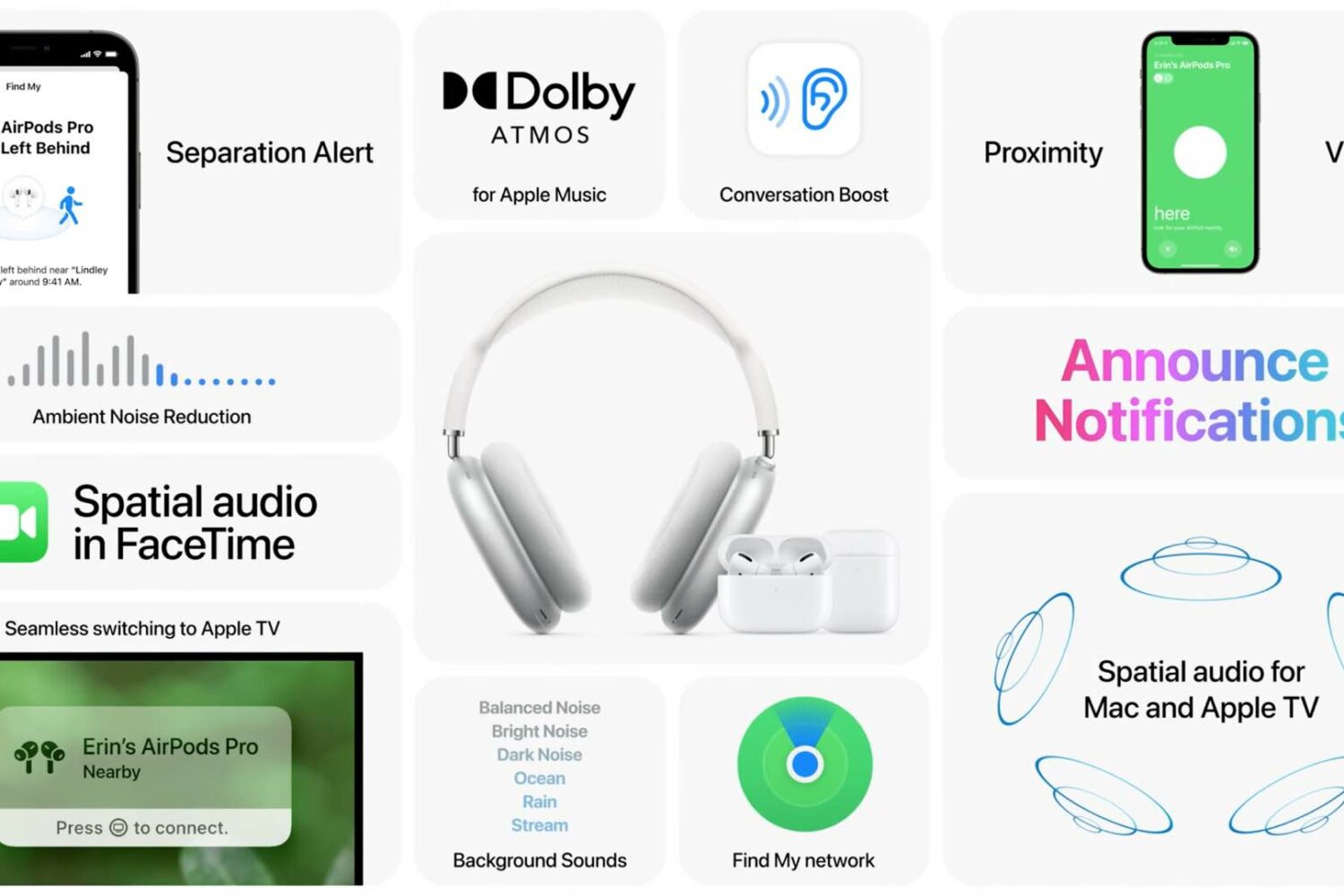
Apple has plenty of new AirPods features ready for your enjoyment, all you need to do is install iOS 15 and other software updates on your Apple devices. Here are all of them in one place.
The iPhone's Night Mode uses computational photography to bring your low-light shots to life, but iOS 14 wouldn't let you keep its state preserved across sessions. iOS 15 fixes that.
Apple reserves iOS’ deep integration for noise cancellation and transparency mode to the company’s own headphone and headset offerings including the AirPods Pro, AirPods Max, and even the Beats Studio Buds. But these are far from the only headphone and headset offerings on the market that offer alike or similar features.
Despite the lull that the jailbreak community is experiencing amid anticipation for iOS & iPadOS 15 this Fall, we continue to see interesting new jailbreak tweak developments and jailbreak-centric news.
Many of those releases and news breaks happen when we’re distracted by our lives, and important tidbits can be easy to miss as a result. That’s the primary reason why iDownloadBlog curates these weekly recaps — it’s an effort to keep everyone on the same page despite all the chaos life brings.
Proponents of the Sileo package manager for jailbroken iPhones and iPads will be in for quite the surprise this Saturday morning, as the Sileo Team appears to be pushing a notably significant new public beta update for the app in the form of version 2.2.
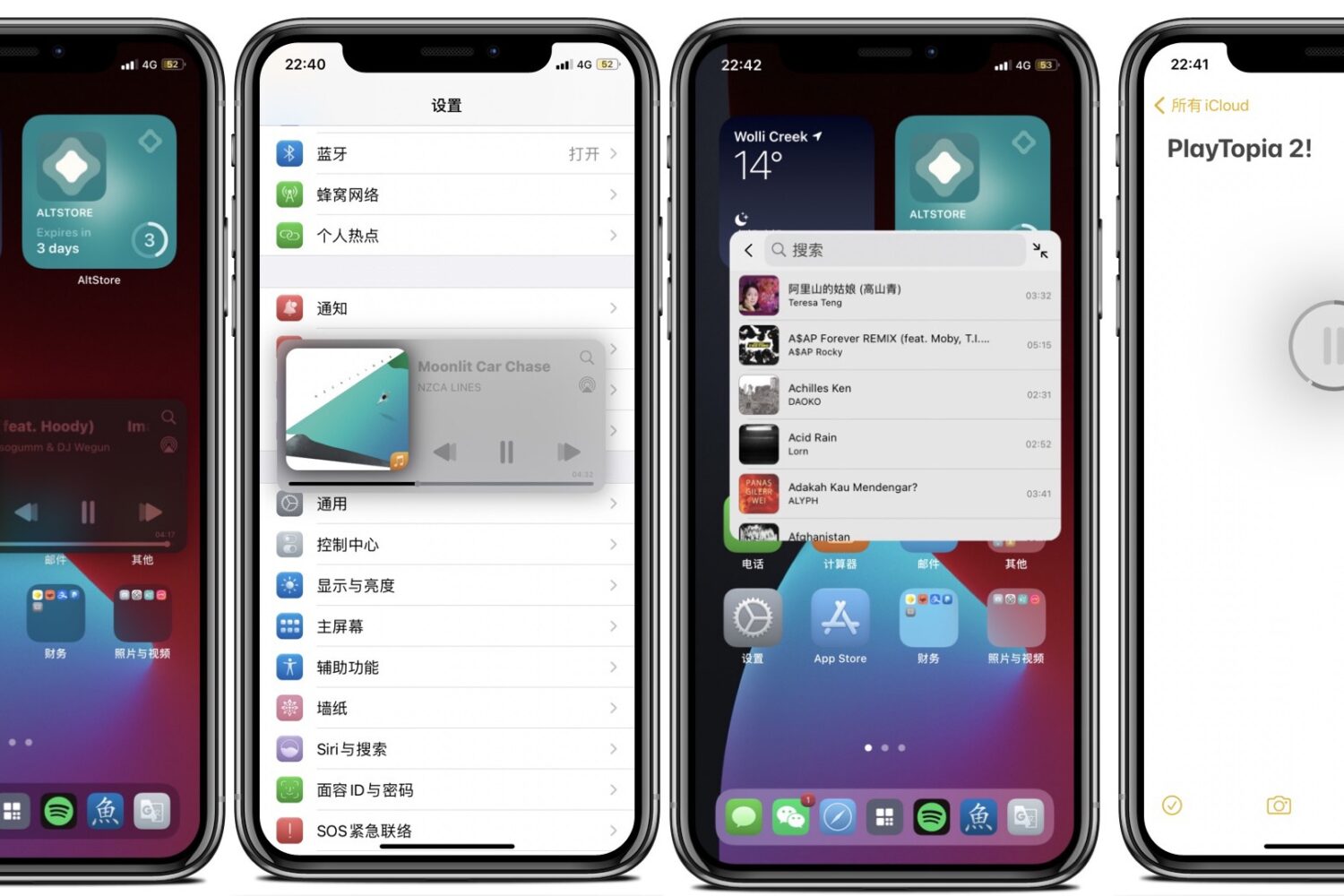
In 2016, we showed our readers an innovative mini player widget for jailbroken iPhones dubbed Playtopia that could shrink to a compact size while floating over the top of any interface for convenient music playback control from anywhere.
Today, we’re excited to share that a jailbreak tweak called Playtopia 2 is now available for modern jailbroken handsets running iOS 14 — a project made possible by iOS developers Ginsu and Aviorrok.
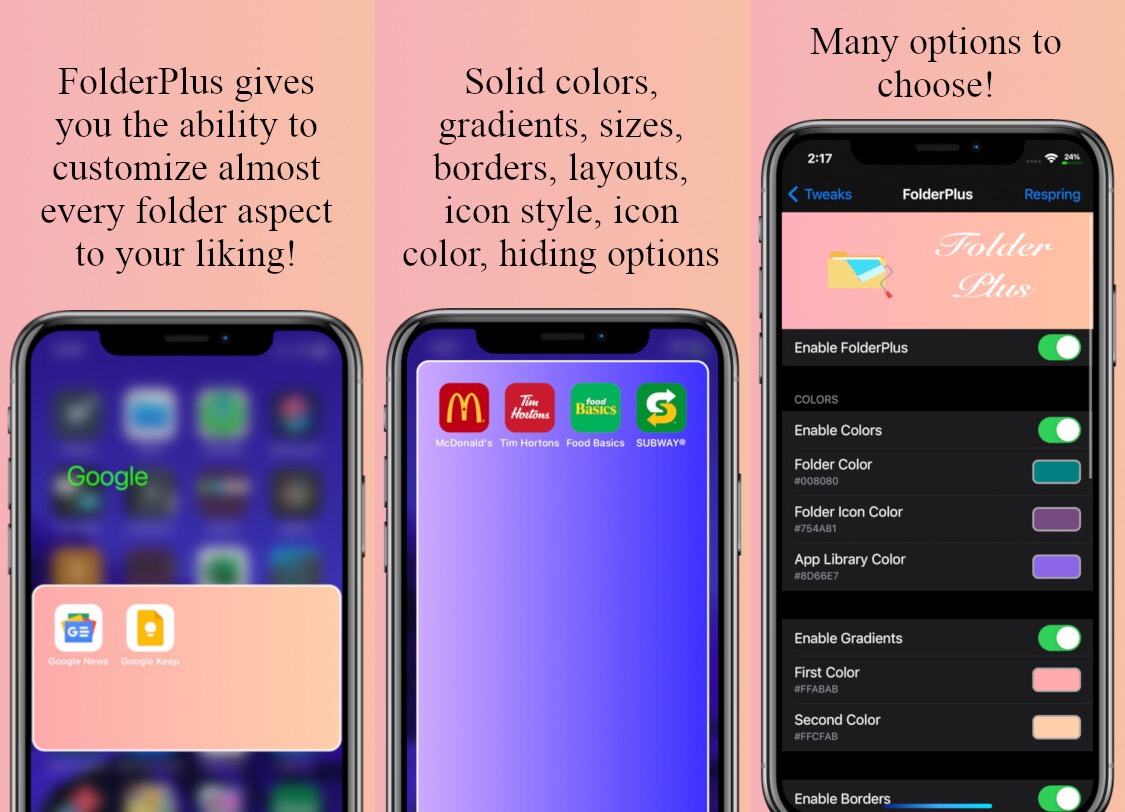
The introduction of the App Library in iOS 14 made Home Screen folders a moot point for many iPhone users. Still, some continue to use folders to organize app icons on the Home Screen, even in a post-App Library world.
As a YouTube Premium user, I’m glad that I no longer need to cope with the barrage of endless pop-ups that would attempt to upsell me on an upgraded YouTube experience comprised of support for background playback, offline video downloads, and ad-free viewing.
Having said that, I sympathize for the free YouTube users out there who are nagged time and time again to upgrade to YouTube Premium. While it’s annoying enough to try and watch videos with ad inserts every few seconds, the user experience is even more heavily degraded by those persistent money-grabbing pop-ups being added to the mix.