Samsung's new Galaxy Watch 4 and Galaxy Watch 4 Classic smartwatches won't be iOS compatible, meaning they won't work with iPhones, unlike the previous models.
Samsung’s latest Galaxy smartwatches won’t support iPhones
Samsung's new Galaxy Watch 4 and Galaxy Watch 4 Classic smartwatches won't be iOS compatible, meaning they won't work with iPhones, unlike the previous models.
One of the features I use non-stop on both my iPhone and iPad is Dark Mode. It’s something I wanted Apple to incorporate into its platform for eons after enjoying a multitude of jailbreak tweaks that unofficially provided the capability for so many years. That wish was granted in iOS & iPadOS 13, and it continues to be a popular feature even in iOS & iPadOS 14.
Now that we’ve enjoyed Dark Mode out of the box on the iOS and iPadOS platforms for a couple of years, it’s only natural that the jailbreak community has developed different ways of augmenting how we use and interact with it. Whether or not you’ve been following along for all that time, this piece will briefly summarize what we think are some of the best jailbreak tweaks for upgrading the Dark Mode user experience on iOS 14.
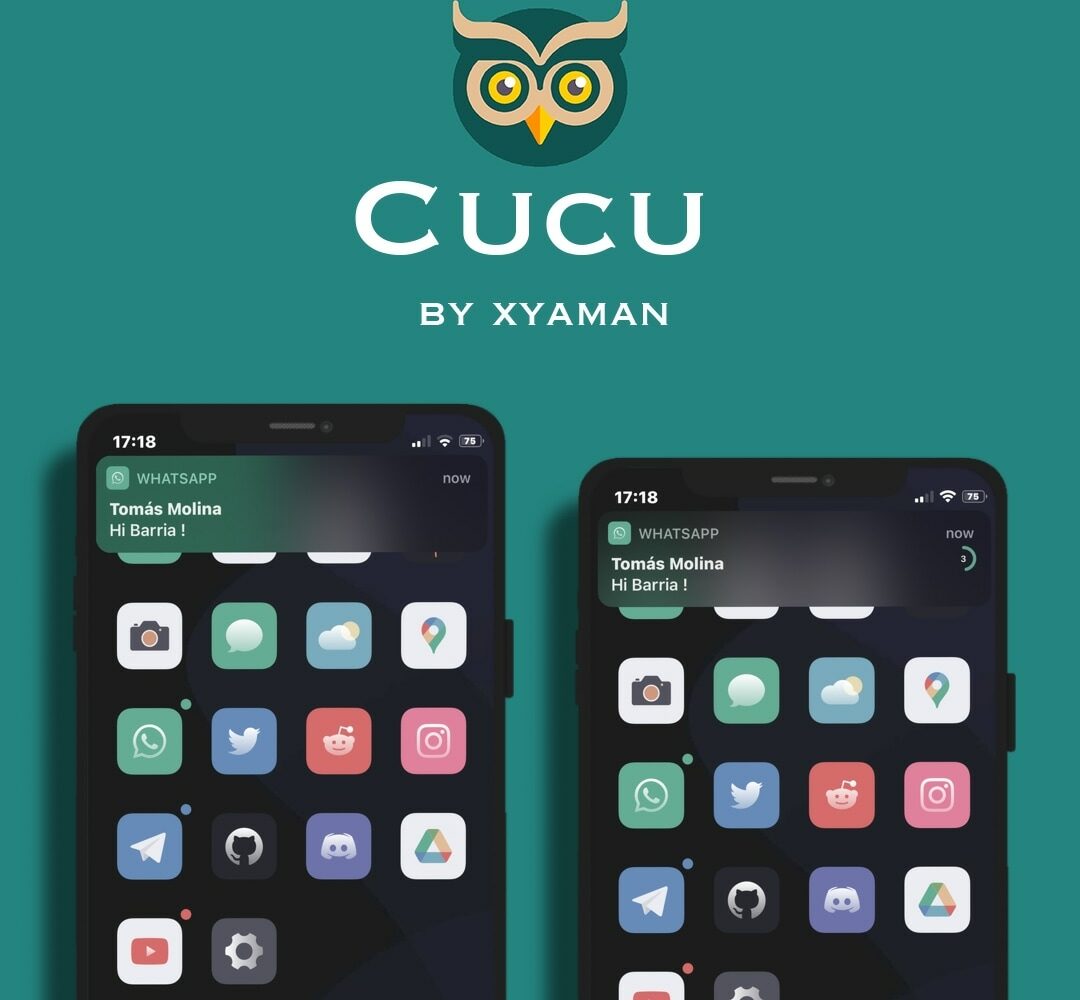
If you’re jailbroken and in the market for an exciting new way to customize your handset’s notification banner experience, then we have just the right jailbreak tweak for you!
Cucu is a new and free release by iOS developer Xyaman that offers a handful of intriguing new features for incoming notification banners, and like most high-quality jailbreak tweaks, it’s fully configurable by the end user.
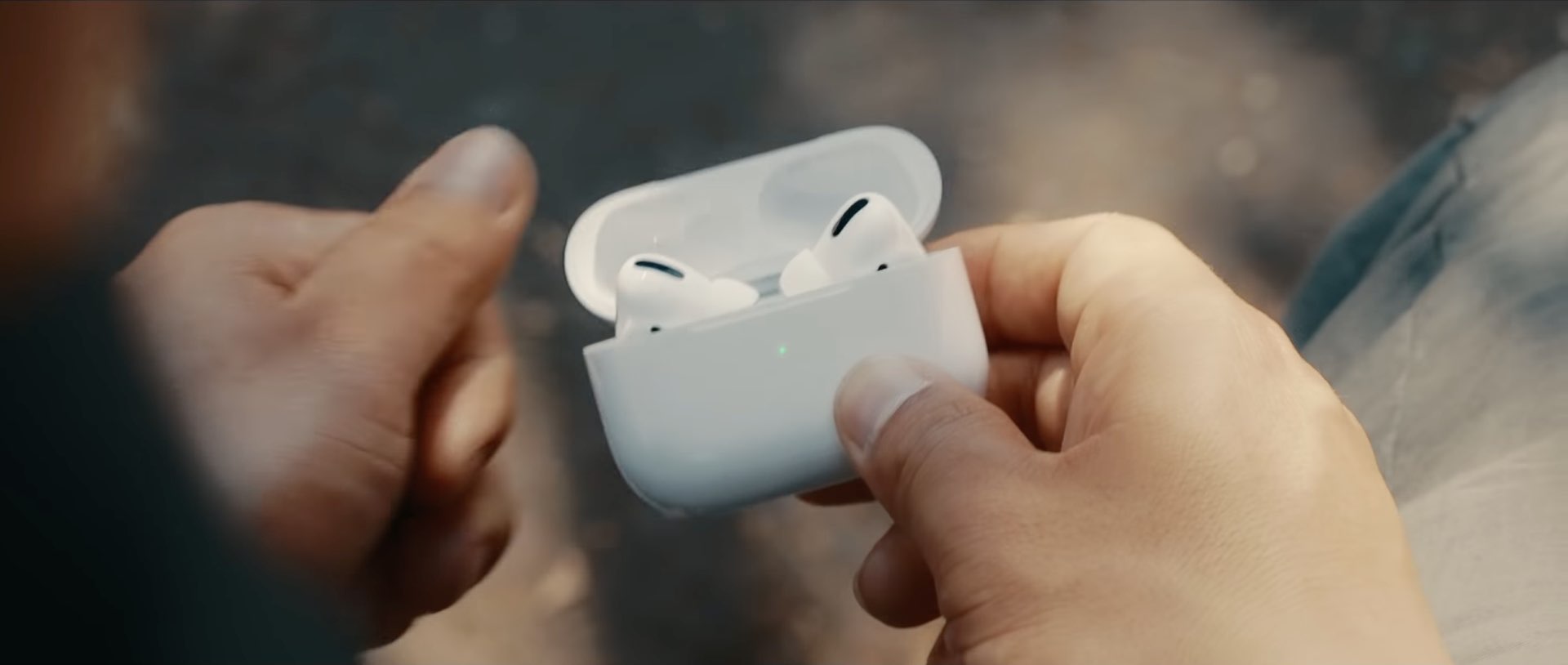
iOS 15 and iPadOS 15 have been discovered to link the AirPods Pro and AirPods Max headphones to your Apple ID, which allows Apple to leverage its Find My network and make it easy to see the AirPods location on the map, even when disconnected from your iPhone.
Earlier today, Apple seeded the fifth developer beta of iOS 15. The newest version of the prerelease software didn't add a whole lot to the mix, especially no major features, but there were some new additions. We've already rounded up what's new, but there's a bit more, apparently.
Earlier today, Apple seeded the fifth beta of iOS 15 and iPadOS 15 (and tvOS 15) to developers. Even though we're nearing the public launch of the software, it looks like Apple's not quite finished adding and tweaking a few things with the software.
As we charge ahead to September, and Apple's expected release dates for updates to its major platforms, we're still in the beta testing phase. Today, the company is moving right along with that plan, preparing the prerelease software ahead of its global, public launch later this year.
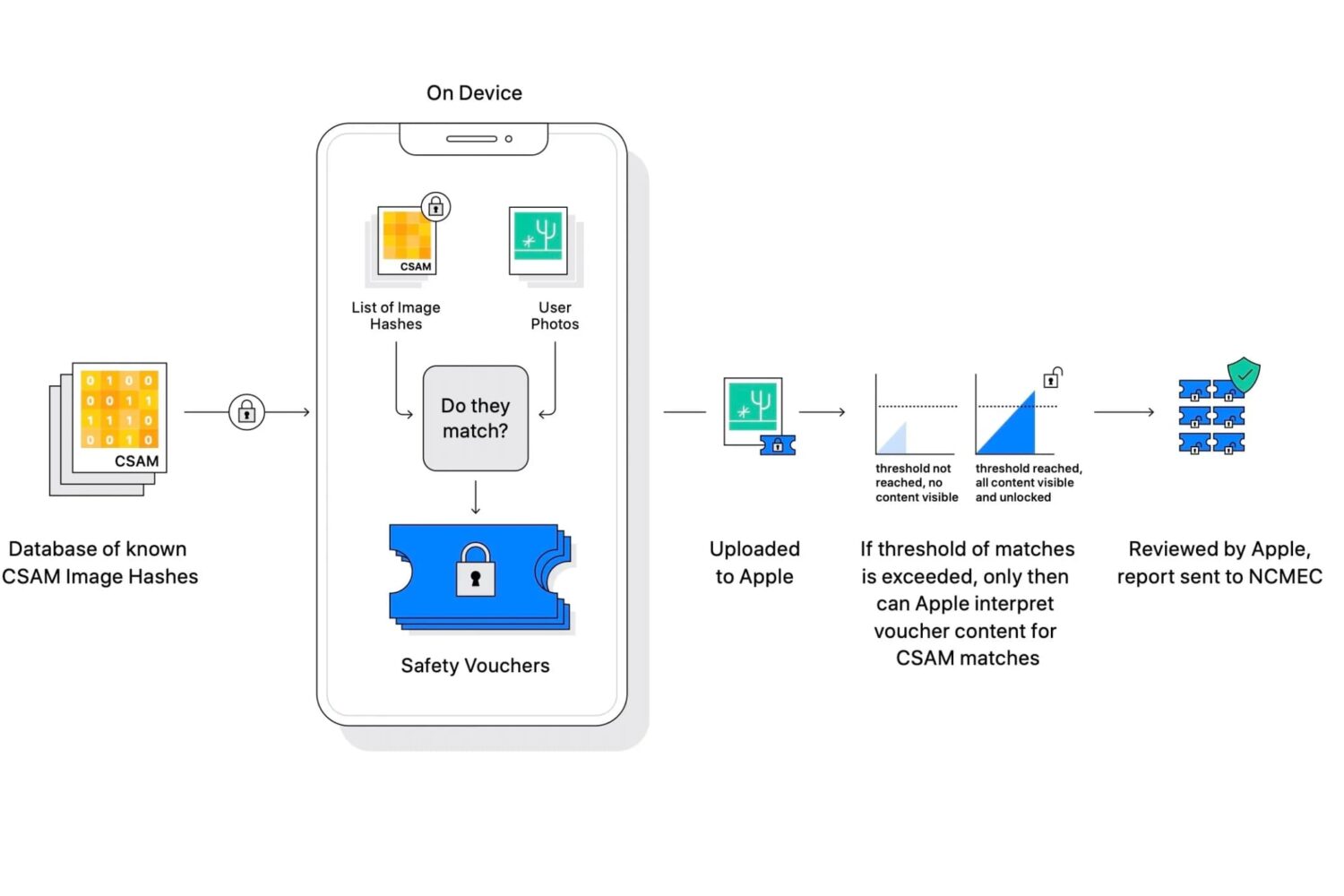
It should come as no surprise that Apple has had to go out of its way a bit to offer more context related to some of the newest features coming soon to its major platforms. With it being centered around child protections, but using some invasive efforts to get there, people are concerned the company might be overstepping. In an effort to assuage fears and concerns, Apple's tried to shine as much light on the new features as possible.
Right now, the current version of iOS 14 is iOS 14.7.1. Apple released this version of the mobile operating system at the tail end of July. And it was expected that that would be the final version of iOS 14.7 for the public, with iOS 15's arrival penciled in for sometime in September. But it turns out that might not be the case.
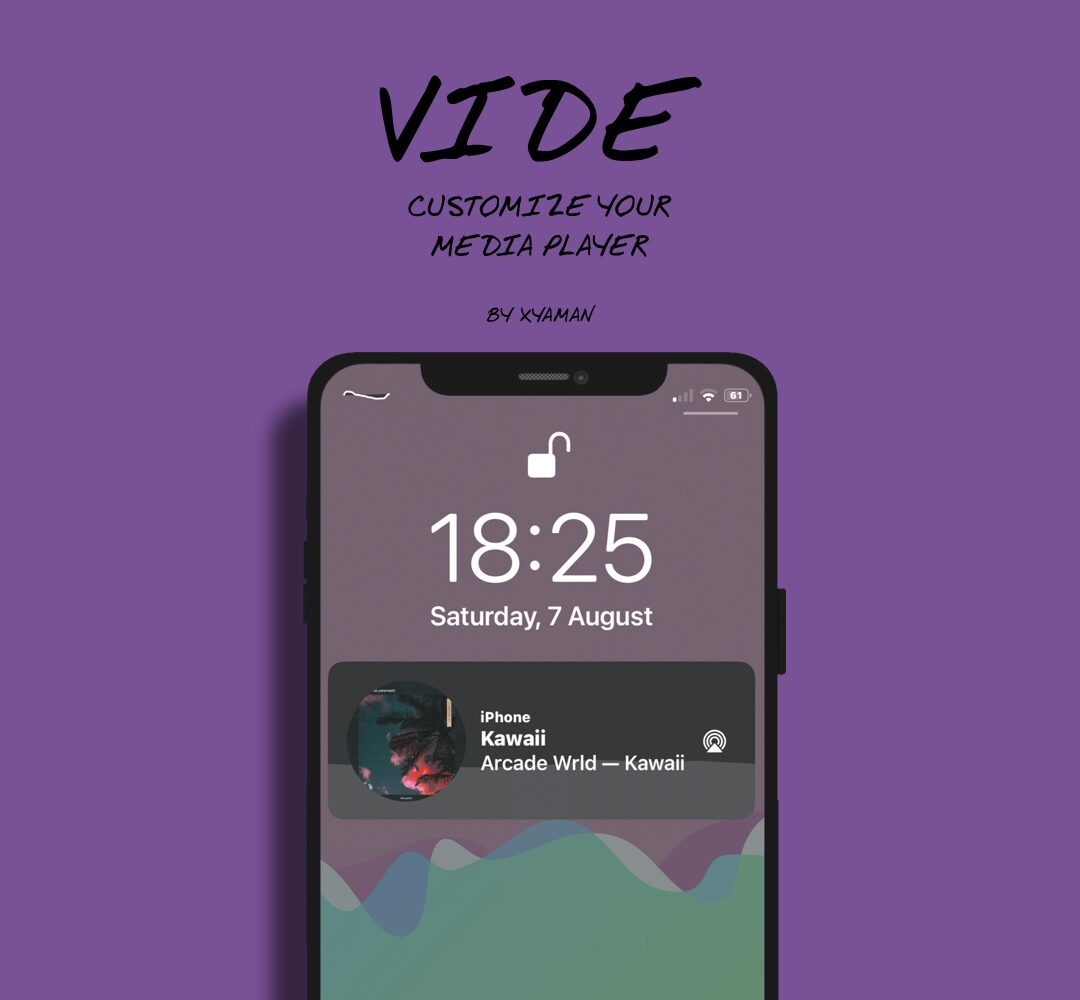
Many jailbreakers are perfectly fine with the way their iPhone functions, but they simply want to make it look different than it does out of the box. If that sounds like you, then you might enjoy using a newly released and free jailbreak tweak dubbed Vide by iOS developer Xyaman.
Things have been a little slower than usual in the jailbreak community for the past two weeks, but that’s par for the course when we’re just around the corner from a major iOS software update — namely iOS & iPadOS 15 this Fall.
Despite that, this past week surprised us with some exciting jailbreak tweak releases and jailbreak-based news. We intend to share everything new with you in this convenient all-in-one roundup to help ensure you don’t miss any of it.
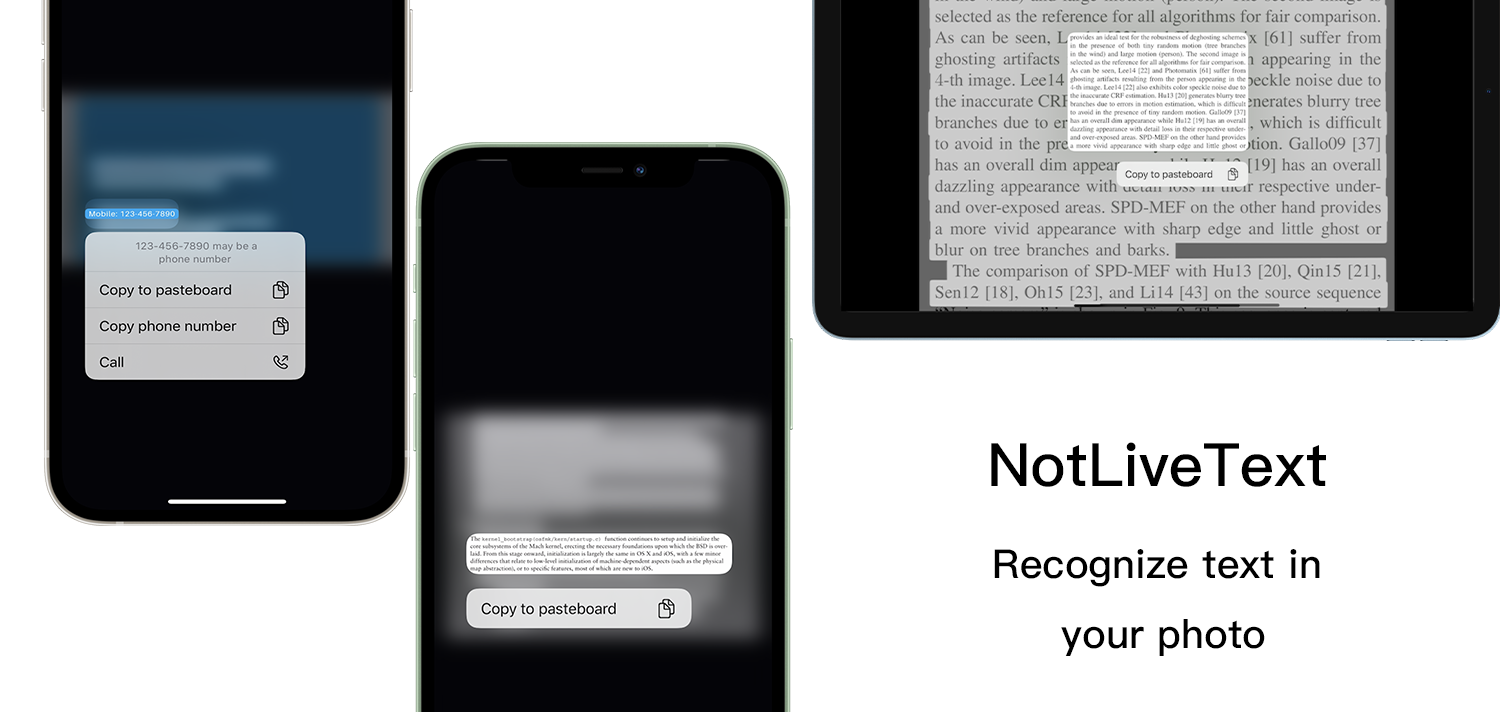
Note-taking is a useful skill, but let’s admit it, we’ve all been in some type of time-related pinch in which it was more convenient to simply launch the Camera app and take a picture of something with text on it than it would have been to launch the Notes app and try to type out all the text verbatim. Business cards and street-side advertisements are both great examples.