iOS 14

Jailbreak tweaks of the week: CCCalc, Electrode, Spore, & more…

Things have been a little slower than usual in the jailbreak community for the past two weeks, but that’s par for the course when we’re just around the corner from a major iOS software update — namely iOS & iPadOS 15 this Fall.

Despite that, this past week surprised us with some exciting jailbreak tweak releases and jailbreak-based news. We intend to share everything new with you in this convenient all-in-one roundup to help ensure you don’t miss any of it.
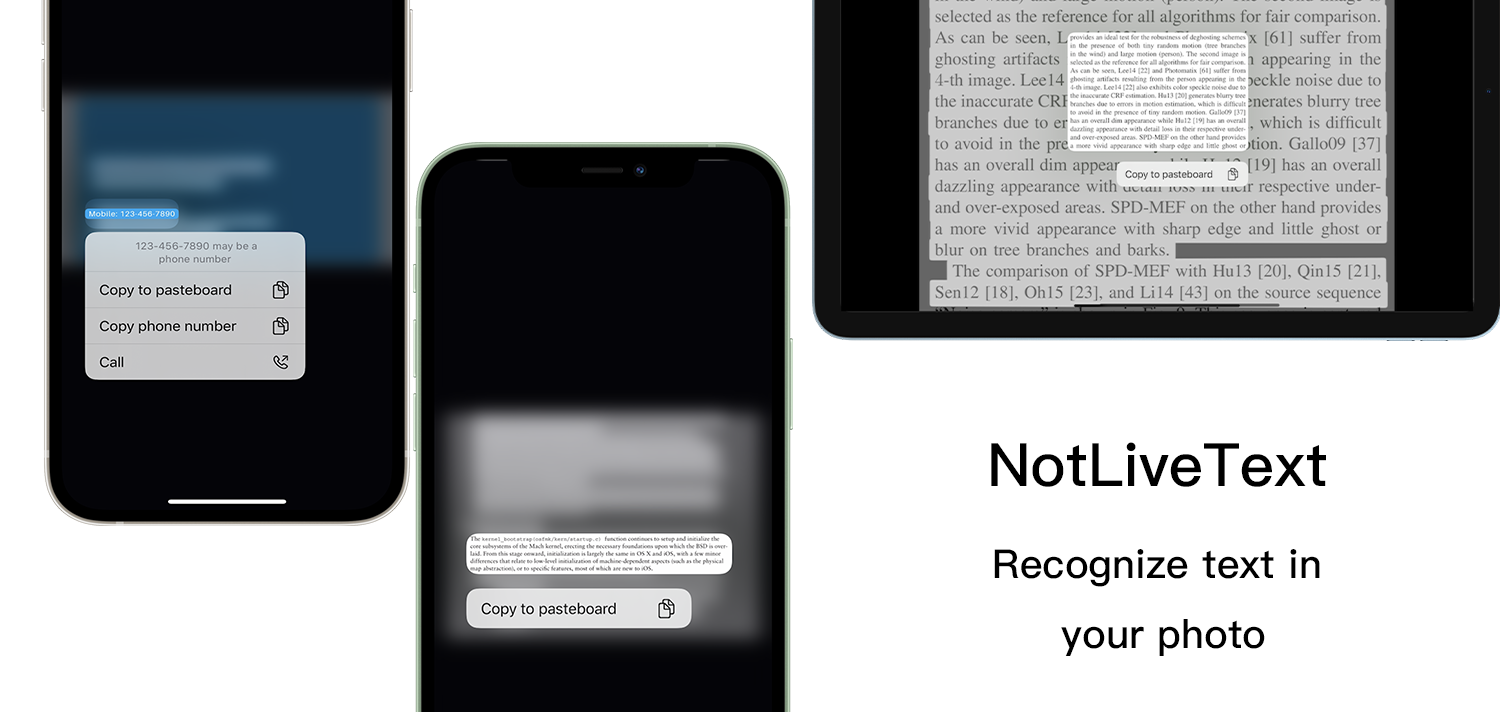
NotLiveText brings iOS 15’s Live Text feature to the Photos app on jailbroken iOS 14 handsets

Note-taking is a useful skill, but let’s admit it, we’ve all been in some type of time-related pinch in which it was more convenient to simply launch the Camera app and take a picture of something with text on it than it would have been to launch the Notes app and try to type out all the text verbatim. Business cards and street-side advertisements are both great examples.

Electrode transforms your iPhone’s low power alerts into low power toasts

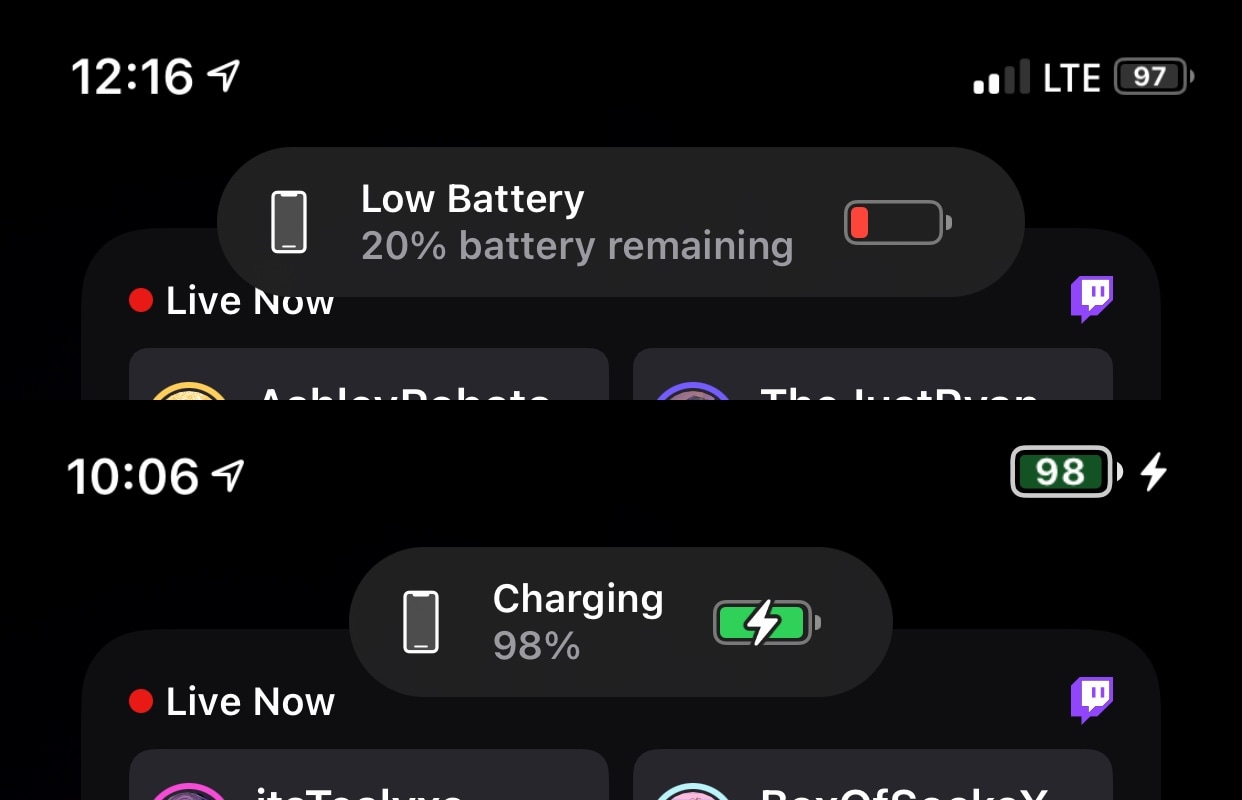
As an iPhone’s battery level approaches the dangerous sub-20% territory, the handset will automatically alert the user. One thing that has always peeved me about this, however, is that the alert isn’t as aesthetically pleasing as I’d come to expect from a company with a reputation for good looks such as Apple.

For those who agree, a newly released and free jailbreak tweak dubbed Electrode by iOS developer biD3V offers refuge, as it replaces the iPhone’s traditional low power alerts with something called a Toast, which looks like the pop-up you get when toggling the ringer/silent switch on an iPhone or attaching an Apple Pencil to an iPad to charge.

Some of the best jailbreak tweaks for Photography on iOS 14

If you own an iPhone, then a substantial part of the user experience would be tinkering with the powerful camera systems that Apple invests millions of dollars into improving year after year. This holds true even for jailbreakers since they can enjoy even more convenience and performance out of their iPhone’s camera than basic iPhone users thanks to being free of Apple’s software limitations.

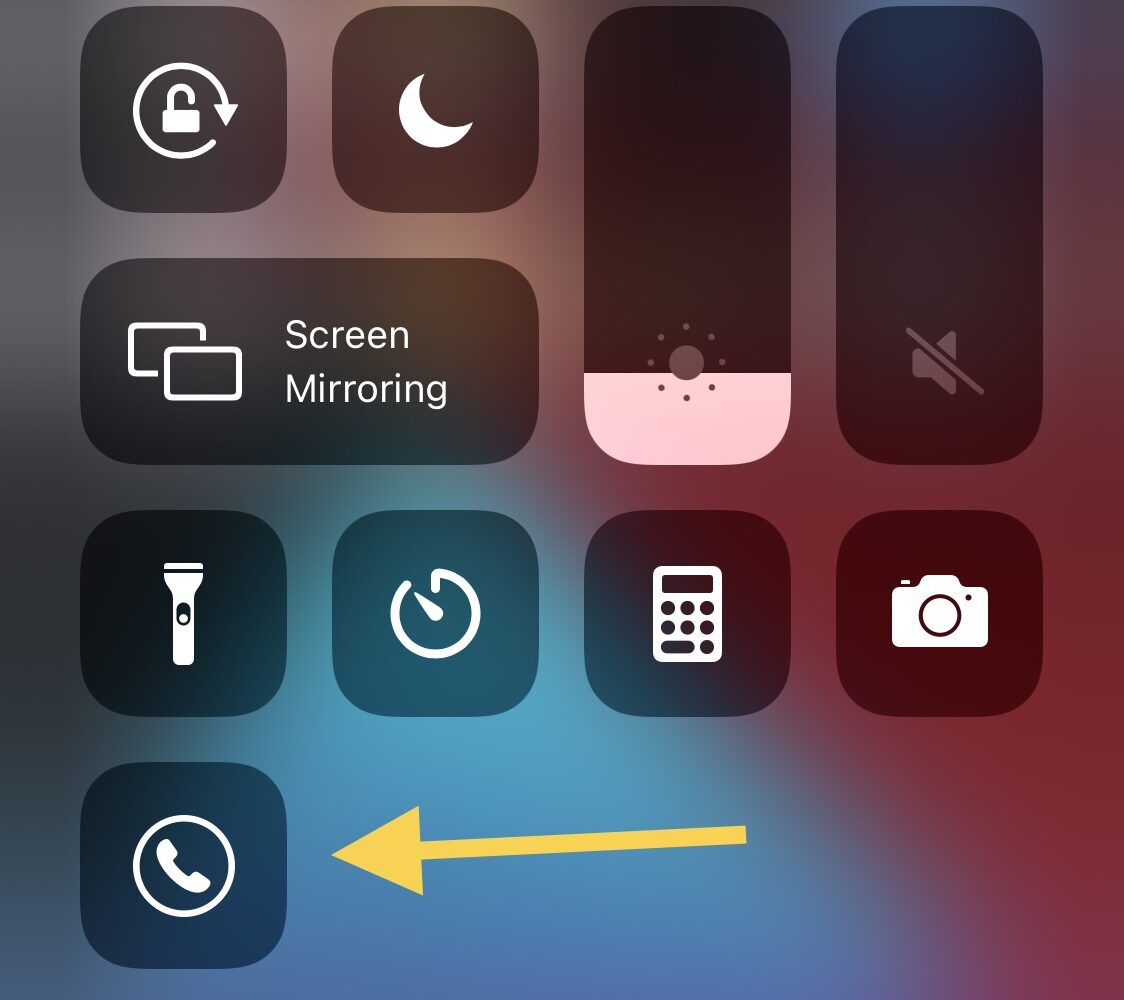
This jailbreak tweak adds a caller ID toggle button to Control Center

If you ever need to hide your identify from someone that you’re attempting to call from your iPhone, then you can utilize the “Show My Caller ID” option in the Settings app to toggle displaying your caller ID on or off when making outgoing phone calls. On the other hand, finding this option in the Settings app can feel a little like navigating a complex labyrinth.