iPad Pro

Twelve South updates BookBooks for iPad Air 2 and iPad mini 4, previews BookBook for iPad Pro

Premium, Apple-exclusive accessory maker Twelve South has refreshed its lineup of vintage leather cases that offer both protection and nice disguise with two new versions, one for the iPad Air 2 and the other for the iPad mini 4. In addition, the company has previewed a BookBook case for the iPad Pro, which will be shipping this Spring.

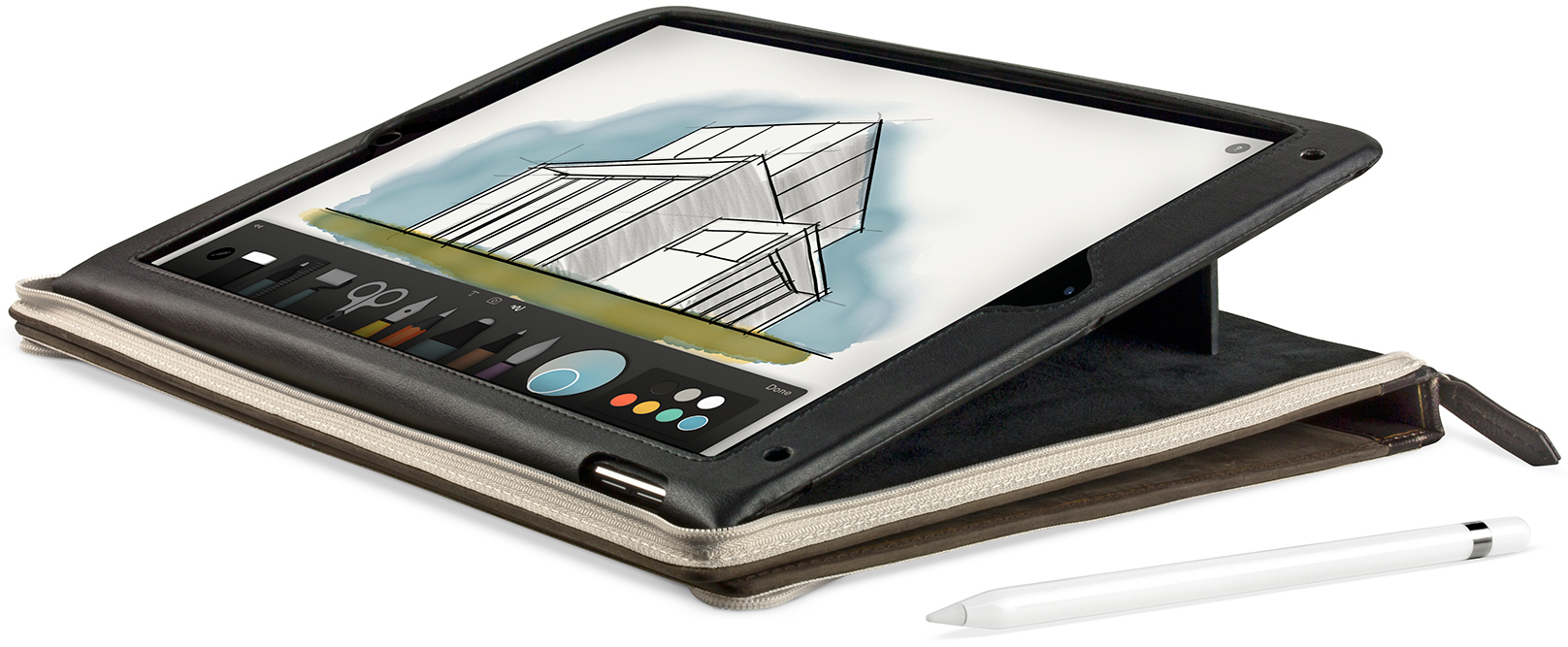
BookBook for iPad Pro will have “features that complete your iPad Pro,” including a display stand, a built-in sketching angle and an integrated pocket to protect and store your Apple Pencil.

Joli Originals offers a premium leather sleeve for iPad Pro

Recently, finding time in my schedule to offer a review has been very difficult. However, some products just beg to have a closer look and Joli Original's iPad sleeve for iPad Pro is one of those accessories. After receiving my iPad Pro, I began the quest to find a protective covering, but was not interested in Apple's expensive cases or the Smart Keyboard. As a fan of using naked devices, I was only looking for a simple, protective case when I found Joli Originals.

After browsing the product site, I felt like a sleeve was the best way of protecting my iPad Pro, but still giving me quick access to the device in its truest form. Based on the product images, I was convinced the Smooth Collection was a high quality sleeve, that would very well match the premium experience of the iPad Pro. Like they say, a picture is worth a thousand words and this case certainly fits the bill.

New in iOS 9.3 beta 2: accessory firmware updates via iPad Pro’s Smart Connector

Aside from headline features such as Night Shift mode, new 3D Touch shortcuts, Notes improvements and more, the most recent beta of iOS 9.3 has been found to allow the iPad Pro to update accessories' firmware through its Smart Connector.

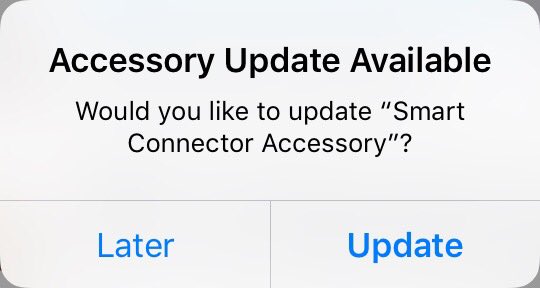
As noted by German developer Stefan Wolfrum and relayed by Oliver Haslam over at Cult of Mac, Wolfrum was greeted with an “Accessory Update Available” prompt after plugging a Logitech Connect keyboard case into his iPad Pro.

Microsoft updates Office for iOS with 3D Touch features, Apple Pencil support and more

Microsoft today rolled out updates to its mobile Office suite in the App Store: Word, Excel, PowerPoint and OneNote. Across the board these apps have gained support for 3D Touch shortcuts on the iPhone 6s/Plus.

In addition, the new 'Annotate with Ink' feature puts a set of cool tools on the new Draw tab for drawing, writing and highlighting things using touch, pen or Apple Pencil on the iPad Pro.

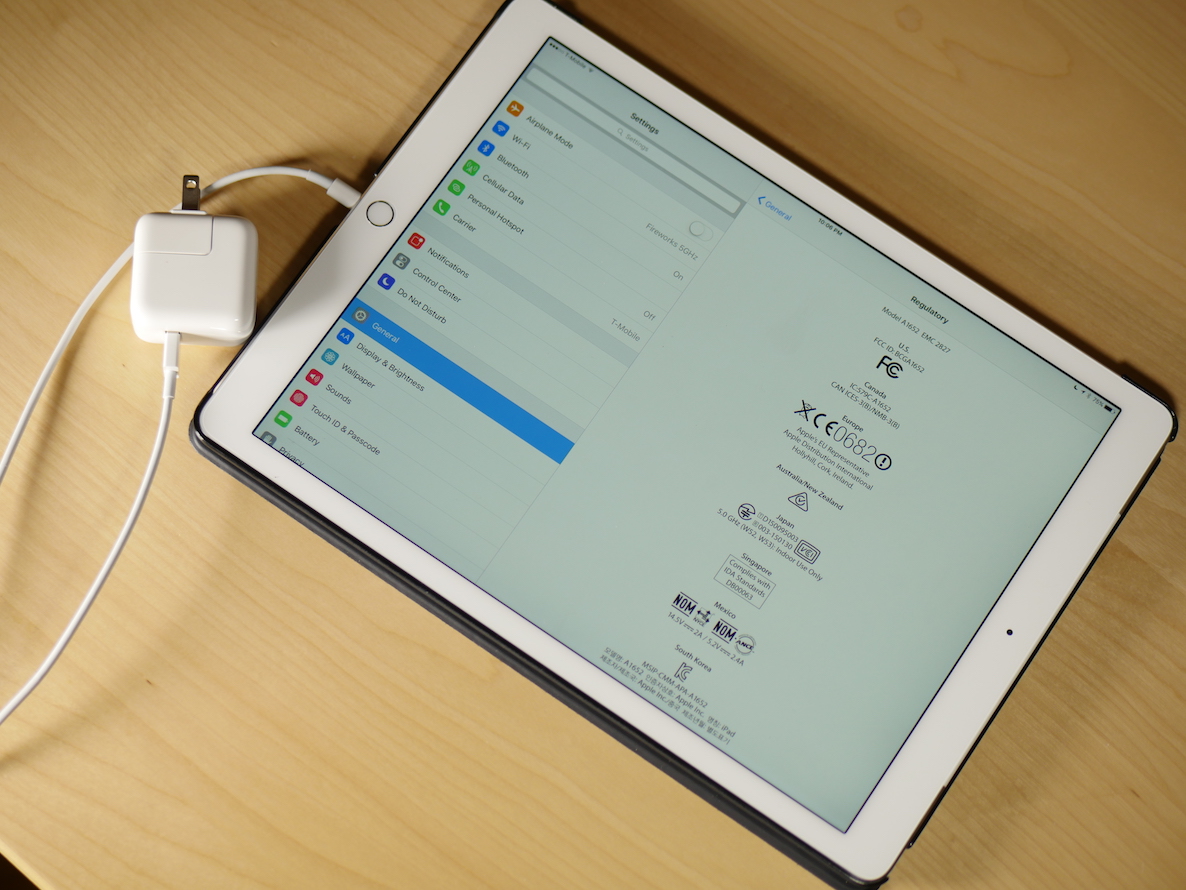
Regulatory information hints at a faster 29W iPad Pro charger

The iPad Pro is a massive device, and as such, it contains a pretty significant bit of battery. Unfortunately, the iPad Pro comes with a 12 Watt charger, which makes charging times slow, especially if you use your device while it's charging. In fact, if you pump your iPad Pro to maximum brightness, you might actually lose battery life even when it's plugged in.

But there's some potentially good news, as spotted by an eagle-eyed MacRumors forum member, the iPad Pro is capable of accommodating a much beefier charger than the one it ships with. Here's why a faster iPad Pro charging solution might be in the cards...

Brydge launches backlit keyboard cases for iPad Pro and iPad mini 4

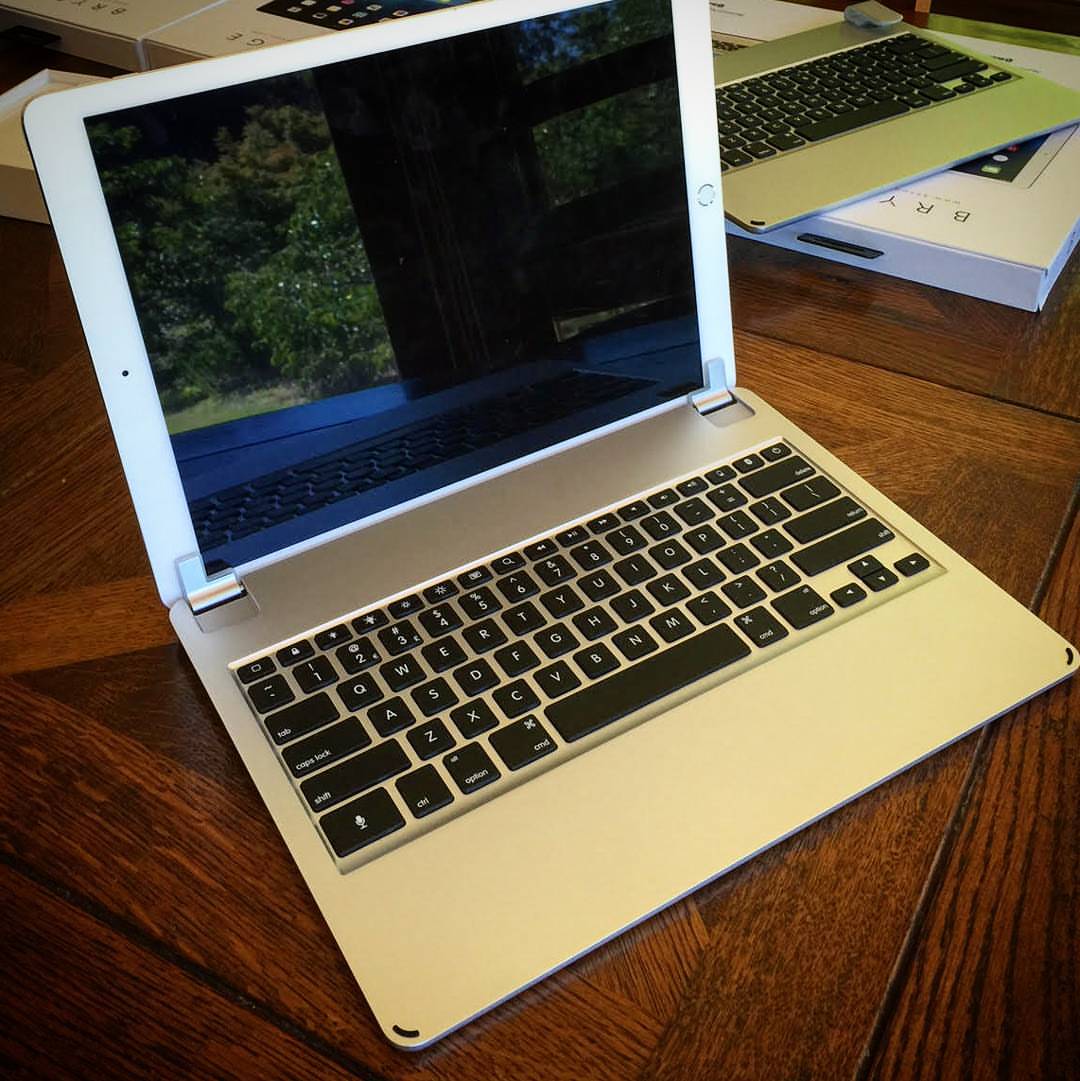
Accessory vendor Brydge launched at CES 2016 in Las Vegas a pair of brand new clamshell backlit keyboard cases for Apple's super-sized iPad Pro and the fourth-generation iPad mini.

Both the aluminum-clad $189 BrydgePro for iPad Pro and the $99 BrydgeMini for iPad mini 4 have rechargeable three-month batteries, sport backlit keys akin to those on MacBooks, offer Bluetooth connectivity and have a multi-angle hinge mechanism for folding them into a clamshell-like appearance.

The best accessories for new iPhone and iPad owners

Now that you have your brand new iPhone 6s or 6s Plus, or maybe iPad Air 2 or iPad Pro (or both, for that matter), you'll need some accessories to go with your new gadgets. Cases are a must have for protection, but there are lots of ways to compliment the look and productivity of your iOS device.

We've got a list of our 10 favorite accessories for the iPhone and iPad. But, keep in mind that everyone is different and what we think is perfect, might not fit your needs. If you have favorite accessories for the iPhone and iPad, please feel free to include them in the comments.

Advanced iPad Pro and Apple Pencil support now available in Astropad’s iPad app

Astropad, an awesome app by former Apple engineers that basically turns the screen of your iOS device into a graphics tablet for the Mac, has received an important update this morning with expanded support for Apple's new 12.9-inch iPad Pro and the Apple Pencil. Coupled with the iPad Pro and Apple Pencil, Astropad is now truly a Wacom Cintiq replacement that’s wireless.

“We’ve spent significant time with iPad Pro and we’ve rethought, tweaked and tuned Astropad to make the most of this powerful device,” developers tell me via email.

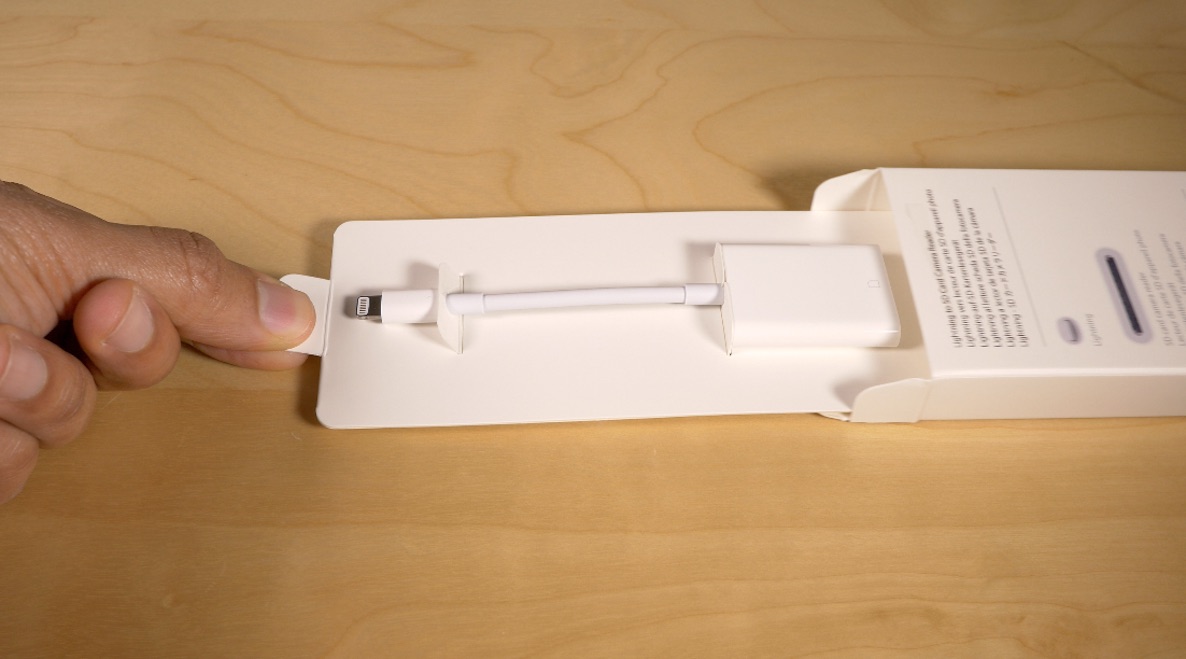
Lightning to SD Card Camera Reader review: USB 3.0 brings faster file transfer to iPad Pro

Of all the products that I've reviewed as of late, this is one of the ones I've been most excited for. Since getting the iPad Pro and trying to establish a video editing workflow with the extra large tablet, I've run into a few bottlenecks. The most obvious bottleneck has to do with transferring video from an SD Card to the iPad Pro's flash storage.

All of the dongles that I had available were of the USB 2.0 variety, so transfer speeds were horrendously slow when trying to get 4K video files from my Panasonic GH4 to my iPad Pro.

Fortunately, the iPad Pro does support USB 3.0, which results in a much faster file transfer experience—it was just a matter of Apple releasing an accessory that supported the extra throughput. The first accessory to do so is Apple's just-launched update to its Lightning to SD Card  Reader. The dongle looks very much like the previous version of the reader that debuted in 2012, but the Late 2015 update has USB 3.0 support in tow.

How is the experience when transferring large files to the iPad Pro with this new reader? Should those of you invested in a video or photo workflow consider dropping the $29.00 asking price for the updated version?
Pixelmator updated with support for iPad Pro, Apple Pencil and 3D Touch

Just two days after Pixelmator for Mac got updated with several new features, the iOS edition of the app has received a major update in the App Store this morning.

Pixelmator 2.2 now works great on the iPad Pro and takes full advantage of Apple's $99 Pencil stylus accessory. In addition, Pixelmator now includes full support for 3D Touch gestures on the iPhone 6s and iPhone 6s Plus.

Apple’s massive tablet gets its killer app: djay Pro for iPad Pro is here

The iPad Pro has just received what could be described as a killer app in the form of German developer Algoriddim's djay Pro, a brand new iPad-exclusive apps for both pro and aspiring DJs which launched this morning in the App Store.

Joining Algoriddim's existing djay Pro for Mac, djay 2 for iPhone and djay 2 for iPad apps, djay Pro for iPad replicates the productivity of its Mac counterpart with extensive support for more than 70 keyboard shortcuts and iOS 9's Split View and Slide Over multitasking modes.

More importantly, the software takes full advantage of the iPad Pro's A9X chip to deliver pristine sound quality, desktop-class performance and features like high-definition waveforms, four decks, and video mixing with 4K support—all in real-time and without ever skipping a beat.

Apple: updating iPad Pro to iOS 9.2 might help fix unresponsiveness

If you're an iPad Pro owner, then you've likely run into the situation where the device gets stuck at an unresponsive black screen. This generally happens after fully charging the device, and it requires a force restart to bring the tablet back to life.

Obviously, this is a pretty big annoyance for anyone who picks up their iPad and wants to begin using it immediately. I've run into the issue about half a dozen times since I got my iPad Pro, and and each time is just as annoying as the last.

Fortunately, it looks as if Apple might be making some headway when it comes to fixing the issue. As first spotted by MacRumors, Apple has updated its support document for the issue, and states that updating the iPad Pro to iOS 9.2 or later may remedy the issue.