iCloud

iTunes 10.5.1 Beta 3 With iTunes Match Seeded to Developers

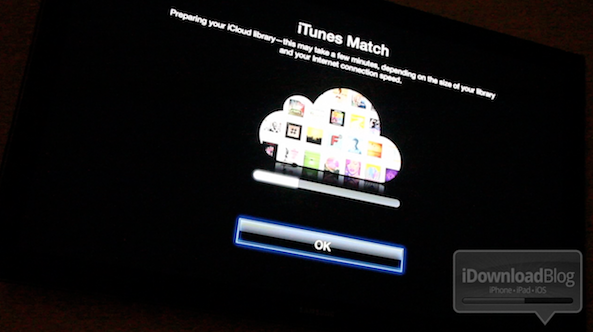
Admittedly, we were expecting a final version of iTunes with iTunes Match to hit the scene any day now, but it looks like Apple is still squashing some remaining bugs.

In other words, iTunes 10.5.1 Beta 3 with iTunes Match was just seeded to developers a few minutes ago. We've installed it, and we can report that the overall experience is much faster than previous betas...

How to Manually Backup Your iDevice to iCloud

We love iCloud here at iDB, and we love backups, too. That said, it isn't really surprising that we're huge fans of the ability to backup our iDevices to iCloud.

It has been said before that the best backup strategy is the one you can set and forget. That's where iCloud comes into its own, with backups being done automatically each night, so long as the device is plugged in.

There are times when you might want to be absolutely sure that the backup in the cloud is up to date, and Apple has thought of that, too. Here is a quick guide that shows you just how to manually perform an iCloud backup...

How to Enable iTunes Match on Apple TV 2 [Video]

So by now you've probably heard the news: Apple has released iTunes 10.5.1 beta 2, and along with it comes iTunes Match Support for Apple TV 2.

But how do you go about enabling iTunes match on the Apple TV? It's actually much easier than one would expect.

Check out our video demonstration of iTunes Match on Apple TV inside...

Apple Airs Commercials Featuring iCloud, Siri, iPhone 4S Camera

With each new product release, Apple launches a whole new advertising campaign around whatever fancy new features have been added, and the iPhone 4S is no exception.

Starting today, Apple is airing three new ads to help spread the word about the "most amazing iPhone yet." The 30-second spots feature iCloud, Siri, and the supercharged 8 megapixel camera packed into the iPhone 4S. And in typical Apple fashion, we're not sure where real products end and the hype machine begins...

How to Push Links from iOS to Your Desktop

How many times have you realized you needed to continue your iPhone browsing session on your laptop or desktop PC? What about when you come across an app for your Mac that you want to download to your PC, not your iPhone?

Sure, there are plenty of options for downloading something to your iPhone or iPad, or even to Dropbox , but there is an unparalleled advantage to seamlessly transferring a link or webpage to your Mac. Whether you want to send a DMG, an installer package, a torrent, or a website that only supports Flash, your options are limited when you try to view them from an iOS app.

Luckily, there are several solutions that have sprung up over the past year. Pushing from a browser to an iPhone has been relatively simple for quite some time, but one-tap solutions to go from iOS to Mac are finally available. Read on for our list of creative services that offer you just that…
What Apple Got Right and Wrong with iCloud

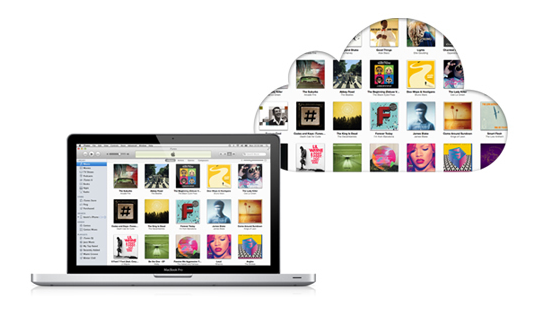
All the rumors and all the betas are over. Now we're all using Apple's iCloud. We're syncing, we're backing up, and (to certain extent) we're streaming. Life is good... kind of.

For those of us who remember the debacle that was Apple's launch of the now-replaced MobileMe. the initial iCloud launch is undoubtedly leagues ahead of the chaos and server failures that accompanied the arrival of Apple's previous cloud service. iCloud seems to be more robust, but does it actually do what most of us want?

First, let's take a quick look at the good parts of iCloud before moving onto the bad and the crazy...

How iCloud Syncing Integrates With iWork [Video]

Caught up in all of the hoopla about the iPhone 4S and iOS 5 was the release of an updated iWork suite for iOS.

The new iWork features iCloud syncing compatibility, a feature that has been in beta for months, but was finally released to the public last week.

Inside, we showcase iWork's new cloud syncing functionality, which allows you to sync documents on your iPod touch, iPad, iPhone, and even your Mac in limited fashion...

How to Use iCloud to Share Your Reminders on iOS 5

Reminders in iOS 5 is Apple's kick in the teeth for all those To-Do apps that litter the App Store right now. A walk through the App Store will reveal more To-Do apps than you can shake a stick at, but Apple's own Reminders app does pretty much everything you could ever need in iOS 5.

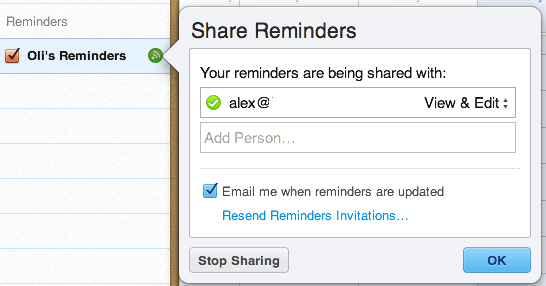
There's one Reminders feature that Apple hasn't made a very good job of promoting. You can use iCloud to share and sync your reminders and tasks with other people...

Apple Really Wanted to Buy Dropbox, Steve Jobs Got Personally Involved

Those with memories spanning more than a few weeks may remember all the rumors going around that Apple was trying to buy Dropbox. The original story claimed that an $800 million deal was on the table, but the people at Dropbox decided not to sell.

Today we have confirmation that Apple did indeed want to acquire Dropbox, and more specifically, Steve Jobs himself personally lobbied for the purchase. Dropbox decided that selling to Apple wasn't the best course of action at the time.

The revelation comes as Forbes profiles Dropbox and its two co-founders, Drew Houston and Arash Ferdowsi. Understandably, the Apple buyout came up, and Houston admits that the syncing and backup company turned down a nine-digit figure from Apple, and even got a visit from the man himself, Steve Jobs...

Apple Posts iCloud Status Page After Multiple Outages

Every year when Apple launches a new smartphone, carrier servers get slammed with activations to the point where they are non-functional. Even iTunes has its hiccups, as millions of users logon in attempt to setup their newly acquired handsets.

Along with the iPhone 4S this year, Apple rolled out an automated sync and storage service known as iCloud. And it too seems to be buckling under the massive traffic. If you're having troubles restoring from iCloud today, don't worry, you're not alone...

Pro Tip: How to Delete Photos from Photo Stream

One of my favorite features of iCloud has to be Photo Stream. My previous methods of wirelessly sharing photos between my iDevices and my computer involved emailing or using DropBox. Photo Stream eliminates all the extra work.

Much like the other components of iCloud, the automatic photo syncing service works great. But what do you do if you want to delete the photos from the Photo Stream? Don't worry, iDB has you covered. Hit the jump for our step by step guide...