Fix

Apple fixes long-standing keyboard issue in iOS 8.3 beta

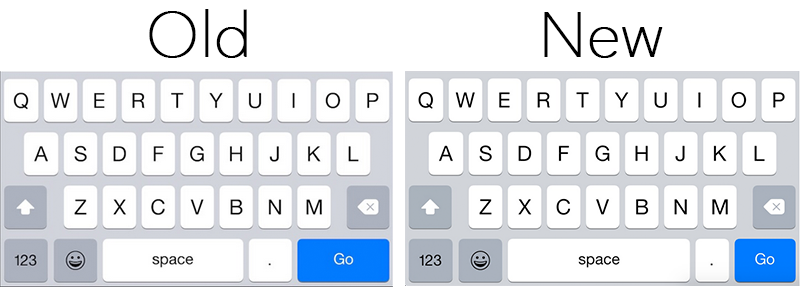
It appears Apple plans to fix a long-standing keyboard issue which caused users to inadvertently tap the period key when aiming for the space bar in Safari. As noted by MacRumors, beta versions of iOS 8.3 feature a design change that should resolve the problem.

In 8.3, Apple has made the space bar longer on the keyboard that pops up when inputting text in Safari's omnibar, and the 'Go' button shorter. This should make it less likely for users to encounter accidental period key presses when typing out their web searches.

Slow UI animations on Yosemite? Try this simple tip

I currently have two machines running Yosemite: one is a brand new Retina iMac, and the other is an older MacBook Air. Both these machines have been feeling incredibly slow in regards to general animations of the User Interface. One obvious way to test this is to bring up Exposé, which then turns both my Macs into stuttering slugs. While I can kind of understand why my old MacBook Air would behave like this, there is absolutely no excuse for my iMac to. Talking about this issue with someone at the Apple Store, I was offered an original workaround.

Apple releases iOS 8.1.2 with fix for missing ringtone bug and more

Apple has released iOS 8.1.2 this afternoon with a handful of bug fixes and other improvements. Specifically, the release notes say the update addresses an issue where ringtones purchased through the iTunes Store may have disappeared from users' devices.

You can access the new firmware over the air via Settings > General > Software Update, or via iTunes by connecting your iPhone, iPad or iPod touch to a computer. But as usual, we recommend that users who are jailbroken, or plan to jailbreak, avoid the update for now.

Pangu Untether updated to 0.4 with fix for random app crashes on 32-bit devices

As promised, the Pangu team has updated the Pangu iOS 8 – iOS 8.1 Untether package in Cydia to version 0.4 today. The update includes a fix for random application crashes on 32-bit devices—iPod 5, iPhone 4s/5, iPad 2/3/4 and the original iPad mini—particularly with Safari.

The update follows version 0.3, which was released over the weekend to fix an overheating issue in jailbroken 32-bit devices. The update was pulled shortly after it hit, due to users reporting "mild to serious issues" with the package, but the issue was resolved and it was re-posted.

Cydia Installer updated to 1.1.15 to fix bugs, removes landscape mode from unsupported devices

For those of you who were excited about the landscape mode in Cydia, I've got good news and bad news. The good news is that landscape mode works gloriously on iPads and the iPhone 6 Plus. The bad news is that landscape mode has been removed from all other devices.

Landscape inclusion in unsupported devices was apparently a bug, not a feature, and Saurik has fixed it accordingly with Cydia Installer 1.1.15. But that's not all the latest installer fixes, check inside for the full change log.

Apple releases iOS 8.0.2 with fix for cellular and Touch ID issues

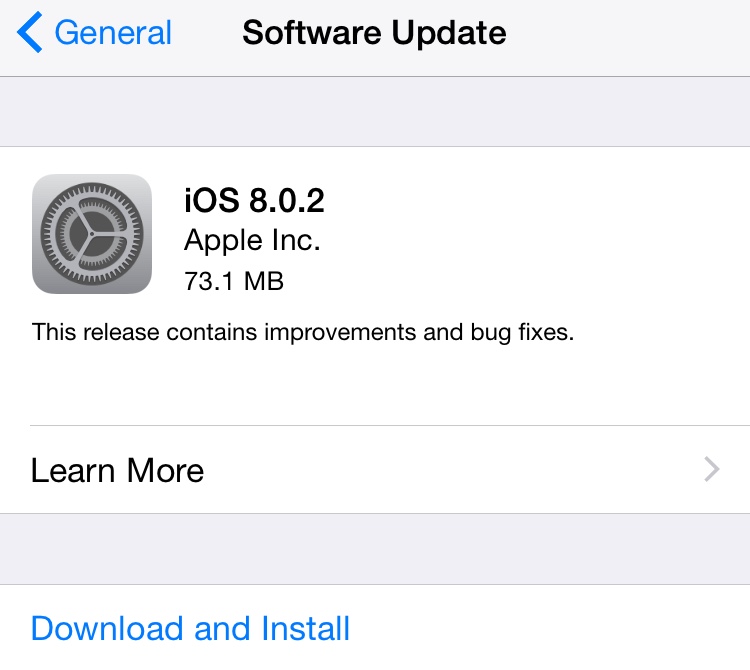
Apple released iOS 8.0.2 to the public Thursday night, addressing issues that iPhone 6 and iPhone 6 Plus users encountered when updating to iOS 8.0.1, as well as several other improvements and bug fixes. The update is available for iPad 2 and newer models, iPhone 4s and newer models, as well as iPod touch 5th generation via an over-the-air update or directly through iTunes.

iOS 8.0.2 fixes a critical issue where iPhone 6 and iPhone 6 Plus users who updated to iOS 8.0.1 on Wednesday lost cellular signal and the ability to use Touch ID. It also addresses a HealthKit bug that prevented apps supporting the new APIs to function properly, as well as several other bugs.

Apple provides workaround for those affected by iOS 8.0.1, says iOS 8.0.2 will be available in the next few days

Apple issued a support document Wednesday night detailing a "workaround" on how to revert back to iOS 8 for those users that were affected by the release of iOS 8.0.1 earlier in the day, an update which incapacitated iPhone 6 and iPhone 6 Plus devices.

Besides providing instructions on how to downgrade to iOS 8, the company noted that it is "preparing iOS 8.0.2 with a fix for the issue, and will release it as soon as it's ready in the next few days."

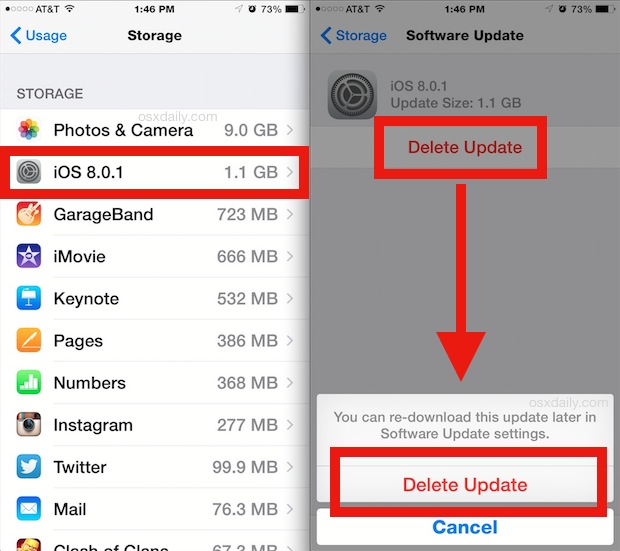
How to delete iOS 8.0.1 update download from your device to avoid accidental installation

Earlier today, Apple released iOS 8.0.1 which was supposed to fix a few bugs, but as users quickly realized, this update did more harm than good as it would disable cellular service and Touch ID on affected devices. We've already published instructions on how to downgrade back to iOS 8 for those users who downloaded and installed the update.

But for those who have only downloaded the update and not installed it yet, there is a way to delete it from your device and make sure you don't accidentally install it.

Don’t update to iOS 8.0.1

Warning: we are noticing that after installing iOS 8.0.1, our iPhones are showing 'no service' and Touch ID no longer works. We've confirmed this with several readers as well, so until we know more, we recommend holding off on the update. Video below.

Apple has released iOS 8.0.1 to the public this morning. The update comes exactly one week after the official iOS 8 release, and includes a myriad of bug fixes pertaining to third-party keyboards, the Reachability feature for newer iPhones, and uploading content in Safari.

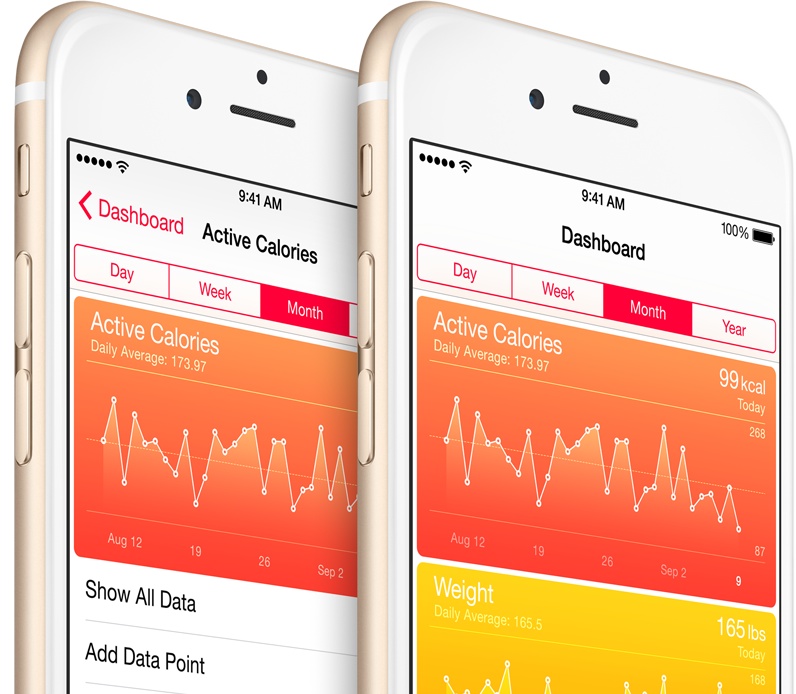
Another notable item in the 8.0.1 change log is that the bug that prevented HealthKit-enabled apps from entering the App Store has been remedied. Apple says that it will now start approving HealthKit apps, meaning it shouldn't be too long before they start popping up.
iOS 8.0.1 said to bring fixes for bugs in keyboard, Safari, Phone and more

Apple has provided carrier partners with a pre-release version of iOS 8.0.1, reports MacRumors. This means that, barring any major issues, the public release shouldn't be far behind, and it sounds like it's going to include a number of bug fixes.

According to the site, iOS 8.0.1 will address the bug in mobile Safari that causes some videos not to play, and one that prevents Passbook passes from being shared over AirDrop. It will also address an issue with installing VPN profiles, and more.

Apple: we’re delaying HealthKit apps until month’s end over a software bug

Several health and fitness focused apps were updated in the App Store this morning with plenty useful new features that take advantage of the new HealthKit framework for developers, introduced alongside iOS 8.

An hour later, Apple pulled these newly-updated HealthKit apps from the store due to various software issues with its framework and has now told one journalist that a fix is underway and promised to put them back on the store by the month's end.