Fix

Common restore errors in iTunes and how to resolve them

Restoring your iPhone, iPod touch, or iPad can resolve a variety of issues, but sometimes you'll experience issues even when you try to restore your device(s) with iTunes.

You may have received a "This device cannot be restored Error XXX" message from iTunes before, and unfortunately, you may have been forced to do some research to even begin to understand why you're getting the error, which can cause tons of frustration.

In this piece, we'll talk about some of the most common iTunes restore errors and how to fix them so you don't have to spend hours researching for solutions by yourself.
Apple reposts iOS 9.3 for older devices bricked by Activation Lock

Shortly after releasing the new iOS 9.3 firmware, Apple was forced to stop signing the update following numerous complaints from owners of older iPhones and iPads, such as the original iPad Air and the iPhone 5s and older, that it was bricking their devices.

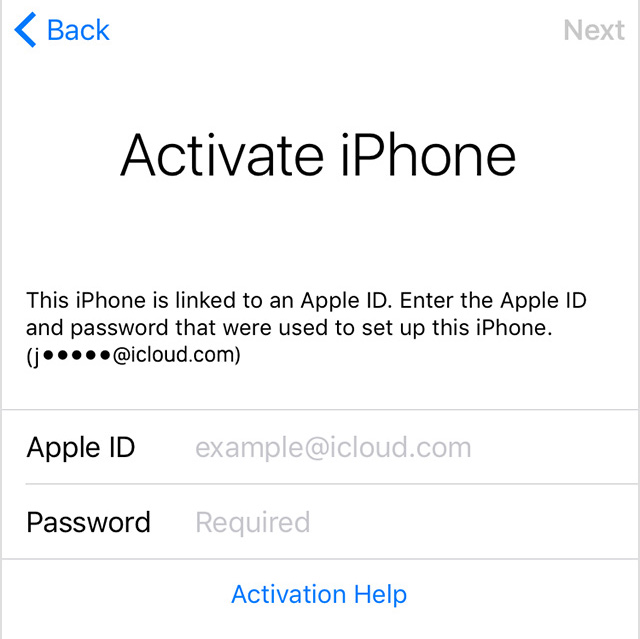
Monday, Apple re-released iOS 9.3 to fix an issue that prevented users from activating their device via Activation Lock if they couldn't recall their Apple ID password used to originally set up their device with.

The re-released versions of iOS 9.2 carries a build number of 13E237 and is now available as an over-the-air download although those with a bricked device might want to apply the update through iTunes in DFU mode.

Apple releases a new iOS 9.3 build for older devices affected by the bricking issue

As we reported, numerous users took to Apple's support forums to complain that some owners of older iPhone and iPad devices saw their hardware bricked after updating to the recently released iOS 9.3 firmware. Apple has since detailed the problem in a support document on its website and pulled the software update for select devices.

Today, the company has re-released iOS 9.3 for those devices. The new build of iOS 9.3 for the iPad 2 has version number “13E236” versus the now defunct iOS 9.3 build “13E234” for the iPhone and “13E233” for the iPad, as per 9to5Mac's Chance Miller.

Apple support document addresses activation issues some users may encounter after updating to iOS 9.3

Apple has released a support document Wednesday night to address an issue where some iOS users are unable to activate their devices after updating to iOS 9.3, a software version released earlier this week.

Most reports of the issue seem to come from iPad 2 owners, although a quick search online shows that some iPhone users were also affected. In this support document, Apple offers a few options to try and remedy the problem.

Troubleshooting Continuity issues on iOS and Mac

Continuity and Handoff are features built into your iOS devices and Macs that allow the devices to work more seamlessly together. With Continuity, you have instant access to a personal hotspot on demand, the ability to send and receive SMS messages and to make and take phone calls from your Mac, and the ability to pick up where you left off on one device from another.

Although they can work well at times, there is always the lingering chance that the functionality may not work right for you or connectivity may be flaky. In this piece, we'll go over several troubleshooting steps you can take if your Continuity and Handoff experience isn't going as expected.

How to clear an incorrect unread email count badge on the iPhone Mail app

Huge unread email count on iPhone

If you use the stock Mail application on your iPhone or iPad, you may have experienced a mysterious occurrence where the Mail app icon will display a red badge telling you there are unread emails when there actually aren't any. No matter what you do, it seems that you can't clear that inaccurate number of unread emails.

The Mail app is no stranger to weird bugs, so let me reassure you here, phantom unread emails aren't taking over your iPhone or iPad. In this post, I will share with you a few options to fix an incorrect unread count and hopefully put an end to it all.