App Store

Tutorial: How To Save Your iOS Game Progress Before A Restore [Jailbreak Only]

There are a ton of great games to play on the iPhone. Most of them have multiple levels and achievements to unlock. You wouldn't want to lose your game progress and achievements in the event that you have to restore your iPhone.

For jailbreakers, backing up data is essential. To upgrade to a new version of iOS, a jailbroken iPhone is completely wiped and updated to the default setup of the next iOS release. A new jailbreak has to then be applied, and all personal data (media, contacts, jailbreak apps, etc) has to be synced back onto the iPhone.

Through the magic of SSH, you can save your iOS game data on your computer in the event that you have to restore. Here's how to do it...

App Store Nearing 10 Billion Downloads

Apple's App Store has had unprecedented success since its release in July of 2008. 2011 marks the App Store's 3rd birthday, and it looks like Apple will celebrate by hitting 10,000,000,000 downloads. The App Store has averaged over 3 billion downloads per year since 2008. As a comparison, it took iTunes 8 years to reach that same level of success.

In fact, just last year, iTunes celebrated in the same fashion with its own 10 billion downloads countdown. The lucky person that downloaded the 10 billionth song received a $10,000 iTunes gift card.

The one billionth App Store app was downloaded in April of 2009, which shows exponential growth for Apple's platform. As the numbers approach 10 billion, another iTunes user will be lucky enough to receive a $10,000 iTunes gift card...

Microsoft Claims that Apple Can’t Trademark “App Store”, Proceeds to Throw a Legal Hissy Fit

What do you do when your company has 66 billion dollars in revenue from last year? Invest in lots of hot startup companies and acquire more talented employees? No. You hire a highly-paid team of lawyers to file a pathetic motion for trademark denial to the U.S. Patent and Trademark Office.

That's exactly what the giant industry grandfather, Microsoft, has done. Apple has already trademarked the phrase, "There's an app for that." But Microsoft doesn't think that Apple should have the rights to also trademark the term "App Store."

Although it's unclear as to whether Microsoft will win this appeal, it seems that Apple would have a stronger case. After all, the App Store has practically become a household name...


How to Add New Sources to Cydia

Cydia, the jailbreak equivalent of Apple's App Store, indexes all jailbreak apps/tweaks/mods so that users can easily find them on the iPhone. To have Cydia on your iPhone, you must first jailbreak. This process frees you from having to only download apps from Apple's App Store. Once you jailbreak, you can install all kinds of cool apps, mods and tweaks on your iPhone through Cydia.

Instead of Apple's curated content, Cydia must rely on "repositories" from jailbreak developers to index jailbreak apps. These "repositories" (or "repos") are basically just storage houses for jailbreak content that developers want to distribute through Cydia. Repositories are sources that Cydia searches for jailbreak apps.

By default, Cydia already pre-installs some popular repositories that host most jailbreak content. However, there is a way in Cydia to add more sources. Not all jailbreak content can be accessed through the default sources that Cydia pre-installs. In this tutorial, I'll show you how to add a new source to expand your jailbreak catalog in Cydia...

Check Out Nationwide Cellular Coverage Map With ‘Coverage’ for iPhone

With the imminent Verizon iPhone announcement, what better way to pass the time than seeing what you would actually be gaining with a Verizon iPhone. People want better cellular coverage, data reliability and overall speed. AT&T hasn't built a very good reputation over its last 3+ years of exclusivity with the iPhone.

The general consensus in the U.S. is that a Verizon iPhone would probably make the revolutionary smartphone a much more dependable cellphone. Less dropped calls and 3G dead-zones would be a warm welcome to those plagued by AT&T sluggishness in heavily populated areas.

Recently, there was a slew of ad campaigns from AT&T and Verizon that were all about "coverage maps." The goal of the ads were to convince the consumer that either Verizon or AT&T had better overall coverage. Thanks to a nifty iPhone app, you can see for yourself...

Installing VLC Player From Cydia: A Video Walkthrough

Yesterday, Alex posted an in-depth article explaining the reasons why VLC Media Player was removed from the App Store. As you know, VLC Media Player is the popular video application that allows you to play a variety of video formats on your iPhone.

VLC Media Player is extremely popular on PCs and Macs, so it's wasn't surprising that it was an app that many looked forward to on the iPhone.

Sadly, as you know, the app has been removed, but don't weep too many tears; VLC can still be installed on your iPhone, and this video walkthrough will show you how, step-by-step...

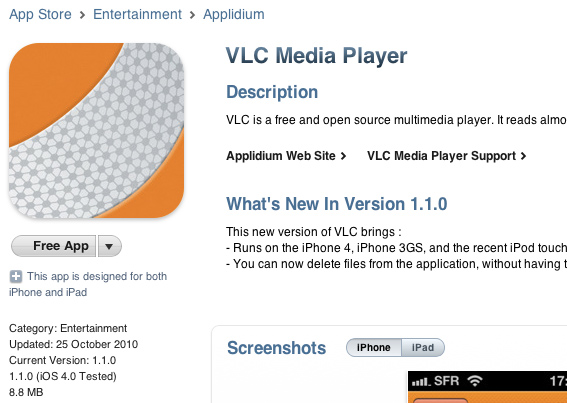
VLC for iPhone Pulled From App Store, Now Available On Cydia

Awhile back, we reported that the popular, open source media player "VLC for iPhone" was released in the App Store. It was a pretty big deal, because the VLC client duplicated a lot of functionality that was already in the native iPod app. (Apple doesn't usually like apps that duplicate the iPhone's native features.)

The biggest pro to VLC for iPhone was its ability to playback file formats that iTunes doesn't support. iTunes has a somewhat limited amount of video formats it can playback. VLC was a simple, free app that allowed more types of videos to be playable on the iPhone.

While it was nice for an app like VLC to be in the App Store, the media player was very buggy. Lots of users reported problems with playback and file format support. However, the bugs were not the reason that the app was pulled. In fact, Apple had nothing to do with the takedown...

Create and Send Pre-Made Texts With ‘Canned’ for iPhone

Let's be real, your time is precious. Sometimes you just don't have time to shoot off a quick text. You could be in a meeting, driving, at work, or just plain lazy. Wouldn't it be nice to have a list of pre-made, generic messages you could easily send in a text message?

Canned for iPhone, by Sky Balloon, is a lightweight, simple app that allows you to easily send off "canned" responses through text message. The app integrates with your Messages app by pasting your replies into the input field and allowing you to choose your recipient...

The Mac App Store Has Opened, Brings Popular iOS Games to the Mac

The Mac App Store has opened. If you go to Software Update on your Mac, you can download the latest version of OS X. This update includes a shiny new app on your dock called the "App Store." Don't get confused, this isn't the iOS App Store on your iPhone; all of these apps are Mac-specific apps.

While the Mac App Store does bring many great new apps for the Mac, many iOS apps that we all know are also available through the Mac App Store. Specifically, there are many popular games from the iOS App Store now available on the Mac. The new Mac releases of these games are basically fullscreen versions with some added features and content.

And yes, you can now play Angry Birds in full, HD resolution on your 27-inch iMac...

Apple Approves Another BitTorrent iPhone App

Apple has been making some surprising app approvals for the App Store. Several months ago, a BitTorrent app called IS Drive snuck into the App Store. It didn't stay there for long, but Apple still approved it at one point.

Another BitTorrent application has tiptoed its way into the App Store catalog. iControlBits is a mobile client for the popular OS X BitTorrent utility called Transmission. For many Mac users, Transmission is the BitTorrent client of choice. Transmission already allowed users to manage torrents through a web interface, but the process was a tad cumbersome.

iControlBits allows you to manage your torrents in a native environment for the iPhone. Let's just hope it doesn't get pulled before you finish downloading that new episode of Glee...

A Strange New iOS Alert References The Mac App Store

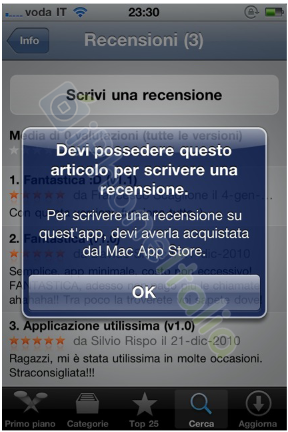
Here's a new anomaly from Apple's App Store. This image is courtesy of Francis, an iPhoneItalia reader. Francis was casually looking through the reviews of an iPhone app called "iAddebito." He tried to post his own review, but was alerted with this warning message.

If your Italian is a little rusty, we understand. The message reads, “You must own this product to write a review. To write a review on this app, you must have bought it from the Mac App Store."

The Mac App Store is opening tomorrow, but it seems that Apple may have already been secretly testing it with certain iOS apps. Who knows, perhaps there will be iOS apps that can run cross-platform (iOS and OS X) when the Mac App Store opens...

Dring – Beautiful Ringtone Creation On The iPhone [Review and Giveaway]

Apple has been allowing ringtone creators on the App Store for several months now, but there has yet to be an app that stands out from the rest. We've talked about creating ringtones for the iPhone before, but there has yet to be a really elegant and simple way to create ringtones straight on the iPhone.

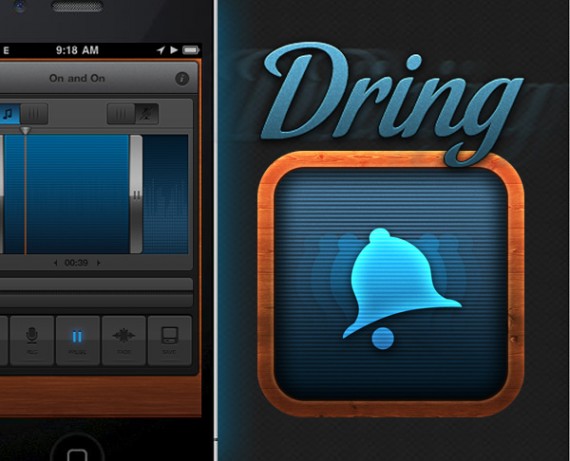
Dring, by Wake Apps, is the newest addition to the ringtone creator catalog. Dring is "cream of the crop" caliber when it comes to quality of design. The app is truly gorgeous. Every pixel is fine-tuned and perfectly placed; everything feels smooth and responsive.

Besides good looks, Dring has all of the features that a good ringtone app should have. Creating ringtones is a beautiful breeze with Dring...