Accessibility

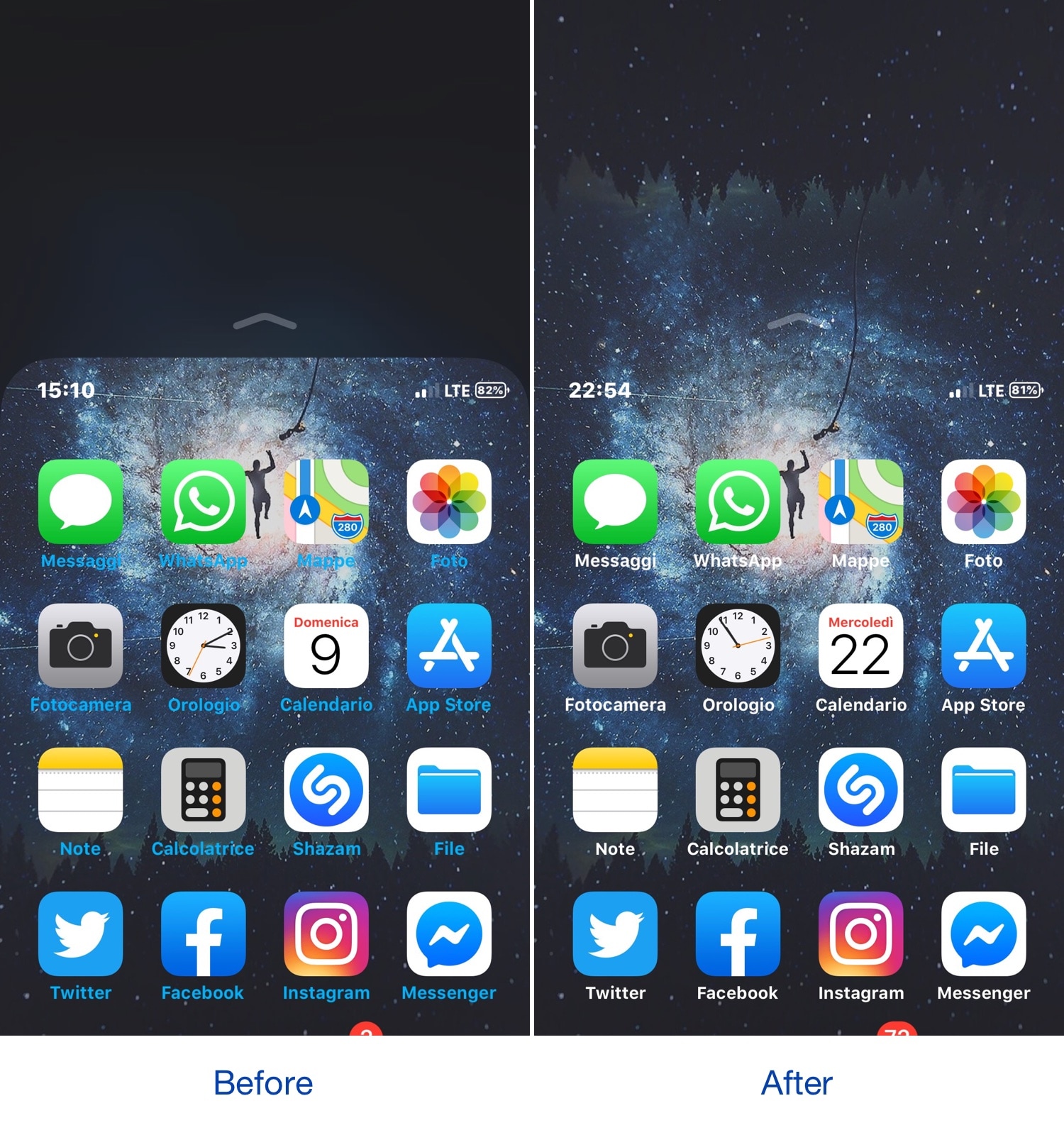
This tweak makes the Reachability interface a bit more aesthetically-pleasing

Apple seems to be making the shift to larger iPhone displays, and while this is great for media consumption, it also tends to make one-handed usage a bit more challenging in most scenarios. This is precisely why iOS comes with an accessibility feature dubbed Reachability.

Despite how useful Reachability can be at times, its aesthetics sometimes leave a lot to be desired. With that in mind, iOS developer CydiaGeek created a new free jailbreak tweak called ReachabilitySheer to make the Reachability interface look both cleaner and nicer.

Axon offers a ‘Priority Hub’ experience on jailbroken iOS 11-15 handsets

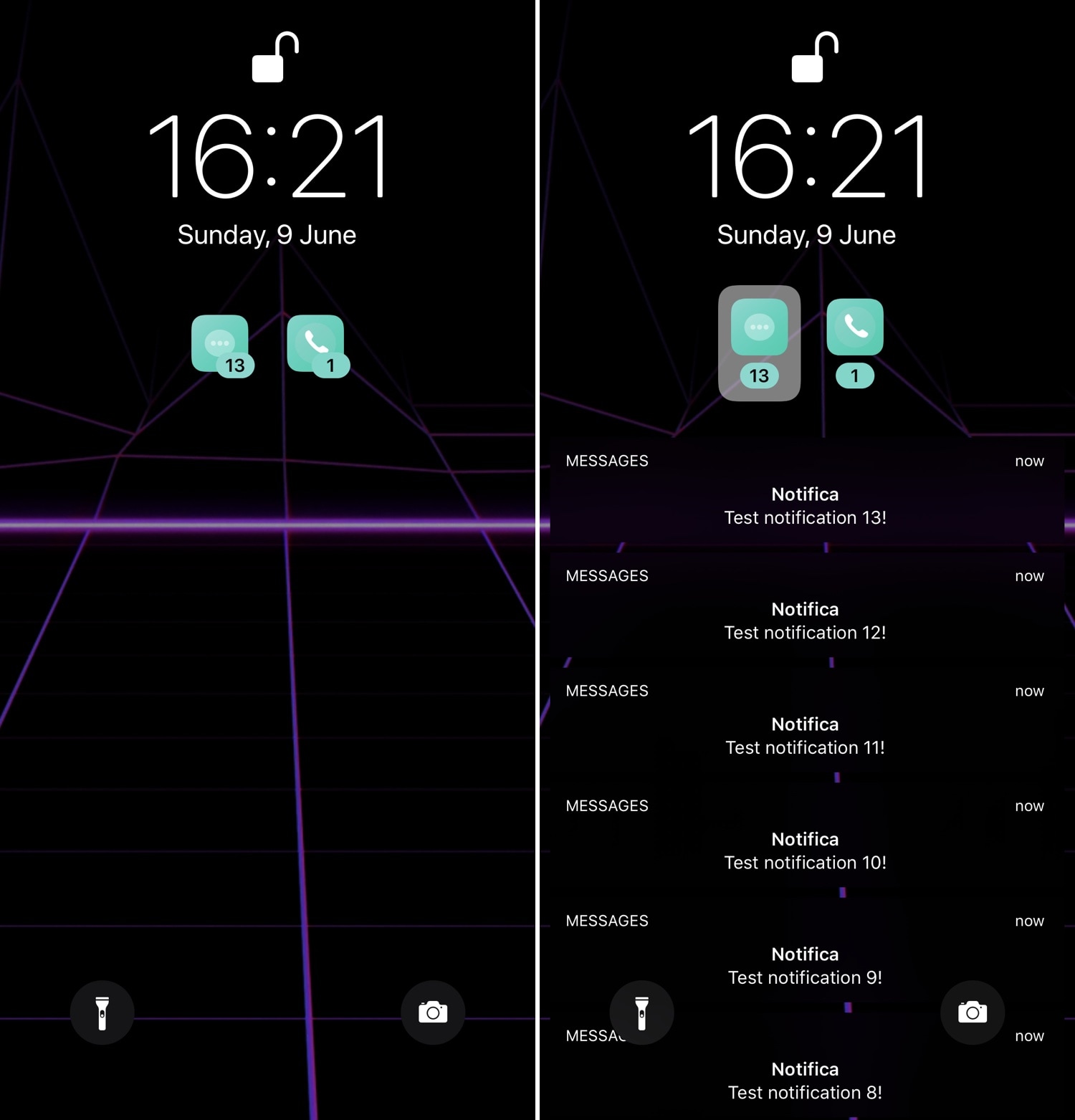
First released back in 2014, Priority Hub was perhaps one of the most popular notification-centric jailbreak tweaks of all time. It ported BlackBerry 10’s grouped notifications feature to the iOS Lock screen, allowing users to filter missed notifications on a per-app basis.

As time went on, developers have re-made Priority Hub for newer iterations of iOS, and now that both iOS 11 and 12 are jailbreakable, it only seems just that a proper remake should be released for those firmware versions. With that in mind, we’re excited to show you a new free jailbreak tweak release called Axon by iOS developer Nepeta.

Quickly access the settings to your favorite jailbreak tweaks with QuickPrefs

If you have a lot of tweaks installed on your jailbroken iOS handset, then you probably have a plethora of dedicated preference panes lurking in your Settings app. With that in mind, it can be useful in a pinch to have shortcuts to the preference panes you use the most.

With the aforementioned concept in mind, we’re excited to show you a newly-released free jailbreak tweak called QuickPrefs by iOS developer AnthoPak, which makes some of your most-used jailbreak tweak-centric preference panes in the Settings app easier to access.

Apple finally brings a native Calculator app to the Apple Watch in watchOS 6

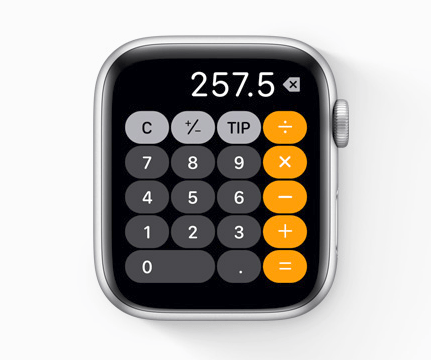
One of my biggest beefs with the Apple Watch for the longest time has been the lack of a native Calculator app much like what you’d expect to find on your iPhone’s Home Screen. Fortunately, Apple is finally resolving this issue with watchOS 6, which Apple announced today at WWDC 2019.

As shown in the screenshot example above, watchOS 6 will incorporate a full-blown calculator interface into the Apple Watch, allowing you to perform basic mathematic calculations right from the comfort of your wrist. The interface should look mostly familiar to iOS users, as it gets many of its design cues from the iPhone’s Calculator app.

iPadOS includes support for USB mouse input

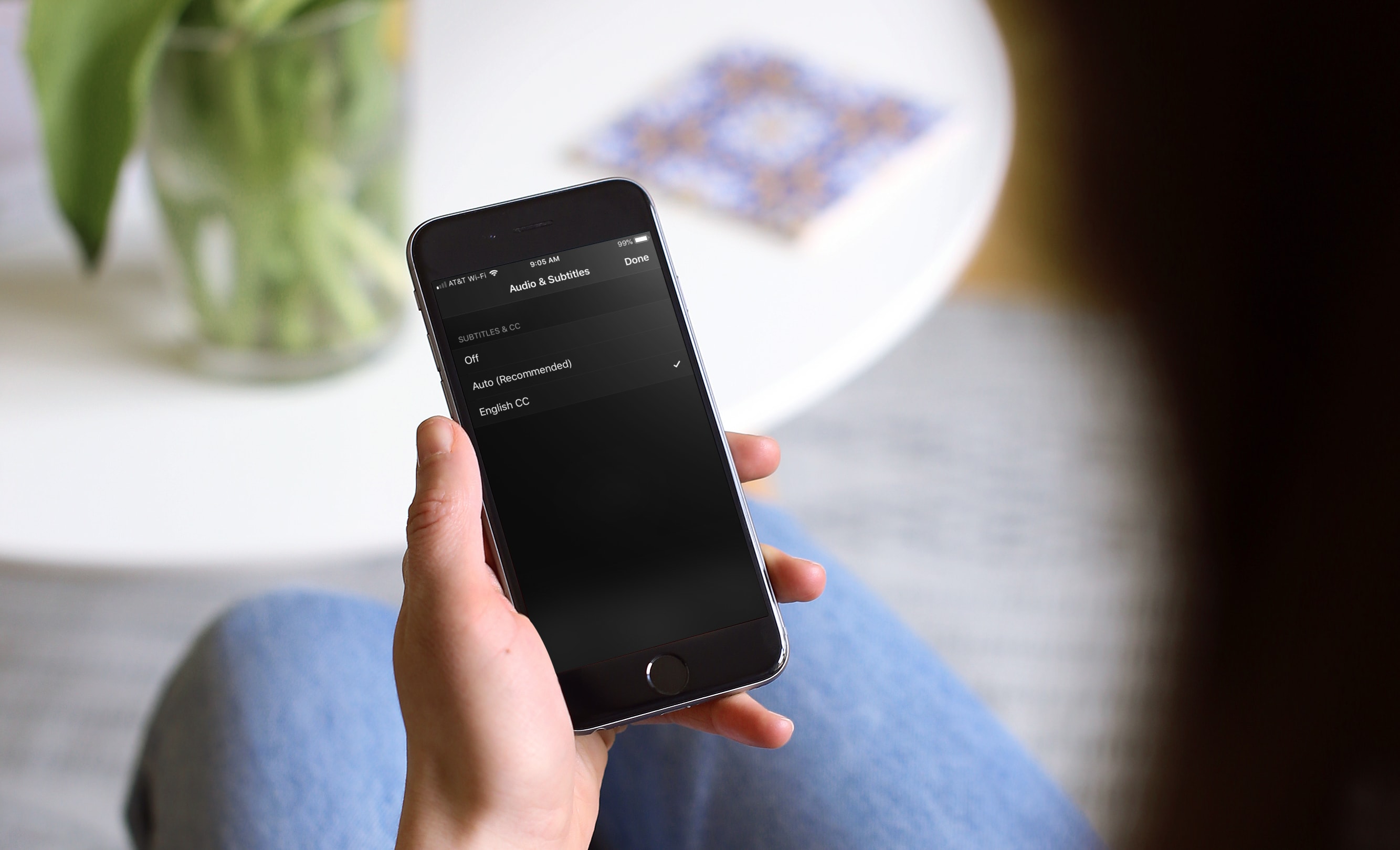
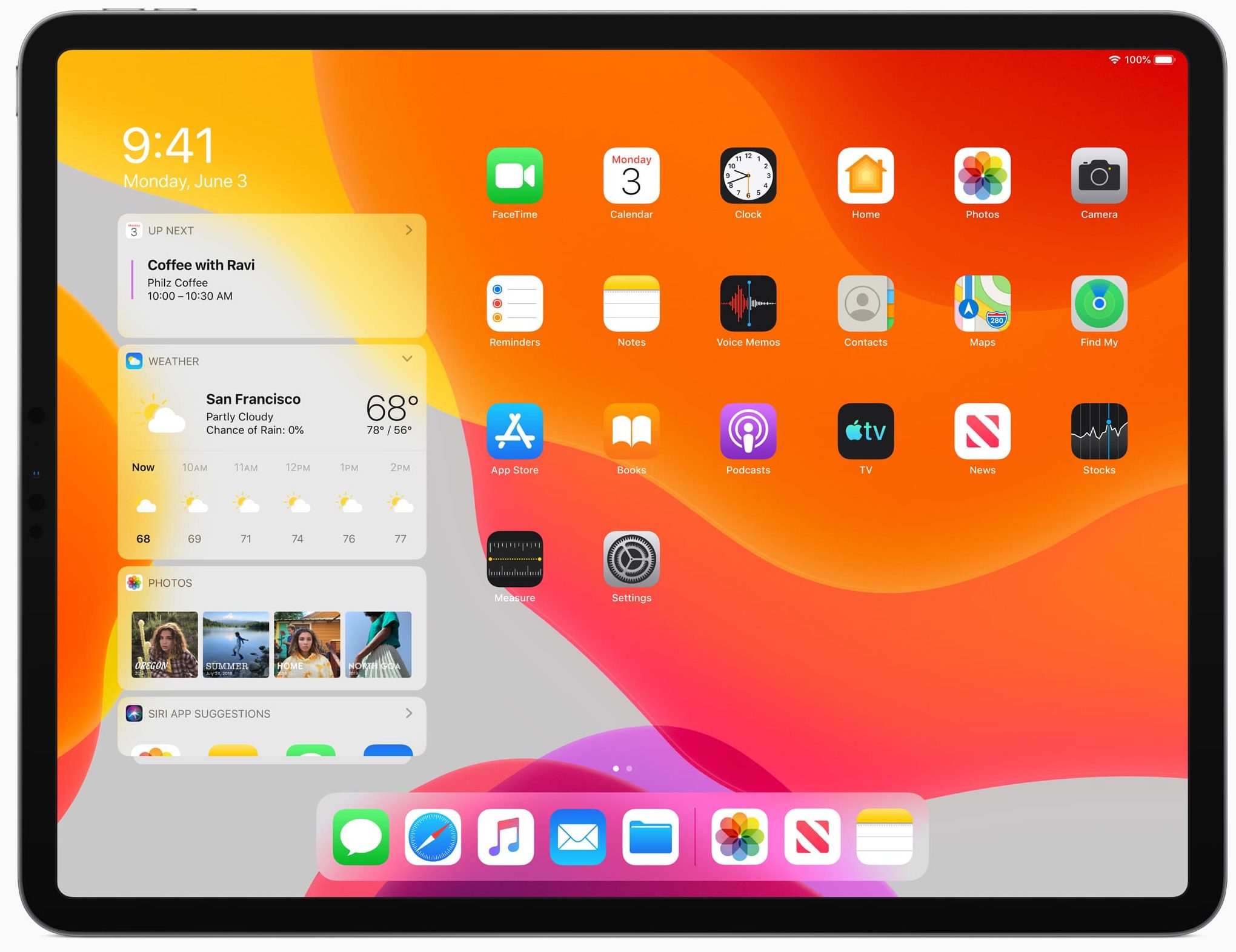
As predicted in previous reports, Apple has added support for USB mouse input to its iPad. The feature comes to the tablet by way of the new iPadOS, as an Assistive Touch feature tucked away in the Accessibility section of the Settings app.

Shrink the size of iOS’ notification banners with Nanobanners

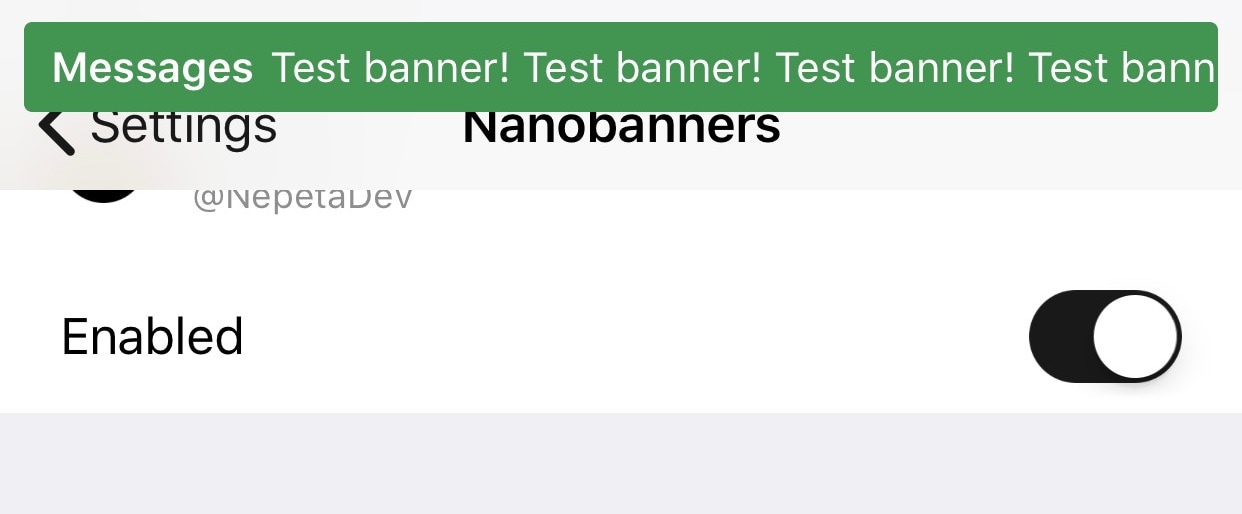
Veteran iOS users probably still remember the day when Apple introduced notification banners to their mobile operating system to replace the intrusive notification alerts that used to pop up in the middle of your display. But it seems like modern banner notifications are a lot taller than they need to be.

Those interested in shrinking down the size of their handset’s incoming banner notifications will come to appreciate a newly-released and free jailbreak tweak called Nanobanners by iOS developer Nepeta. This tweak takes a no-BS approach to making your handset’s banner notifications more tolerable, as shown in the screenshot example above.

Augment the Spotify Music app with Improvify

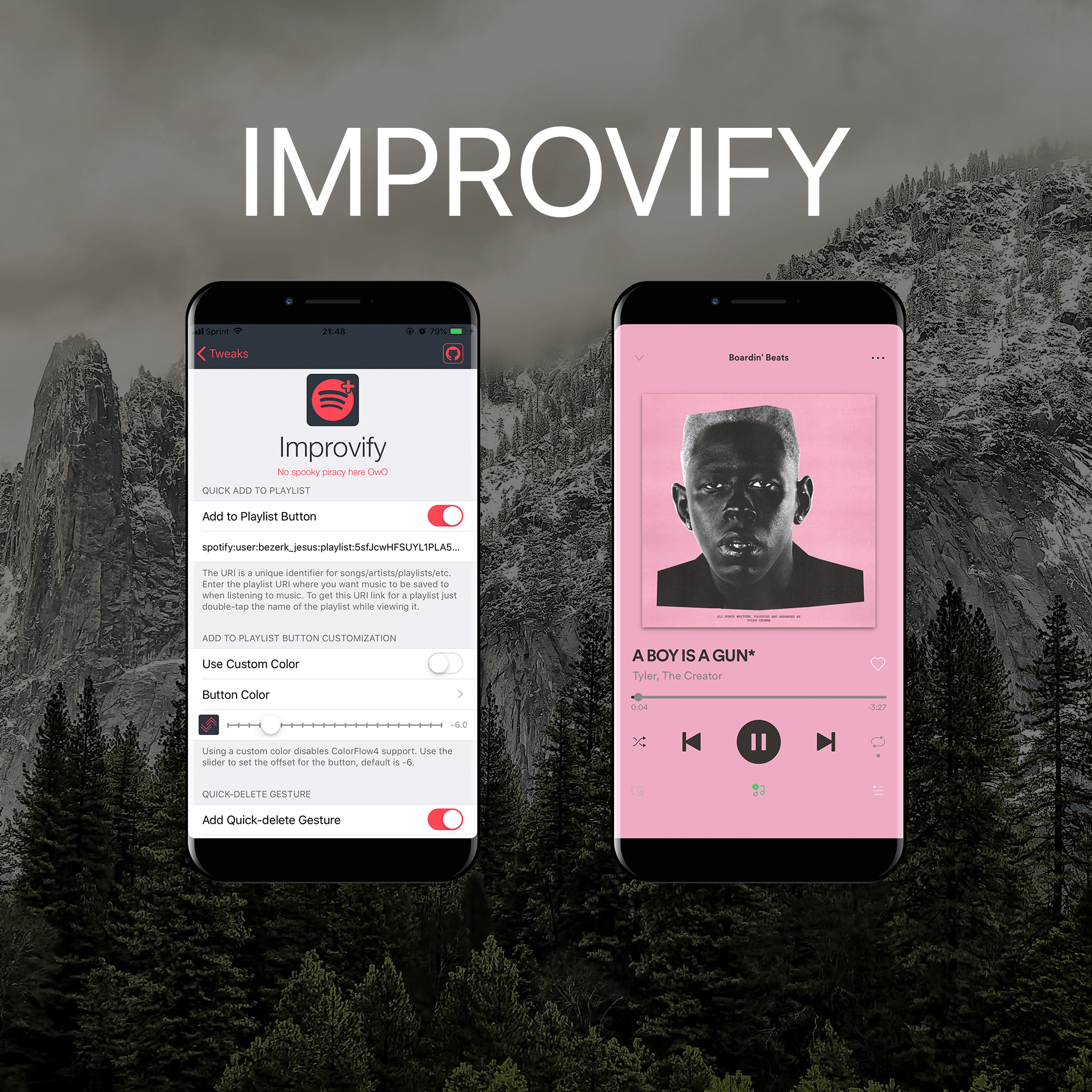
I like to use Spotify more than Apple Music, and for jailbreakers who are in the same boat as I am, it’s always exciting when new jailbreak tweaks get released with a primary focus of improving the Spotify app experience.

It was only yesterday that we showed you a jailbreak tweak along these lines called Spos, but today, we’ll be looking at a newly-released tweak called Improvify tweak by iOS developer LacertosusDeus.

Make certain Camera controls easier to reach with CamControls X

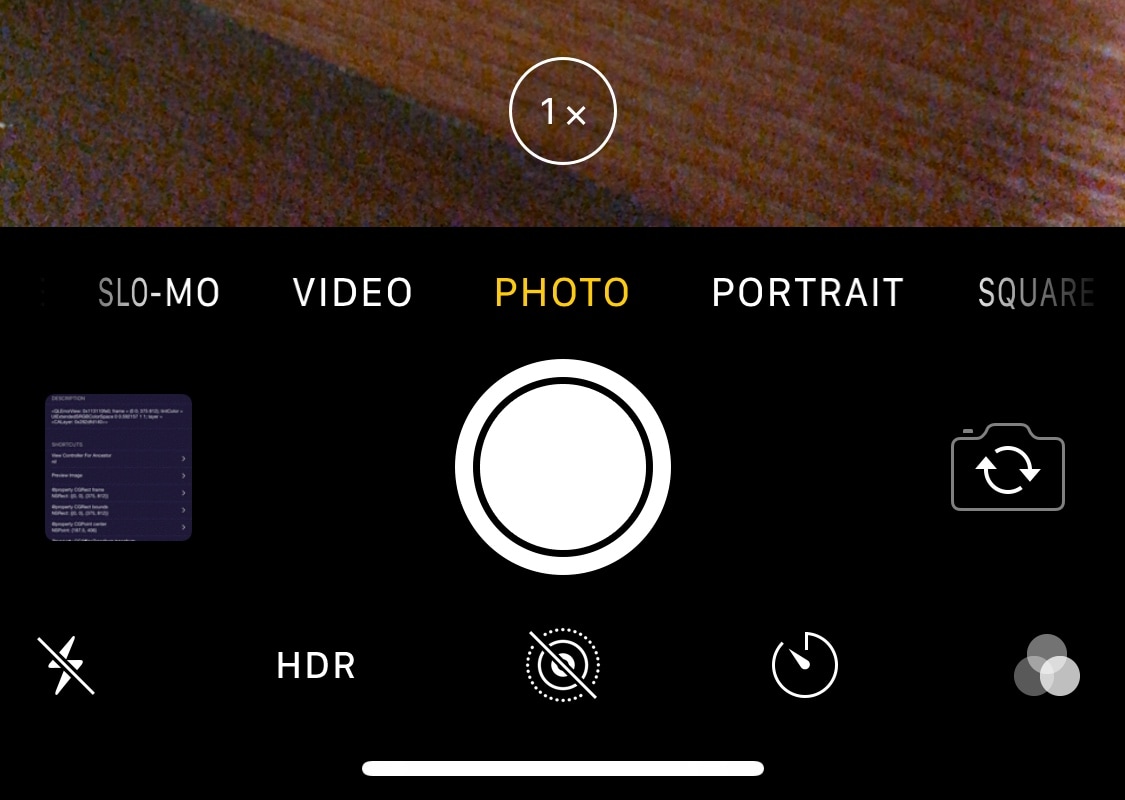
Notched iPhones, including the iPhone X, XR, XS, and XS Max, sport incredibly tall displays when compared with traditional non-notched handsets. Perhaps unsurprisingly, this can make accessing some of the handset’s features slightly uncomfortable when they appear near the top of the screen.

Apple provides a feature called Reachability to help with this problem, but many people leave it disabled because it’s easy to invoke by accident. With that in mind, if you’d like to make using the Camera app easier on notched handsets, then you just might come to appreciate a new free jailbreak tweak called CamControls X by iOS developer FoxfortMobile.

This tweak lets you return to the first page of your Settings app with less effort

Diving deep into your Settings app can be an easy thing to do, especially if you venture into your handset’s Accessibility options. But jailbreakers often install jailbreak tweaks with extensive preference panes, which can sometimes make backing out to the primary Settings page a chore.

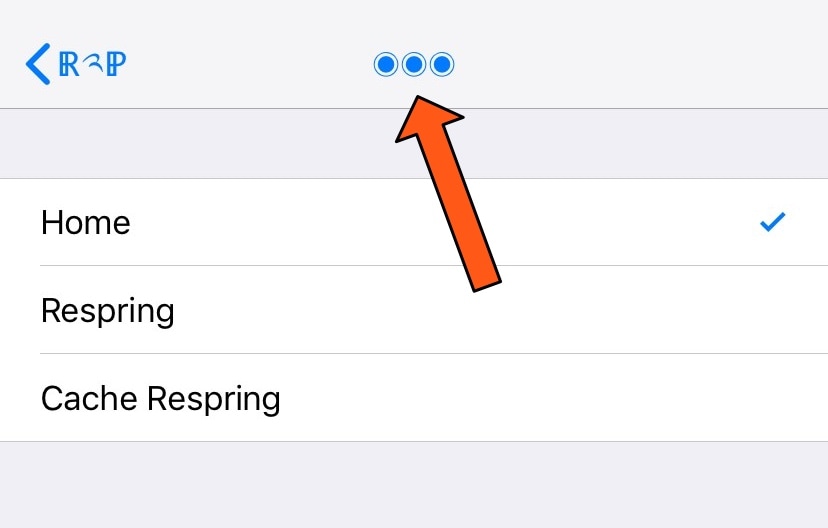
If you find yourself in the latter category more often than you’d like to admit, then you just might come to appreciate a newly-released free jailbreak tweak called Return2Prefs by iOS developer thazsar, as it puts a convenient shortcut in the Settings app’s Navigation Bar that makes returning to the original page a breeze.

Nereid offers a pleasant upgrade for the Lock screen’s Now Playing interface

iOS’ native Now Playing interface is good enough for most people, but if you demand more out of your user experience than the average Joe and have a jailbroken iPhone or iPad in your possession, then you may want to feast your eyes on a newly-released jailbreak tweak called Nereid by iOS developer Nepeta.

From what we can gather, Nereid brings an improved Now Playing interface to your handset’s Lock screen as you listen to your music. It can set your wallpaper as the Now Playing track’s album artwork, permit color and control customizations, and much more.

SiriApp puts an app on the Home screen for launching Siri

iOS device users can invoke Siri on demand with a simple button press or by muttering ‘Hey Siri’ under certain circumstances, and jailbreakers have even more options for calling upon their virtual assistant for help, such as Ryan Petrich’s Activator extension. But who said your options had to stop there?

With a free jailbreak tweak called SiriApp by iOS developer level3tjg, you can add a dedicated application icon to your Home screen for invoking Siri.