Accessibility

Bubble Apps is a highly configurable app launcher for jailbroken iPhones

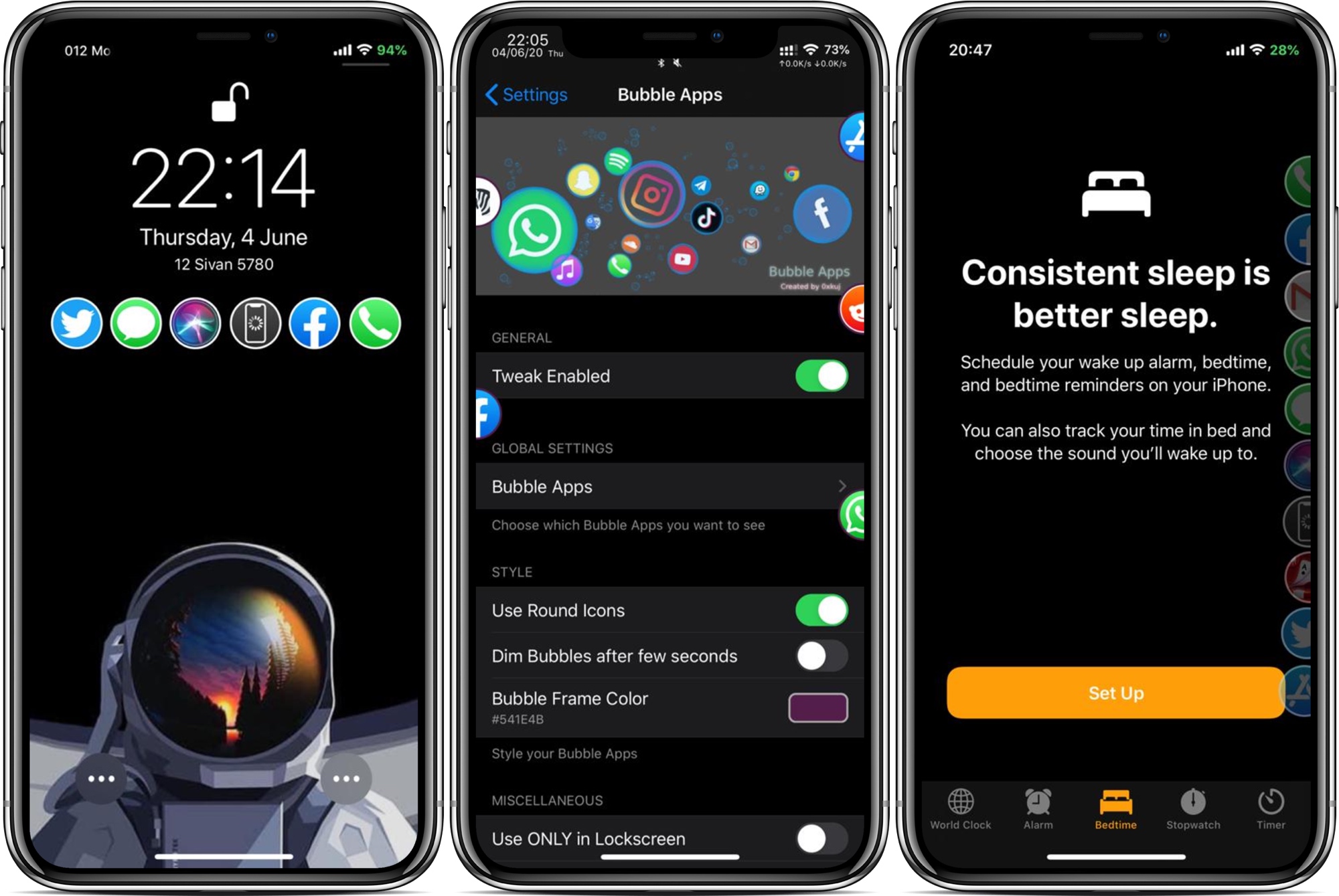
App launchers are popular among jailbreakers, mostly because they can make accessing your favorite apps from anywhere easy when you’re just out of reach of your Home screen. But what makes an app launcher perfect? The answer varies from one person to the next based on personal needs, which is one reason why we enjoy seeing different developers’ takes on the idea.

Enter Bubble Apps, the latest of such jailbreak tweaks created by iOS developer 0xkuj that provides users with a highly configurable app launcher interface that can be accessed from virtually any interface in iOS.

Evil Scheme unlocks default app management on jailbroken devices

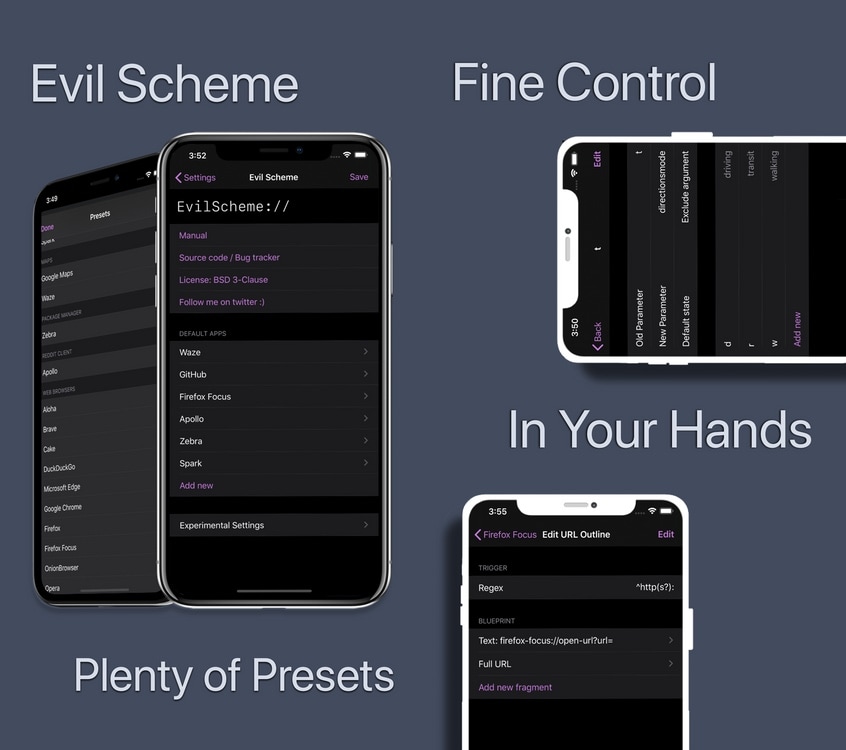
If there’s one thing most iPhone and iPad owners can relate to, it’s the dissatisfying inability to set default applications outside of Apple’s own. Sure, you can delete some of Apple’s native apps, but what good is that if iOS doesn’t link to third-party apps afterward?

Enter Evil Scheme, a newly released and free jailbreak tweak by iOS developer Lorenzo that aims to be your convenient one-stop shop for configuring default apps of your choosing on your pwned iPhone or iPad.

This tweak makes it easier to discern when a note was created & last modified

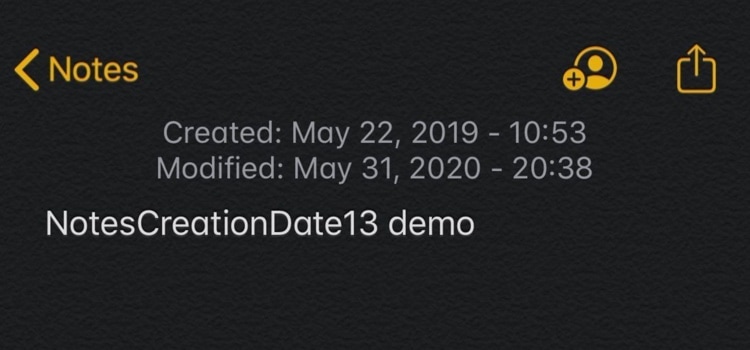
If you’re anything like me, then you might take advantage of your iPhone’s Notes app somewhat frequently to jot down important memos to yourself.

One problem that may arise while using Apple’s Notes app is that it can be tough to discern when Notes were first created, and that’s something that a newly released and free jailbreak tweak called NotesCreationDate13 by iOS developer gilshahar7 tries to address.

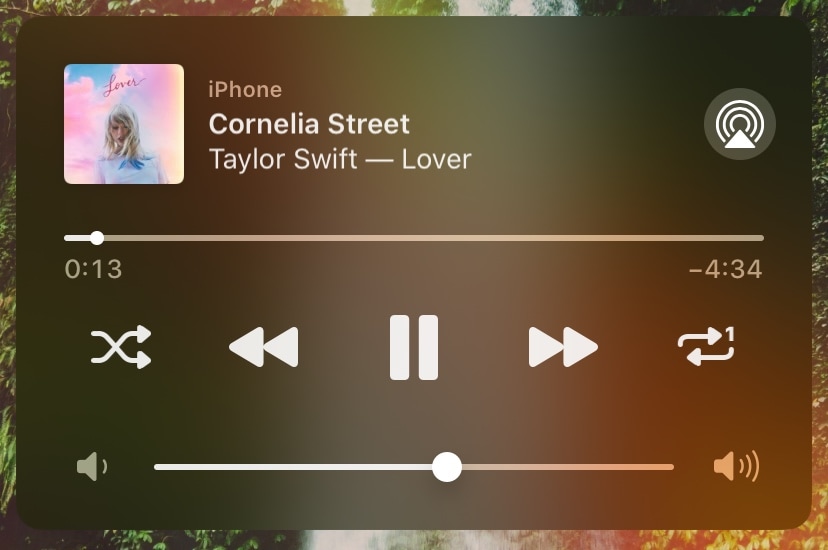
Replay adds repeat and shuffle buttons to iOS’ Now Playing widget

Given just how invested Apple seems to be in the music industry today, it continues to baffle me to this very day that the company’s own Now Playing widget for the iPhone and iPad lacks two seemingly imperative media controls that I would otherwise use all the bleeping time: Repeat and Shuffle.

If you agree with me here, then I think you’re going to love a new free jailbreak tweak release dubbed Replay by iOS developer Simalary, because it effectively brings the two aforementioned controls to iOS’ Now Playing widget in every instance where it would normally appear.

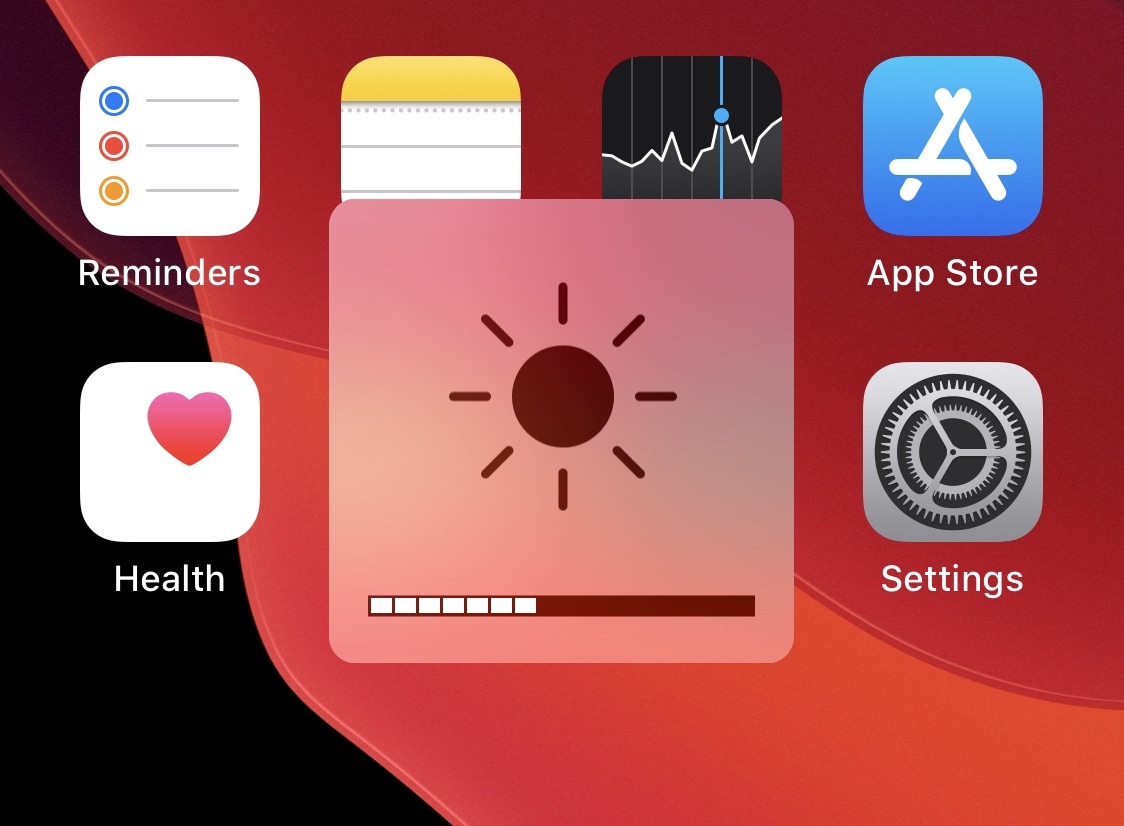
This tweak permits iPhone display brightness adjustments via the volume buttons

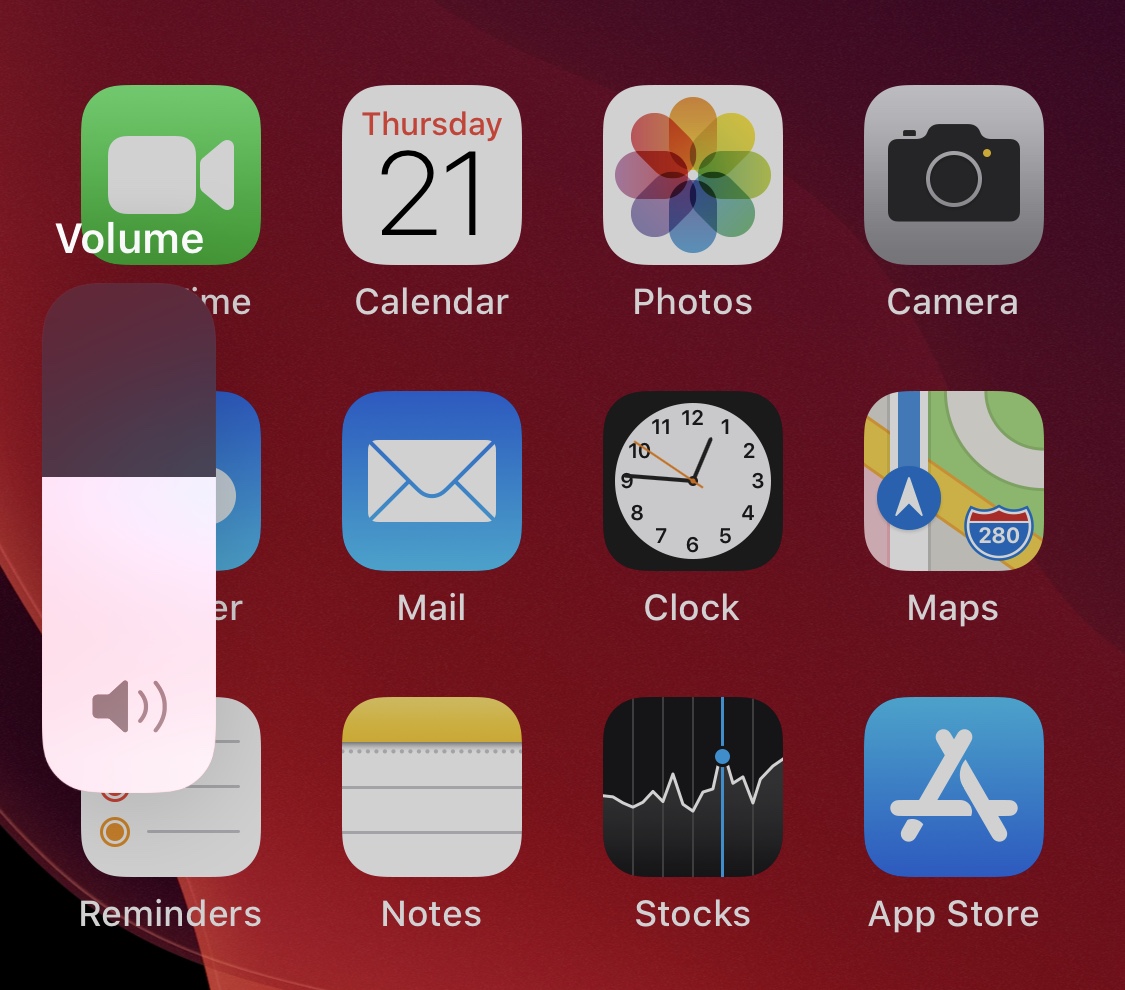
It’s easy to change your iPhone’s volume level thanks to a duo of omnipresent volume buttons on the edge of your display. But when your iPhone’s display is too bright or dim, users are compelled to navigate touch interfaces like Control Center, which can sometimes be a challenge if the display is too dim to perceive during the brighter hours of the day.

If you ever wished that changing your iPhone’s display brightness could be as effortless as adjusting the volume, then you’ll welcome a new and free jailbreak tweak called VolumeBrightness by iOS developer Gilshahar7, as it fundamentally lets you toggle between display brightness and volume mode when using your handset’s volume buttons.

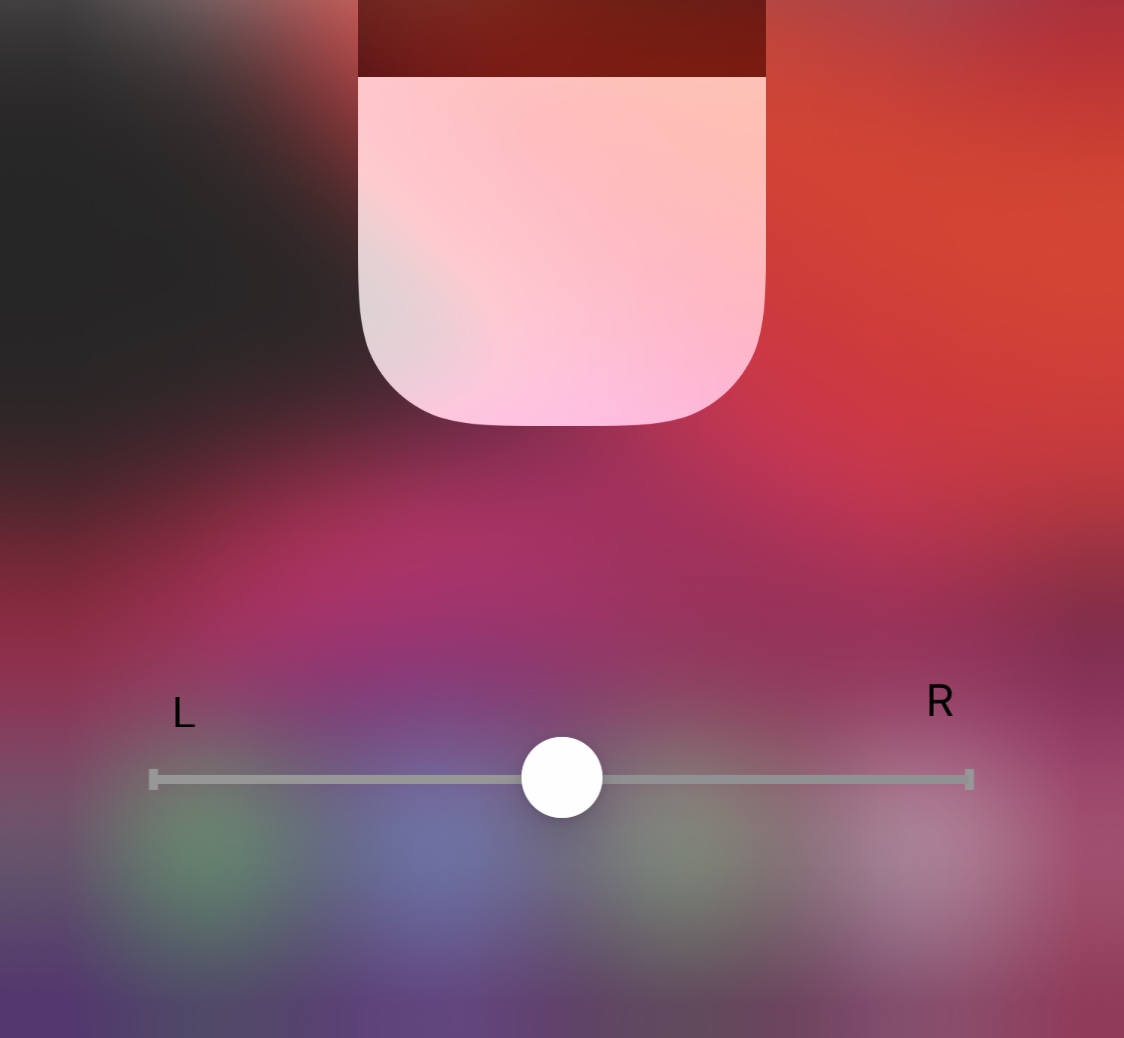
CCBalance adds an audio balance slider to Control Center

Whether you have a hearing impairment, a faulty iPhone speaker, or a poorly recorded piece of audio that you want to listen to, having the ability to adjust your handset’s audio balance is sometime some audio connoisseurs might consider an essential feature. So why does Apple make it such a PITA to access?

iOS developer KingPuffdaddi recognized that something needed to be done about this, and a newly released jailbreak tweak called CCBalance was conceived. And just as the name implies, this tweak adds an audio balance control to Control Center.

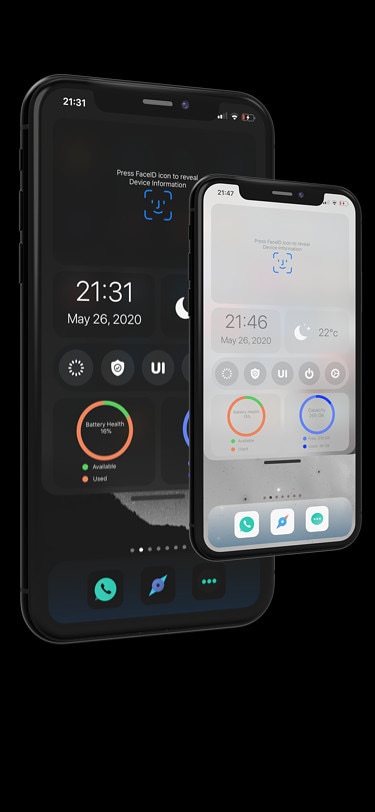
Hub is a powerful all-in-one interface for jailbroken iPhones

One of the first things that you’ll want to do after jailbreaking iOS 13 is familiarize yourself with powerful jailbreak tweaks that augment your handset’s native functionality, and a new release called Hub by iOS developer iOSthemem0d is a great place to start whether you’re new to the jailbreaking scene or not.

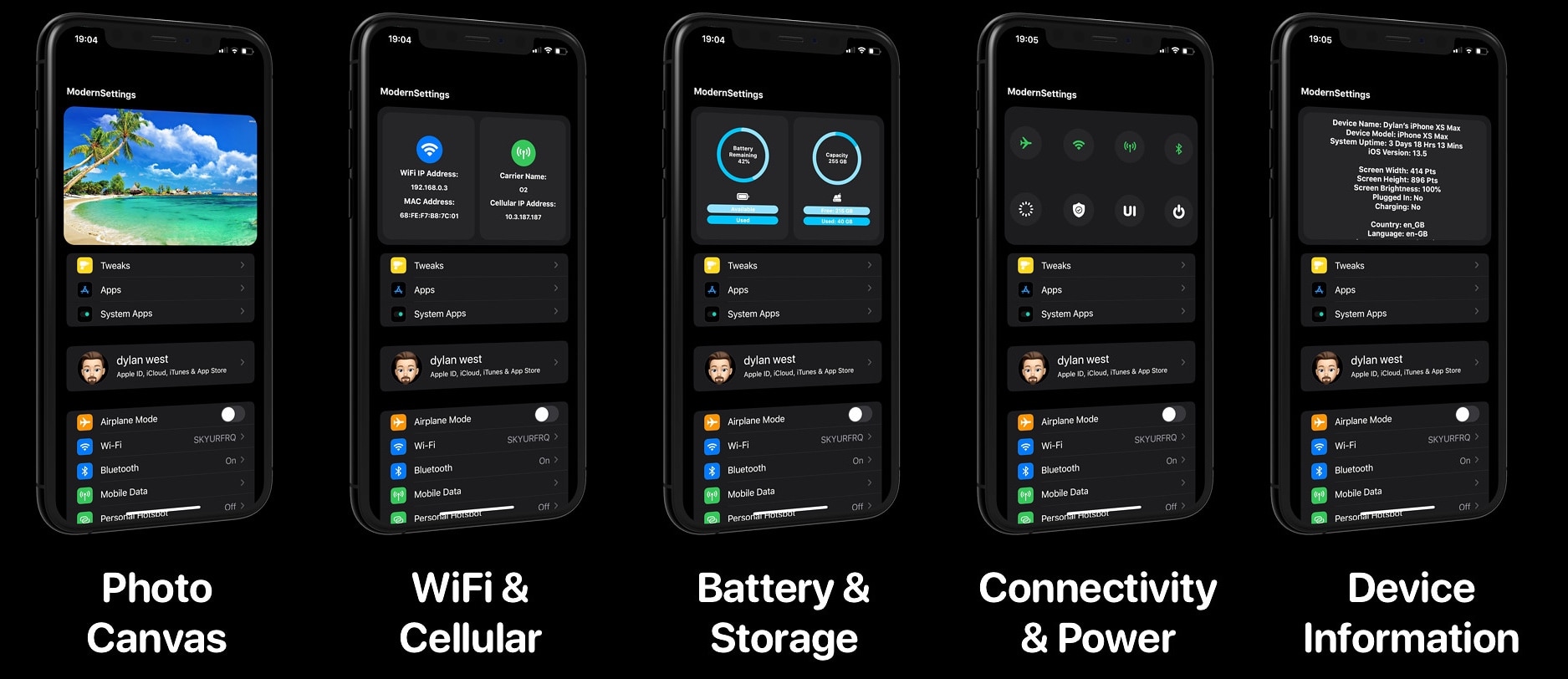
As depicted in the screenshot examples above, Hub is an omni-functional interface where users can access a plethora of their iPhone’s most essential features in one place. Complete with shortcuts to toggles and apps, a faster way to multitask, and central access to handy on-the-fly modules, Hub is something that can benefit most people in more ways than one.

SwitchConfirm prevents links from automatically redirecting you to other apps

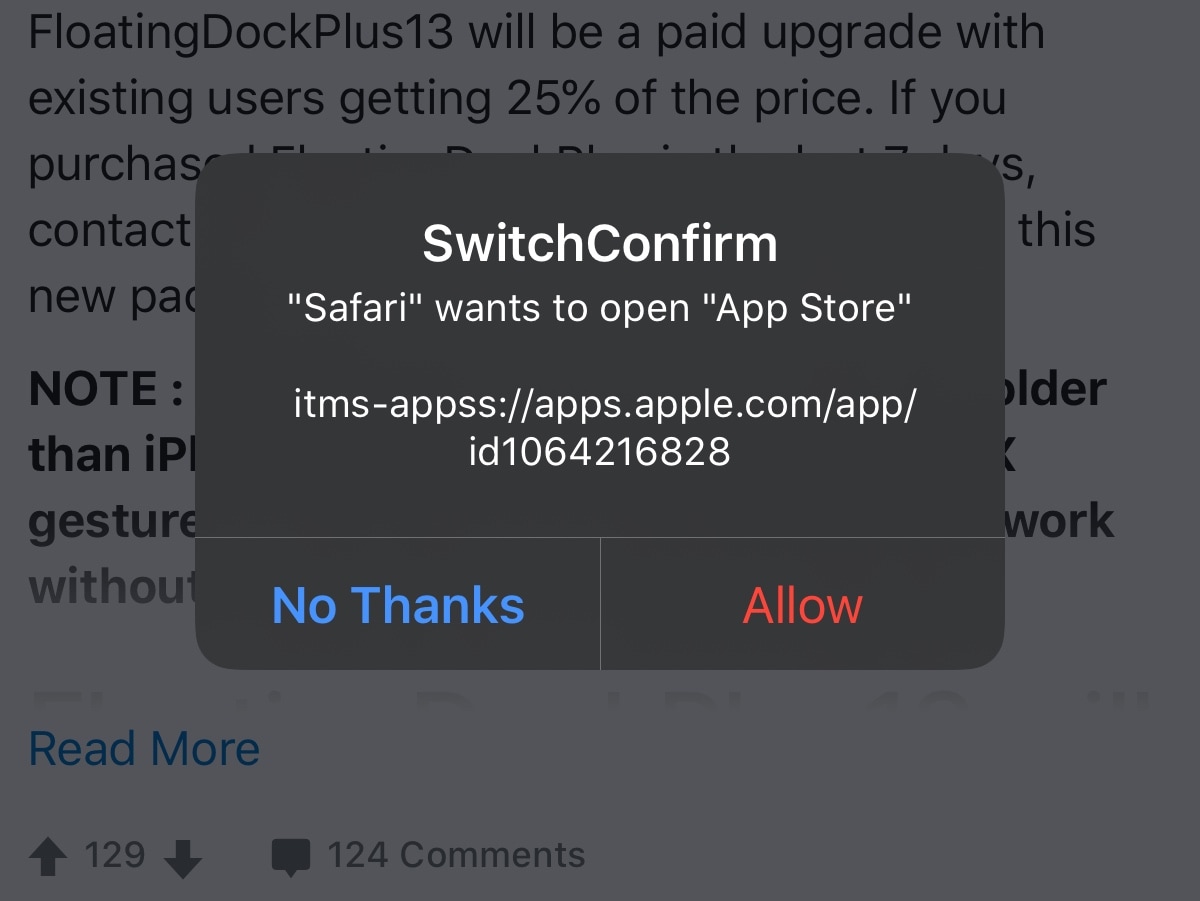
There’s nothing I hate more than when I’m trying to enjoy a good article or conversation thread on a web page in Safari, and then I suddenly get smacked in the face with a redirect to another app. Whether it’s the App Store, my Reddit app, or something else, getting forcibly ejected into another app doesn’t feel nice, and it’s downright annoying!

That’s why I’m excited about a new and free jailbreak tweak release called SwitchConfirm by iOS developer P2kDev, as prevents these automatic application redirects from hijacking your user experience by displaying a popup that asks you to confirm if you want to be redirected or not. Snazzy indeed!

Get more ‘oomph’ out of a single volume button press with VolumeStep13

As you adjust your iPhone’s volume with the physical volume buttons on the left edge of the handset, each button press equates to a tiny amount of adjustment to the volume level itself. If you’re trying to make drastic changes to the handset’s volume all in one fell swoop, then this means pressing the volume button(s) several times in rapid succession until you get it right where you want it.

A newly released and free jailbreak tweak dubbed VolumeStep13 by iOS developer Randy240 attempts to make this process a little bit easier by allowing jailbreakers to set a custom volume step amount. In a nutshell, this means each button press can have more or less influence over the volume level than it would on a stock handset, and as you might come to expect, the step amount is fully configurable.

ShakeLight lets you use your iPhone’s LED flashlight with a shake

I often find myself in situations where I require a flashlight, and when one isn’t readily available. When this happens, I’ll do the only logical thing and grab my iPhone to use the LED torch functionality.

There are some cases, however, when using the touch screen to activate my iPhone’s LED torch just isn’t an option, and that’s one reason why I’m excited about the release of a new and free jailbreak tweak called ShakeLight by iOS developer Kritanta.

MessageUnread lets users mark read messages as unread in iOS

Raise your hand if you’ve preemptively tapped on an unread conversation in your Messages app by accident before, only to find yourself too busy to read or respond to the message and later forget to look back at it because the notification indicator had disappeared as a result. *Raises hand slowly*

If you joined me in the hand raise of shame, then don’t fret because we’ve all been there before. Fortunately, a newly released and free jailbreak tweak dubbed MessageUnread by iOS developer Greg0109 can remedy this unfortunate experience by letting users mark read conversation threads in the Messages app as unread instead.