Accessibility

Aperio is a lightweight, yet functional app launcher for jailbroken iPhones

If there’s anything to be said about app launcher concepts, it’s that they’re a cornerstone of the jailbreak community’s existence. There’ve been literally countless app switcher concepts released as jailbreak tweaks over the years, and even today, they continue to materialize. One of the latest of such tweaks is one called Aperio by iOS developers burrit0z and Thenatis.

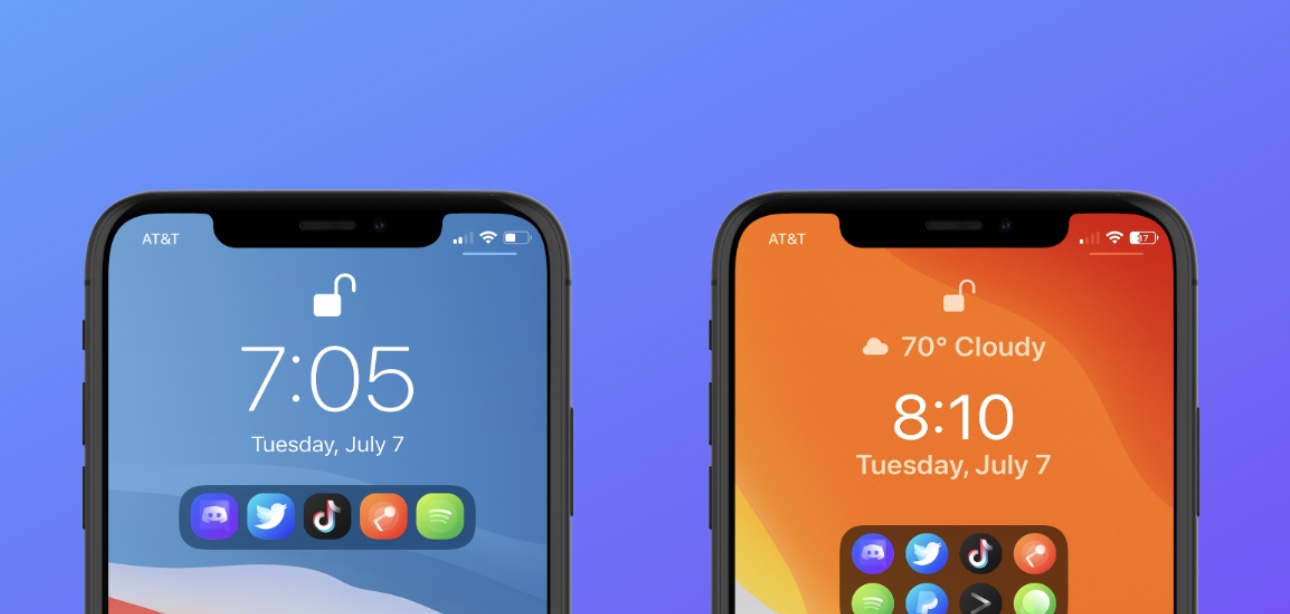
As you might’ve discerned already from the screenshot examples, Aperio is a Lock Screen-based app launcher interface that comes with different display modes to appease both minimalists and power users alike. If you’re more of a minimalist, then you’ll probably opt for the compact interface option, whereas power users will likely go for the more crowded interface.
FastAppLS adds a wheel-shaped app launcher to the iPhone’s Lock Screen

The Lock Screen serves as a secure barrier between the user and the Home Screen, but there are sometimes instances where you might want faster access to certain apps without the delay of unlocking your device and browsing the Home Screen.

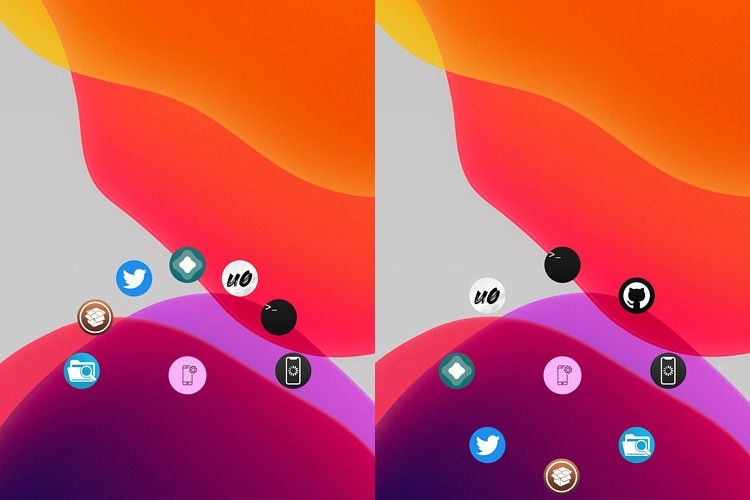
Enter FastAppLS, a newly released and free jailbreak tweak created by iOS developer Dcsyhi that puts a user- configurable app shortcut interface at the bottom of the Lock Screen so that users can more quickly access their favorite apps in a pinch.

Kleidaria puts your iPhone to sleep when you set it face-down

iPhone 11 Pro

Putting your iPhone to sleep when you’re finished using it is one of the most important things you can do to conserve battery life, and yet I always witness folks around me forgetting to take this simple step before placing their unlocked handset down somewhere. Perhaps they just need a little help remembering to put their iPhone to sleep, or maybe they need a jailbreak tweak that can do it for them?

Enter Kleidaria, a newly released and free add-on iOS developer gilshahar7 that automatically puts your iPhone to sleep after you place it face-down on a flat surface, such as a tabletop.

Power users with jailbroken iPhones will love the new AppData tweak

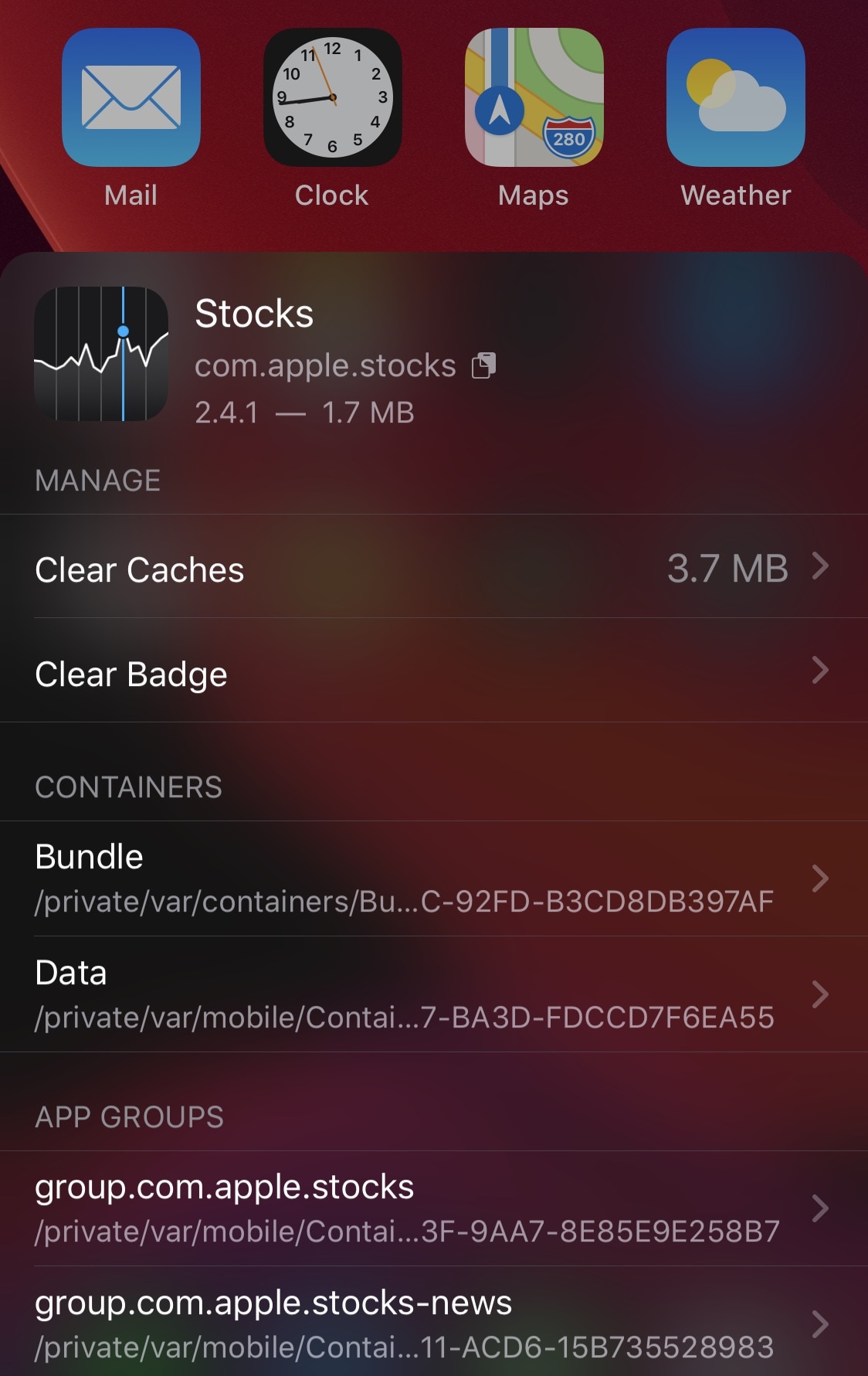
Depending on how advanced of an iPhone or iPad user you are, you might find yourself wanting to do more than simply launch and use your apps. Maybe you have a curious mind and you fancy tinkering with stuff related to those apps, or perhaps you just desire an easier way to clear your apps’ caches on a regular basis.

Whatever you’re looking for in the world of advanced iPhone and iPad usage, chances are a newly released and free jailbreak tweak dubbed AppData by iOS developer Fouad Raheb can help you get more out of using your handset’s Home Screen.

ForwardNotifier sends your iPhone’s push notifications to your Mac or PC

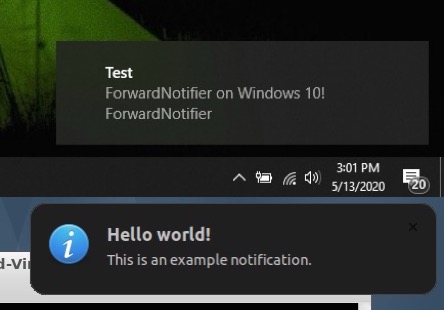
Many of us take for granted the the ability to send and receive text messages and phone calls across our iOS and macOS devices, but this level of continuity tends to be limited to certain applications. That said, wouldn’t it be nice if your Mac or PC could receive and display all the push notifications that naturally come to your iPhone?

If you answered yes to that question, then we think you’re going to love a newly released and free jailbreak tweak called ForwardNotifier by iOS developer Greg0109. This tweak sets up a communication line between your iOS handset and your Linux, Mac, or Windows PC so that notifications appear directly on your desktop.

SearchAutoFocus eliminates the step of tapping on a search bar to use it

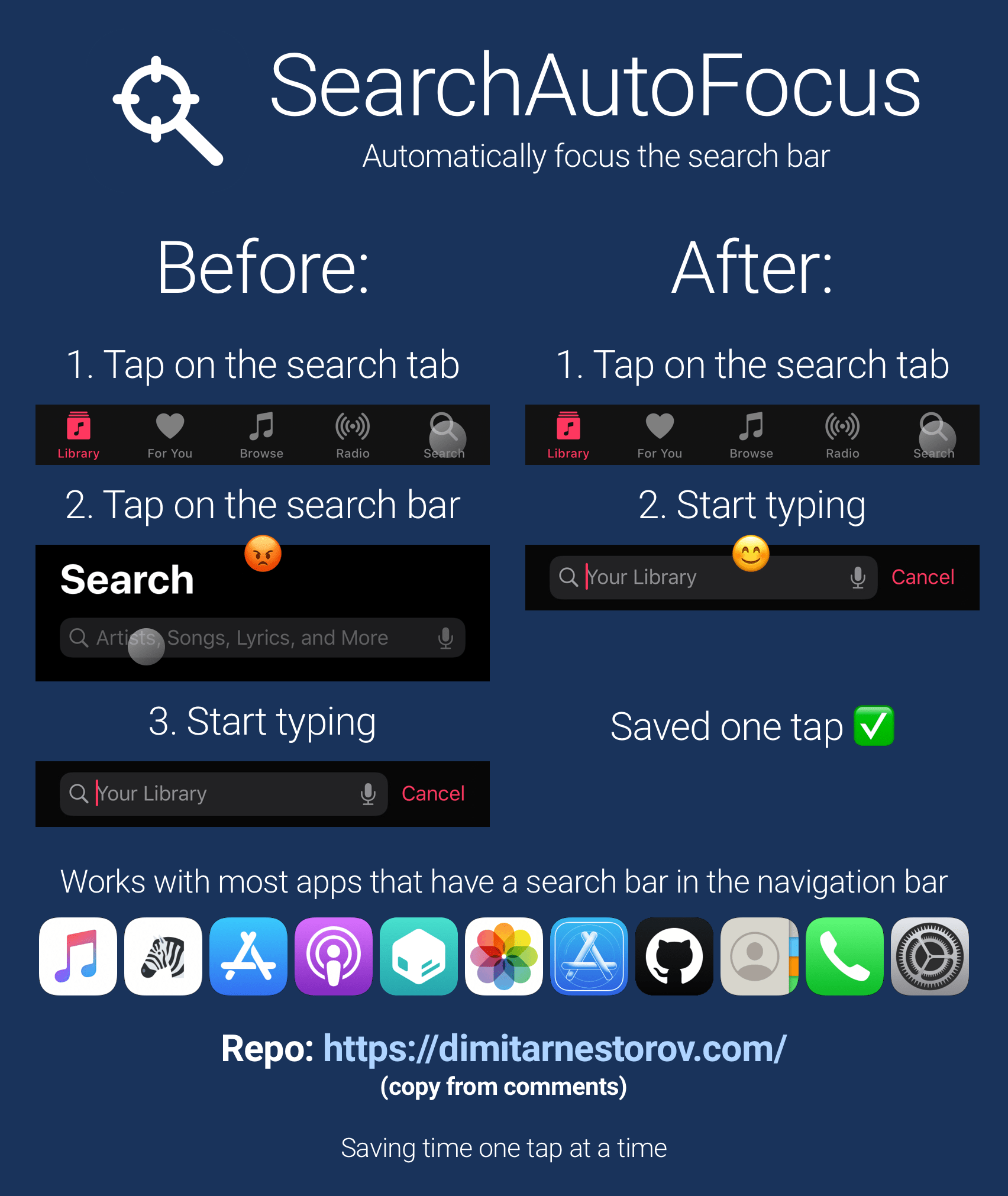
One thing that I’ve always found rather convenient about iOS’ Spotlight search feature is that the focus starts with the search bar from the moment the interface appears. In other words – the keyboard instantly appears and you’re ready to begin typing out your search query.

Search bars can be found throughout the iOS platform, and the aforementioned instant-focus experience unfortunately doesn’t extend to all of them. That’s why iOS developer Dimitar Nestorov created a new and free jailbreak tweak dubbed SearchAutoFocus.

Arise lets jailbreakers customize and automate the Lock Screen

The iPhone’s Lock Screen is a straightforward interface that acts as a gateway between the user and the Home Screen or last-used interface. While it does its job, many would likely agree that it could do with improvements — some major and some minor.

Enter Arise, a newly released jailbreak tweak by iOS developer EthanDoesMC that aims to make any jailbroken iPhone’s Lock Screen more lively with exiting and obvious features that will make you question Apple’s own innovation.

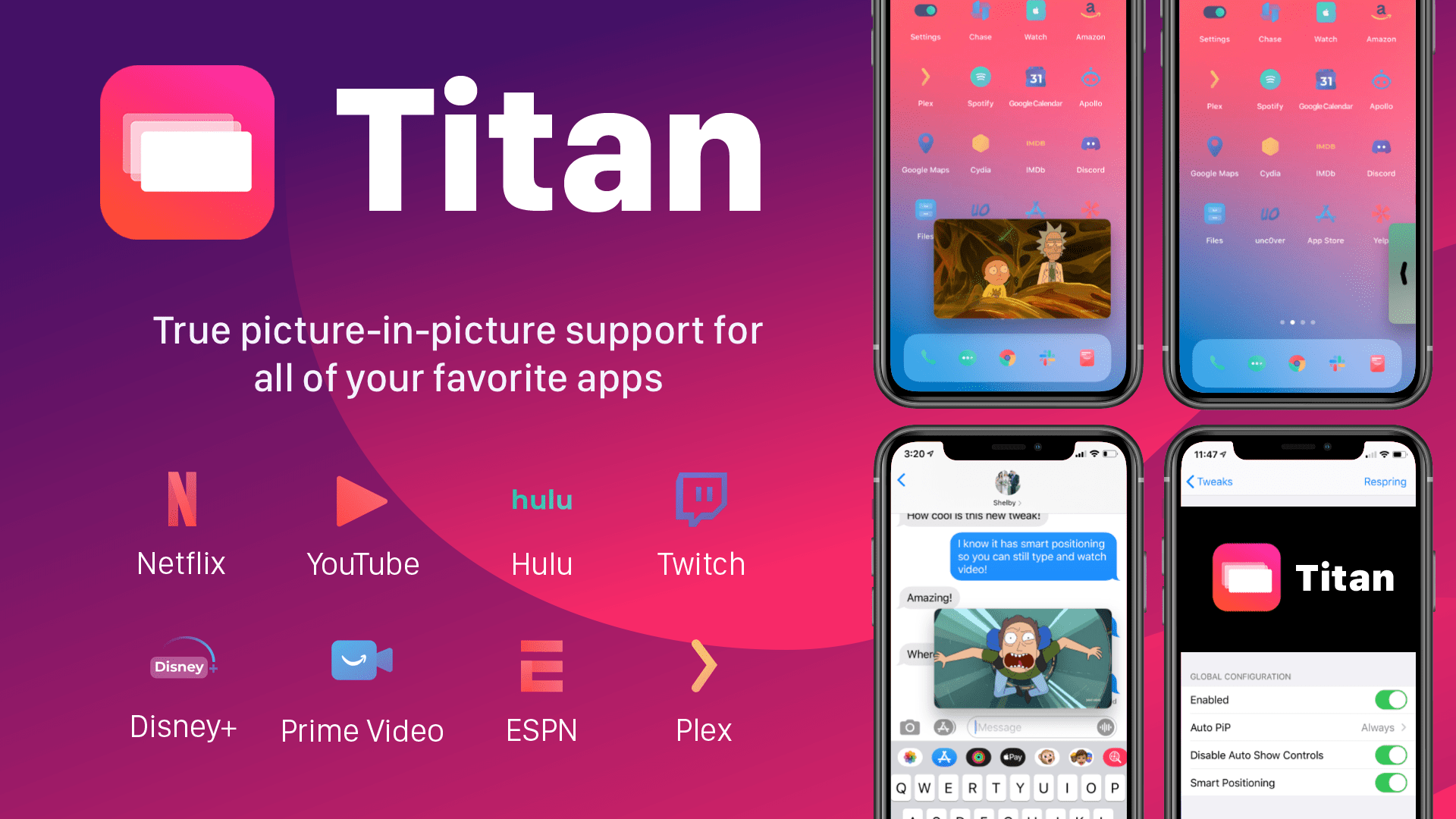
Get a supercharged iPadOS-like Picture-in-Picture mode for iOS with Titan

The iPad's incredible Picture-in-Picture mode is one of the core features of iPadOS that lots of iPhone owners wish Apple would bring to the iOS ecosystem. In a classic Apple move, however, it seems like that request could go unanswered indefinitely. Fortunately for the jailbreak community, however, we have ways to circumvent these restrictions.

Titan is a newly released jailbreak tweak by iOS developer tcbrooks that brings true iPadOS-style Picture-in-Picture mode support to pwned iPhones and iPod touches, and in addition to that, it comes out of the box with support for a colorful variety of video-centric apps, including the following:

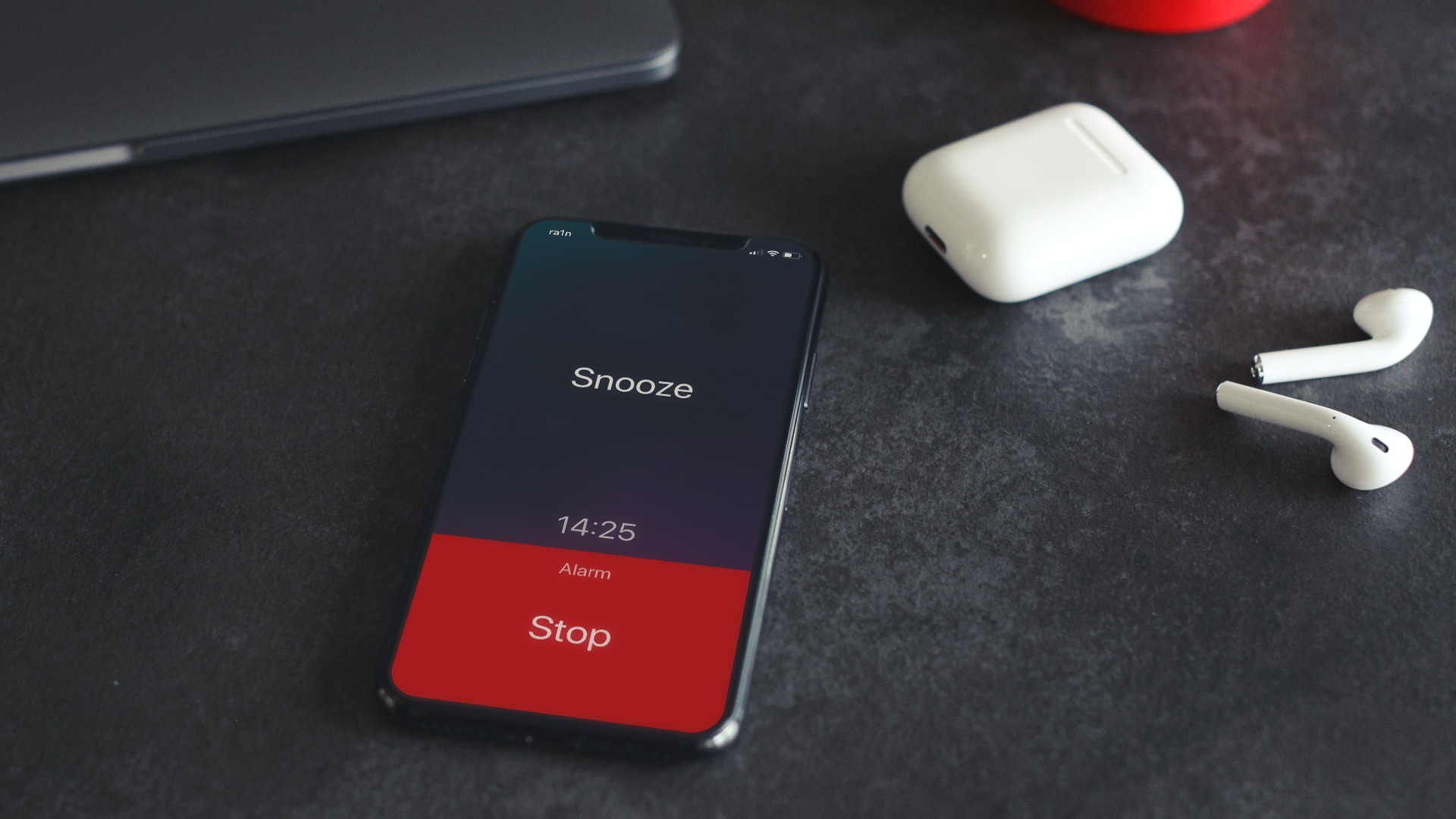
Treat your iPhone to the alarm and timer interface it deserves with BetterAlarm

Many iPhone users rely on their handset's native alarm feature to wake them up each and every morning. Some iPhone users may even rely on the handset’s native timer feature to ensure that they don’t overcook their dinner. Whatever you use your iPhone’s alarm or timer features for, chances are that you may be able to benefit from the likes of a newly released jailbreak tweak dubbed BetterAlarm by iOS developer NoisyFlake.

Right off the bat, you’ll notice that BetterAlarm supplants iOS’ traditional alarm interface with a beautiful new full-screen experience that makes it easier to interface with a firing alarm or timer. Even so, to say that BetterAlarm stops with a full-screen alarm and timer interface replacement would be a grotesque understatement.

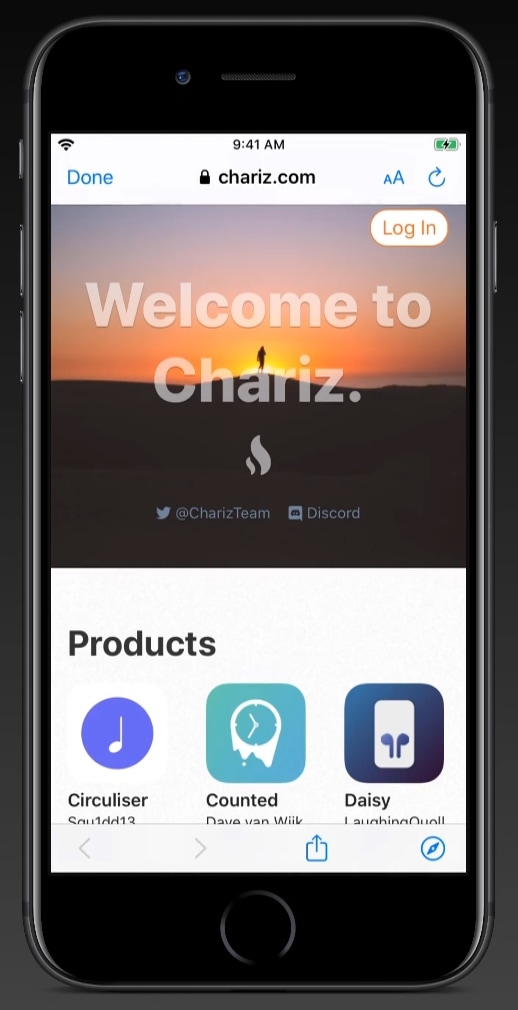
Safari in Messages lets you view webpages in the Messages app itself

I send and receive a lot of internet links via my iPhone’s Messages app, and one thing I can’t stand about the user experience in this respect is that tapping on a link jolts me out of the Messages app and into the Safari app. Why couldn’t Apple just build a simple webpage UI into the Messages app like several well-respected third-party app developers do in their own apps?

If you agree that the latter experience would make a lot more sense, then you’re likely to enjoy a newly released and free jailbreak tweak called Safari in Messages by iOS developer Andrew Abosh. Just as the name implies, this tweak makes it so that internet links load natively inside the Messages app via a dedicated webpage UI without actually moving you to the Safari app.

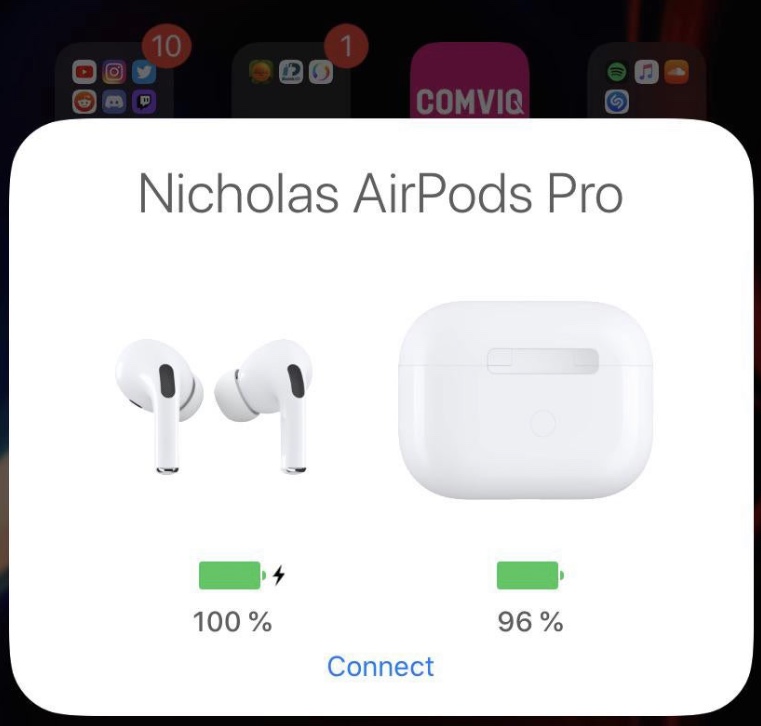
This tweak simplifies device connection switching for AirPods

Apple advertises the AirPods and AirPods Pro connectivity experience as ‘magical’ and ‘seamless,’ but if you’ve ever tried to connect your AirPods to another device of yours, then you’ve likely experienced the widespread frustration in which they connect to your most recently-used device instead. It’s easy to fix this when it happens, but it’s also somewhat cumbersome and time-consuming to say the least.

Anyone who is even the least bit familiar with the aforementioned experience will almost certainly come to appreciate the likes of a newly released and free jailbreak tweak called AirPopupConnect by iOS developer nicho1asdev, as it aims to make the process of pairing your AirPods or AirPods Pro to a different device noticeably faster and easier.