Your Next iPad Will Be Made in Brazil

While Apple's iPads are currently assembled in the Foxconn factories in China, by September the devices will also be produced in Brazil. The country's Minister of Science and Technology, Aloízio Mercadante, has revealed that Foxconn's new plant in the Brazilian city of Jundiai was initially scheduled to begin production of Apple's tablet in late July, but due to "construction glitches" and a shortage of skilled workers, that date has had to be pushed back.

Foxconn now has 175 engineers set to work in the plant, who have been sent to China for training. However, the company will require over 200 to get things moving. When the factory does open its doors, Brazilians can expect the iPad to be around 40% cheaper for consumers than the model currently imported from China...

New GEVEY Ultra SIM iPhone 4 Unlock, No More Dialing 112

Apple may not want you to unlock your iPhone, but GEVEY sure does. The company has just released a new solution to the iPhone 4 unlock problem. If you're tired of waiting for a software unlock to come out, you may just want to keep reading.

We've talked about GEVEY SIM cards before, but the Ultra is supposed to be the end-all unlock solution for the iPhone 4. It works with every version of firmware from iOS 4.0 - iOS 5, as well as several basebands...

New in iOS 5: Grid Lines in Camera App

And we continue our exploration of new features in iOS 5. Today we're looking at a new feature in the camera app that brings grid lines to the screen display. The grid lines are very helpful for getting the shot straight (horizon, edges of buildings, etc, can be used to ensure the camera is leveled).

The grid lines can also be very helpful to "frame" the shot as the center is clearly visible, so offsetting any subject from the center (or not) becomes easier...

Check Your Blood Pressure on Your iPhone With New Accessory

As a recent Apple iPad 2 advert demonstrates, iOS devices are proving to be indispensable to doctors and medical professionals with the plethora of healthcare apps and accessories that are now available. Earlier today we reported on an upcoming iPhone application called iPhoneECG, which allows you to take a personal electrocardiograph with your iPhone and send it to your doctor.

When you've done that, you can now check your blood pressure, with a brand new accessory for Withings called the iPhone Blood Pressure Monitor. The $129 accessory works with your iPhone, iPod touch and iPad and the free Withings companion app to provide a quick, easy and accurate self-messurement of your blood pressure...

WeeFacebook: View Status Updates in iOS 5 Notification Center

Over the past few weeks, jailbreak developers have been churning out custom widgets for the new iOS 5 Notification Center like crazy. Even though the new software is still in beta, the jailbreak community has already hacked it and created a variety of new tweaks.

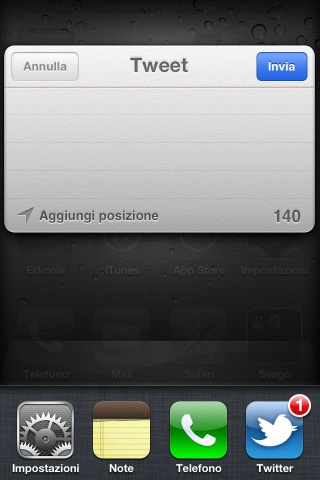
The most recent one to surface comes from developer Manuel Gebele. Surprisingly enough, it's called WeeFacebook and it gives you a window into your social networking account from the Notification Center...

DropCall Eliminator Routes Phone Calls to EDGE Network to Improve Call Quality

While most of its bad publicity has faded into the background, dropped calls are still an issue for AT&T customers (and all carriers) in certain areas. To remedy this problem, many AT&T customers have been directed to switch to the EDGE network when making phone calls.

Apparently, many dropped calls from AT&T iPhone handsets are caused by a 3G data conflict. The iPhone doesn't seem to experience that issue on EDGE networks. But wouldn't it be cumbersome to switch back and forth between EDGE and 3G all the time? Yes. But that's why we jailbreak. Meet DropCall Eliminator... 

Wi-Fi Booster Removes Signal Limitation in Settings App

Have you ever noticed that the iPhone doesn't seem to pick up all of the available Wi-Fi hotspots? That's because it doesn't. As another testament to Apple's focus on user experience, iOS doesn't display Wi-Fi hotspots with sub-par signal strength.

While this prevents the user from having a negative web experience, it also handicaps the device when searching for a web connection. How do you make your iPhone show all of the available Wi-Fi networks? There's a jailbreak tweak for that...

‘SwitcherSettings’ – Add SBSettings Toggles to the App Switcher

SBSettings is always the first tweak I install after jailbreaking. Even when it's not installed, I find myself swiping at the statusbar expecting a menu to drop. The simple utility gives me quick access to toggle Wi-Fi and Bluetooth settings, as well as a respring function.

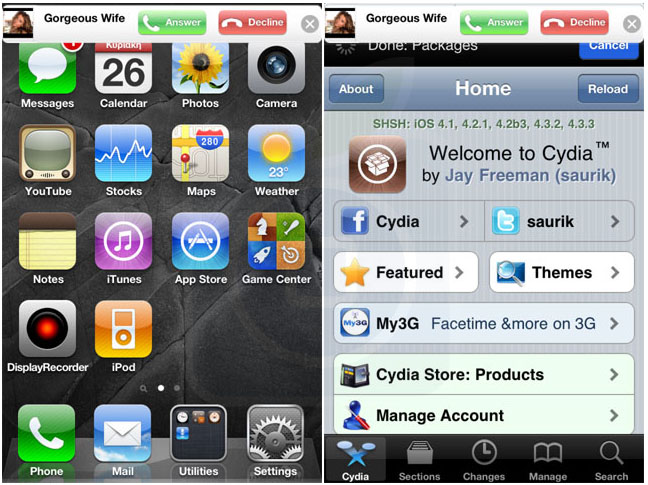
Though I've yet to find anything in Cydia that matches the functionality of SBSettings, the competition is certainly heating up. Jeff recently told you about Homescreen Settings, which places the actions on your springboard. I'm going to tell you about SwitcherSettings, which adds the functions to your app switcher...

New York Post’s Website Blocking Mobile Safari, iPad App the Winner

If you're a New York Post reader and like to read your news via NYPost.com on an iPad, then you could find the process a little more complicated than it used to be. The newspaper has blocked access to its website from Apple's Mobile Safari browser.

In a clear attempt to push users away from the NYPost website and towards the iPad app. The New York Post's homepage now suggests users tootle off to the App Store if they want to get their news fix on Apple's super-successful tablet...

Soon You’ll Be Able to Take an ECG with Your iPhone

The iPhone has already proven to be a valuable tool in the medical field for doctors and patients, but an upcoming application/hardware accessory takes it all one step further. The iPhoneECG allows you to take a personal electrocardiograph with your iPhone and send it to your doctor.

This groundbreaking invention lets you place the iPhone against your chest and get a realtime readout of your ECG information. When completed, the ECG data will be uploaded and converted into a PDF for physician or healthcare review...

‘CameraLock’ Jailbreak Tweak Brings iOS 5 Style Camera Button to Your iPhone

It was only a matter of time before an iOS 5 inspired lock screen camera shortcut appeared for current gen iOS firmware, and that time is now.

CameraLock is a tweak by tweaking expert Filippo Bigarella, who unsurprisingly is behind the similar FlashLock tweak inspired by our very own Sebastien Page.

In the very same vein of the iOS 5 feature, CameraLock places a handy little camera shortcut on your lock screen for easy access.

But there are a few differences between this implementation, and the version that is featured in iOS 5, as I highlight in the following video walkthrough...

New in iOS 5: Simultaneous App Downloads

When Apple first unveiled iOS 5 earlier this month, Scott Forstall and company mentioned that the new firmware would house over 200 new features. While only a few of them were touched on during the company's keynote, people have been working non-stop to uncover the hidden additions.

The latest tip to surface comes from the folks over at Apple'N'Apps. The blog noticed a change in iOS 5 that has to do with app downloading. It appears the new firmware will allow users to download multiple apps at a time, even over 3G...