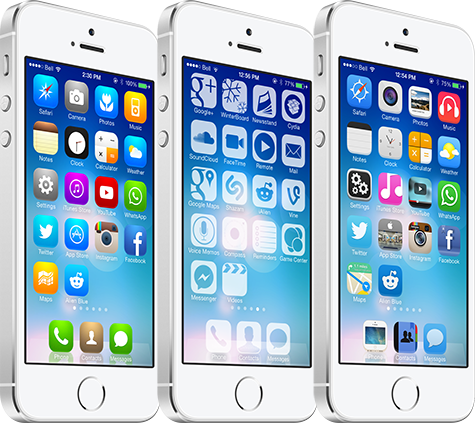
Wallpapers of the week: AR7 graphic, app, and theme

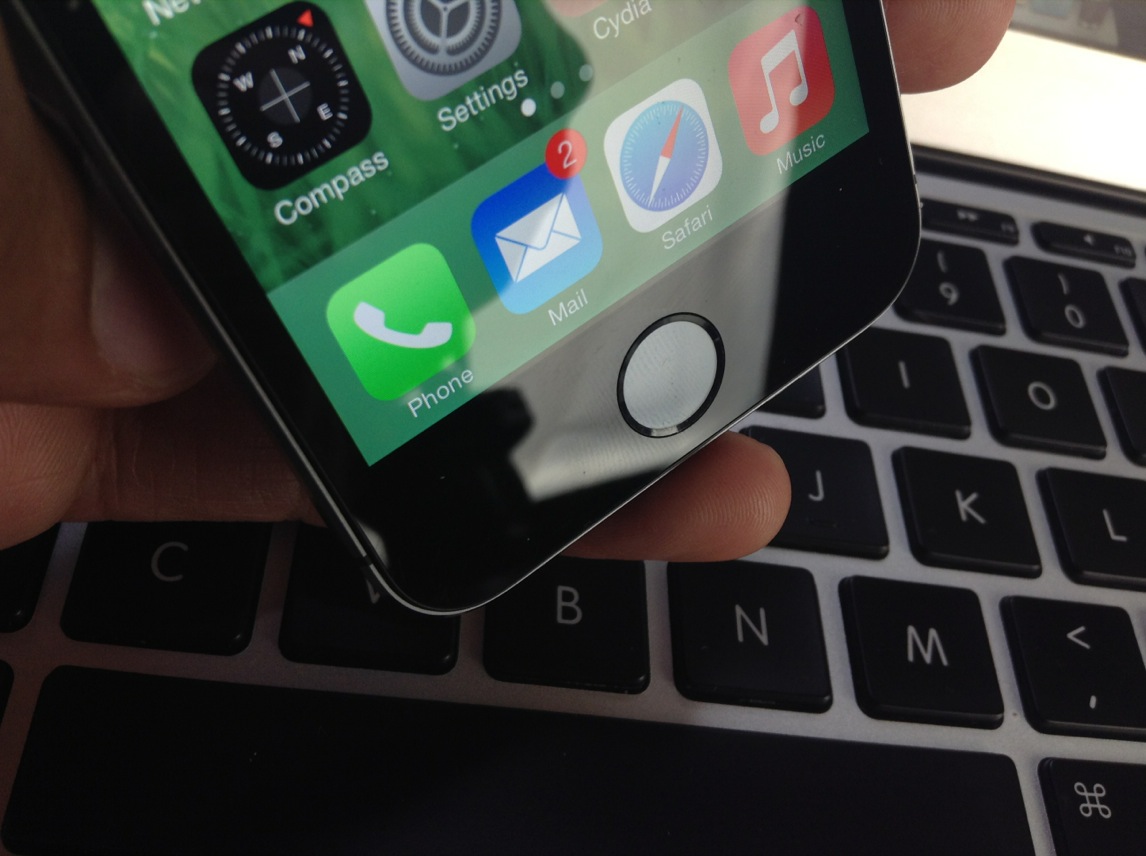
We come around to another week, celebrating with the Wallpaper of the Week section. Before digging around for new walls, it is important to point out, there were loads of new tweaks released last week for your jailbroken iPhone. Stylistic tweaks are always complimented by the correct wallpaper and we aim to please.

If many of you follow the section regularly, it is no surprise today is a feature of Italian graphic artist AR7. Several of his wallpapers were included in previous posts and he is well known in the community as one of the best wallpaper creators on the net. Take a look inside for a small wallpaper pack, his new app, and a jailbreak theme...

KORG launches ‘Gadget’ app – one synthesizer to rule them all

For those musicians out there that use the iPad for creating music with synthesizers, you’ll be happy to know that KORG has just put two of their most popular apps on sale for half off to celebrate the launch of their newest title.

KORG Gadget is a 15-pedal synthesizer for the iPad that covers 15 different classic instrument and genre sounds from the music company. Yes, the price tag is high, but KORG geeks will tell you it is worth every cent. They may also tell you to shut up or they will hit you over the head with their PolySix. You gotta watch out for those rabid fans…

Incipio boasts multiple backup power options

Right before leaving for CES, I received a survival pack from Incipio. CES survival is not necessarily about human survival, as much as it is about gadget survival. Opening the survival kit revealed an offGRID iPhone 5 Backup Battery Case and the offGRID Portable Backup Battery, both of which came in handy on my trip. An iPhone must eat too and at a large day-long event where signal is weak, battery juice drains like a leaking faucet. 

Having portable power is essential when traveling or even if your older iPhone battery is not fit. Long plane rides are murder on an iOS device when chain smoking videos and Infinity Blade III sessions. Save yourself a dead device and take along a backup battery that is light and powerful...

How to remove the ‘Store’ button in the Music app on iOS 7

In an effort to generate iTunes sales on iOS devices, Apple has long placed a Store button in the top menu bar of its Music app. As you would expect, tapping on Store exits the Music app and brings you to the iTunes Store for everything from songs and albums to movies and TV shows. It's a convenient link from one app to another on iOS devices, but some users might not find use in it. If you're one of those people, a new jailbreak tweak called NoStoreButton7 is a quick fix for you…

Video of Steve Jobs’ first public Mac demonstration surfaces

On January 24, 1984, Steve Jobs demonstrated the original Macintosh for the first time at an Apple shareholders meeting in Cupertino. You've probably seen a video of the presentation; it's the one where Jobs is introduced by a joke-telling Mac.

But what many people don't know is that the Apple co-founder gave another presentation for the computer less than a week later at a meeting of the Boston Computer Society. And that presentation has remained largely unseen until this weekend...

Watch Tim Cook’s full interview with ABC’s David Muir

Rounding out Apple's celebration of the Mac's 30th anniversary on Friday, ABC aired an interview between its own David Muir and CEO Tim Cook. Senior VP Craig Federighi and VP Bud Tribble were also on hand, but Cook did most of the talking.

It was a short discussion, running for less than 5 minutes, and some of it has already been spoiled by preview clips. But for those who haven't seen it, it's worth watching, as Cook speaks out about major issues such as the recent NSA surveillance scare...

DOJ files first ever criminal charges against mobile app pirates

The US Department of Justice has long taken issue with large-scale copyright infringement. It's gone after pirates of various different kinds of content, including music and movies—who could forget the FBI raid on the home of Megaupload's Kim Dotcom.

But up until now, the DOJ has never gone after mobile app pirates. That changed this week, though, when it filed charges against 4 men behind Android app piracy websites Snappzmarket and Appbucket for conspiracy to commit criminal copyright infringement...

In Fear I Trust: this game is so scary you will leave the lights on

I guess I’ve recently discovered that horror games scare me… a lot. A few months ago, I reviewed Indigo Lake and had the same experience. There is something about playing a horror game with a first person point of view (POV) that just freaks me out.

In Fear I Trust is a horror game that puts you in the first person POV of a prisoner with no memory and no way out. It is a mix between a room escape (or, prison escape in this case) and a point-and-click mystery game. If you are like me, you ‘ll play this game with the lights on and the sound off…

Review: Springtomize 3

Springtomize 3 is now available for download on Cydia's BigBoss repo, and I'll just get it out of the way and state that I highly recommend it. For those of you unfamiliar with this legendary tweak, Springtomize is basically a way to customize multiple facets of iOS using a single tweak. It's like dozens of tweaks combined into one, and for that reason, many people love Springtomize.

The third iteration of Springtomize is definitely a more evolutionary chapter in the tweak's existence. It's not the game changing tweak that was Springtomize 2, but it still brings more than enough to the table to warrant a purchase without even thinking about it. This is the type of tweak that belongs in the repertoire of every single jailbreaker out there.

Springtomize 3 was built for iOS 7, and it allows you to customize the Home screen, app switcher, Lock screen, folders, and many more areas of iOS 7. Have a look at our full length in-depth video, which covers every section to be found in Springtomize 3.

How to use the PS4 Dual Shock 4 controller to play iOS games on the iPhone, iPad, or iPod touch

Last week I was super excited to bring you a video walkthrough of Controllers for All, a new jailbreak tweak from Ori Kadosh, that brought true PS 3 Dual Shock 3 controller support to games with iOS 7 controller support. The tweak was pretty groundbreaking, in the sense that it meant that you no longer had to pay $100 for an officially sanctioned, and utterly subpar, MFi controller.

Now Kadosh is back at it again, with his first big update to Controllers for All. This time around, he's added support for Sony's latest offering—the much-hyped Dual Shock 4 controller for the PlayStation 4. The awesome thing about using the Dual Shock 4 controller is that you no longer need to use any outside apps, like sixpair, to pair the device with your iPhone or iPad. All of the pairing is done solely between the controller and your iOS device!

To make a long story short, Controllers for All is the ultimate jailbreak tweak for gamers wishing to have have a better gaming experience on iOS. Have a look at our newest video walkthrough for the tweak after the break

FolderEnhancer: the legendary folder tweak comes to iOS 7

FolderEnhancer used to be one of the first jailbreak tweaks that I installed on my newly jailbroken iPhone. Before iOS 7, you could only have one page of app icons in a folder, and I used FolderEnhancer to get around Apple's arbitrary limits.

With iOS 7's release, Apple has relented, and incorporated some of the features, like paging within folders, that made FolderEnhancer such a great release. For that reason, the new FolderEnhancer for iOS 7 may seem a bit underwhelming for those of you whose jailbreaking experience goes back some time.

That said, FolderEnhancer is still worth checking for. In fact, FolderEnhancer (iOS 7) is a free download for those of you who purchased the original version, and it's only $0.99 for newcomers. Have a look at our video walkthrough inside to see what the latest version of FolderEnhancer is all about.

How to make the Lock screen Status Bar match the size of the Home screen Status Bar

SameStatus is a new jailbreak tweak that does something incredibly simple: it allows you to make the size of the Lock screen status bar match the size of the Home screen status bar.

I'm not sure if you've noticed, but the information contained on the status bar on iOS 7's Lock screen is a bit larger than the same info shown on the Home screen status bar. SameStatus is tweak that allows you to "fix" this issue.