Jailbreak

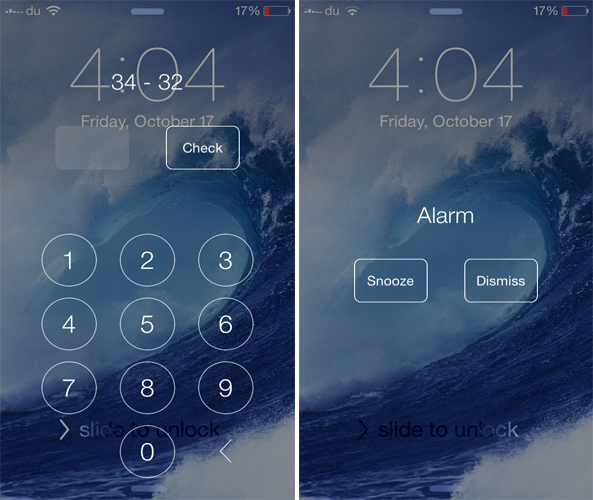
EQUAlarm requires you to solve a math equation before snoozing the alarm

Do you snooze your alarm in the morning hoping to get up a few minutes later, but end up waking up late? If yes, you should definitely check out a new jailbreak tweak known as EQUAlarm that ensures you wake up on time.

Developed by PAL Labs, EQUAlarm requires you to solve a math equation before you can disable it, which is a good way of sharpening your brain before getting up from your bed. When the alarm starts to ring, you'll view a math problem along with number keys that allow you to enter the answer.
Flurry lets you change the blur and tint level of iOS 7

Along with having an all around flatter design, iOS 7 heavily uses blur effect across the whole interface. If you ever wanted to adjust the blur level of various aspects of iOS 7, you should probably check out a brand new jailbreak tweak known as Flurry.

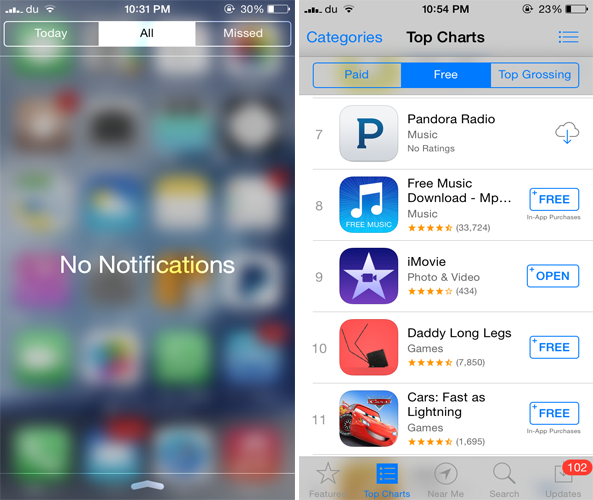
Developed by dantesieg, Flurry allows you to easily configure and adjust the blur and tint level of iOS 7. Any changes that you make will be applied to various interfaces such as the Notification Center, Control Center, Lock screen passcode, Home screen dock and way more.

In addition to the above mentioned interfaces, the tweak also blurs the Navigation Bar, Tab Bar, buttons as well as the Action and the Sharing menu.

Impulse lets you control the music playing on your iPhone while it is locked

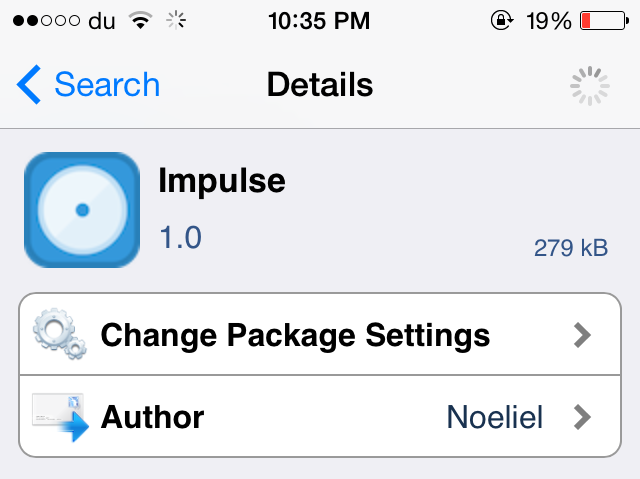
Impulse is a brand new jailbreak tweak dedicated to music lovers as it brings a new functionality many have been waiting for. Developed by Noeliel, Impulse allows users to control a currently playing song even when the device is locked. Yes, with Impulse, you no longer need to unlock your device just to control a song that is playing. Simply perform a gesture on the screen to perform a desired action.

Bring your iOS 7 keyboard to life with ColorfulKBD Pro

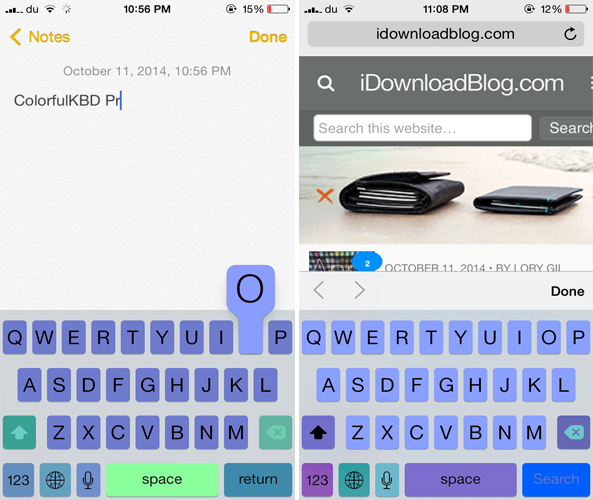
iOS 8 is no short of third-party keyboards and we've already reviewed the noteworthy ones that bring many new features and provide more customization options. If you ever wanted to gain more control over how the keyboard looks in iOS 7, you should probably check out a new jailbreak tweak known as ColofulKBD Pro by ipon3g.

As its name implies, the tweak allows you to colorize the stock keyboard and bring a new look to it. By now, you must be thinking how this tweak is different from the remaining ones on Cydia that also allow you to customize the color of the iOS 7 keyboard.

How to use Reachability on older devices

Due to the larger screen of the iPhone 6 and the iPhone 6 Plus, Apple introduced a new feature in both the devices called Reachability. Basically, what this feature does is that it moves the top half of the screen to the bottom half when you double tap on the Touch ID. The reason behind this is to make it easier for users to continue one-handed use even on the new iPhones and to reach the top contents of the screen more easily.

If you ever wanted to enjoy the same feature on older iOS 7 devices, you should probably check out a jailbreak tweak called Reachability7 by developer Mohammed Marbouh.

CallShortcut lets you add your favorite contacts to the Home screen

Just recently, an updated version of CallBar was released for iOS 7 that makes it a whole lot easier to manage your incoming calls. CallShortcut is yet another jailbreak tweak that provides a quicker way to call your contacts, directly from the Home screen.

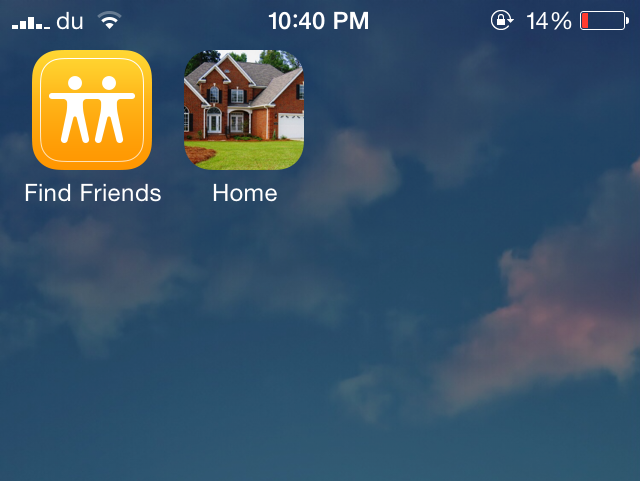
Developed by Gertab and David Glinski, CallShortcut allows you to add any of your contacts to your Home screen. These appear as icons on the Home screen just like other app icons and when you tap on any of them, the call will be placed immediately. This provides a quick shortcut to your favorite contacts without ever opening the Phone or the Contacts app.

How to play Super Nintendo games on your iOS 8 device

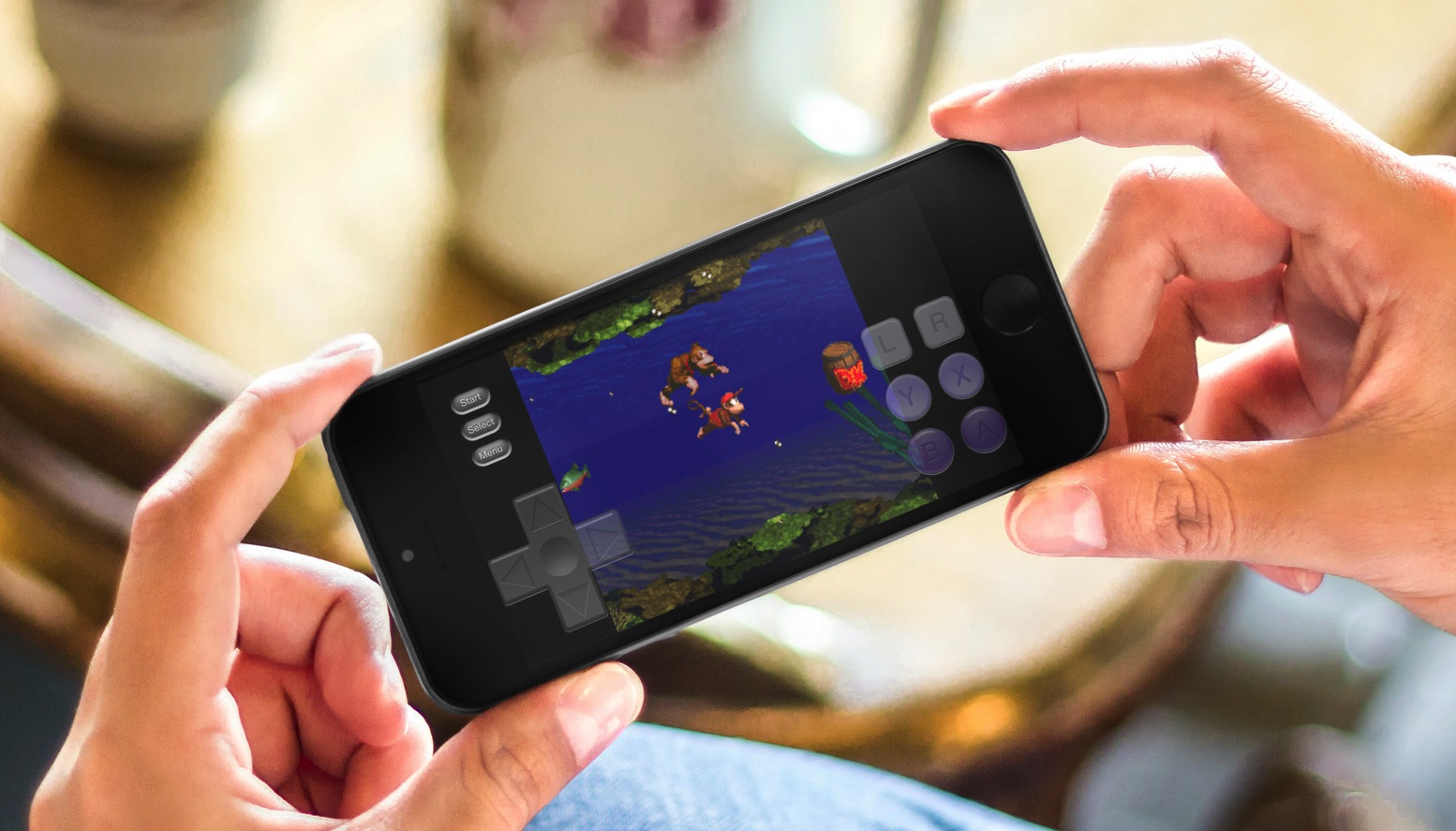
Although there is no iOS 8 jailbreak, there is still a way to add a Super Nintendo Entertainment System (SNES) emulator. Because Nintendo is missing the opportunity to make millions of dollars by releasing their games to the Apple App Store, people have turned to emulators for years. Since the iPhone was jailbreakable, it seems there was some way to play the old classics.

Thanks to a tip from @flawlessfox, whom you may recognize as one of the JailbreakCon organizers, we tested the SNES emulator "SiOS" and can confirm it works quite well, especially on the iPhone 6 Plus. Step inside for quick step-by-step instructions and you will be enjoying your favorite SNES games in about 5 minutes time. Yes, you read it correctly, there is no jailbreak required. 

Ascend brings a gorgeous look to your iOS 7 Lock screen

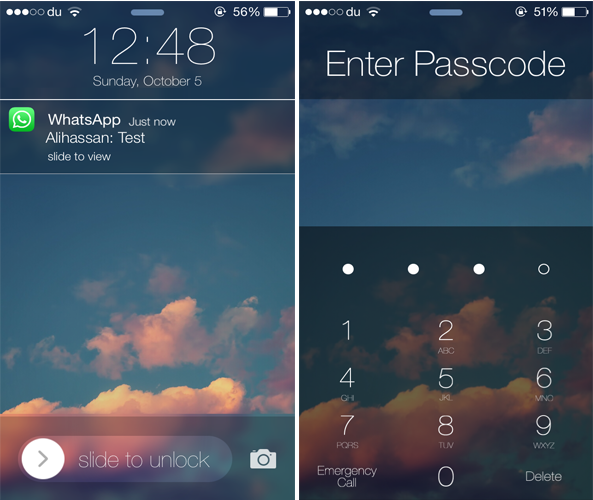
A few weeks ago, we showed you ClassicLockScreen, a tweak by CoolStar and Phillip Tennen that provides over four different styles which you can apply to your Lock screen. Ascend is a somewhat similar jailbreak tweak by Ben Rosen that brings a gorgeous look to your Lock screen.

The tweak brings back the popular iOS 6 Slide to Unlock slider with an iOS 7-esque style along with a blurred background and top bar. Additionally, it gets rid of the round passcode buttons and replaces it with a flatter interface and a transparent background. The same applies to the notifications that appear on the Lock screen.

Monochrome applies shades of grey to your app icons

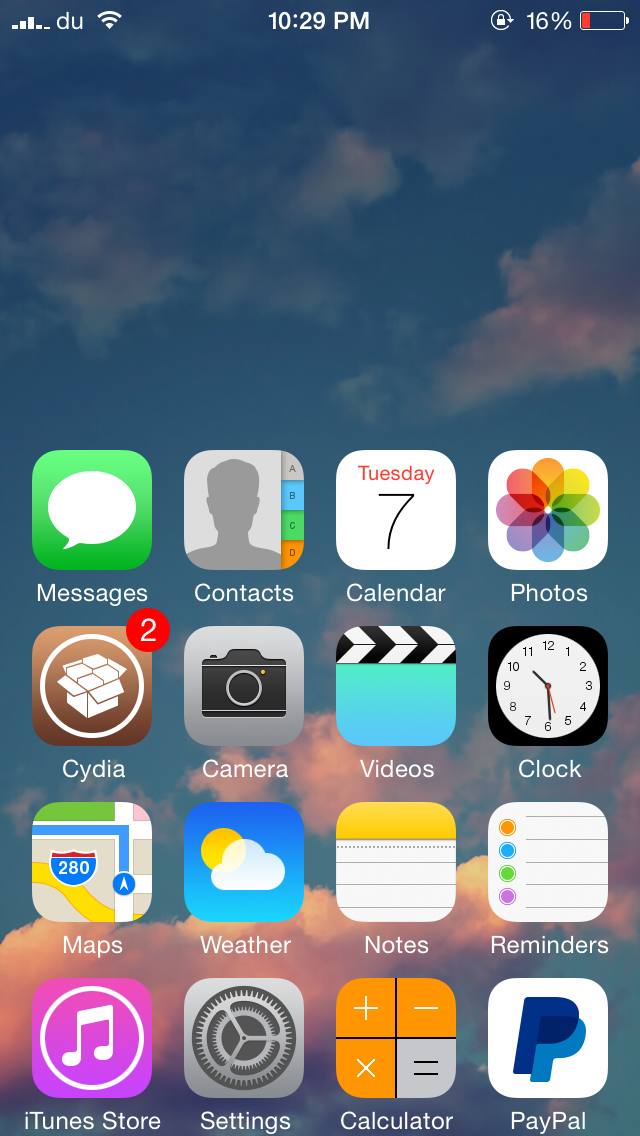
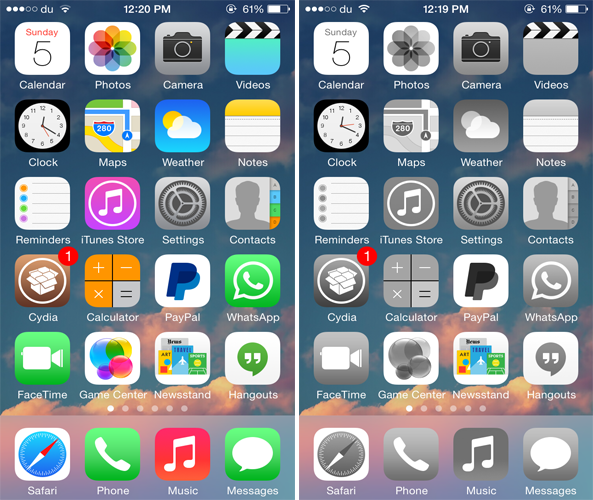
If you ever wanted to bring a classic look to your Home screen icons, you should probably check out a new jailbreak tweak called Monochrome that squeezes out all the colors from the app icons on the Home screen and brings a simplistic look to them.

Developed by Ron Thakrar, the tweak applies shades of grey to all the app icons on the Home screen, just like the classical black and white movies, bringing a more simplistic look to your Home screen. The wallpaper color will remain as is, but if you want to take it a little further, you can use a black and white wallpaper to better suit the grey icons, although it would have been a nice addition if the tweak already came equipped with this feature.

Customize the look of the Messages app with Messages Customizer Pro

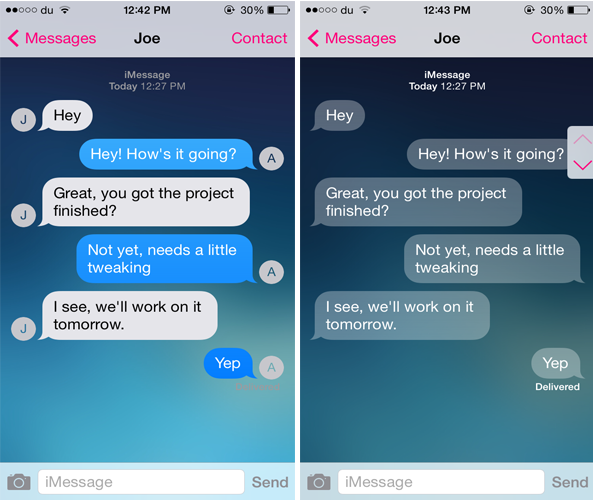
One of the many reasons that users jailbreak their iOS device is to customize it. If you're looking for a tweak that allows you to customize the stock Messages app, you should definitely consider checking out Messages Customizer Pro.

The tweak has been produced by Charlie Hewitt, the same developer who created the Messages Customiser tweak earlier this year. The successor comes packed with additional new features and allows you to customize and theme the stock Messages app the way you want.

CCShuffle adds shuffle and repeat buttons to the Lock screen and Control Center

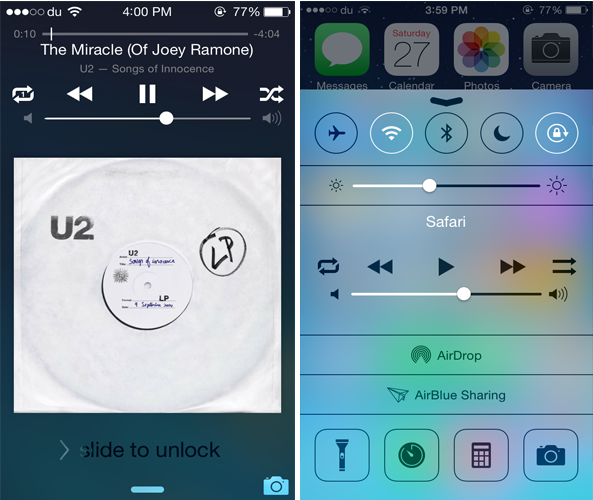
While Control Center is a convenient place to quickly control a playing song, it still lacks some music controls. CCShuffle is a new jailbreak tweak that brings the much anticipated shuffle and repeat buttons to Control Center.

Developed by Charlie Hewitt, CCShuffle adds a shuffle and repeat button to the right and left of the media controls in Control Center. Originally, the buttons are only available in the stock Music app, but with this tweak, you can also use them from Control Center. Not only this but CCShuffle also adds both the buttons to the Lock screen as well.

Cou replaces the Slide to Answer slider with ‘Accept’ and ‘Decline’ buttons

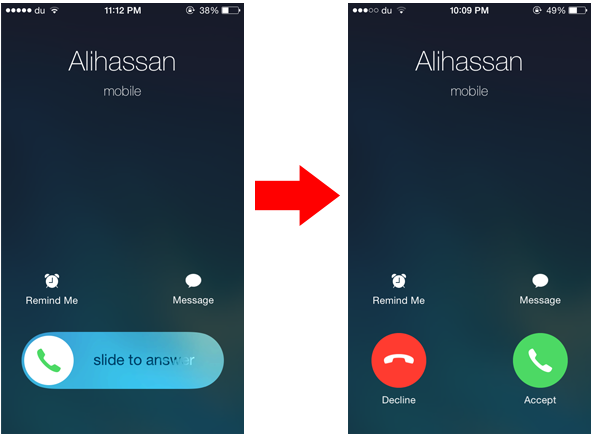
When your iPhone is locked and you receive a phone call, you'll see a slide to answer knob that allows you to respond to the call, and declining a phone call will require you to press the Sleep/Wake button twice. Cou is a new jailbreak tweak that allows you to customize this interface and replace the slider found on the Lock screen with buttons you normally see when you receive a call while the device is unlocked.

Developed by danteseig, Cou replaces the Slide to Answer slider with two buttons called 'Answer' and 'Decline'. This means that you can easily reject a phone call by pressing the Decline button rather than double pressing the Sleep button.