Jailbreak

CCSettings updated with support for iOS 8

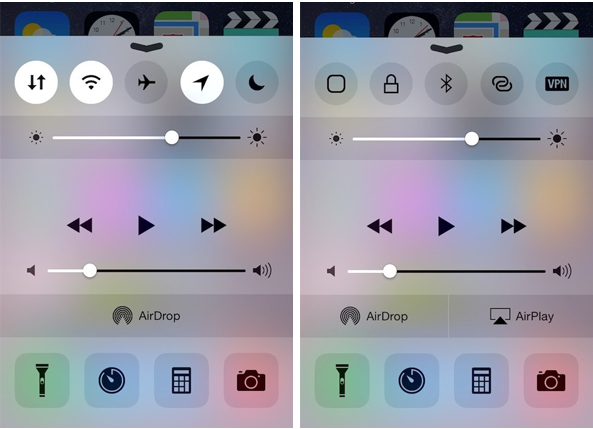
CCSettings, one of most popular tweak for Control Center, has now been updated to support iOS 8 devices. The tweak which is now available as a separate package on Cydia provides a larger collection of settings toggles in Control Center rather than the stock toggles such as Airplane mode, Wi-Fi, Bluetooth and more.

The new toggles that CCSettings provides for iOS 8 Control Center range from Cellular Data, Location Services, Personal Hotspot and VPN to virtual home and lock buttons. These can be accessed from Control Center by swiping the toggles section from left to right and vice versa. You can enable or disable each of these toggles along with the stock buttons as well as arrange them in the right manner from the preference pane of the tweak in the Settings menu.
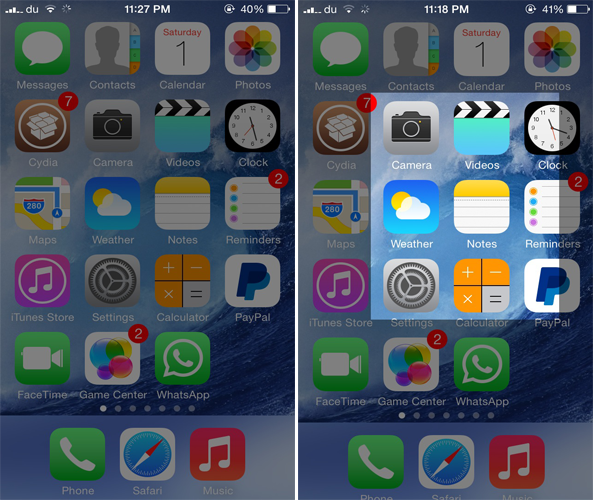
CroppingScreen: take screenshots of specific areas of your iPhone’s screen

Normally, when you press the Home and the Power button simultaneously on your iOS device, a screenshot of your whole screen is taken right away. Unfortunately, there's no way that you can take a screenshot of a particular portion area of your screen other than cropping it manually. This is why a new jailbreak tweak known as CroppingScreen debuted on Cydia recently to make your work a whole lot easier.

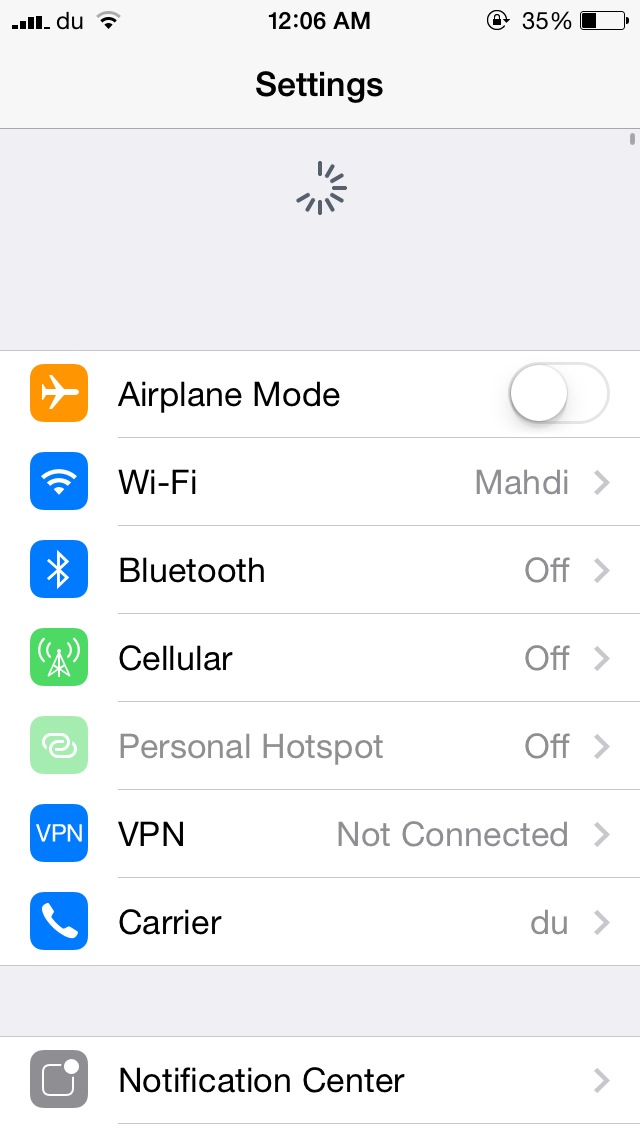
Respring your device from the Settings menu with PullToRespring

Respring with a pull to refresh gesture.

If you're a long time jailbreak user, you'll know that a lot of tweaks require you to respring your device after installing them from Cydia or when you configure their settings. There is a lot of tweaks on Cydia that mimic the Respring functionality, but PullToRespring is a brand new jailbreak tweak that takes advantage of the Settings menu in order to perform the same job.

PrefDelete: delete tweaks directly from the Settings app without opening Cydia

Normally, when you want to delete a jailbreak tweak installed on your device, you'll have to remove it from Cydia. If you ever wished to remove a tweak with just the tap of a button without opening Cydia, you should probably check out a brand new jailbreak tweak known as PrefDelete.

Developed by Brave Heart, PrefDelete allows you to delete tweaks that come with a preference pane directly from the stock Settings app. This can be done by tapping and holding on a tweak's preference button in the Settings app to remove it immediately on the spot, though a confirmation message appears before deletion ensuring that you don't remove a tweak by mistake.

ForceGoodFit: make older apps fit on your larger iPhone 6 and iPhone 6 Plus screen

Although the new iPhone 6 and iPhone 6 Plus boast a larger screen and come with a Retina HD display, some of the apps on the App Store have not yet been updated to support the larger screen, therefore causing the apps to zoom in and appear blurred. If you've got a favorite app that hasn't been updated for the larger iPhone 6 and the iPhone 6 Plus yet, you should probably check out a new jailbreak tweak known as ForceGoodFit.

Just as the name implies, the tweak forces old apps to stretch to the iPhone 6's larger screen and allow you to view the app in full screen mode instead of having them zoomed in. From the two screenshots above, the left one is taken without the tweak install while the right one is with ForceGoodFit enabled. The tweak is quite similar to FullForce which was developed by Ryan Petrich to optimize apps for the larger iPhone 5.

SBFlip is one of the first tweaks to work on iOS 8 only

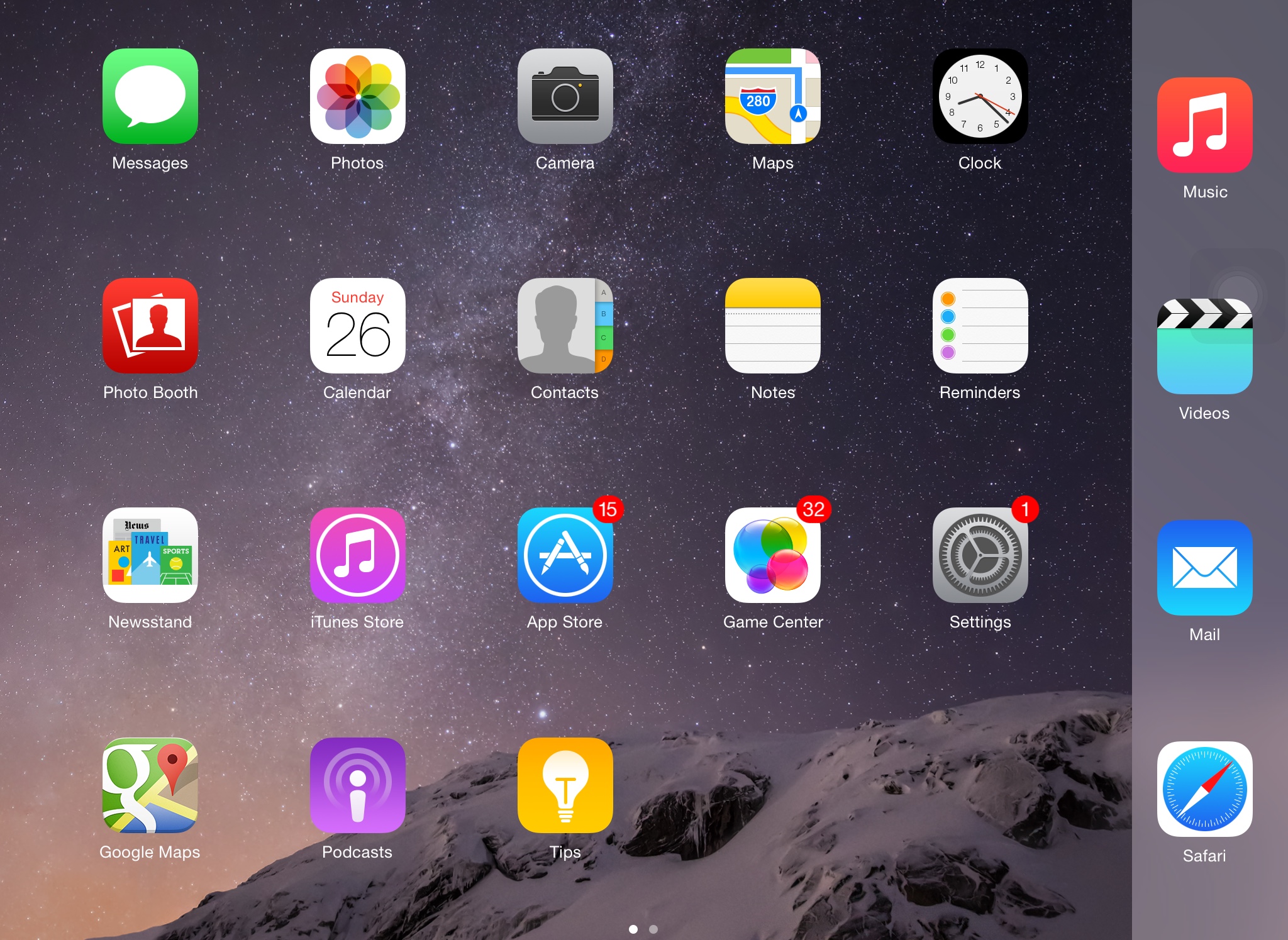
One of the major differences between the iPhone 6 and the iPhone 6 Plus is that the latter is capable of changing the Home screen's orientation. In other words, you can change from portrait to landscape mode on the Home screen when using the iPhone 6 Plus, just like the iPad. On the other hand, the iPhone 6 and older devices lack this capability, but if you've already jailbroken your iOS 8 device, you should definitely check out SBFlip.

SBFlip enables Home screen rotation on unsupported devices, just like the iPhone 6 Plus. This means that you can rotate your Home screen from portrait to landscape mode on iPhone 6, iPhone 5s and older devices running iOS 8. The tweak also comes with two flip styles called Dynamic Dock and Stationary Dock.

AlienBlue++ adds additional functionality to the Alien Blue app

Alien Blue is one of the most popular Reddit client apps for iOS and was recently acquired by Reddit. Although the app has most of the features that a user needs, it's still a long way from being a perfect app. This is why a new jailbreak tweak known as AlienBlue++ comes in to fill the gap.

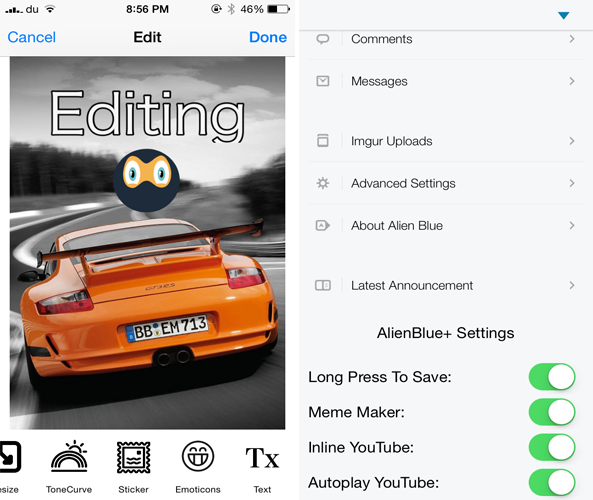
Developed by UnlimApps, AlienBlue++ adds four new features to the popular Alien Blue app to improve  your experience browsing Reddit. The tweak comes with a built-in photo editing feature that allows you to edit photos and give them a new touch before posting them on Reddit. For instance, you'll have the ability to add emoticons and texts, choose from a variety of effects and filters, crop the image, draw on it and much more.

Download videos from Vine directly to your iPhone with Vine++

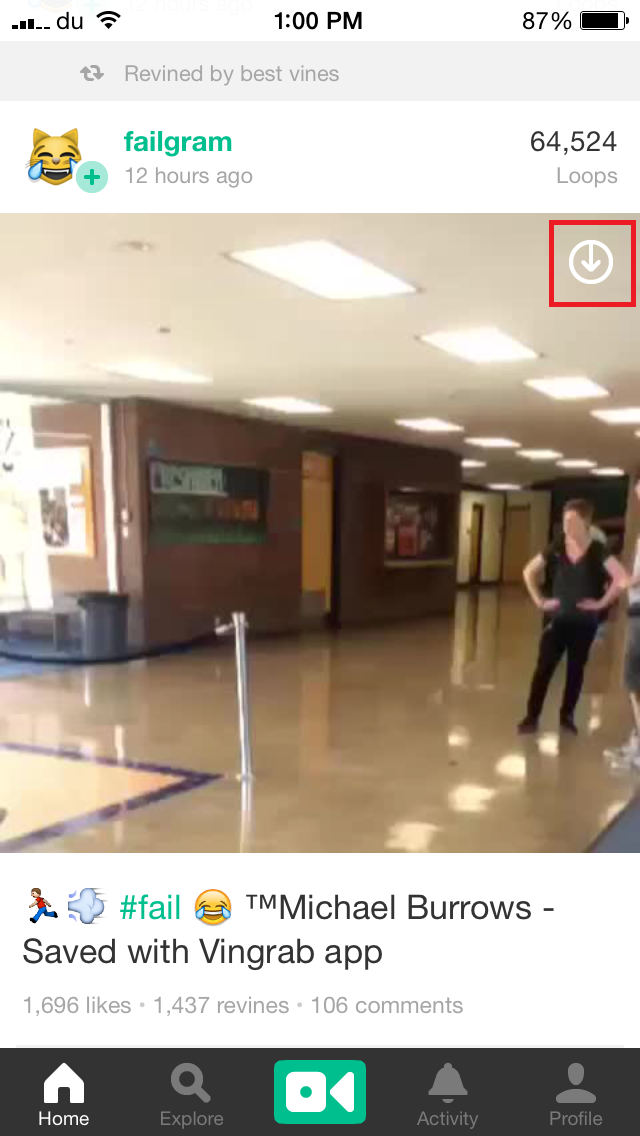
Vine is one of the most popular video sharing platforms that allows users to capture and share videos of very short duration. However, the official Vine app on iOS  doesn't allow you to save videos, although you can make use of third-party apps to do so. Vine++ is a new jailbreak tweak that aims to get rid of this restriction and save your day. Developed by UnlimApps, Vine++ allows you to save any video from Vine directly to your Camera Roll with just the tap of a button and watch it later or share it with your friends.

HomeScreen Settings 7 lets you preview various settings from the Home screen

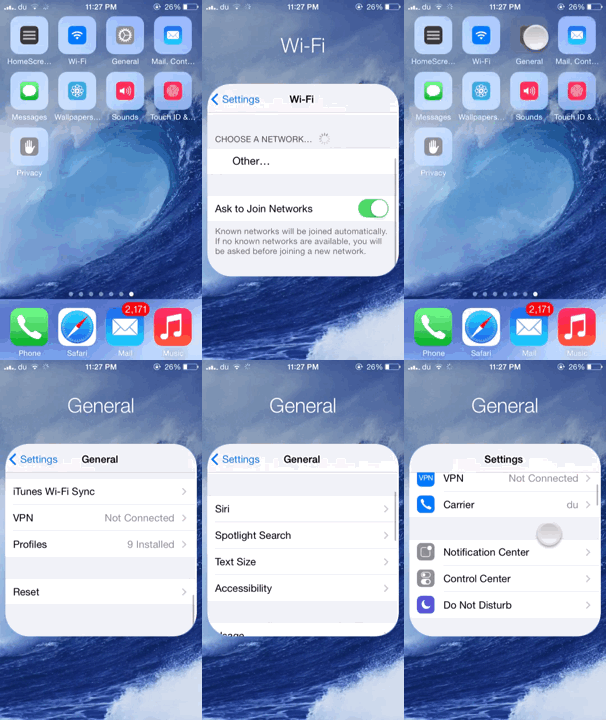
We've seen tweaks that provide quick access to various settings by making use of Activator gestures, however HomeScreen Settings 7 is a brand new jailbreak tweak by popular jailbreak developer Elias Limneos that offers a unique functionality to quickly access some of your settings directly from the Home screen.

HomeScreen Settings 7 allows users to add any settings to the Home screen and directly access them from there without opening the Settings app. The settings appear as icons on your Home screen which look quite similar to the folder icon. Tapping on any one of them displays a small folder-like settings page which you can interact with.

LockSpeed adds your favorite contacts to your Lock screen

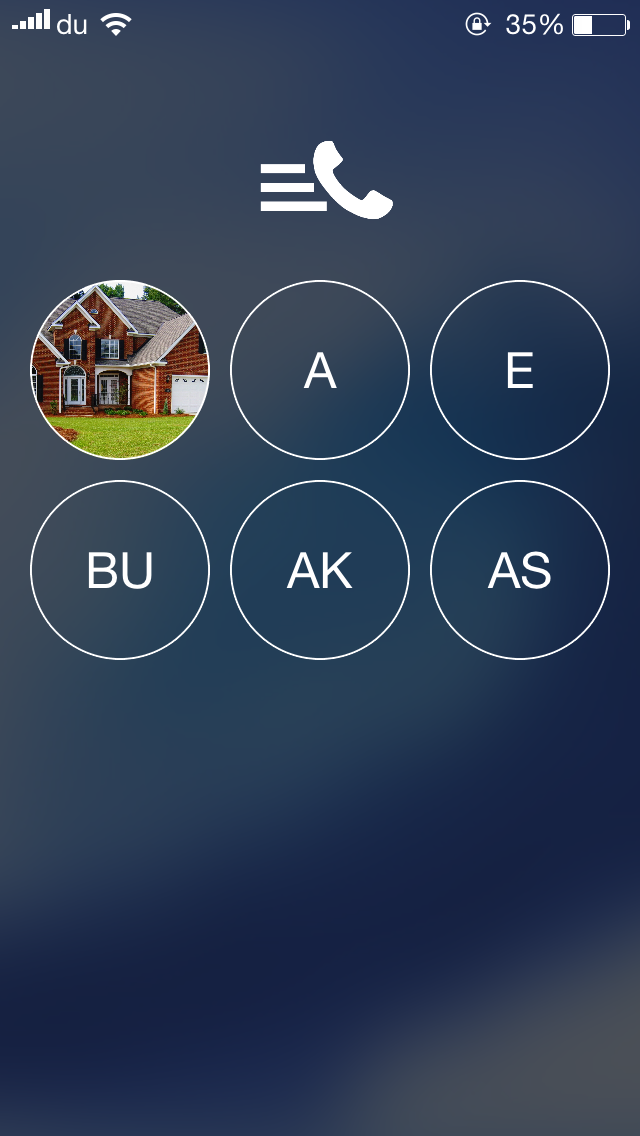
One of the useful features of the Phone app is the 'Favorites' section which I frequently us  to quickly make calls to some of my contacts. LockSpeed is a new jailbreak tweak that goes a step further and allows you to quickly reach your favorite contacts directly from the Lock screen without even unlocking your device.

Developed by Alexandru Laurus, LockSpeed adds the first 9 favorite contacts from the Phone app to the Lock screen on a separate page which can be accessed by swiping the screen from right to left. Doing so displays a new page with the all the favorite contacts added, which are presented by a circular icon with initials or picture if the contact already has one.

Saurik releases updated version of Cydia for iOS 8 to be installed manually

In a move that caught us by surprise, the Pangu Team released the jailbreak tool for iOS 8 today, although it doesn't install Cydia, but rather provides SSH access so that developers can update their tweaks and make them compatible with iOS 8.

Earlier we reported that Saurik has already started working on updating Cydia to make it compatible with iOS 8 and 8.1. The good news is that he has now released the updated version of Cydia compatible with iOS 8 and comes in the form of a .deb file. You can now download the file from his website, and install it manually on your device.

QuickMusic provides quick access to music controls with a stylish interface

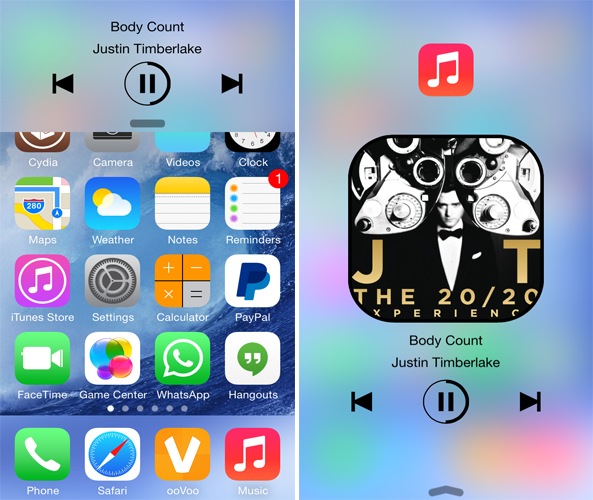
We've seen quite a number of tweaks on Cydia that provide system-wide access to music controls including Musiex and the popular MiniPlayer tweak. QuickMusic is yet another similar tweak by developer Gabriele Filipponi, but this one features a unique functionality and stylish interface that I'm quite fond of.

With QuickMusic, you can swipe up the Music icon to bring up an awesome looking interface containing the album artwork as well as the music controls including the play/pause button enclosed by a circular progress bar, skip and previous buttons.