Jeff Benjamin

Jeff has been with iDownloadBlog since 2010, acting as resident video specialist, and tutorial expert. He earned his degree in Computer Network Systems back in 2001, but decided Cisco routers and the like just weren’t for him. Since then, he’s been heavily involved with online writing. He’s written for numerous tech and video game sites since the late 1990′s, and has a knack for explaining things in a simple, clear, and concise manner. Jeff works primarily from the east coast on his Retina Macbook Pro, and shoots video with a Canon DSLR. During downtime he likes to travel the world, visiting the various Apple Stores across the globe. You can email him at jeff [at] idownloadblog.com and follow him on Twitter @JeffBenjam or on Google+.

New YouTube app insights

The new official YouTube app hit the App Store a few hours ago, and we've taken it for a test drive. It's obvious that this isn't an app that Google hastily threw together in a matter of weeks — it's probably been sitting on the back burner for quite some time now.

Since Apple and Google's contract terms were up with regard to the stock YouTube app developed in-house by Apple, it became appropriate for Google to unleash their own YouTube app.

How does it compare with the app it replaces? Check inside for the full scoop...
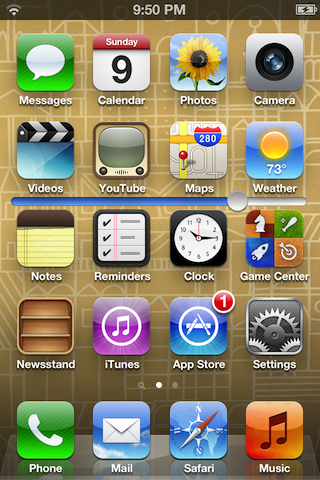
SlideSB places a brightness slider on the iPhone’s Home screen

SlideSB is a new jailbreak tweak that places a brightness adjustment slider on each page of your Home screen. This allows you to quickly adjust the screen brightness, instead of going about more traditional means of doing so.

Although SlideSB is an extremely simple tweak, it stumbles a bit in execution. Take a look at our video walkthrough inside for the details...

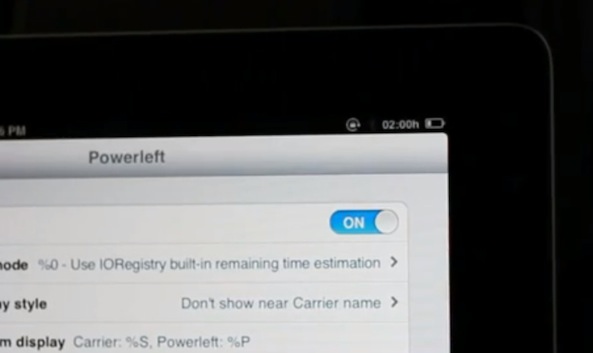
Powerleft shows how much usage time remains on the iPad’s battery

The usage time remaining statistic is something we all tend to take for granted on our laptops, but it's not something we're accustomed to having on our tablets; at least iOS tablets, that is.

Powerleft is a jailbreak tweak that aims to fix this oversight, adding a usage remaining indicator conveniently in the iPad's status bar. Now you'll be better equipped to know if you can sit through that 3 hour movie, without reaching for the charging cable.

How to add a keyboard shortcut to any Mac app menu command

Don't you just hate it when one of your favorite Mac apps is missing an obvious keyboard shortcut for an often used menu command? I recently ran into that issue with Pixelmator.

I made the switch to Pixelmator, because it is one of the few decent image editing apps that features support for the MacBook Pro with Retina Display. Normally I'm a CS5 user, but since Adobe's suite lacks Retina support, I felt compelled to make the switch.

Although I don't find Pixelmator to be as intuitive as Photoshop, making the switch hasn't been all that bad. It's snappy, features a bevy of options, and best of all, it looks gorgeous on the Retina Display. If I had to pick a flaw, I'd say that one of the most glaring miscues is the lack of a dedicated keyboard shortcut for exporting your work. Fortunately that can be remedied with a quick trip to System Preferences...

Question of the Week: will you switch from AT&T to Verizon for LTE coverage?

As Ed brought out in his post just a few minutes ago, AT&T is scrambling to get its LTE network deployed in more cities with the iPhone 5's debut on the horizon.

At this point, Verizon has many more markets covered with LTE than their fiercest competitor in the United States, and with the upcoming release of the first LTE enabled iPhone, it could have a significant impact on customer loyalty and sales.

With that in mind, would you consider switching from AT&T to Verizon, if AT&T doesn't have an LTE network available in your market come iPhone 5 launch day? Sound off, in this week's Question of the Week...

FunBoard now available on Cydia

FunBoard — the jailbreak tweak that allows you to customize animations for your Home screen app icons, dock, page dots, and more — is now available for purchase for $1.99 on Cydia's BigBoss repo.

We already previewed FunBoard earlier this week, and most of the feedback from readers and viewers was mixed. This certainly isn't the first time we've seen a tweak similar to this, and it won't be the last. What do you think about FunBoard? Do you believe it's worth the 2 buck asking price?

Spiffy up iOS screenshots with Screentaker for Mac

A while back we brought you a look at Preview Maker — a jailbreak app that allows you to doctor up your screenshots with the body of the iPhone.

That app continues to work well, but what if your device isn't jailbroken? Of course, you can always fire up Photoshop, but there is a much faster alternative, and it's dedicated to making your iOS screenshots look better.

Screentaker is the solution to that problem. It's a Mac app that has been available for some time now; perhaps you already use it? At any rate, it continues to be one of the simplest methods for dressing up iOS screenshots, making them look more professional.

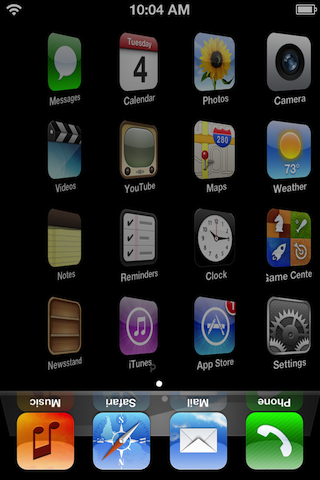
This upcoming tweak adds custom animations to the iPhone

There's no shortage of tweaks that allow you to customize the animations in iOS, but you can never have too much of a good thing, can you?

FunBoard is such a tweak that allows you to customize the Home screen icons, dock, and more. How does it work? Check out our hands-on video preview inside...

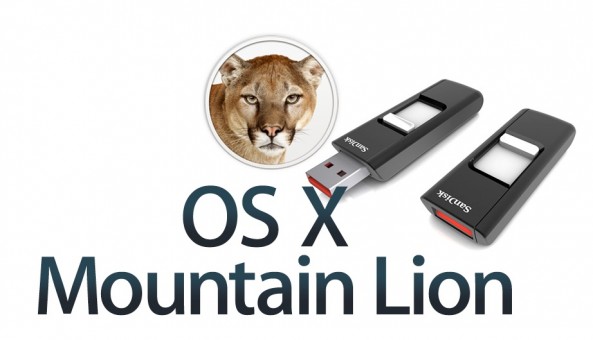
How to create an OS X Mountain Lion USB installation drive

Creating a USB install drive is one of the simplest ways to ensure that a fresh clean installation of OS X Mountain Lion is only a few steps away. Gone are the clunky days of using CDs to reinstall an OS.

Inside, we'll show you how to setup your very own OS X Mountain Lion USB installation drive, using an easy to follow video walkthrough.

Super Smash Bros. arrives on jailbroken iPhones, but it’s obviously not the real deal

Super Smash Bros. has arrived on iOS in the form of Super Smash Bros. Mobile, but outside of the name, and a few somewhat recognizable characters and levels, it plays almost nothing like the entries in the popular Nintendo franchise.

That probably has a little something to do with the fact that "Super Smash Bros. Mobile" is a completely unauthorized — and certainly trademark infringing — game created with a tool called Game Editor. The game is available for free on Cydia's BigBoss repo, so it's not like Apple has any control over removing it from public availability.

Game Editor is a tool that, according to its official website, allows users to "Create 2D games with little or no programming knowledge" — a fact becomes instantly apparent once you fire up Super Smash Bros. Mobile for the first time.

DisplayCandy adds new open, close, and switching animations to iOS

DisplayCandy is a brand new tweak that significantly spruces up the animation transitions on your iPhone or iPad. There are three areas where animations can be customized — opening, closing, and when switching between applications.

Each of the areas can be customized using a wide variety of animations, along with a slider to increase or decrease the duration of the animation you choose. As you'll come to appreciate from the video inside, DisplayCandy is an excellent way to customize the look and feel of an iOS device...

FaceMail opens Facebook emails in its native app

FaceMail is a recently released jailbreak tweak that forces Facebook links appearing in the stock Mail app to open in the Facebook app instead of Safari.

At first glance, this might seem like the perfect tweak for avid users of the Facebook app, but upon further inspection it has a few shortcomings. Check inside for the full rundown...