Jeff Benjamin

Jeff has been with iDownloadBlog since 2010, acting as resident video specialist, and tutorial expert. He earned his degree in Computer Network Systems back in 2001, but decided Cisco routers and the like just weren’t for him. Since then, he’s been heavily involved with online writing. He’s written for numerous tech and video game sites since the late 1990′s, and has a knack for explaining things in a simple, clear, and concise manner. Jeff works primarily from the east coast on his Retina Macbook Pro, and shoots video with a Canon DSLR. During downtime he likes to travel the world, visiting the various Apple Stores across the globe. You can email him at jeff [at] idownloadblog.com and follow him on Twitter @JeffBenjam or on Google+.

PullAll adds pull to refresh to every WebView

PullAll is a new jailbreak tweak that allows you to add the same pull to refresh functions from the stock Mail app to any WebView. This means that you can add pull to refresh to any apps that use WebView, including Safari, Twitter, Reeder, and more.

Along with PullAll's functionality, the animation, too, is pulled directly from the Mail app. PullAll can also be customized to your liking by means of a handy preference pane. Check inside for a few more details as to how it's all put together...

Prime makes it easier to identify recent calls

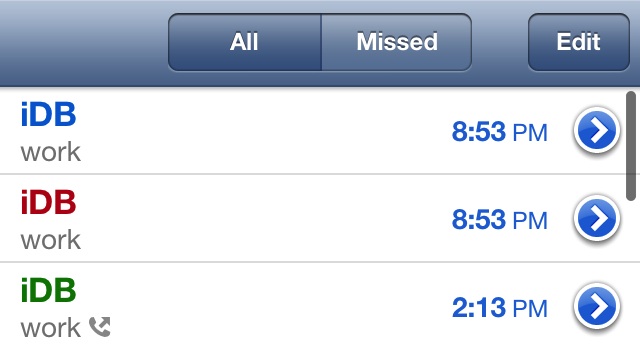
Well respected developers thekirbylover & rvirajm have collaborated on a new tweak, and it's simple, but very much worth your time. The tweak is called Prime, and it allows you to easily tell the difference between missed calls, incoming calls, and outgoing calls.

By default, the iPhone highlights missed calls with a red font, but outgoing and incoming calls both retain a normal black font. This makes it difficult to quickly eye and identify what type of calls make up your recent calls list. Prime solves this issue by labeling incoming calls with a blue font and outgoing calls with a green font.

Like I said, it's a simple tweak, but it's one of the most practical Cydia releases I've seen in a while.

Upcoming tweak lets you unlock iPhone by playing the piano

I know, sounds crazy right? But we have the video evidence that shows an in-progress tweak that allows you to do just that. The tweak is called Piano passcode, and just as its name suggests, it allows you to play a tune on a set of piano keys that reside on your lock screen. Playing the right tune unlocks the device.

CameraTweak HD supercharges the iPad’s stock Camera app

Hopefully you're not one of those people, but if you are, then listen up. I am, of course, talking about people who take pictures and record video with their iPads. Not only is it awkward, but it's also incredibly goofy looking.

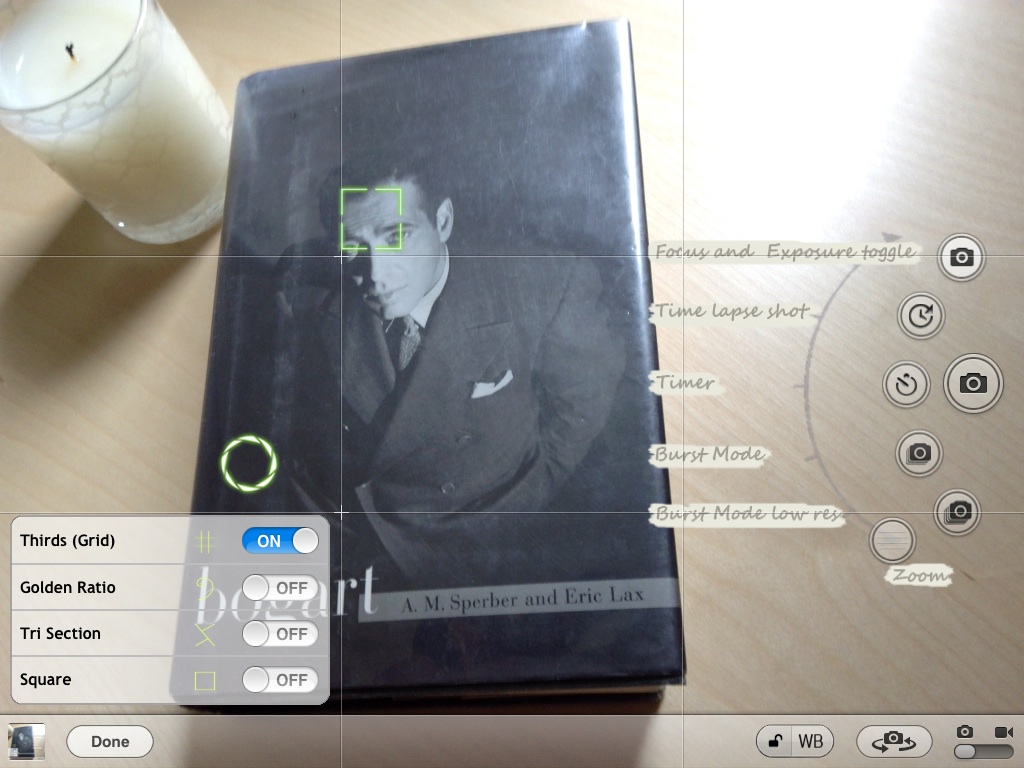
With that in mind, I was taken aback a bit when an email from the developer of CameraTweak — a tweak that I had already reviewed for the iPhone — arrived in my box. The email stated that there was a new app, CameraTweak HD, and they wanted my opinion on it.

I immediately thought to myself, "cool, an upgrade to the awesome CameraTweak for the iPhone," but soon after I realized that this was for the iPad. Admittedly, it did take me a while to get used to the idea of using my iPad to take pictures, but I somehow got through it.

My conclusion goes a little like this: If you're going to look silly and take photo and videos with your 10" tablet, then you might as well do it with the best available software out there. Ladies and gentlemen, like its precursor, CameraTweak for iPhone, CameraTweak HD is hands-down the best camera oriented jailbreak tweak for the iPad. If you want to take awesome photos and videos while having a plethora of options at your disposal, then look no further.
Atom now available for download on Cydia

Atom — the gorgeously animated Lock screen launcher for iOS has finally landed on Cydia's BigBoss repo. We brought you an initial in-depth preview of Atom last week, but the tweak has since been updated and features a few new visual cues for the final build.

This time around you'll find new animations. In the initial version of Atom that I previewed, there were no animations present when you placed the Lock screen numb over an app you wished to launch. Now, along with the animations that happen when you first touch the nub, you get a better sense of when you slide your finger over one of the apps located on the Lock screen.

Check out our brand new video of the final version of Atom...

Let’s Talk Jailbreak 07: This relationship is over

Welcome to the seventh episode of Let's Talk Jailbreak. We've got a whole lot to talk about today, so this happens to be our longest episode ever. Today we talk about JellyLock vs atom – a battle of the Lock screen launchers. We discuss Abstergo, along with our announcement of the winners of the Abstergo giveaway. We've got more details on Auxo for iPad, Facebook Chat Heads on iOS, more awesome sleeper tweaks, and we chit-chat about 1Password. Join us in this informative and fun journey into the world of jailbreaking.

Exigency lets you dial contacts from the emergency call menu

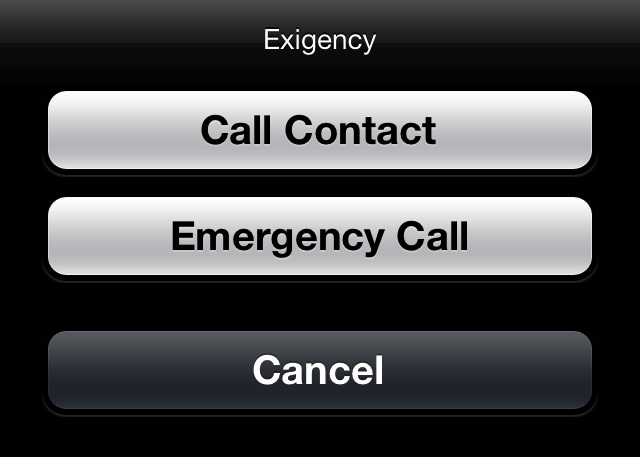
Exigency is a new a jailbreak tweak that allows you to load up your contacts directly from the iPhone's emergency call menu. That means that it's totally possible to initiate a phone call from this menu, even when your phone is locked with a passcode.

Obviously, this isn't the type of tweak to use if your primary concern is security. If convenience is more your thing, then you may want to check out Exigency.

Accentify tints iOS chrome, no WinterBoard required

Looking for a quick and easy way to add tint to the stock iOS chrome, but don't feel like bothering with WinterBoard? If so, then an upcoming tweak from @winocm may be of interest to you.

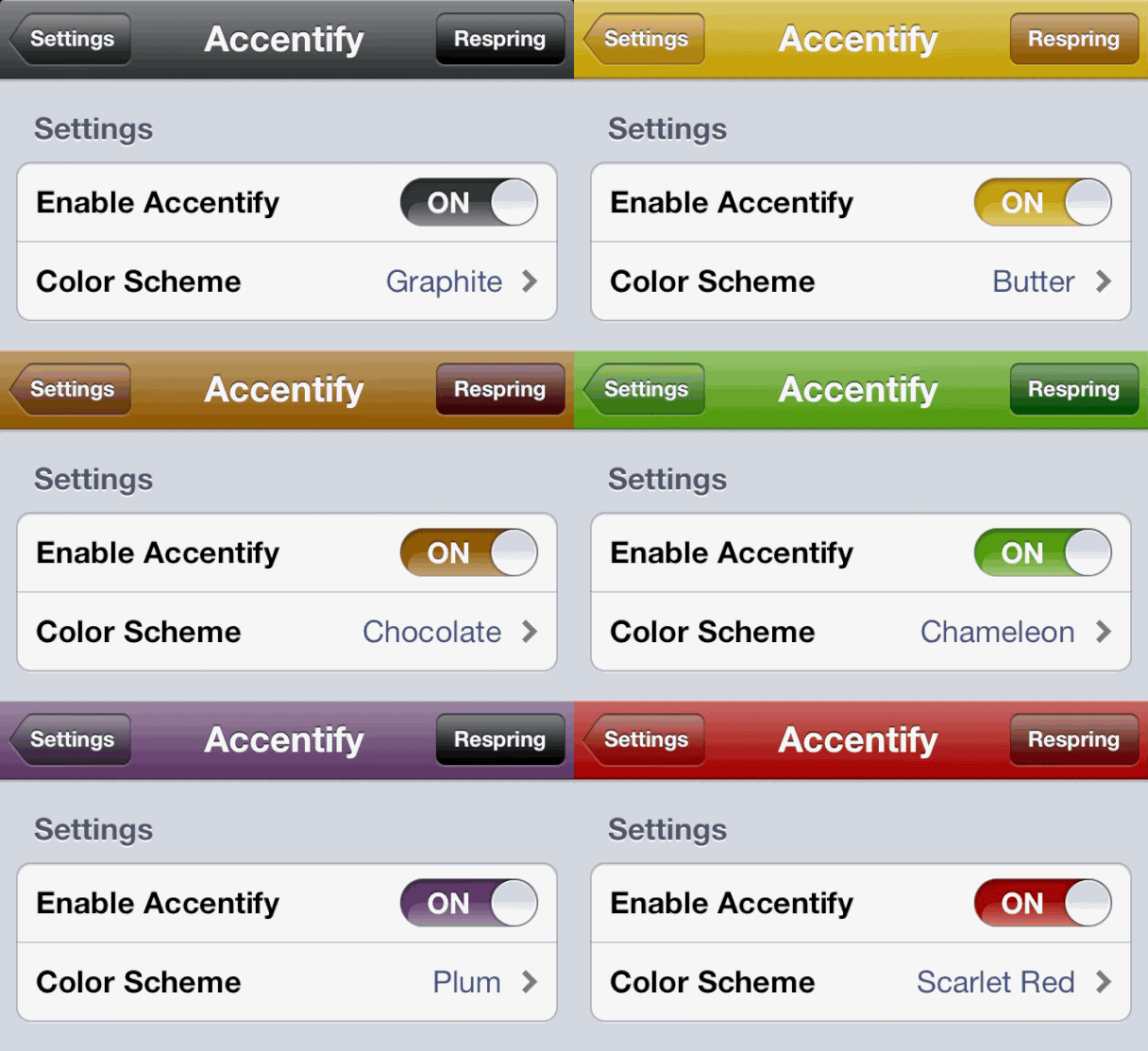
The tweak is called Accentify, and it allows you to select from eight different and highly vibrant tints to accentuate iOS. The tint applies to multiple areas, and its vibrant colors allow for a very distinct, almost candy-like look. Take a look inside for more information.

Abstergo giveaway!

To celebrate the release of Abstergo — the notifications managing tweak from Joshua Tucker and Andrew Richardson — we're giving away five copies!

First and foremost, be sure to read our in-depth walkthrough of Abstergo to learn what it does, and how it can help you in day-to-day usage. As we noted in our walkthrough, this tweak has been in development for quite some time, and a lot of man hours have gone into perfecting it.

Secondly, be sure to check inside to find out how you can win your very own copy of Abstergo, which retails for $1.99 on Cydia's BigBoss repo. Check inside for the full list of details...

sn0wbreeze v2.9.14 released

The latest version of sn0wbreeze, version 2.9.14, was recently released, and it brings with it support for the iOS 6.1.3 jailbreak for A4 devices. This latest version of sn0wbreeze also supports APTicket validation, in light of the recent issues with APTickets. If you're a Windows user (sn0wbreeze is for Windows only), and are looking for a way to jailbreak iOS 6.1.3 on your pre-A5 device with a tethered jailbreak, then this latest version of sn0wbreeze is your ticket to freedom.

FlatIcons: a beautiful two dimensional theme for iOS

From a pure looks standpoint, FlatIcons is one of the better looking themes for iOS. It's not the deepest theme out there as far as the UI area it covers on iOS, but it's definitely up there with some of the best from a purely visual standpoint.

Along with the app icons themselves, FlatIcons includes themes for the stock Weather app, Auxo toggles, and Notification Center. As a bonus to purchasers of the theme, the creator of FlatIcons added an additional alternate theme to the package as well. Have a look inside for our hands-on video walkthrough.