Jeff Benjamin

Jeff has been with iDownloadBlog since 2010, acting as resident video specialist, and tutorial expert. He earned his degree in Computer Network Systems back in 2001, but decided Cisco routers and the like just weren’t for him. Since then, he’s been heavily involved with online writing. He’s written for numerous tech and video game sites since the late 1990′s, and has a knack for explaining things in a simple, clear, and concise manner. Jeff works primarily from the east coast on his Retina Macbook Pro, and shoots video with a Canon DSLR. During downtime he likes to travel the world, visiting the various Apple Stores across the globe. You can email him at jeff [at] idownloadblog.com and follow him on Twitter @JeffBenjam or on Google+.

AltKeyboard: a better way to input alternate keys

Do you find it inconvenient to have to tap the little '123' button on your iPhone's keyboard to bring up the numerical keys? Wouldn't it be better if you could employ a simple swipe gesture to input alternate keys?

That's the exact thinking behind the just released AltKeyboard. It's a collaboration between Sentry — known for Auxo — and Alan Yip — known for Tap to Widgets. In usage, AltKeyboard is a very simple tweak, but its development and design were likely significant undertakings. I say that because AltKeyboard is extremely well thought out and well designed. It provides a feature that many will find useful in their day-to-day routine.

Like we always do for tweaks of this nature, we've gone hands-on to provide you with a full in-depth video walkthrough. Will AltKeyboard be of benefit to your typing habits? Check inside for the full analysis...

How to nest App Store preferences and Cydia preferences into separate folders

Do you find that your Settings app has been inundated with settings from various App Store apps and Cydia tweaks? If so, then you should consider checking out PreferenceOrganizer — a jailbreak tweak that nests both App Store apps and Cydia tweaks into separate folders.

PreferenceOrganizer is a simple and straightforward tweak that does just as its description says and nothing more. Take a look inside for more details.

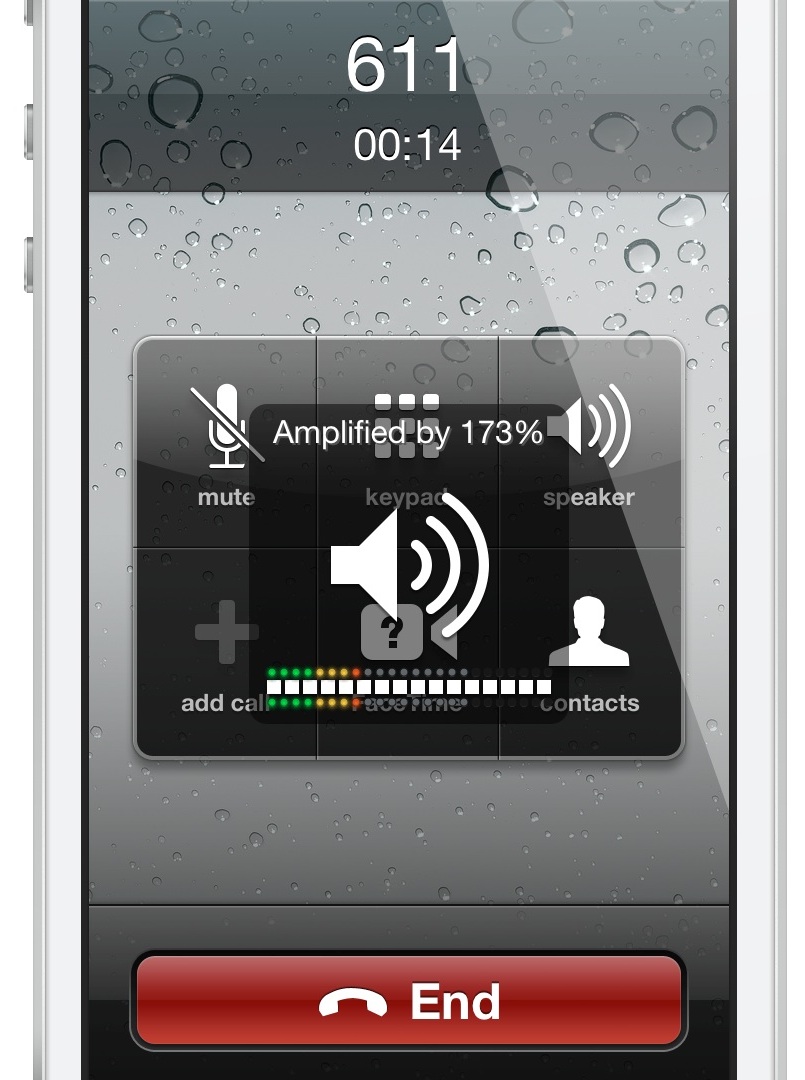
Volume Amplifier boosts phone call volume by 200%

Volume Amplifier is a new jailbreak tweak that allows you to adjust the phone call volume on the iPhone 5 by up to 200%. Created by developer, Yaniv Danan, Volume Amplifier works by directly manipulating the speaker audio stream, which results in a significant amplification of sound.

Danan claims that his tweak differs from previous attempts at volume boosting tweaks, in that it manipulates the audio stream, instead of trying to alter specific configuration files. I've tested out Volume Amplifier for myself, and I can confirm that it does result in a significant boost in phone call volume on my jailbroken iPhone 5. Take a look inside as I go hands-on with Volume Amplifier on video...

Let’s Talk Jailbreak 12: We had a wonderful time!

Today we discuss whether or not Cydia developers should charge for updates to their tweaks. We also talk about the latest update to MiniPlayer, a new tweak called App Activate, and an updated Backgrounder app for iOS. We also discuss the hotly debated iLex RAT along with the long awaited Badger. It's a show that's filled with jailbreak goodness. We also lend you a sneak preview of AltKeyboard, an upcoming jailbreak tweak that allows you to use swipe gestures to type alternate keys on your keyboard. Needless to say, you don't want to miss this.

MiniPlayer 2.2 released with new scrubbing and search features

Do you really even need to use the stock Music app anymore? That's likely what you'll be asking yourself after trying out MiniPlayer 2.2 — an update to an already fantastic tweak by MPow and Surenix.

The 2.2 update to MiniPlayer brings a couple of highly desired features to the mix, starting with search. Yes, you can now search your entire music library directly from MiniPlayer's interface. As if that feature wasn't enough to appease customers, we've also been provided with a new scrubbing ability to navigate to a specific portion of the now playing track.

MiniPlayer was already one of my favorite new jailbreak tweaks before hand, but at this clip, it's destined to make our top jailbreak tweaks list at the end of the year. Check out the details of the 2.2 update, along with an updated video walkthrough, inside.

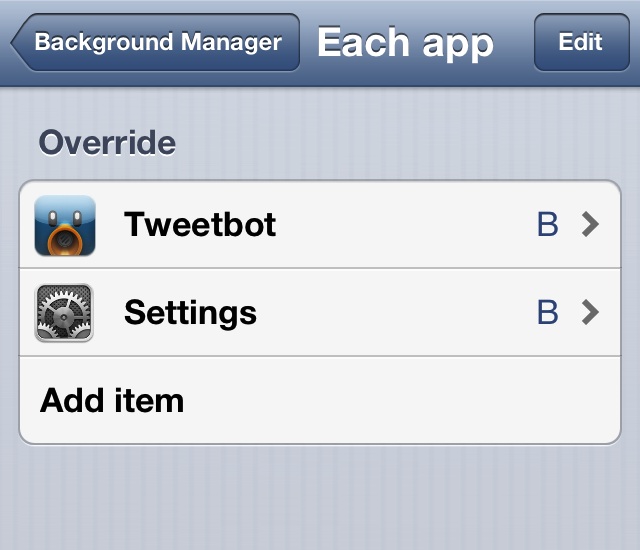
Background Manager brings true backgrounding back to Cydia

There was once a time when iOS lacked any form of multitasking. Yes, that includes the pseudo-multitasking that is fast app switching, which is what iOS uses today. True backgrounding has never been available in iOS, and that's understandable since it would likely cause battery life to fall below Apple's lofty standards.

iPhone jailbreakers have been able to enjoy the benefits of true backgrounding for some time now, at least with older versions of iOS. Unfortunately, Backgrounder — the jailbreak app that enabled true backgrounding — stopped working after iOS 6. Its developer has since abandoned the project.

That's where Background Manager comes in to pick up the slack. It's a brand new jailbreak tweak, unrelated to the original Backgrounder in everything but perhaps name, and it's been built from the ground up.

Perhaps my memory has failed me, but Background Manager seems to be more stable and more feature rich that its predecessor. You can even make the tweak launch specific apps in the background on device reboot. Yes, Background Manager is definitely worthy of your time and attention if you've ever wanted to have true multitasking on iOS 6. Take a look inside for more information.

How to use iLEX RAT to restore your jailbroken device back to “stock”

Last week we brought you a tutorial showing how the upcoming SemiRestore package will work once released. SemiRestore is a tool that you can use to restore your iOS device to an almost stock configuration.

A few of you in the comments brought up iLEX RAT, another tool — one that's been around much longer than SemiRestore — that allows you to do something similar. I had tried iLEX RAT once before, and I experienced some issues with the early versions of the tool and gave up on it. At your urging, I decided to take the latest version of iLEX RAT for a spin. Here's what I found.

Let’s Talk Jailbreak 11: Doing just dandy

Let's Talk Jailbreak lives on with its original name! Join Sebastien and Jeff as they talk about their post-iTunes life, Saurik's new Android interests, restoring an iPhone to stock using SemiRestore, uninstalling Velox, and of course, some of the top jailbreak tweaks from the last week. It's an interesting look into all things jailbreak. Don't miss it.

Badger lets users view unread notifications by tapping the app icon badge

Ladies and gentlemen, after much wait and after even more debate, it's finally here. I am, of course, talking about Badger — a tweak that we initially previewed some months back. After some very intense development and design, the final version of Badger has shipped. It's now available for purchase on Cydia's BigBoss repo for $0.99.

If you've been keeping your ear to the proverbial street, then you already know what Badger is and what it does, but let me jog your memory anyway. Badger is an iOS tweak that allows users to view unread notification alerts by swiping on the app icon displaying the badge. Once the app is swiped, a highly stylized pop-up menu containing unread notifications will appear on screen.

That's what Badger is capable of doing in its most basic form, but as you might guess, the tweak contains quite a few hidden goodies and options under the hood. Check inside as I provide you with an in-depth look at Badger and show how you might benefit from its usage.

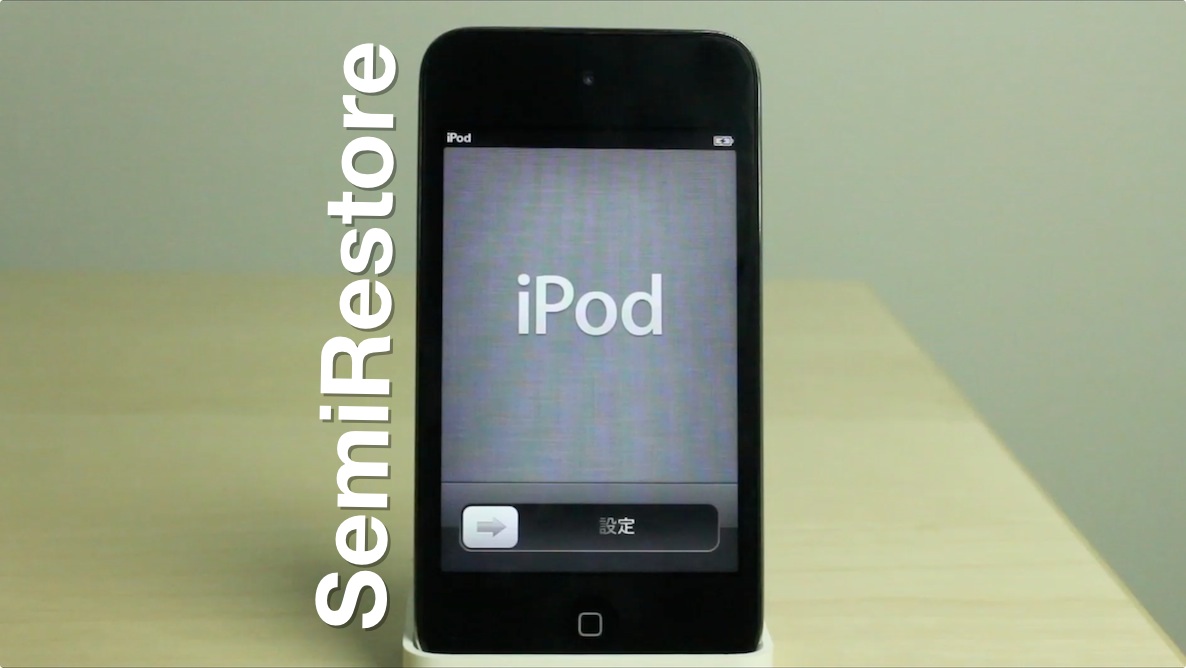
This is how SemiRestore allows you to restore without losing your jailbreak

Recently there has been a pretty big buzz about an upcoming release dubbed SemiRestore. We posted about it a few days ago. It's not out yet, you can check its progress here, but I wanted to use this post to prove to you that it does indeed work as described.

SemiRestore claims to be able to let you restore your device without necessitating the need to upgrade your iOS device's firmware. This is extremely appealing for a number of reasons, but the biggest reason of them all is that it would allow you to restore your device without losing your precious jailbreak.

As you know, Apple stopped signing iOS 6.1.2 after iOS 6.1.3 was released. iOS 6.1.2 was the last firmware susceptible to the evasi0n jailbreak, so it's a precious firmware in the eyes of those who like to tinker with their phones. From Apple's standpoint, it's obvious why they opted to fix the exploits used to make evasi0n function. Apple owes it to its users to ensure that iOS is the most secure platform that it can be. Nonetheless, that doesn't make the jailbreak community any less disappointed at the loss of an untethered jailbreak

To make matters even more grim, Apple has rendered downgrading virtually impossible, and that includes simply restoring your iOS 6.1.2 firmware back to iOS 6.1.2. So what if your iPhone or iPad starts running really slow? What if you genuinely needed to restore your device? If so, then kiss your jailbreak goodbye. That pretty much sums up the predicament that we find ourselves in. For that reason we're always extra careful not to install any tweaks or apps on our devices that might cause problems.

And that, folks, is where SemiRestore has come in to save the day. I was a bit skeptical at first, but I've tested it out myself, and I can assure you that it works pretty well. It's not a genuine full restore — hence its name — but it's probably the next best thing to a legitimate restore, and will help you regain the stock feeling of a fresh installation of iOS. The best thing about it? You won't need to upgrade your firmware, and because of this, you won't lose your jailbreak. Full demonstration inside.
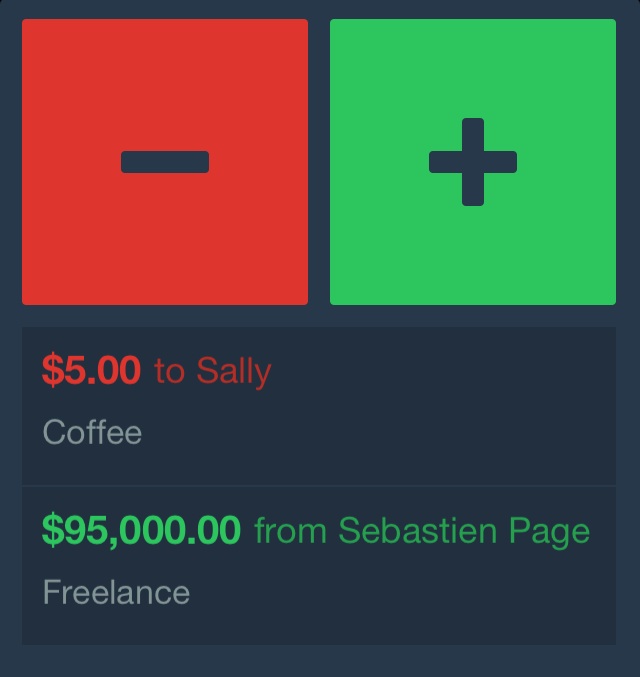
Balances: a new App Store app from the mind of Filippo Bigarella

Balances is a new App Store app from the mind of popular jailbreak developer Filippo Bigarella. Bigarella is the same developer behind such jailbreak staples like CleverPin and Springtomize 2 to name a few.

Needless to say, when such a well-known and well respected developer ventures into the so-called "legit" waters of the App Store, it's hard not to take notice. His first foray — Balances — is a way to maintain personal debts and credits within the confines of a simple, straightforward, and easy to use app.

If you've ever found yourself writing down how much you owe someone, or how much someone owes you on random scraps of paper, then you probably need a better system. That's where Balances comes in. It helps you get rid of the sticky note system and maintain your balances using the iPhone. Check out our video demonstration of the app in motion...

New Apple Television concept surfaces

Will Apple's long rumored television set ever see the light of day? Who knows. But Sam Beckett's new concept video shows off some of the awesome things that might be possible with a full sized Apple TV. It shows off scheduling recordings, swiping between channels, and of course, Siri integration. The best thing about it all? It's fully controlled using an iPad mini...