Jeff Benjamin

Jeff has been with iDownloadBlog since 2010, acting as resident video specialist, and tutorial expert. He earned his degree in Computer Network Systems back in 2001, but decided Cisco routers and the like just weren’t for him. Since then, he’s been heavily involved with online writing. He’s written for numerous tech and video game sites since the late 1990′s, and has a knack for explaining things in a simple, clear, and concise manner. Jeff works primarily from the east coast on his Retina Macbook Pro, and shoots video with a Canon DSLR. During downtime he likes to travel the world, visiting the various Apple Stores across the globe. You can email him at jeff [at] idownloadblog.com and follow him on Twitter @JeffBenjam or on Google+.

Hands-on with ‘OS Experience’ for iPad

OS Experience is an upcoming jailbreak tweak that allows for true multitasking on the iPad. It's a tweak that's similar in function to the Quasar tweak that released a few years ago, but it's much more in-depth and functional than Quasar.

After testing OS Experience for the past couple of days, I can definitely tell you that the ambition behind this upcoming release is remarkable. OS Experience brings a desktop feel to the iPad, which is unlike any other jailbreak tweak for iOS 7. It's like Mission Control from OS X on the iPad.

We had a brief preview of the tweak yesterday, but we now have our very own hands-on video walkthrough of OS Experience. Check after the break for all of the details.

Let’s Talk Jailbreak 52: Zellllldaaaa!

Episode 52: Sebastien, Jeff, and Cody dissect Auxo 2 after a week of usage and break down their favorite and not-so-favorite parts about one of the most significant jailbreak releases of 2014. The guys also discuss plans to attend JailbreakCon 2014 along with reviews of several additional jailbreak tweaks from the past week.

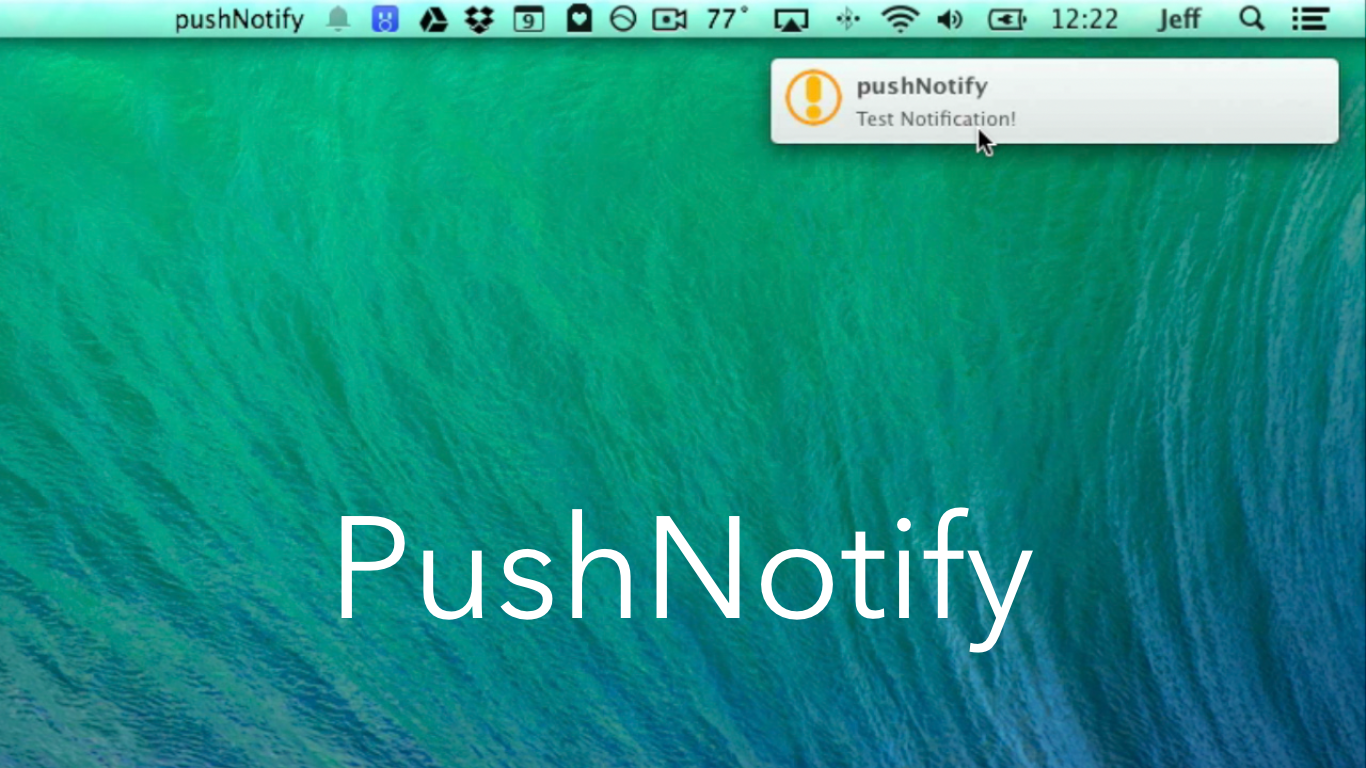
Upcoming ‘PushNotify’ tweak will let you forward push notifications from iOS to the Mac

I've been testing PushNotify for a few weeks, and now I can finally talk about what it does. A lot of you have been asking me about this tweak, because you've seen its settings featured in my other videos and screenshots.

PushNotify, to put it simply, is a jailbreak tweak that lets your forward push notifications to the Mac. It does so by means of a small menu-bar utility that runs on the Mac, and a jailbreak tweak that's installed via Cydia on your iOS device.

We've taken PushNotify for a test drive on video, and we'd like to show you how it works. Check inside for the details.

GesturesPlus: improve the pinch-to-close iOS 7 animation

If you've used Auxo 2, you're probably aware of the interesting animation that occurs when closing an app using a swipe-up gesture from the bottom right-hand corner of the screen. The result is an animation that features all of the app icons on the Home screen zooming out in sync with the closing application.

This is the same pinch-to-close gesture that's available on the iPad, and it's only recently gaining significant notoriety on the iPhone due to Auxo's slick implementation of it. In iOS 7.1, Apple changed the animation slightly to better represent an app's presence in iOS' three dimensional space, and GesturesPlus—a recently released tweak available for free on Cydia's BigBoss repo—brings these changes to lesser firmware.

Admittedly, the function of this tweak is a bit difficult to explain in writing, so I encourage you to click past the break to watch the video  where I compare the animations before and after GesturesPlus is installed.

Auxo 2 update brings improved performance, CCToggles compatibility, and more

Don't be fooled. Despite the fact that the latest update to Auxo 2 is labeled as an incremental 1.0.2 update, you'll find quite a few fixes and enhancements in its change log.

One of the biggest complaints about Auxo 2 was that it lacked compatibility with popular tweaks like CCToggles and LockHTML3. That has all been remedied in version 1.0.2, which is available right now on Cydia.

I've taken version 1.0.2 for a test drive, and I've found a stabler and more mature Auxo 2. Have a look inside for the details.

Let’s Talk iOS 023: Bees and basketballs

Episode 23: We talk about iPhone growth and what the recently revealed slide presentations may indicate about the future of Apple's flagship device. We also chit-chat about the future of the Apple TV, and what the set-top box landscape looks like going forward.

Subscribe on iTunes

Thanks to our sponsor:

Camera Plus with AirSnap is a unique camera app for your iPhone and iPad. You can download Camera Plus in the App Store.

How to add classic wallpapers to iOS 7

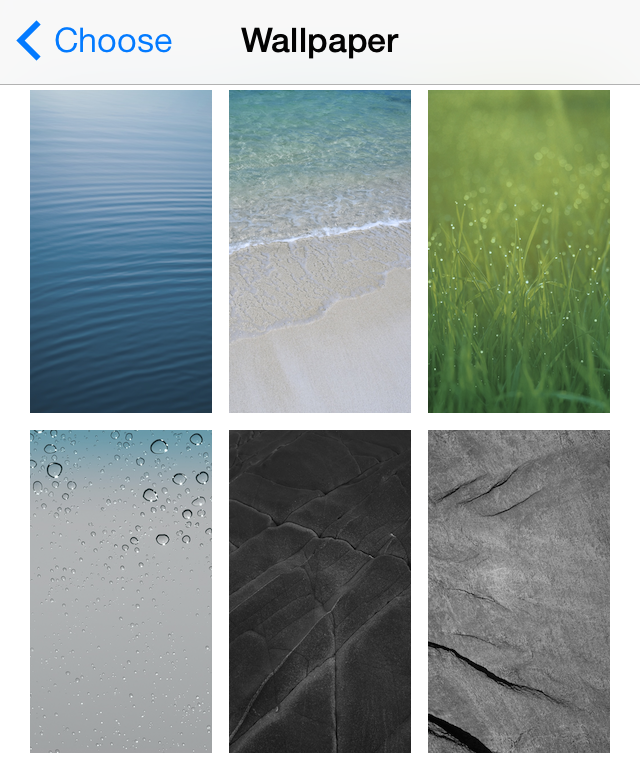
Perhaps I'm in the minority on this one, but I definitely don't miss any of the old stock wallpaper that was bundled with iOS versions lesser than iOS 7. The old wallpaper feels antiquated, especially when mated with the modern look of iOS 7.

But maybe I'm one of the few that feels this way, because there's a jailbreak release that allows users to get that old pre-iOS 7 wallpaper back on their device. Entitled ClassicWallpapers, this recently released jailbreak tweak brings Apple's old wallpaper out of retirement.  Have a look at our full video walkthrough after the jump.

How to quickly kill background apps in iOS 7

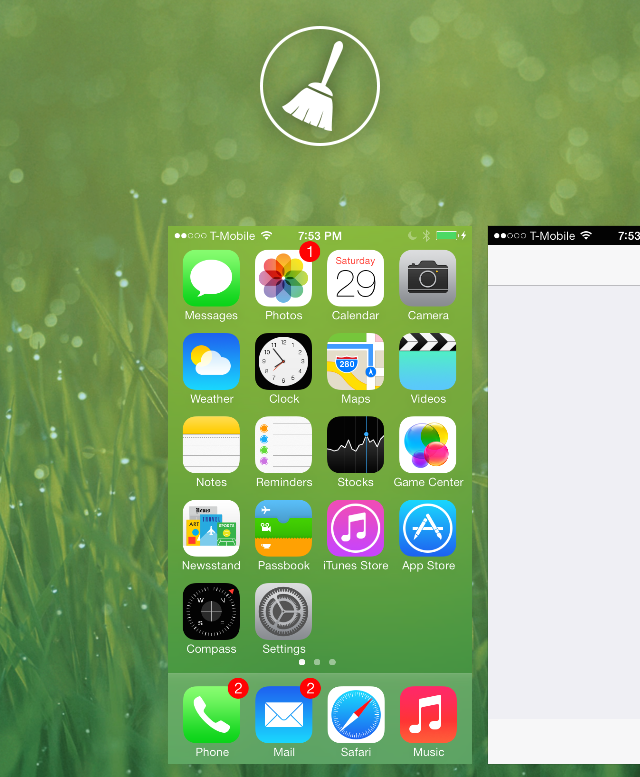
Clear Background Apps is a recently released, and extremely simple, jailbreak tweak that's available on Cydia. It lets users quickly kill all apps using a button found at the top of the iOS 7 App Switcher.

If you're looking for a quick method for easily getting rid of all running apps on your device, it doesn't get much simpler than Clear Background Apps. We've taken it for a brief test drive inside; check past the break to see how it works.

How to replace your battery life indicator with Zelda-inspired hearts

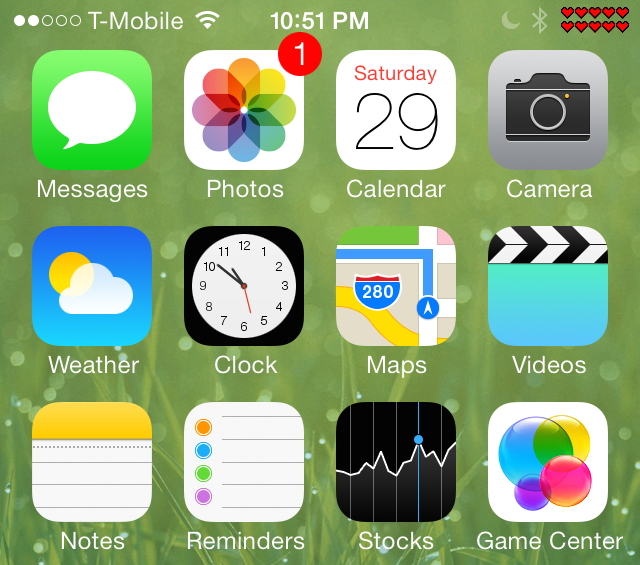
Do we have any Zelda fans in the building? If you're a fan of Nintendo's action-RPG series, then you will no doubt appreciate this new Alkaline jailbreak theme from designer alextmoore.

Aptly entitled Zelda Hearts for Alkaline, this recently released theme allows users to replace the stock battery indicator with hearts similar to those that appear in the Big N's popular gaming classic.

Want to see how it works in action? Have a look inside for the video walkthrough.

How to quickly shorten links using Action Menu

Have you ever wished for a native way to shorten URLs in iOS? Obviously, you can easily do so with third-party apps, but iOS lacks a native way to shorten links on stock devices.

If you're jailbroken, however, it's easy to shorten URLs directly from the copy and paste menu using a handy Action Menu add-on. The add-on, which is entitled Goo.gl shortener for Action Menu, allows you to shorten URLs directly from the copy and paste menu. Take a look at our video walkthrough to see how it works.

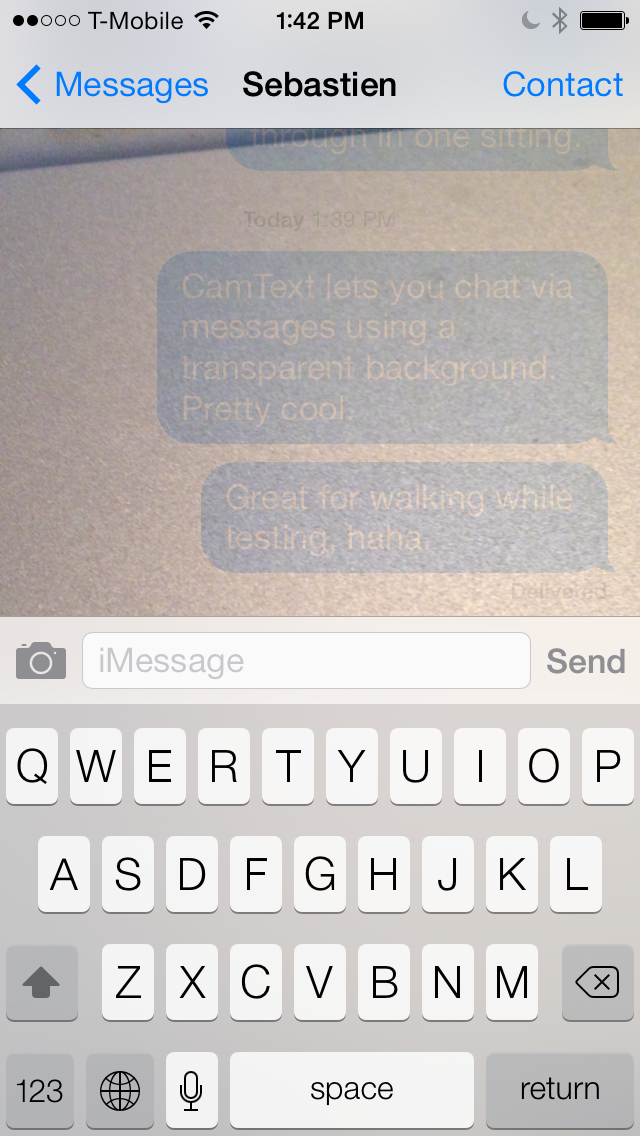
CamText: add a live camera to the Messages app background

CamText is a new jailbreak tweak that lets users text using the stock Messages app with a live camera background. The most obvious use for a tweak like this is to provide its users with a safe way to text while walking down a busy street.

Since the camera provides a live view of a user's surroundings using the Messages app background, it's possible to keep one eye on an impending obstacle, and another eye on the ongoing conversation. While I believe it's pretty sad that it's come to this—we can't even look up while crossing the street like a normal person—it's hard to deny the idea's usefulness in the face of the circumstances. 

How to add now-playing details to the iPhone’s status bar

PlayMe is a super simple jailbreak tweak with one goal in mind—it allows you to add now-playing information to the iPhone's status bar, such as album artist, and song title. PlayMe works well with the stock Music app, but it also plays nice with third-party applications like Spotify.

As you play music, PlayMe will rotate between the album artist name and the name of the song repeatedly. There are no options to configure to change the way the tweak displays the now-playing text, it's totally an install and go affair. Have a look at our video walkthrough after the break for a closer look into how PlayMe works.