Anthony Bouchard

Anthony Bouchard joined the iDownloadBlog.com team in 2016 after originally covering Apple and iPhone jailbreak news at ModMyi.com. As an experienced editor, he brings more than 15 years’ worth of jailbreaking knowledge to our in-depth guides, opinion pieces, and news articles. His passion for device customization and user choice sparks his strong push to empower readers with the tools they need to explore and enjoy the freedom that comes with jailbreaking. Anthony blogs about not only jailbreaking, but also Apple software & accessories, drones & photography, and Nintendo gaming systems. Anthony honed his advanced technical knowledge over the years with hands-on projects ranging from gaming PC builds to engine repair mechanics. His never-ending hunger for knowledge is why you’ll always find him tinkering – tearing things apart and putting them back together to understand what makes them tick.

Status Weather brings weather information to the iPhone’s Status Bar

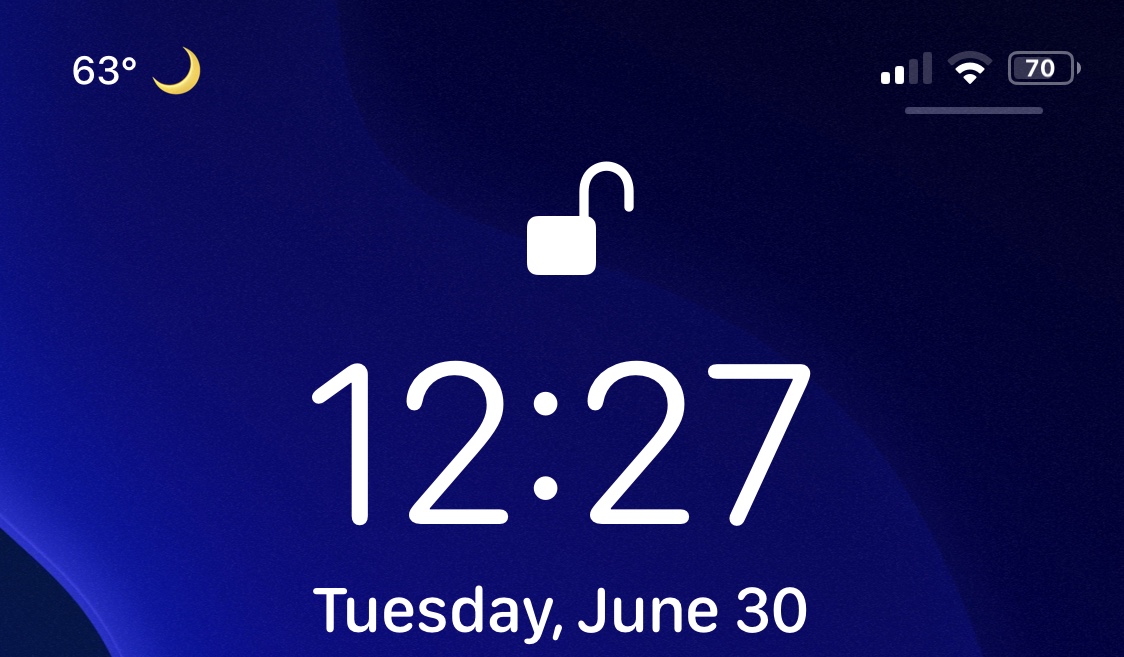
The iPhone’s Status Bar has always been used as something of an always-visible information display for pertinent information. But while that may be true, one thing it seems to be missing is a weather display of some kind.

A multitude of jailbreak tweaks have brought weather displays to the Status Bar over the years, but a newly released add-on dubbed Status Weather by iOS developer Jax Roth is the latest of such attempts to offer a pleasant solution for pwned handset users.
QuickMarkup makes it easier to access Markup in the Photos app

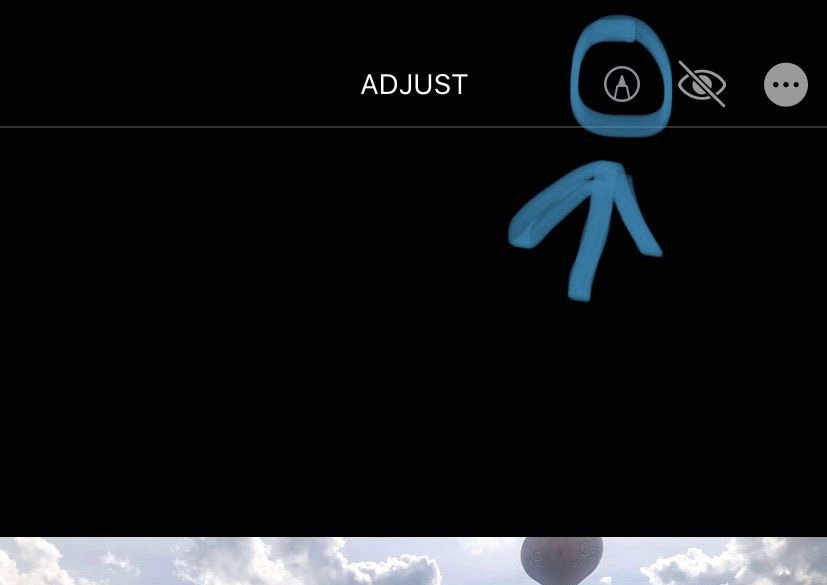
Markup is an incredibly useful feature supported by Apple’s Photos app, empowering users with the ability to annotate or draw on images before sharing them with others. There’s just one problem however: the default method of accessing Markup on a stock device is both convoluted and cumbersome, and it shouldn’t be.

QuickMarkup is a newly released and free jailbreak tweak by iOS developer Simalary (Chris) that effectively fixes this problem by placing a dedicated Markup button in the photo editing toolbar, as depicted in the screenshot example above.

ForwardNotifier sends your iPhone’s push notifications to your Mac or PC

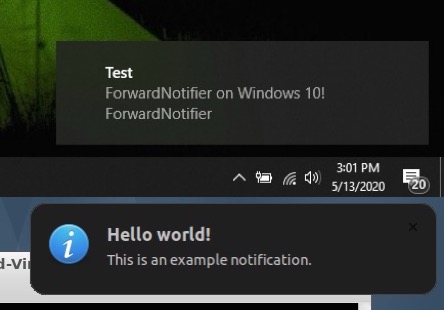
Many of us take for granted the the ability to send and receive text messages and phone calls across our iOS and macOS devices, but this level of continuity tends to be limited to certain applications. That said, wouldn’t it be nice if your Mac or PC could receive and display all the push notifications that naturally come to your iPhone?

If you answered yes to that question, then we think you’re going to love a newly released and free jailbreak tweak called ForwardNotifier by iOS developer Greg0109. This tweak sets up a communication line between your iOS handset and your Linux, Mac, or Windows PC so that notifications appear directly on your desktop.

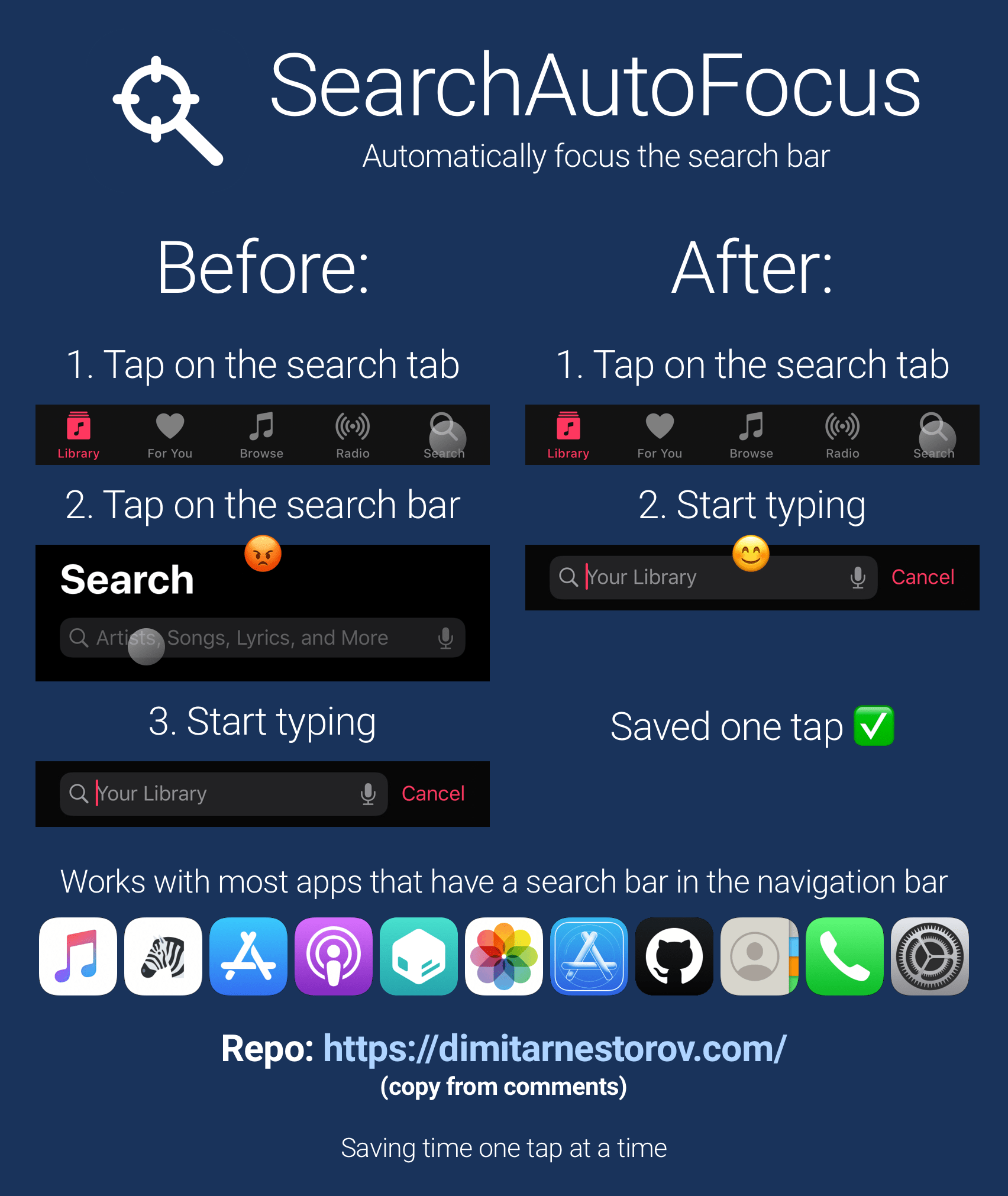
SearchAutoFocus eliminates the step of tapping on a search bar to use it

One thing that I’ve always found rather convenient about iOS’ Spotlight search feature is that the focus starts with the search bar from the moment the interface appears. In other words – the keyboard instantly appears and you’re ready to begin typing out your search query.

Search bars can be found throughout the iOS platform, and the aforementioned instant-focus experience unfortunately doesn’t extend to all of them. That’s why iOS developer Dimitar Nestorov created a new and free jailbreak tweak dubbed SearchAutoFocus.

Jailbreak tweaks of the week: BetterAlarm, Titan, XPad, and more…

Regardless of the fact that Apple just unveiled iOS and iPadOS 14 this past week, many iPhone and iPad users are jailbroken on iOS 12 or 13 and looking for the best and latest jailbreak tweaks.

In this roundup, we’ll show you all the latest jailbreak tweaks released from Monday, June 22nd to Sunday, June 28th. As usual, we’ll kick things off by discussing our favorite releases first and then wrap things up with an outline of the rest afterward.

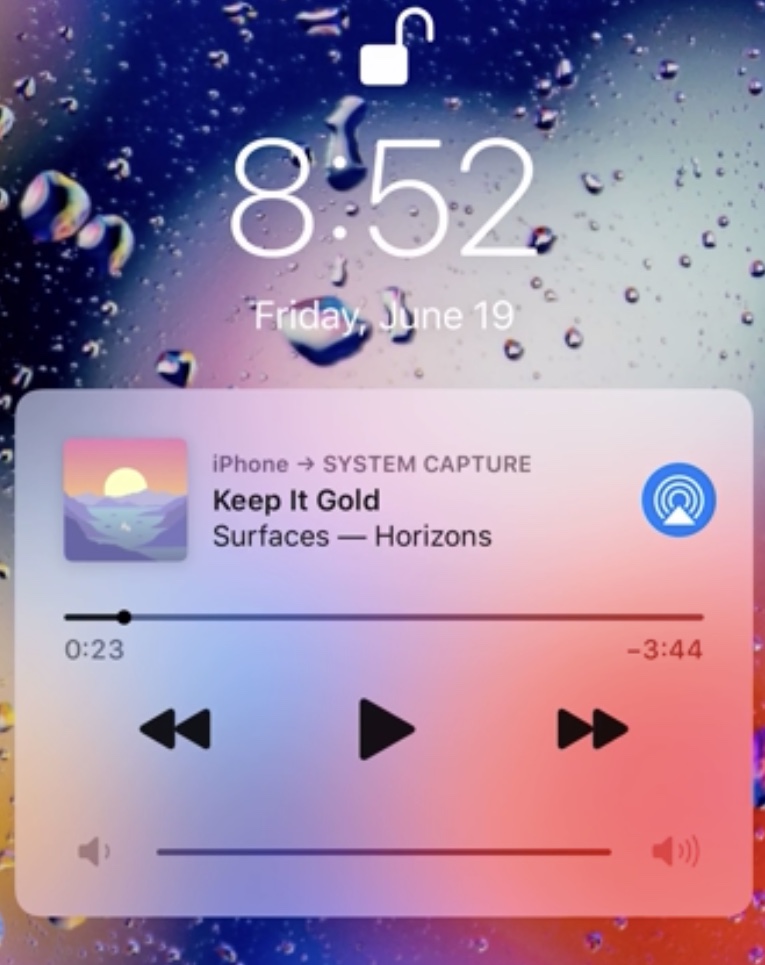
Finical lets iPhone users dismiss a lingering or unwanted Now Playing widget

iOS’ Now Playing widget manifests itself on the Lock Screen any time there’s music playing when your iPhone is locked. The Now Playing widget can be useful at times, but as a number of users have pointed out over the years, it has a tendency to linger even after you’ve stopped listening to music.

While most would write this off as some sort of quirk and go about their busy lives, some tend to be a bit more disturbed by this apparent flaw. Fortunately, a newly released jailbreak tweak called Finical by iOS developer FivePixels offers a simple solution: merely swipe the Now Playing widget out of the way whenever you don’t feel like looking at it.

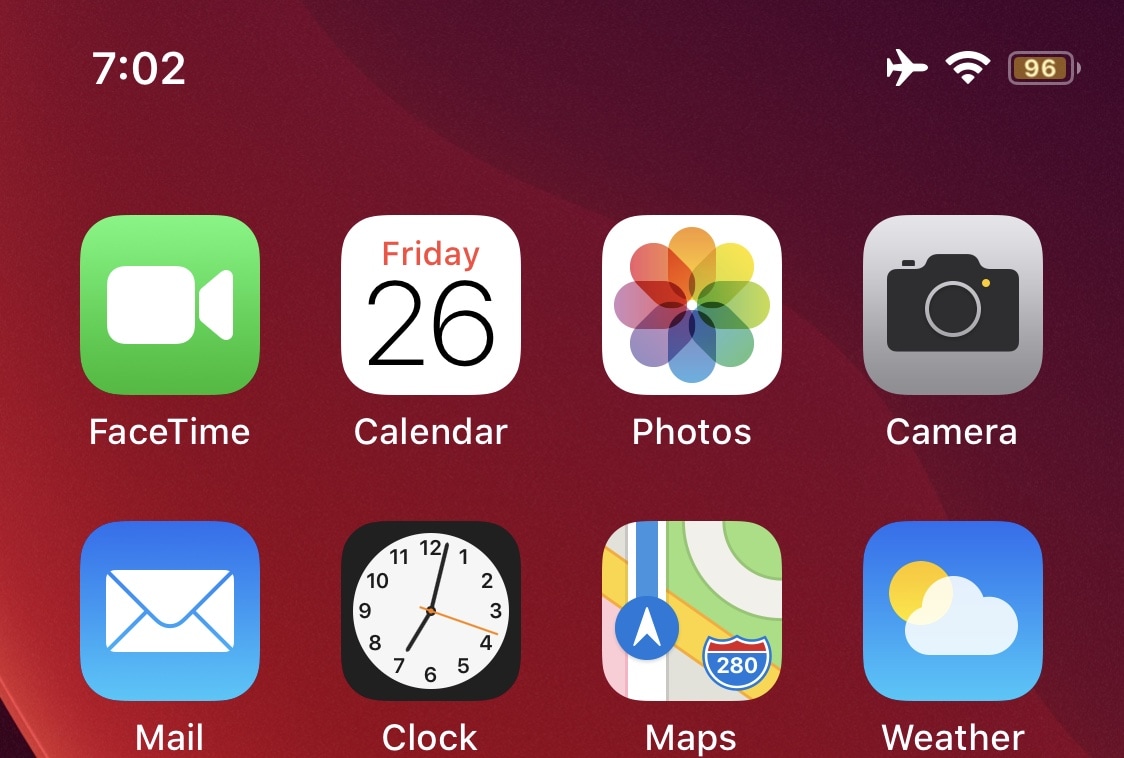
Modern Battery upgrades the Status Bar battery indicator on notched iPhones

Lots of iPhone users aren’t happy with the fact that you can’t have a numeric battery percentage in the Status Bar on a notched handset, and you could count me in that camp. As someone to consistently enabled this feature on the older and more traditional iPhones all the time, it felt like culture shock adapting to a user experience without it.

Fortunately, a newly released and free jailbreak tweak called Modern Battery by iOS developer Jax Roth can help in this department, as it can put a numeric battery percentage indicator directly inside of the native Status Bar battery icon.

GreenPotion adds a quirky potion-style battery animation to the Lock Screen

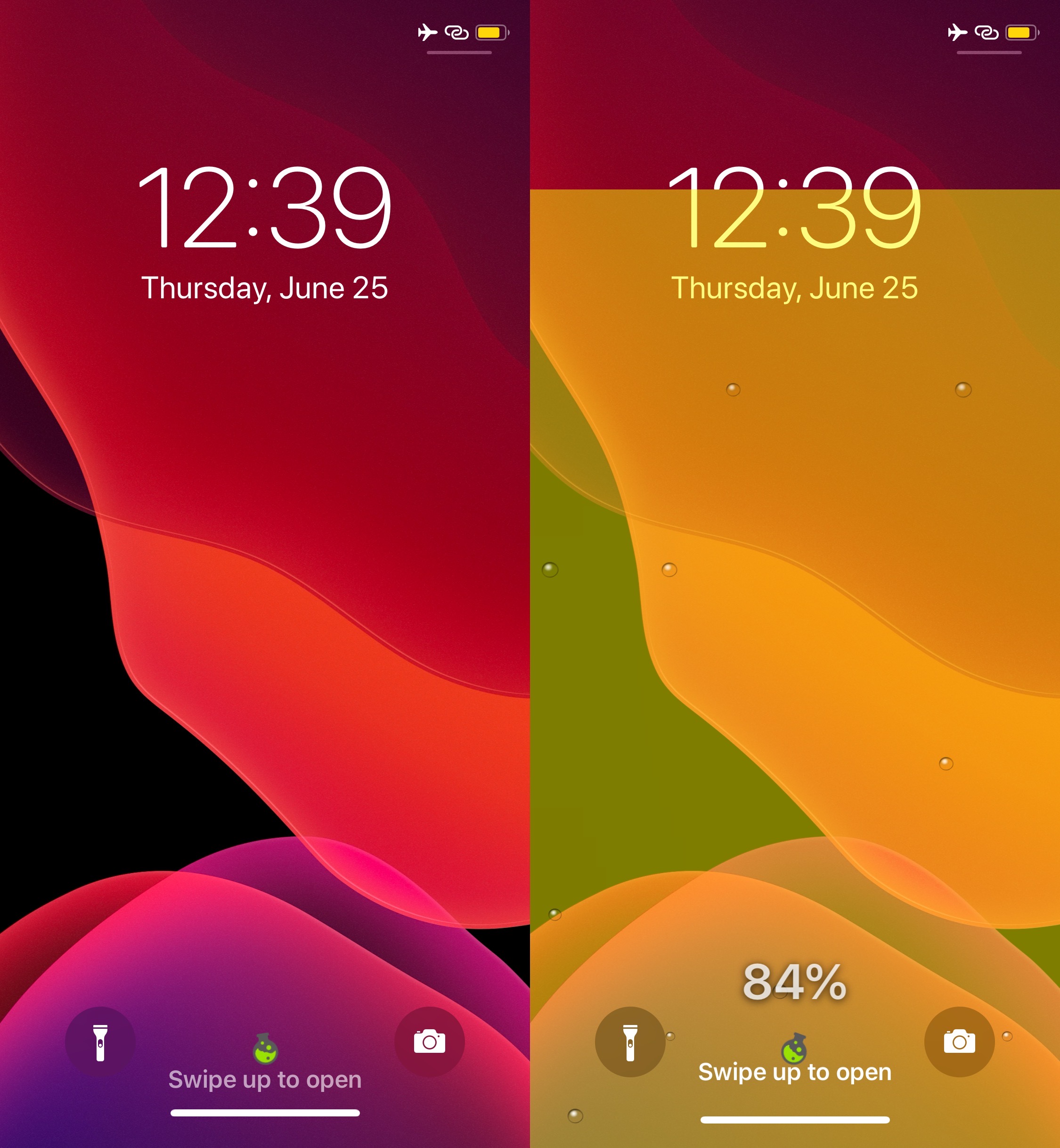
Battery information is a bigger deal to some than others, but if you wish battery monitoring could be a bit more fun than it is out of the box on a stock iPhone or iPad, then we think you’re doing to love a newly released jailbreak tweak dubbed GreenPotion by iOS developer Plat-Ykor.

The name “GreenPotion” is a dead giveaway in terms of what you can expect this tweak to do. Once you install it, you can tap on a new button situated between the Lock Screen’s Camera and Flashlight shortcut buttons to invoke a potion-like animation that displays real-time battery information, as shown in the screenshot examples above.

Weather Plus adds dates to the stock Weather app’s forecasts

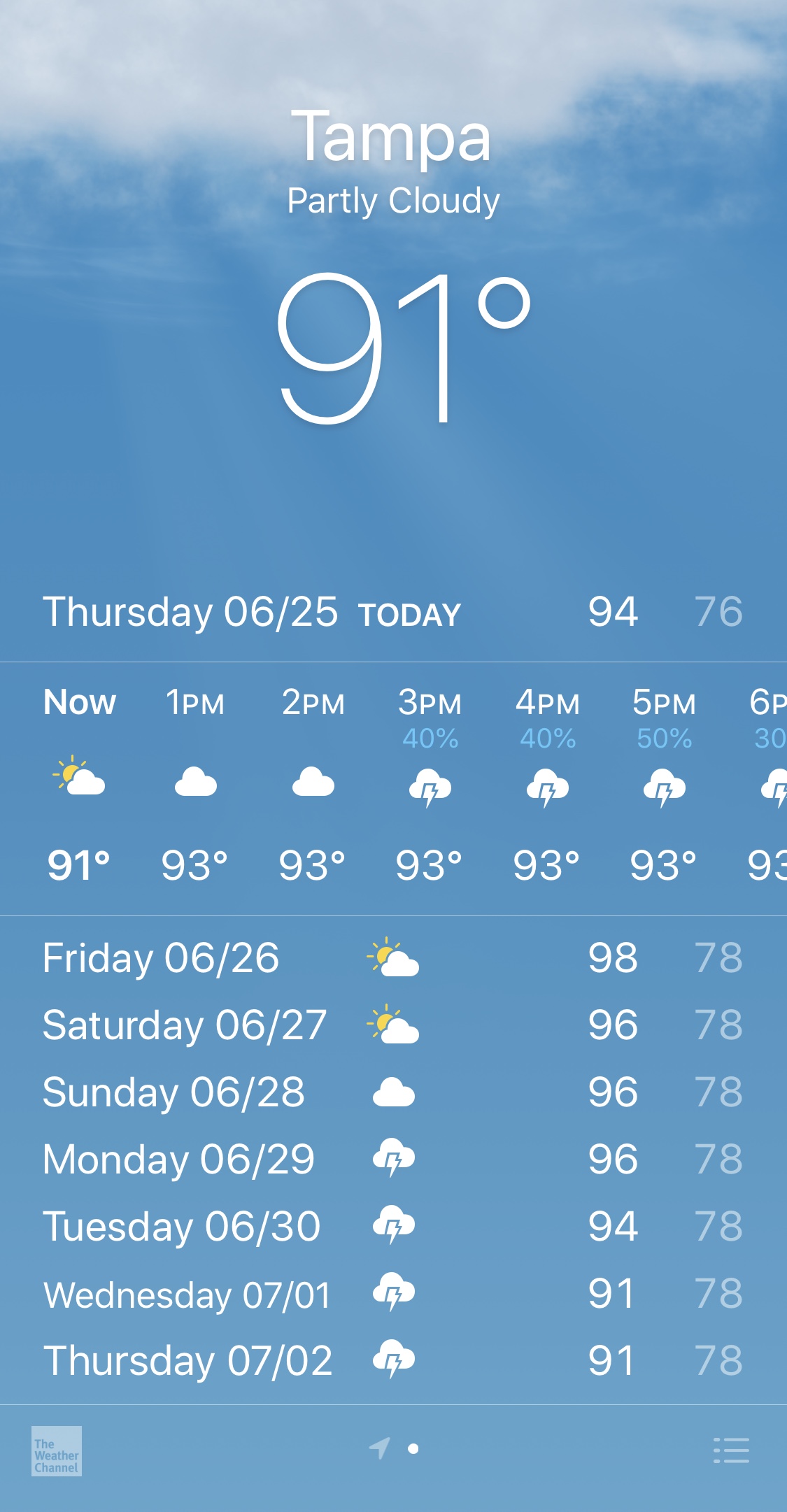
It’s not uncommon for folks to make plans around the weather; this is especially the case when said plans involve outdoor activities. That said, wouldn’t it be more convenient if Apple’s stock Weather app made it just a little bit easier to see the upcoming dates next to each day in the weather forecast?

If you answered yes, then we have no doubt in our minds that a newly released and free jailbreak tweak called Weather Plus by iOS developer Hao Nguyen will appeal to you.

Arise lets jailbreakers customize and automate the Lock Screen

The iPhone’s Lock Screen is a straightforward interface that acts as a gateway between the user and the Home Screen or last-used interface. While it does its job, many would likely agree that it could do with improvements — some major and some minor.

Enter Arise, a newly released jailbreak tweak by iOS developer EthanDoesMC that aims to make any jailbroken iPhone’s Lock Screen more lively with exiting and obvious features that will make you question Apple’s own innovation.

Sam Bingner teases Cydia on iOS 14

Apple officially unveiled iOS and iPadOS 14 for the first time on Monday as a part of its WWDC 2020 Keynote, and just this morning, checkra1n team co-developer Dany Lisiansky teased a screenshot of the checkra1n jailbreak working on an iPhone running iOS 14. If the words “that was fast” uttered from your mouth upon seeing this, then you’re not alone.

Lisiansky admitted that there was still a lot more work that needed to be completed before checkra1n could be deemed iOS 14-compatible, but as you might come to expect, things are progressing rather quickly thanks to the unique talent encompassed within the checkra1n team. Just this evening, checkra1n team co-developer Sam Bingner teased a screenshot of the Cydia package manager operating on an iPhone X running iOS 14: