If you’re ready to enjoy non-stop music, then the Autoplay feature in Spotify can be quite useful. However, if you’d rather not have continuous songs or Spotify’s suggestions play, you can easily disable this feature in the app settings.
On iPhone, iPad, or Android phone
- Open the Spotify app and tap your profile picture icon in the upper left corner.
- Tap Settings and privacy.
- Select Playback.
- Turn off the switch for Autoplay similar content or just Autoplay.

On Mac or Windows PC
- Open the Spotify app on your computer.
- Click your profile picture in the upper right corner, followed by Settings.
- Turn off the toggle for Autoplay (green to gray).
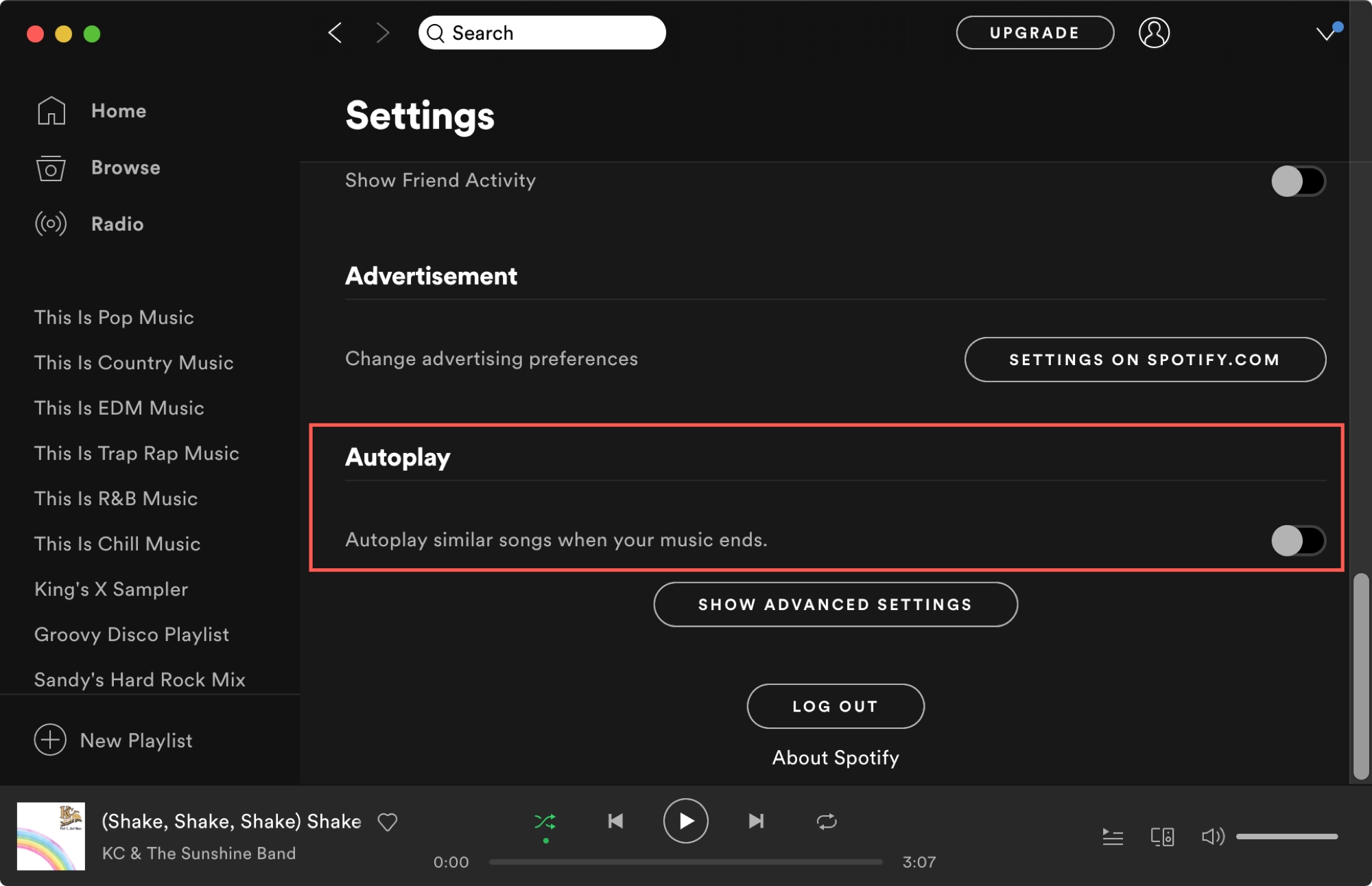
Once you disable Autoplay, your music will stop once you’ve reached the end of your playlist or album. If you change your mind and want continuous music again, you can easily re-enable the feature.
Is Autoplay a feature of Spotify that you find useful from time to time? What other Spotify features do you enjoy?
On a related note: