Learn how to create a radio station based on a particular song or artist in Apple Music on your iPhone, iPad, or Mac to listen to similar songs.

Plenty of us create playlists in the Music app with songs we love. But sometimes, music goes undiscovered if we don’t venture outside of those playlists. With this in mind, you can create a radio station in the music app based on songs you like.
You can create the station from tunes you see on Apple Music or those in your library. The songs on the station are similar to those you base the station on. So, you can listen to music that is similar to your tastes but may also hear something new.
On iPhone and iPad
- Open the Apple Music app and navigate to the song or artist you want to create the station from. The song could be on Apple Music or in your library.
- Touch and hold the song or artist name and tap Create Station.
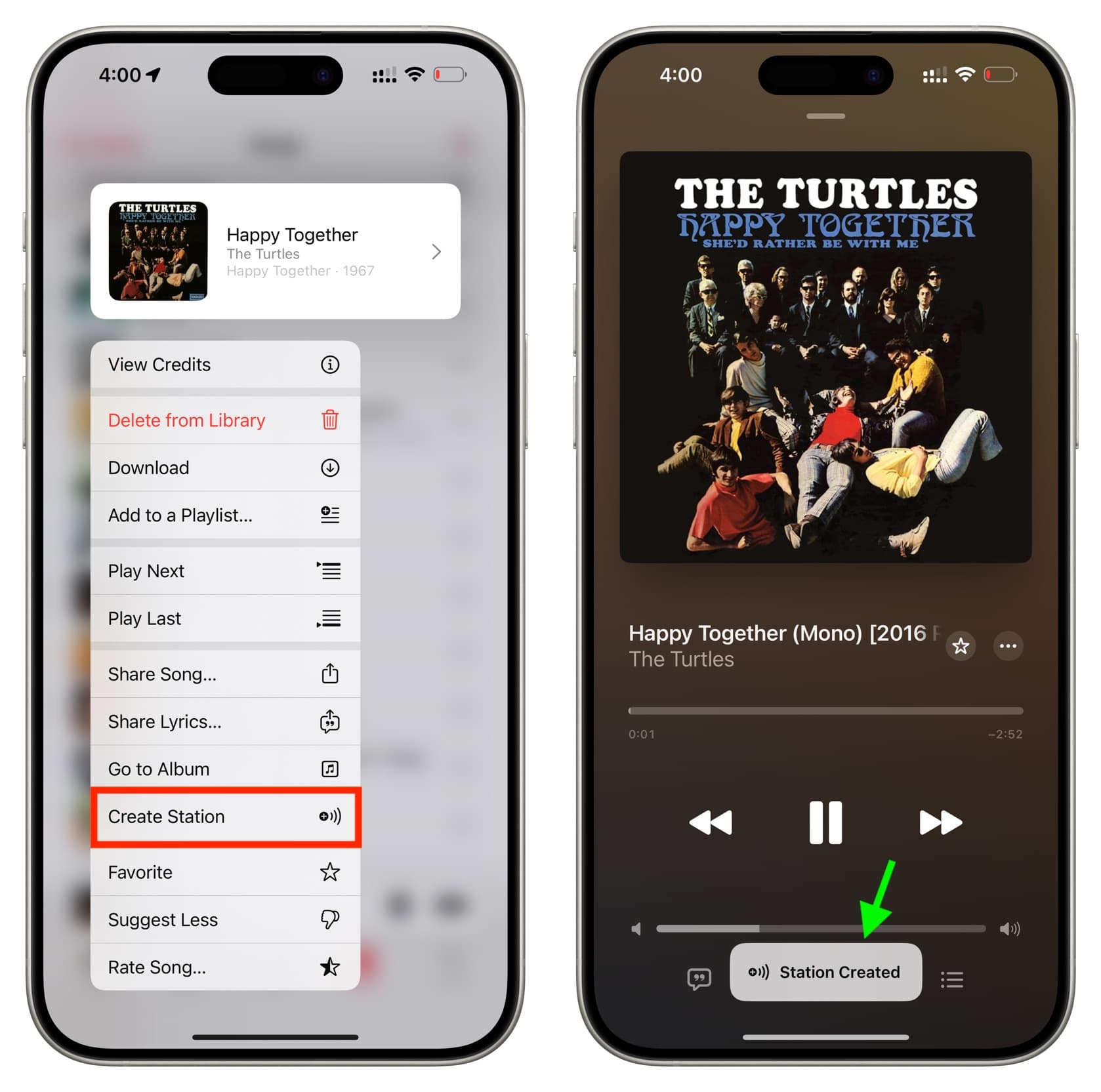
And that’s all there is to it! The app will start playing similar songs.
When you want to listen to your newly created station, go to Home > Recently Played, and you’ll see the songs you created the station from, with the ‘Radio Station’ label under it. Tapping it should start playing it, followed by similar songs.

On Mac
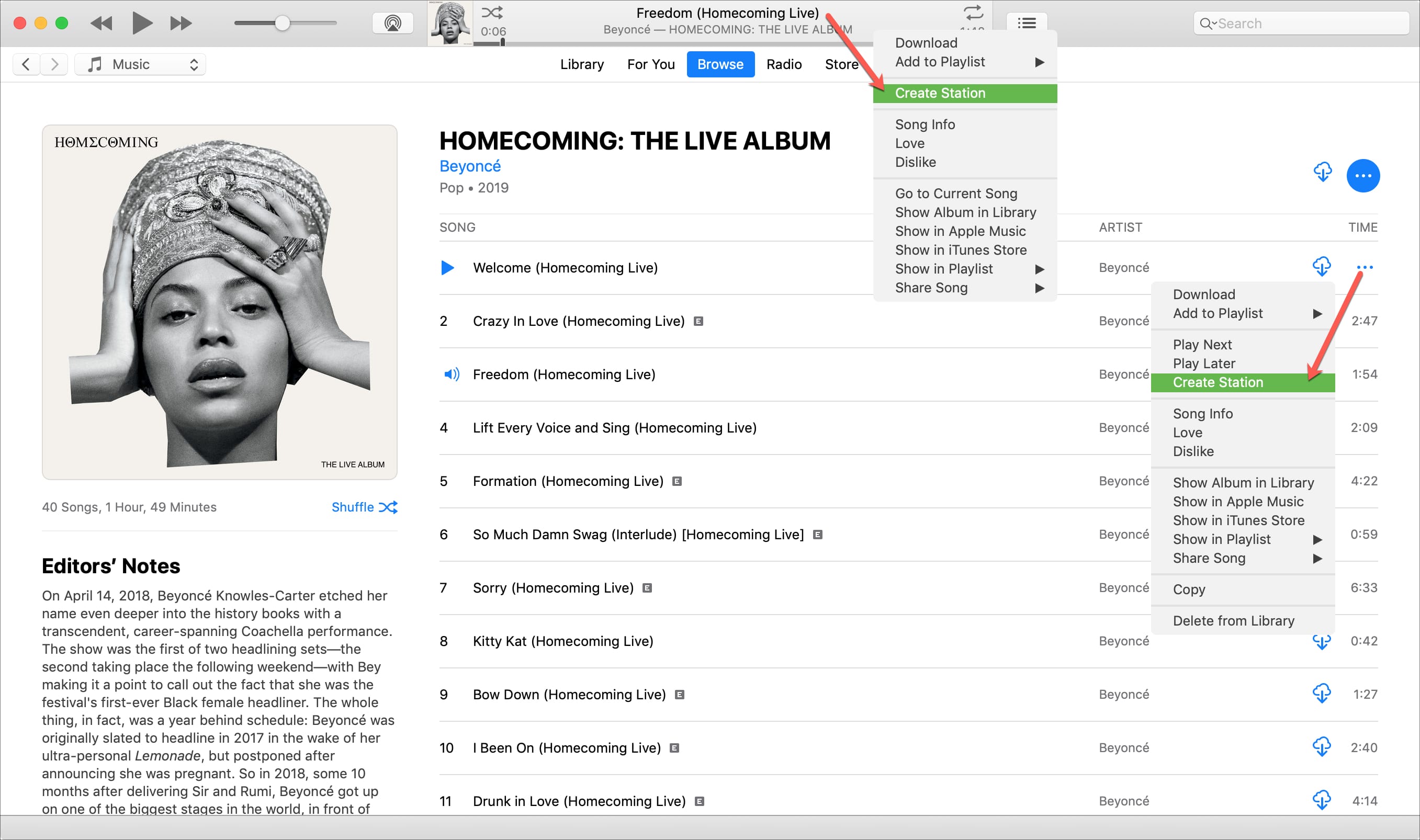
- Open the Music app and locate the song or artist you want to base the station on.
- Right-click over a song and choose Create Station. You can also click the three-dot button next to the song in the small Now Playing section at the top and select Create Station.
Create a radio station with Siri
You can create a radio station on Apple Music with Siri on your iPhone, iPad, Mac, or HomePod. Open Siri and give her a command similar to those below.
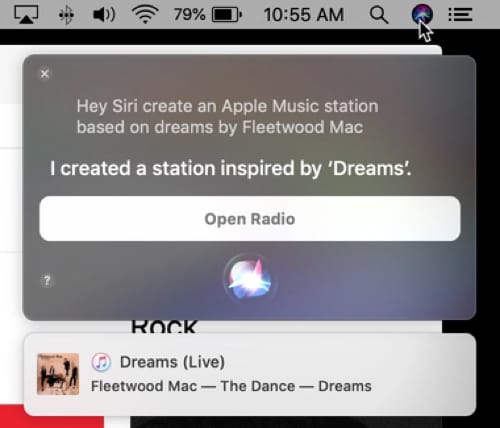
- “Hey Siri, create an Apple Music station based on {song title} by {artist}.” You can use this command for a song not currently playing.
- “Hey Siri, create an Apple Music station.” You can use this command with HomePod, and a station will be created based on the last song that was played.
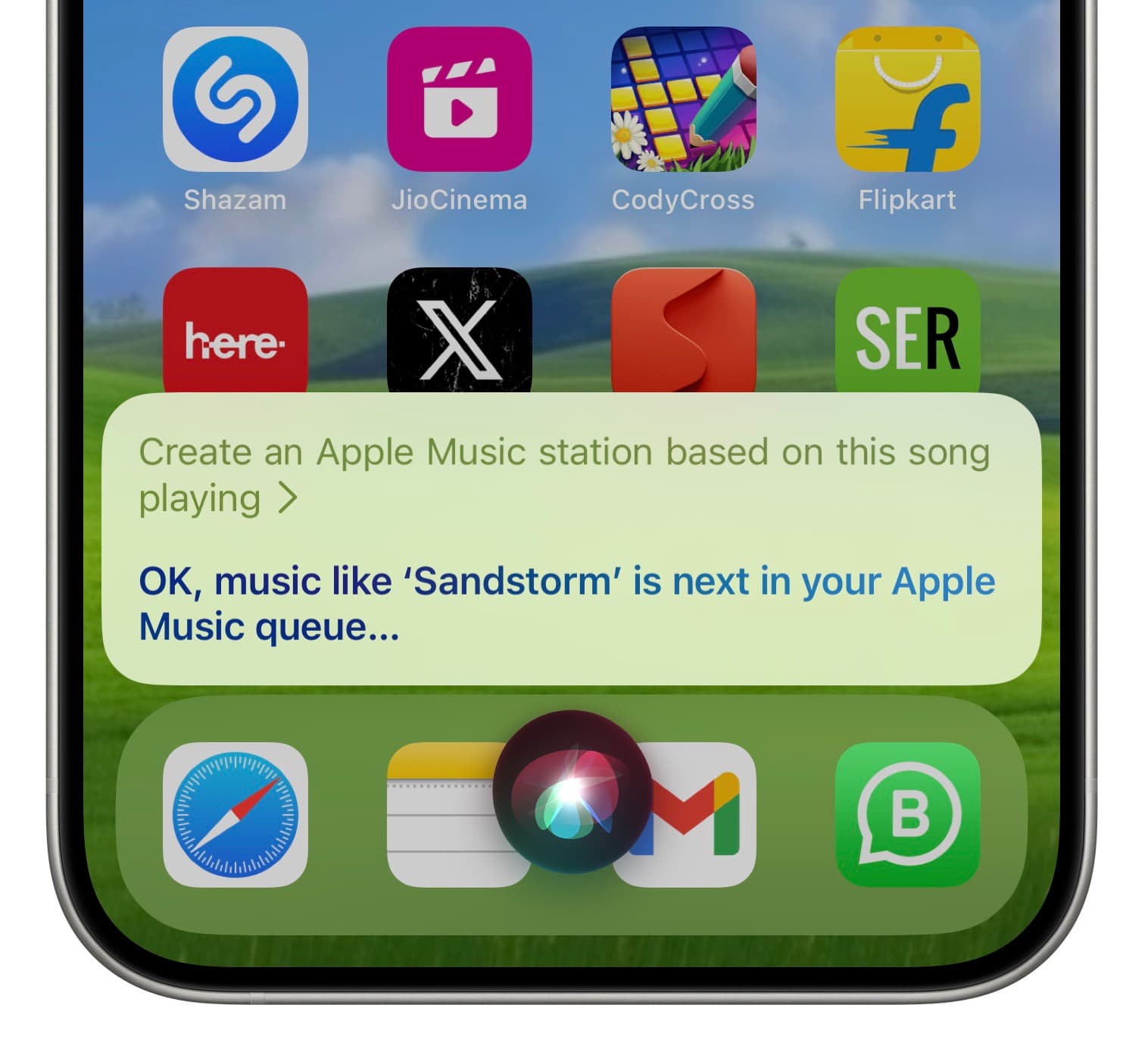
- “Hey Siri, create an Apple Music station based on this song playing.” You can use this command if you are currently playing a song on your device.
Creating a station in the music app is a handy way to hear songs like those you already enjoy while discovering something new at the same time.
On a related note: How to create a station in the Apple Podcasts app