Learn how to request a refund from Apple for an app, media, subscription, or purchase using your iPhone, iPad, Mac, or Windows PC.
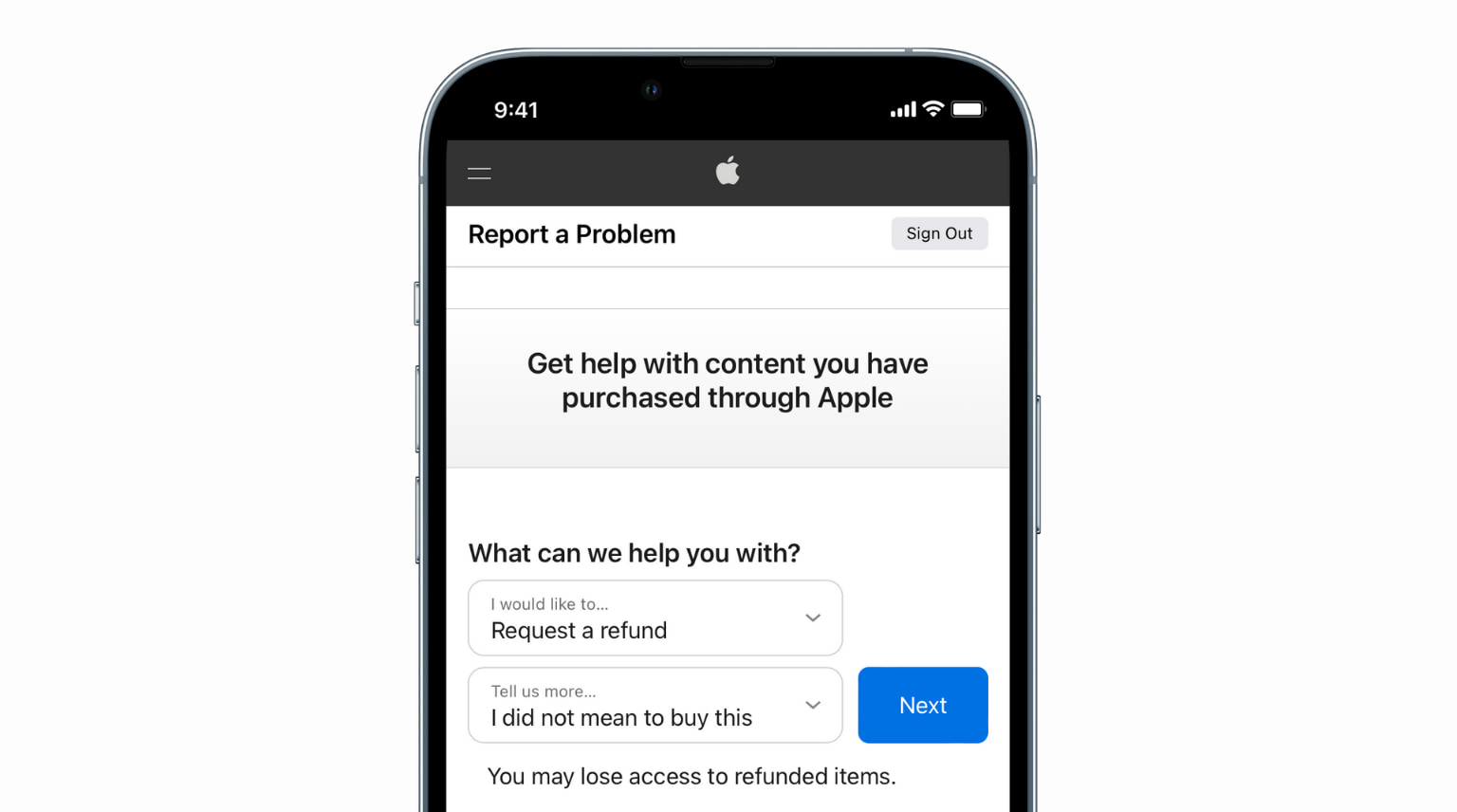
Did you accidentally buy an app or subscription, or did your child make purchases without your approval? Or maybe the app you purchased does not work as advertised?
In these situations, you can get a refund from Apple for purchases made on the App Store, iTunes Store, Books Store, and other Apple services. No matter what the media, the process to request a refund is the same.
However, please note that honoring the refund depends solely on Apple’s discretion. In most cases, people get the money back, so there’s no harm in making the request.
Important: The refund request option is only for genuine reasons. You must not use this as a workaround to get free trials. Even after you get the refund, the app developer may still have to pay Apple its standard share of the payment (30% or 15%). So, don’t abuse this policy.
Get a refund from Apple using iPhone, iPad, Mac, or PC
1) Visit reportaproblem.apple.com in a web browser and sign in using your Apple Account.
2) Tap ‘I would like to’ and choose Request a refund.
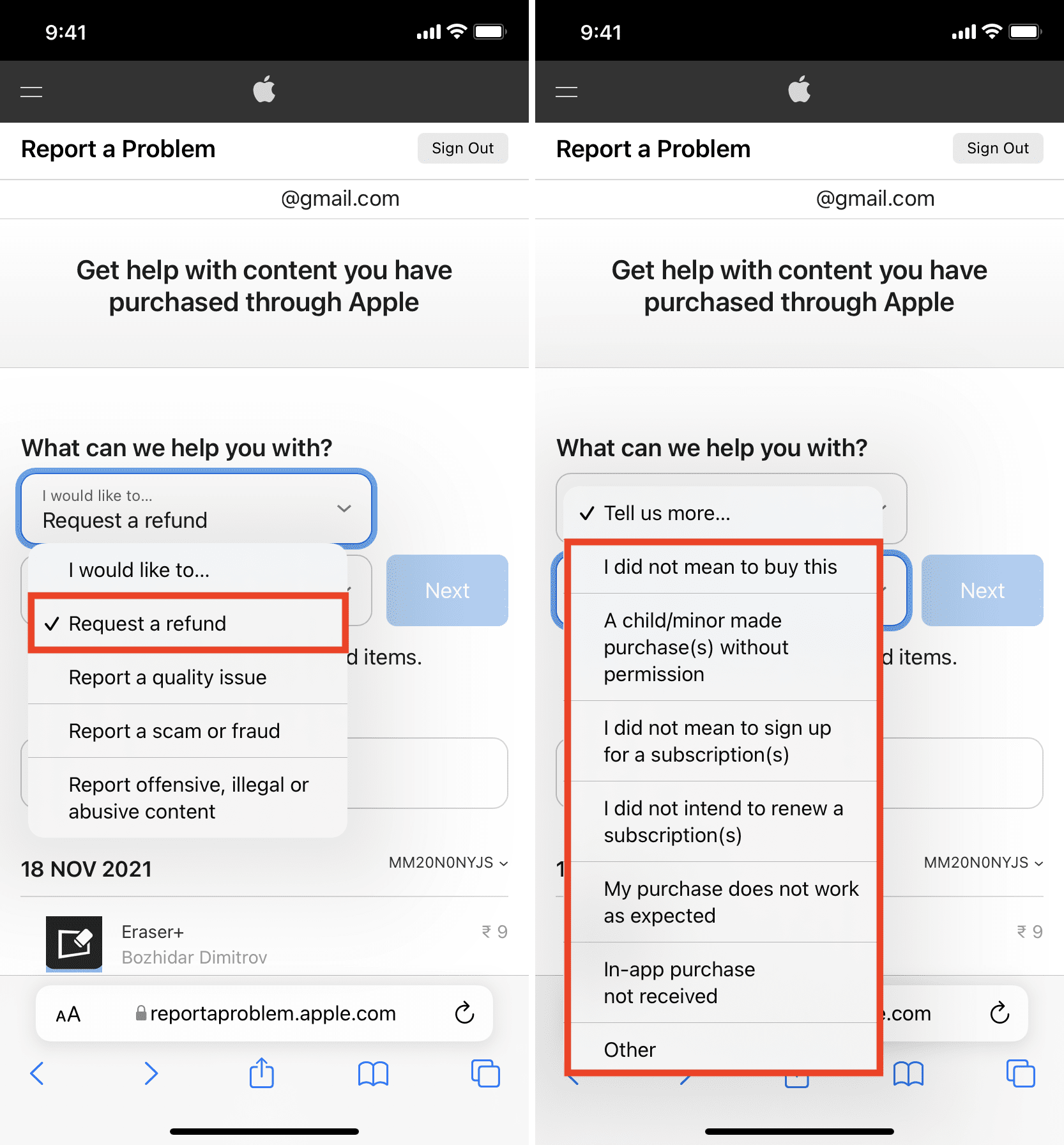
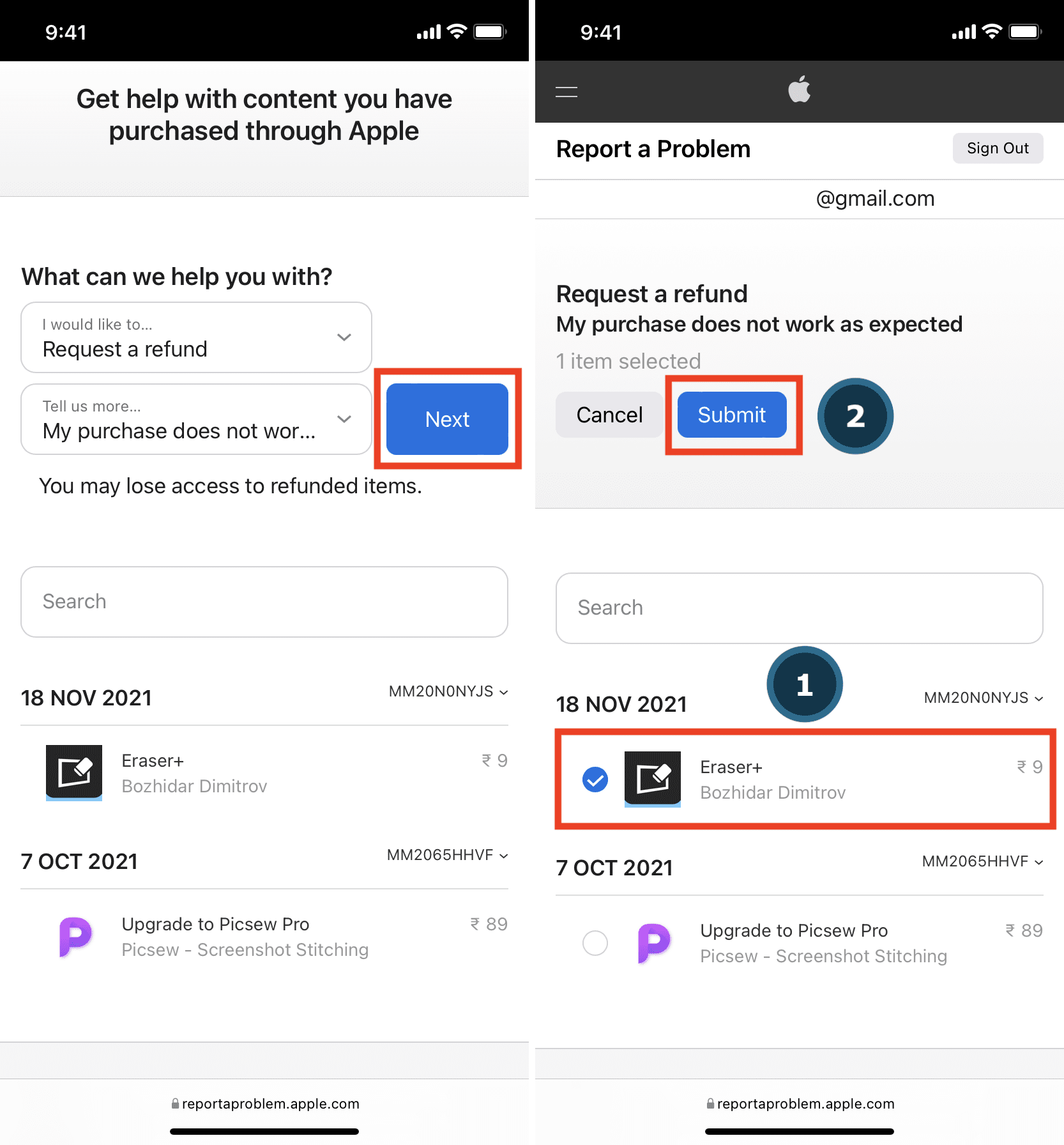
3) Now choose the reason for requesting the refund and tap Next.
4) Finally, select the item(s) for which you would like the refund and tap Next or Submit and follow along.
Other ways to get a refund from Apple
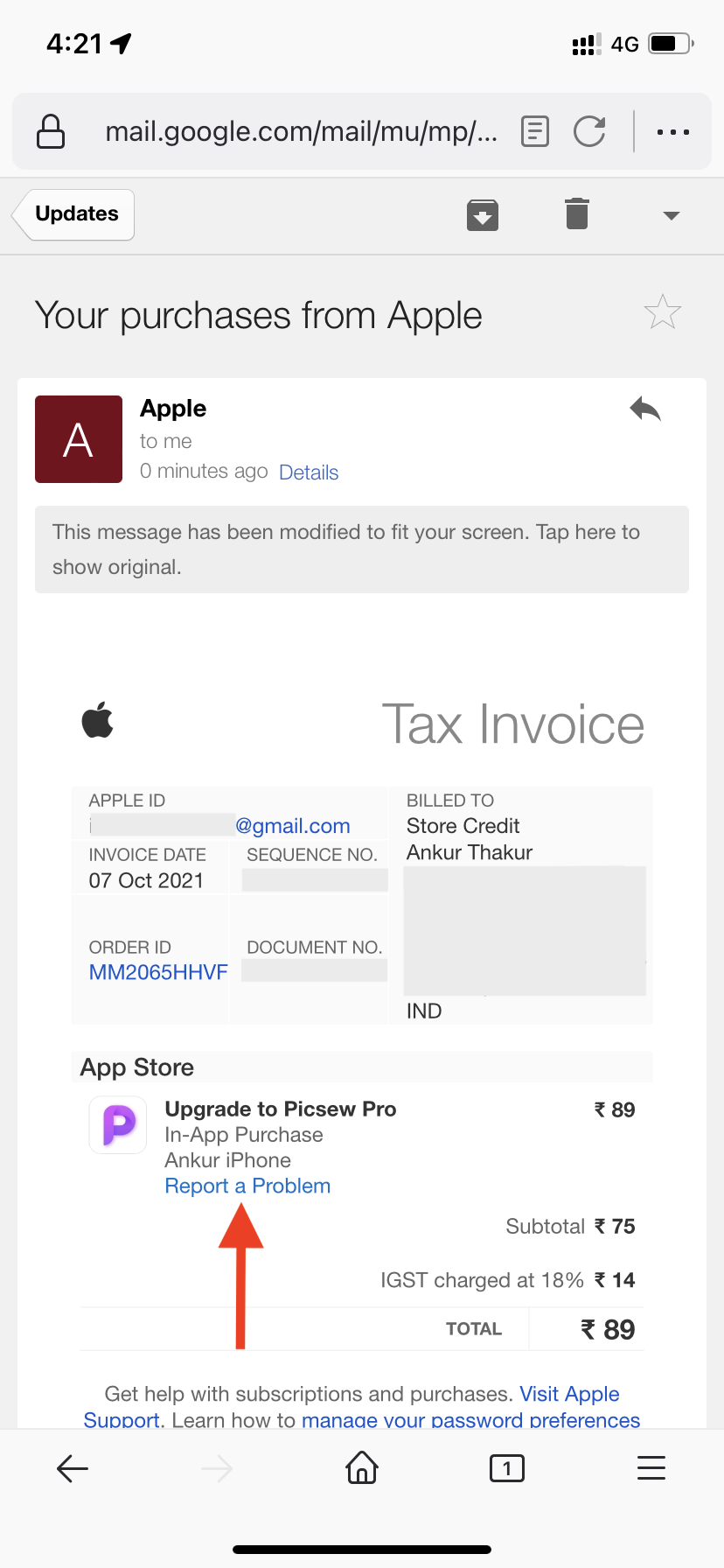
You can also request a refund using the Report a Problem option in the invoice email you receive from Apple for that purchase.
You can open the Apple Music or TV app on your computer, click Account > Account Settings from the top menu bar, and select Purchase History.
Now, select a purchased app or subscription and click Report next to Report a Problem.

Both of the above methods will take you to reportaproblem.apple.com, and you can follow the steps mentioned in the first heading to request a refund.
FAQs
Here are some important questions you might have about the refund request process.
Is it guaranteed that I will receive a refund from Apple for an app, media, subscription, or service?
No. It’s not guaranteed that you’ll always get a refund from Apple for a purchase.
Must read: Apple refunds father $6,000 for App Store purchases made by 8-year-old daughter
Is every purchase refundable?
No. If you act soon and your reason is valid, you’ll likely get a refund. But for immediately consumable content like coins or credits in games or similar in-app purchases, you might not get a refund.
How many days do I have to request a refund from Apple?
You can make a refund request to Apple within 90 days of purchasing the app, music, movie, etc.
How long does it take to get the refund from Apple?
Usually, Apple responds to your refund request within 48 hours. After that, if the refund is processed successfully, you’ll get your money back in:
- Apple ID balance: In about 48 hours
- All other payment methods like credit card: In up to 30 days
- Carrier billing: In up to 60 days
Where you’ll get the money depends on how you paid.
Can I keep using the service after the refund?
Once the refund is processed, you may not be able to use the purchased item. But if the refund request is declined, you can continue to use the app, media, or purchase.
How can I check the status of the refund request?
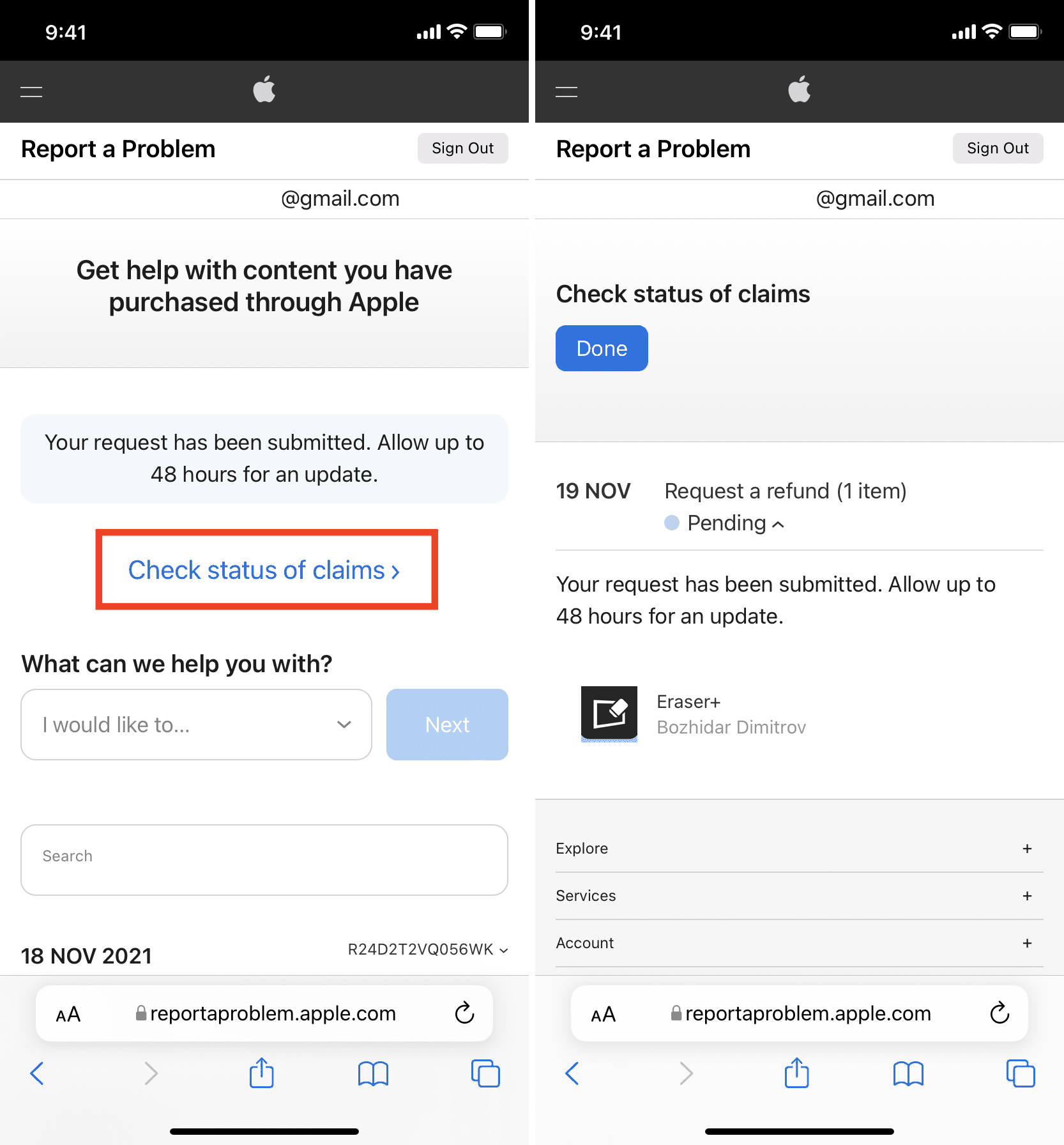
You can see the status of your Apple refund request by going to reportaproblem.apple.com > Check status of claims > Pending. If you don’t see Check status of claims, that means there are no pending refund requests for your account.
How can I get an invoice for the purchase from Apple?
When you buy an app, music, movie, subscription, etc., Apple sends you an email to the email address added to your Apple Account. This acts as your invoice. But if you didn’t receive it, go to reportaproblem.apple.com, tap the order ID, and tap View Invoice. It will show the tax invoice. Take its screenshot and save it.
Additionally, you can ask Apple to resend your purchase receipt.
Why can’t I submit the refund request to Apple?
After payment authentication is complete, the purchased app or media starts downloading immediately. However, the purchase may still show under “Pending Purchases” for around 24 hours. Once it’s processed, you can submit the refund request.
What to do if you don’t see the purchased item?
In rare cases, it may take up to a day or two to show the purchased item in your purchase history. If you still can’t, check your Apple Account balance or the credit card statement and look for a deduction. You can contact Apple Support for more help.
Also, check out: 14 tips to save money on a streaming service