Video

Expand iPad’s Picture-in-Picture feature with PiPifier

The iPad's Picture-in-Picture feature can really come in handy—when it works. Unfortunately, some pages such as YouTube use custom video players that don't have a dedicated PiP button, rendering the feature useless. That's where the app PiPifier comes into play.

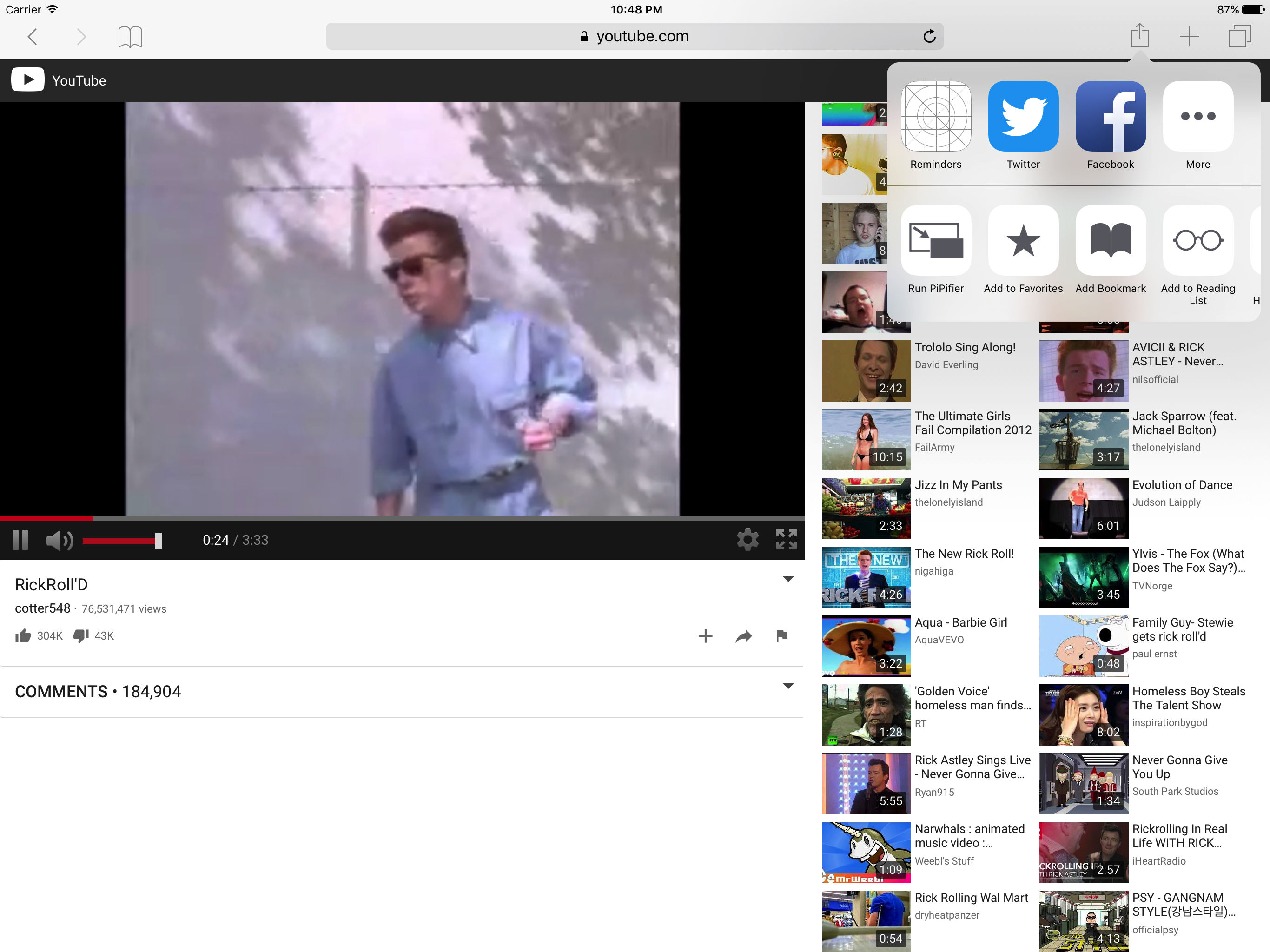
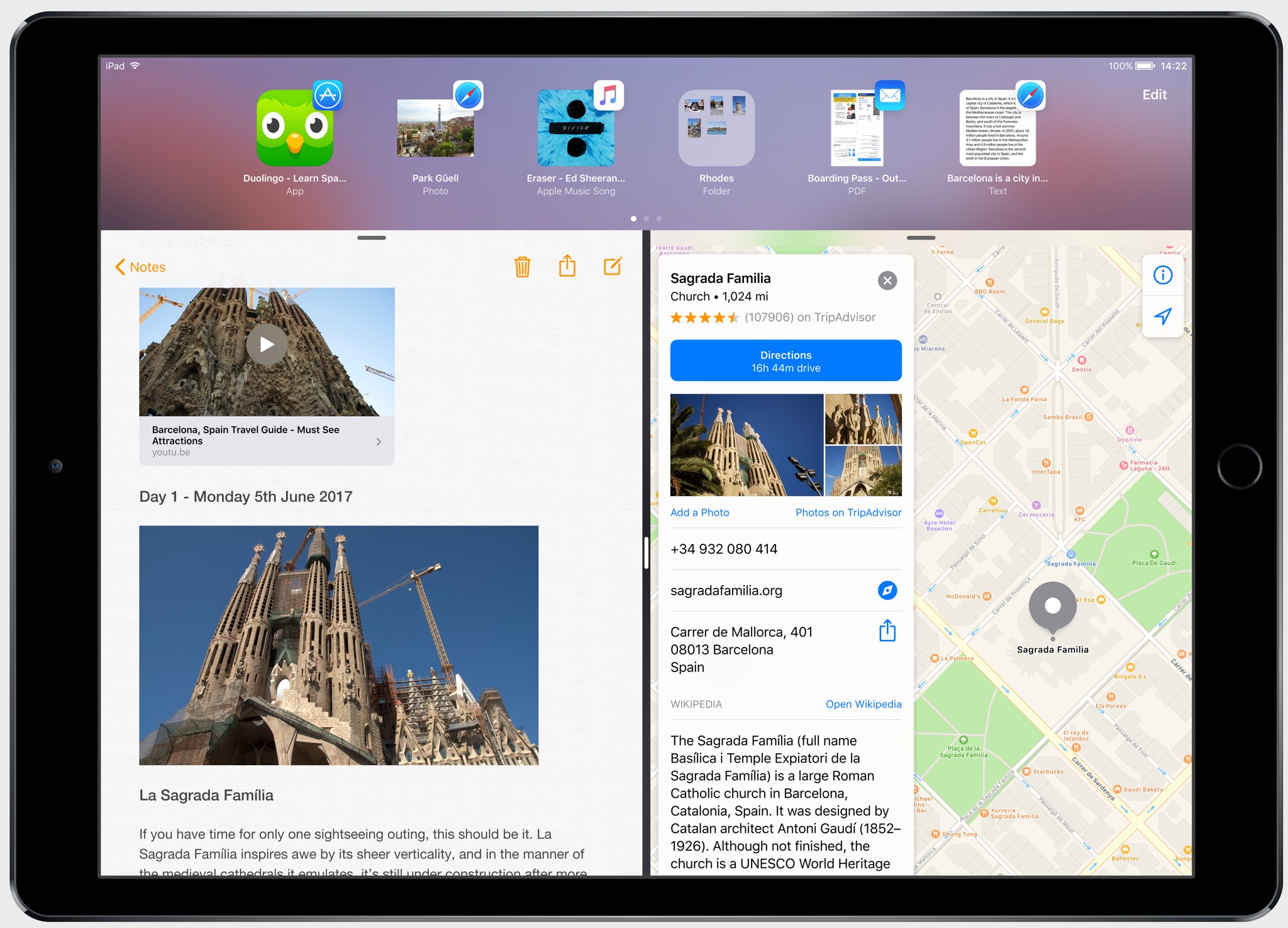
PiPifier lets you view every HTML5 (which is basically every web video on iOS) in Picture-in-Picture mode. It uses a Safari Action extension, so all you have to do is open Safari to your preferred web video, tap on the Share Menu, and select the Run PiPifier option.

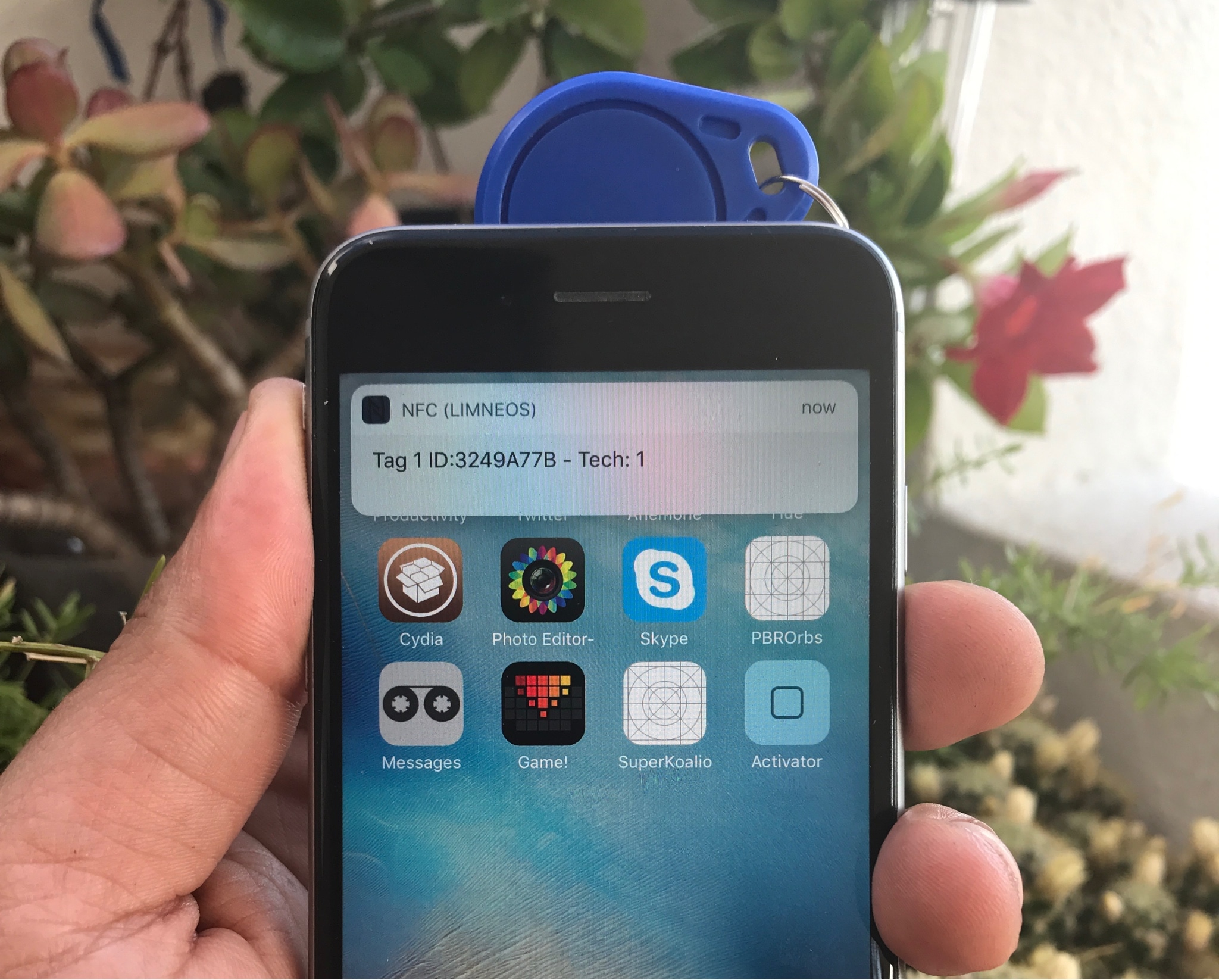
As you can see in the screenshots, doing this puts your video into native PiP mode. This allows you to watch your clip in a resizable window that you can place virtually anywhere on your iPad's screen, all while performing other tasks, such as replying to emails and texts.

PiPifier is available for free.

Latest drone footage shows historic barn taking its place at Apple Park

Videographer Matthew Roberts today shared via his YouTube channel some new drone footage of Apple Park, the iPhone maker's new headquarters under construction in Cupertino, California. The June 2017 Apple Park aerial update shows a historic barn finally taking its place at the new headquarters while offering a closer look at the auditorium as some of the window coverings have been removed.

Check out the video below to see the latest progress from Apple Park.

https://www.youtube.com/watch?v=L0Qr_wchG7w

Apple's new headquarters will include a spot for the 1916 Glendenning Ranch barn, a historic site left from a time when the city was still a sprawling orchard.

When Apple acquiered the aging Hewlett-Packard campus, it dismantled the barn and numbered it piece by piece—every plank, nail and crossbeam—so that it could be reassembled just as it was and placed so that it's adjacent to the employee fitness center. The company even stockpiled redwood salvaged from an old grove to replace any damaged planks.

The Mercury News reported that the barn will be used as a storage facility used by Apple to store sports equipment, landscaping supplies and so forth—becoming a working barn for the first time in decade.

Apple says its new headquarters will be the most energy-efficient office building of its kind.

Apple shares 3 new ‘Switch to iPhone’ ads

Apple on Monday shared a trio of geeky ads that are part of its new campaign aimed at persuading Android users to make the leap to the iconic smartphone. Published on Apple's official YouTube channel, the new mini-ads, running sixteen seconds each, promote the company's ability to roll out important security fixes fast via iOS software updates.

Apple is also praising the smartphone's smooth, stutter-free performance while highlighting easy contact transfer via the Move to iOS app for those who would gladly switch to an iPhone.

Smooth

https://www.youtube.com/watch?v=TQy2heNOhe8

“We design the hardware and the software so your iPhone just works,” says Apple.

Security

https://www.youtube.com/watch?v=AszkLviSLlg

“Access to the latest updates keeps your iPhone secure,” reads the description.

Contacts

https://www.youtube.com/watch?v=bUWLszbCBF8

“Switch to iPhone,” reads the video's description. “The Move to iOS app makes it simple to move your contacts, photos, and more to iPhone.”

The new ads use the tagline “Life’s easier when you switch to iPhone” and direct viewers to the recently revamped ”Switch to iPhone” webpage at apple.com/switch.

Apple's mini-website for switchers now includes useful new sections covering topics like in-house designed iPhone chips, powerful cameras, easy of use, customer support and more.

Do you like Apple's new ads? Do they manage to sell folks on the merits of iPhones, do you think? Let us know by leaving a comment below.

Watch new Earth Day video Apple shared at Sustainable Brands conference

Apple celebrated Earth Day 2017 by announcing a partnership with World Wildlife Fund, promoting environmentally-focused apps on App Store and posting cartoonish videos on YouTube detailing its efforts to preserve our environment for generations to come.

Today, more than a month after Earth Day took place, it shared another Earth Day video on YouTube, titled “Does my iPhone believe in incarnation?” and featuring its recycling robot Liam.

The clip was created to celebrate Apple's attendance at Sustainable Brands 2017, a Detroit conference where Sarah Chandler, Apple's Director of Operations and Environmental Initiatives, discussed Apple's plan to reduce the environmental impact of its supply chain.

https://www.youtube.com/watch?v=aDXy5bEG38w “Lisa Jackson, Apple’s lead on Environment work, and our recycling robot Liam will make you believe,” reads the video's description. “Lisa and her team explain it all, while Liam disassembles your iPhone 6 so those parts can find new life.”

Bt taking apart used products, Apple is able to recycle rare earth materials and other valuable metals and send them back to its supply chain for further processing to be eventually reused in the production of components for new products.

According to the video, L.I.A.M. stands for “Liberate. iPhone. Auto-Disassembly. Machine”

Question: why does the video briefly show Tim Cook holding a bunny?

First hands-on video with iPhone 8 dummy surfaces on the web

Apple's iPhone 8 should feature a whole new industrial design with an almost full-screen face, a 2.5D curved OLED screen, no physical Home button, an in-screen fingerprint reader and other perks. Earlier this week, leakster Benjamin Geskin posted what files as the first hands-on video featuring a CNC-machined iPhone 8 dummy model.

Don't read too much into this report— this is a dummy iPhone 8 unit after all, and as such for display only. It's not a real working phone nor is it one of the iPhone 8 prototypes.

And here it is.

https://www.youtube.com/watch?v=9U-h3kEU2h0

Don't let the lack of an Apple logo on the backside confuse you: this is, as I've said, a mockup that matches up with a bunch of the rumors we've heard thus far.

That said, the clip provides a good approximation of what a future iPhone with a nearly full-screen front face might look like. Be sure to check out another iPhone mockup that leaked last week, which could be representative of the final design Apple settled on.

Apple is said to have tested about ten different iPhone prototypes.

Some of them probably sport a rear Touch ID, just in case Apple's plan to integrate a next-generation fingerprint sensor into the display assembly falls apart. To give you a better idea what an iPhone with a rear Touch ID might look like, do check out the images of an iPhone 8 clone from China, some of which you can see above.

Apple is likely to unveil its 2017 iPhone lineup at a media event in September.

Aside from a new premium design and a full-front OLED display, iPhone 8 is widely expected to feature wireless charging, 3D facial scanning, a ten-nanometer A11 chip designed by Apple, augmented reality features and, of course, iOS 11 that Apple will preview at WWDC next month.

Video: tricking Galaxy S8’s iris scanner into unlocking the phone

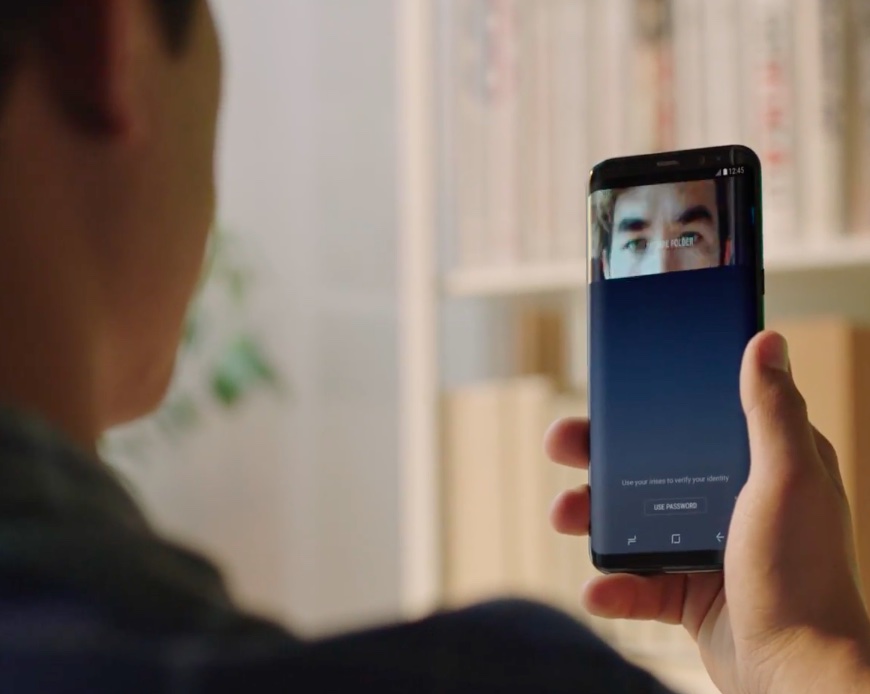
Eyeballs and faces are not as secure as fingerprints—German hackers with the Chaos Computer Club have bypassed iris authentication technology that's prominently featured in Samsung's Galaxy S8 smartphone. All that's needed to trick Galaxy S8's iris scanner into unlock the phone is an infrared photograph of the eye of the phone’s owner and a contact lens.

ArsTechnica says the photo need not even be a close up.

This video below, originally posted by Starbug (the moniker used by one of the principal researchers behind the hack), demonstrates how to circumvent the iris recognition of Samsung's flagship Galaxy S8 smartphone—such as a basic digital camera, Samsung's laser printer and a contact lens—by using equipment that costs less than the $725 price of an unlocked device.

https://www.youtube.com/watch?v=ccQZs8Ofpuk

An attacker must posses a photograph of the phone owner's face, which must be printed out to place the contact lens on the iris in the printout. Holding the image in front of a locked Galaxy S8 fools the iris scanner into unlocking the device.

Princeton Identity, the makers of Galaxy S8's iris authentication technology, say the phone provides “airtight security” and that consumers can “finally trust that their phones are protected”. Samsung itself claimed that Galaxy S8's iris scanning mechanism is “one of the safest ways to keep your phone locked.”

That said, we've known that bypassing the phone's biometrics is laughably easy.

In March, iDevice posted a video proving that Galaxy S8's facial recognition feature can be fooled into unlocking the phone by scanning a simple headshot of the phone's owner.

https://www.youtube.com/watch?v=LXd26Nqg5tQ

According to The Korea Herald, the Galaxy S8 and Galaxy S8 Plus handsets can even be unlocked by scanning the face of a sleeping person. Samsung is aware that Galaxy S8's facial unlocking technology is not its most secure biometric system: in a March statement to Mashable, a company spokesperson said that facial unlocking cannot be used for purchases with Samsung Pay.

For that, you still must use the phone's fingerprint reader as the iris scanner can only be used to purchase apps and media or unlock the phone. Galaxy S8 includes both iris scanning and facial recognition via the front-facing camera, in addition to fingerprint scanning via a sensor relocated to the rear side.

Apple's own Touch ID fingerprint reader isn't immune to hacks either.

Back in 2013, Starbug demonstrated that fingerprints casually collected off of water glasses can be leveraged to fool Touch ID into unlocking your iPhone. Android phones are susceptible to a similar hack.

As you know, Apple is expected to use facial unlocking and maybe even iris scanning in iPhone 8. Starbug, however, cautions that future smartphones with iris recognition may be equally easy to hack. Iris recognition, says Starbug, is hard to make hack-proof because you can't really hide your iris.

“It's even worse than fingerprints,” added the hacker.

Apple’s new videos aim to lure Android users into switching to iPhone

Apple on Monday shared five short switcher videos through its official channel on YouTube. Titled “Photos”, “Jump”, “Fast”, “Privacy” and “Music”, each runs sixteen seconds long.

The latest ad campaign uses the new tagline “Life's easier on iPhone”.

The new clips promote some of the benefits of being an iPhone user, ranging from the official “Move to iOS” Android app (available free on Play Store) to the company's in-house designed chips that make iPhone the fastest smartphone in the world in terms of single-core CPU benchmarks to Apple's commitment to privacy and more.

Here are the videos.

Photos

https://www.youtube.com/watch?v=R-kbqiLxZwM

“Switch to iPhone. The Move to iOS app makes it simple to move your photos, music and more to iPhone,” reads the video's description.

Jump

https://www.youtube.com/watch?v=OmdC2eEeQAI

Music

https://www.youtube.com/watch?v=99w8cdTcliA

Fast

https://www.youtube.com/watch?v=8IKxOIbRVxs

“iPhone is designed to run fast. Life’s easier when you switch to iPhone.”

Privacy

https://www.youtube.com/watch?v=poxjtpArMGc

“We build iPhone with your privacy in mind. Life's easier when you switch to iPhone.”

Apple also updated its “Switch to iPhone” webpage with a new design and additional information aimed at encouraging Android customers to consider switching to Apple's phone.

The mini-site offers additional information on switching from Android to an iPhone with FAQ-style answers to questions like “Is the camera as good as they say?”, “Why is iPhone so fast?”, “What makes Messages so great?” and “Will I love my iPhone”, among other topics.

How do you like Apple's new switcher videos?

Check out breathtaking aerial views of Apple Park building lit up at night

Friday, drone pilot Duncan Sinfield posted his monthly Apple Park construction update showcasing breathtaking aerial views of the massive ring-shaped building lit up at night.

The mountain of dirt on Apple's new campus counties to shrink on a daily basis as contractors continually work on landscaping, planting mature trees around the site.

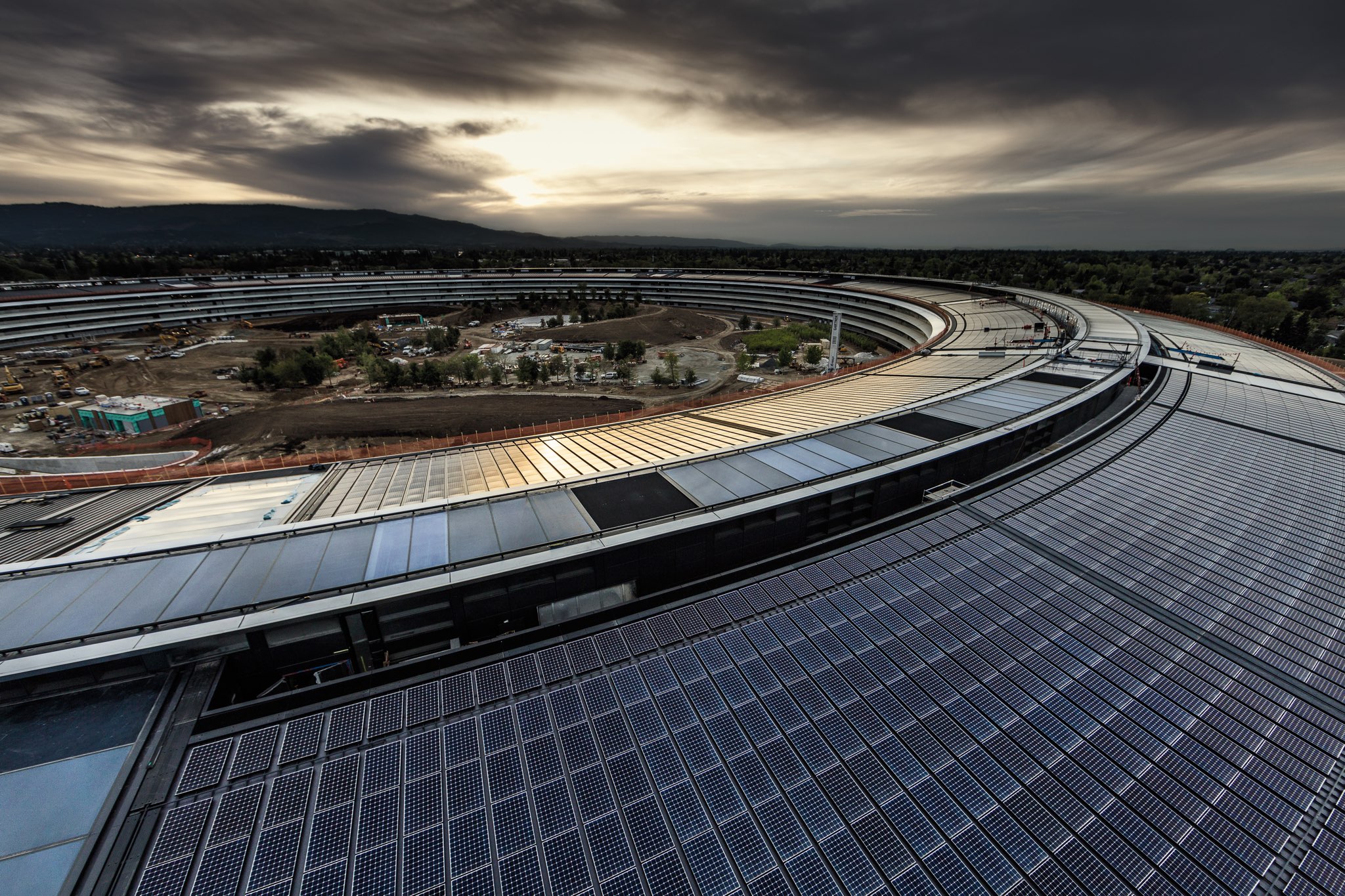
Solar arrays on the building's roof appear to be completely installed and light posts around the new campus are now active, too.

Aside from other impressive features and mind-boggling facts, the main building has nine entrances and sports a large café, basically an atrium-like space four stories high with a pair of huge glass doors that can be opened when it’s nice outside. The café was designed to hold 4,000 people at once, split between the vast ground floor and the balcony dining areas.

Here's Duncan's latest video.

https://www.youtube.com/watch?v=71ZK-NkluqQ

In order to be able to open and close the massive glass doors quietly, they hid the necessary mechanism underground. The glass doors weigh in at a whopping 440,000 pounds each.

“The only doors I know of in the world that size are on an airplane hangar,” said Nelli Diller, a managing director for Seele Group, a German company Apple contracted to create the largest, strongest pieces of curved glass in the world for its new corporate office.

Each of the 800 45-foot-tall panels of safety glass takes fourteen hours to create.

Seele had to expand capacity by working with its autoclave manufacturer to develop a much bigger cooker that could stack five panels at once. “The one we had was the biggest in the glass industry by far. This new one is just … giant,” said Diller.

Seele also built glass panels for Apple Stores.

Both Google Maps and Apple Maps offer three-dimensional views of Apple Park, although Google's 3D imagery appears to be a bit out of date.

For a video recap of the construction progress made on the 175-acre campus over the past year, check out a birds-eye video by videographer Matthew Roberts.

If you like these gorgeous aerial scenes of Apple Park lit up at night, be sure to check out Duncan's first nighttime footage of the new campus taken about a month ago.

Apple gave Wired a rare look inside the building with many previously unknown tidbits about the project and never-before-seen photographs of the meticulously designed interiors.

Apple began moving in first employees at the start of April, with about 500 new employees arriving every week thereafter. The iPhone maker expects to finish the move-in process, complete landscaping work and open the visitor center to the public by year-end.

Apple Park has a 100,000-square-foot fitness and wellness center for employees which includes a two-story yoga room, as well as access to medical and dental services.

“I’m a big believer in people staying active,” said Cook, who is something of a fitness buff himself. “It’s something that makes them feel better and more energetic. It’s all about the fixation on the customer, and the customers here are our people, our employees.”

Apple publishes 4 new “How to shoot on iPhone 7” video tutorials

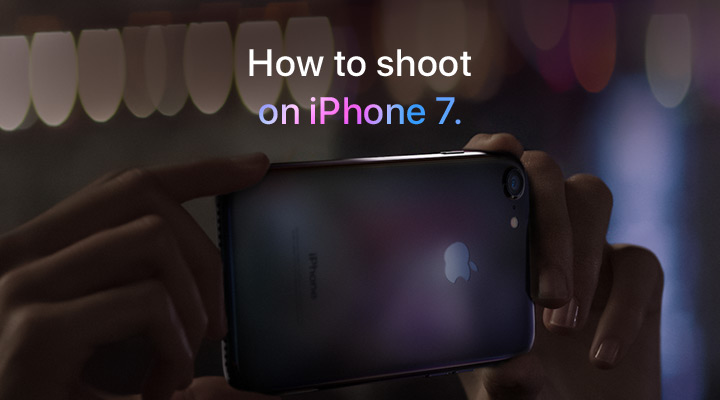
Apple on Friday added four new video tutorials to the “How to shoot on iPhone 7” series on its YouTube channel. The four new videos were designed to teach customers how to shoot with zoom on their iPhone 7 Plus, convert their photographs to black & white, as well as take a one-handed selfie and edit it on the phone.

How to shoot with zoom on iPhone 7 Plus

“Get closer with 2x optical zoom. Or use digital zoom to get up to 10x closer,” says Apple.

https://www.youtube.com/watch?v=wsaA1s7oCKA

If you tend to use the zoom feature while shooting video on your iPhone 7 Plus, it may be a good idea to disable the automatic lens switching feature in camera settings to avoid any glitches that may occur when zooming in and out during video capture.

How to convert to black & white on iPhone 7

https://www.youtube.com/watch?v=RQoEsUJpy_Q “The right filter and a bit of experimenting with light levels give you a dramatic black-and-white image,” says Apple.

How to shoot a one-handed selfie on iPhone 7

https://www.youtube.com/watch?v=4miX5CNATEI

“The quick-draw selfie in three easy steps.”

How to edit a selfie on iPhone 7

https://www.youtube.com/watch?v=UUxahFzjGS4

“Use cropping and auto-enhance to create an even better selfie for sharing,” says Apple.

If you'd like, feel free to explore additional photography tips and techniques at Apple's website.

The clips join Apple's seven video tutorials on using iPhone 7's camera, published last week.

Our own iPhone Photography series is a valuable resource of free tips, tricks and advanced photography techniques, whether you are an experienced photographer or a beginner.

iOS 11 concept imagines new productivity features for iPad

Apple is going to preview iOS 11 along with other OS updates at its annual developers conference next month and we fully expect the mobile operating system to include advances that should make the Apple tablet a better laptop replacement than it currently is.

In the meantime, Federico Viticci and Sam Beckett of MacStories have put together an incredibly detailed concept of iPad-specific features that could be part of iOS 11, including the Finder, a new Shelf feature, drag-and-drop available system-wide and other perks.

With the Shelf feature, you would be able to clip pretty much anything with a simple drag-and-drop gesture. Sitting above apps both in full-screen or Split View mode, it would reveal itself automatically when you're dragging an item towards the top of the screen.

The Shelf would display your previously saved items as thumbnail previews and you'd be able to drop an item on top of another item to create a folder in the Shelf.

“The idea behind the Shelf is to make it as effortless as possible to hold something for later without the cognitive load of deciding which app or extension should receive it right away.”

The Shelf would be paginated and local to each iPad.

You'd be permitted to drop almost anything in it: from text selections and images to phone numbers and even songs. Tapping an item in the Shelf would pull up a custom Quick Look preview with additional information and actions relevant to the selected item.

And here's the concept video.

https://www.youtube.com/watch?v=UyFUDQ5LLZw

Next up: file management.

As you know, Apple currently offers the iCloud Drive app for browsing your iCloud files.

MacStories has envisioned a Finder for iOS because the argument that iPad doesn't need to expose its filesystem to the user “lost its validity when Apple introduced document providers in iOS 8 and the iCloud Drive app in iOS 9.”

Unlike Finder for macOS, its iOS counterpart would not expose system information beyond the actual files. You'd be able to browse your files in column and grid views, shared items via iCloud with full permission controls, apply tags, use the Versions feature and even take advantage of Siri integration to search across your files.

“All the pieces of the current system—iCloud Drive, the document picker and document providers—should be unified into a single Finder app and system-wide layer available everywhere,” said MacStories.

Instead of having files stored within app-specific folders on iCloud Drive, users would be able to create files in a top-level iCloud Drive view.

As a bonus, rather than list a bunch of installed document provider extensions in a popup, you'd get a full-blown Finder dialog to open files from any folder or app.

MacStories notes:

With a new set of APIs and user permissions, iOS 11 could allow apps to more easily open each other's documents in complex (but intuitive) workflows that aren't possible today.

And, obviously, automation could play a role in this down the road, opening the door to ideas such as folder-monitoring utilities and file automation either via Workflow or Hazel-like apps.

Finder for iOS would integrate with other features that MacStories has envisioned, such as the Shelf and system-wide drag-and-drop, but without the complexity of macOS.

But wouldn't drag-and-drop clash with iOS's standard gestures?

In a word, no. As MacStories explains:

Because drag-and-drop would be fully multitouch-enabled, it wouldn't block the iOS interface: another finger could be used to navigate in a different "drop area" of an app, or a user could keep dragging until the Split View app picker is shown and drop an item onto an app's icon, opening a contextual action menu.

App Store could be redesigned around Apple Music-inspired redesign, as show below.

Apple could even bring aspects of the watchOS interface to iOS and move beyond the static, inexpressive nature of its interface. “Touch-down states for icons and buttons would add useful context to iOS toolbar icons and menus as well,” reads the article.

A better Split View implementation is one of my favorite concepts proposed by MacStories for iOS 11. In addition to supporting drag-and-drop between the apps in Split View mode, you'd gain the ability to quickly select an app for Split View by choosing it from a Home screen like view complete with Spotlight integration for surfacing Split View-enabled apps.

Be sure to visit the MacStories concept for additional high-resolution mockups and detailed descriptions of other proposed enhancements, such as improvements to Notes and Control Center, better extension support in Safari and more.

Feel free to let us know your thoughts on this concept by posting a comment below.
iPhone hacked by jailbreak developer to interact with NFC devices

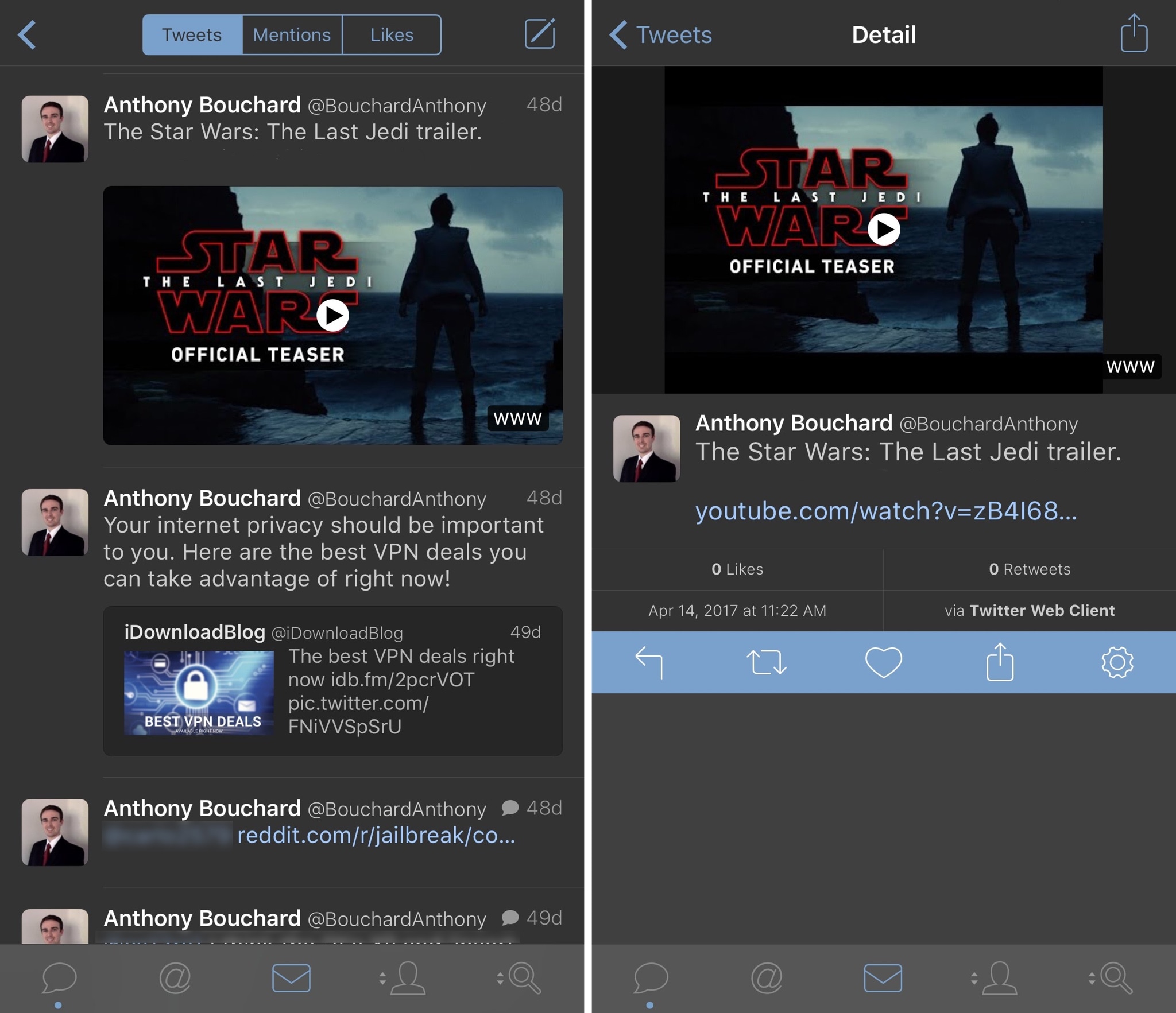
iPhones have come equipped with Near Field Communication (NFC) technology since the iPhone 6 launched in 2014. NFC's primary use in the iPhone is for Apple Pay and allows contactless payments via supported merchants at the point of sale.

On the other hand, well-known jailbreak developer Elias Limneos was tinkering with iPhone NFC on his spare time and managed to hack it to work in ways that are typically locked off by Apple out of the box.

Facebook signs video deals with Electronic Sports League and Major League Baseball

Facebook has signed major deals with Electronic Sports League (ESL) and Major League Baseball (MLB), bringing fans of eSports and baseball both live and on-demand content in its ongoing streaming video push.

The Wall Street Journal reported Friday that the social network is paying professional video game teams and others in the eSports industry to broadcast on its service.

Earlier this year, Facebook signed contracts with five teams to publish live and on-demand video of players practicing or competing in such games as StarCraft II, Counter-Strike, League of Legends and Overwatch.

ESL said in a blog post announcing the deal that its official Facebook page will soon stream all IEM and ESL One events in up to six different languages along with select national championship and online leagues. Viewers will be able to post comments, highlight up and coming players and more via an exclusive new weekly show on Facebook.

In addition to the 30 hours of weekly Rank S streaming, there'll be a weekly 30-minute hosted by Mark “Boq” Wilson, focused on Rank S and the current happenings in ESEA and CS:GO.

These broadcasts will start next month with Rank S matches.

Down the line, they'll host video interviews with the famous players, competition commentary and more. ESL broadcasts competitions on Twitch and YouTube, too.

You can find the ESEA announcement on their website.

As mentioned earlier, Facebook also cut a major deal with MLB that will result in 20 live-streamed Friday night MLB games via MLB's Facebook page during the 2017 season. US-based Facebook users will be able to stream the games for free. The first game is scheduled to broadcast tonight, Friday, May 19, with the Colorado Rockies and Cincinnati Reds facing off.