Video

CamMode adds a mode-switching HUD to the Camera app

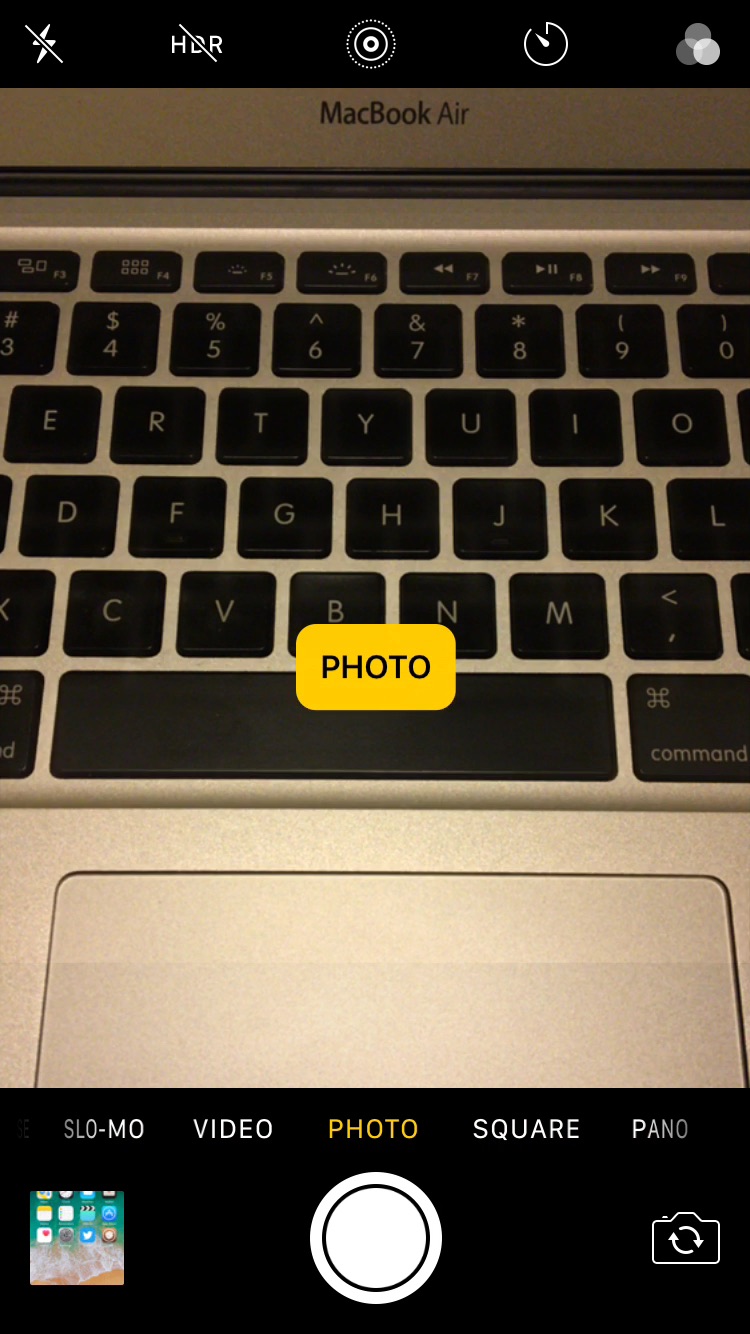
The Camera app in iOS has a host of different shooting modes that you can switch between by swiping left or right in the viewfinder frame.

The carousel selector just under the frame displays the shooting mode you’re currently using, but iOS could do a much better job communicating this information with the user, especially in the wake of accidental swipes. Developer Cole Cabral agreed, and so he made a new free jailbreak tweak called CamMode.

Facebook bankrolling creation of its own video series, due later this year

Facebook has been hosting user-uploaded videos for a few years now, but the uploaded clips haven't generated enough advertising revenue to treat the social network as a primary distribution outlet for premium video entertainment.

To revert that trend, Facebook has started to bankroll the creation of its own video series that'll appear later this year via a new Video tab (also called Spotlight) that hasn’t been released yet.

A second tab is also in the works, devoted to the “more high-end programming”.

To help boost the initiative, the company has hired Ricky Van Veen, co-founder of comedy site College Humor, Netflix executive Sarah Madigan to acquire video programs and former MTV executive Mina Lefevre to oversee the development of new shows.

According to Bloomberg, the company “is closing deals” for its first batch of shows, including reality competition series “Last State Standing” and a second season of comedy “Loosely Exactly Nicole,” which first appeared on MTV.

Plus, the company is said to fund some exclusive “hero” shows with six-figure budgets: it's reportedly willing to spend a couple hundred thousand dollars per episode.

An excerpt from the report:

Facebook is funding two kinds of programs -- a handful of more expensive series from established TV producers that will take a few months to produce (hero shows, they are called) and a bunch of shorter, cheaper videos from publishers like Vox Media Inc. and BuzzFeed Inc. (called spotlight shows). All shows will be episodic and designed to spur conversation among Facebook users.

Facebook is giving publishers a minimum guarantee of $10,000 to $20,000 per spotlight show episode. After Facebook's exclusive rights end, the videos can be made available elsewhere. The company will share ad revenue with the publishers, who can start to sell their own advertisements “after a brief period”.

Rather than compete directly with paid services like Netflix, HBO and Showtime, Facebook is targeting cable networks and ad-driven online services with young viewers in an effort to grab a slice of the massive $70 billion TV advertising market pie.

As per The Wall Street Journal, Facebook is paying pro video game teams and others in the eSports industry to broadcast on its service. The hope for Facebook is that funding video will prompt production firms and studios to upload premium video that could be monetized.

But make no mistake, Facebook's end game is to “eclipse TV,” according to Matthew Segal, chief executive officer of ATTN, a digital media company that publishes video to Facebook.

“Not only do nearly 100 percent of people under 35 have an account, but they are spending over 1,000 minutes a month on Facebook,” said ATTN’s Segal.

Apple, too, is setting its sights on original video programming.

Earlier today, news broke that Sony Pictures Television presidents Zack Van Amburg and Jamie Erlicht are joining Apple to help accelerate its push into original programming. Earlier this month, Apple began airing “Planet of the Apps” to all Apple Music members via the Music app's new TV & Movies section found under the Browse tab.

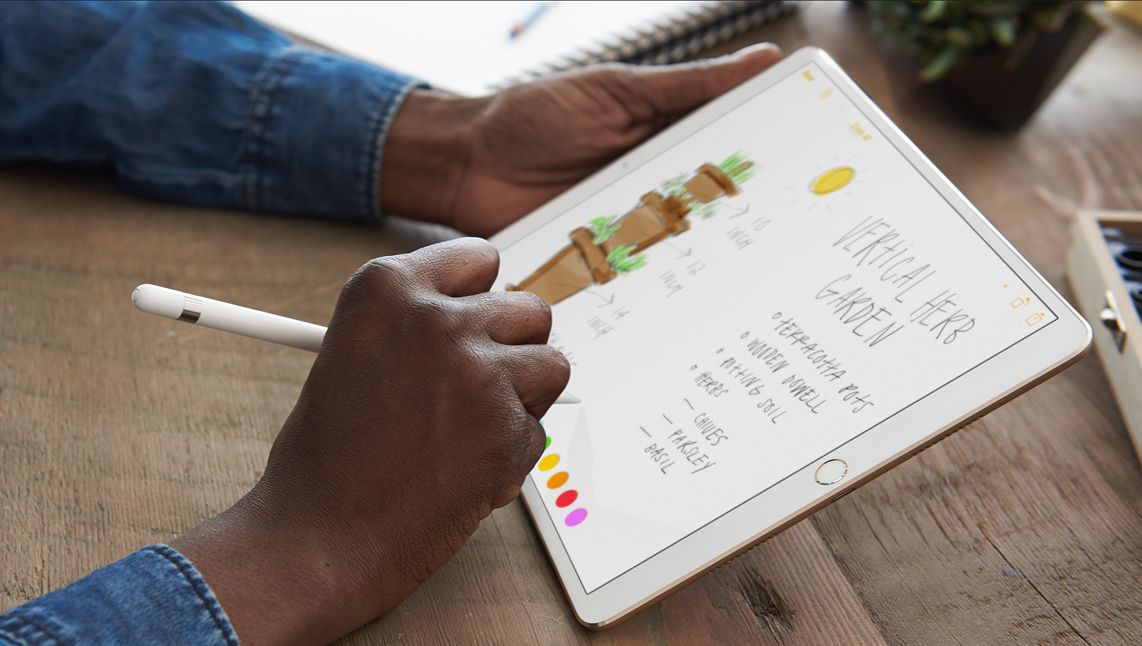
Hands-on with 10.5″ and 12.9″ iPad Pro: unboxing and first impressions

Introduced at Apple's Worldwide Developers Conference last week, Apple's new 10.5-inch iPad Pro model and a second-generation 12.9-inch iPad Pro are now both available for purchase via company-owned retail stores around the world.

Our video reviewer Andrew O'Hara has managed to get his hands on these pro tablets. His hands-on video takes you through  some of the headlining new features like the super bright, less reflective display with ProMotion technology at an insane 120Hz refresh rate and more.

Watch Andrew's video embedded below.

https://www.youtube.com/watch?v=5mj2Oy-seGI

Subscribe to iDownloadBlog on YouTube

If you're wondering about the brand of knife Andrew is using to cut through the cellophane, it's the Kershaw Reverb lightweight pocket knife (it's pretty cheap on Amazon).

According to iFixit's teardown analysis, the new 10.5-inch iPad Pro model has four gigabytes of RAM, just like the original 12.9-inch iPad Pro model, which enables smoother multitasking.

The cameras on both new iPads are the same as those found on the iPhone 7 series (sans dual lenses and Portrait depth-of-field mode), meaning you're getting photography features like 12 megapixel photos, 4K video capture and more.

Other capabilities of these new tablets that are worth mentioning include a faster Touch ID authentication, Apple's A10X Fusion chip with 30 percent faster CPU and 40 percent faster GPU performance than the previous generation, plus much more.

The real story, of course, is iOS 11 which turns these new iPads into productivity powerhouses with such features as a dynamic Dock, a new app switcher, drag and drop, improved multitasking and more. Unfortunately, iOS 11 is currently being beta-tested and it won't release for public consumption before the fall.

Are you liking these new iPads?

Let us know in the comment section below.

Hands-on with Apple’s new leather case for Apple Pencil that prevents rolling and broken tips

You know how Apple Pencil is weighted to prevent rolling and how it always stops rolling with the word “Pencil” facing upward on its metal band? Well, Apple's attention attention to detail doesn't stop at the stylus.

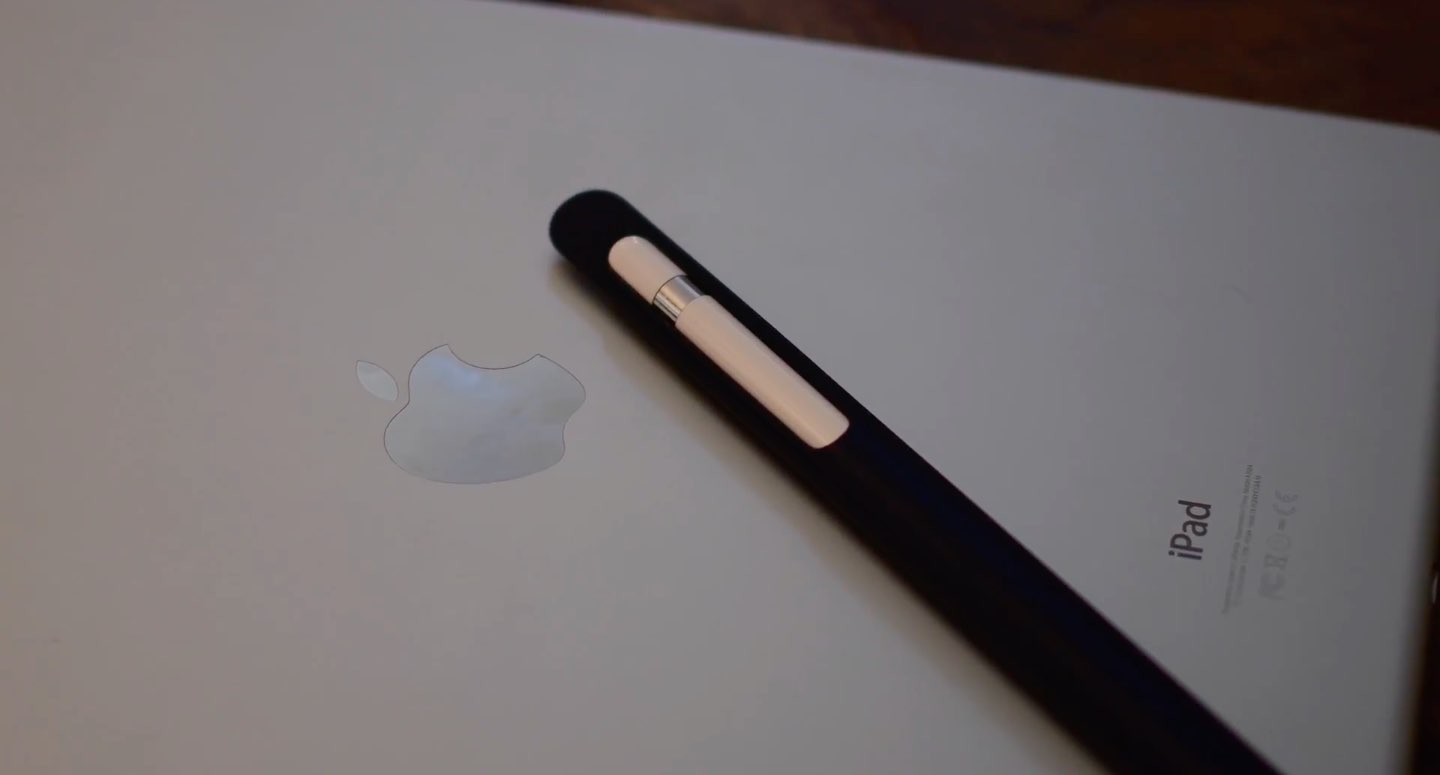
Today, we have Apple's brand new leather case for Apple Pencil put through its paces by our resident video editor Andrew O'Hara. In his hands-on video, Andrew finds that the case has been designed to prevent rolling and broken tips.

And while you can put your stylus with the bottom part in first, it won't be stuck inside the case because the body is soft: you just squeeze it down the tube until it comes out.

And here it is.

https://www.youtube.com/watch?v=HlaVSLN4bgc

Subscribe to iDownloadBlog on YouTube.

“This simple leather secures the cap, prevents it from rolling off your desk, and keeps the tip from being damaged,” says Andrew in the video.

Apple's case for Apple Pencil is available in Saddle Brown, Taupe, Midnight Blue and Black finishes. Priced at $29 a pop and currently shipping in 1-2 weeks, it can be grabbed from Apple's web store. The price is a bit on the high-side, but then again—this isn't an ordinary, sloppily designed stylus case.

Apple’s latest ‘Shot on iPhone’ ad features powerful narration by famous cosmologist Carl Sagan

Apple on Thursday via its official YouTube channel shared a new commercial as part of its ongoing “Shot on iPhone” campaign. Titled “Earth”, the video is narrated by late Carl Sagan who reads a poignant excerpt from his 1994 book.

It's a beautiful tribute to Earth following the US exit from the Paris accord.

The ad aired in front of a big TV audience watching the NBA finals, said AdWeek. The chosen passages from Sagan's book are set to videos of natural landscapes, shot by everyday Apple users on their iPhones.

Here are Sagan’s words, culled from a longer passage in the book:

The Earth is a very small stage in a vast cosmic arena. In our obscurity, in all this vastness, there is no hint that help will come from elsewhere to save us from ourselves. The Earth is the only world known so far to harbor life. There is no where else, at least in the near future, to which our species could migrate.

Like it or not, for the moment the Earth is where we make our stand. It underscores our responsibility to deal more kindly with one another and to preserve and cherish the only home we've ever known.

And here is the spot.

https://www.youtube.com/watch?v=YpUa7YvhUJo

“Our only home. Shot on iPhone through the lens of everyday users,” says Apple.

The video's description is accompanied by the hashtags #OurOnlyHome and #ShotoniPhone.

As mentioned, the narration is from Carl Sagan and Ann Druyan's book, titled “Pale Blue Dot — A Vision of the Human Future in Space,” available on iBooks Store for $14.99.

How do you like Apple's subtle dig at climate change deniers?

Hands-on with iOS 11’s highly customizable Control Center

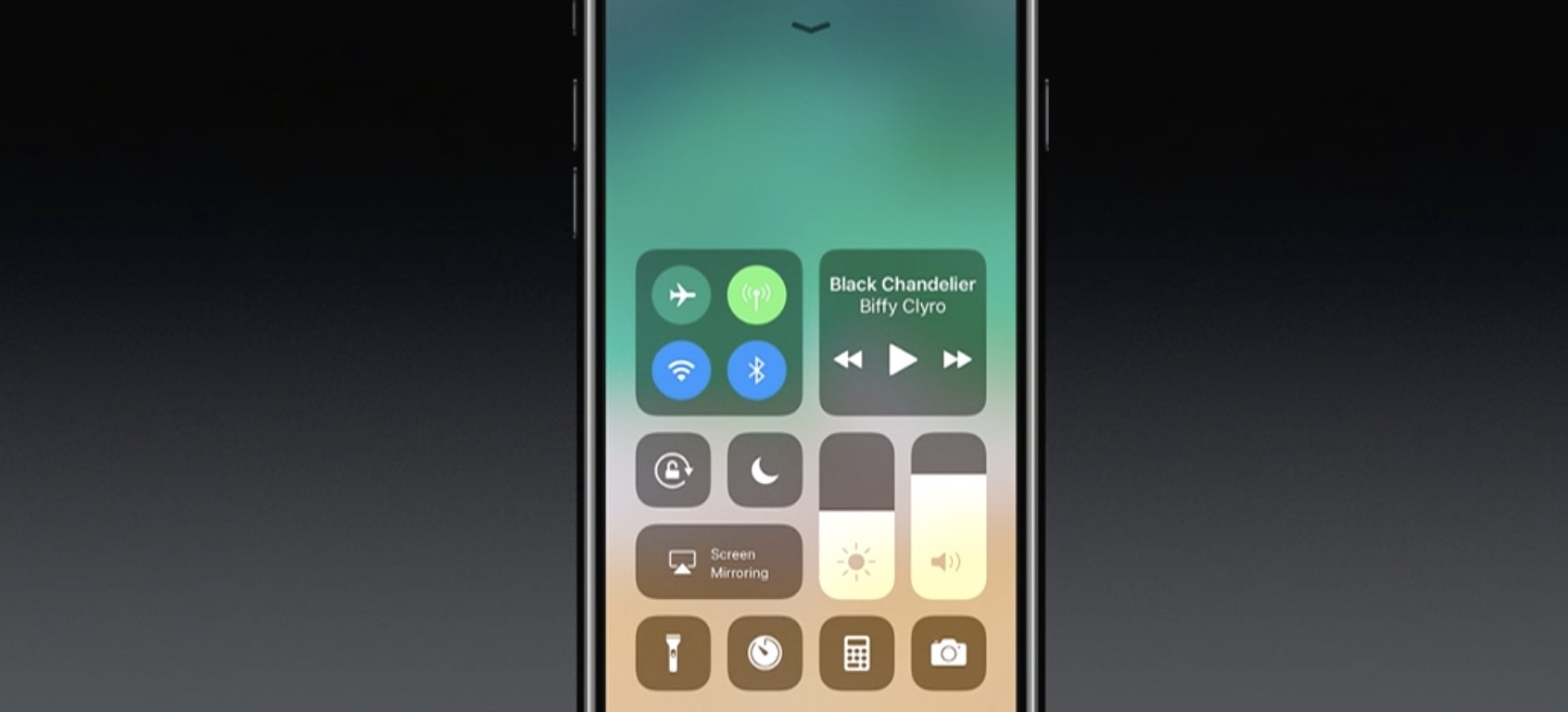
A completely redesigned Control Center is one of the hallmarks of iOS 11. Having ditched card-based layout spanning multiple pages, Control Center has adopted a single-page design. Control Center on iOS 11 is realized as a full-screen scrollable overlay, a design that has allowed Apple to put many more useful controls at your fingertips than ever before.

It is highly customizable, too: you get to choose what appears in your Control Center!

For instance, you could opt for a pedestrian Control Center with a handful of the most commonly used shortcuts, like on iOS 10, or create a fully loaded Control Center that may contain as many as 18 additional toggles. Apple currently does not provide Control Center APIs, meaning third-party apps cannot ship their own Control Center toggles, for now.

iOS 11 Control Center highlights:

Control Center is more condensed You no longer have to swipe your way through multiple cards Everything is on a single, vertically scrollable page iOS 11 has eighteen additional toggles for Control Center You decide which toggles appear in your Control Center

Like before, Control Center is invoked by swiping up from the bottom of the screen.

A fully loaded Control Center on iOS 11.

As you can see for yourself, Control Center on iOS 11 is more condensed than before.

The refreshed design allows you to quickly toggle various settings on a single screen, no swiping between pages required whatsoever.

Additional toggles for Control Center can be added and re-ordered in Settings.

The entire Control Center can be scrolled vertically to reveal any controls that may not fit on a single page. To dismiss Control Center, swipe down or press the Home button.

To stop Control Center from appearing on your Lock screen for security reasons, slide the Control Center switch in Settings → Touch ID & Passcode to the OFF position. All in all, iOS 11's Control Center is completely different than it was before—and it's a change for the better.

To help you get quickly up to speed with everything Control Center on iOS 11 has to offer, we asked our prolific video editor Andrew O'Hara to put together a quick video walkthrough.

Watch his clip below, then read the rest of the article for additional information on other new features for Control Center on iOS 11.

https://www.youtube.com/watch?v=UGWjmt6UXJI

Subscribe to iDownloadBlog on YouTube

Many of Apple's own apps on iOS 11 include their own controls for Control Center.

Notes, for example, provides Control Center shortcuts for creating a new note, checklist, photo or sketch. Clock includes Control Center options for creating alarms and timers, and so forth.

Some of the most useful Control Center shortcuts let you quickly access iOS 11's new screen recording feature, set the Dynamic Text size, control your Apple TV without needing to launch Apple's Remote app and much, much more.

The following set of controls can be added to Control Center at any time:

Accessibility Shortcuts Alarm Apple TV Remote Calculator Camera Do Not Disturb While Driving Flashlight Guided Access Home Low Power Mode Magnifier Notes Screen Recording Stopwatch Text Size Timer Voice Memos Wallet

You can add these toggles to, or remove them from Control Center at any time, in Settings. To rearrange the order in which they appear, drag their handles around.

Keep in mind that these expanded Control Center controls are in addition to the standard toggles, some of which now come with additional switches and options.

The non-removable Control Center items include:

Network—Airplane Mode, Cellular Data, Wi-Fi, Bluetooth, AirDrop and Personal Hotspot. Now Playing—See what's playing, adjust playback volume, control speakers with multi-room support via AirPlay 2, scrub through your media, play or pause a song or go to the previous/next song. Brightness—Adjust the screen brightness, turn Night Shift on or off. Volume—Control your audio volume. Orientation Lock—Toggle Orientation Lock on or off. Night Shift—Toggle Night Shift on or off. AirPlay—Mirror the device's screen on your TV, select an AirPlay device.

As mentioned, these controls are persistent and cannot be removed from Control Center.

Some of the built-in controls will be familiar to you, but many will not.

That said, you're wholeheartedly encouraged to try pressing each toggle with 3D Touch to reveal additional options. For instance, pressing the Network control with 3D Touch expands it so you can choose additional controls, like Personal Hotspot and AirDrop switches.

Similarly, pressing the Now Playing reveals the scrubber and the volume slider. Unfortunately, if your device lacks 3D Touch you won't be able to access any of the additional options for Control Center toggles that provide them.

Apple could tweak Control Center's design as we get closer to iOS 11's release this fall.

While we're not expecting drastic changes in subsequent iOS 11 betas, Apple would be wise to add the ability to drag the toggles inside Control Center to rearrange them.

Bottom line: even in its current form, Control Center is now way more useful than it's ever been.

Everyone will have a chance to appreciate iOS 11's condensed, highly customizable Control Center as soon as iOS 11 releases for public consumption this fall.

iOS 11 is compatible with all 64-bit iPhone, iPad and iPod touch devices.

Share your thoughts on iOS 11's redesigned Control Center by posting a comment below.

Hands-on with iOS 11’s overhauled Podcasts app

Apple's stock Podcasts app has undergone some visual changes in iOS 11. Functionally, a few things have moved around and some new features have been added.

For example, the Unplayed, My Podcasts, Featured, Top Charts and Search tabs lined up alongside the bottom of the interface have been replaced with a new and simpler tab layout: Listen Now, Library, Browse and Search.

Our resident video editor Andrew O'Hara has put together a quick video for you guys to see for yourselves Apple's new design for the Podcasts app on iOS 11.

Watch Andrew's video right below, then meet us in comments.

https://www.youtube.com/watch?v=LFsAlcnlmSo

Subscribe to iDownloadBlog on YouTube

The Listen Now tab combines podcasts you're subscribed to (previously in the My Podcasts tab), recently played episodes (previously in the Unplayed tab) and shows other people like.

Under the new Library tab, you can easily browse all of the audio and video shows you're subscribed to, as well as individual podcast episodes, ones that have been download to the device and the recently updated episodes of any shows you're following.

The Browse tab is your storefront to the Podcasts section on iTunes.

There, you can swipe through featured podcasts Apple's editors highlight at the top, access the full Featured section, see charts-topping audio and video shows, access the list of major podcast providers and browse all podcasts by category.

The Search tab now lets you choose between searching across podcasts in your library or all shows on iTunes. As evidenced by the screenshots, the redesigned app has adopted a bold font with much bolder headings and other visual cues borrowed from Apple Music on iOS 10.

Another feature iOS 11's Podcasts app has borrowed from Apple Music is a completely revamped mini-player that can be now pressed with 3D Touch to access quick shortcuts pertaining to the currently playing episode.

Other tidbits worth mentioning include larger artwork and other visual tweaks to match the look and feel of other apps inside of iOS 11, as shown on the screenshot top of post. The official Podcasts widget has remained unchanged.

For those wondering, Apple still does not provide Podcasts for Apple Watch.

How do you like these Podcasts app changes on iOS 11?

Let us know by posting a comment below.

Video: Top 6 WWDC 2017 announcements

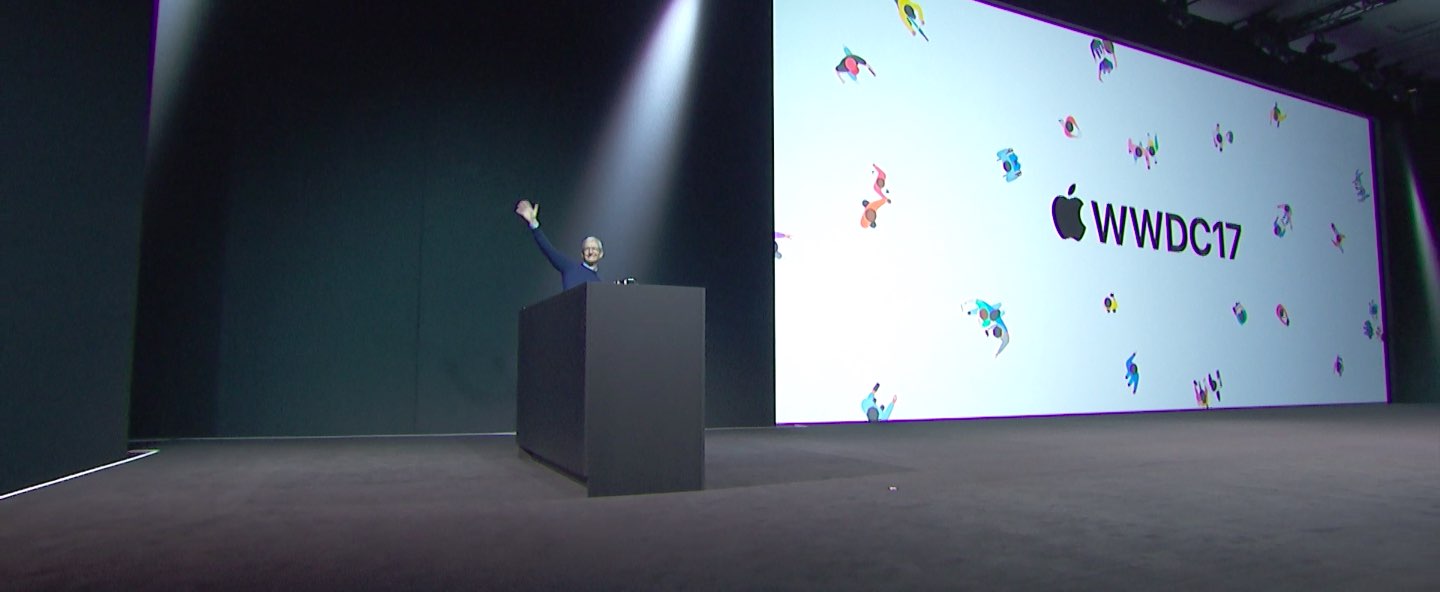
Apple had a pretty big day at yesterday's Worldwide Developers Conference in San Jose, revealing a bunch of new or updated products and technologies that have set the stage for other important hardware announcements this fall.

If you didn't have the time to sit through the entire keynote talk and are wondering about the big takeaways, our video editor Andrew O'Hara has put together a short five-minute video highlighting the top six announcements Apple made during the WWDC 2017 keynote.

Andrew's main topics of interest include:

tvOS 11 with Amazon's Prime video-streaming app coming to Apple TV watchOS 11 with all the major improvements for workouts, notifications and more macOS High Sierra and core technologies aimed at AR/VR content creation iOS 11 with all of the improvements for your iPhone and iPad iPad Pro and iMac Pro changes and enhancements HomePod, Apple's high-end Siri-enabled speaker with hi-fi sound

And here's the video:

https://www.youtube.com/watch?v=QQBulSRR9Fc

Subscribe to iDownloadBlog on YouTube

What's your favorite WWDC 2017 announcement so far?

Post a comment below to let us know!

Roundup: first impression of Apple’s new 10.5-inch iPad Pro

One of the few new hardware announcements Apple made on stage during its WWDC keynote is the new 10.5-inch iPad Pro model. It's essentially a refreshed version of the 9.7-inch iPad Pro, with a slightly larger display panel sitting between thinner bezels.

As usual, Apple allowed members of the press to go hands-on with the new tablet after its keynote event. And as usual, we've put together a roundup of some of their videos to give you a good idea of what to expect before deciding whether or not to purchase it.

The Verge

https://www.youtube.com/watch?v=c-L7Eu89r34

CNET

https://www.youtube.com/watch?v=qDmONcSS83k

SlashGear

https://www.youtube.com/watch?v=8qgECMZ2ZPE

TechCrunch

https://www.youtube.com/watch?v=jJyjFmV4bSU

The 10.5-inch iPad Pro (and updated 12.9-inch model) goes on sale next week, starting at $650. Unfortunately, a lot of the new iOS 11 features you see demoed in the above videos will not be available until iOS 11 launches to the public sometime later this year.

Here come the first ads for Apple’s new iPad Pro

With the new 10.5-inch iPad Pro now official, Apple posted a pair of brand new ads on its official YouTube channel as part of its ongoing “Real problems…answered” campaign. Titled “So many things to love” and “A whole new kind of computer,” the videos are running 16 seconds long each and position the new 10.5-inch iPad Pro as a viable alternative to your computer.

With drag-and-drop, a new Files app, an enhanced Dock and other productivity-centric iPad features on iOS 11, plus an improved Apple Pencil hardware and stylus support, your iPad will indeed become more powerful than ever before.

Like before, the new videos are based on real tweets from real people.

“So many things to love”

“You could do everything you love, if your computer was the new iPad Pro.”

https://www.youtube.com/watch?v=fKk4BUfrYp8

The video is based on this tweet by user @yagirlgeorgie.

“A whole new kind of computer”

“ You could work in a whole new way, if your computer was the new iPad Pro.”

https://www.youtube.com/watch?v=1wENU092DDc

The clip is based on this tweet by user @ryandrake.

Don't forget to watch other WWDC videos Apple posted today, highlighting its all-new iMac Pro model, a Siri-driven smart speaker, called HomePod, and iOS 11's upcoming productivit-enahncing features on the new 10.5-inch iPad Pro model.

Now watch Apple’s WWDC videos promoting HomePod speaker, 10.5″ iPad Pro & iMac Pro

With the WWDC keynote wrapped up, Apple has now posted latest product introduction videos to its official YouTube channel, including one aptly titled “Apocalypse” that highlights the importance of mobile apps (it was played as an opening intro for WWDC attendees).

Some of the hardware products and updates announced today are available immediately, like the refreshed Mac desktops and notebooks, while others will arrive later in the year, like the firm's Siri-powered smart speaker, called HomePod, and the new iMac Pro.

Apocalypse

“Ever wonder what life would be like if all our apps suddenly disappeared? Enter the Apocalypse,” reads the videos description.

https://www.youtube.com/watch?v=FC0pT9xg1oI

Song: “All Right” by Christopher Cross

Introducing HomePod

“Immersive hi-fi audio. All the music you love. And the intelligence of Siri. Welcome HomePod.”

https://www.youtube.com/watch?v=1hw9skL-IXc

As we told you, HomePod will be available beginning this December. To learn more about Apple's Siri-enabled smart speaker with HomeKit support and more, visit apple.com/homepod.

The New iPad Pro—On Any Given Wednesday

“With the world's most advanced display, the powerful A10X Fusion chip, and a new 10.5-inch model, the new iPad Pro is everything you want modern computing to be.”

https://www.youtube.com/watch?v=UR5ODc5Wbbo

Productivity-enhancing OS 11 features shown in the video will be available this fall.

To learn more about what the new 10.5-inch iPad Pro has to offer check out my colleague Cody's write-up, then visit apple.com/ipad-pro.

iMac Pro—Power to the Pro

“Packed with powerful technologies for the creative professional. The new iMac Pro. Power to the pro.”

https://www.youtube.com/watch?v=XPIrnAcmCSk

To learn more about the upcoming iMac Pro, visit apple.com/imac-pro.

SaveBot lets you save videos from your timeline in Tweetbot

A good chunk of Twitter users use Tweetbot instead of the stock Twitter app because it has a unique appearance and a bevy of useful features. Nevertheless, some would say it could be better.

A new free jailbreak tweak called SaveBot by iOS developer iTheGentle expands upon Tweetbot’s functionality by empowering users with the ability to save videos directly from their timelines.