Video

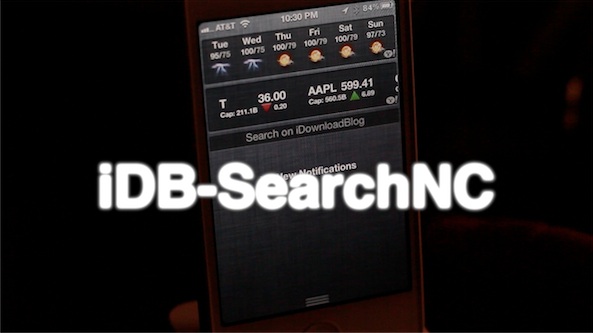
How to easily search iDB directly from Notification Center

iDB-SearchNC is a new jailbreak widget that allows you to easily search the contents of iDownloadBlog directly from Notification Center. That's right, all of Christian's in-depth reporting, countless witty one-liners from Cody, and all of Sebastien's reviews and giveaways, right from the convenience of Notification Center.

We know, it almost sounds too good to be true, but alas, it is. Take a look inside as we give iDB-Search NC the proper video walkthrough...

How to add animations to the Lock screen, Home screen, and Notification Center

Are you looking to take Lock screen boot logo animations to the next level? If so, then AnimateAll is a new tweak that's worthy of your attention.

AnimateAll is a follow-up (an actual outright replacement) to a tweak that we covered in the past called AnimateLockscreen. The prior tweak only allowed you to add boot logo animations to your Lock screen, while AnimateAll goes the extra mile and adds the Home screen and Notification Center into the mix as well.

Steve Jobs: The Lost Interview now available in iTunes

Late last year, some forgotten footage of a Steve Jobs interview from 1996 was discovered in the garage of a TV director. The tape featured an epic 70 minute conversation between Jobs and Robert Clingely.

The recovered interview ended up garnering so much interest, that it actually made it into theaters all across the U.S. But don't worry, if you didn't get a chance to see the film, you can now rent it in iTunes...

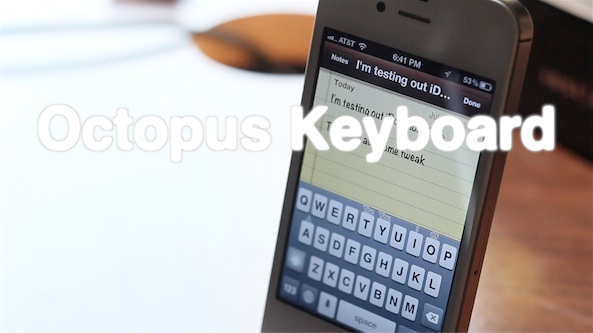
Octopus Keyboard now available on Cydia

Ladies and gentlemen, it's here. After much anticipation, Octopus Keyboard is now available on Cydia.

As we first previewed a couple of months ago, Octopus Keyboard imitates the BlackBerry 10 keyboard on iOS. Be sure to check out our video walkthrough for a high level synopsis of how it works.

Once you've done that, head over to Cydia, and add the necessary repo to download Octopus Keyboard now. Or you can wait a while for it to appear on Cydia's default BigBoss repo.

Check inside for our hands-on video walkthrough of the final version of Octopus Keyboard...

Thor automatically enables Wi-Fi when launching specific apps

Thor is a recently released jailbreak tweak that will enable your device's Wi-Fi connection whenever a certain app is launched. The settings panel for Thor includes around a dozen different apps like Tweetbot, Cydia, App Store, Safari, YouTube, etc.

If your Wi-Fi connection is disabled, and you have Tweetbot enabled in Thor's settings, the Wi-Fi connection will automatically enable whenever you launch Tweetbot, or any other app you have enabled in Thor's settings panel.

Take a look at our video demonstration inside for a brief walkthrough...

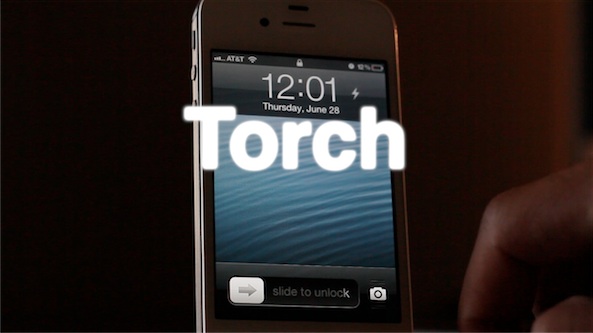
‘Torch’ is a new flashlight toggle for your iPhone’s Lock screen

Whenever you find yourself in a dark place, chances are you don't have a flashlight on your person, but you do have an iPhone. For that reason, it's a good idea to install a jailbreak tweak that allows you to easily use the iPhone's built in LED flash as a flashlight.

There are already a handful of decent flashlight tweaks available on Cydia, but this latest one called Torch is one of the better implementations. Torch is a tweak that places an easily accessible flashlight button on your Lock screen that will enable or disable the LED flash.

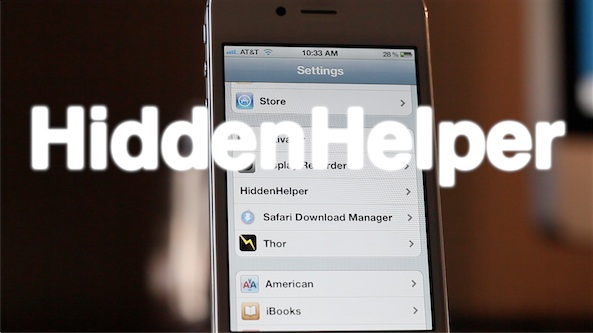
HiddenHelper allows you to use Siri while hiding the UI

HiddenHelper is a jailbreak tweak that's the public successor to the GhostSiri concept tweak that we posted about a while back. HiddenHelper, like GhostSiri, aims to accomplish the same deed — allow you to use Siri without actually bringing up the Siri UI.

Where HiddenHelper one-ups GhostSiri is in the options department. In HiddenHelper's settings panel, you'll notice provisions for enabling certain Siri snippets where a UI is necessary to receive proper response; Wolfram Alpha queries are a great example of this.

Check out our full video walkthrough for the details...

Speero is an upcoming system management tweak for the iPad

Speero is an upcoming jailbreak tweak for the iPad that places a system management utility at your fingertips by means of an Activator action.

Once Speero is invoked using Activator, you can manage apps, execute toggles, launch apps, and perform specific Activator actions from a list of up to 20 programmable actions.

There's even a provision built in for further plugins to expand upon the premise of the tweak. If you've been looking for a decent system management tweak, then you may want to give Speero a look...

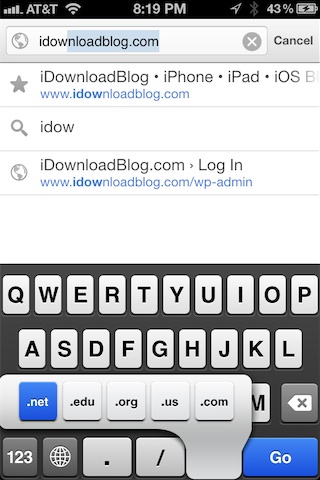
ChromeURL allows you to use the standard web keyboard with Google Chrome

One of the few big complaints about Google Chrome is the fact that Google inexplicably left out TLD (top level domain) keyboard shortcuts in favor of their own custom keyboard layout.

In mobile Safari, these shortcuts allow you to tap and hold the ".com" button to bring up an alternate list of TLDs like .org, .net, etc. On Chrome, however, Google opted for a different styled keyboard that lacks these shortcuts.

As usual, the jailbreak community has come to the rescue with a fix — this one in near record time. The fix is called ChromeURL, and it's a free jailbreak tweak downloadable from Cydia's BigBoss repo. Its purpose is to perform one function, and one function only — replace the Chrome keyboard with the same keyboard present in the stock mobile Safari browser...

Chromizer adds full screen mode, pull to refresh, and better tab switching to Google Chrome on iOS

Chromizer is a free jailbreak tweak that will be available tomorrow on Cydia. Its purpose, as its name not-so-subtly alludes to, is to add additional functionality to the recently released Google Chrome browser for iOS.

A tweak that's compatibile with both the iPhone and iPad, Chromizer seeks to add a few missing features to the browser's otherwise excellent stock feature set. For its initial release, Chromizer focuses on adding three new functions to the iPad: Pull to Refresh, full screen mode, and iPhone styled tab switching. For the iPhone, you'll get the full screen mode and pull to refresh, since it already has the tab switching area covered.

Is Chromizer a tweak that you should consider if you have a jailbroken iOS device, and Google Chrome is your browser of choice? Check inside for the answer...

How to easily use bookmarklets in Google Chrome for iOS

A few minutes ago John Gruber tweeted about the lack of bookmarklet support in Chrome for iOS. I responded to him stating that support is indeed there, it just wasn't as straightforward as it is on Safari.

To tell the truth, I too thought that bookmarklets, or the lack thereof, was simply a medium sized oversight made by Google; after all, such things are instrumental when it comes to using tools like LastPass, Instapaper, etc.

After some tinkering around, however, I was able to confirm that bookmarklet support is indeed included in the version of Chrome that shipped a few days ago. In fact, using them is a fairly straightforward exercise. Check inside for the full how-to...

Celebrating our 1,000th video

Late last night I had the privilege of posting our 1,000th YouTube video. I've been creating videos for iDownloadBlog for almost two years now, and it's been an insanely rewarding and invigorating journey.

Oddly enough, doing video walkthroughs started off as just a test, something to spice things up every now and then at most. I never had the intentions of doing this to any great degree, let alone full time. To tell the truth, it was your kind feedback and helpful suggestions that made me want to keep going.

Of course, we started off small in our endeavors. In fact, some of the earliest creations were downright terrible in my opinion, both from a image quality and sound perpective. Despite these early hiccups, you, the viewers, have stuck with us from the beginning until now, and for that we want to thank you.

To celebrate video number 1,000, I've put together a special montage of some of my favorite moments from the last year and a half. Granted, this represents only a smidgen of what I'd like to share, but due to time I had to be realistic and limit the amount of content included.

What's been your favorite video moment thus far? We invite you inside to watch and to share your thoughts...