Video

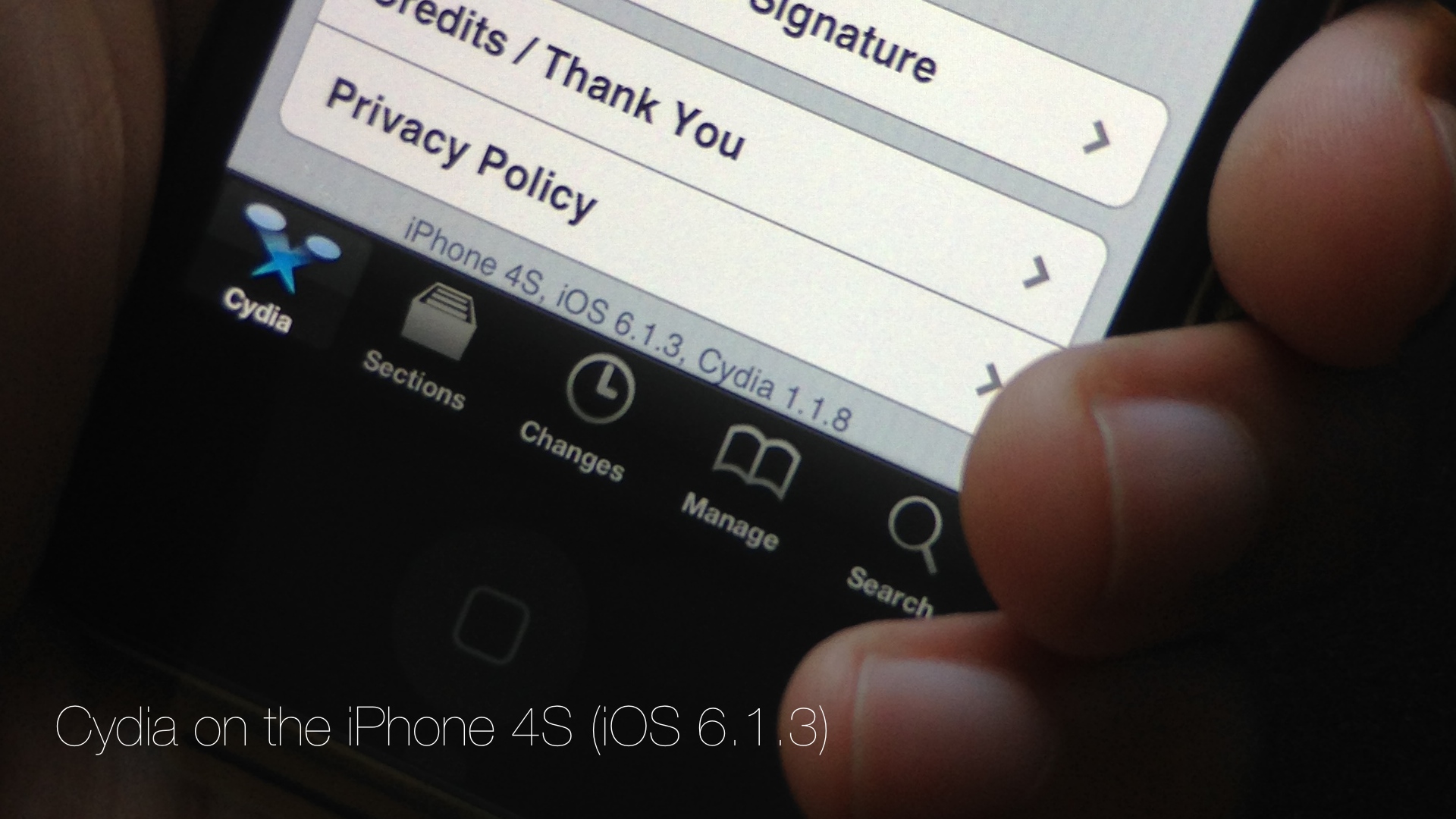
Cydia is installed on my iPhone 4S running iOS 6.1.3

Developer @winocm has been pretty vocal as of late about his intentions to eventually release a jailbreak for iOS 6.1.3 and iOS 6.1.4 devices. Although we generally take such claims with a heaping helping on my favorite seasoning, winocm is, from what I've been able to gather, a respectable member of the jailbreak community.

After all, this is the same developer that worked on an iOS 6.x downgrade, the jailbreak tweak Accentify, and has had various other contributions to the community. Needless to say, when he announced that he had an untether binary that still needed a bit of work, my ears perked up.

A few days ago, winocm reached out to iDB about his progress on the jailbreak. Although the project is still knee deep in its development phase, he did allow us to go hands on with some of his work. Today, with the help of winocm, I was able to install Cydia on my iPhone 4S running 6.1.3. If we're ever going to see a proper tool released for the iOS 6.1.3 jailbreak, he just could be the developer to do so.

Yes, we have video of Cydia running on my iPhone 4S, and yes it's legit. Although he has asked us not to speak about the process involved in getting a working Cydia on my 4S, I was there and watched him perform the process from start to finish. In other words, I can vouch for the Cydia install, and I can certainly vouch for video's legitimacy. Have a look...
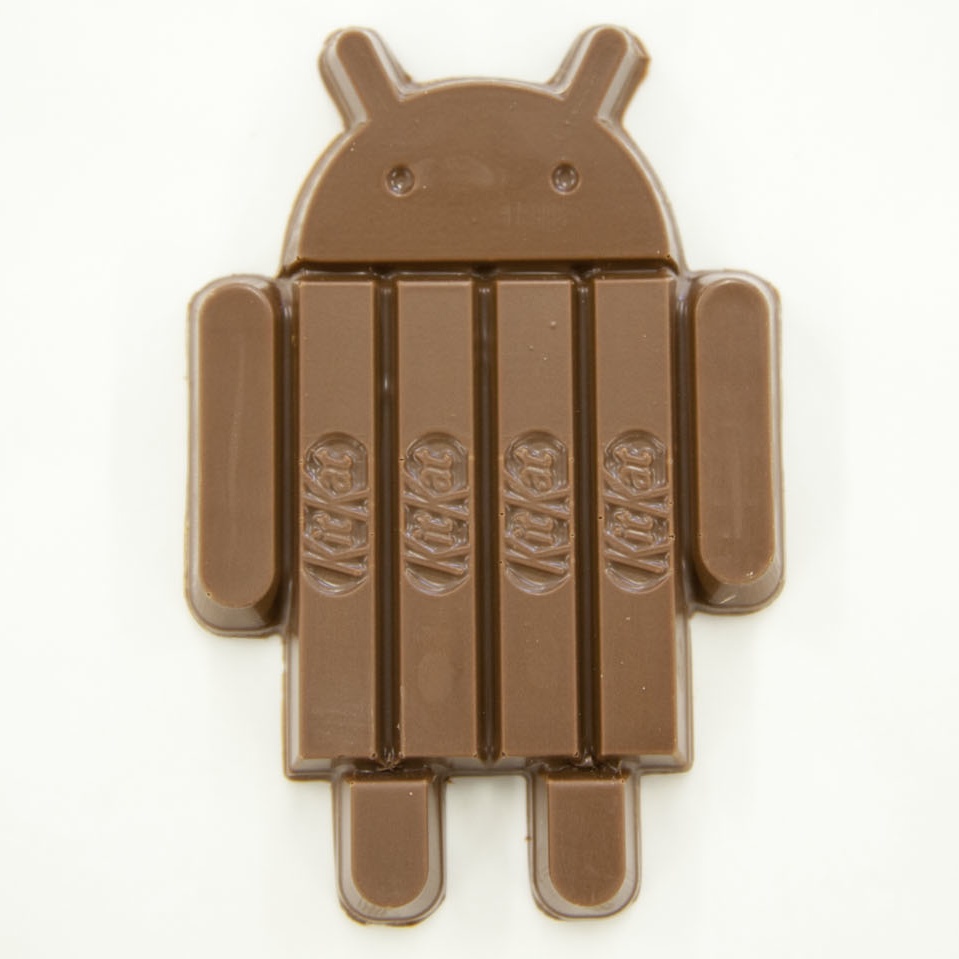
KitKat pokes fun of Apple’s design prowess

You've likely learned by now about this morning's surprise Google announcement, clearly conceived as a novel way of busting up Apple's news and diverting attention from the brightening of your day.

I'm talking about the upcoming Android version 4.4, code-named KitKat after the famous chocolate-covered wafer biscuit which has apparently "been a favorite candy" on the Android team.

The though process behind the delicious partnership has now unravelled itself in a cringeworthy KitKat clip.

Not only does it spoof Apple's elaborate product videos, it does so by ridiculing the way Jony Ive and his industrial design team go about agonizing over the minutiae. Wait, a confectionery maker is parodying Apple's presentation mojo? What has this world come to?

Alleged red iPhone 5C running Safari shown off in blurry video

This past weekend, a set of blurry photographs sourced from China claimed to have showed us the plastic iPhone 5C packaging along with color-matched wallpapers and the Quick Start manual.

As we approach Apple's September 10 reveal, a suspicious looking video has now surfaced online showing what looks to be Apple's plastic iPhone running the Safari browser.

Needles to say, the clip is making rounds and has already prompted a pretty heated exchange among the Apple watchers, have a look below...

Celeste 2 brings much improved Bluetooth file sharing to iOS

The CocoaNuts' original release of Celeste went down as one of the most hyped jailbreak apps in the history of jailbreaking. The fanfare of the release seem to rival some of the more prominent apps to appear on the App Store at the time.

I remember waiting up until 3:00 AM in anticipation of Celeste. It never lived up to the astronomical amount of hype it generated, but it was a decent app, if not a little buggy and complicated to use.

The sequel to Celeste, simply entitled Celeste 2, is a vast improvement over its predecessor. Whereas the original Celeste never quite lived up to its claim to bring simple Bluetooth sharing to iOS, Celeste 2, for the most part, just works.

The purpose of the app is to allow users to transfer files between compatible Bluetooth devices. These devices can include a fellow iOS device such as an iPhone, iPod touch, or iPad. It can also include Macs, and even Windows machines. Generally speaking, if the device supports Bluetooth file transfer, then chances are your iOS device can talk to it by means of Celeste.

Want to see Celeste 2 in action? Have a look inside at our full video walkthrough after the break...

How to make your iPhone jump to full brightness when launching the Camera

A new tweak from Auxo co-creator Jack Willis recently hit the Cydia store, and it fixes an issue that likely plagues more than a few iPhone photographers. CamBright is the name of the tweak, and it forces the iPhone's screen brightness up to 100% whenever the stock Camera app is launched.

The tweak is great for those of you who don't walk around all day with 100% brightness on your iPhone, but who like to have the full brightness whenever snapping photos or video. Have a look at our video that showcases how CamBright works.

NetworkList: save Wi-Fi passwords and SSIDs

NetworkList is a recently released jailbreak tweak that allows you to keep a running list of the Wi-Fi networks known to your device. This list makes it easy to remember the Wi-Fi network names, and you can even use a tap gesture to copy the SSID or the password (which is shown in the clear) to your pasteboard.

Some may balk at the potential security concerns, but if that's not something you worry about, NetworkList may be worth your time. Have a look at our video walkthrough past the break for more information.

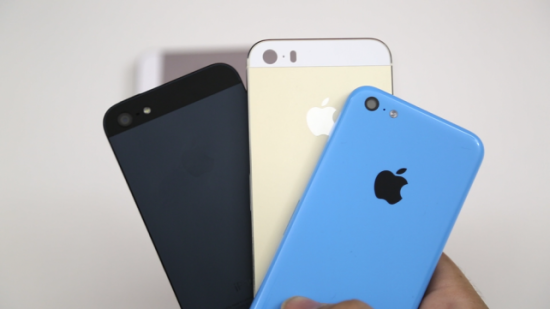
First hands-on video comparison of gold iPhone 5S/5C/5 casing emerges

You've seen the supposed photos of the upcoming iPhone 5S’s chassis and watched a video depicting the scratch-resistance of the plastic iPhone 5C. Now what? Well, how about the ultimate video hands-on showing off the rumored gold/champagne iPhone 5S and a blue iPhone 5C variant next to an iPhone 5?

Your prayers have been listened to: you're in for a treat as one blogger has posted exactly such footage, and it's been making the rounds this morning...

This jailbreak theme was inspired by Microsoft Paint

Yep, you read correctly. There's a new jailbreak theme available in Cydia, and it's based on Microsoft's iconic Paint application.

Paint, known for its tendency to produce crude looking drawings, is the application that's been around in one form or another since Window's inception. When wielded by a skilled artist it can produce impressive creations, but nine times out of ten, the results end up looking like something a toddler put together. This theme is no exception.

How to run shell commands using Activator actions

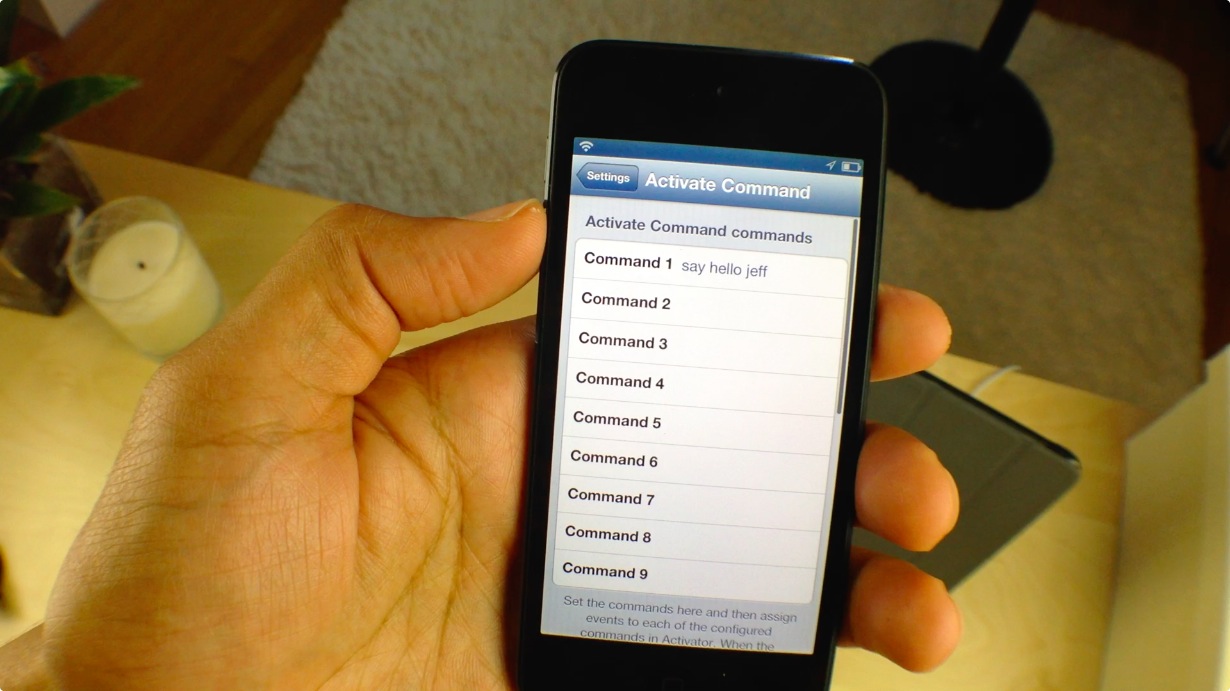
Interested in running shell commands via an Activator gesture? If so, then we have a treat for you. Aptly entitled Activate Command, this new jailbreak tweak allows users to execute commands via an Activator gesture, which would normally be submitted via a script or via a terminal session.

Interested in seeing how Activate Command works? We thought you'd never ask. Head past the break for our video walkthrough.

How to control the official VLC app using gestures

If you're an avid user of the official VLC app available on the App store, then listen up. You can now control the core elements of the VLC app using multitouch gestures. Unsurprisingly, you will need a jailbroken device to pull that off, but chances are that's the case if you're reading iDB.

VLC Gestures is a brand new tweak that just hit Cydia, and it allows you to incorporate gesture based control into your VLC workflow. Take a gander at our video walkthrough highlighting VLC Gestures inside...

GingerLock: yet another Android inspired Lock screen launcher

Yes, indeed. We've been graced with the likes of yet another Lock screen launcher, this one being inspired by Android no less. GingerLock emulates the style of Android's now long outdated Gingerbread release, and brings it to iOS. It's not as heavy on features like other Android inspired Lock screen launchers, but it does feature a few areas of customization that may pique your interest.

Per the norm, we've taken the opportunity to go hands on with GingerLock. Have a look at our full video walkthrough inside.