Video

CCLoader: rearrange and disable Control Center sections

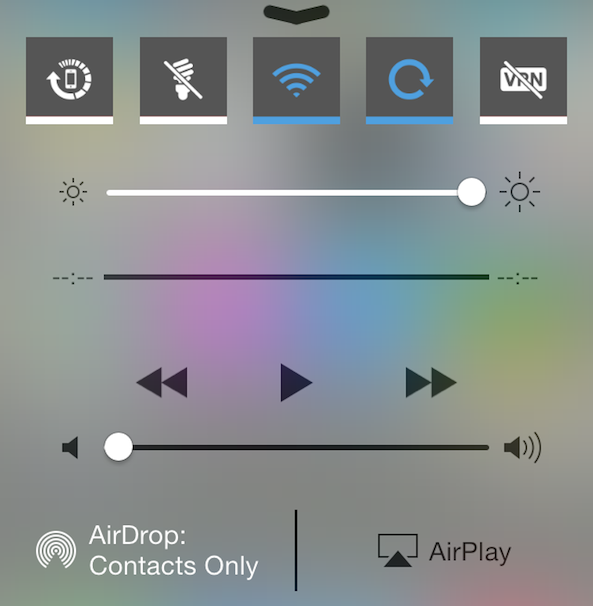
An interesting new Control Center tweak by the name of CCLoader just hit Cydia. The tweak, which is targeted at users and developers, allows you to rearrange and disable the various sections found within Control Center.

CCLoader makes it possible to do the reordering and disabling on the fly without the need for any resprings. The tweak uses drag handles to let you easily and quickly rearrange sections in any manner you see fit.

RePower: add new features to iOS 7’s power down screen

Have you ever felt that the real estate available on iOS 7's power down screen goes to waste? If so, you definitely want to check out this new jailbreak tweak called RePower.

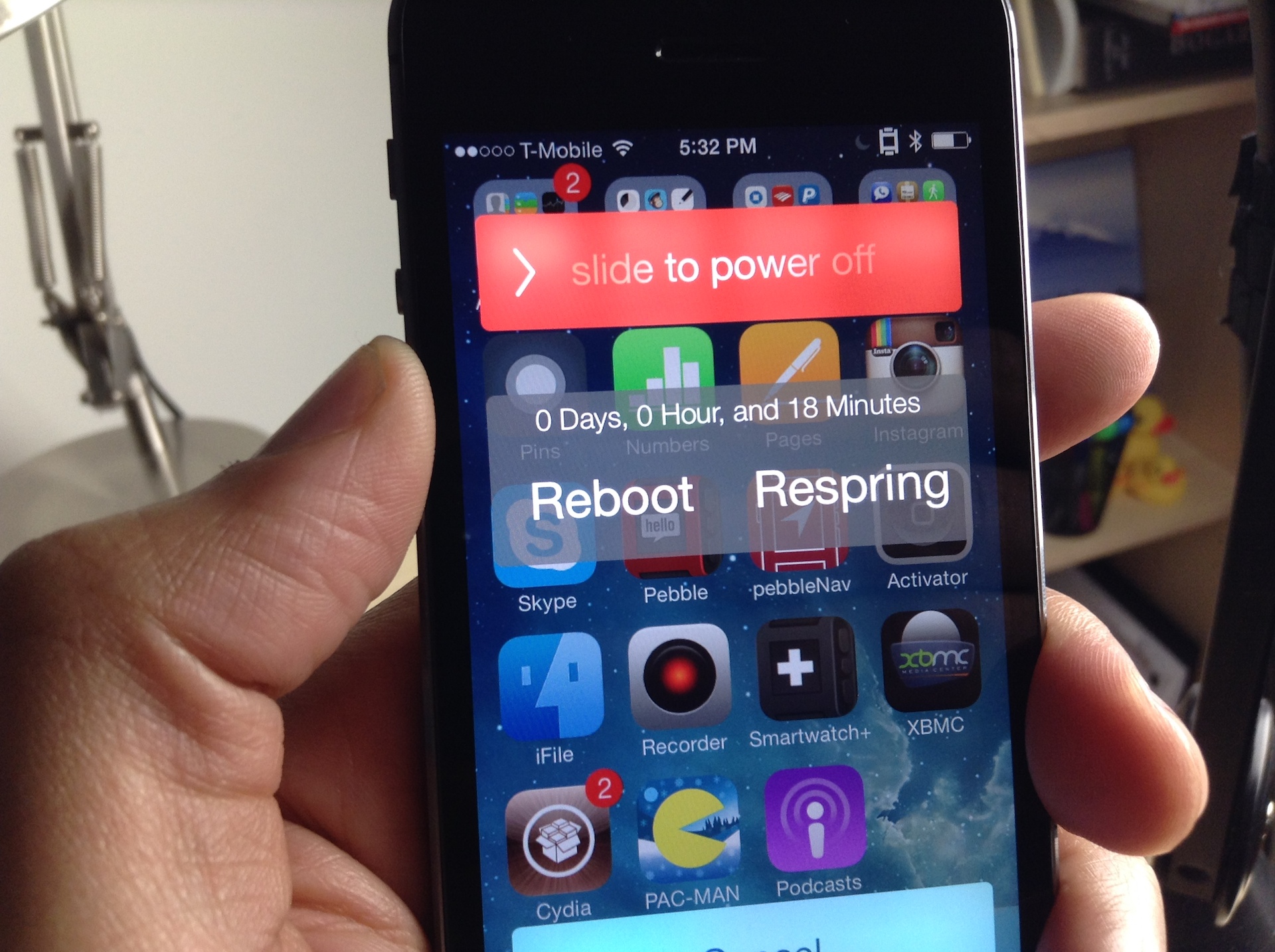
RePower is a simple tweak that adds several new features to the power down screen. It adds a button for respring, a button for rebooting, and an uptime readout for your device.

After installing RePower, you can respring, reboot, or power off from the convenience of the power down screen. Have a look inside to see how it works on video...

Preview: ClassicSwitcher

ClassicSwitcher is an upcoming jailbreak tweak that brings the old school app switcher to iOS 7. I firmly believe that a lot of jailbreakers out there are going to love this tweak.

Not only does it bring the old school switcher functionality to iOS 7, but it brings along with it several goodies as well. We've taken ClassicSwitcher for a spin on video, take a look inside for our exclusive hands-on sneak peak.

How to add live weather effects to the Weather app icon

One of my favorite jailbreak tweaks of all time was WeatherIcon. It was a simple tweak that placed the live current temperature on the stock Weather app, significantly improving the app's usefulness.

LiveWeatherIcon is like the next generation of that legendary tweak. Not only does it tell the current temperature, but it also features animated weather effects to further emphasize the status of the temperature in your area.

Spectral: Improved Lock screen album art backgrounds

Spectral is a new jailbreak tweak from one of my favorite developers, Adam Bell. It's a tweak that improves the look of the now playing album artwork on iOS 7's Lock screen.

The stock Lock screen on iOS 7 features a boring blue background when music is playing. Spectral spices up the Lock screen's background by utilizing a blown up and blurred version of the now playing album art as a background.

I've created a comparison video and have a comparison screenshot inside for you to analyze. I think you'll be surprised when you see how much of a difference Spectral makes to what most would consider to be a minor change.

How to add a Now Playing shortcut to Control Center

I don't like to do it all the time, but sometimes I'm jamming to a song so hard that I just have to let the world (or at least my own corner of the Internet) know what I'm listening to. For moments like these, CCNowPlaying is a great jailbreak tweak to have in your repertoire. It allows you to quickly send a tweet or a Facebook status update telling your followers what song you're currently playing. It's a tweak that integrates directly into Control Center, and features a stock look and feel.

I put CCNowPlaying through its paces on video and I was impressed with what I saw. Have a look past the break as I showcase how the tweak works in action.

How to flatten the stock Notes app in iOS 7

If you've been listening to our podcasts as of late, you've probably heard one of us spew off our dislike for the look of the Notes app. It's one of the only stock apps in iOS 7 that retains some semblances of skeuomorphism from the pre-iOS 7 era.

Flat Notes is a new jailbreak tweak that alters the look of the Stock notes app. It makes the notes app look more like the rest of the stock apps in iOS 7. Have a look at our video comparison inside...

How to turn the iOS 7 app switcher into a musical instrument

Every so often, a jailbreak tweak is released on Cydia that does something completely different. These tweaks usually have no real benefit other than the fact that they do something weird or obscure.

MusicalSwitcher is one of those tweaks that fits the aforementioned description to a tee. It has no real benefit, but it allows you to use your app switcher pages as if they were keys on a piano. You're just going to have to watch this video to see what I mean.

How to remove the separator lines in Control Center

CC Deseparator is an awkwardly named tweak with a great premise: it allows you to remove the separator lines found within the Control Center overlay in iOS 7.

As you might imagine, CC Deseparator is an extremely simple tweak. In fact, the tweak features no settings, options, or other means of configuration; it's an install and go affair. We've shot a video showcasing how CC Deseparator works in action. Take a look inside for the full scoop...

7 years ago today, Steve Jobs unveiled the first iPhone

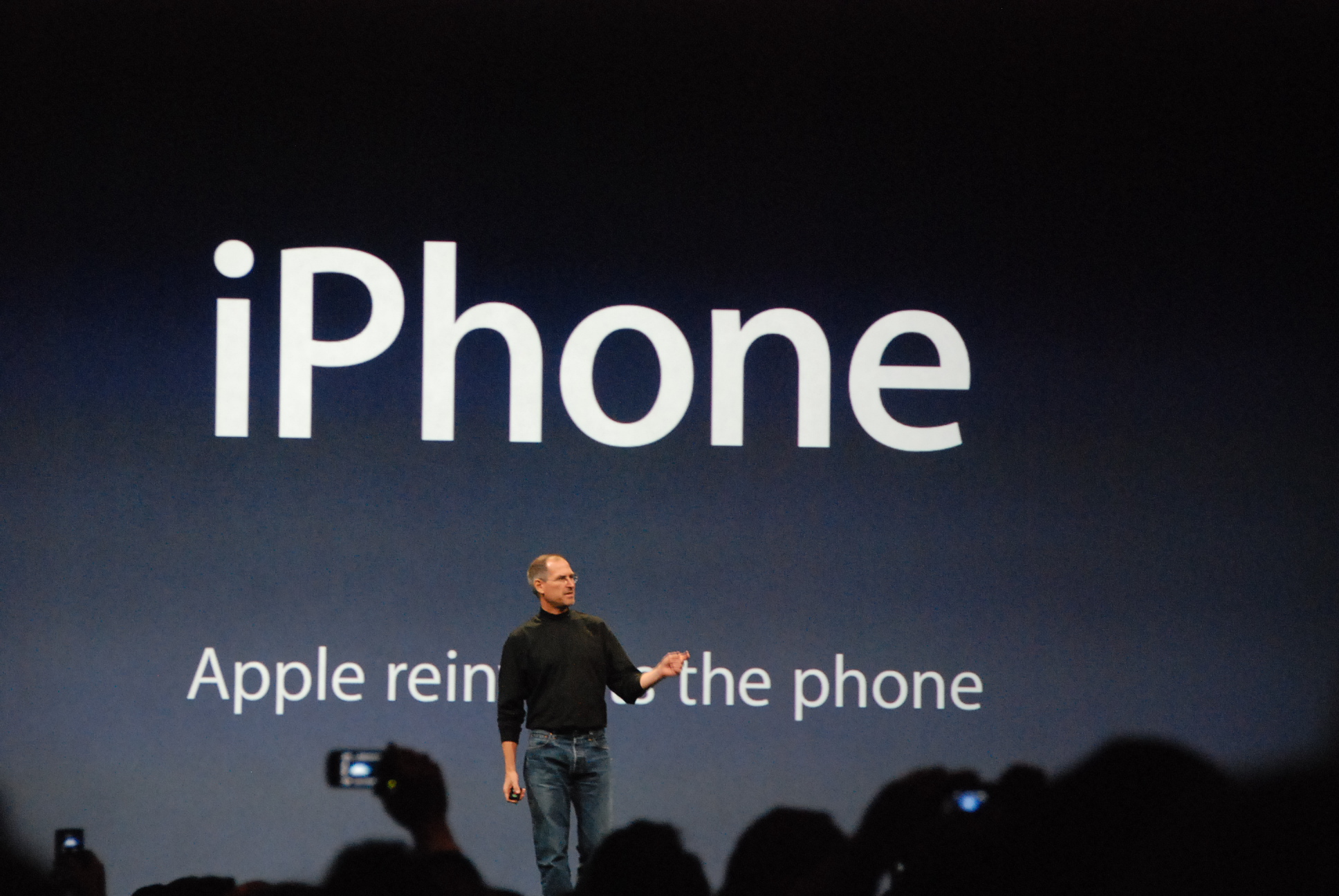
Steve Jobs standing in front of slide at the January 2007 iPhone introduction showing the tagline "Apple reinvents the phone"

It's hard to believe, but it was 7 years ago today that Steve Jobs took the stage at the Moscone Center in San Francisco to give what would become one of the most remarkable keynotes of his career. It was January 9, 2007, the day that Apple reinvented the phone.

Few people in attendance could have realized the significance of what Jobs would be introducing that day. It was a new product that would not only put Apple on track to become the most valuable company in the world, but it would also revolutionize an entire industry...

Fitbit Force’s iPhone-exclusive Caller ID integration shown off on video, coming February

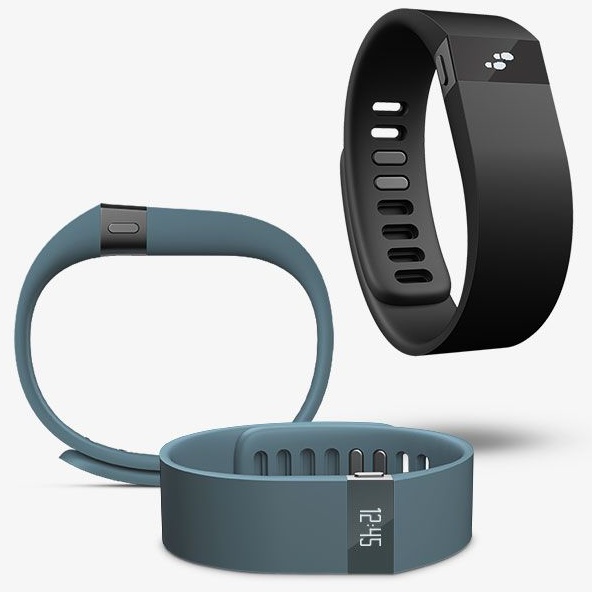
FitBit released its Force fitness tracker last October, but not all of the planned software features were ready for the launch, namely notifications for incoming calls. According to a company representative, Called ID functionality is currently being worked on and is scheduled for delivery in February 2014 via a free software update.

They've also shared a video showing Caller ID integration on the Force and I've included it below the fold for your viewing pleasure...

Unofficial modified version of Evasi0n7 can jailbreak iOS 7.1 beta 3

A modified version of the Evasi0n7 jailbreak tool began making its rounds around the internet this afternoon. This unofficial version of Evasi0n7 was created in order to jailbreak the just released iOS 7.1 beta 3.

One of the first things I tried when iOS 7.1 beta 3 dropped was run the latest official version of Evasi0n7. I was quickly (and unsurprisingly I might add) met with an error message stating: Sorry, the version of iOS (11D5127c) of the attached device is not supported.

You can probably tell where this post is going. Indeed, I decided to take the plunge and see if the "unofficial" version of Evasi0n7 could legitimately jailbreak iOS 7.1 beta 3. After about 15 minutes of testing, I can state that the answer to that question is yes.

Although we definitely can't, and frankly don't recommend that anyone use an unofficial version of the Evasi0n jailbreak tool, we aren't naive, and we know that many are going to simply do it anyway. For that reason, we felt it might be beneficial to verify whether or not the tool works. Have a look inside for the proof.