Video

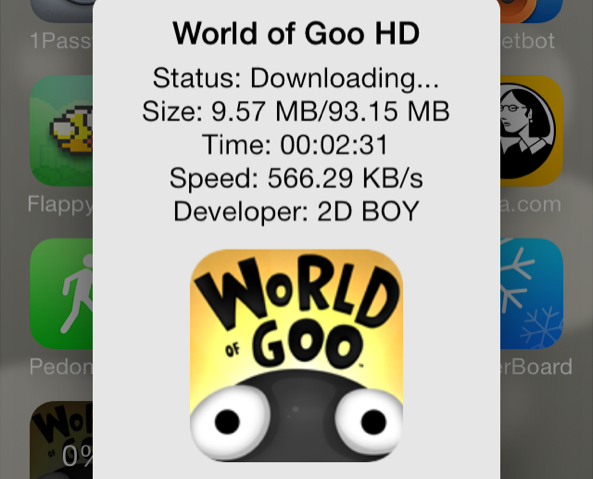
AppETA: an awesome way to check the progress of app downloads

iOS 7 makes it difficult to gauge where you are with App Store downloads. With very large downloads, it's a frustrating experience to watch the progress circle slowly inch around at a snail's pace.

Wouldn't it be nice if you could get a more informational view of your App Store download progress? What about bringing back the classing download status indicators? With AppETA, a new jailbreak tweak available on Cydia's BigBoss repo, you can do all of that and more.
BlueBoard: add a blue keyboard to iOS

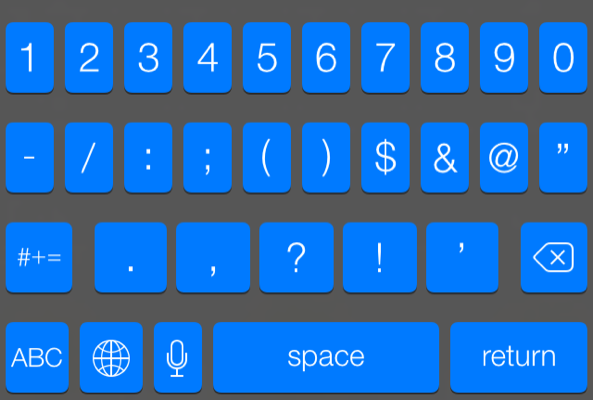
BlueBoard is a recently released tweak that does just as its name implies—it allows you to add a blue tinted keyboard to iOS. As with most tweaks of this sort, BlueBoard doesn't rely on WinterBoard or any other outside theming systems to work. Once you install it, you can enable the tweak via its own dedicated preference panel.

Look past the break for a video walkthrough of BlueBoard in action...

How to colorize app badges with ‘ColorBadges’

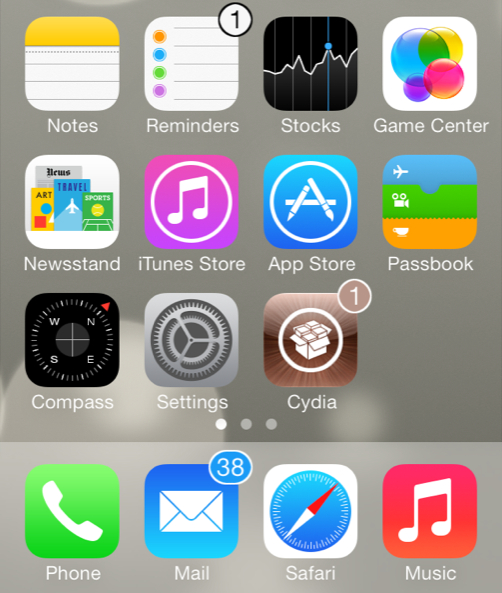
ColorBadges is an upcoming jailbreak tweak that was recently submitted to Cydia's BigBoss repo. It allows users to colorize app badges based on the color of the app icon. For example, if you have a badge on the Cydia app, the color of the badge will be brown, which corresponds to the color of the Cydia app.

Along with the addition of app matching color to the badges, ColorBadges adds an outline to the outside of the badge to make the color stand out even more. ColorBadges is a great looking jailbreak tweak, and I think that it significantly improves the look of app badges. It makes it so that you don't mind having tons of app badges proliferating your Home screen, and that's saying a lot.

Take a look at our full video walkthrough of ColorBadges after the break...

UIColors: add custom tint to the entire iOS interface

UIColors is an upcoming jailbreak tweak that should be making its way to Cydia's BigBoss repo at any moment now. It's a tweak that follows the growing trend of jailbreak releases that let you add custom tint to the iOS user interface.

Another tweak we recently covered, called Eclipse, did something similar. But Eclipse's main focus was on providing users with a night mode for using the device in a dark environment. UIColors takes that concept and cranks it up to 11. It allows you to tint iOS with a virtually limitless array of colors. In other words, there are no real canned color combinations included with the tweak; the end result is totally up to you.

How to add infinite scrolling to the Home screen and folders in iOS 7

Mobius is a jailbreak tweak that allows you to infinitely scroll on the iOS Home screen and while within folders. It's very similar to the Wraparound jailbreak tweak that we covered back in 2011, except that Mobius works with iOS 7.

Developer Tyler Casson set out on a mission to bring the popular Wraparound functionality to iOS 7 when it became apparent that the Wraparound wasn't going to be updated for iOS 7 any time soon. He's since dubbed his tweak Mobius, and made it available free of charge on his own personal repo.

If you'd like to see how Mobius works in action, then check past the fold for our hands-on video walkthrough. You can also find the repo details inside so that you can try out the tweak for yourself.

AnyBoard: switch between any keyboard with ease

AnyBoard is a brand new tweak available free of charge on Cydia's BigBoss repo. It allows you to quickly switch between any of the installed keyboards on iOS using a tap and hold gesture on the globe icon to the right of the '123' key.

Unlike the stock keyboard options, AnyBoard doesn't just allow you to switch to the keyboards you have enabled in your device's keyboard settings, but you can switch between any available keyboard in an instant. Watch our full video walkthrough after the break to see how it works in action.

How to locate app icons from Spotlight search

Spotlight search is cool and all, but I've always found it a little frustrating that you can only launch applications from Spotlight and not open the location where the apps reside. I'm happy to report that this "oversight" has been solved with a new jailbreak tweak called Icon Finder.

Icon Finder is a brand new and free jailbreak tweak that allows you to use a simple tap and hold gesture on your Spotlight search results. The tap and hold gesture will quickly reveal the exact location of the app in question, which could be a folder, or another page on the Home screen.

Have a look at our full video walkthrough of Icon Finder inside to see how it works.

How to use the Lock screen passcode screen to dial phone numbers

Have you ever wanted to use your Lock screen passcode for more than just unlocking your iPhone? If so, then boy, do I have a jailbreak tweak for you.

PassDial is a brand new tweak that allows you to assign a speed-dial number to a passcode of your choice. For example, I can assign the passcode '1-2-1-2' to phone number 1-888-888-8000, and any time I enter that specific passcode, the number assigned will be dialed.

We've created a hands-on video to show you how PassDial works in action. Take a look inside to see what this jailbreak tweak is all about.

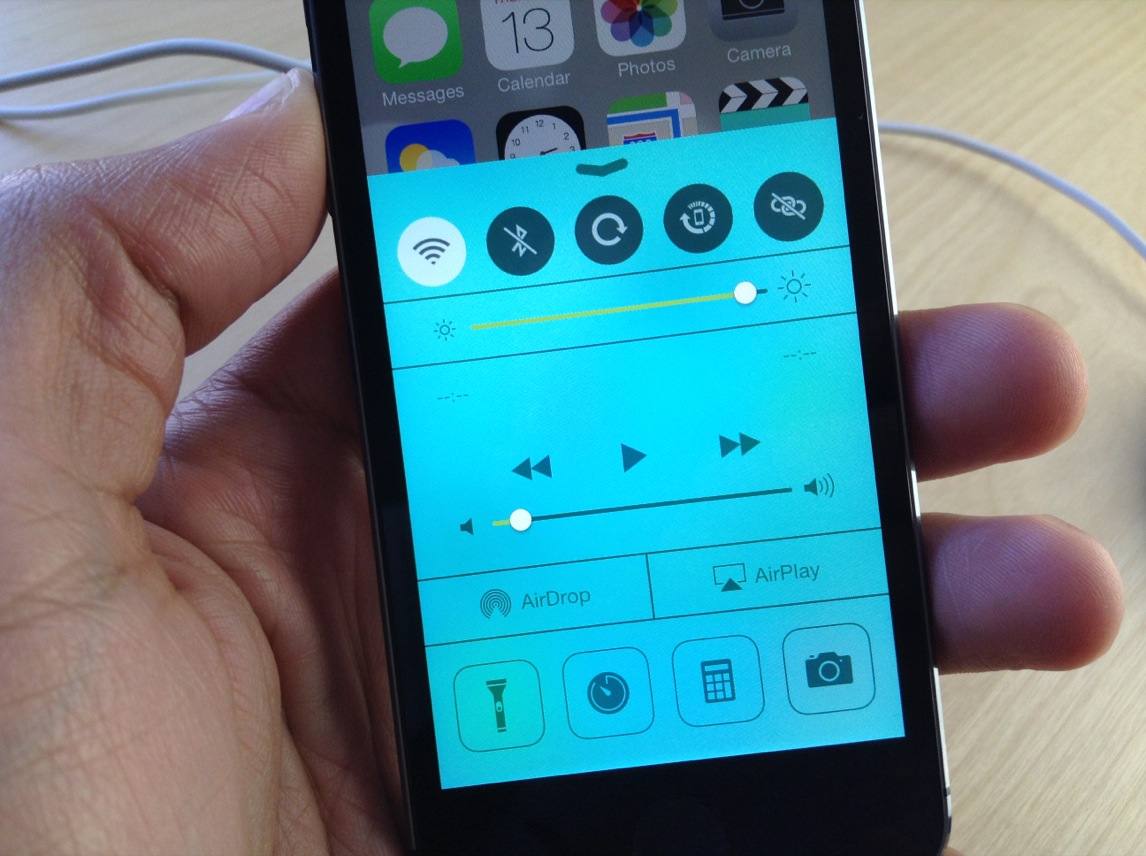
How to look up dictionary definitions via Control Center

Define for iOS 7 is a jailbreak tweak that allows users to look up definitions from the convenience of iOS 7's Control Center overlay panel. The tweak, which is available right now on Cydia's BigBoss repo for $0.99, was created by well-known developer ravirajm.

If you're looking for a quick and easy way to search for dictionary definitions or Wikipedia entries, it doesn't get much simpler than Define for iOS 7. Have a look at our full video walkthrough inside for all of the details.

Weasel: a system-wide search and shortcut utility for iOS

One of my favorite OS X utilities is Alfred. Alfred is a search utility, launcher, and workflow executer rolled into a simple interface that's accessible from anywhere via a keyboard shortcut. It's a tool that has saved me countless hours of time, and it's among the first apps that I install on my Mac whenever I do a system restore.

Weasel is sort of like Alfred for iOS. Obviously, it's doesn't feature as wide of a scope as Alfred, but it does its best to mimic some of the features that makes Alfred, or any launcher utility, so nice to have. Have a look at our walkthrough inside for more details.

Cylinder: a promising Barrel clone that makes your icons dance

I've always thought of Barrel as one of the flagship jailbreak tweaks that define why jailbreaking is so cool. I was vindicated in my reasoning when Saurik admitted to using Barrel on his own device.

Barrel, as you know, is the jailbreak tweak that allows you to have crazy app icon animations on your Home screen whenever you swipe between pages. It's a legendary tweak, and it's been updated for iOS 7.

In my opinion, no jailbreak tweak has ever really come close to challenging Barrel's feature-set and ease of use, and that remains the case to this day. But there is one interesting jailbreak tweak from developer Reed Weichler that you should definitely keep your eye on. The tweak is called Cylinder, and while it doesn't (yet) have all of the animations contained in Barrel, it does a good job at allowing for similar effects.

Arco brings an animated “now-playing” indicator to iOS 7

Arco is a jailbreak tweak that's been recently updated to support iOS 7. It's from the minds of the dynamic duo behind Auxo—my favorite jailbreak tweak—but it's simpler and smaller in scope.

Though it isn't on the same level of Auxo, Arco is a good tweak in its own right. It brings a useful animated now-playing indicator to the iOS 7 status bar. Have a look at our video walkthrough inside for more details on what makes Arco such a special release.