UI

Dove is a free all-in-one jailbreak tweak for customizing iOS 13

All-in-one jailbreak tweaks have become a dime-a-dozen these days as jailbreak tweak developers begin to realize just how much jailbreakers prefer using one tweak that can do everything over using a plethora of smaller tweaks to achieve the same means.

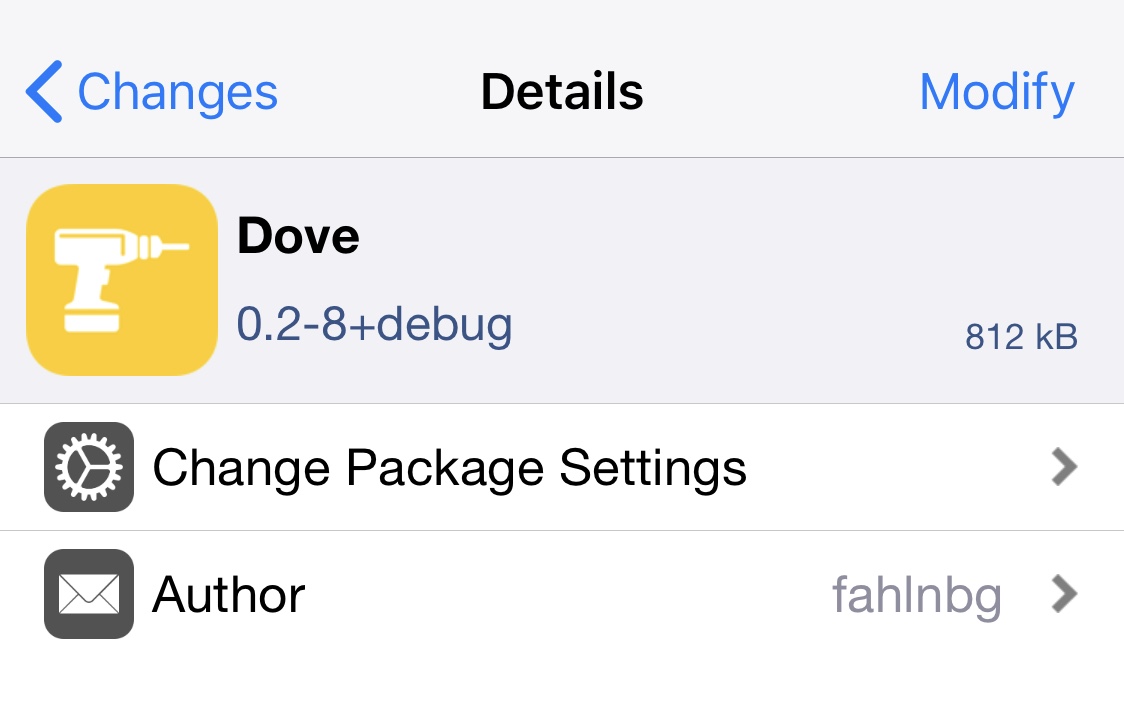
The latest all-in-one jailbreak tweak to hit the shelves is a new and free release called Dove by iOS developer fahlnbg, and it covers a wide variety of iOS elements, including but not limited to the App Switcher, the Home Screen, the Lock Screen, Control Center, and notifications, among other things.
Surenix launches Vantaye, a Dark Mode-friendly icon theme for all iOS & iPadOS devices

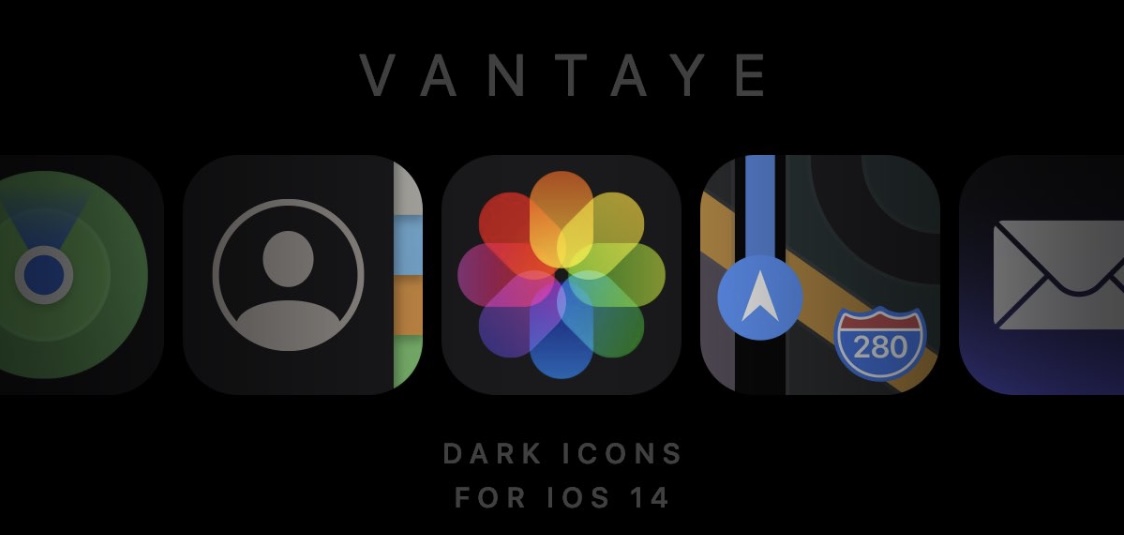
Vantaye banner image.

One of the takeaway new features that shipped with iOS and iPadOS 14 just a couple of weeks ago is the ability to “theme” your Home Screen’s app icons. This is one of many features from Apple’s latest and greatest mobile operating systems that seems heavily inspired by the jailbreak community. That said, it’s not surprising that some jailbreak community theme creators have started porting themes over to iOS and iPadOS 14.

Joining that list is esteemed graphic designer and theme creator Surenix, who just this week released a new Dark Mode-friendly theme for iOS and iPadOS 14 dubbed Vantaye. This theme puts a darker spin on your handset’s Home Screen app icons, and if you recall a theme for jailbroken devices that Surenix named Ayedapt that was released earlier this year, then some of these icons probably look familiar…

PerfectGrabber upgrades the Notification Center grabber in full-screen apps & games

Gamers and full-screen app users alike share the likelihood of benefiting from the likes of a newly released and free jailbreak tweak dubbed PerfectGrabber by iOS developer Netskao.

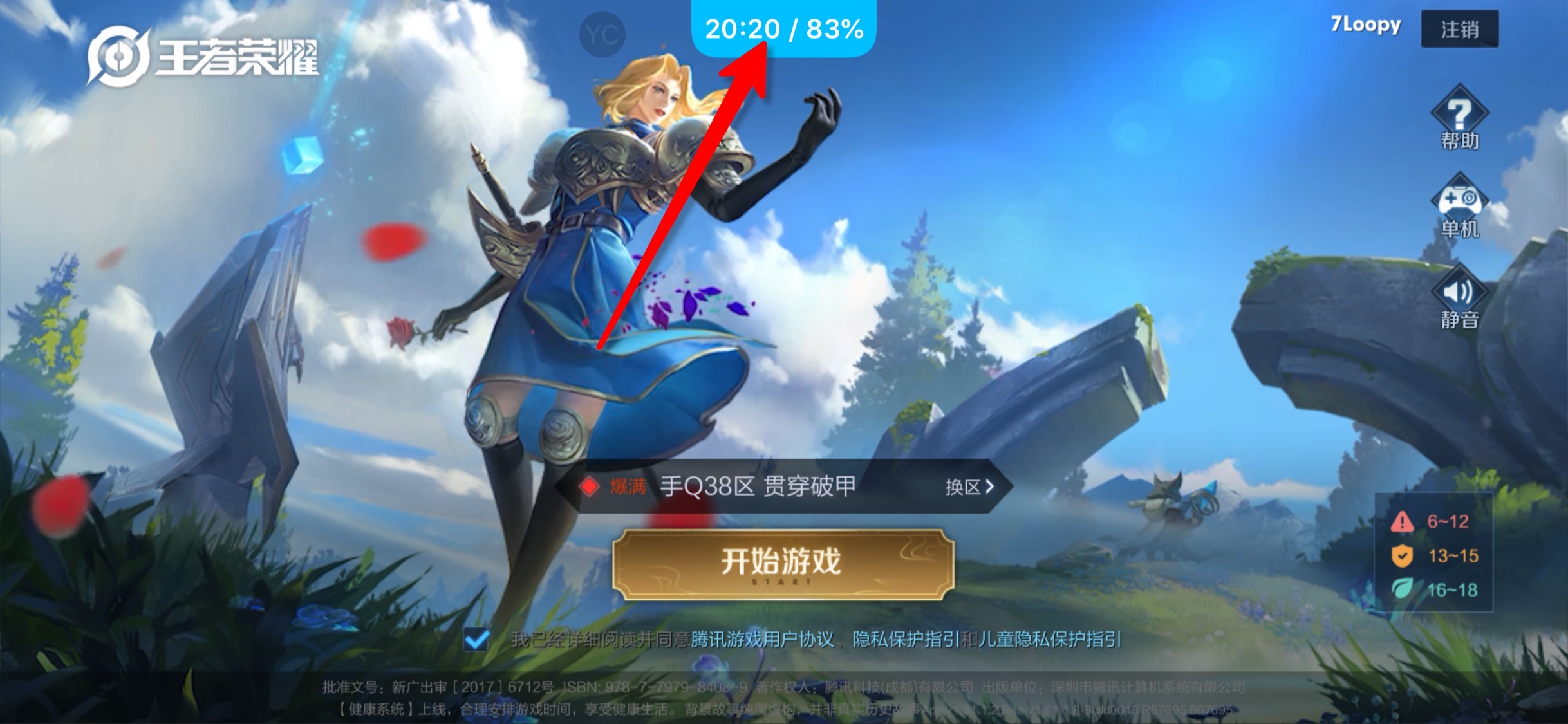
PerfectGrabber makes it easier to determine the time and your current battery level by incorporating them directly into the Notification Center grabber that traditionally appears when you pull down from the top of the display in a full-screen app, including but not limited to games.

Easy YouTube upgrades the YouTube app on jailbroken devices with VLC-inspired gestures

Not only is YouTube one of the most popular ways that iPhone and iPad users enjoy video consumption on the go, but the YouTube app also happens to be one of the top-downloaded apps from the App Store overall. Despite its popularity, however, the YouTube app certainly fosters wiggle room for improvement, and the jailbreak community has taken notice of this fact.

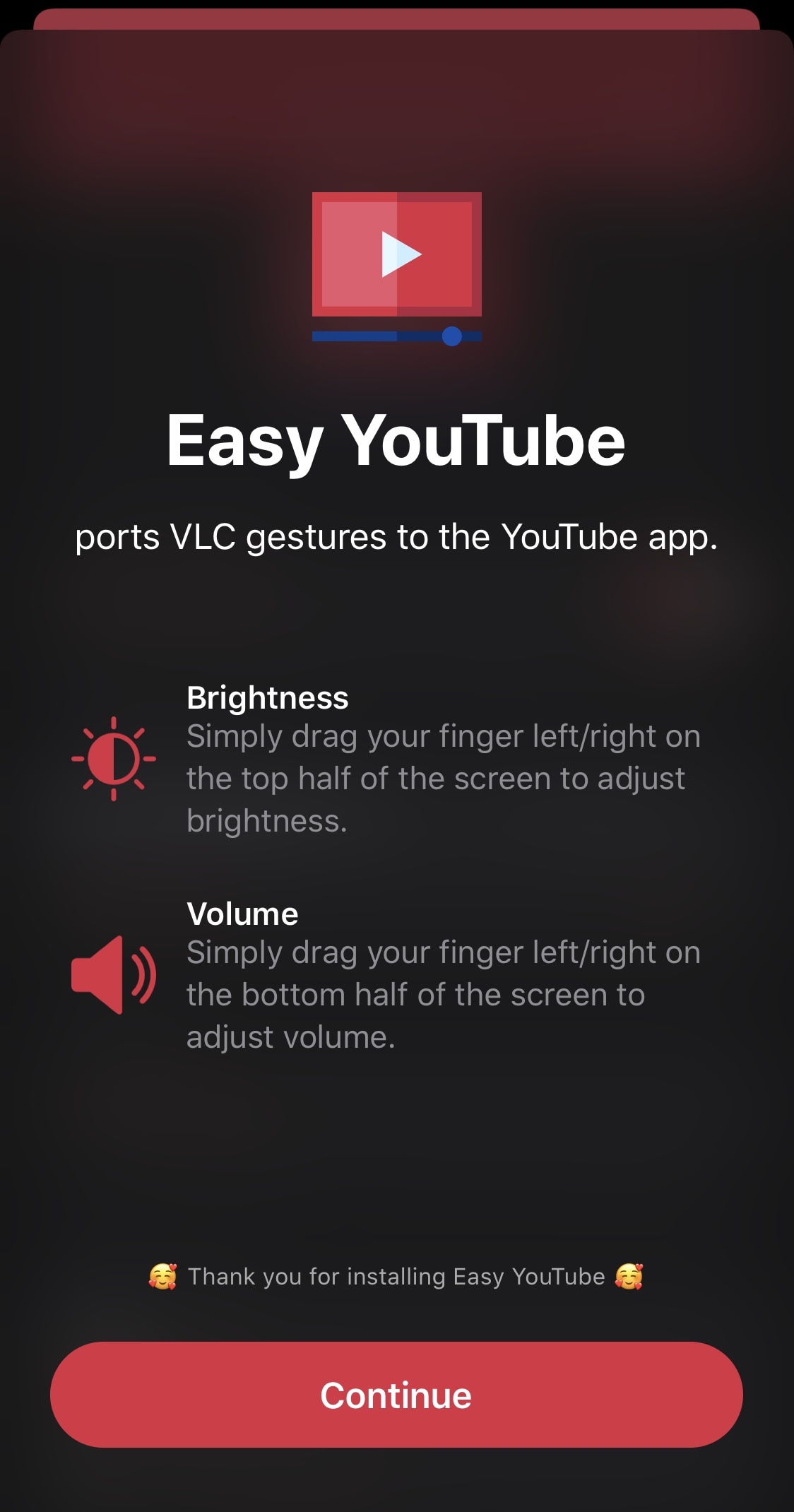
Meet Easy YouTube, a newly released and free jailbreak tweak by iOS developer miro92 that brings two of the VLC media player’s most popular in-frame gestures for adjusting the display brightness and volume levels to the official YouTube app.

Colorize 3D Touch and Haptic Touch menus on the Home Screen with Koi

Having the ability to customize iOS or iPadOS’ native aesthetics is one of the top reasons to jailbreak your iPhone or iPad. That said, if you have a pwned handset at your disposal and you enjoy making it stand out from the crowd, then we think you may come to love a newly released and free jailbreak tweak called Koi by iOS developers Litten and woodfairy.

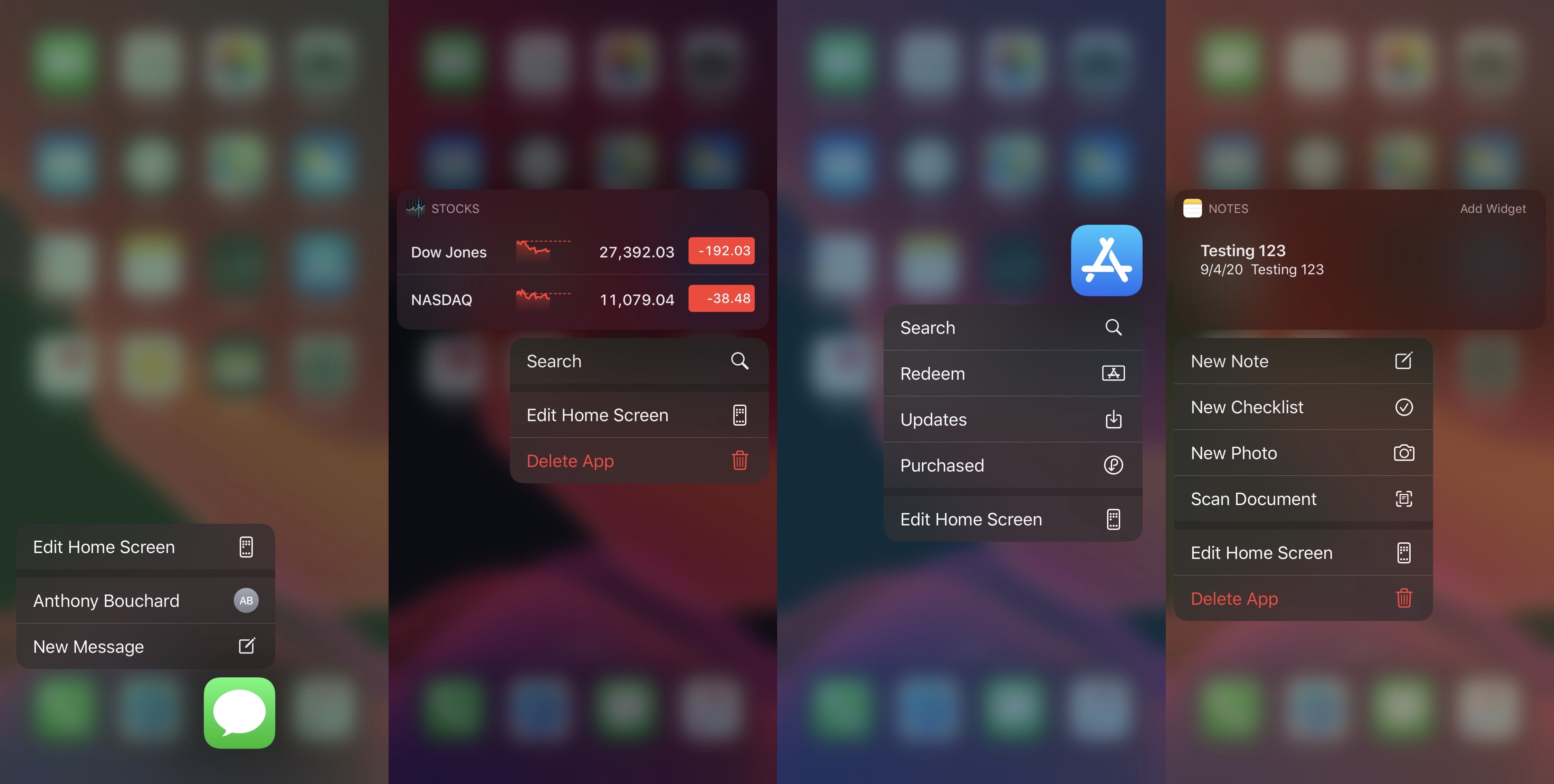
Koi is an incredibly simple tweak that offers its users an aesthetically pleasing color upgrade for the Home Screen’s 3D Touch or Haptic Touch menus, but unlike other tweaks released in the past, Koi colorize the background blur rather than the menu interface itself.

CClock adds a date and time module to Control Center on pwned iPhones

The Status Bar plays host to a digital clock almost all of the time, except of course when you launch Control Center. Once you do, the clock disappears from the Status Bar and is replaced by the cellular and Wi-Fi connection indicators and your carrier’s name instead.

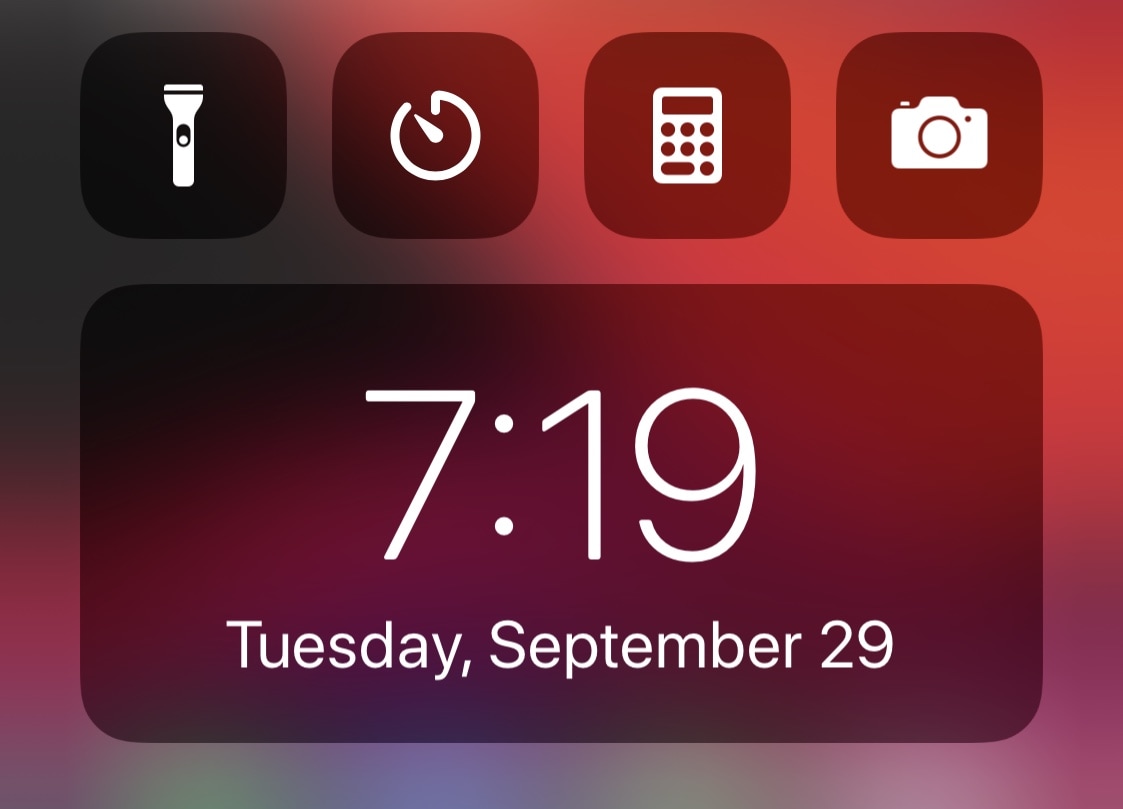
Few people would refer to this as a problem, but it’s an annoyance for some who wish that the time would merely remain in the Status Bar even after Control Center is launched. Fortunately, a new and free jailbreak tweak called CClock by iOS developer Obumbravit offers a useful workaround.

Unlock true app backgrounding on your jailbroken iPhone or iPad with bakgrunnr

One of the things Apple continues to improve on the iOS and iPadOS platforms with every major yearly software update is multitasking, and while they’ve achieved leaps and bounds over the years while maintaining minimal impact on a device’s limited system resources, one thing that we can honestly say is still lacking is true, full-fledged application backgrounding.

It remains to be seen if Apple will ever integrate true application backgrounding into its mobile operating system experience, but if you’re jailbroken, then you won’t need to wait that day to come. A newly released and free jailbreak tweak dubbed bakgrunnr by iOS developer udevs lets you have this ability right now, starting today.

SmoothAppLibrary removes the sectional backgrounds from iOS 14’s App Library

iOS and iPadOS 14 were only just recently released to the general public, and while a jailbreak is only currently available for a very small subset of iOS and iPadOS 14 devices via checkra1n at the time of this writing, we’re already beginning to witness the initial trickle of new jailbreak tweaks for the new mobile operating system.

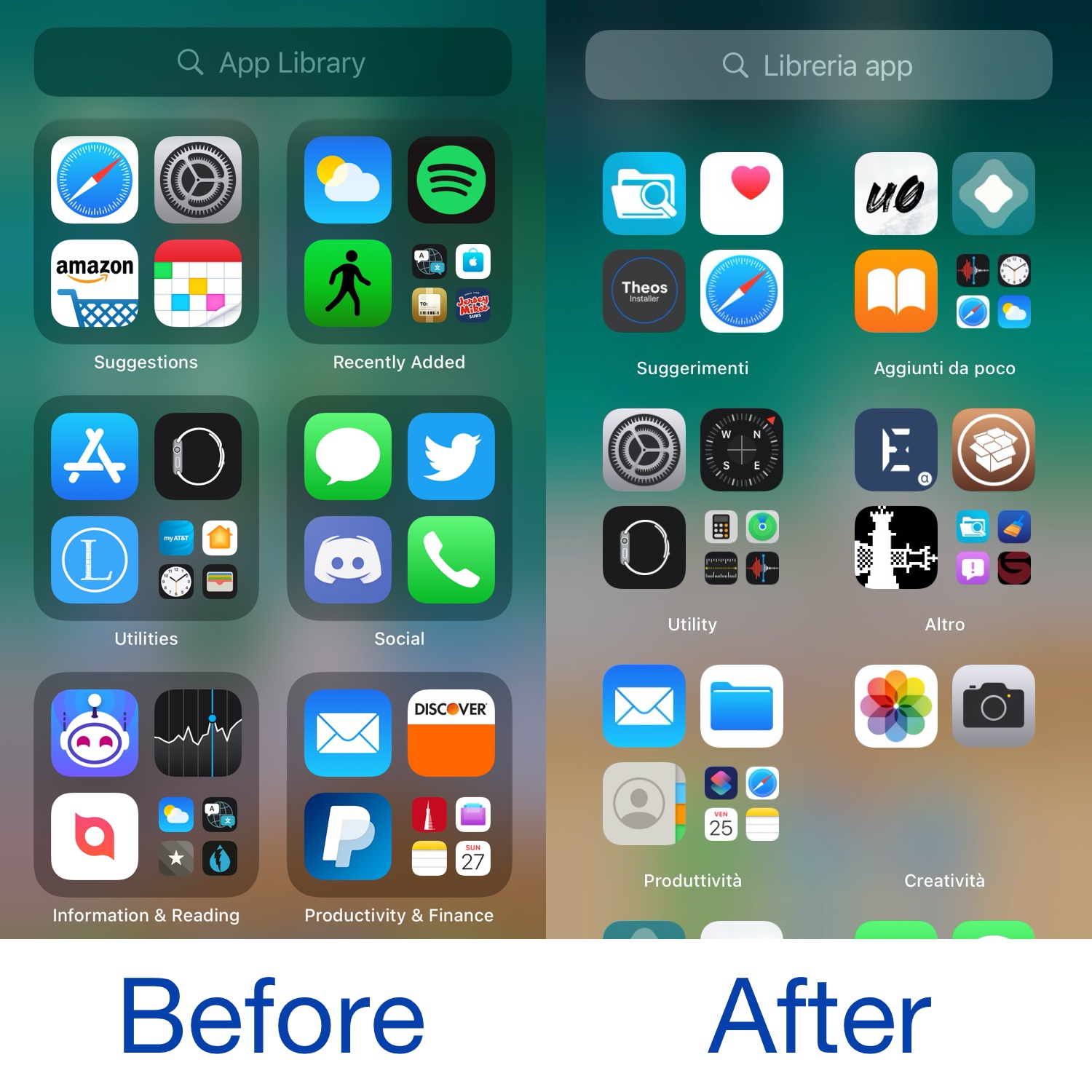
The latest of such tweaks is a new free release dubbed SmoothAppLibrary by iOS developer CydiaGeek, and as depicted in the before and after screenshot examples above, it’s an aesthetic tweak that makes minor changes to the new App Library interface.

Square replaces the Phone app’s round dialer buttons with square ones

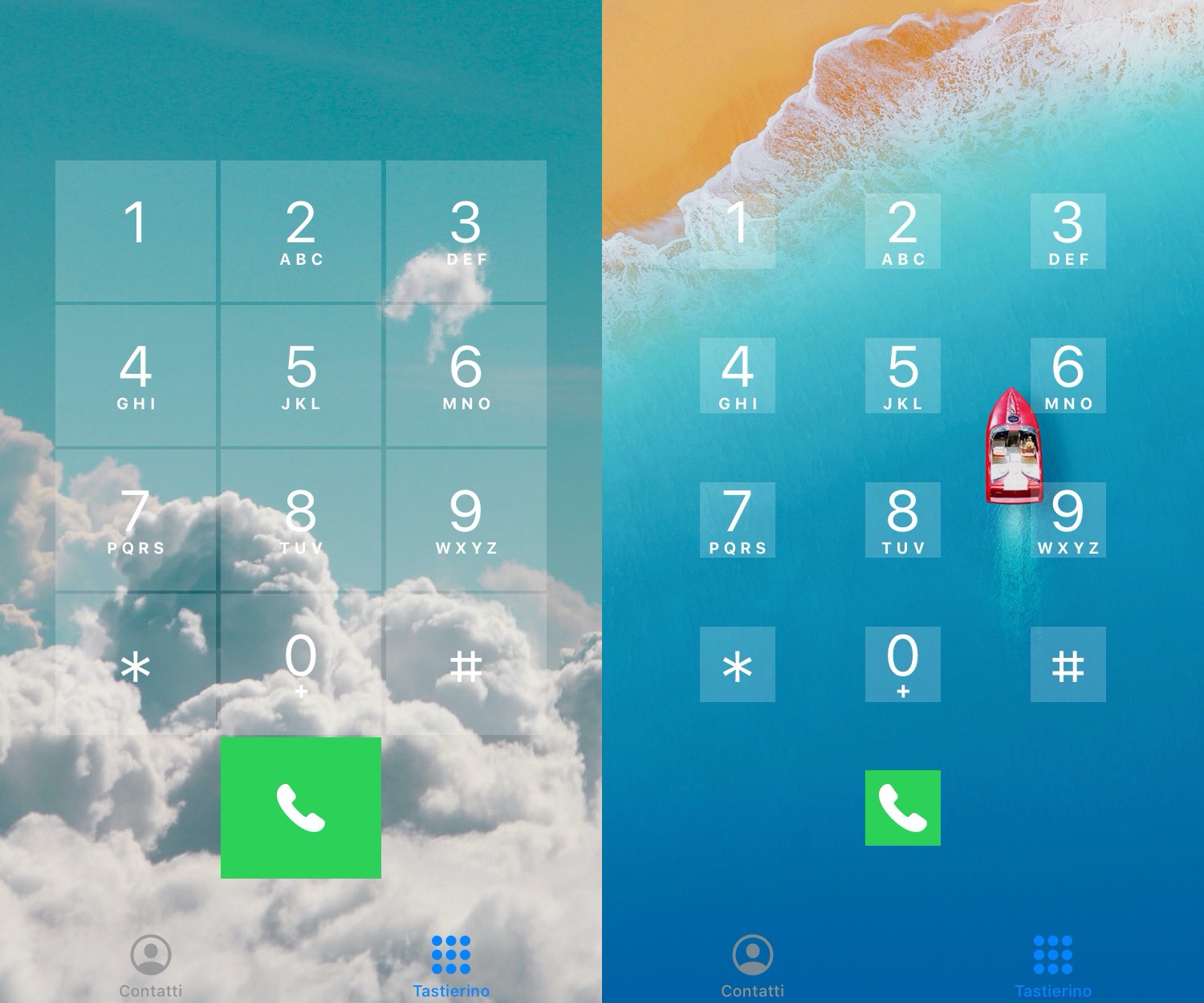
Those looking to do away with the round Phone app dialer buttons in favor of something a bit more rigid are likely to take a liking to a newly released and free jailbreak tweak dubbed Square by iOS developer PlatYkor.

As depicted in the screenshot examples above, Square replaces the aforementioned buttons with squarer alternatives that can be configured in a bevy of different ways depending on the user’s own tastes and preferences.

SafariWallpaper lets iPhone and iPad users set a custom background in mobile Safari

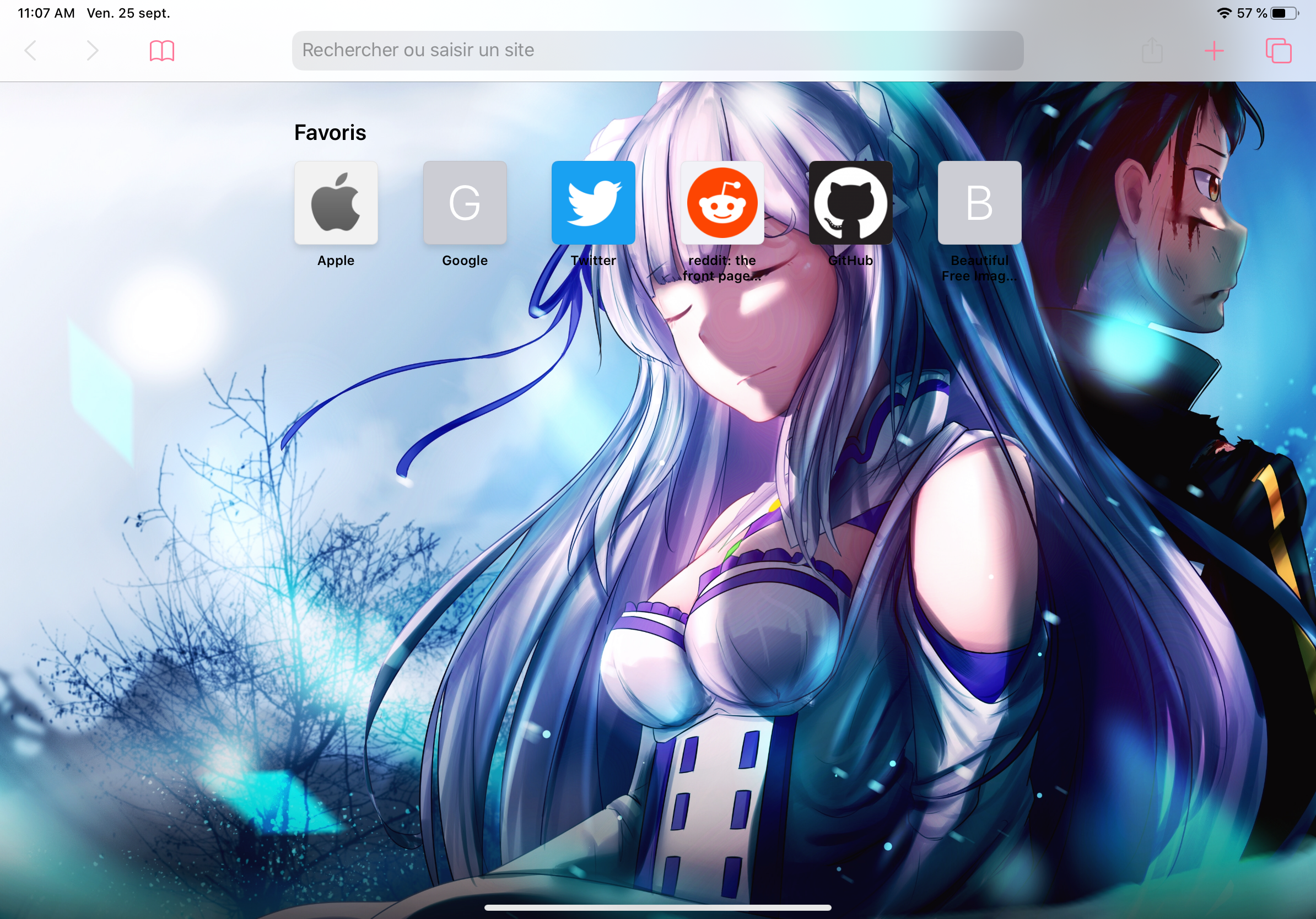
One of the takeaway features that shipped with the new Safari 14 update for macOS this month is the ability to configure a custom background for the Start Page. It’s a commonsense feature that I think Apple should have offered from the start, but perhaps even more peculiar is the fact that Apple still hasn’t enabled such a feature for the mobile Safari web browser on iPhone or iPad.

If you’re jailbroken, then the good news is you won’t need to wait for Apple to pry their heads out of their <expletive> to deliver a solution. A free jailbreak tweak named SafariWallpaper by iOS developer Litten brings this much-requested feature to pwned iOS 13 devices.

BigBangX helps jailbreakers become more productive in text editing endeavors

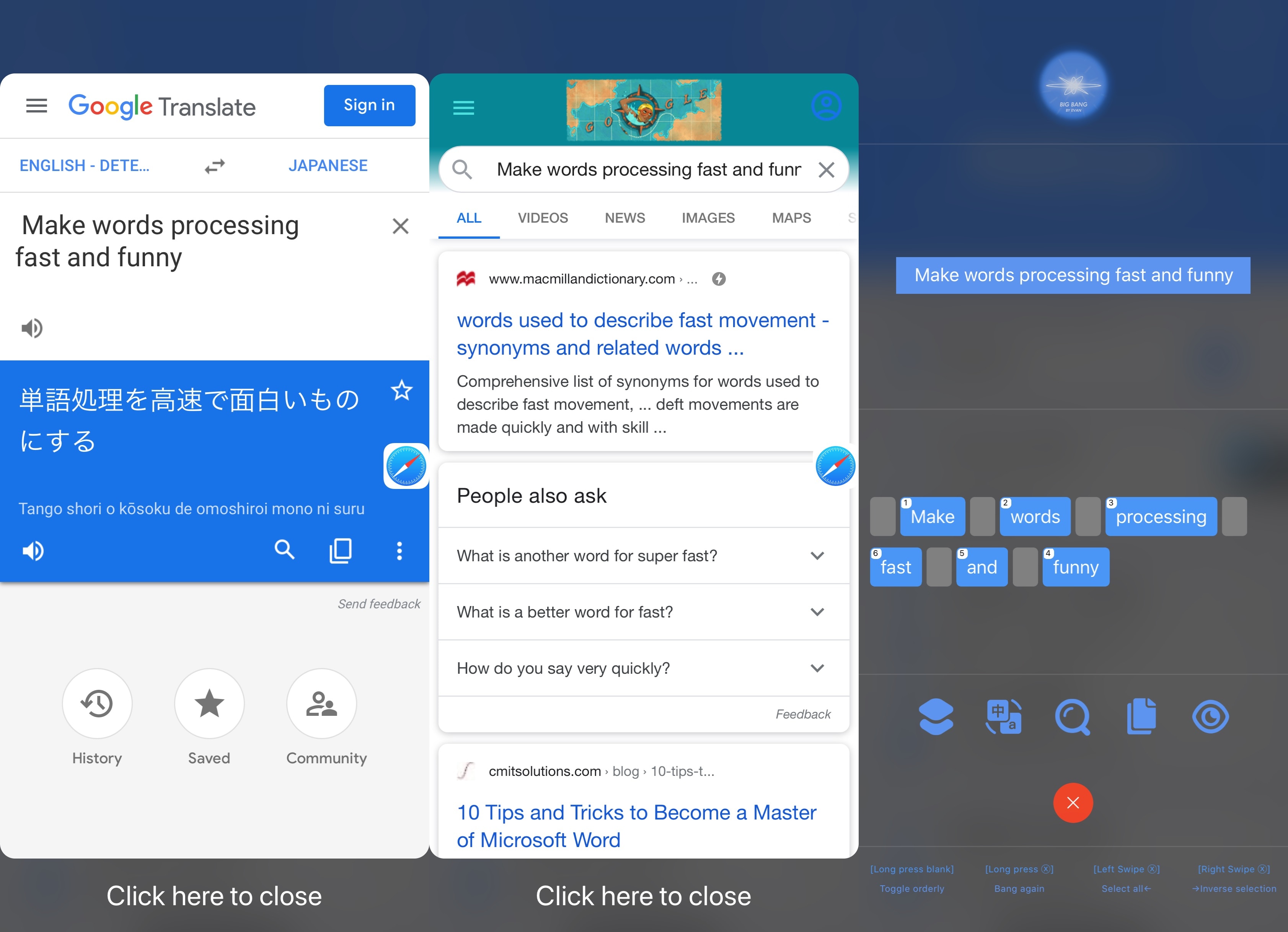
Apple went out of its way to make text editing a more effortless and straightforward process, especially with last year’s iOS 13 update, which made it possible to pan bodies of text and move the cursor by tapping and dragging on the keyboard. But if you’re still looking for more, then you might want to check out a newly released jailbreak tweak called BigBangX by iOS developer EVAN.

As noted in the tweak’s depiction page, BigBangX targets advanced typists who demand more out of their text editing experience. In cases where you see yourself needing to grab a portion of a paragraph not adjacent to a word or phrase and use it to continue your intended task, whether that involves one app or several, this tweak lends a lengthy list of handy power features that may help you boost your productivity.

BatteryWidgetLabels adds numeric percentages to iOS 14’s Batteries widget

At the time of this writing, there aren’t very many devices that can be jailbroken on iOS 14 and/or iPadOS 14, except of course for the A9 and A9X varieties which received newfangled iOS and iPadOS 14 support by the checkra1n jailbreak earlier this week. But if you’re lucky enough to have one of these devices at your disposal and you’re interested in making a positive change to Apple’s latest and greatest mobile operating system, then you’re in luck.

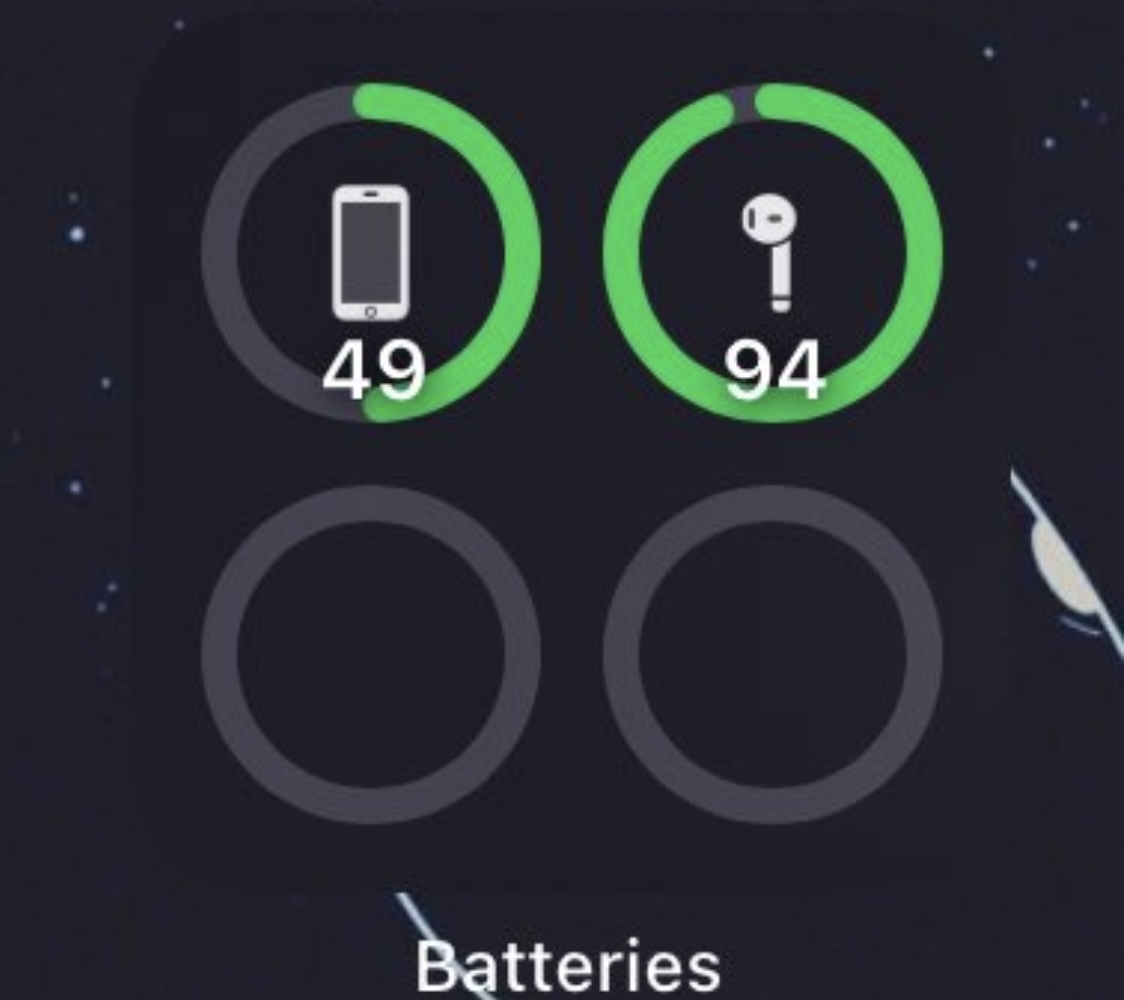
BatteryWidgetLabels by iOS developer Dylan Duff is one of the first jailbreak tweaks to be released for improving the iOS and iPadOS 14 user experience, and it does so by adding numeric battery percentages to the brand-new Batteries widget that users can take advantage of right out of the box.