UI

Tenmetsu makes the iPhone’s rear-facing flash more like a pro flashlight

In addition to being a phone and an internet communications device, the iPhone could be described as a digital multitool. A great example is the handset’s rear-facing LED flash, which doubles as a flashlight when we find ourselves stranded in the dark.

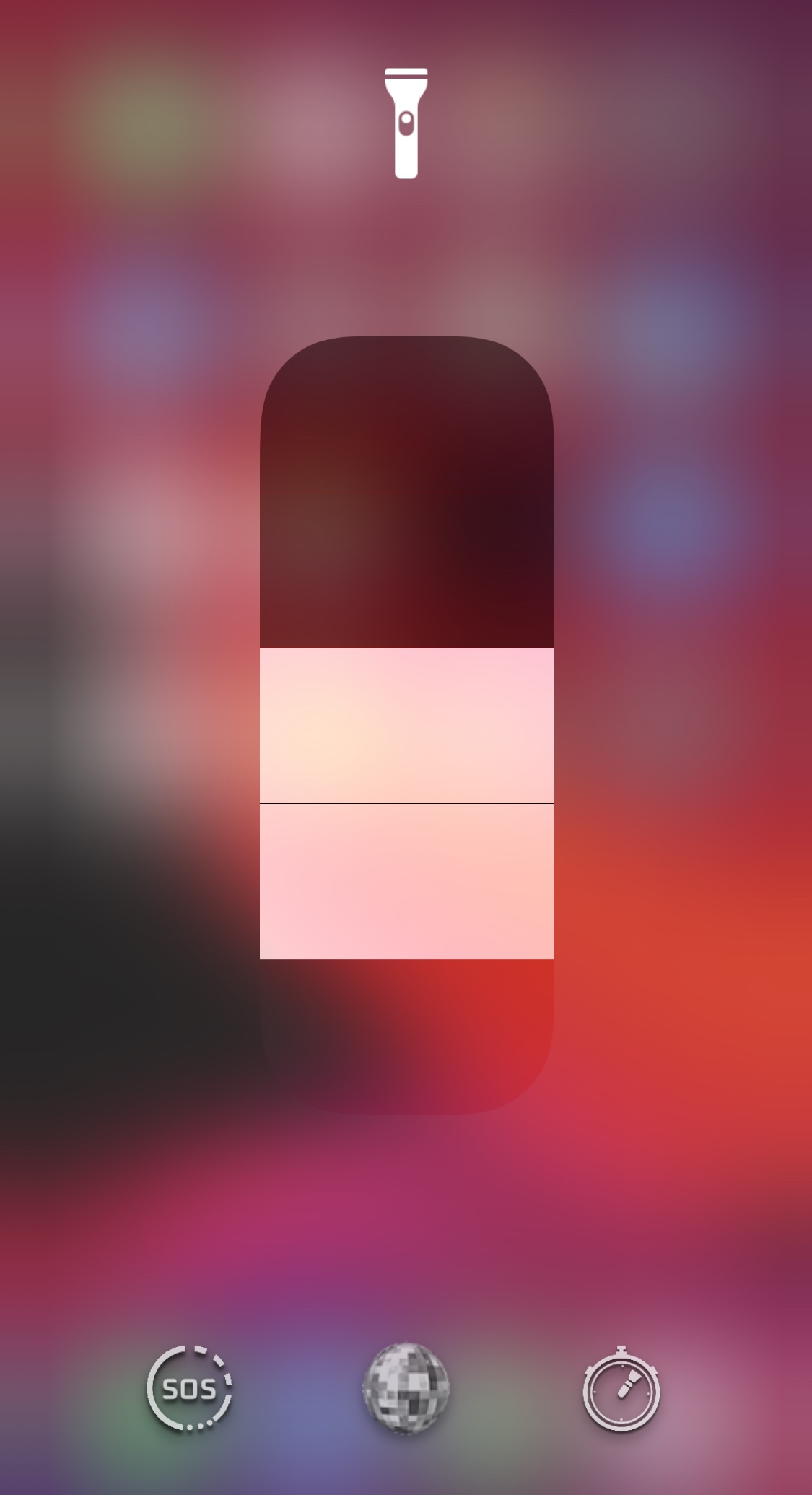
Out of the box, a stock iPhone supports use of the aforementioned LED flash as a flashlight via the Lock Screen Quick Action button or the dedicated Control Center module. Users may also adjust the LED brightness in steps if they wish. Unlike a lot of flashlights on the market today, however, the iPhone’s LED flash seems lackluster in the feature department. That’s where a new jailbreak tweak dubbed Tenmetsu by iOS developer Plat-Ykor comes into play.
Diamond re-imagines the iPhone’s Dock and Status Bar in a big way

Two things that remain mostly the same since the very first iPhone launched in 2007 are the Status Bar and the Dock. Despite a few minor tweaks and adjustments by Apple over the years, they haven’t changed much, and it’s apparent that many users demand more from these essential interface elements.

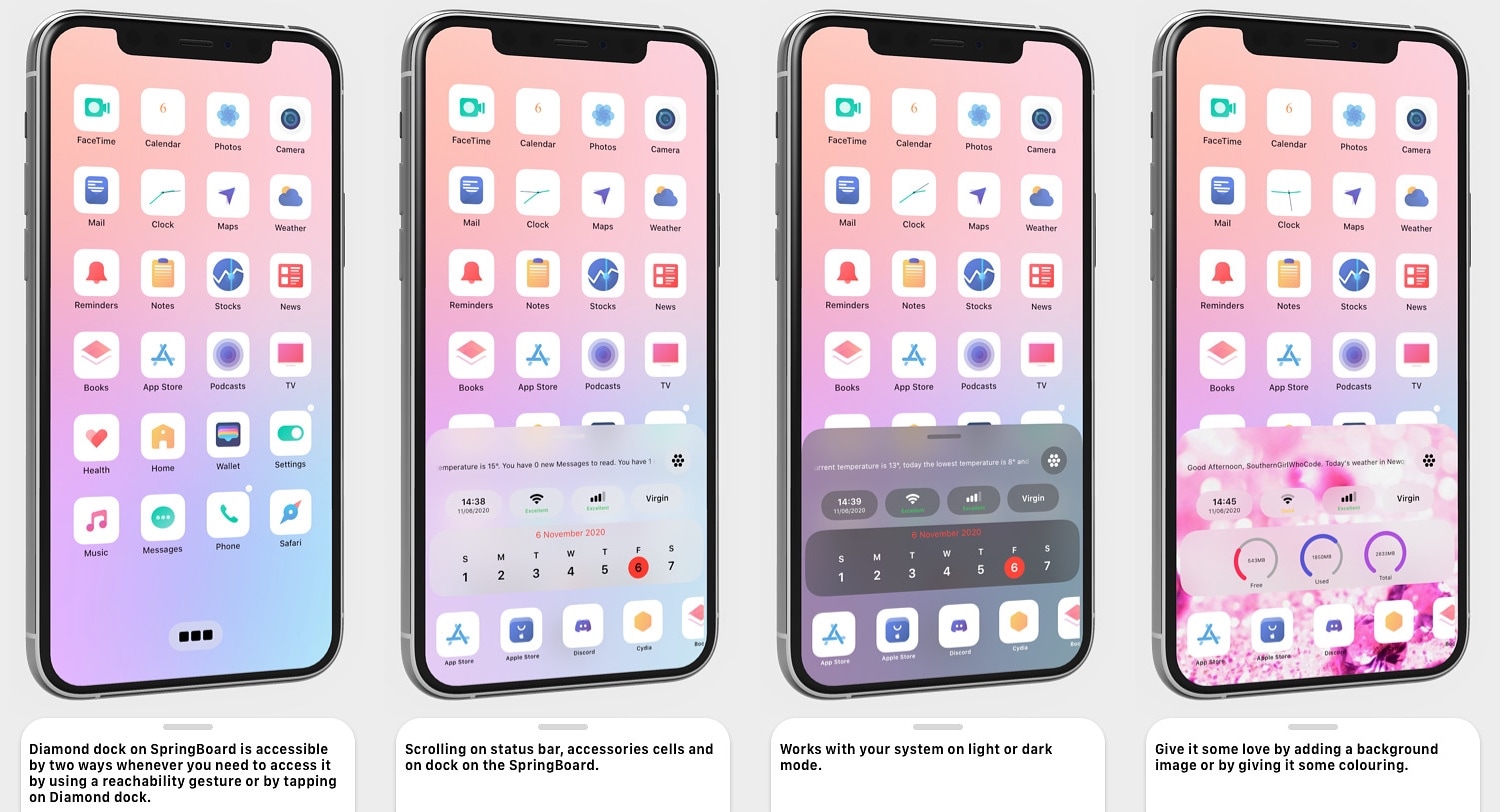
Diamond is a newly released jailbreak tweak by iOS developer SouthernGirlWhoCode that re-imagines these interfaces on the iOS platform, and it does so by combining some of the most important features of the Dock and Status Bar into a single, aesthetically pleasing interface that can be customized in a bevy of different ways.

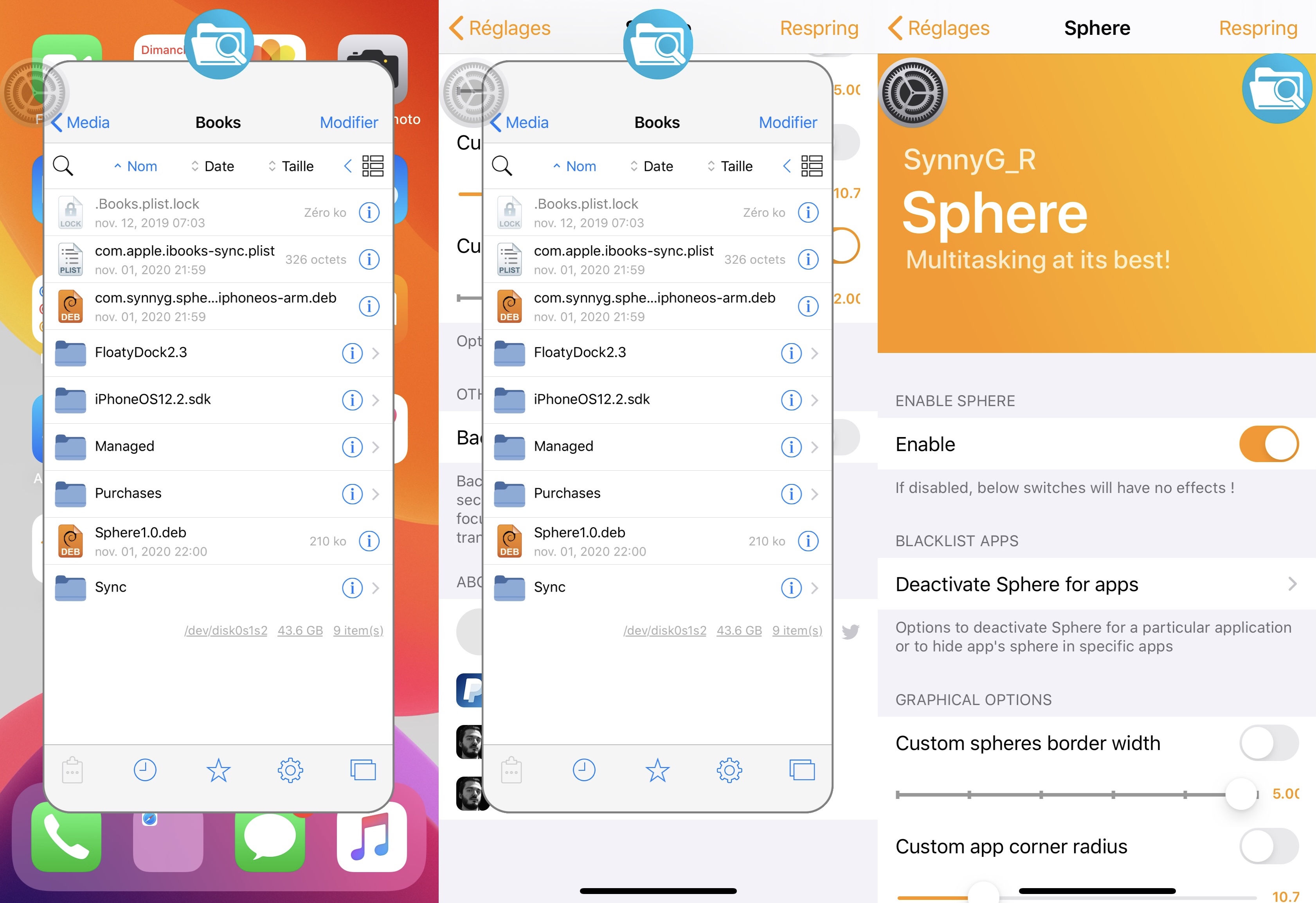
Sphere brings a Chat Heads-inspired multitasking UI to jailbroken iPhones

Apple makes it a breeze to switch from one recently-used app to another on your iPhone, but one area where this particular platform has always left a lot to be desired is the multitasking department.

Jailbreak tweak developers have created a myriad of novel iOS multitasking concepts over the years, but one of the latest examples to land on a mainstream repository is a tweak called Sphere by iOS developer SynnyG.

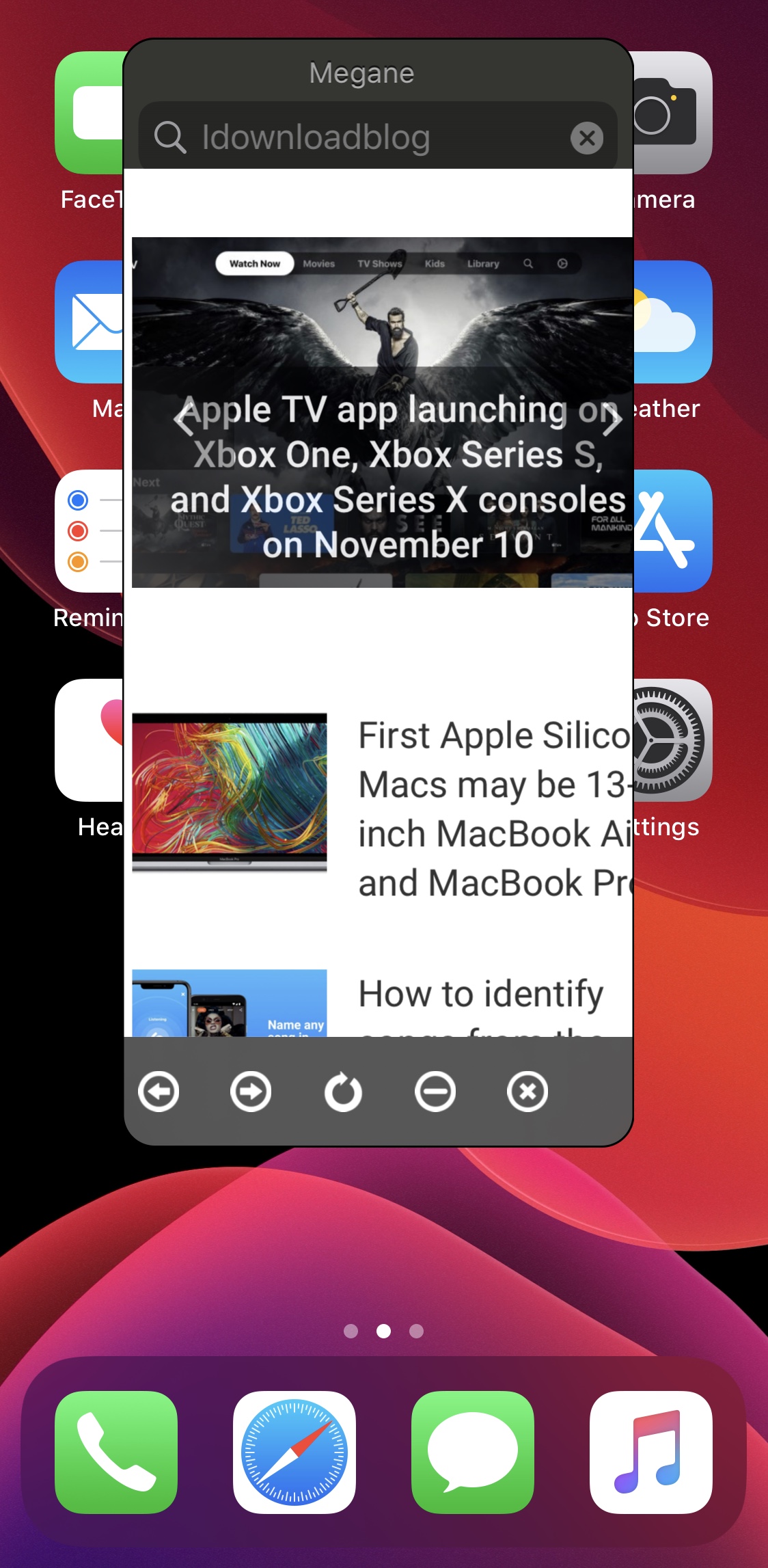
Summon a floating web browser from anywhere in iOS with Megane

Any time you feel like browsing the web, it’s essentially as easy as launching the Safari app and beginning a web search or asking Siri to search the web for you. But if even these two methods are too much effort for you, or you’d rather stay in the app interface you’re already in instead of closing that app to visit Safari, then we might have just the right solution for you.

Enter Megane, a newly released and free jailbreak tweak by iOS developer sugiuta that allows users to summon a floating web search interface like the one shown in the screenshot example above from just about anywhere in iOS with a gesture of their choosing.

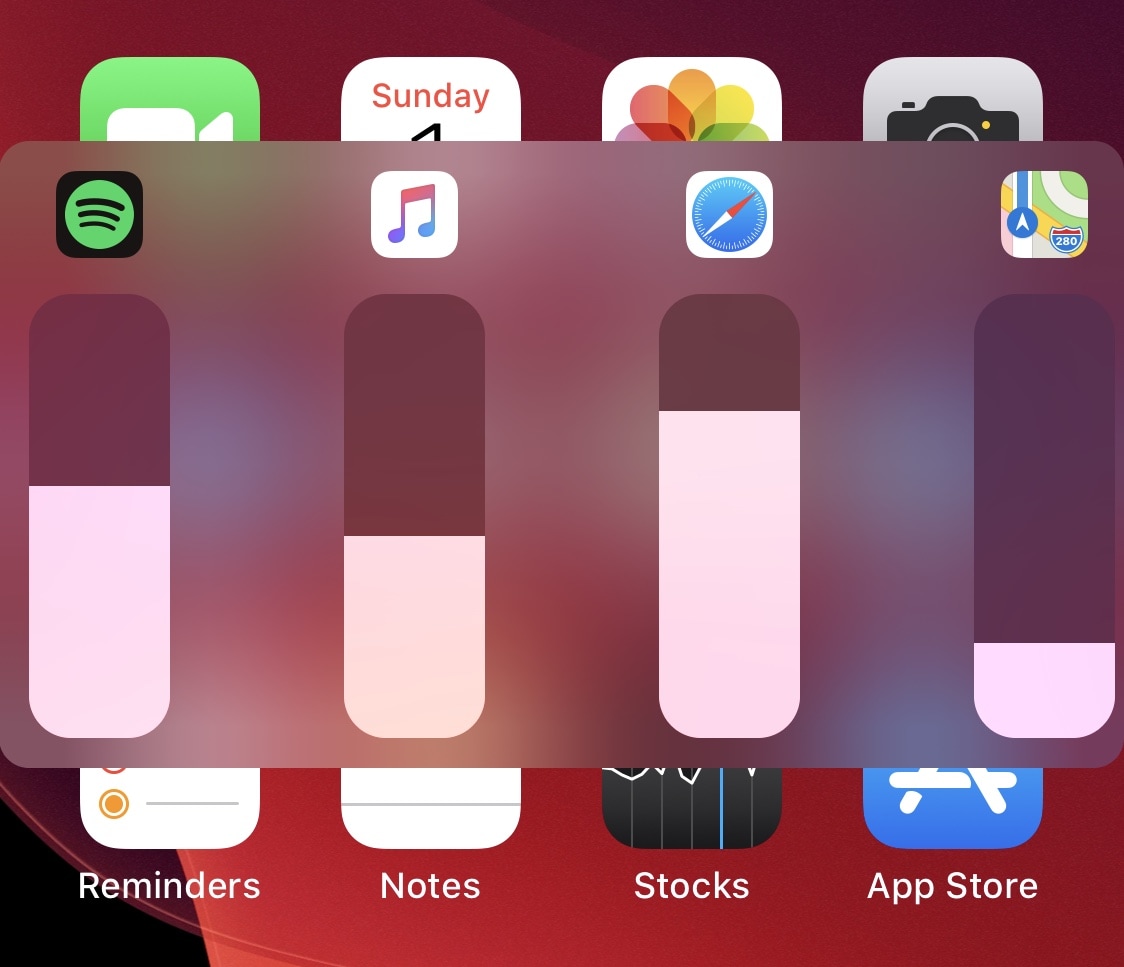
VolumeMixer permits individualized volume levels for each app on your iPhone

One of the things I’ve wished Apple would build into iOS and iPadOS for the longest time is the ability to control individual apps’ volume levels independently of one another. By that, I mean that I might want a higher volume level saved for my Music app as opposed to my Phone app, or perhaps a higher volume for my YouTube app saved as opposed to my favorite game apps.

While this isn’t currently a feature on stock handsets, the good news for those seeking functionality like what was described above is that a newly released and free jailbreak tweak called VolumeMixer by iOS developer Brend0n makes the concept into a very real feature.

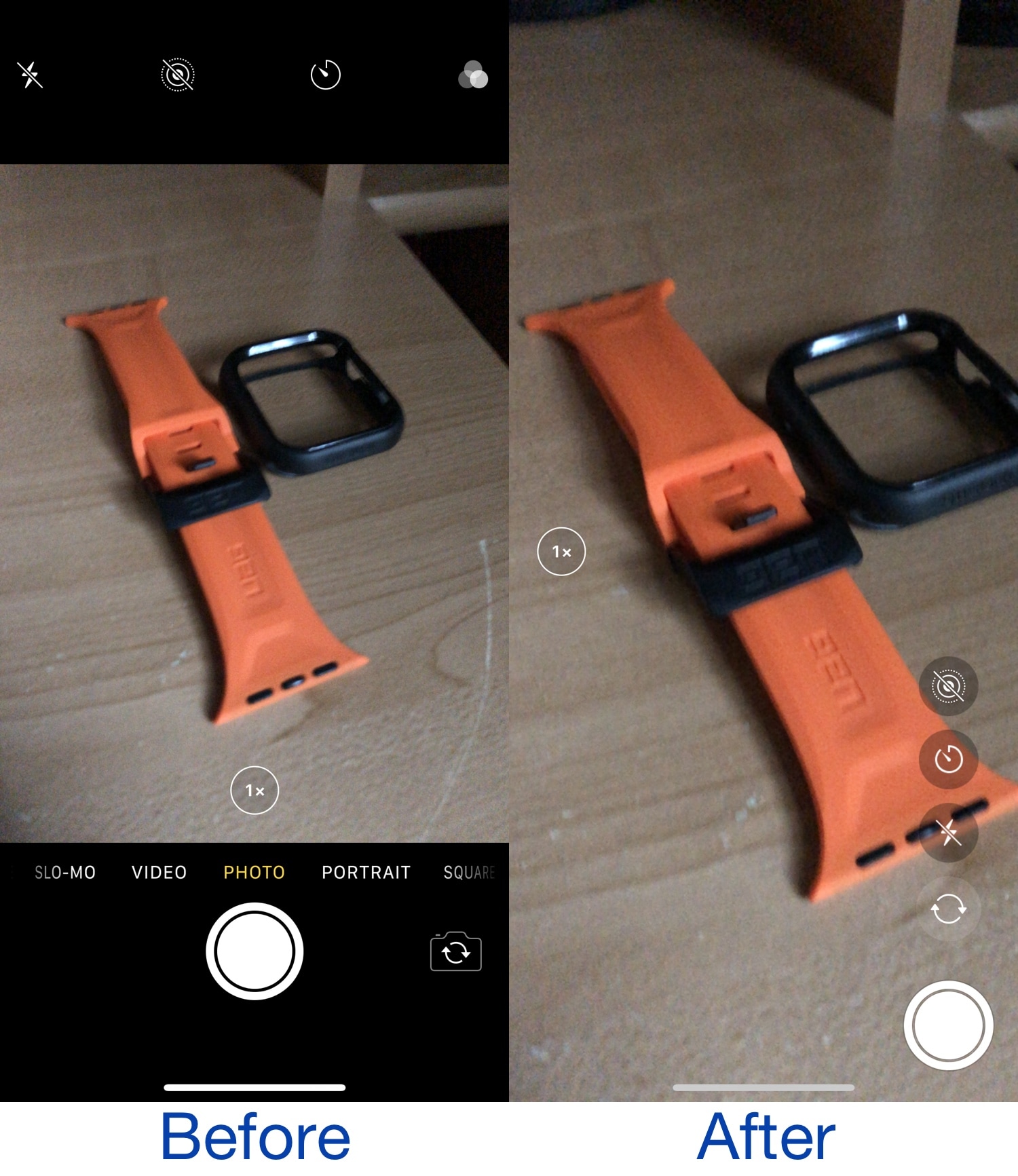
This jailbreak tweak ports the iPad’s Camera app interface to iPhones

As anyone with both an iPhone and iPad can tell you, there’s a distinctive difference between the Camera app interface on each type of device. The iPhone’s Camera app layout takes a horizontal approach to button positioning, while the iPad’s Camera app layout takes a vertical approach to button positioning.

Apple likely has its reasons for designing things how they did, likely to make accessing controls on the iPad easier when your thumbs are on either side of the device as you control it. But wouldn’t it be nice if there was at least some form of synergy between the two platforms? If you answered yes, then you might enjoy a newly released and free jailbreak tweak dubbed iPad Cam by iOS developer pholic.

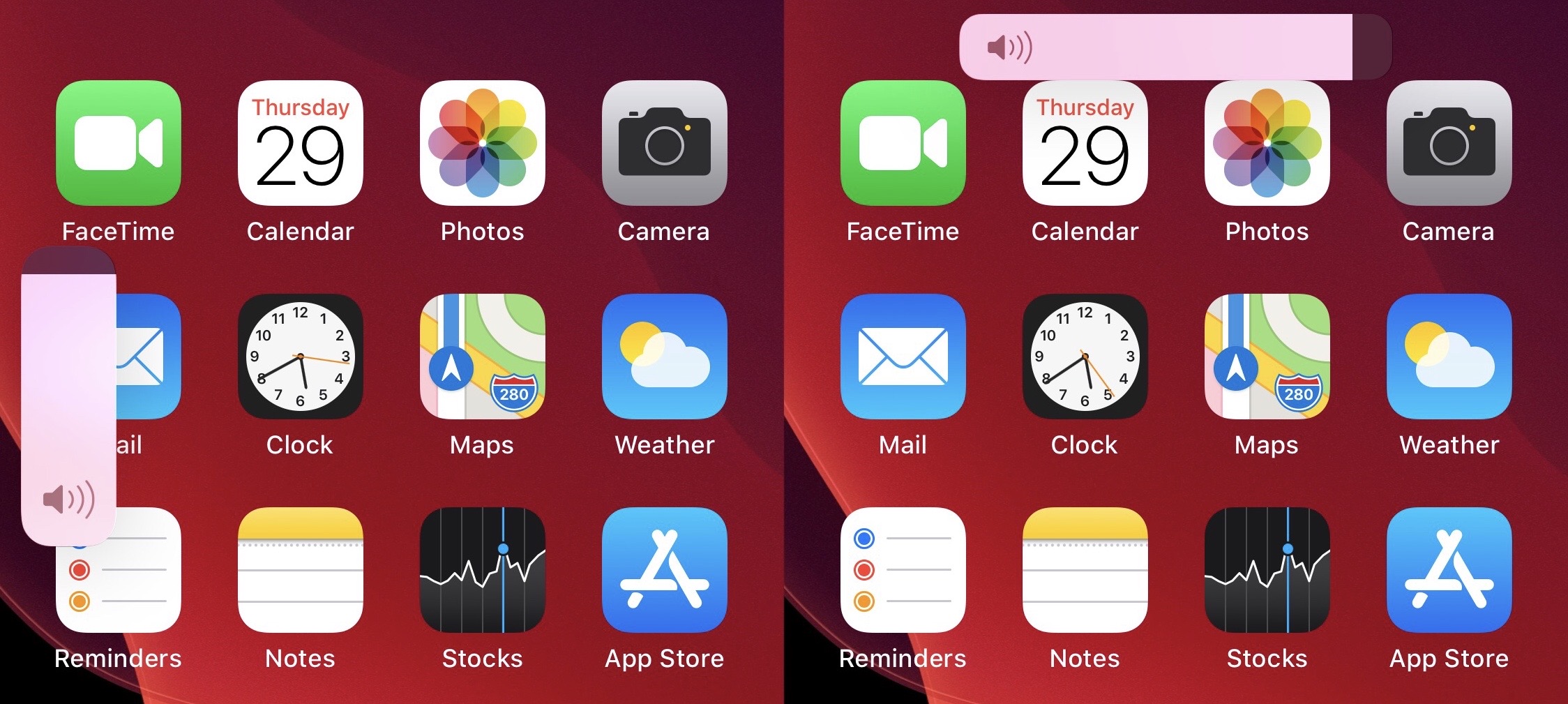
Sana is a new jailbreak tweak for customizing the iOS 13 volume HUD

When Apple released iOS 13 last year, one of the most substantial new features was the redesigned volume HUD interface. It not only moved the volume HUD off to the side and out of the way, but it also made the interface touch-sensitive, enabling finger-based granular volume adjustments when visible.

If, however, you were hoping for some form of customization with regard to the new volume HUD, then you would have been let down. Fortunately, a newly released and free jailbreak tweak called Sana by iOS developer samoht provides some relief.

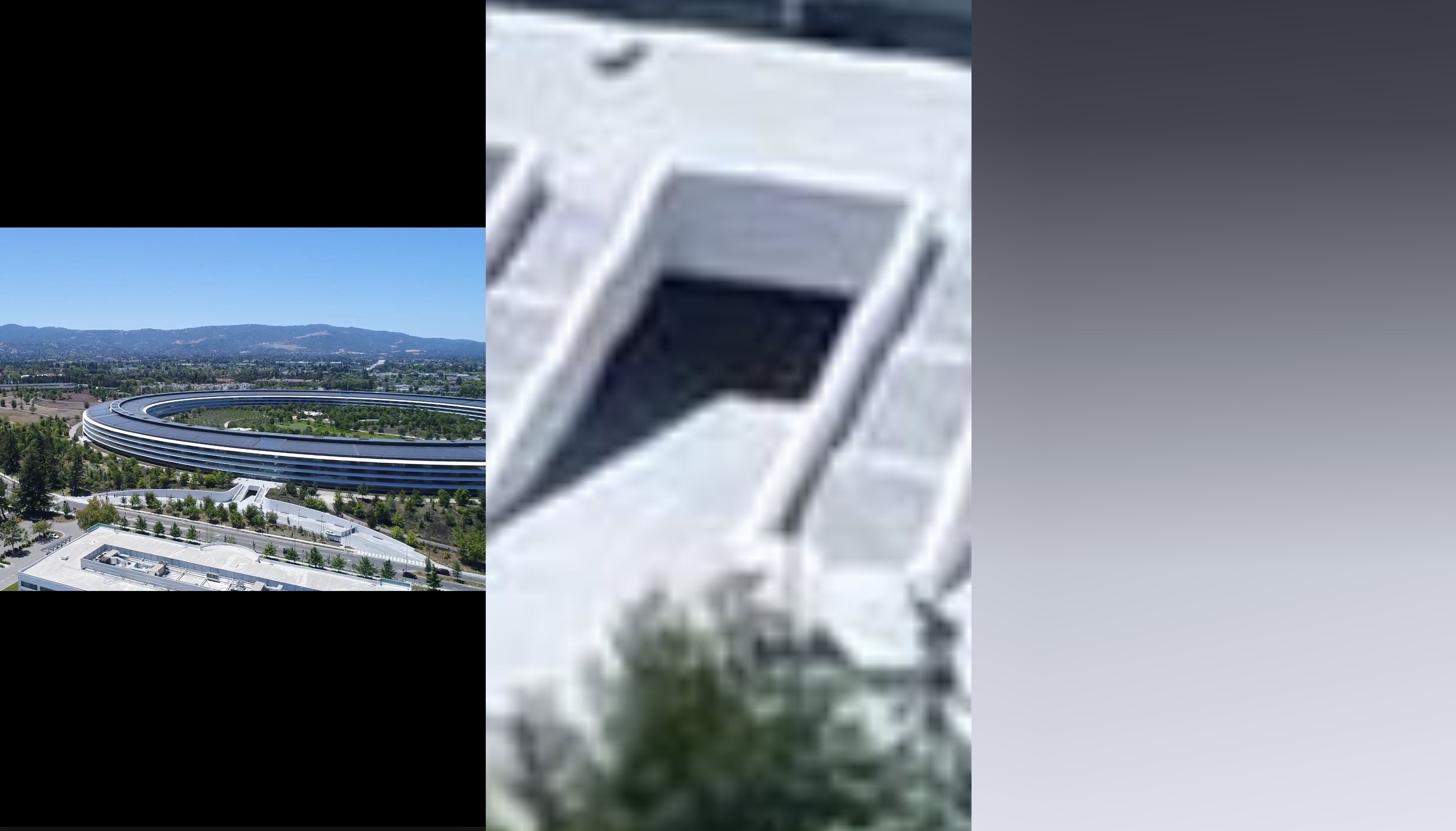
Break free of the Photos app’s zoom limits with Max Photo Zoom

As you use the native Photos app on your iPhone or iPad to browse all the pictures you’ve taken yourself or saved from the internet, you’ll notice that iOS imposes limits on just how far that you can zoom in to your images. This has long left me scratching my head, as there are often times when I want to zoom far into a photography to see a small detail more clearly, and many others appear to be in the same boat.

If you agree, then there’s absolutely no doubt that you’re going to love a newly released and free jailbreak tweak called Max Photo Zoom by iOS developer Brandon Robinson. With it, you can bust through Apple’s natively-imposed zooming limits in the Photos app, enabling you to get closer to your photos than you ever have before.

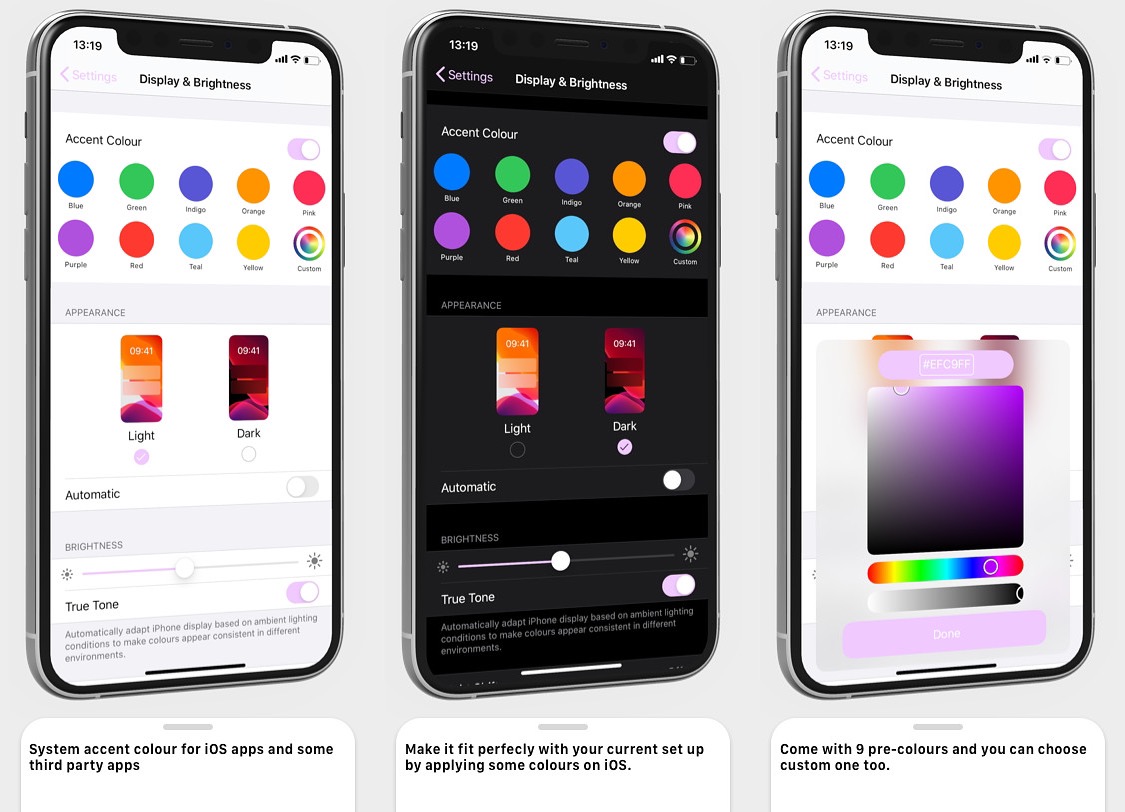
Change iOS’ native interface accentuation color with Twister

Apple has used the color blue to accentuate buttons, sliders, and more for as long as I can remember. But if you have a favorite color besides blue, then you might find it disappointing that Apple doesn’t offer any way to customize these color accentuations out of the box.

That’s where a newly released jailbreak tweak called Twister by iOS developer SouthernGirlWhoCode can help. This tweak provides users with the option to change iOS’ default accentuation color for the aforementioned interface elements, and it does so in a fashion that looks and feels like it was made Apple themselves.

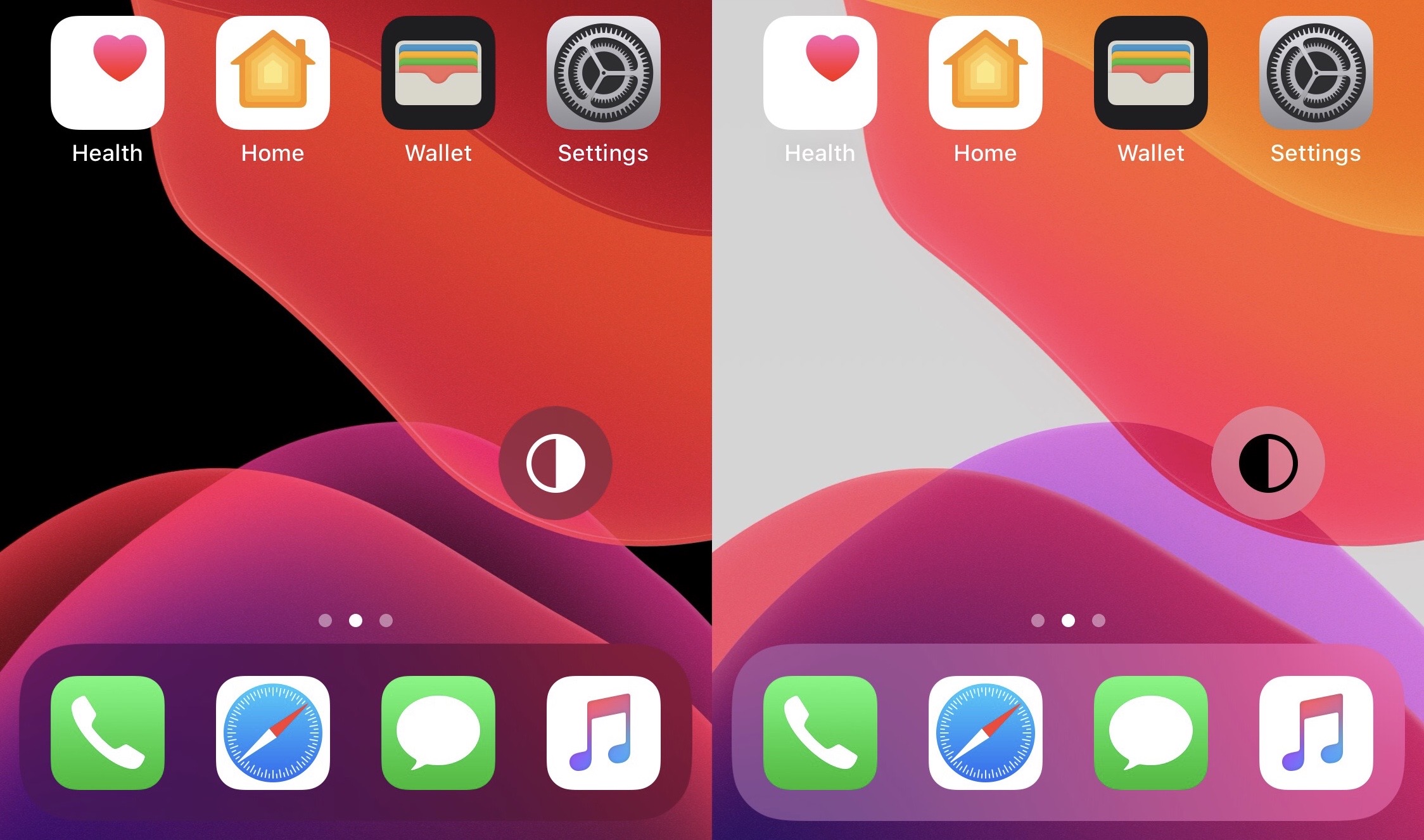
FloatingDarkMode gives jailbreakers an always-visible dark mode toggle

The addition of dark mode support was perhaps one of the biggest new features of last year’s iOS 13 release, and it’d be an understatement to say that Apple delivered a wonderful dark mode-centric user experience. On a stock device, dark mode can be toggled on or off from the Settings app, or via Control Center if the user has added the dark mode toggle module.

But for those who are too lazy to deal with either of the above options, a newly released and free jailbreak tweak called FloatingDarkMode by iOS developer Ethan Whited brings an always-accessible dark mode toggle button to jailbroken handsets that floats over any user interface.

PocketProtector prevents accidental butt-dials on jailbroken iPhones

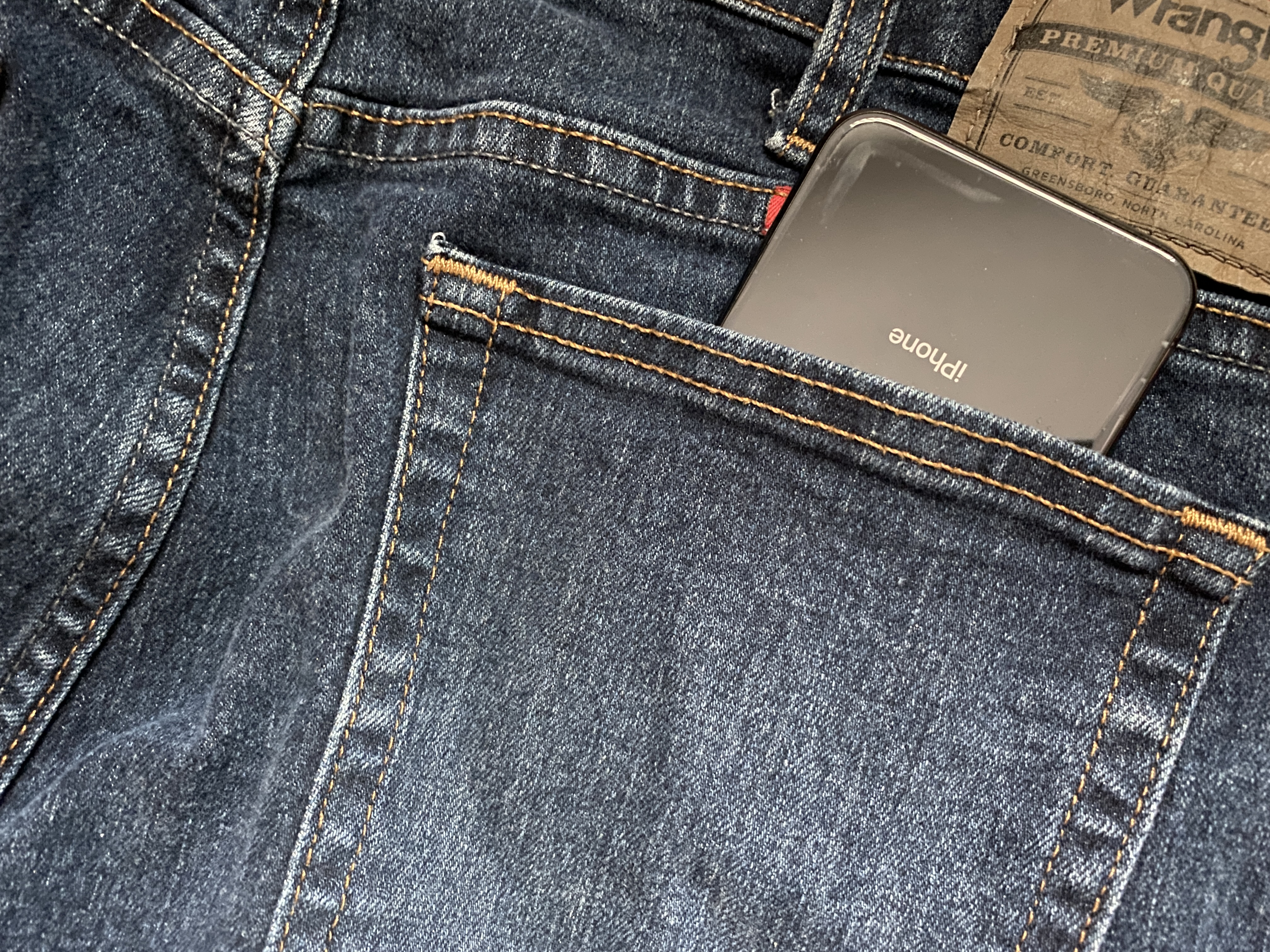
We’ve all heard of butt or pocket-dialing – the act of accidentally calling someone with your phone as it sits in your pocket. In theory, this seems a lot less likely on modern devices that require Face ID or Touch ID authentication to function; nevertheless, it still seems to happen to some people either because they don’t lock their device before pocketing it or because of some other mind-bending anomaly.

Despite how seemingly impossible butt-dialing or inadvertent smartphone operations on a pocketed phone might be at first glance, those who experience these anomalies for one reason or another can now take advantage of a newly released and free jailbreak tweak called PocketProtector by iOS developer Brady Holland (Squiddy) to prevent them from happening, once and for all.