UI

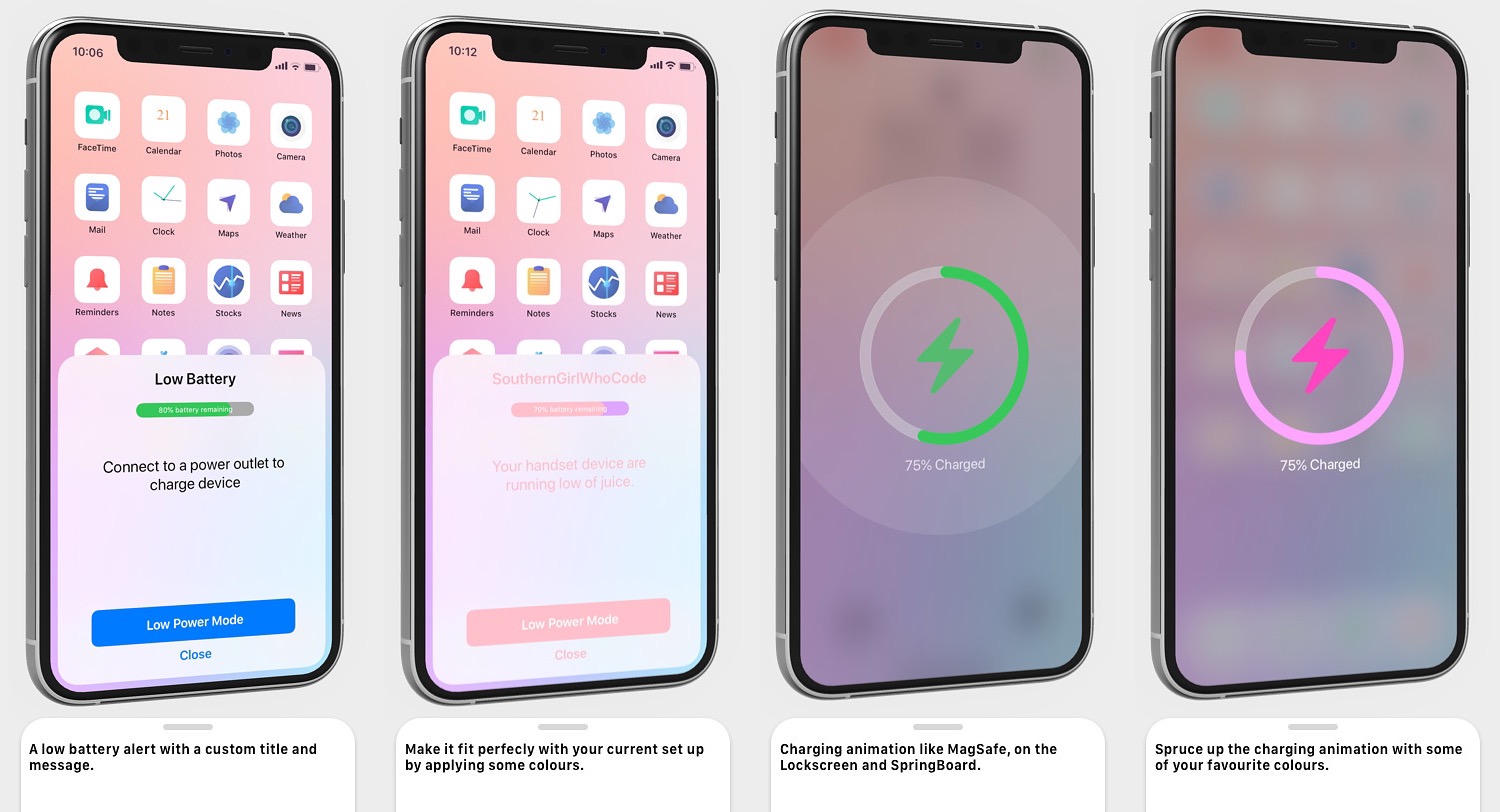
Electrifying gives jailbreakers an upgraded low power alert & charging UI

If you’re harder on your iPhone than most, then you might be somewhat familiar with the low power alert that appears when your battery level drops to a certain percentage. For what it’s worth, Apple is a large company with vast resources, and so it’s somewhat thought-provoking to think that this alert hasn’t received much of a redesign over the years.

Fortunately, jailbreakers won’t need to wait for Apple to take action. Electrifying a newly released jailbreak tweak by iOS developer SouthernGirlWhoCode that brings a redesigned low power alert to the iOS platform, complete with user-configurable features to personalize the interface however you might see fit.
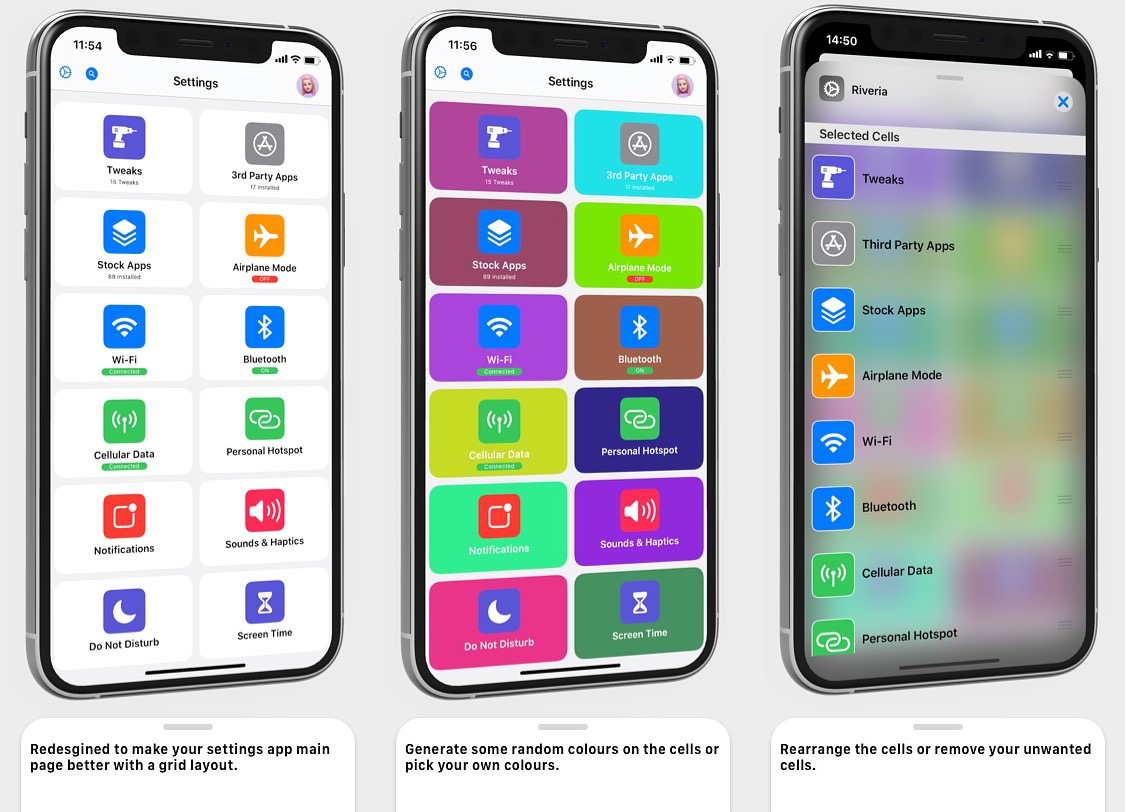
Give your Settings app a facelift with the new Riveria jailbreak tweak

The Settings app on your iPhone was provided by Apple as a way to access all of your handset’s options in one convenient place, and while it definitely gets the job done, some users still demand more in terms of the user interface to make it more fun and user-friendly.

Thankfully, iOS developer SouthernGirlWhoCode has just released a new jailbreak tweak called Riveria that redesigns the Settings app’s user interface to be both modular and user-configurable.

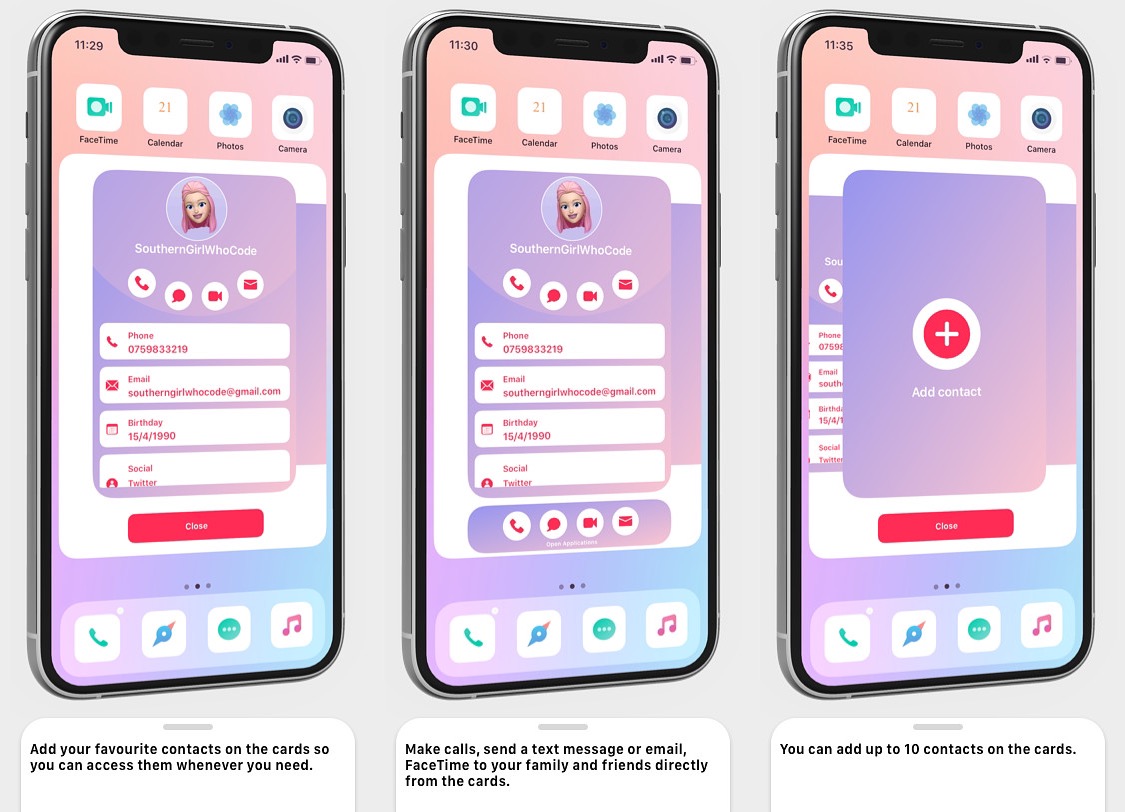
Sunset makes it easier for jailbreakers to get in touch with friends & family

When you’re in the mood to get in touch with a friend or family member, you’d generally just launch the Contacts app, find that person, and then tap only our preferred method of contact to reach them — be it text, phone, or email. But it’s 2020, and by now, someone’s got to be saying that it’s ludicrous that one would need to close the app they’re in and launch the Contacts app just to get in touch with someone else.

Those who feel the way we’ve just described are likely to enjoy a newly released jailbreak tweak called Sunset by iOS developer SouthernGirlWhoCode, as it replaces the idea of a Contacts app with a Contacts card that can be summoned from just about anywhere in iOS with one of several different gestures.

Genesis 2 – The new all-in-one jailbreak tweak you don’t want to miss

Given just how easy it is to rack up an expensive bill in the process of buying paid jailbreak tweaks these days, it’s no wonder why all-in-one jailbreak tweaks have become so popular as of late. Not only can they give you more bang for your buck, but they can also free up system sources by reducing the number of tweaks that hook into processes on your device.

In this review, we’ll be taking a closer look at a new jailbreak tweak called Genesis 2 by iOS developer ItzNebbs. Genesis 2 is the latest all-in-one extension to be released for jailbroken devices, and as you’ll soon learn, it offers and slew of powerful tools for customizing various user interfaces found throughout iOS.

This tweak provides jailbreakers with the new iPhone 12 Pro wallpapers

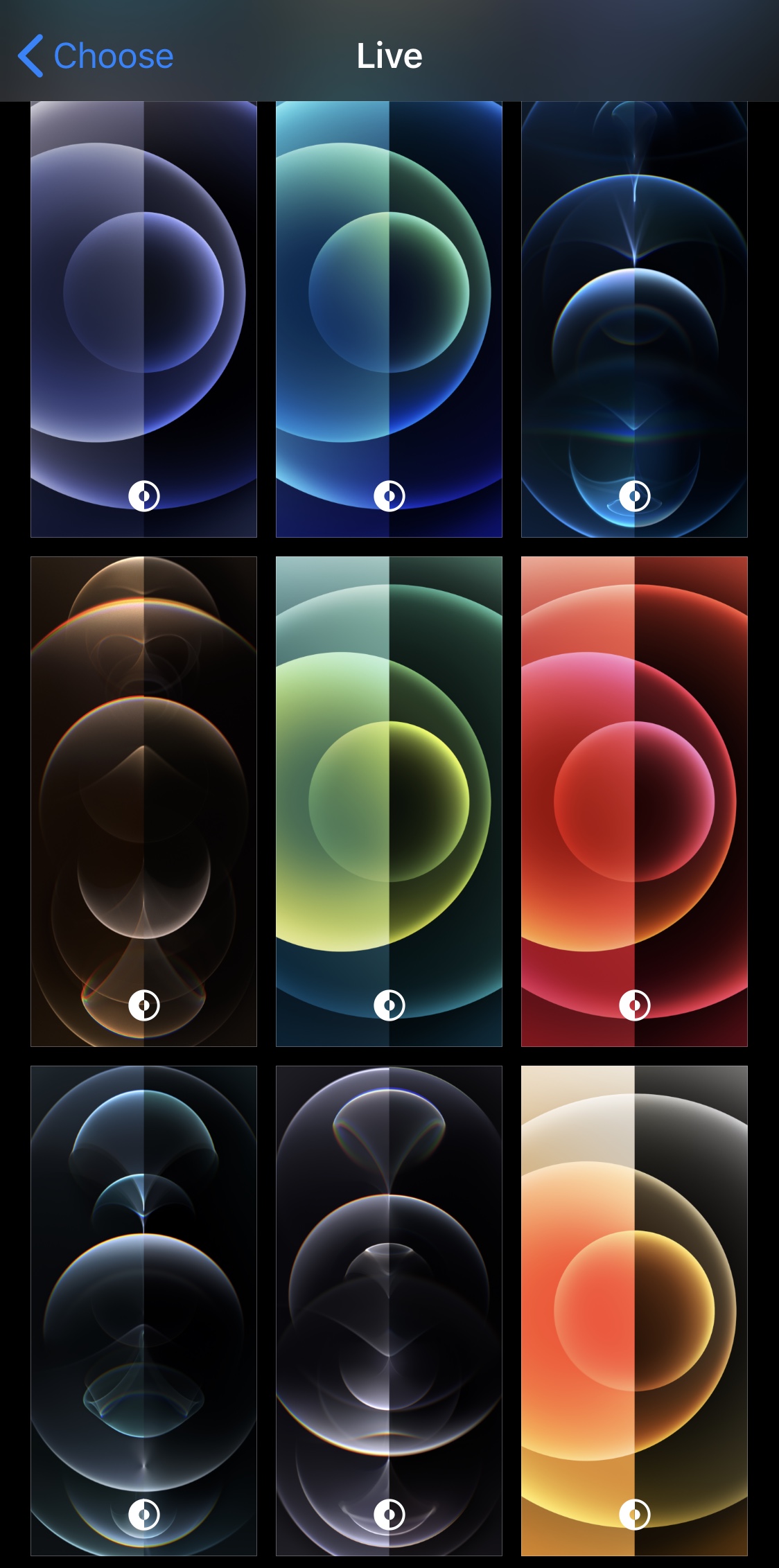
If you’ve seen any of the Apple’s advertisements for the latest iPhones, then you’ve undoubtedly observed the new wallpapers showcased on those handsets in those advertisements. Those wallpapers aren’t available out of the box on older or current handsets, but if you’re jailbroken, then the news news is that you can obtain them rather easily.

iPhone 12 Pro Wallpapers is a newly released and free add-on by iOS developer sunchipnacho that ports all of those shiny new wallpapers to pwned handsets on iOS 13 or 14.

Hate iOS 14’s App Library? This jailbreak tweak disables it entirely

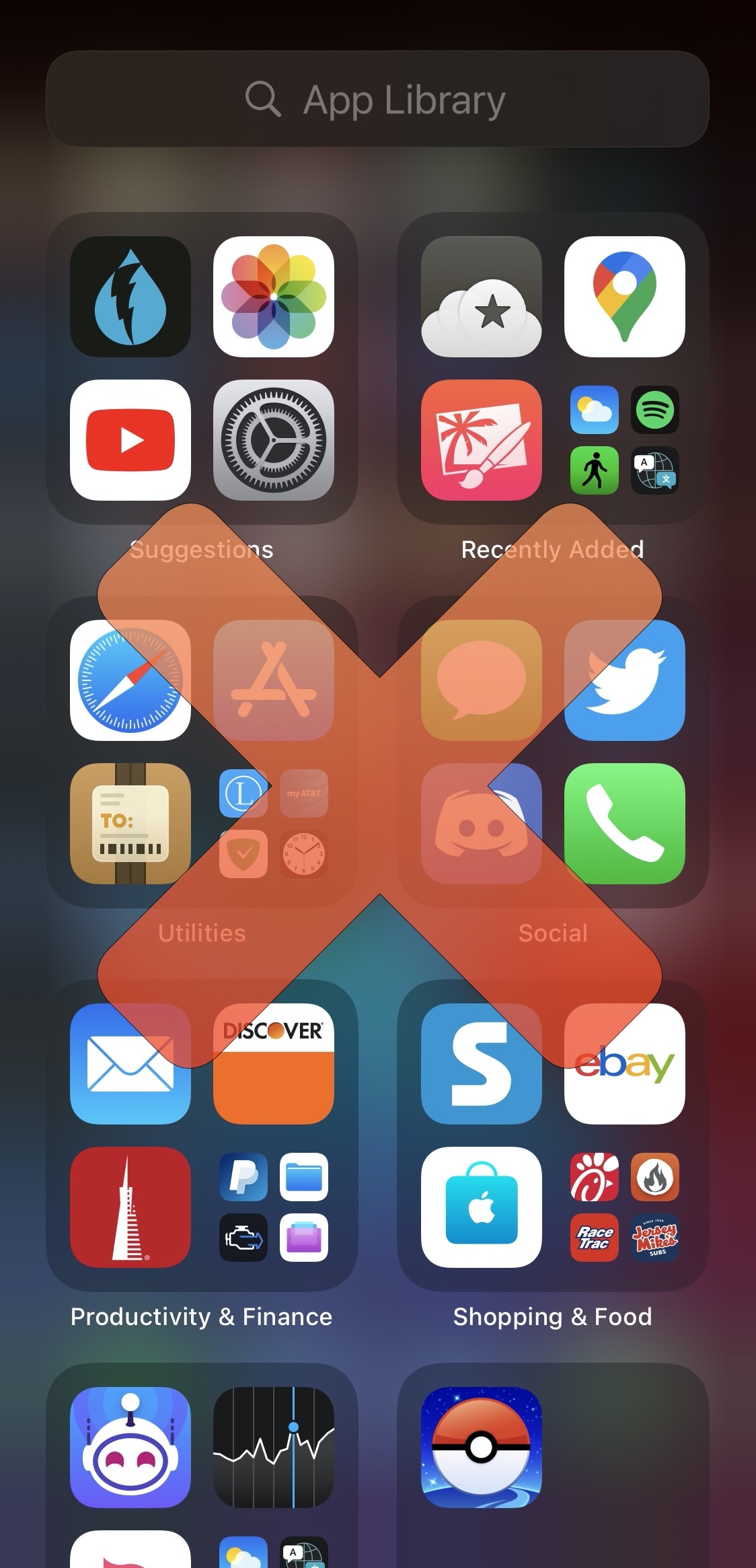
One of the most substantial changes to come with the release of iOS 14 this year was the redesigned Home Screen. It not only incorporates a new breed of user-friendly widgets, but it also lets users hide seldom-used app icons away in the new App Library interface.

The App Library is a big change for the iOS platform, and while many people have already started embracing it, others, not so much. For those who align themselves with the latter camp, App Library Disabler is a newly released and free jailbreak tweak by iOS developer Tomasz Poliszuk that disables the App Library interface in its entirety on pwned iOS 14 handsets.

Fine-tune your pwned handset’s animation speeds with AnimPlus

There’s no shortage of jailbreak community members who enjoy tweaking the animation speeds of their pwned iPhones and iPads. Fortunately, this remains possible even with iOS & iPadOS 14, which can currently be jailbroken with checkra1n on a small subset of older devices with a compatible SoC (A8-A9X at the time of this writing).

Whether you’re on iOS 13 or even iOS 14, a newly released jailbreak tweak called AnimPlus by iOS developer eXqusic will provide you with all the animation-tweaking capabilities you could ever ask for. Whether you wanted your animations to appear fast and snappy or slow and fluid, this is a tweak that can change the perceivable responsiveness of your handset in an instant.

MagSafe Controller lets jailbreakers customize the MagSafe charging animation

It wasn’t long after Apple began demoing the new MagSafe charging animation for the iPhone 12 & 12 Pro lineups that the jailbreak community began requesting a similar charging animation for their existing iPhones. As a result, two new jailbreak tweaks were released last week to port those features over to various pwned handsets.

But what if you weren’t happy with how the MagSafe charging animation looked out of the box? A week ago, you would have been S.O.L., but thanks to a newly released and free jailbreak tweak dubbed MagSafe Controller by iOS developer Tomasz Poliszuk, you can customize various aesthetics of the MagSafe charging animation to suit your personality.

EasyAirplaneDisabler fixes Apple’s antiquated Airplane Mode prompt

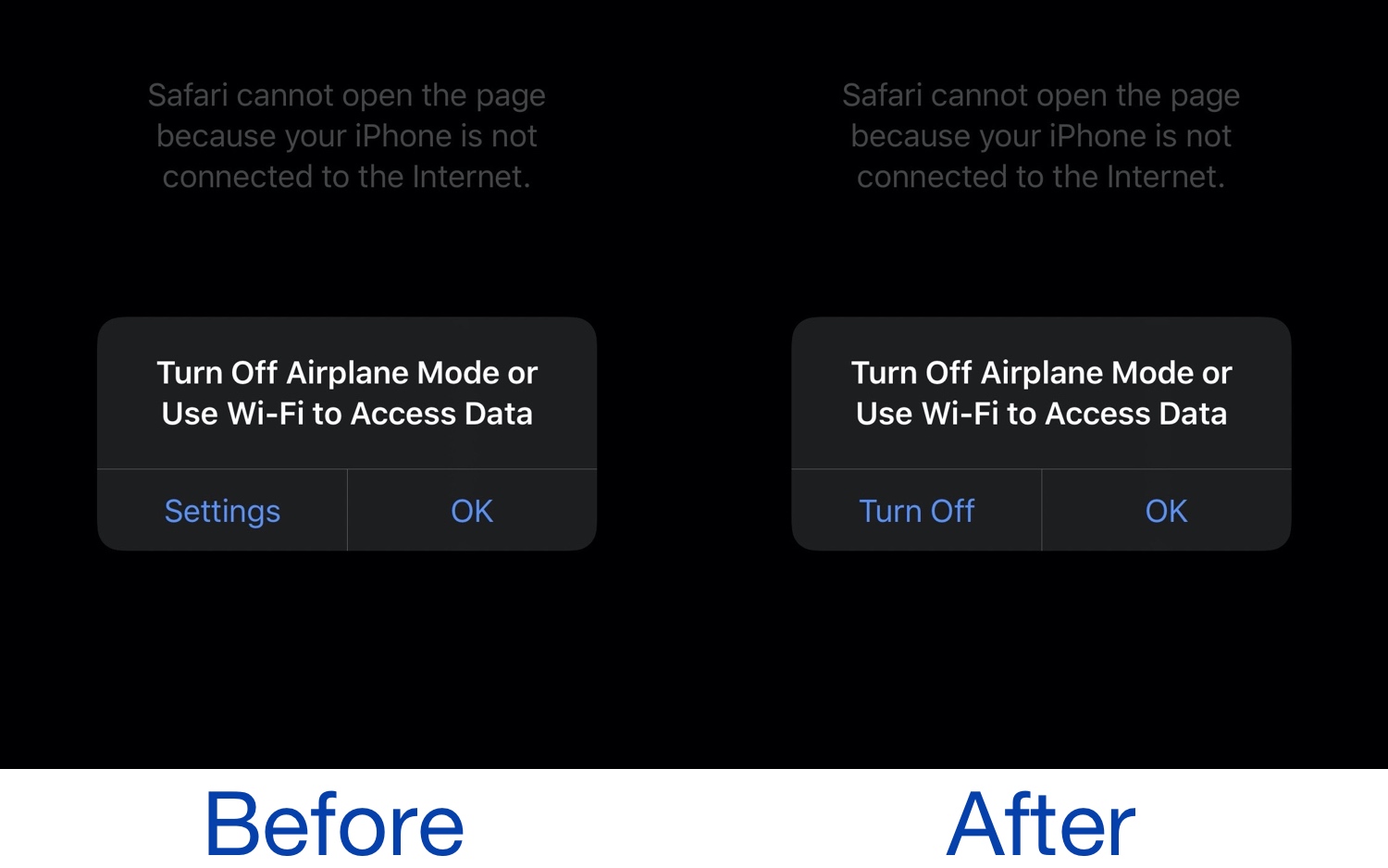
As a frequent user of Airplane Mode on my iPhone, I can truthfully say that Apple’s prompt reminding me to disable Airplane Mode before I can access data is a blatant disappointment. With nothing more than a button shortcut to the Settings app and a cancel button to exit the prompt, it makes the process of disabling Airplane Mode rather cumbersome.

Because of this, a newly released and free jailbreak tweak called EasyAirplaneDisabler by iOS developer AnthoPak seems like it would be a no-brainer for any Airplane Mode user. As depicted in the screenshot examples above, EasyAirplaneDisabler replaces the Settings app shortcut button on the left side of the native prompt with a literal Turn Off button.

Crystal brings volume-based active noise cancellation toggling to AirPods Pro for jailbreakers

AirPods Pro

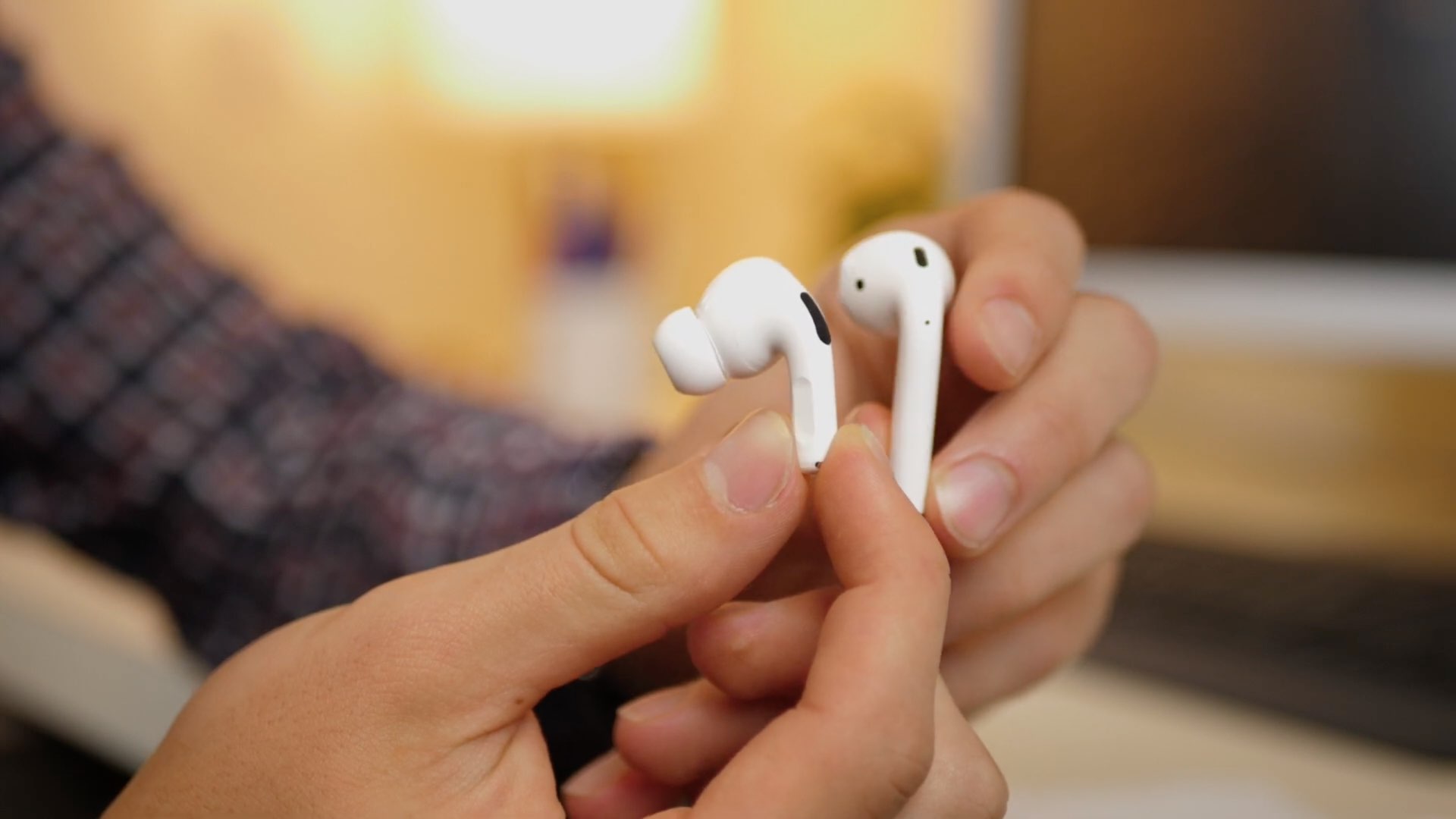
Apple’s AirPods Pro quickly rose to become one of the market’s most popular active noise cancellation-equipped wireless earbuds. Out of the box, they isolate users’ ears from their surroundings via active noise cancellation; and in the event that you need to hear somebody, they support transparency mode, which allows a person’s voice to pass through the AirPods Pro’s microphone and into the user’s ear canal as audio.

One thing worth noting is that when using the AirPods Pro, the user must manually switch between active noise cancelation mode and transparency mode with a gesture when either feature is desired. With that in mind, iOS developer Litten devised a way to make this behavior more autonomous based on the user’s circumstances, and as such, a newly released and free jailbreak tweak called Crystal was born.

These new tweaks bring Apple’s MagSafe charge animation to jailbroken devices

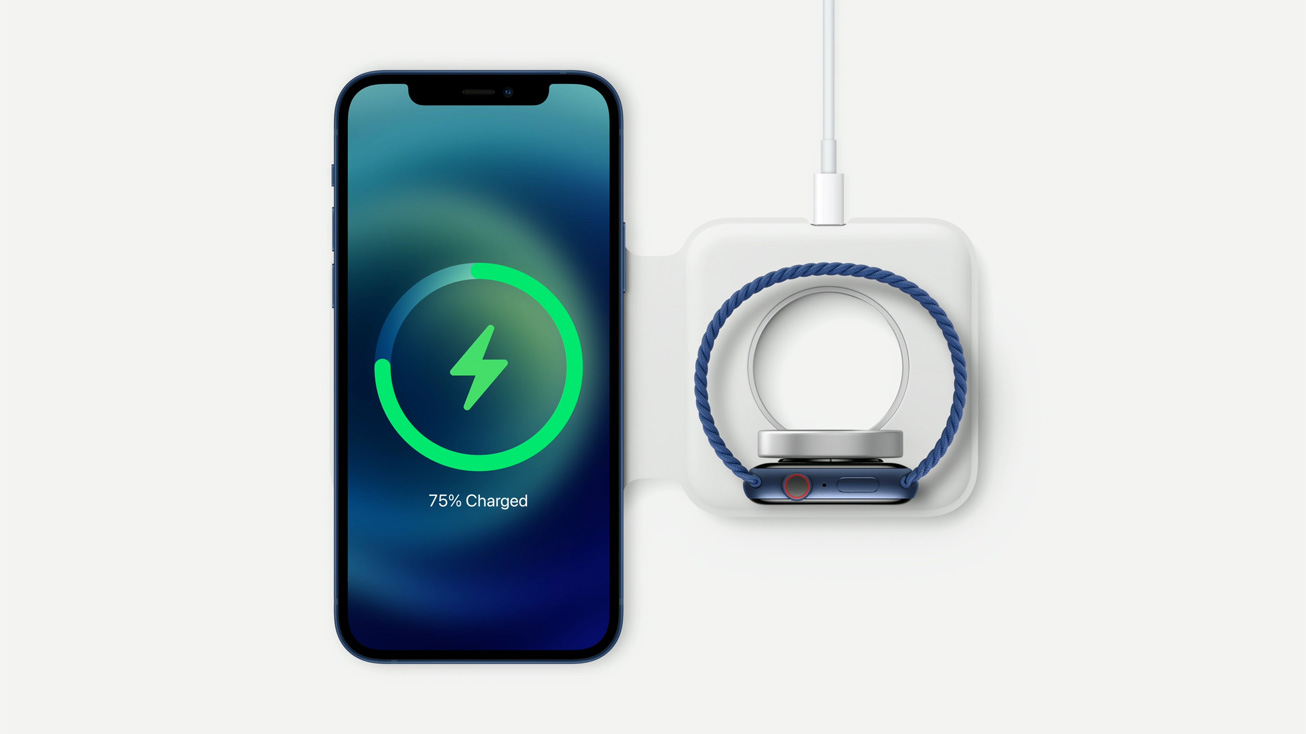
One of the things that makes the brand new and upcoming iPhone 12 & 12 Pro lineup unique is the addition of support for MagSafe accessories. Apple touts MagSafe for iPhone as a larger version of the Apple Watch charger that attaches magnetically to the rear of the handset and charges the device at up to twice the speed of any Qi-enabled wireless charger. As you might come to expect, MagSafe even includes a charging animation unique to itself, as shown above.

It wasn’t long after the introduction of MagSafe that avid jailbreakers began asking whether it’d be possible to have a similar charging animation on their existing pwned devices… and the short answer would be yes. The longer answer is yes, and that a duo of new and free jailbreak tweaks dubbed Lock Screen Battery – MagSafe by Tomasz Poliszuk and MagSafe by iOS developers Ethan Whited and MTAC are already available and make this possible for various devices.

SilentMaps13 makes Apple Maps navigation less intrusive to music playback

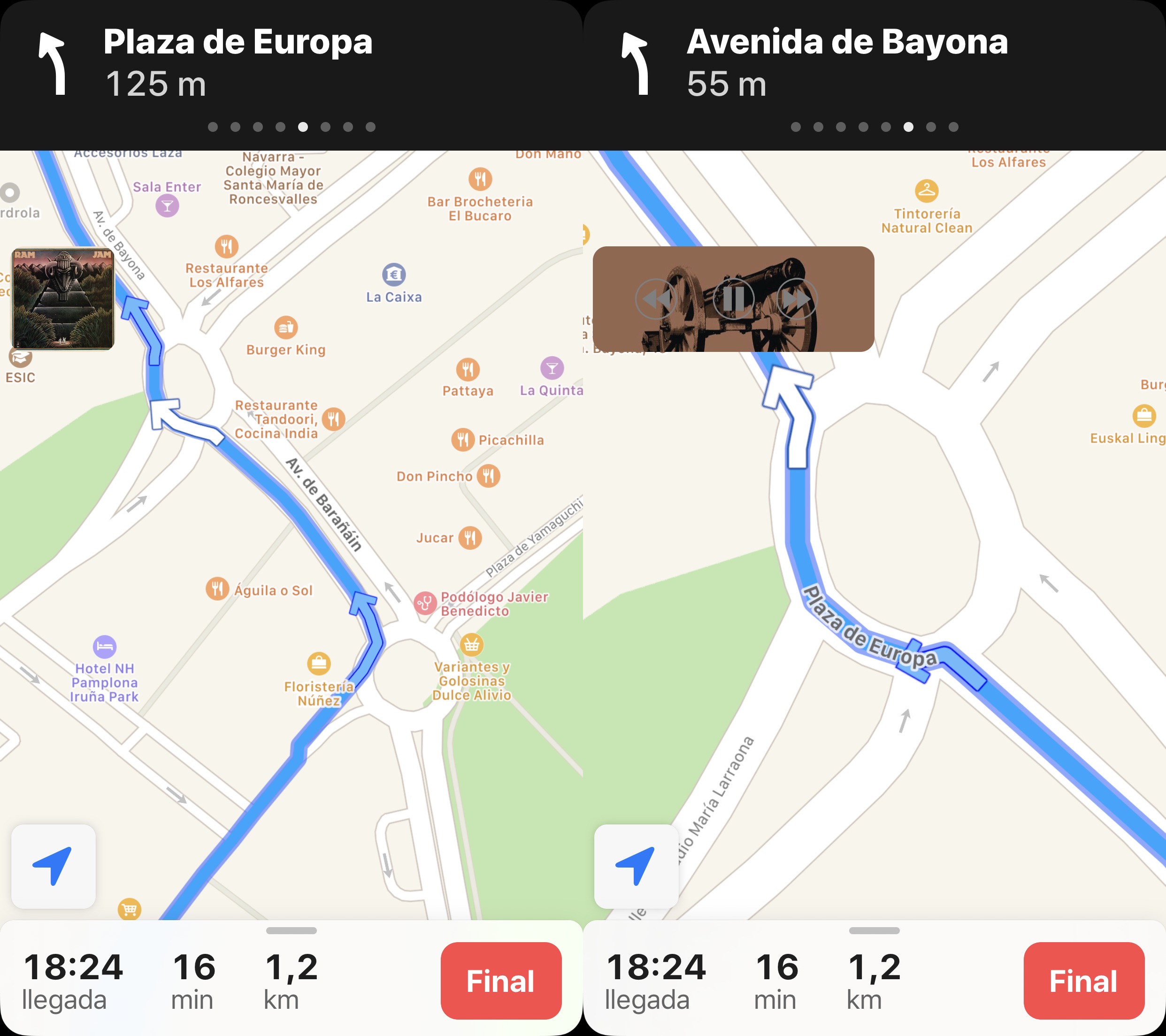
It’s fairly common for drivers to listen to music as they cruise around, and with CarPlay and Bluetooth accessories becoming more popular in modern cars, it becomes more and more likely that drivers will stream their music from their smartphone as opposed to the radio. Another thing drivers often use is their handset’s built-in navigation feature, and unfortunately, directions from the Maps app have a tendency to announce directions at all the worst times…

Enter SilentMaps13, a newly released jailbreak tweak by iOS developer Greg0109 that helps prevent the Maps app from announcing directions right as the beat of your favorite song drops. The tweak offers user-configurable alternatives to having Siri’s voice interrupt your track, and it’s sure to offer an augmented user experience when used in a navigation-esque setting while listening to music in the car.