UI

Appstore Unrestrict lets you download app updates larger than 150MB over cellular

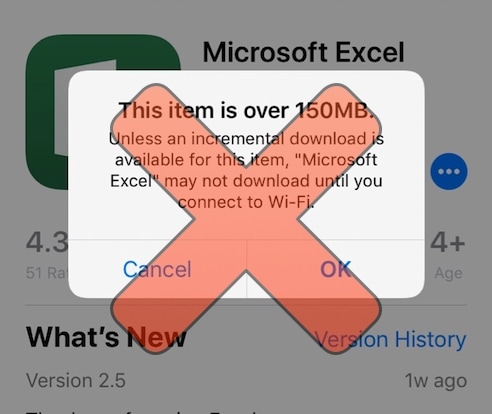
If you’re like me and find it exceptionally troublesome when iOS refuses to download certain app updates because they’re ‘too large’ to be downloaded over a cellular network, then you’ll just love a free jailbreak tweak called Appstore Unrestrict by iOS developer Julio Verne.

This tweak does away with the silly prompt shown above, allowing you to download app updates of any size even when you’re connected to a cellular network instead of Wi-Fi. Can anyone say hallelujah?

Pin your favorite apps to the Siri Suggestions widget with AppsSiriPin

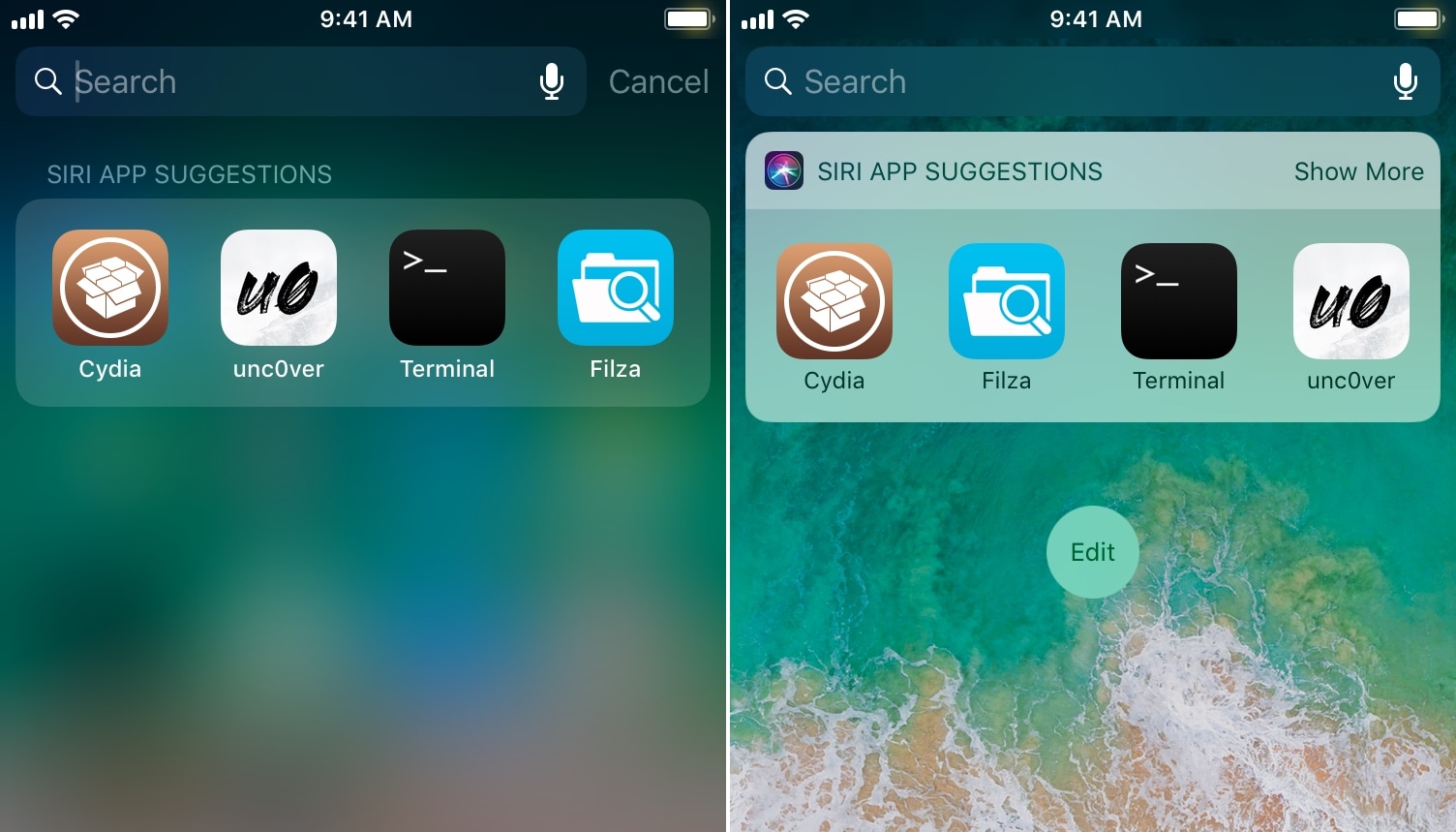
Apple designed iOS’ Siri Suggestions widget to display recommended apps based on your usage habits. But wouldn’t it be nice if you could configure the Siri Suggestions widget to display the apps you wanted to see the most?

Well stop drooling, because a free jailbreak tweak called AppsSiriPin by iOS developer Julio Verne lets you choose which apps appear in iOS' Siri Suggestions widget.

YTMiniBarX rounds the corners of the mini bar in the official YouTube app

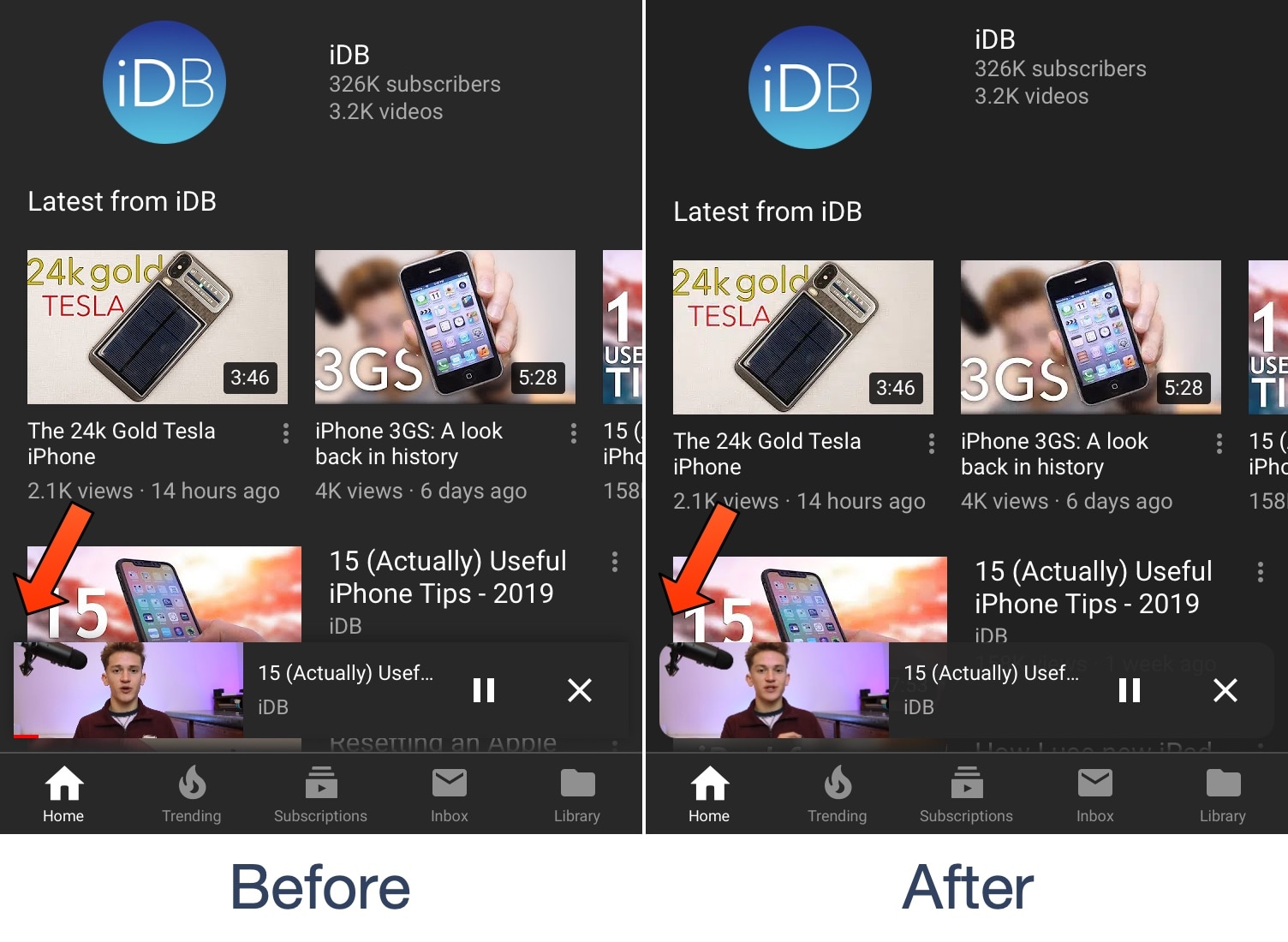
The official YouTube app is a must-have for many iPhone owners, whether they’re jailbroken or not. But if you do happen to be jailbroken, then you just might enjoy the freedom of customizing the YouTube app experience beyond what’s possible on a stock device.

A new free jailbreak tweak dubbed YTMiniBarX by iOS developer Wh0ba serves as a great example of this. As depicted in the screenshot examples above, this tweak applies a rounded corner mask to the YouTube mini bar to make it more aesthetically enjoyable.

Blurbe puts a darker spin on some of iOS’ blurred interfaces

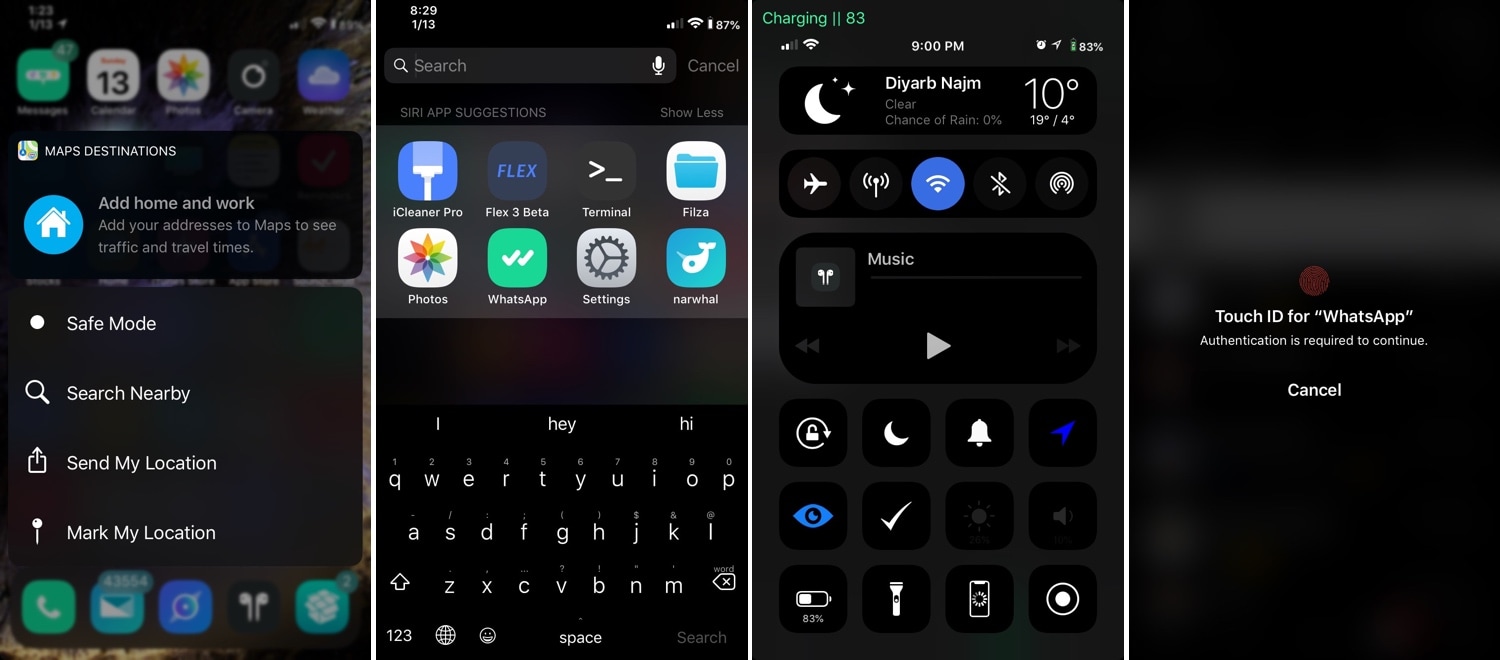
Apple accentuates several interfaces throughout iOS with a blurred background to help bring the overlaying interface into focus; key examples include Control Center, Folders, and Spotlight search, just to name a few.

Albeit aesthetically attractive, Apple could bring these blur effects into the modern age with the help of a darker color scheme. Fortunately, that’s something that a new free jailbreak tweak dubbed Blurbe by iOS developer dpkg_ brings to the table.

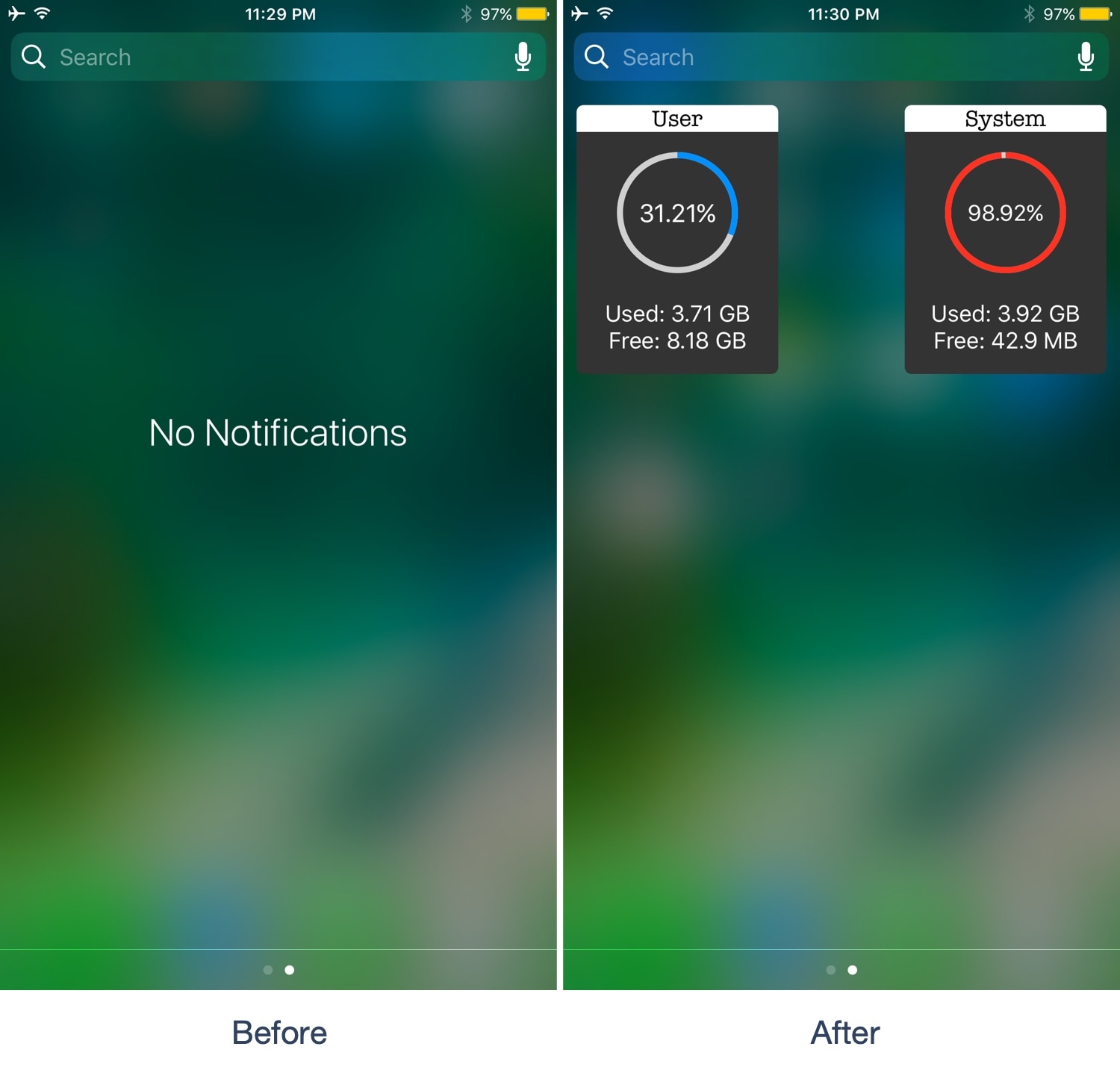
NCFancy replaces the ‘No Notifications’ text in iOS 10’s Notification Center with storage info

While most of the jailbreak community migrated to iOS 11 several months ago, those still rocking the iOS 10 jailbreak will be excited to learn of a new free jailbreak tweak in town called NCFancy by iOS developer Wh0ba.

NCFancy was explicitly designed for iOS 10 users, and as depicted in the screenshot example above, it replaces Notification Center’s useless ‘No Notifications’ text with something you might appreciate more – a pair of widgets that display your handset’s storage capacity usage.

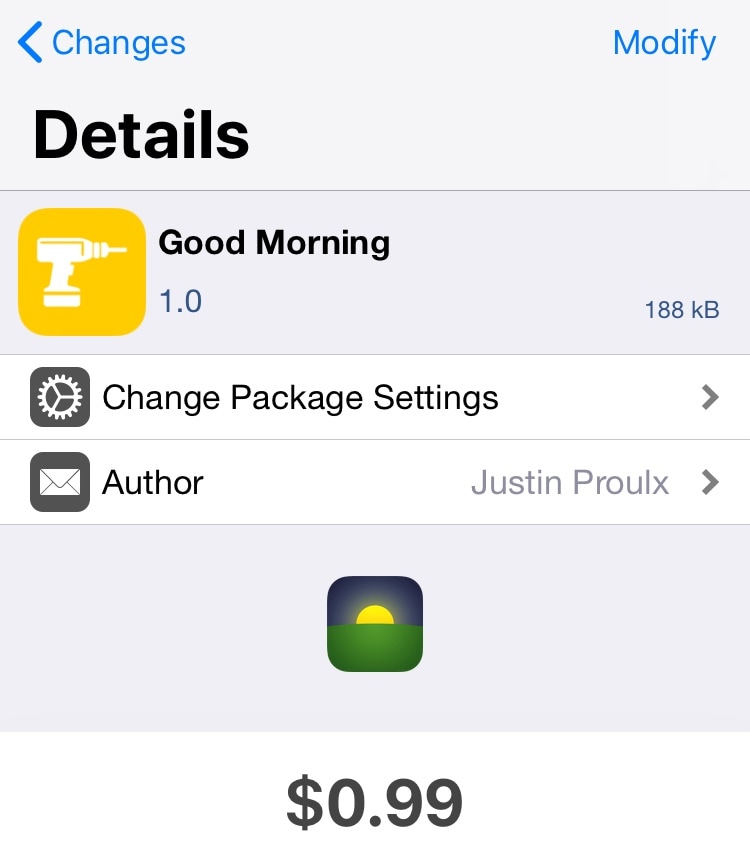
Good Morning: A tweak that launches your favorite app before you wake up every morning

Many people, including myself, reach for their iPhone after waking up every morning to check their missed notifications and catch up on their favorite app(s). But how would you like it if your iPhone knew what you wanted to do every morning and prepared that information before you ever woke up?

A new jailbreak tweak dubbed Good Morning by iOS developer Justin Proulx is a brilliant first step in this direction.

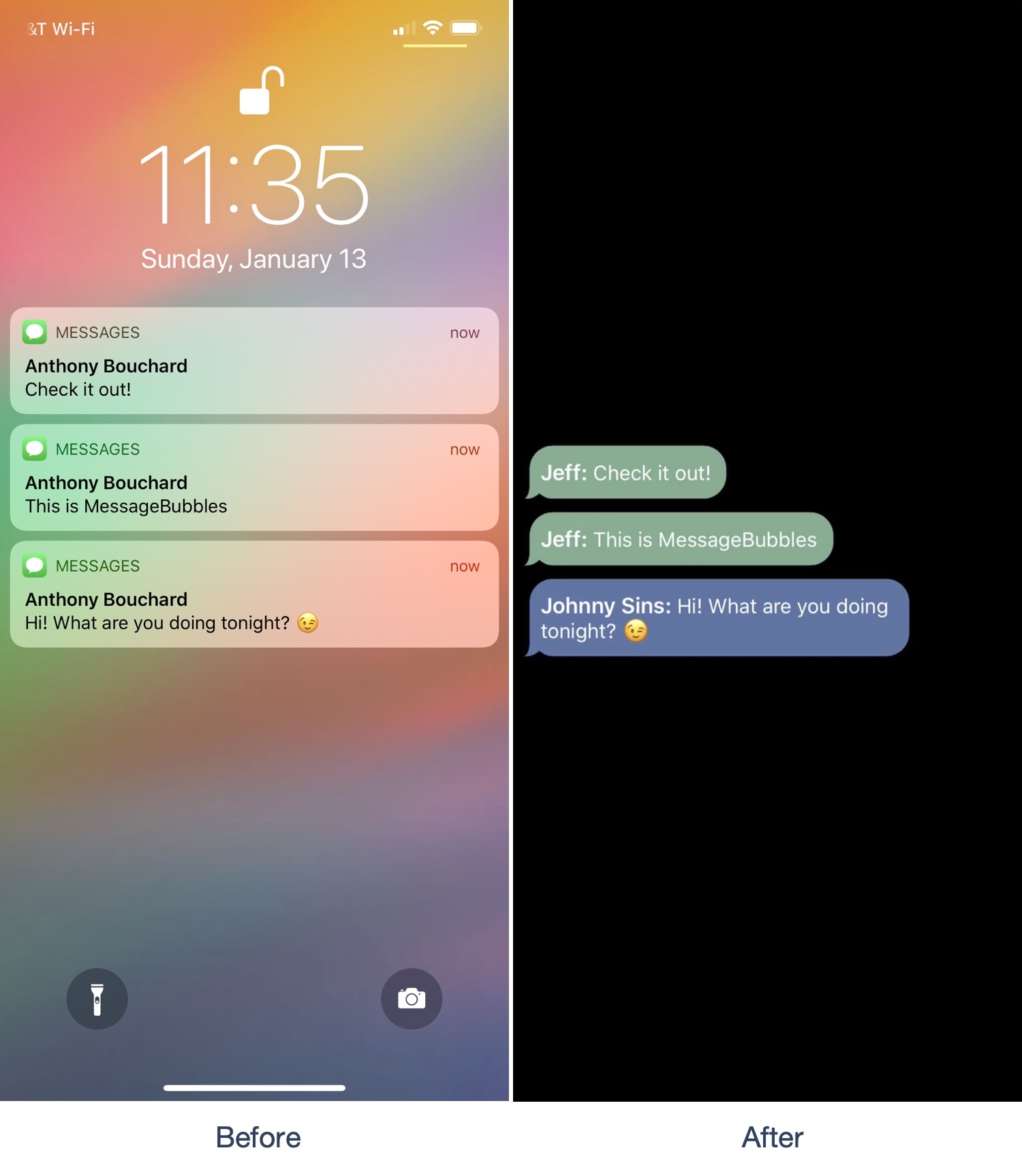
MessageBubbles brings a new look and feel to your messaging notifications

If you own an iPhone, then a significant percentage of your usage likely comprises of text messaging. Notifications for incoming messages typically stack up on the Lock screen until you acknowledge them, but if you fancy something that looks nicer, then you might appreciate a new jailbreak tweak called MessageBubbles by iOS developer Kurrt.

As the name implies, MessageBubbles replaces the Lock screen’s standard notification system with a unique message bubble-centric animation. In the screenshot example above, you’ll see how the background stays black as message bubbles from various apps roll into view. You’ll also notice how the message bubbles are color-matched to the app they originate from. This particular combination looks great on OLED displays, but also works on LCD displays.
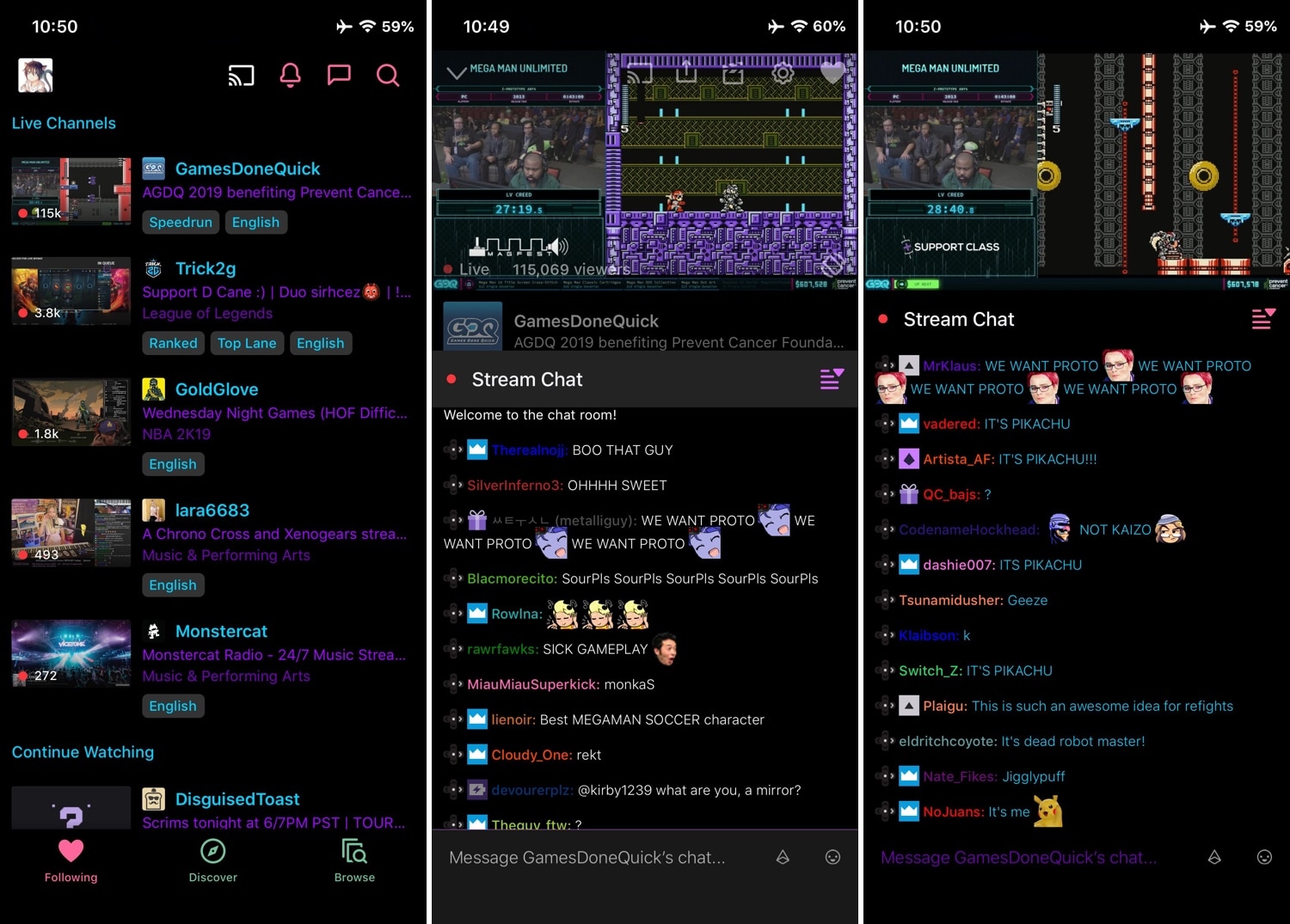
Apply a custom color palette to iOS’ official Twitch app with Serene

Twitch is one of the most popular ways for people to share their gaming experiences with the rest of the world. On the other hand, the mobile app doesn’t provide any options to customize the user interface out of the box; love it or hate it, you’re stuck with how it looks.

Fortunately, those with jailbroken devices can bend the rules a little bit with a new free jailbreak tweak called Serene by iOS developer Revulate. This tweak gives Twitch users access to colorization options that can help you achieve the look and feel you aspire for.

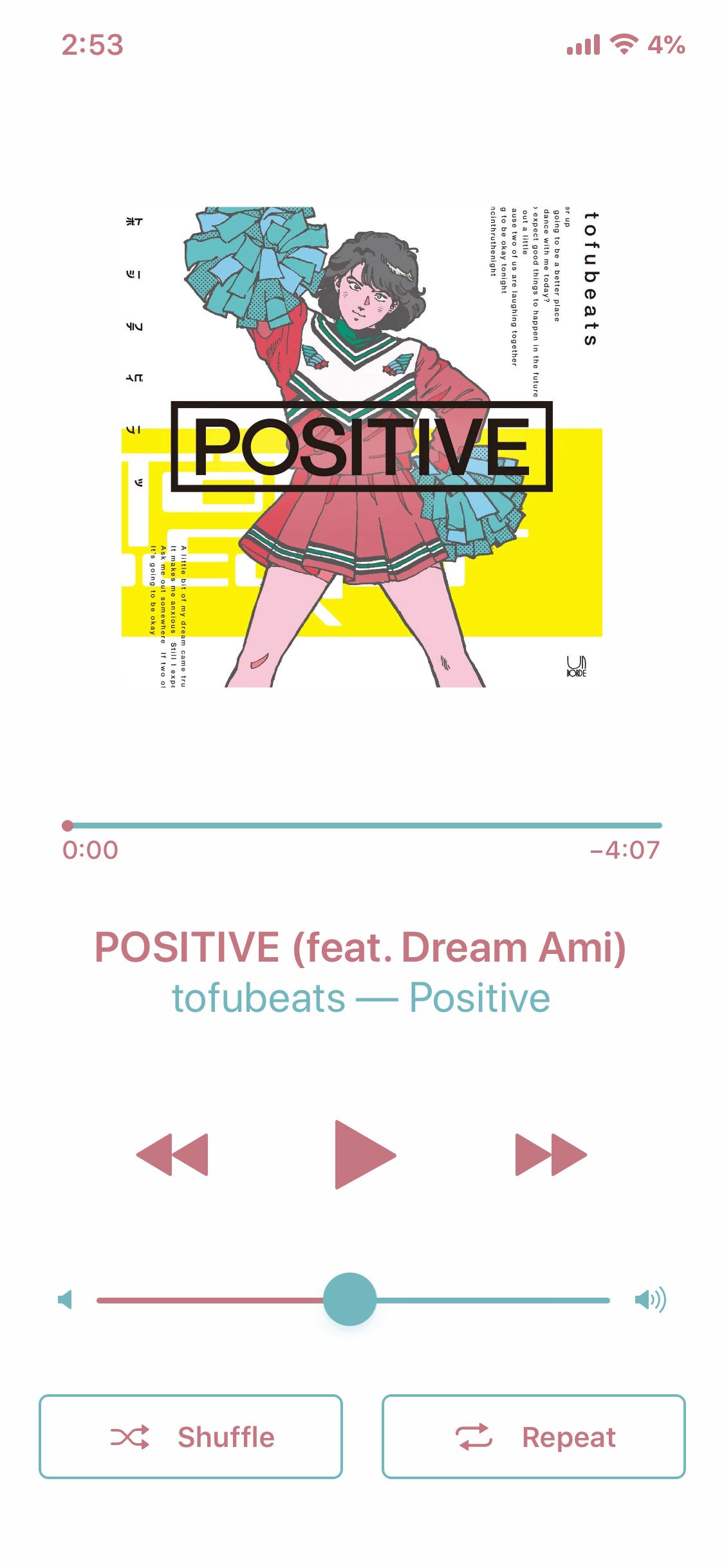
FullMusic11 makes the Music app’s Now Playing interface look nicer on iOS 11

If you use Apple’s Music app to enjoy music on your iOS handset, then you’re likely familiar with how the app’s Now Playing interface doesn’t fill the entire display. Instead, it shows what some might describe as a Now Playing ‘card’ over the top of another interface.

If you fancy more of a full-screen experience while listening to music, then you might take a liking to a new jailbreak tweak called FullMusic11 by iOS developer Soh Satoh. Just as the name implies, this tweak does away with the so-called ‘card overlay’ effect and gives the Music app’s Now Playing interface a full-screen makeover to make it more consistent with other apps in iOS.

Waves brings fun fluid-like animations to your jailbroken iPhone’s Home screen

While most jailbreak tweaks are made in response to some sort of problem or inconvenience in iOS, some exist purely for good fun and entertainment. A new free release dubbed Waves by iOS developer Muirey03 is a beautiful example of the latter.

As you might have inferred already from the name and the screenshot example above, Waves brings a fluid-inspired animation to your iPhone or iPad’s Home screen. The fluid depicted in the screenshot is sensitive to motion, which means tilting your device causes the fluid to move just as the laws of physics in the real world would command.

NextUp tells you what song is coming up next in iOS’ Now Playing interface

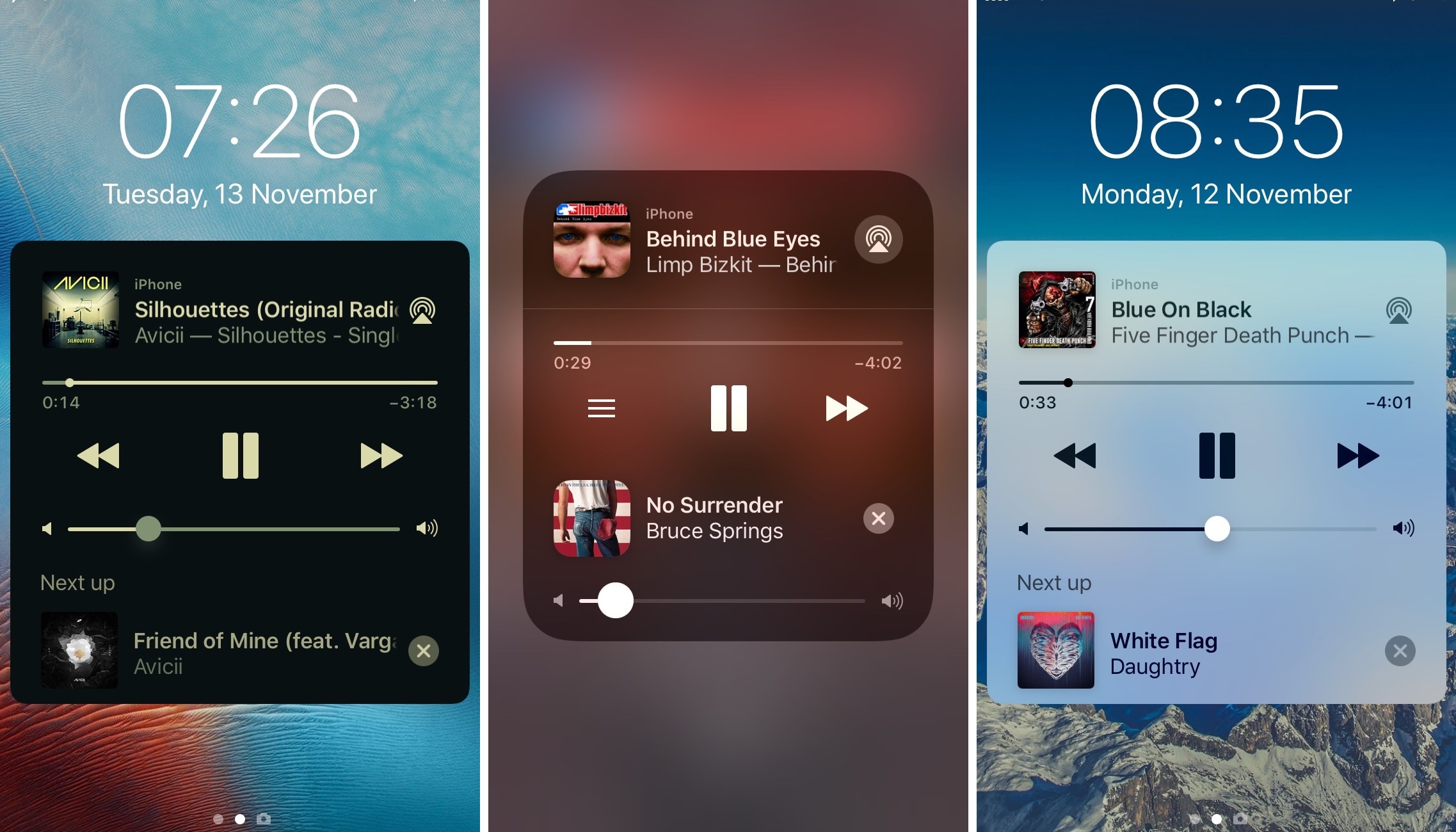
Apple designed iOS’ Now Playing interface to display relevant information about the music you listen to at any given time, such as the album artwork, artist name, and song title, but it also provides you with useful music controls in a pinch.

But one place where the Now Playing interface falls short is in summarizing what you can expect next in your music playlist, and that’s where a new jailbreak tweak called NextUp by iOS developer Andreas Henriksson comes into play.