Tutorial

Learn how to master your Apple devices with our comprehensive tutorials. From iPhone and iPad to Mac, Apple Watch, AirPods, and more, our expert guides will help you unlock the full potential of your Apple products. Discover new features, tips, and tricks each day to enhance your user experience.

How to use a passcode with the iOS 8.x jailbreak

At this point in time, running Cydia on a jailbroken iPhone can still be a bit confusing for users who aren't always knee-deep in this stuff. One of the biggest issues encountered when running Cydia on a jailbroken iOS 8 device at the moment involves using the passcode and Touch ID.

After installing Cydia on a jailbroken iOS 8 device, many are reporting that establishing a passcode sends them into a bootloop. I verified that I encountered the same issue.

Let me just preface this by saying that the problems encountered here are no fault of the Pangu team or of Saurik. This jailbreak is a work in progress, and we've been advised that the jailbreak is only for developers at the moment. That said, many of you are adventurous and want to take the plunge as soon as possible; as do I.

In this video, I share an unsanctioned workaround to the boot loop issue. I show you how to establish a passcode on a device with Cydia and Cydia Substrate installed. I've tested this out, and have recorded the entire Cydia installation process for your convenience. Have a look inside for the full tutorial.

How to jailbreak iOS 8.x with Pangu on Mac OS X using a virtual machine

Although you never can tell with these sorts of things, it doesn't look like we'll be seeing an OS X version of Pangu in the immediate future. Although I'm sure that the Pangu guys are working feverishly on an OS X version of the jailbreak tool for iOS 8.x, it likely lags behind other priorities, such as translation, embedding Cydia, etc.

With that in mind, what options exist for those of us in Mac-only households? You could, of course, visit a friend who owns a Windows machine. Or, you can do what I always do, and install Pangu and jailbreak using a Windows virtual machine on OS X. In fact, you may be surprised (or not), but I don't own a Windows machine, and haven't in years. But I'm always able to jailbreak on day one due to my Windows virtual machines.

In this tutorial, I'll tell you how to set up and install a virtual machine for free in order to jailbreak iOS 8.1 with Pangu on your Mac.

How to install Cydia on iOS 8 [video]

As you know, the Pangu jailbreak came out this morning and enabled the ability to jailbreak iOS 8-8.1. Unfortunately, the jailbreak wasn't bundled with Cydia, so it's not much use to the general jailbreak users by itself.

Thankfully, Saurik quickly compiled a working version of Cydia for iOS 8, which is pretty easy to install if you follow our 8 steps. We show you how in this hands-on video walkthrough.

How to jailbreak iOS 8.1 with Pangu 1.0.1 [video]

Pangu for iOS 8 caught us all by surprise, but it shouldn't be a shock that the talented Chinese jailbreak team pulled off a jailbreak in such a short period of time since iOS 8's release. While the Pangu tool for iOS 8 isn't exactly ideal as far as a consumer jailbreak goes—it doesn't come bundled with Cydia, it's in Chinese, and it's Windows only—it's certainly better than nothing.

In this video tutorial, we will show you how to jailbreak iOS 8.1 using Pangu 1.0.1 with a Windows machine. It's an extremely easy and simple process, as long as you follow the steps exactly. This tool can jailbreak the iPhone 5s, iPhone 6, iPhone 6 Plus, and any other device capable of running iOS 8.x. Check out our full video tutorial for the details.

How to use Apple Pay

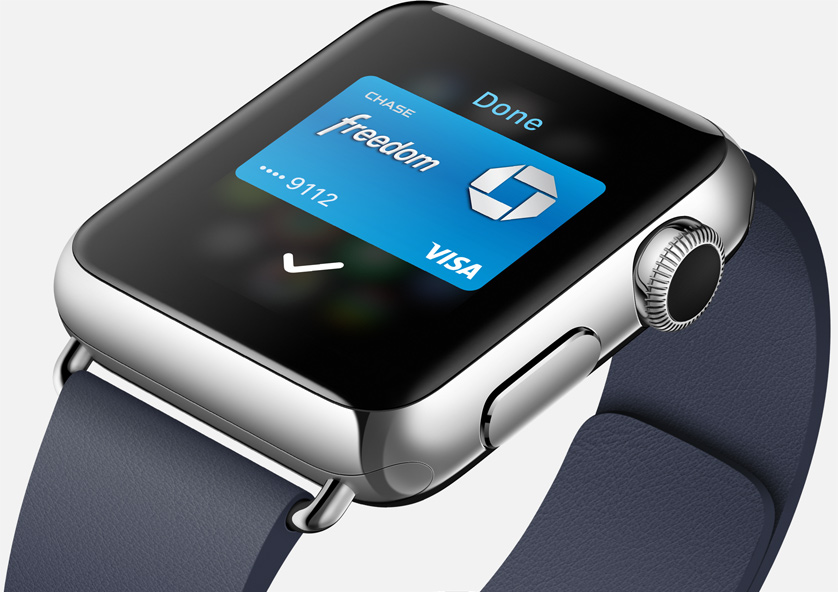
As expected, Apple rolled out Apple Pay to the masses today, courtesy of its iOS 8.1 update for eligible devices. Apple Pay, as you know, allows users to make in-app and online purchases using certain devices equipped with a Touch ID sensor, and in-store purchases using the NFC chips found in the recently released iPhone 6 and iPhone 6 Plus.

In this guide, we'll walk you through the process of setting up Apple Pay, including adding eligible credit cards, along with making in-app, and in-store purchases.

Video shows how to access hidden settings in Instagram’s Hyperlapse

Instagram's recently released Hyperlapse app, built for recording time-lapse videos, has received a lot of praise for its UI design and function, but there's no denying that it's a bit short on features—or so we thought. Apparently the app has a hidden menu with several options, including 1080P video capturing and more.

How to play Super Nintendo games on your iOS 8 device

Although there is no iOS 8 jailbreak, there is still a way to add a Super Nintendo Entertainment System (SNES) emulator. Because Nintendo is missing the opportunity to make millions of dollars by releasing their games to the Apple App Store, people have turned to emulators for years. Since the iPhone was jailbreakable, it seems there was some way to play the old classics.

Thanks to a tip from @flawlessfox, whom you may recognize as one of the JailbreakCon organizers, we tested the SNES emulator "SiOS" and can confirm it works quite well, especially on the iPhone 6 Plus. Step inside for quick step-by-step instructions and you will be enjoying your favorite SNES games in about 5 minutes time. Yes, you read it correctly, there is no jailbreak required. 

How to customize or hide contacts shown in the App Switcher

Along with iOS 8, Apple introduced a new feature in the App Switcher that allows you to have quick access to your recently contacted contacts, as well as your favorite contacts. In essence, this is a great feature that can save you time, but it arguably also is a feature that has nothing to do in the App Switcher to begin with. What if you only want to see your favorites in there? Or what if you don't want to see any contact at all in the App Switcher? There is a solution.

In this post, we'll show you how to select what kind of contacts you want to show in the App Switcher (favorites and/or recents) or how to hide these contacts altogether.

Where to get the most money for your old iPhone

As we prepare for Apple’s big media event on Sept. 9, many of us are wondering what to do with our old iPhone devices. You could give it to a family member, keep it as an emergency backup, or try to make a little money back off of your investment by selling it.

There are a number of ways you can sell your iPhone, whether it is on Ebay, Craiglist, or any number of gadget reseller websites. We’ve got a list of where you can get the most money for your much loved, but now outdated iPhone.

How to stop iMessage spam

Are you getting spam iMessages from unknown people or scammers with international numbers and weird email addresses? In this post, we will go over four simple ways to protect yourself and stop iMessage spam for a hassle-free messaging experience on your iPhone.

How to uninstall multiple jailbreak tweaks at once

If you're a jailbreak enthusiast like me, you'll probably end up installing a bunch of jailbreak tweaks that will pile up over time. Sooner or later, you might forget about them and after a period of time, you'll end up with a lot of unused tweaks which may have a negative impact on the performance of your device and can slow it down or cause lags. Surely, it's easy to remove one or two tweaks that you don't need, but it becomes a hefty task if you want to delete a lot of tweaks that you no longer use.

Fortunately, there's a workaround that allows you to uninstall all the jailbreak tweaks that you don't need in a single tap. This involves queuing all of them together and performing a batch uninstall. To find out how, follow our step-by-step guide outlined below.