Theme

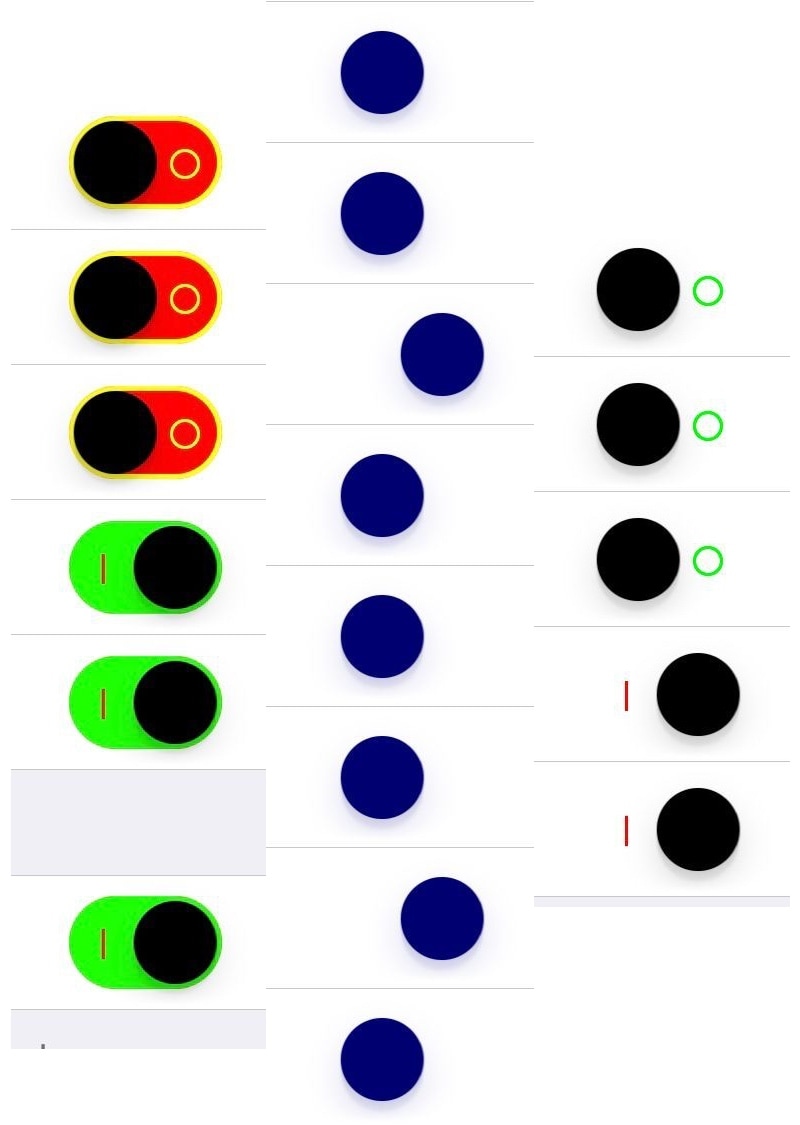
EnableMeAhora lets you theme the toggle switches in the Settings app

If you have a jailbroken handset in your possession and you’re into aesthetic customizations, then you just might come to appreciate a newly-released jailbreak tweak dubbed EnableMeAhora by iOS developer i0stweak3r.

EnableMeAhora allows you to colorize and reshape the toggle switches and sliders in your Settings app however you like. Above, you’ll see a few examples in which the tweak has modified the appearance of iOS’ native toggle switches.
Bedrock brings Minecraft’s funny splash screen messages to your Lock screen

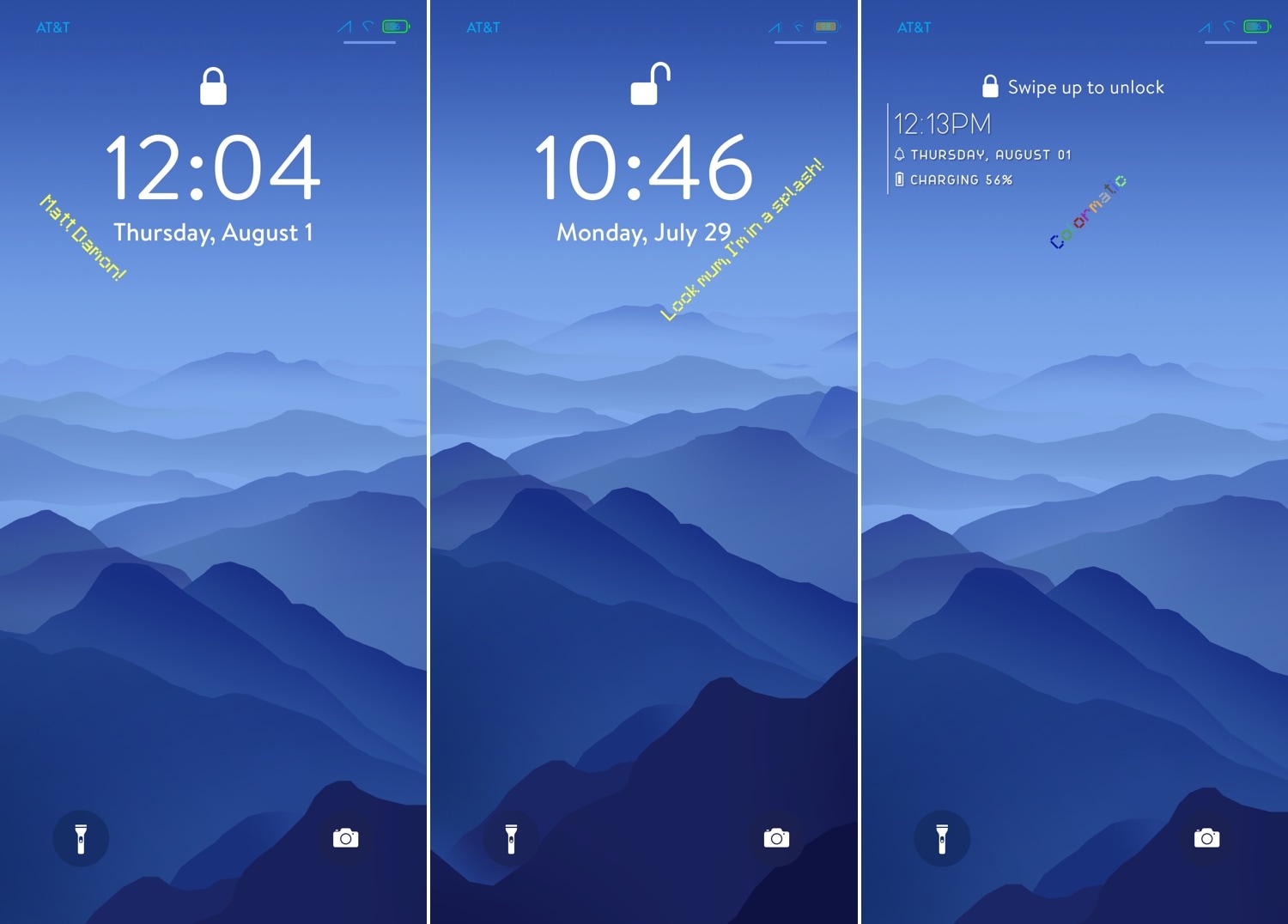
It was only a couple of weeks ago that we broke the news about a jailbreak tweak release called McSettings that could theme your Settings app to look and feel more like the popular Minecraft game, but now you can do the same with your Lock screen with the help of a new add-on called Bedrock by iOS developer Samg_is_a_Ninja.

As you might’ve discerned for yourself already, Bedrock brings the nostalgic Minecraft-centric splash screen messages to your iPhone’s Lock screen. These are generally one-liners and somewhat tacky, but Minecraft lovers will be excited to hear that they animate precisely as they would in the game on your computer.

Customize the sound and appearance of your iPhone’s keyboard with CuKey

The keyboard is something that most iPhone and iPad users will interact with on a daily basis, and with that in mind, it makes sense that some users might want to make it theirs.

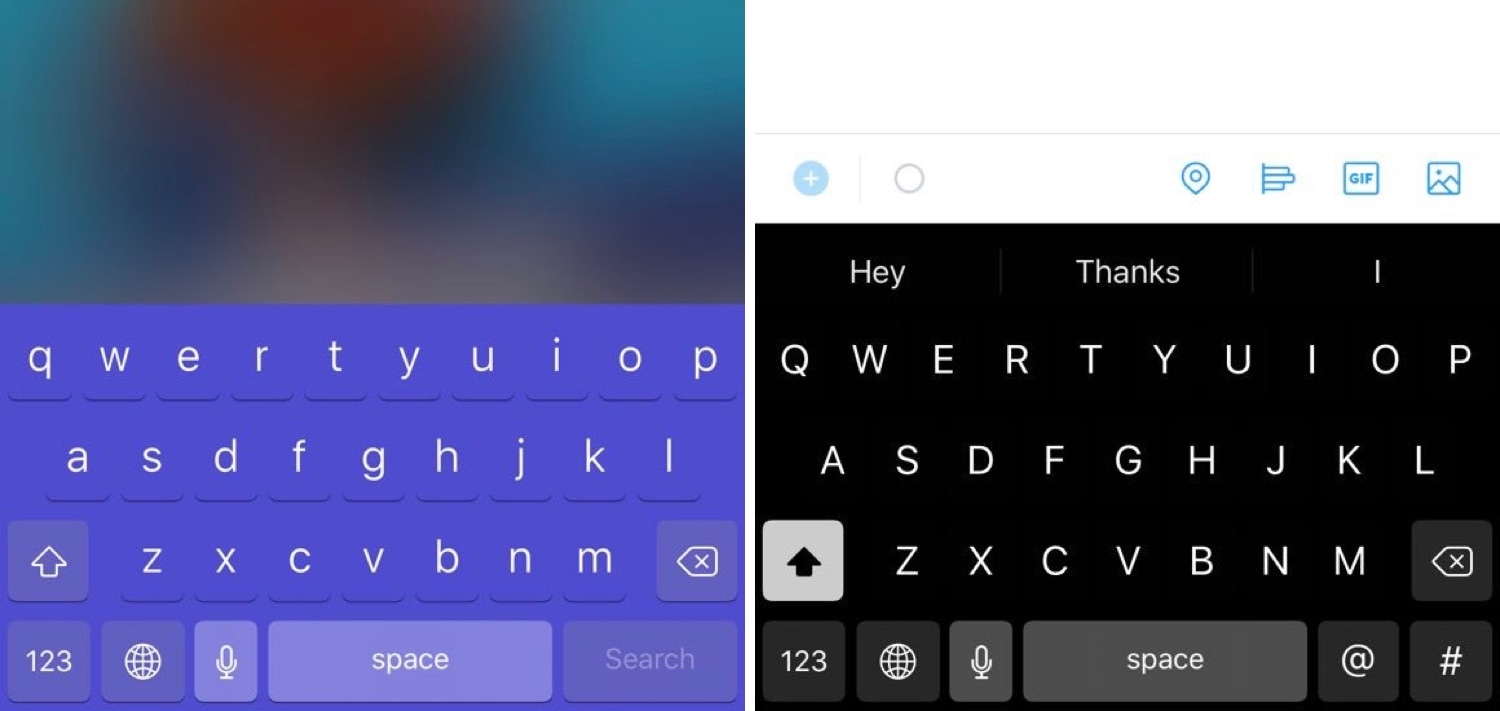
If you agree with the idea above, then you’ll likely come to appreciate a newly-released and free jailbreak tweak called CuKey by iOS developer DevelopApple. This tweak lets you customize a variety of keyboard-centric attributes, such as its appearance and sound, among other things.

CustomSiriBG lets you change the Siri interface background

If you’re interested in changing the default background of the Siri interface to something new, then you just might want to check out a newly-released and free-to-download jailbreak tweak dubbed CustomSiriBG by iOS developer TylerD3V.

In the screenshot example above, you’ll notice that the default Siri background has been changed to something more Pokémon-centric, and of course, you can always use something different if Pokémon isn’t your thing.

Breathe new life into your Home screen’s page dots with AwesomePageDots

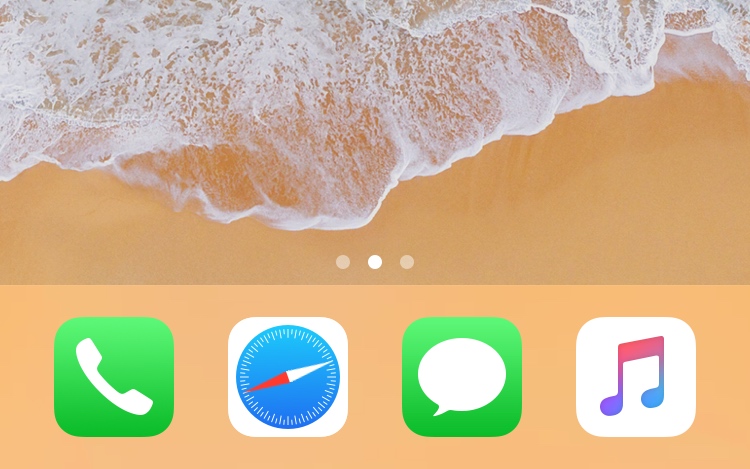
At the bottom of any stock iPhone or iPad’s Home screen are a set of page dots that help you discern what page you’re on at any given time. As useful as this might be, it hasn’t changed much over the years.

If you’re looking for a fresh take on iOS’ Home screen page dots, then you might come to appreciate a newly-released and free jailbreak tweak called AwesomePageDots by iOS developer shiftcmdk, as it reinvigorates your Home screen’s page dots with a much more appealing animation.

This tweak ports the Apple Pencil 2 charging interface to other devices when charging

Ever since getting my 2018 iPad Pro, and an Apple Pencil 2 to go along with it, I’ve become mainly accustomed to seeing the Apple Pencil 2’s charging status when it magnetically snaps to the side of my tablet. On the other hand, this beautiful charging interface often left me wondering: why hasn’t Apple implemented a similar charging interface for other devices?

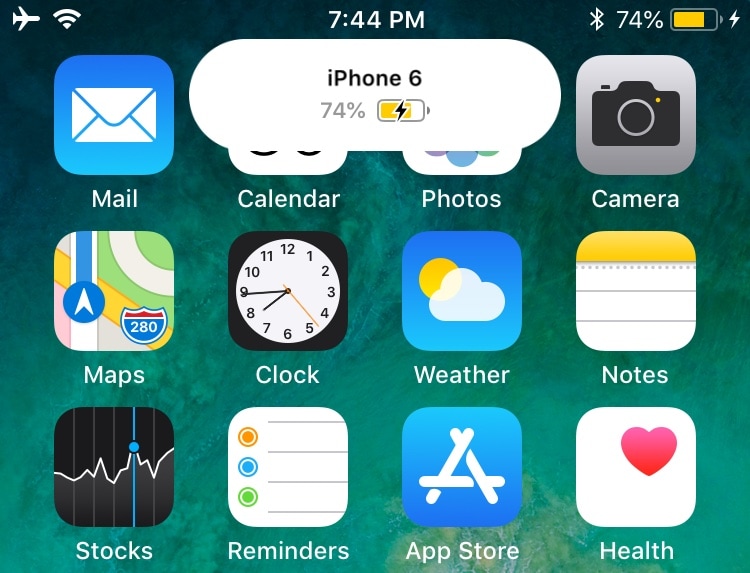
Enter PencilChargingIndicator, a free jailbreak tweak created by iOS developer shiftcmdk that brings the Apple Pencil 2-esque charging interface to other devices. Once installed, it makes the interface appear whenever the host device gets connected to a power source, as shown above.

CustomLock lets you personalize your iPhone’s Lock screen text

The Lock screen is the first thing you see every time you pick up your iPhone to use it. With that in mind, it’s not hard to see why some jailbreakers are quick to customize the appearance of it.

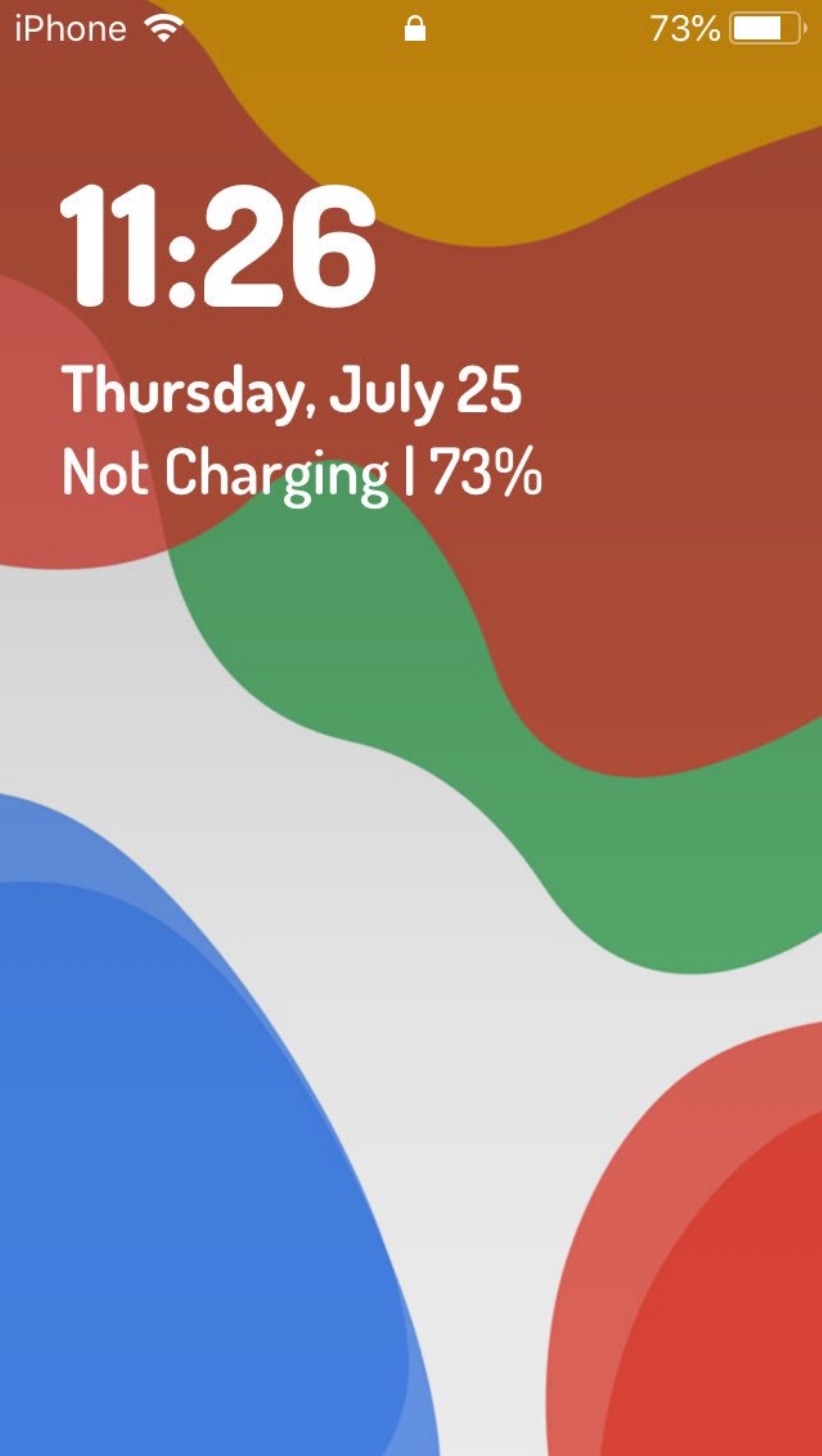
If you’re a minimalist and you appreciate the small things in life, then you might take a liking to a newly-released jailbreak tweak called CustomLock by iOS developer TylerD3V, as it provides users with two great ways to change the Lock screen’s aesthetics: text alignment and third-party fonts.

Like rainbows and hearts? You may also like these Dynamic Wallpapers for jailbroken devices

Your iPhone supports three different types of wallpapers, including still images, Live Photos, and Dynamic Wallpapers. The latter is particularly interesting because it's the closest thing to video wallpapers that Apple has ever provided, but iOS’ native selection of Dynamic Wallpapers out of the box leaves a lot to be desired.

It was only a few weeks ago that we showed you a jailbreak tweak called Dynamic Apples by iOS developer JGeorge, which replaced the stock Dynamic Wallpaper with Apple-esque ones, but if that didn’t do it for you, then perhaps a new free release called Dynamic Rainbow Hearts.

Love Minecraft? This tweak makes your iPhone’s Settings app look more like the game

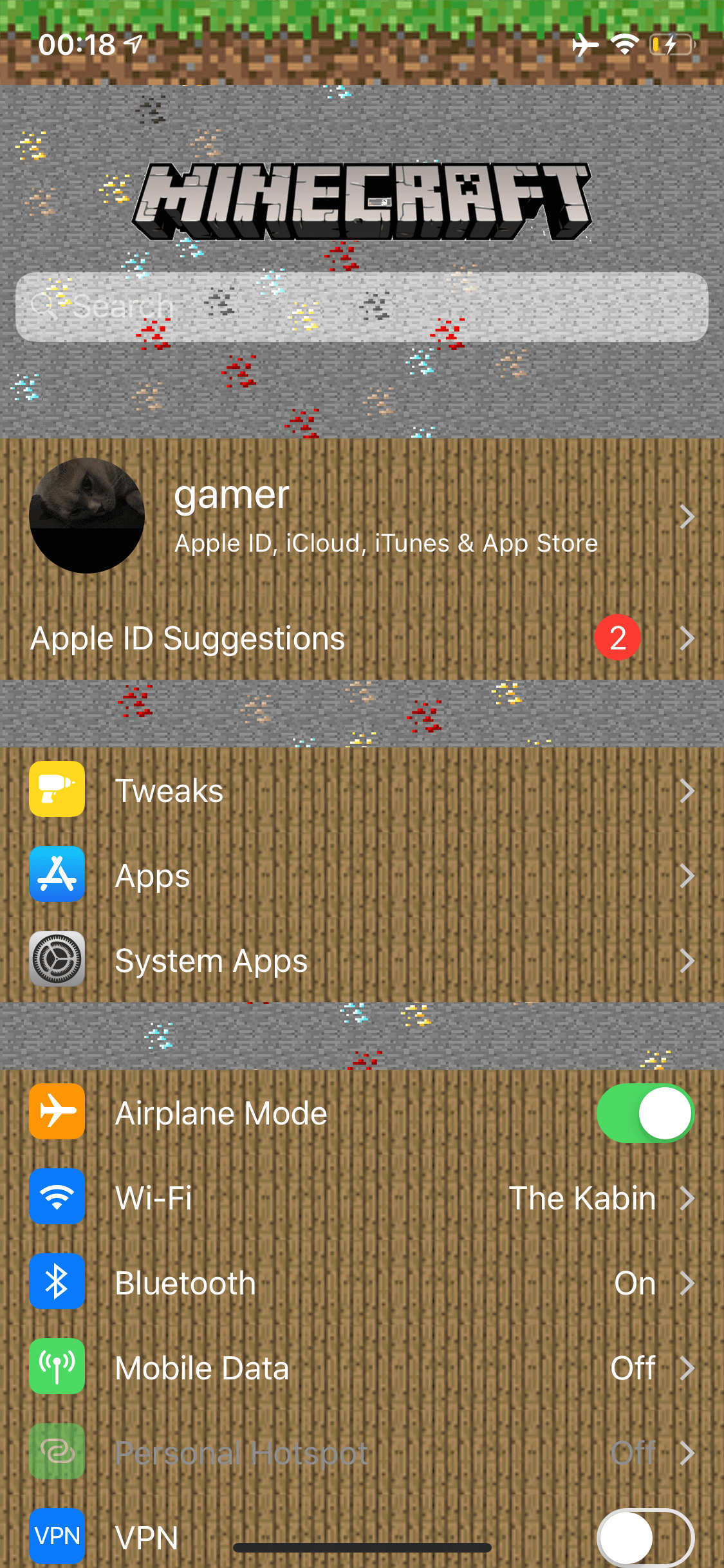
If you’re a huge Minecraft fanatic, then McSettings is a newly-released and free jailbreak tweak by iOS developer kushy that you won’t want to miss.

As you might’ve noticed already from the screenshot example provided above, McSettings themes iOS’ Settings app to look and feel like some of the textured resources that appear in the eccentrically popular Minecraft game by game publisher Mojang.

This tweak turns the Safari app on your Home screen into a real compass

Make the Safari app icon point north like a true compass.

One of my all-time favorite jailbreak tweaks was once LiveClock by iOS developer Ryan Petrich, and while Apple has since implemented its functionality into iOS right out of the box, that never changed my appreciation for small, yet fun and quirky jailbreak tweaks of similar nature.

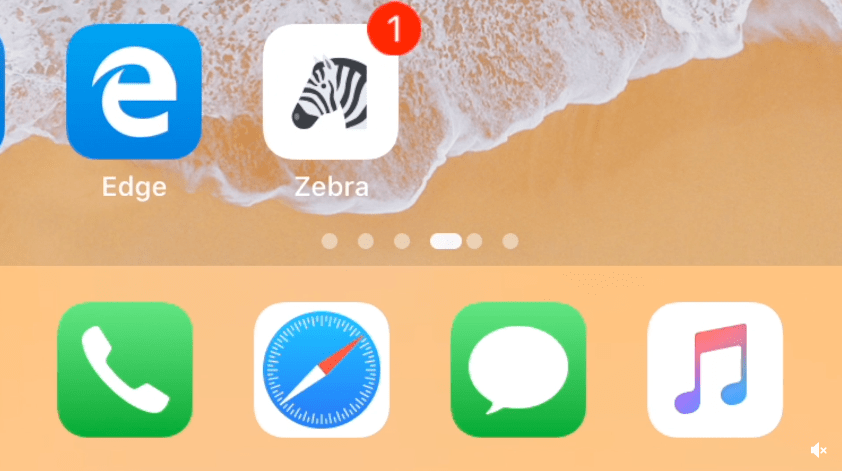
One of the latest jailbreak tweaks to fall under this category of fun and quirkiness is a new and free release called LiveSafari by iOS developer Skitty. Perhaps unsurprisingly, LiveSafari animates the native Safari app icon on your Home screen such that the compass arrow always points to the North.

Iconator2 lets you take control over your iPhone’s Home screen layout

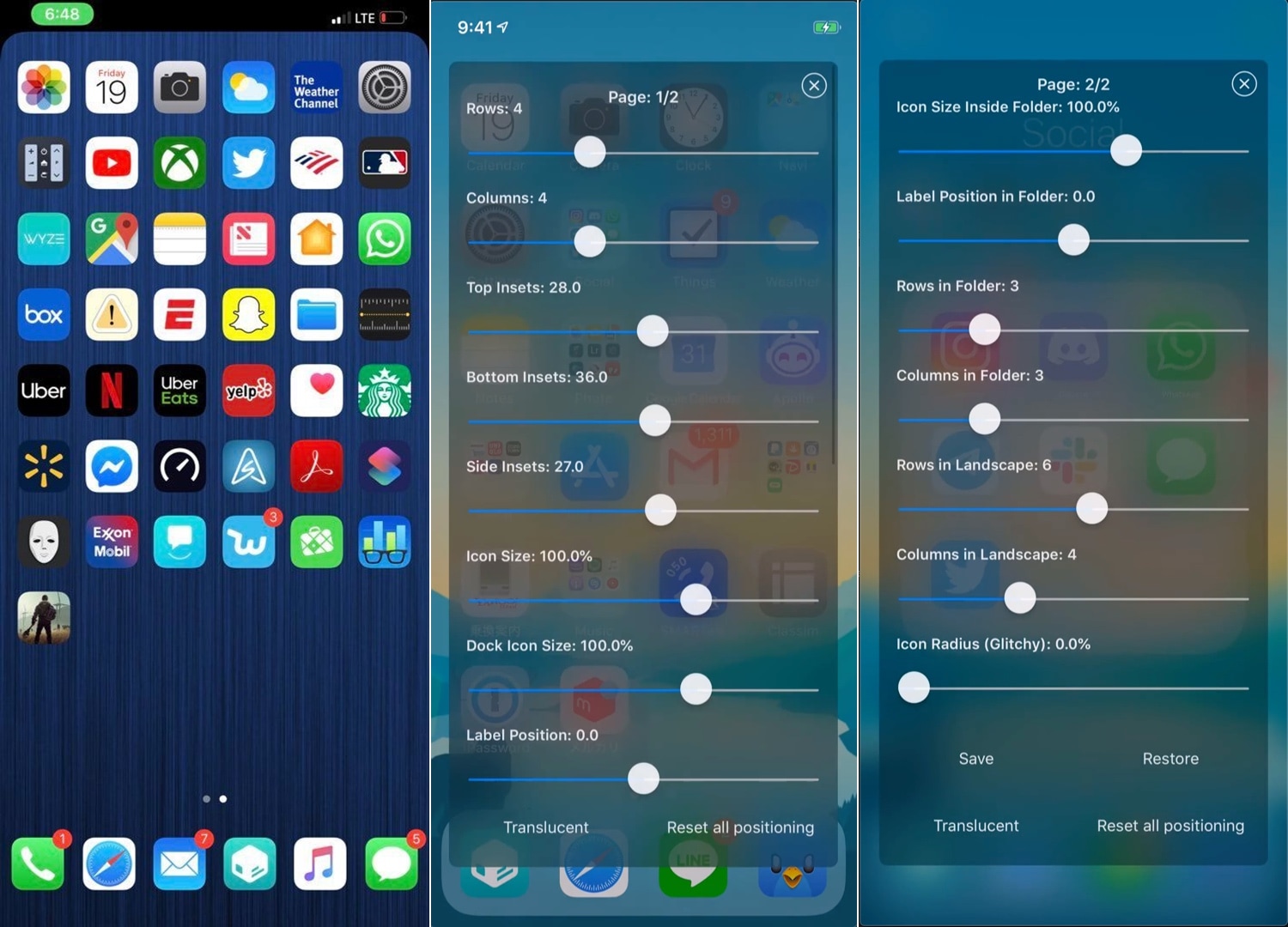
While Apple occasionally slaps a fresh coat of paint on your Home screen’s app icons, the grid-centric Home screen functionality has remained mostly unchanged since the very first iteration of iOS. That said, it should come as no surprise to anyone that changing the layout of the Home screen is one of the most popular things to do with a jailbroken iPhone or iPad.

If you’re one to tinker with the Home screen’s layout, and you’ve recently jailbroken iOS 12 with Chimera or unc0ver, then you might take a liking to a newly-released jailbreak tweak called Iconator2 (iOS 12) by iOS developer Soh Satoh.

Want an insanely in-depth Twitter app colorization experience? Try twttr

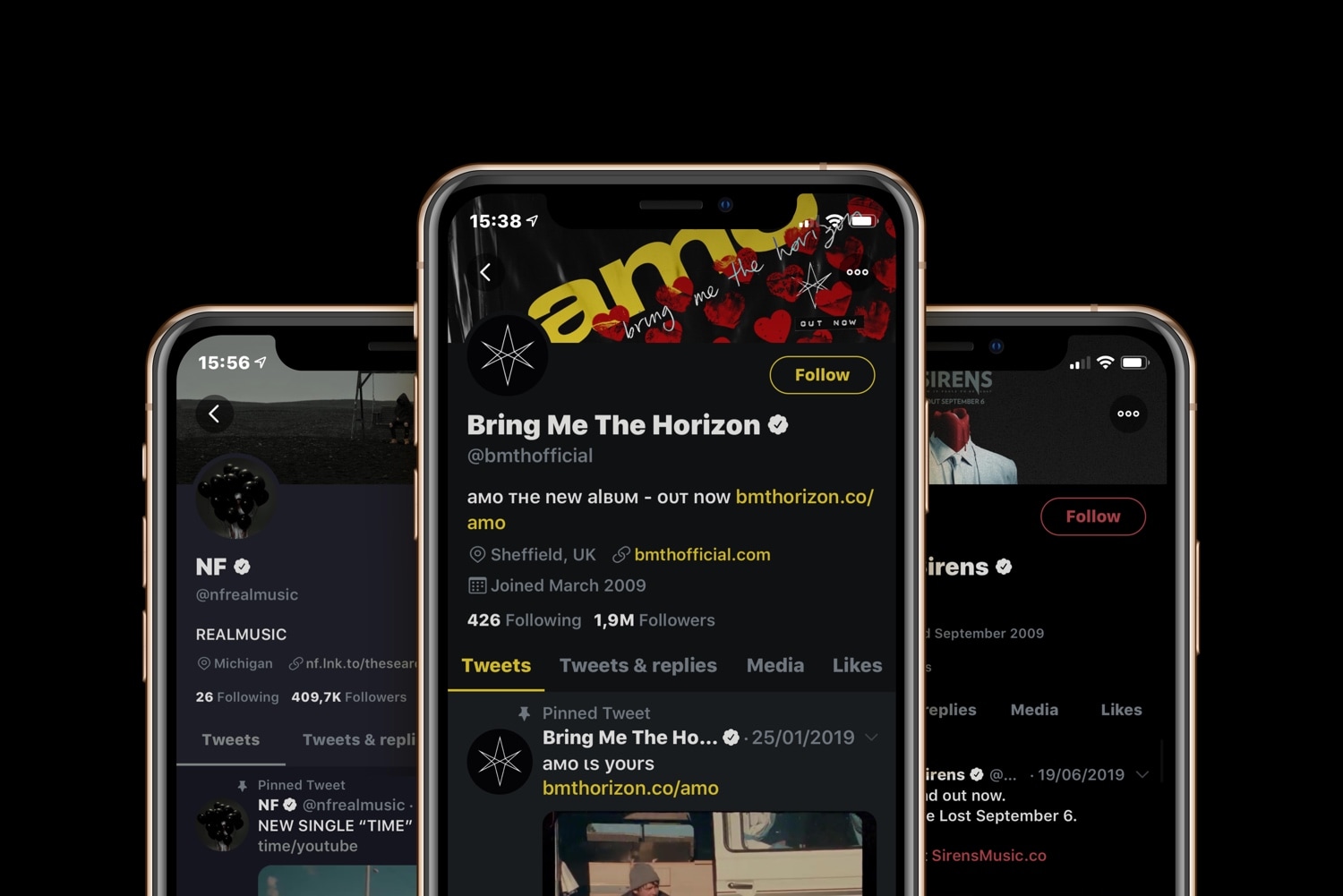
If you use the official Twitter app on your jailbroken iOS device, and you’ve been in search of a jailbreak tweak that can help you theme the app however you want, then you’re in luck. A newly-released and free jailbreak tweak called twttr by iOS developer Aesthyrica brings what is purportedly the ‘most advanced’ colorization experience to the Twitter app to date.

As you’ll notice in the screenshot examples above, twttr lets you colorize individual elements in the Twitter app to your liking with seemingly no limitations. Upon installing the tweak and delving into the dedicated preference pane in the Settings app, you’ll confirm this to be quite accurate: