Safari

Safari 6 hits Lion with Smart Search Field and Offline Reading List

Hot on the heels of the OS X Mountain Lion release that just hit Apple's servers an hour ago, Cupertino today unleashed Safari 6 for Lion, bringing some of Safari's features from Mountain Lion to Lion systems.

Most notably, Safari 6 now (finally!) features a unified field which acts as both the address bar and search field, akin to Chrome'c Omnibox. Also new is Offline Reading List, first introduced in iOS 6, which downloads entire webpages saved for reading later so you can access them when offline...

Chrome accounts for 10.3% of third-party browsers on iOS

Google pushed out its widely popular Chrome browser to iOS last month to much fanfare. In fact, it took less than 24 hours for the app to reach the #1 spot in the App Store's list of top free offerings.

Now here we are, nearly a month later, and the initial buzz has warn off. So how many people are still using the browser? A new report from online advertising firm Chitika gives us some insight...

How to add a Google Chrome inspired Omnibox to Safari

As you all have probably figured out by now, I'm a huge fan of Google Chrome. There are many reasons why I prefer Chrome over any other web browser, and one of the foremost reasons has to do with the Omnibox.

The Omnibox in Google chromes combines your normal address box with a search box for an all encompassing box that conveniently performs both functions. Other browsers have been slow about adopting this obvious improvement in navigation, but at least Apple is starting to show some signs that they plan on heading in that direction — Safari on OS X Mountain Lion features an Omnibox, after all.

When it comes to iOS, though, Safari is still lagging a bit behind. Even the iOS 6 beta version of Safari lacks this feature. That's where this new jailbreak tweak plans to step up to the plate. Safari Omnibar is a recently released tweak that adds an Omnibox to Safari, whether Apple plans to do so or not.
Google to pay $22.5M fine in Safari privacy debacle settlement

Remember when Google was caught with its hands in the jar, overriding privacy settings of both desktop and iOS Safari users' privacy settings in order to better track their web browsing activity? The issue snowballed into a privacy scandal as the U.S. Federal Trade Commission (FTC) said in April it would investigate the practice. The Wall Street Journal reports this morning that the FTC and the search Goliath are now close to finalizing a settlement that will see Google pony up a whopping $22.5 million to settle the privacy issue, FTC's largest ever fine...

Safari Download Manager finally updated for iOS 5

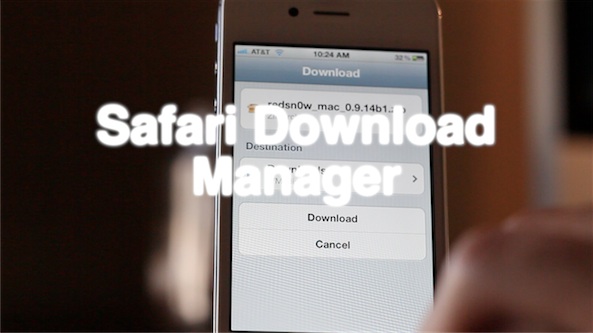
iOS power-users rejoice, the popular jailbreak utility Safari Download Manager is finally compatible with iOS 5. The tweak, developed by Dustin Howett, gives you a large amount of control over your mobile downloads.

SDM has long-since been a favorite in the jailbreak community, but has recently been all-but-forgotten due to its lack of iOS 5 support. But now it's back, and better than ever. Here's our rundown of SDM part deux...

Google Chrome vs Safari speed test on iPhone

It's funny to hear so many reports about how much slower than Safari Google Chrome will inevitably be, due to its lack of access to the Nitro Javascript engine. While that may be true from a technical standpoint, and no doubt data heads will be able to show me numbers that back that fact up, in real world usage, such stats tend to be tossed to the sidelines.

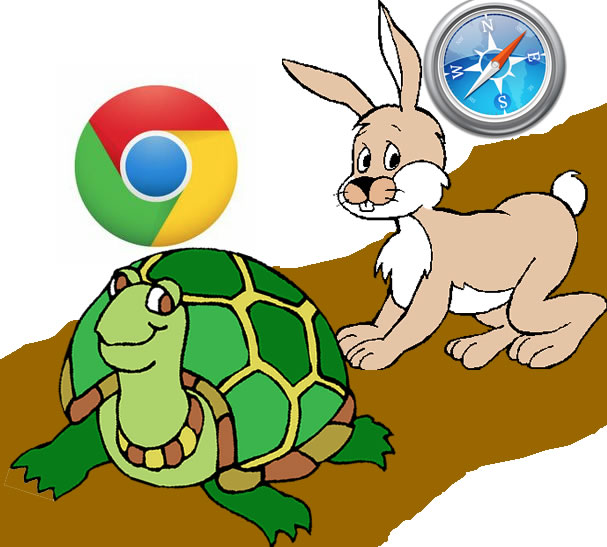
I'm not going to claim that the following speed test is anything close to scientific, but it will give you a decent idea as to what to expect from Google Chrome.

So, who won our speed test? Check inside for the details...

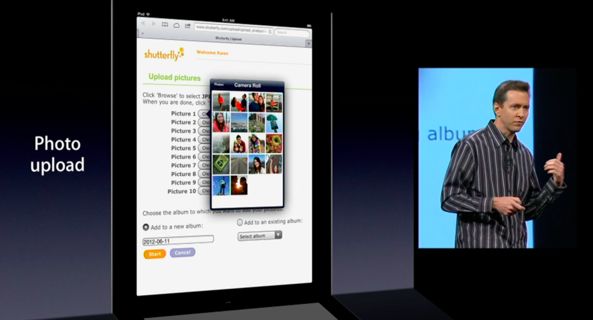
How Safari in iOS 6 handles media uploads

Those who run WordPress blogs probably use the mobile web interface as the official app is a mess.

Unfortunately, media uploads on websites are not supported in iOS 5, which makes it tough to add images to your posts on the go.

It's not just WordPress, Safari in iOS simply doesn't support media uploads. Luckily, beginning with iOS 6, Safari will finally deal with common HTML elements that web pages use to bring up the standard file browsing dialogue...

iOS 6: Safari video demonstration

[tube]http://www.youtube.com/watch?v=tK2G-uRzNV4[/tube]

Safari doesn't look that different on iOS 6, but underneath the hood you'll find some interesting changes aimed at improving your mobile browsing experience. First of all, there's the ability to browse in full screen mode while in landscape on the iPhone. Secondly, there's the ability to sync tabs across other iOS 6 devices using iCloud. Next up to bat is a new update to Reading List that allows you to read those items while offline.

Take a look at our video demonstration inside that showcases all of these new features and more. Have you found anything in addition to these items? If you do, be sure to let us know in the comments.

iOS 6 brings iCloud tabs, full-screen browsing and more to Safari

While it isn't necessarily the complete rebuild we were hoping for, Apple announced today that mobile Safari is going to be getting some improvements and a few new features with iOS 6.

The headlining new addition is iCloud Tabs, which will sync all of your open tabs from the desktop Safari app with iOS. Don't use desktop Safari? Don't worry, there's more...

Mockup depicts enhanced Maps on four-inch iPhone 5

As you know, iOS 6 will bring an all-new Maps app said to feature Apple's own tiles and brand new in-house solution for breathtaking 3D view.

Though Google is expected to add the third dimension to its own Maps service as early as Wednesday, we've already seen screenshot mockups depicting 3D terrain in iOS 6 Maps.

As for the enhanced two-dimensional view, here's what the new Maps app could look like on that next iPhone that by all accounts seems to feature a taller four-inch display...