Productivity

The 10 best productivity apps of 2013

If your New Year's resolution is to get more organized, you probably need an app to help you make your resolution come to pass. You may even need an app to help you come up with a list of resolutions to set next year.

This year was a great year for productivity apps. Since Apple announced the iOS 7 redesign, app developers pushed it into overdrive to redesign, recreate, and rework their apps. Plus, some great new titles found their way into the App store this year. The writers at iDownloadBlog have come up with a list of their favorites and below is a list of the 10 best productivity apps of 2013. Don’t forget to tell us which one is your favorite for our Best Apps of 2013 list…

Evernote gains business card scanning, Presentation mode and other goodies

Evernote for iPhone and iPad has been updated with a new Presentation mode and another feature allowing users to scan business cards using an iDevice camera and import contact data as Evernote notes, with the ability to connect contact data to LinkedIn, Facebook and your Address Book for richer results, among other enhancements. Both business card scanning and Presentation mode capabilities are however available only to paid Evernote Premium customers.

The Presentation mode supports AirPlay or HDMI video out to present your Evernote notes to an audience and comes with a 14-day complementary preview for Free users...

Launch Center Pro gains Fleksy keyboard integration, lists, Share Sheets and more

Earlier this morning, I told you about Fleksy, a free iPhone application that one-ups Apple's stock iOS keyboard with eyes-free typing experience.

The San Francisco-based startup behind the app has decided to open up its alternate keyboard methods to select-third party developers by way of an official software development kit (SDK). This is great news as Fleksy's keyboard sports a patent pending text prediction engine and a powerful autocorrect engine.

Contrast iPhone and iPad automation app, Launch Center Pro ($4.99 on the App Store), is one of Fleksy launch partners and today's update enables support for Fleksy's innovative input method for keyboard prompts.

More on that right after the break...

Google Drive for iOS finally gains file-sorting and find and replace features

The search monster Google today updated its free Drive for iPhone and iPad app with the much-needed ability to sort your cloud files according to several built-in criteria. The highly requested feature finally makes it easy to access your files by last edited, last modified, title and last opened by you. Additionally, you can also find and replace in documents.

I switched from the native Microsoft Office apps to Google Docs years ago and never looked back. Google's suite of cloud productivity apps has won me over with its ability to access, edit and share my stuff on any network-enabled computer, right in a web browser, without having to install anything...

PDF Wordsmith turns your PDFs into Word documents

If you have ever tried to convert a PDF to a different type of file, like a .doc, for example, you know what a pain it is to successfully get all of the letters, graphs, and markups to show up correctly. Sure, you can turn just about anything into a PDF, but reversing the operation is another story.

PDF Wordsmith takes those pesky locked up PDFs and turns them into readable, editable, useful Word documents with a simple tap. Easily export them to another application and have full use of your new document…

Readdle rolls out PDF Expert 5 with iCloud, shared folders, new Review mode and more

The Ukraine-based app maker Readdle today released a big update to its PDF management app, PDF Expert for iPad. The software makes reading, annotating or editing PDF documents on your iPad a snap, with advanced capabilities like highlighting and handwriting support, the ability to sign your PDFs digitally (useful for contracts and other legal documents), insert text and stamps and more.

PDF Expert can even merge multiple PDF documents into one so it's much like the OS X Preview app feature-wise.

The fifth major iteration offers such enhancements as the new shared-folder capability, AirDrop sharing, a revamped file manager, iCloud storage and sync for your PDFs and lots more. The full breakdown is after the break...

Ember, digital scrapbook Mac app, is now available for iPhone and iPad

In keeping with its promise to bring Ember to iOS in December, Realmac today released the iPhone and iPad version as a free download in the App Store. Basically a companion for Realmac's Ember for Mac, the iOS app features iCloud sync, photo collections with advanced natural language search, the handy ability to automatically sort screenshots imported from your iOS Camera Roll into Phone and Tablet collections, sharing via Mail, AirDrop, Messages, Twitter and Facebook, and lots more.

Jump past the fold for the full breakdown...

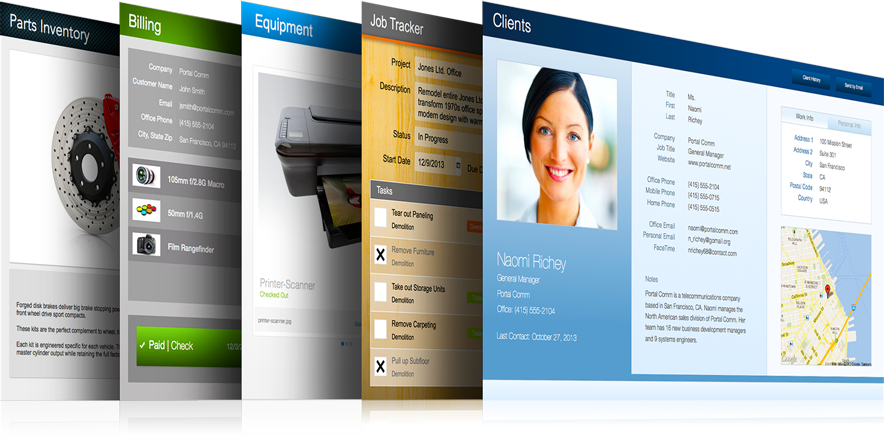
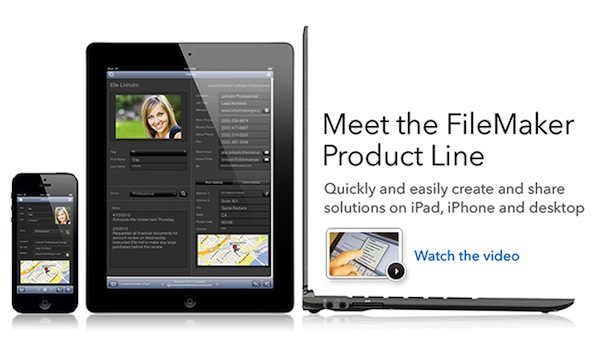
FileMaker Pro 2013 released with deeper iOS integration, web-based data entry and more

Following a website leak yesterday, Apple subsidiary FileMaker, formerly Claris, today announced a brand new version of its namesake cross-platform relational database application for Mac and Windows PCs. FileMaker Pro 13 comes with more than fifty new features and a new pricing scheme.

The new features include stronger AES 256-bit data encryption, additional tools inside companion iOS apps that support one-step creation of iPhone and iPad database layouts, a brand new HTML5-based support for easy data entry using any standards-compliant web browser such as Apple's Safari and Google's Chrome and much, much more...

Apple’s website leaks FileMaker Pro 13

FileMaker, formerly Claris and now an Apple subsidiary, has been enjoying great success with its namesake cross-platform relational database application for decades now. FileMaker 12 was released nearly two years ago for the Mac and Windows PCs. There has been a lot of talk lately about the next major upgrade, FileMaker 13, but little in terms of leaks.

Well, the online Apple Store saw to that: in several countries, placeholder URLs along with website entries went prematurely live, presumably by accident. Furthermore, some versions of FileMaker Pro 12 have been seemingly discontinued in those stores, indicating that FileMaker 13 could be easily around the corner...

Digital scrapbook app Ember coming to iPhone and iPad in December

Ember, a digital scrapbook app from the Clear to-do app's creator Realmac Software, arrived back in July as a rather pricey $49.99 Mac App Store download. Despite its punishing price tag, I wrote that Ember struck me as an Evernote replacement I’ve long been yearning for. The team has since added a few new features such as Smart Drawing, Colours and iCloud sync, while squashing dozens of bugs.

And now, they've confirmed that the iOS version will be available in December. This is great news as I can now introduce Ember into my daily workflow, hopefully being able to jot down notes, create journals and manage my notebooks on whatever device I happen to be using, be it a Mac, iPad, iPhone or iPod touch...

Boxer adds Evernote integration and iPad support, finally

What is it about third-party email clients that send us into a frenzy? We either love them or hate them. Each person has a very specific set of requirements to establish what they think is a worthy app to house our digital correspondences.

Boxer is an email client that lets you access multiple accounts, includes Dropbox integration, Sanebox cloud storage, to-do list organization, and all manner of additional inbox-zero features. The popular email app just received an update that adds Evernote integration and finally optimizes it for the iPad…

Apple adds new features to iWork for iOS and Mac

As you know, Apple earlier in the month has promised to bring back dozens of recently-removed iWork features over the course of six months. In keeping with that promise, a barrage of updates has gone live Wednesday on the App Store and Mac App Store, adding new capabilities to the iWork suite of applications on Macs, iPhones, iPads and iPods.

This is the first major refresh since last month's downgrade stealthily removed arguably less popular though essential features in favor of cross-platform document compatibility between OS X, iOS and the web.

I've included full release notes and a couple of highlights right after the break...