New Apps & Games

Unicorn sipface and coffee “emojis” are cool, but Starbucks’s iPhone keyboard needs more work

Apparently, software keyboards for the iPhone have become a must for brands. Earlier this morning, Microsoft released Word Flow for iPhone, its gestural Windows 10 keyboard with one-handed typing and predictive text input.

And now, Starbucks has jumped on the bandwagon and released an iPhone keyboard of its own.

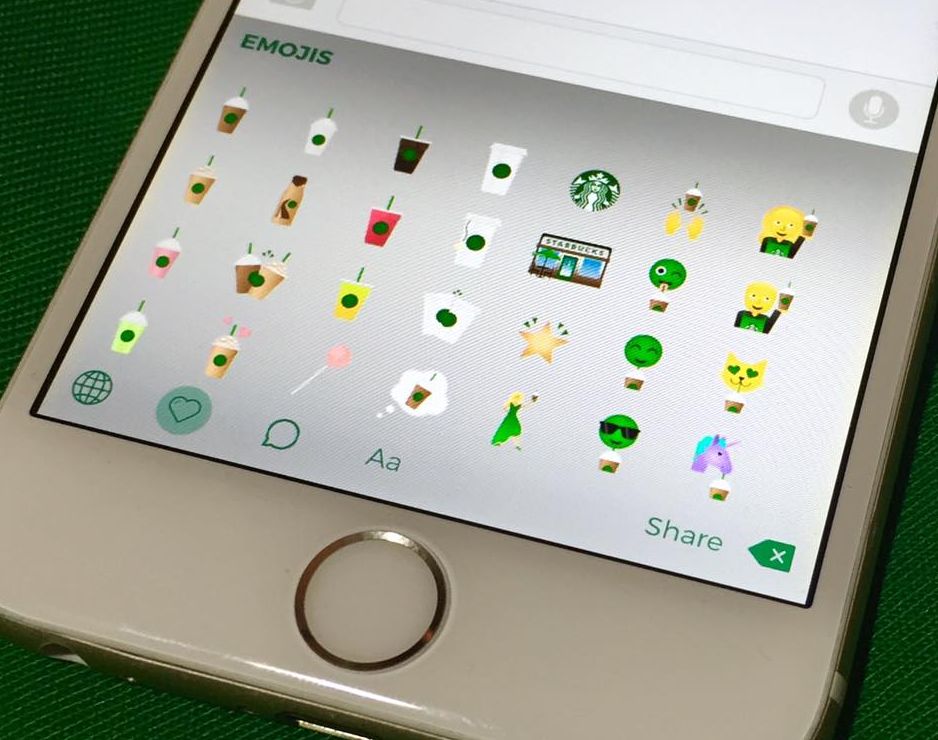
Available for free from the App Store, Starbucks Keyboard lets you add a little personality to your emails, texts, social media posts and more with branded “emojis” like Frappuccino blended beverages, iced tea, coffee and even a purple unicorn sipface.

It's a nicely done app that shows potential, but I dislike the fact that they're advertising it as an emoji keyboard because these things are more of stickers that get pasted as image attachments.

This free Apple Watch complication displays the time in words

When someone asks you what the time is and you glance at your Apple Watch, are you one of those people who struggle interpreting clock hands on a standard analog watch face? How cool would it be if your Apple Watch displayed the approximate time in words, such as “ten to six”, “quarter past three” or “about five o'clock”?

That's the problem that Roughly tries to solve. Created by Iain Anderson, Roughly is a complication that gives you approximate time, in words.

Available free of charge, it's just fun for most people but I think some users may actually find Roughly genuinely useful.

Microsoft’s Word Flow keyboard launches with one-handed mode, gestures, themes and more

After releasing an iOS edition of its Hub Keyboard last month, Windows giant Microsoft on Monday launched an iOS port of its predictive text Windows Phone keyboard, called Word Flow. The free of charge iPhone app brings many advanced features that speed up typing, like a cool one-handed mode, gesture based typing, predictive text input, custom themes and more. The Word Flow keyboard is available at no charge in the App Store.

KUKE: an affordable iPhone battery case with built-in storage expansion

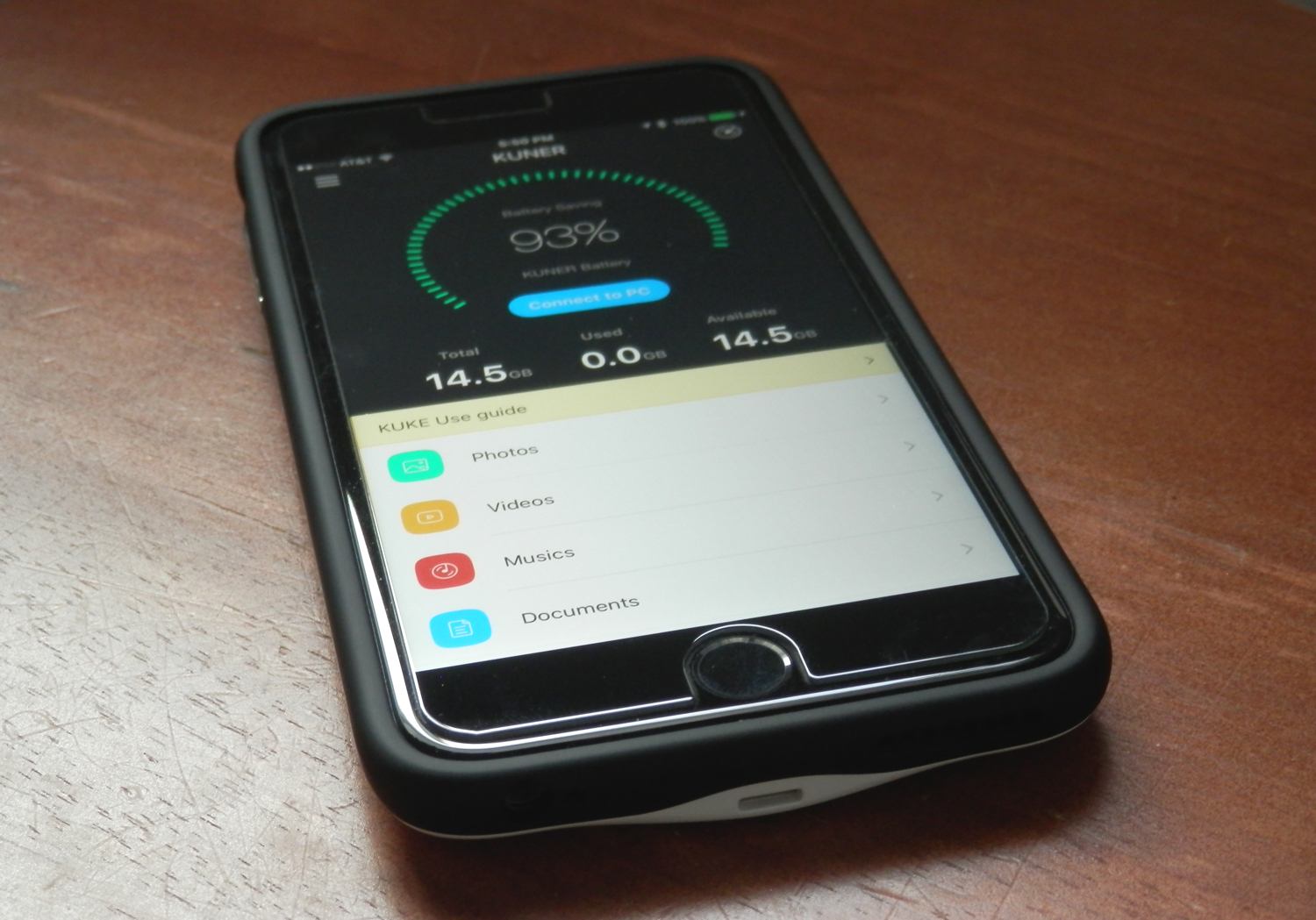
Because your battery is such a precious asset to your iPhone, you can never go wrong with trying to expand its life. This is especially the scenario for people who put a lot of miles on their device each day, sending hundreds of text messages back and forth with friends and checking social media on a regular basis.

The KUKE, made by Kuner Tech, is a battery case for the iPhone, fresh out of an Indiegogo campaign, that does away with the clunkiness of many third-party options, and blows Apple's Smart Battery Case out of the water in performance and usability. Not only will it give you a truckload more battery life for your iPhone, but it also provides additional storage space for your documents, media, and more.

In this review, we'll show you what the KUKE case is all about!

Put Product Hunt right in your Mac’s menu bar

Product Hunt, the popular Y Combinator-backed service that lets users share and discover new products, earlier this month unveiled a thoroughly revamped iPhone and iPad application that puts fun back into product discovery.

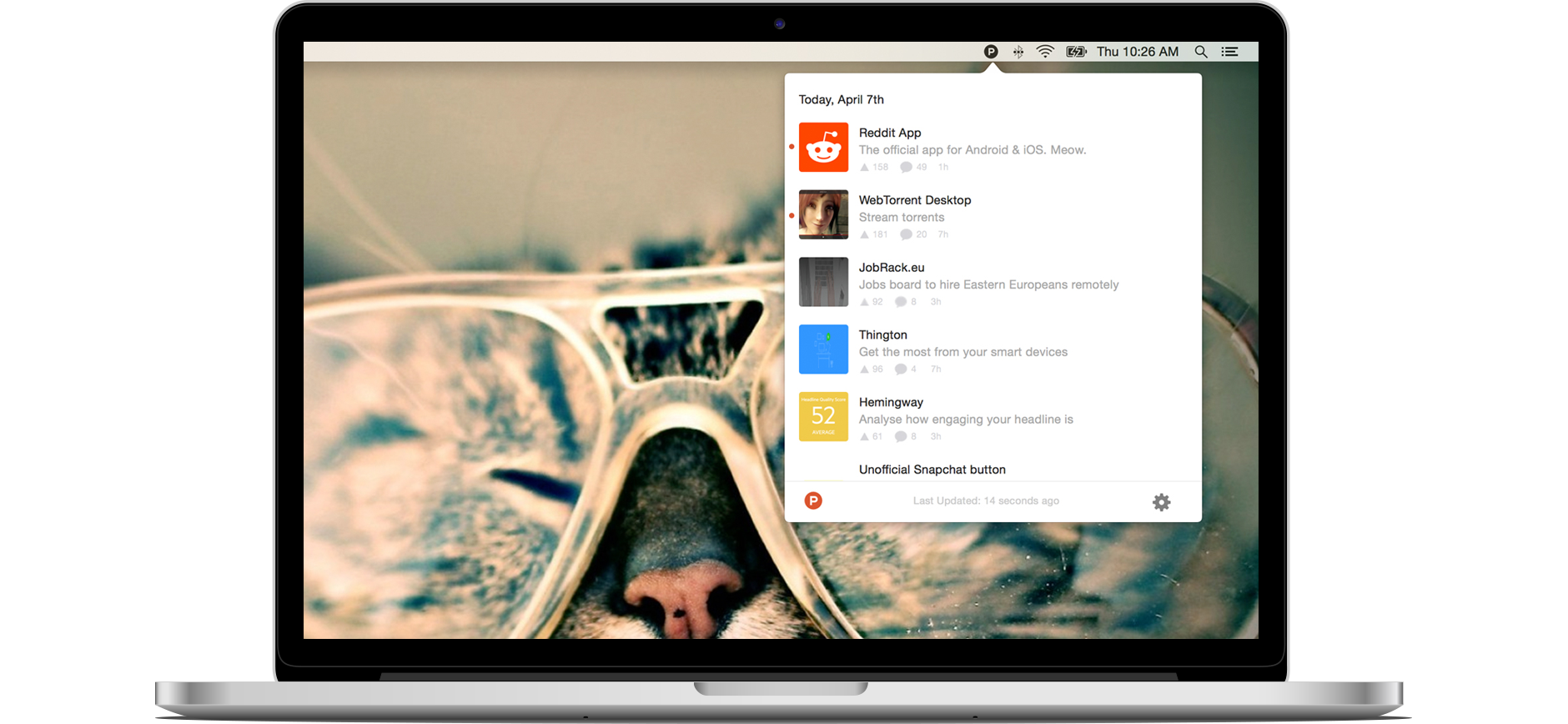
It's a gorgeously done app that I use every day and it's made me want that experience on my Mac. Lo and behold, Product Hunt for Mac. A tiny, official client for OS X, this app puts Product Hunt's familiar round “P” icon right into your Mac's menu bar, where it sits and dutifully awaits a click of the mouse to present you with the latest popular products, games, books and podcasts on Product Hunt.

Use Apple Maps and plan trips on the big screen with TV Maps for Apple TV

Since learning that Apple's software development kit now includes a new MapKit framework for tvOS, I've been eagerly awaiting to see what Apple TV developers are going to do with it. I salivated at the prospect of Apple Maps on a big screen telly because it sounded too good to be true.

Even better, Apple's SDK supports advanced features like map annotations, adding overlays and performing reverse-geocoding lookups to determine placemark information for map coordinates, among other features.

With TV Maps by Arno Appenzeller—to my knowledge, this is one of the first of MapsKit-enabled apps for the new Apple TV—you can browse Apple Maps from the comfort of your couch. At long last, planning trips on the big screen has become a reality for those of us who're invested into the Apple ecosystem. The experience of using maps on a television is much cooler than you could imagine: this is the first tvOS app that has made me wish that the Apple TV supported hand gestures so that I could explore maps Minority Report-style.

Check out this endless runner game you can play from Notification Center

Knowing that Apple has been restrictive in the past on what is and what isn't allowed to pass in the App Store for a Notification Center widget, it can be fun when little gems find their way into the top charts section and you stumble upon them.

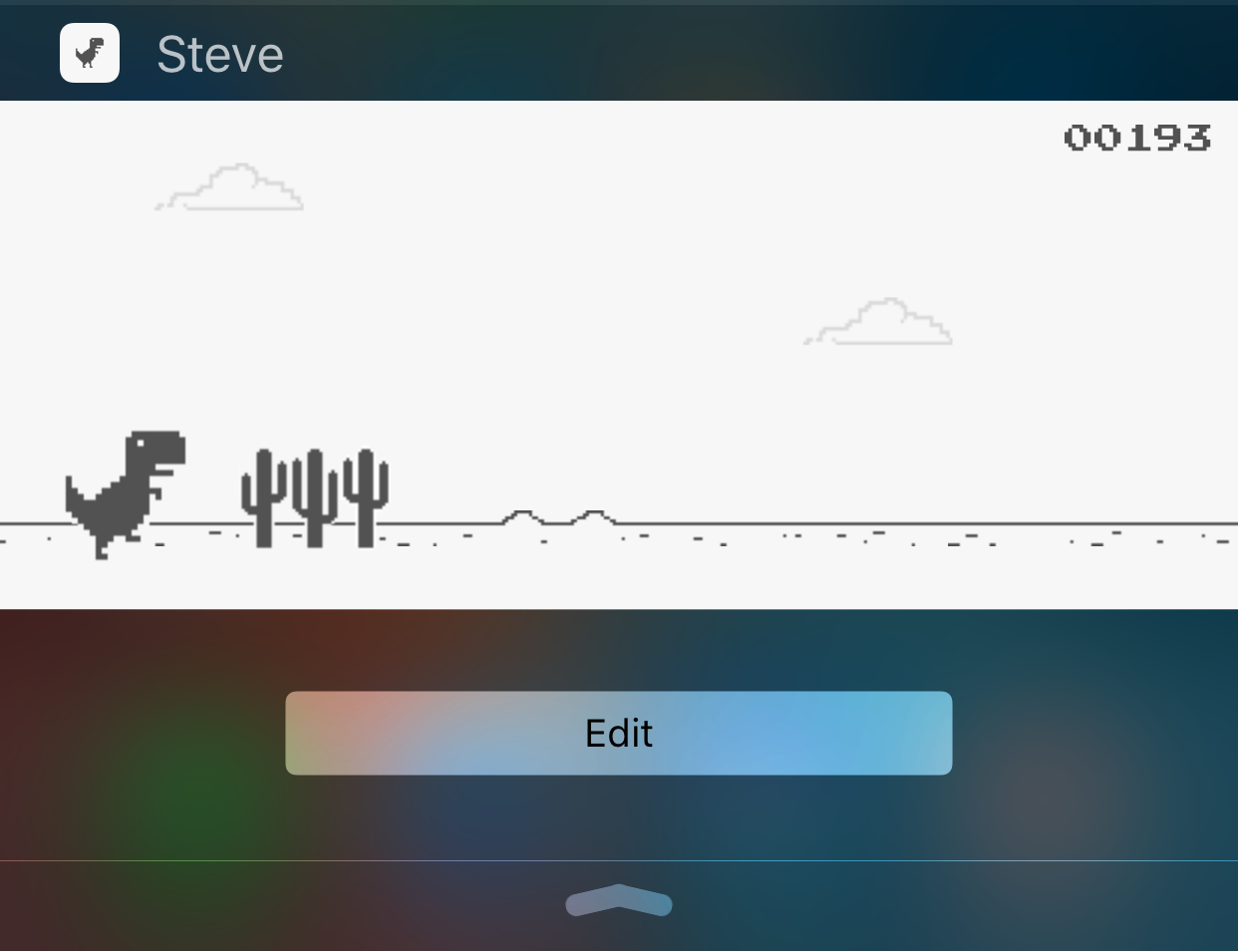
While looking through them, I discovered a free endless runner game called Steve - The Jumping Dinosaur, but unlike other endless runners you've played before, this game is played inside of a Notification Center widget rather than from the app itself.

Quickly and easily record animated GIFs with Giphy Cam

Animated GIFs are fun, the only thing is, creating them generally requires a computer and either some fancy GIF-making software, or a website that can convert video files to animated GIFs.

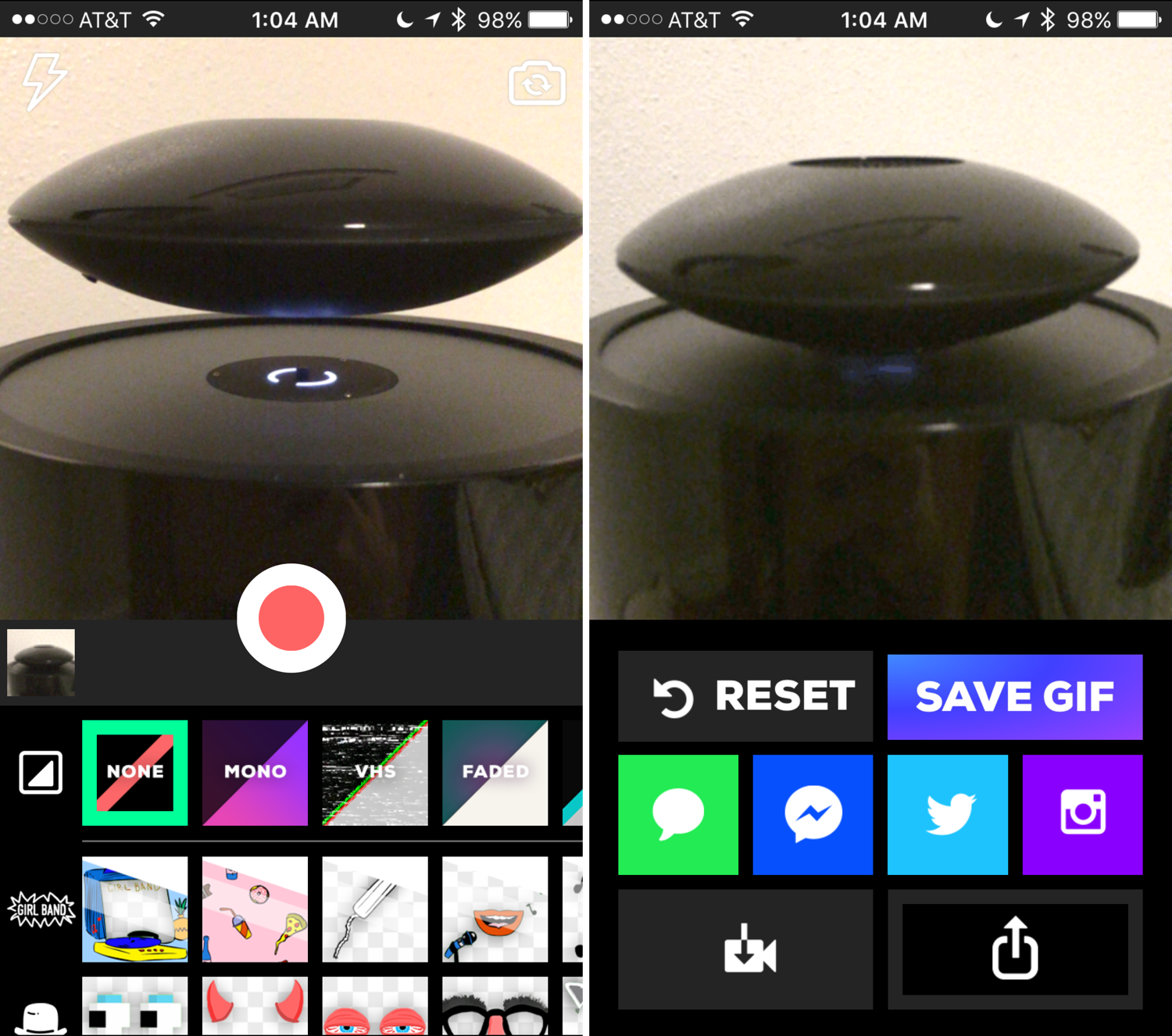
Fortunately, for those of you that spend most of your time mobile, rather than at a computer, the free GiphyCam app from the App Store provides an all-in-one experience for iPhone, iPod touch, and iPad users.

We'll talk about GiphyCam in this piece and show you how you can use it to record your own animated GIFs right from your mobile device.

This by Tinrocket, Blogo and other apps to check out this weekend

It's the weekend, and you know what that means: it's time for another round of iDB's Apps of the Week post. Every week we put together a list of apps and games we think are worth checking out, and this time around we've got some great selections. This week's picks include a navigation app for walking, an annotation app, and more!

BBC releases iPlayer Kids app

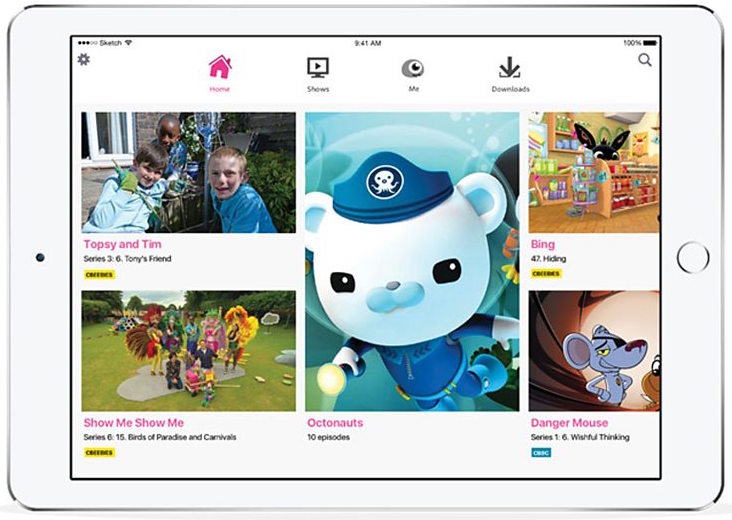
The British Broadcasting Corporation (BBC) on Tuesday announced a kids-friendly version of its iPlayer video-streaming app, called iPlayer Kids. Available in the UK App Store at no charge, the ad and In-App Purchases free software offers kids a safe environment to watch all of BBC Children’s world-class content in one place.

These include over 10,000 episodes being made available this year alone, including both new and old CBeebies and CBBC favorites such as “Wolfblood”, “Blue Peter”, “The Dumping Ground”, “Topsy & Tim” and “Go Jetters”.