Lockscreen

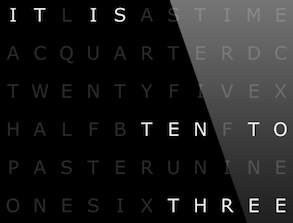
A beautiful verbal clock for your Lock screen

Continuing our Lock screen modding series, we take a closer look at an elegant verbal clock. Having an affinity for well-designed typographical imagery, this verbal clock is a perfect addition for my iPhone. A sleek black, gray, and white interface, I am impressed with the elegance of its minimalism. Follow us beyond the fold to find out how to set your iPhone up similarly...

‘LivePapers’ adds animated wallpaper to jailbroken devices

Looking to spice up your iPhone's Home screen and Lock screen? If so, then look no further than LivePapers, a recently released jailbreak app available on Cydia's BigBoss repo.

LivePapers allows you to enable animated wallpaper that you can display on both your Home screen and Lock screen. You can interact with the wallpaper on your Lock screen using taps, and configure settings for each of the custom wallpapers.

By itself, LivePapers isn't exactly a home run, but with the purchasable addons, the jailbreak app is tons of fun. Take a look inside as we go in depth with LivePapers, plus we'll talk about and demonstrate its purchasable addon packs.

Another iOS 6.1 trick to bypass the Lock screen

http://www.youtube.com/watch?v=oKOj0GMf810#at=49

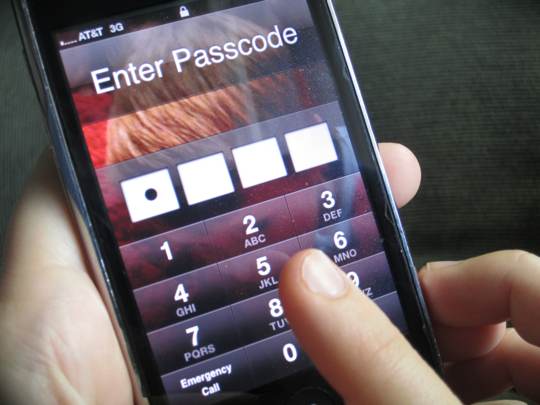
So what's up with Apple and the iPhone's Lock screen? I mean, the various Lock screen vulnerabilities have persisted in iOS since the first passcode flaw was discovered in iOS 2.0 - and that was way back in July of 2008. And now, in addition to a simple passcode bypass trick a YouTube user detailed on Valentine's Day, another method of circumventing the Lock screen passcode has been discovered and highlighted in a video above...

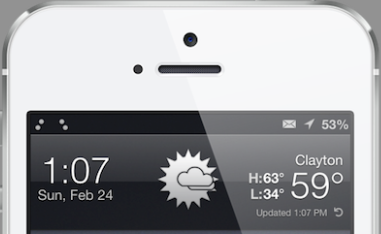
A simple Lock screen that displays the local weather forecast

The iPhone Lock screen has not changed since 2007 and it is certainly boring, even outdated. Everyone loves a good Lock screen and we wanted to give a quick how-to for a simple tweak. Getting things looking fresh on your iPhone can be a jumbled mess while plowing through Cydia, looking for the right packages. A few days ago we had users submit their favorite Lock screens, screen shots, and tweaks, which led to this post. While this initial posting is simple, we hope it inspires you to construct your own beautiful Lock screens...

SubtleLock lends a subdued look to the iPhone’s Lock screen

Looking for a Lock screen a bit on the unassuming side of things? Then try out this new jailbreak tweak entitled SubtleLock. This is a tweak that makes both the 'slide to unlock' and the clock section on your Lock screen a bit smaller.

The developer of SubtleLock says that his tweak reclaims almost 100 pixels from the Lock screen, lending more room to wallpaper and notifications. Take a look at our video walkthrough of SubtleLock inside.

iOS 6.1.2 coming soon to fix Exchange, Lock screen vulnerabilities

Official fixes for both the battery-draining Exchange bug and the potentially dangerous Lock screen vulnerability that lets anyone bypass your passcode are likely to arrive as part of iOS 6.1.2, a maintenance update that should be released for public consumption before month's end, according to a German blog with a somewhat accurate record of Apple reporting...

Apple responds to the iOS 6.1 Lock screen glitch, says a fix is underway

http://www.youtube.com/watch?v=MDkLpj3MM-c

Earlier this morning iDB warned you of a newly discovered security flaw in the recently released iOS 6.1 software. It's not the end of the world, but it isn't dismissible either as intruders can easily gain access to your iPhone and potentially compromise your data using a simple trick.

In a nutshell, in order to exploit the vulnerability one simply has to make and immediately cancel an emergency call on the Lock screen and then hold down the Sleep/Wake button twice. But worry not, privacy buffs, says Apple. The Cupertino company is aware of the issue, a solution is being worked on and a fix will be pushed in a future iOS software update. There, feeling better now?

New iOS 6.1 Lock screen flaw compromises your iPhone

http://www.youtube.com/watch?v=MP-w436CfvQ

The iOS Lock screen bug has reared its ugly head again. This time around, the security exploit isn't as straightforward as a 2011 issue which let intruders bypass your iPad's Lock screen using a Smart Cover. In a nutshell, this new exploit discovered by a YouTube user involves making and immediately canceling an emergency call and holding down the Sleep/Wake button twice.

As detailed in a video above by The Verge, the method enables an intruder to bypass the unlock feature on the Lock screen and gain immediate access to your private stuff, including iMessages, FaceTime, photos and more. The flaw is iOS 6.1-specific and since it involves using the emergency calling feature, it's likely that iPads and iPod touches are not susceptible. Go past the break for more information...

‘Unfold To Unlock’ tweak tracks usage, asks for donations every 500 unlocks

We're not against developers making money from their tweaks, or pursuing alternative routes of funding, but having a piece of nag-ware on your phone without any option to disable it is a major annoyance.

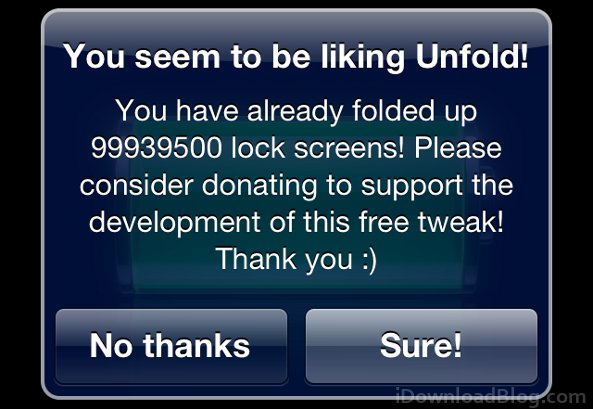
Unfold is a jailbreak tweak that we are huge fans of at iDownloadBlog, but unfortunately we learned that the tweak was programmed with an annoying behavior. After 500 uses, a message pops up asking for a donation, and the message repeats again after every 500th unlock. This wouldn't be so bad if a donation disabled the message, but there's no option for entering a subscription into the app...

Apple awarded design patents for slide-to-unlock feature, iPhone 3GS

When Steve Jobs unveiled the first iPhone back in 2007, he had a blast showing off the handset to the Macworld audience. And one feature he particularly enjoyed demonstrating was the phone’s 'slide-to-unlock' unlocking mechanism.

Apple has since been extremely protective of the feature, going after both Motorola and Samsung for using similar unlock methods. And it's just strengthened its IP portfolio regarding the feature, with a newly granted design patent...

Pin Lock screen reminders to a non-jailbroken iPhone with ‘Task Paper’

We know that some of our readers who updated to iOS 6, or those of you who upgraded to the iPhone 5, get annoyed when we feature jailbreak tweaks. In for each article about tweaks we get at least one comment along the lines of, "Why are you covering tweaks when there's no jailbreak!?!" It's totally understandable, since you can't take advantage of all the awesome tweaks we've showcased. Lucky for you, the clever developers at Renegade Apps have found a way to add functionality to the Lock screen without relying on MobileSubstrate.

Task Paper (not to be confused with the similarly named TaskPaper) is a to-do list app, available in iTunes, that allows users to create persistent Lock screen reminders through generated wallpapers. These wallpapers provide functionality similar to the Reminders+ tweak, all without a jailbreak...

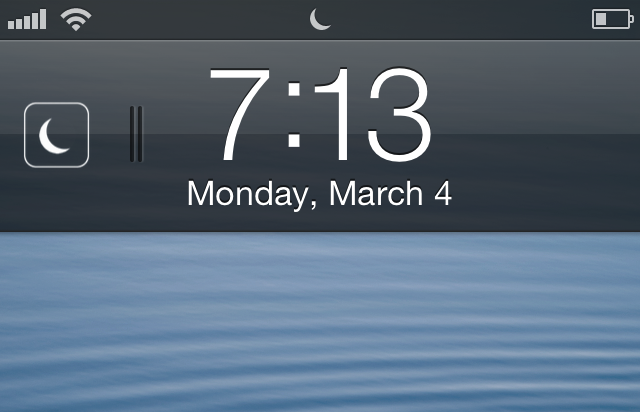
Lock Screen Drawer is another iOS 7 toggle concept

One of the annoying quirks of iOS is there's no way to quickly toggle battery-draining and data-thirsty features and services we like to use selectively. Of course, that's without jailbreaking. Considering BossPrefs (the precursor to SBSettings) was released in 2007, it's about time Apple caught up with the demand for an official quick toggle panel. But how would Apple approach the problem?

Jean-Marc Denis posted one possibility to Dribbble. It's a concept called 'Lock Screen Drawer', which would allow users to access toggles by pulling on a tab under the lock screen clock. Pull the tab, and a small tray slides out. In the concept, the tray is equipped with toggles for Wi-Fi, Bluetooth, airplane mode, and hotspot. We'd like to see GPS on the list too, so hopefully there would be a way to customize the toggles...