Lockscreen

Malleus ports iOS 12’s Lock screen shortcuts to jailbroken iOS 11 devices

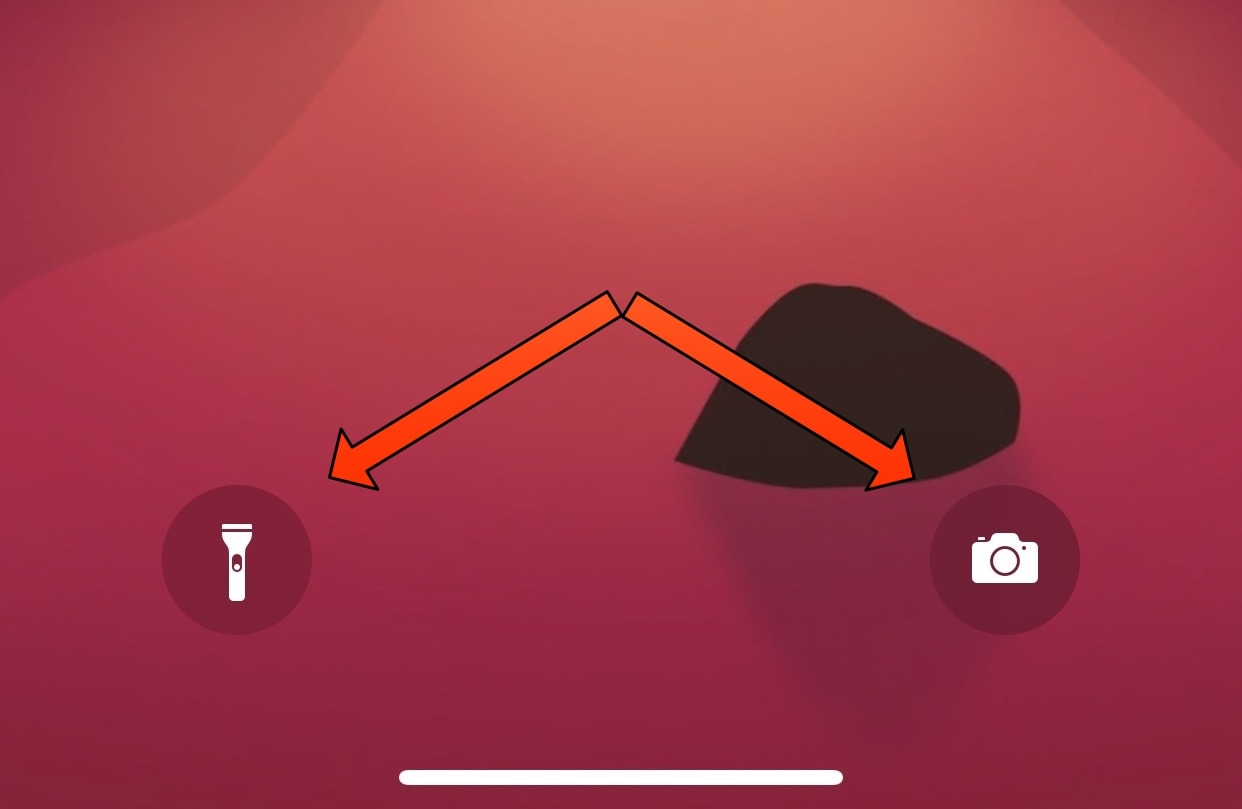
If you have an iPhone X, XS, XS Max, or XR, then you’re already familiar with the 3D Touch-based Camera and Flashlight shortcuts on the left and right sides of the Lock screen. In some of the latest versions of iOS, these shortcuts make a tactile ‘clicking’ sound when actuated.

Unfortunately, there isn’t a jailbreak for iOS 12, but those using a jailbroken installation of iOS 11 can now emulate the sound heard on iOS 12.1 when using these shortcuts with a new free jailbreak tweak called malleus by iOS developer Sam Gardner.

Moonshine ports the Apple Watch charging animation and Nightstand Mode to iPhone

It was only yesterday that we showed you a new jailbreak tweak called SqueakTime that ported most of the Apple Watch’s watch faces to the iPhone. But as of today, there’s a new jailbreak tweak that ports the Apple Watch’s sexy semi-circular charging animation to the iPhone.

Enter Moonshine, a new and highly-anticipated jailbreak tweak by iOS developer LaughingQuoll. Not only does this tweak produce the aforementioned Apple Watch charging animation, but it also displays the current date and time in Apple Watch-style Nightstand Mode throughout the entire charging session whenever the device is awoken.

SqueakTime lets you use Apple Watch faces on your iPhone’s Lock screen

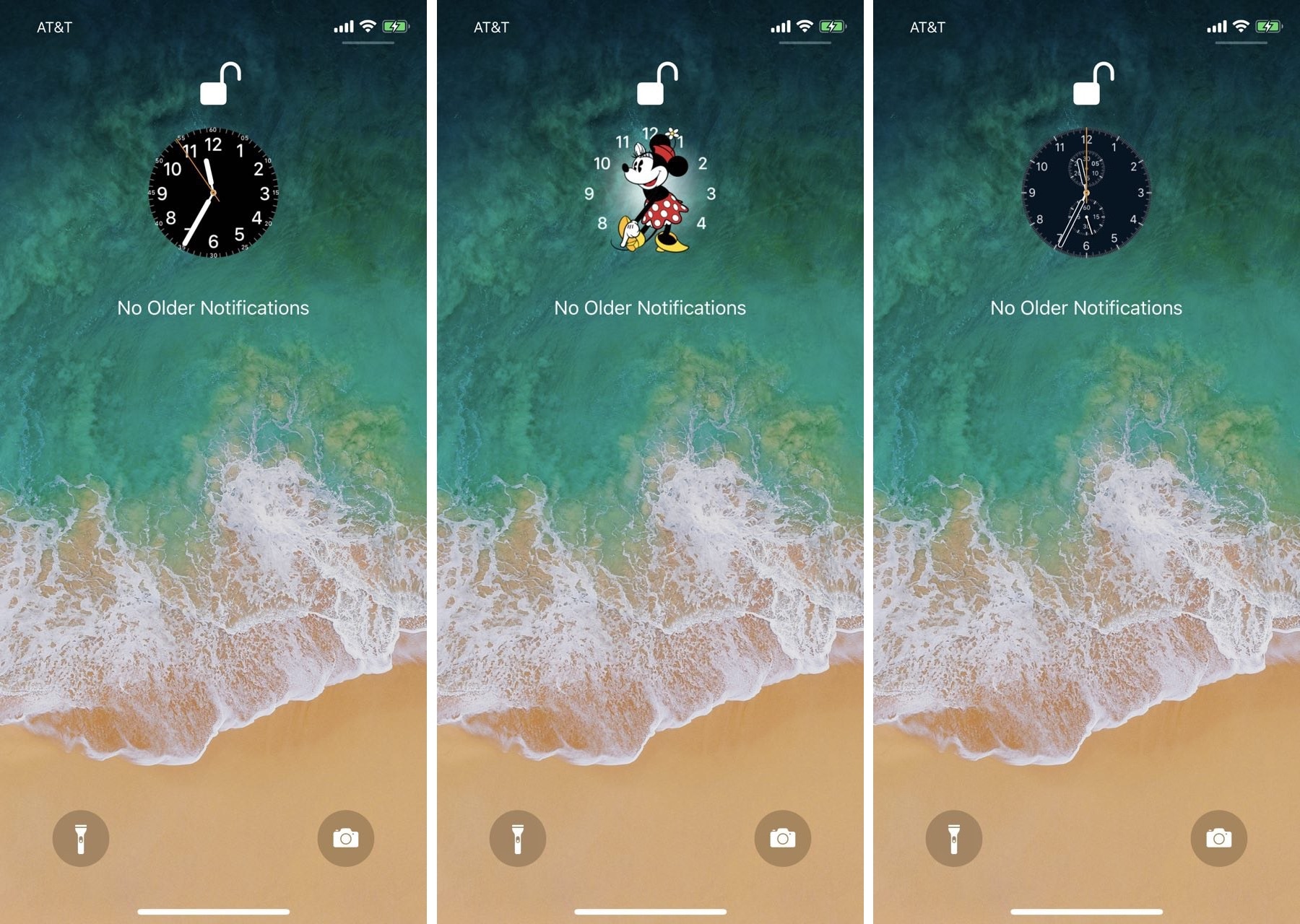
While perusing the Changes tab in the Cydia Store this week, we happened upon a brand-new jailbreak tweak dubbed SqueakTime by iOS developer Andy Wiik. With it, you can replace the Lock screen’s native time indicator with official Apple Watch faces.

After you’ve installed SqueakTime, you’ll take notice of a new “Use on Lockscreen” button that appears next to every Apple Watch face preview in the native Watch app:

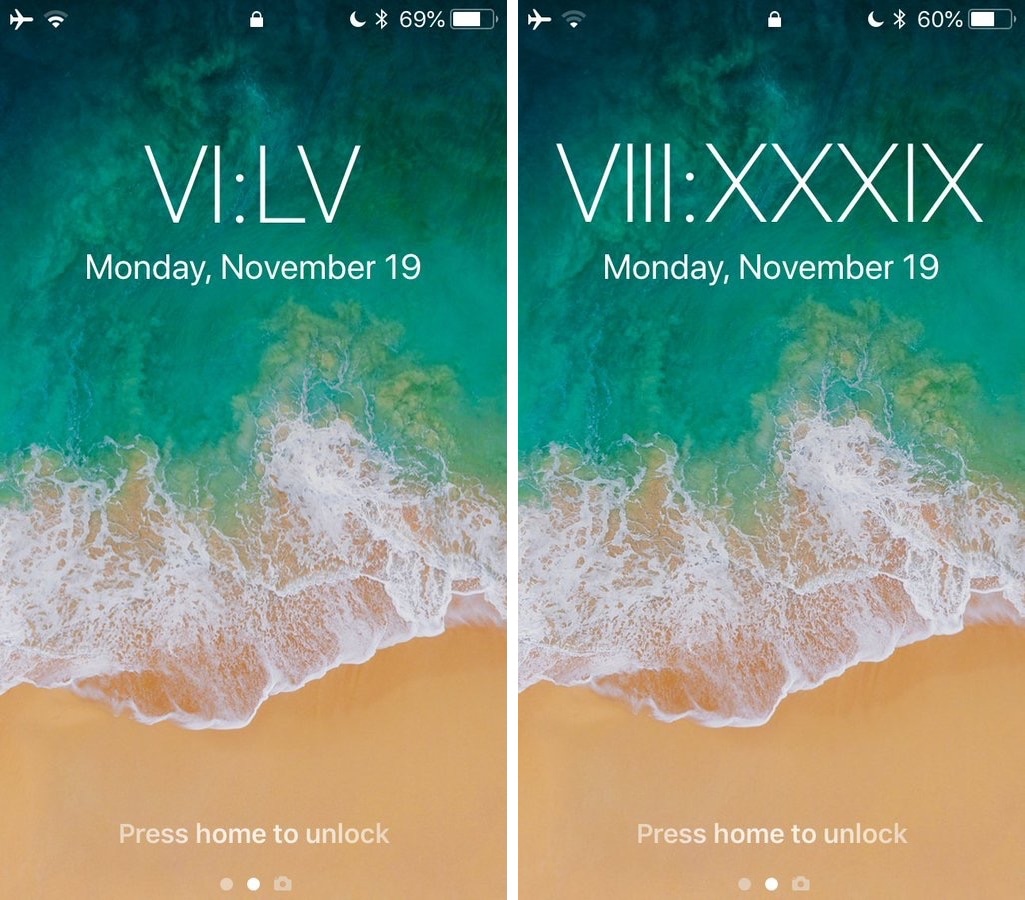
Relocate the Lock screen’s date and time indicator with mcClock11

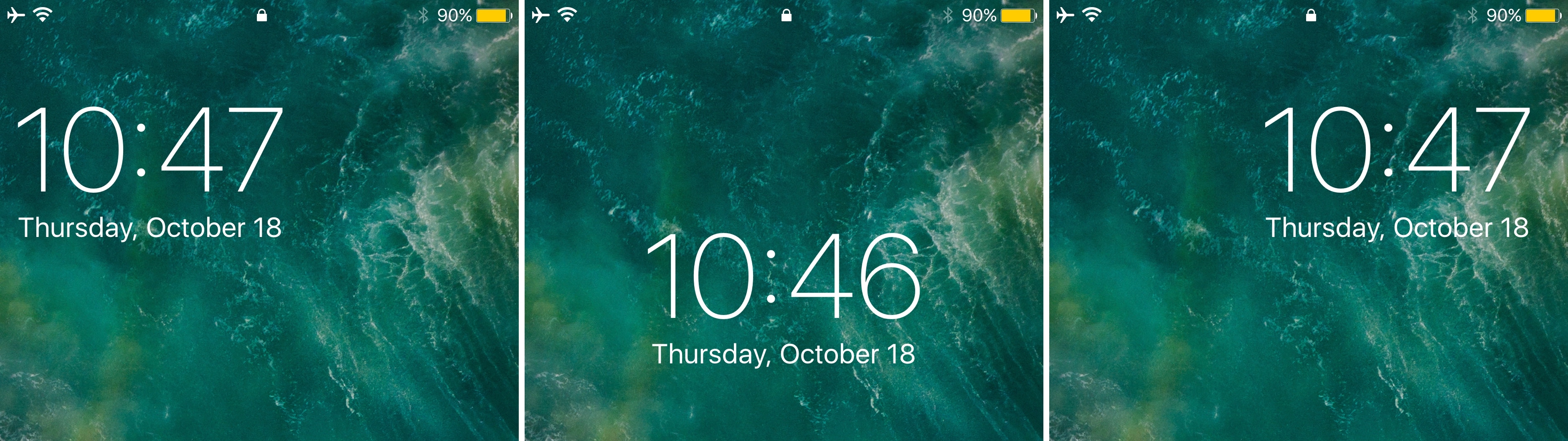
Right out of the box, your iPhone centers the date and time near the top of the Lock screen interface. But if you’ve ever wanted to move the date and time indicator around to different positions on the Lock screen, then you’re in luck.

A new free jailbreak tweak called mvClock11 by iOS developer Soh lets you relocate the Lock screen’s date and time indicator anywhere you’d like.

Customize your iPhone’s locking & unlocking animations with Amour

One of our favorite parts of jailbreaking is that you can customize the locking and unlocking animations of your handset. We haven’t seen a jailbreak tweak of this nature for quite some time, but iOS developer Luke Muris is changing that with a new release called Amour.

Once installed, Amour allows you to customize both the locking and unlocking animations of your jailbroken iPhone or iPad. You’ll discover a preference pane in the Settings app where you can configure the tweak however you like:

iNoSleep maintains a Wi-Fi connection when your handset is locked for long periods

Right out of the box, Apple’s lineup of mobile devices will do anything they can to conserve battery power when specific hardware functions aren’t necessary. For example, they may disconnect from Wi-Fi when locked for prolonged periods; think of it as a hibernation mode.

It’s a brilliant power savings feature, in theory, but it sometimes hinders workflows by imposing internet connection delays in which you’re forced to wait for connection reestablishment after unlocking. Fortunately, a free jailbreak tweak called iNoSleep by iOS developer Tony Kraft solves this problem.

Add powerful new features to the Now Playing interface with Apace 2

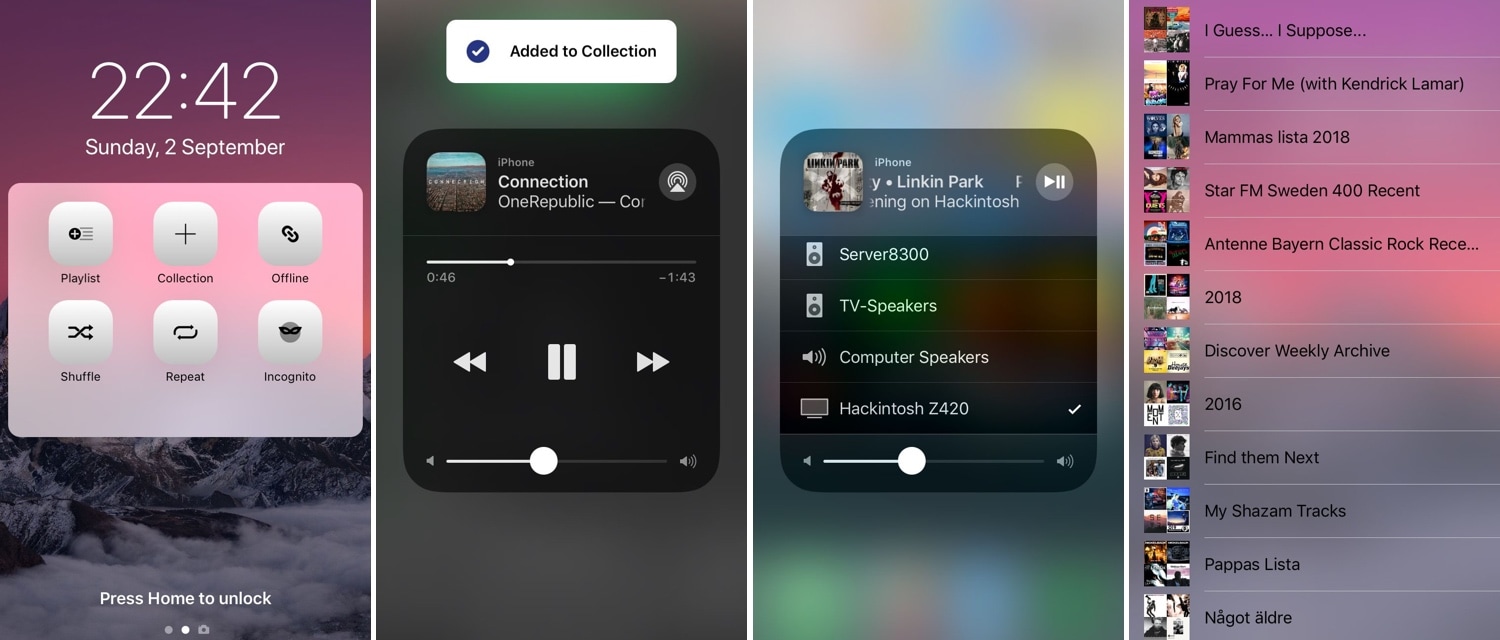
If you appreciated the first Apace jailbreak tweak by iOS developer Andreas Henriksson, then you’ll likely have a sweet spot for its iOS 11-compatible successor: Apace 2 (iOS 11).

Apace 2 augments your iOS handset’s Now Playing interface with features relevant to the app you use to listen to your favorite tunes. Whether you’re partial to Spotify, Deezer, or the native Music app, you could potentially benefit from what Apace 2 brings to the table.

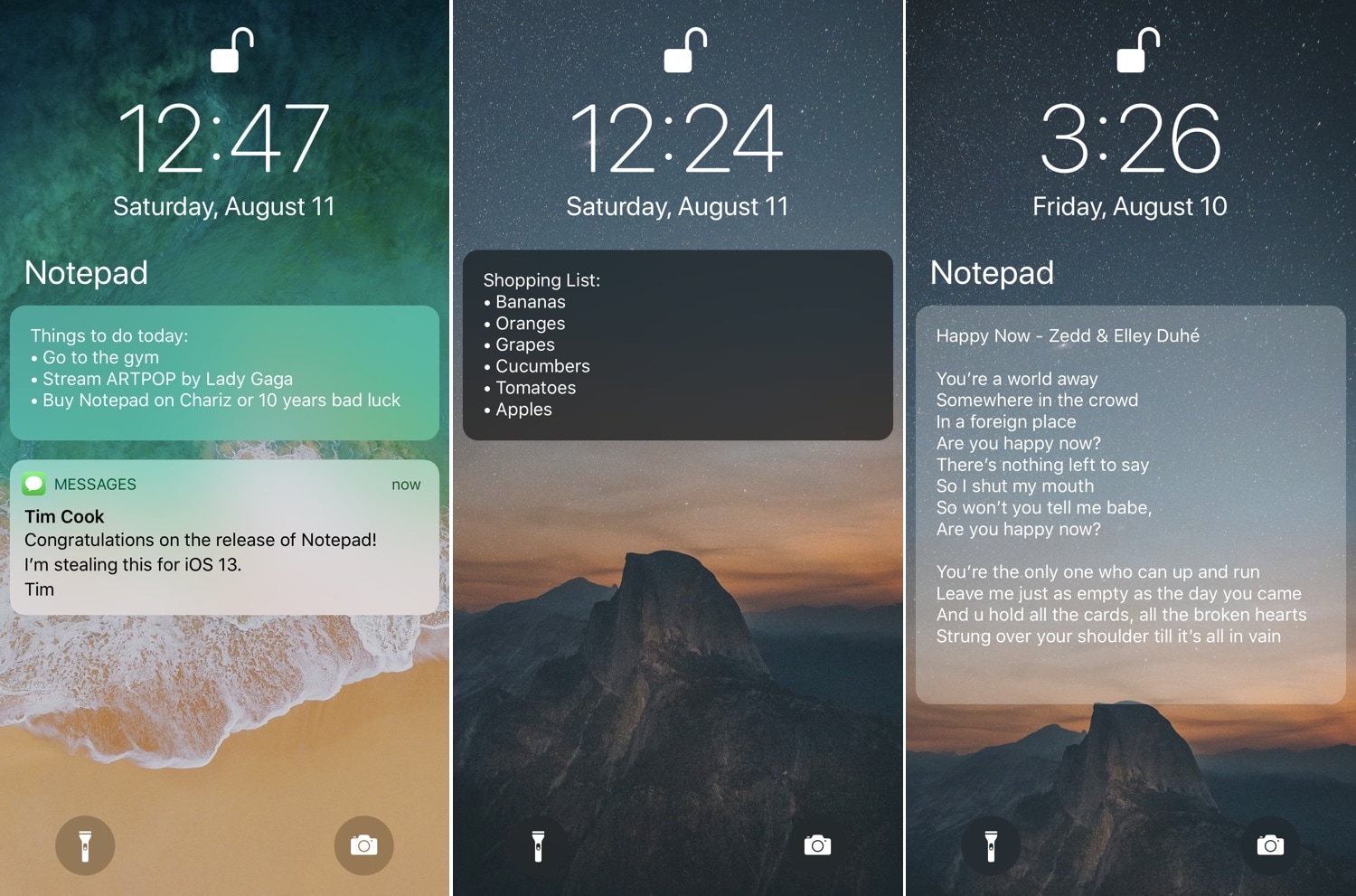
Notepad lets you type notes to yourself directly from the Lock screen

Random events happen throughout the day, sometimes prompting you to jot things down in your Notes app, so you don’t forget them. But wouldn’t it be great if you type notes to yourself without having to unlock your handset?

Notepad is a new jailbreak tweak by iOS developers NeinZedd9 and Ayden Panhuyzen that makes this possible. The tweak adds an easily-accessible note-taking interface directly to the Lock screen so you can begin typing notes whenever you need to.

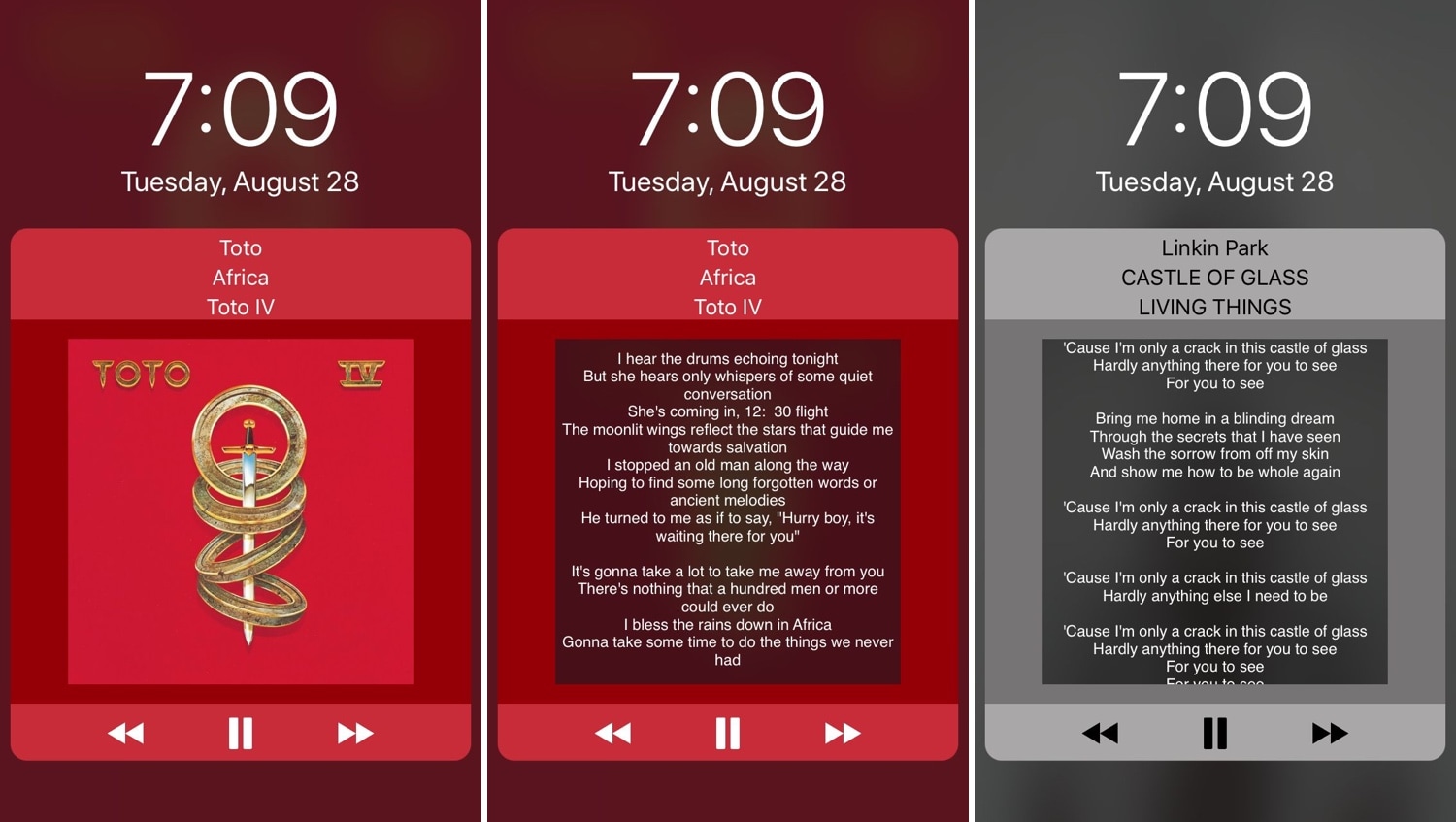
Give your Lock screen music controls a makeover with HeliusXI

While there’s nothing wrong with the stock Lock screen music controls, that’s not to say that they couldn’t do with some improvement. HeliusXI is a jailbreak tweak by iOS developer s1ris that redesigns these controls with a different look and feel on pwned iOS 11 handsets.

If the concept shown above seems familiar, then that’s because it is. HeliusXI is the newest iteration of the tweak for Apple’s latest mobile operating system, while Helius and Helius 2 previously served jailbreakers using earlier versions of iOS.

Want circular music controls for your jailbroken iOS 11 device? Try SpinXI

Whenever you play music on your iPhone or iPad, iOS automatically displays the Now Playing music controls on your Lock screen and in other parts of the operating system such that they’re always in reach.

SpinXI is a new jailbreak tweak by iOS developer s1ris that transforms the look and feel of said music controls, causing them to adopt a circular appearance, as shown above.

Palette lets you colorize your notifications and widgets

If you’re a jailbreaker, then chances are you enjoy standing out from the rest of the crowd. One way you can accomplish this is by changing the look and feel of your iOS device, and a new free jailbreak tweak called Palette by iOS developer Maxwell Dausch can help you do just that.

As the name implies, Palette produces a handful of colorization options for your jailbroken handset. More specifically, it focuses on incoming notifications and widgets, which most people interact with every day.