Lockscreen

LockDroid gives jailbroken iPhones a classic Android-style matrix passcode screen

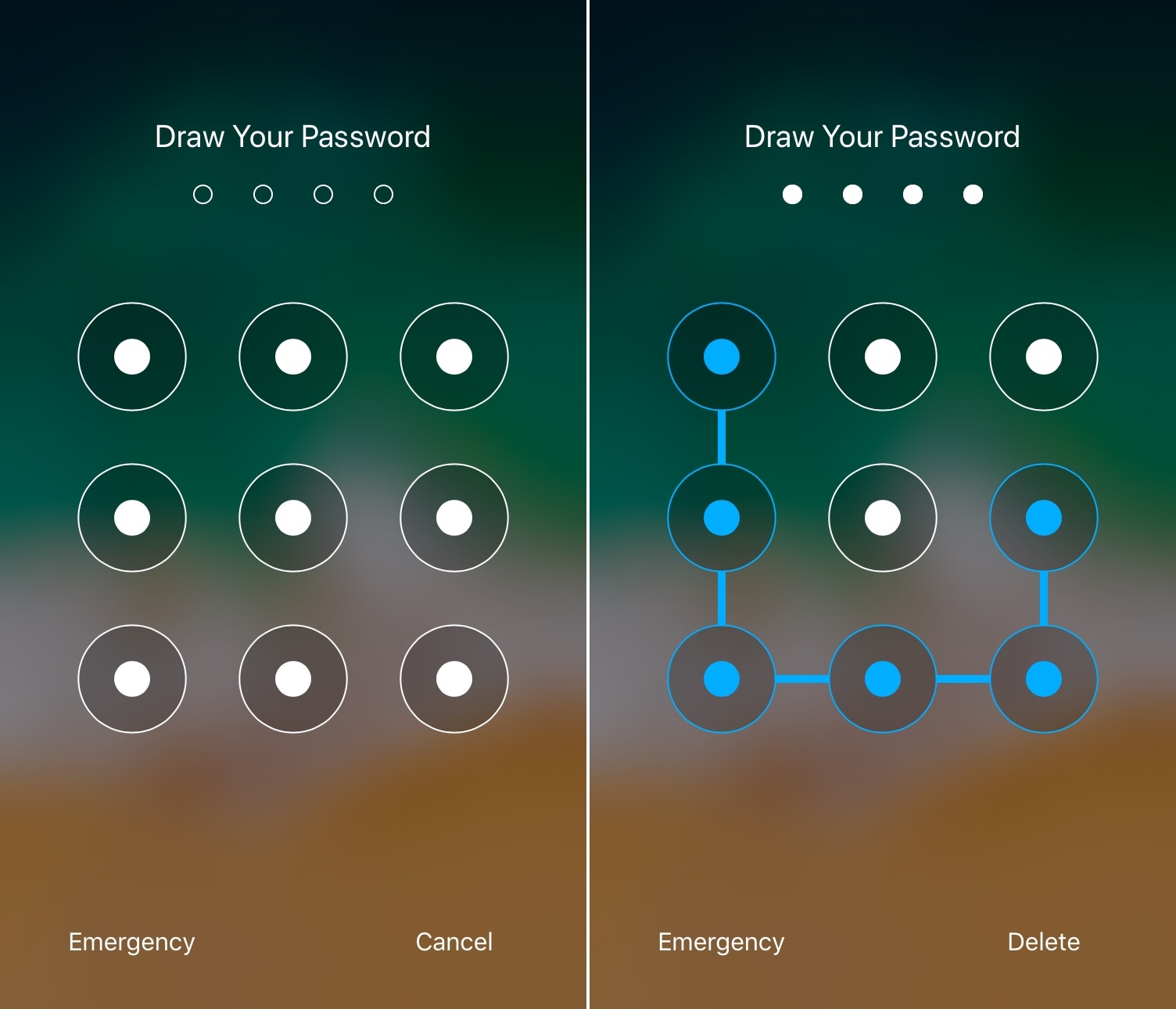
I’ve used a lot of jailbreak tweaks in my day, but some of my all-time favorites were those that brought the classic Android-style matrix/pattern Lock screen interface to the iOS platform.

It’s been a while since we’ve seen one of these classic tweaks optimized for each of Apple’s latest handsets and mobile operating systems, but one that does is a release called LockDroid by iOS developer Julio Verne.
Customize your iPhone’s locking animation with LockAnim

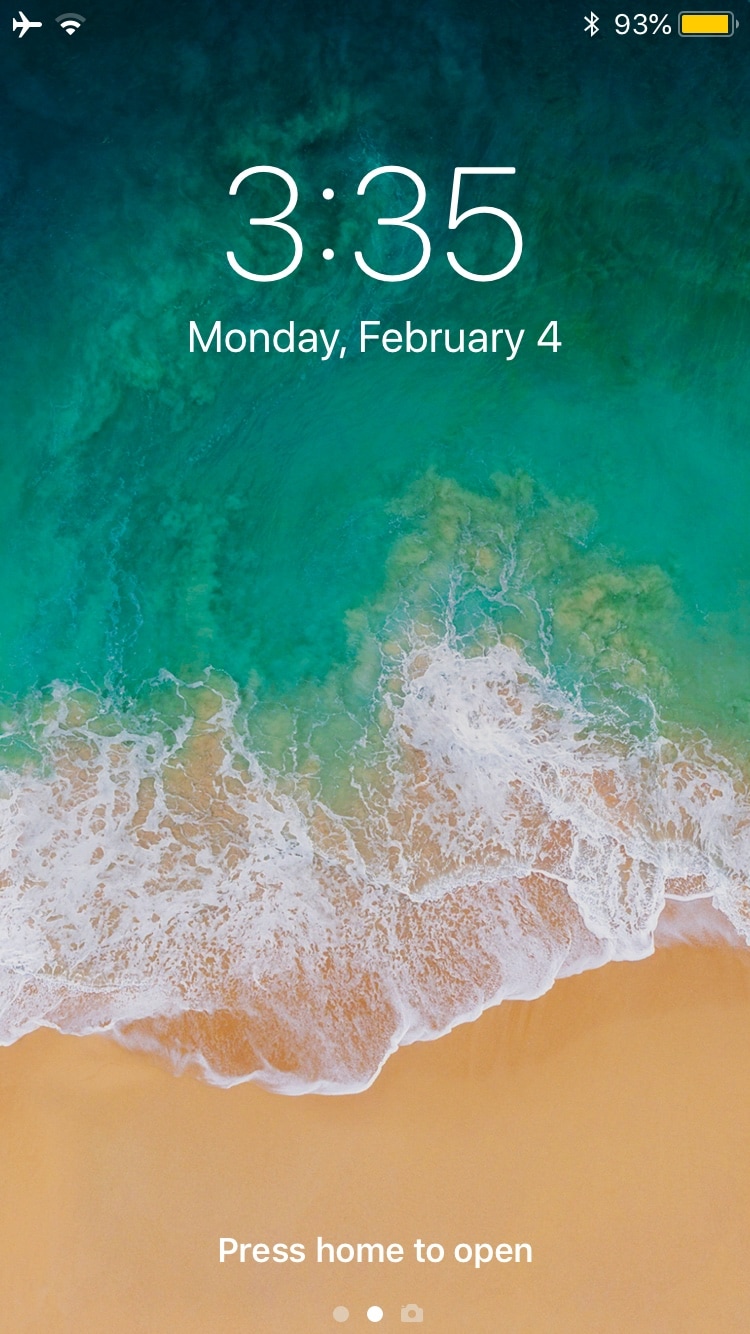
Upon unlocking your iPhone or iPad, an aesthetically-pleasing animation brings all your Home screen's icons into view. On the other hand, pressing the side button to lock your device results in an instantly-black display, as if Apple never intended to incorporate a locking animation into iOS.

If you wish your handset’s locking animation had a bit more spunk than it does out of the box, then you’ll come to appreciate a free jailbreak tweak dubbed LockAnim by iOS developer Julio Verne. Just as the name implies, this tweak brings a bevy of new locking animations to the table, giving you a lot more choice in what you see when you press that side button on your handset.
DashBored: A tweak to reduce your boredom with the iPhone’s Dashboard interface

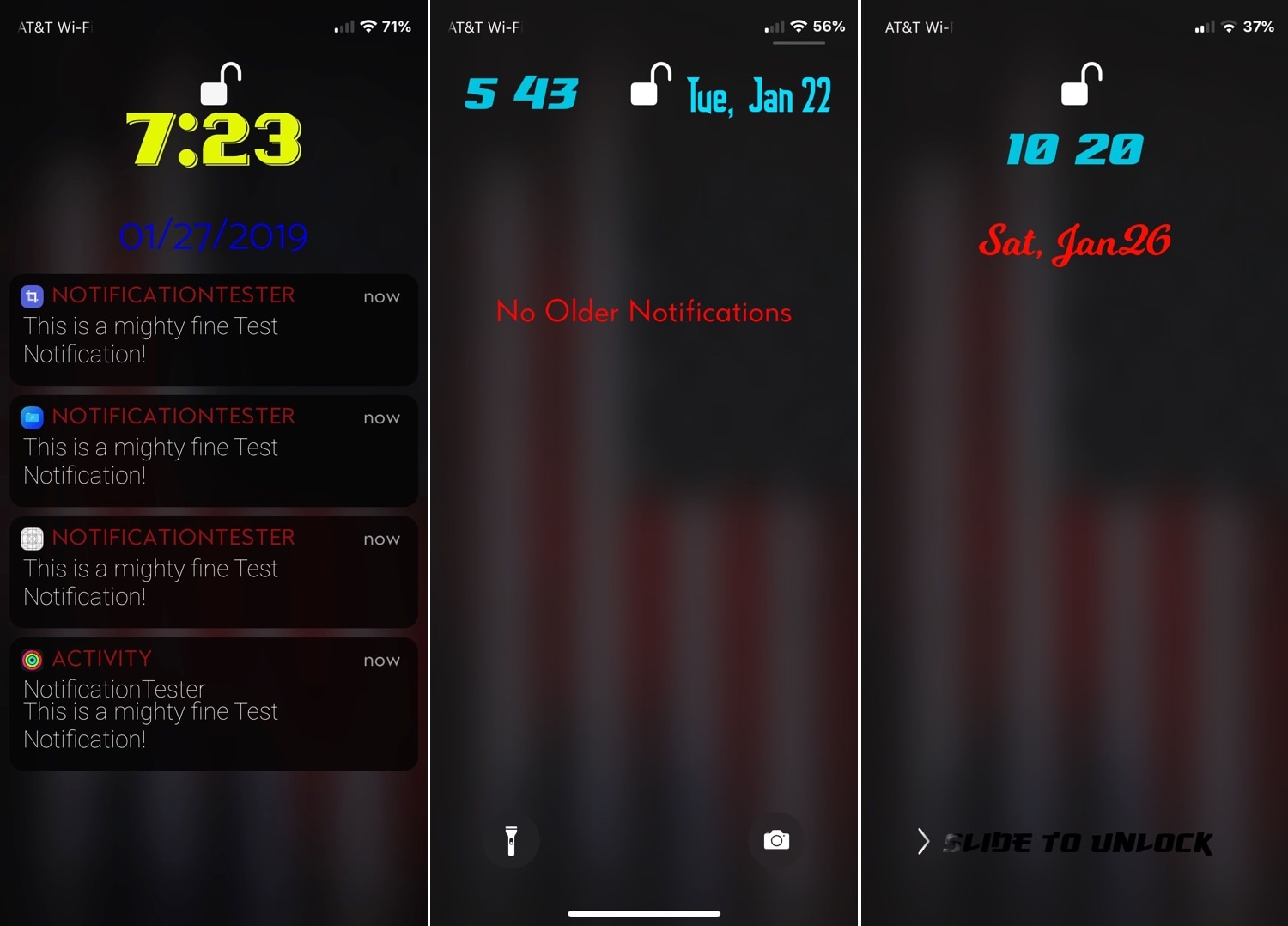
Your iPhone’s Lock screen and Notification Center are each home to a specialized interface for displaying the date and time along with a list of information notifications – this interface is known as the Dashboard.

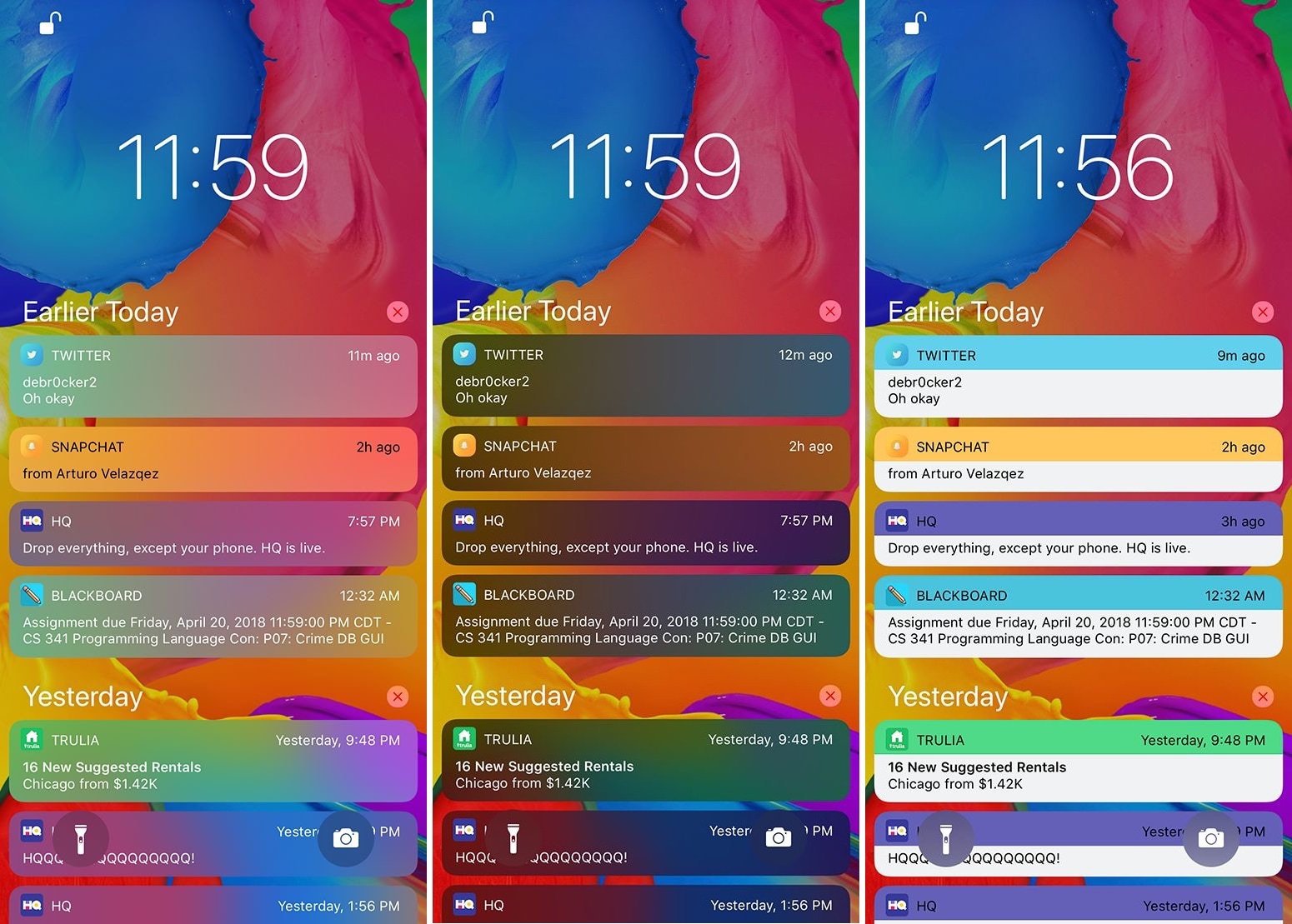
That said, if you’re feeling a bit bored with the stock look and feel of the Dashboard, then perhaps you should try a new free jailbreak tweak called DashBored (pun intended) by iOS developer Smokin1337. As shown in the screenshot examples above, this tweak lets you customize the Dashboard’s colors, font, notifications, text, and much more.

Ventana brings a Windows 10-inspired Lock screen to jailbroken iPhones and iPads

If you like how the Windows 10 Lock screen looks and feels, then you’ll probably enjoy using a jailbreak tweak called Ventana by iOS developers CoolStar and Jeremy Goulet. This tweak redesigns your iPhone or iPad’s Lock screen to make interface elements appear more as they would on a Windows 10 device.

Right out of the box, Ventana themes the Now Playing interface, any incoming notification banners you might have waiting for your attention, and the date and time display. Ventana also provides you with a Siri shortcut akin to the Cortana shortcut that you might find on Windows 10.

Hive: A hexagonal take on the iPhone’s passcode interface

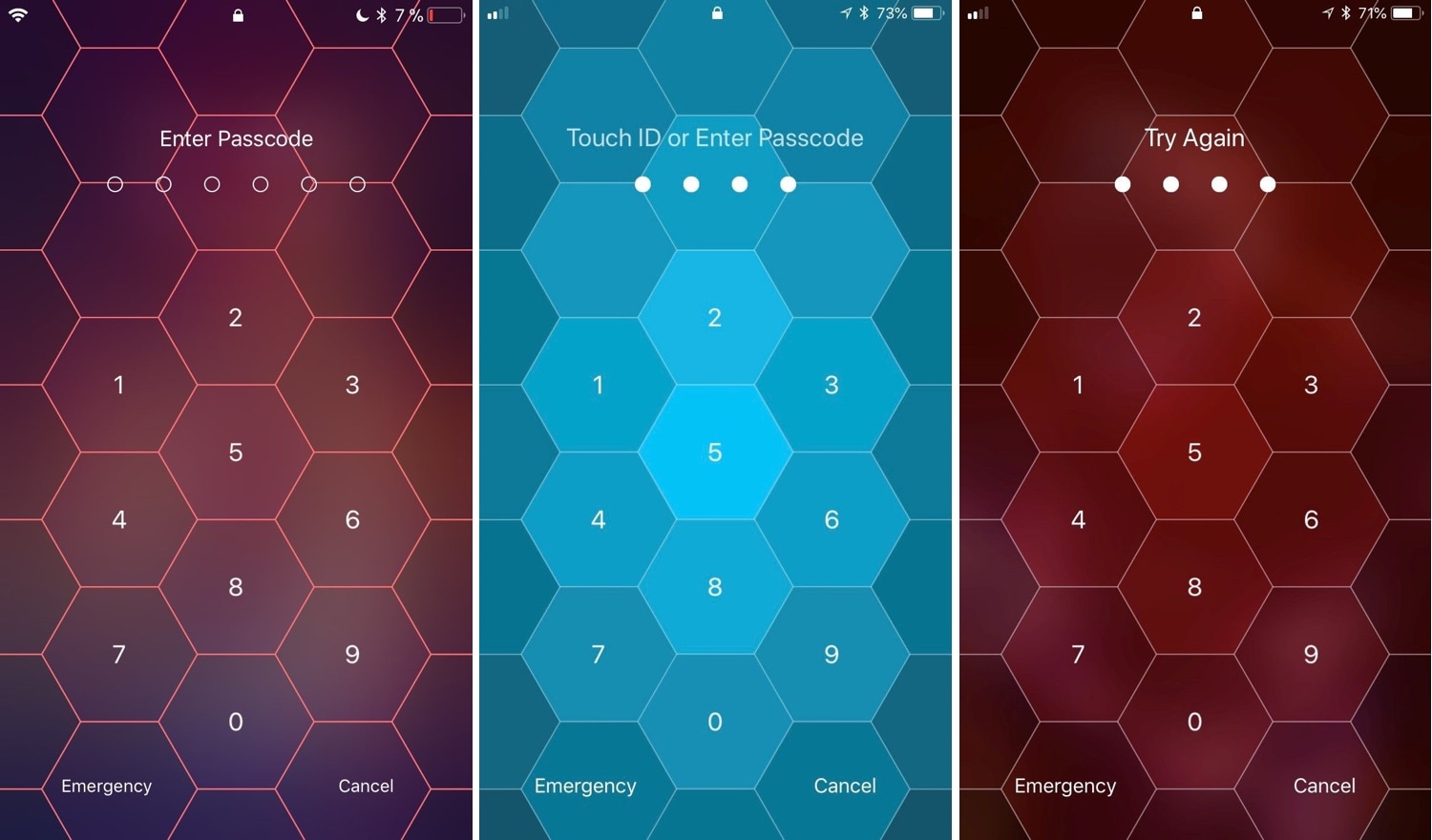
I use Face ID and/or Touch ID so often these days that I’ve all but forgotten what it’s like to need to enter a passcode manually. Still, iOS occasionally asks for it, such as after rebooting your handset and following a multi-day timeout period. That said, you'll still stumble upon the passcode entry screen at one point or another.

And that brings me to my next point; if you’re jailbroken, then you might want to customize the look and feel of your passcode entry screen. Fortunately, there’s a new jailbreak tweak in town that will let you do that.

Enable animated Weather-centric wallpapers and information system-wide with Asteroid

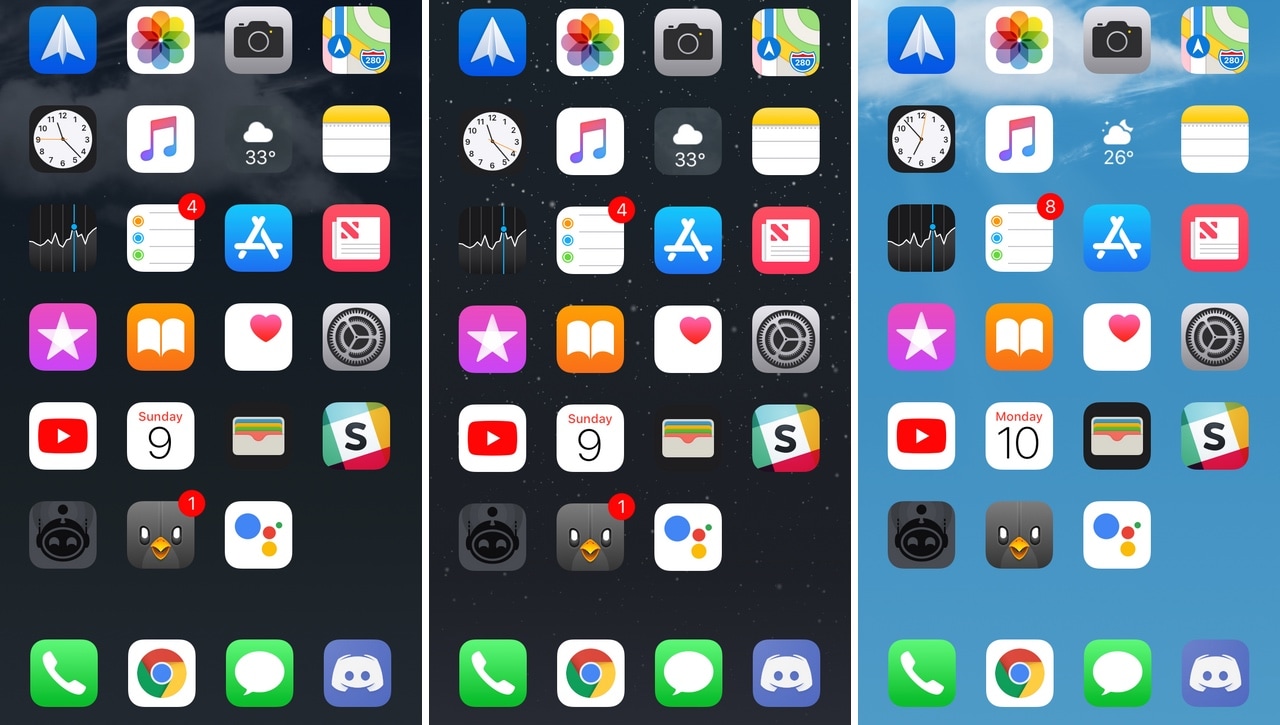
All iOS devices come standard with a finely-polished Weather app and a Weather-centric Notification Center/Today widget, but wouldn’t it be nice if that same weather information appeared in places that actually mattered?

Asteroid is a new free jailbreak tweak developed by MidnightChips and The Casle that brings live weather information to various interfaces found throughout iOS, such as the Home screen, the Lock screen, and the Weather app icon itself.

SqueakTime lets you use Apple Watch faces on your iPhone’s Lock screen

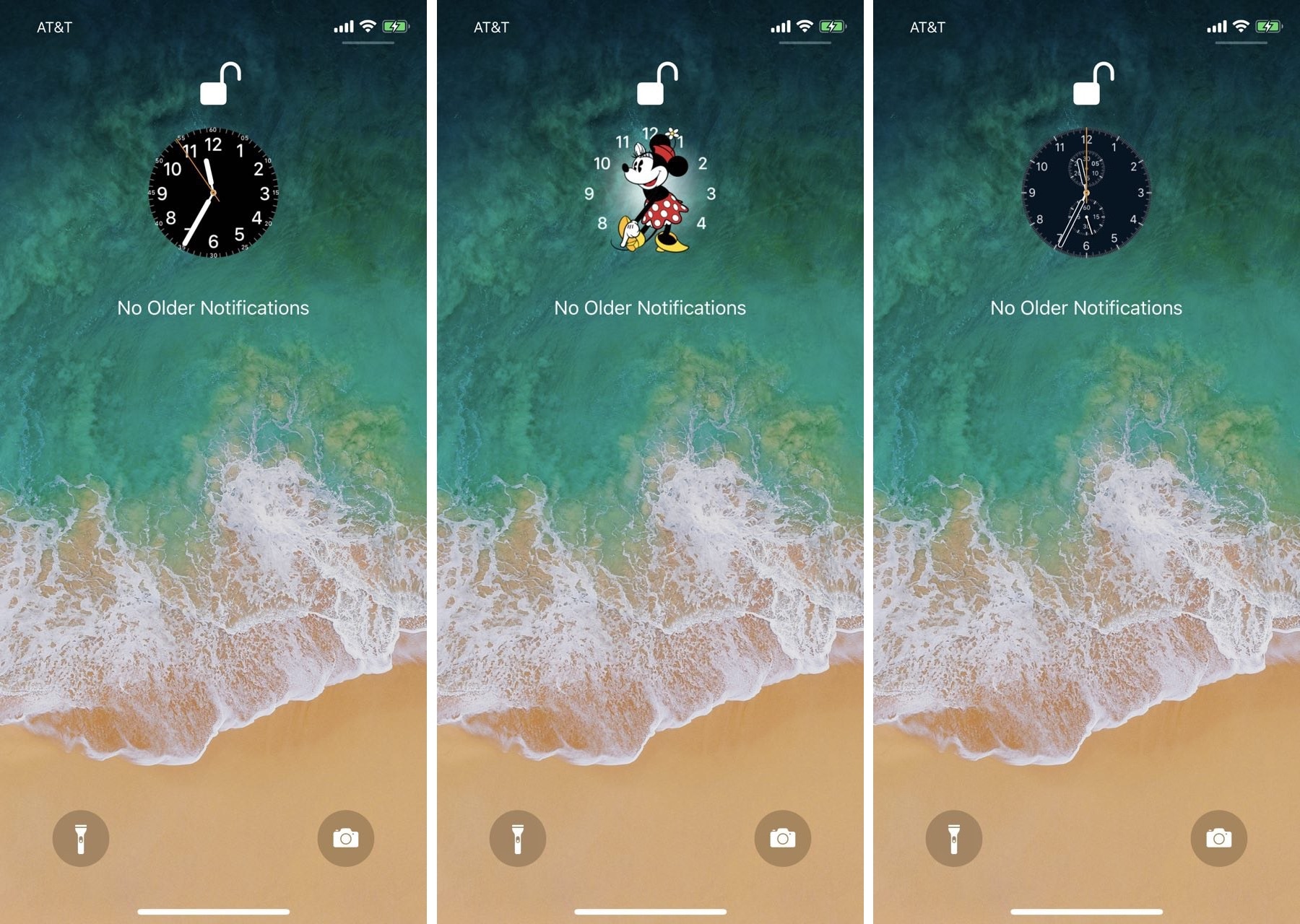
While perusing the Changes tab in the Cydia Store this week, we happened upon a brand-new jailbreak tweak dubbed SqueakTime by iOS developer Andy Wiik. With it, you can replace the Lock screen’s native time indicator with official Apple Watch faces.

After you’ve installed SqueakTime, you’ll take notice of a new “Use on Lockscreen” button that appears next to every Apple Watch face preview in the native Watch app:

Relocate the Lock screen’s date and time indicator with mcClock11

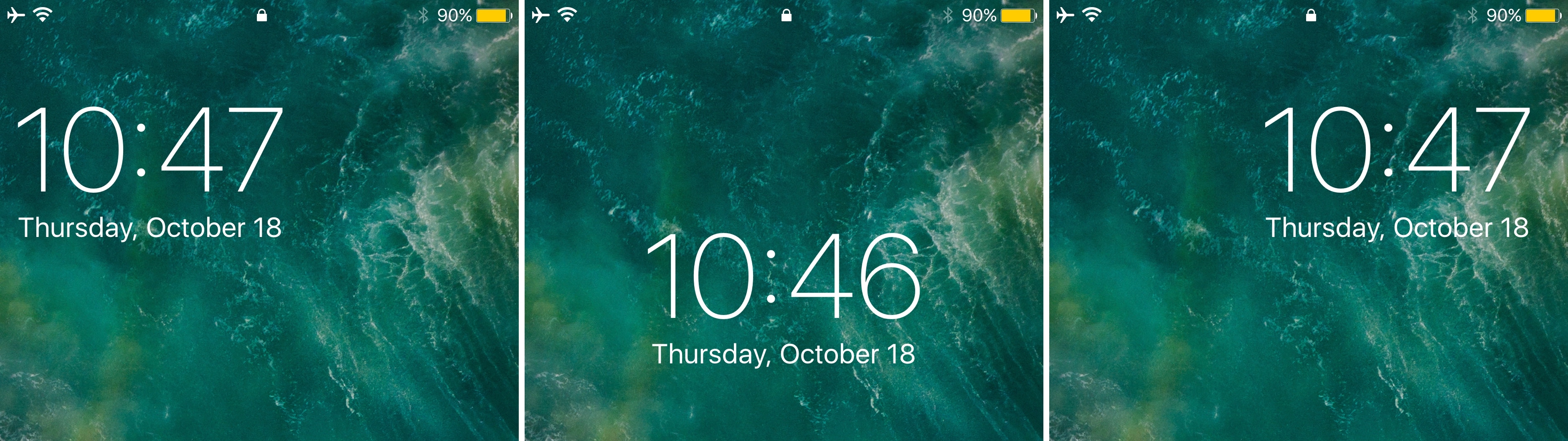
Right out of the box, your iPhone centers the date and time near the top of the Lock screen interface. But if you’ve ever wanted to move the date and time indicator around to different positions on the Lock screen, then you’re in luck.

A new free jailbreak tweak called mvClock11 by iOS developer Soh lets you relocate the Lock screen’s date and time indicator anywhere you’d like.

Customize your iPhone’s locking & unlocking animations with Amour

One of our favorite parts of jailbreaking is that you can customize the locking and unlocking animations of your handset. We haven’t seen a jailbreak tweak of this nature for quite some time, but iOS developer Luke Muris is changing that with a new release called Amour.

Once installed, Amour allows you to customize both the locking and unlocking animations of your jailbroken iPhone or iPad. You’ll discover a preference pane in the Settings app where you can configure the tweak however you like:

Give your Lock screen music controls a makeover with HeliusXI

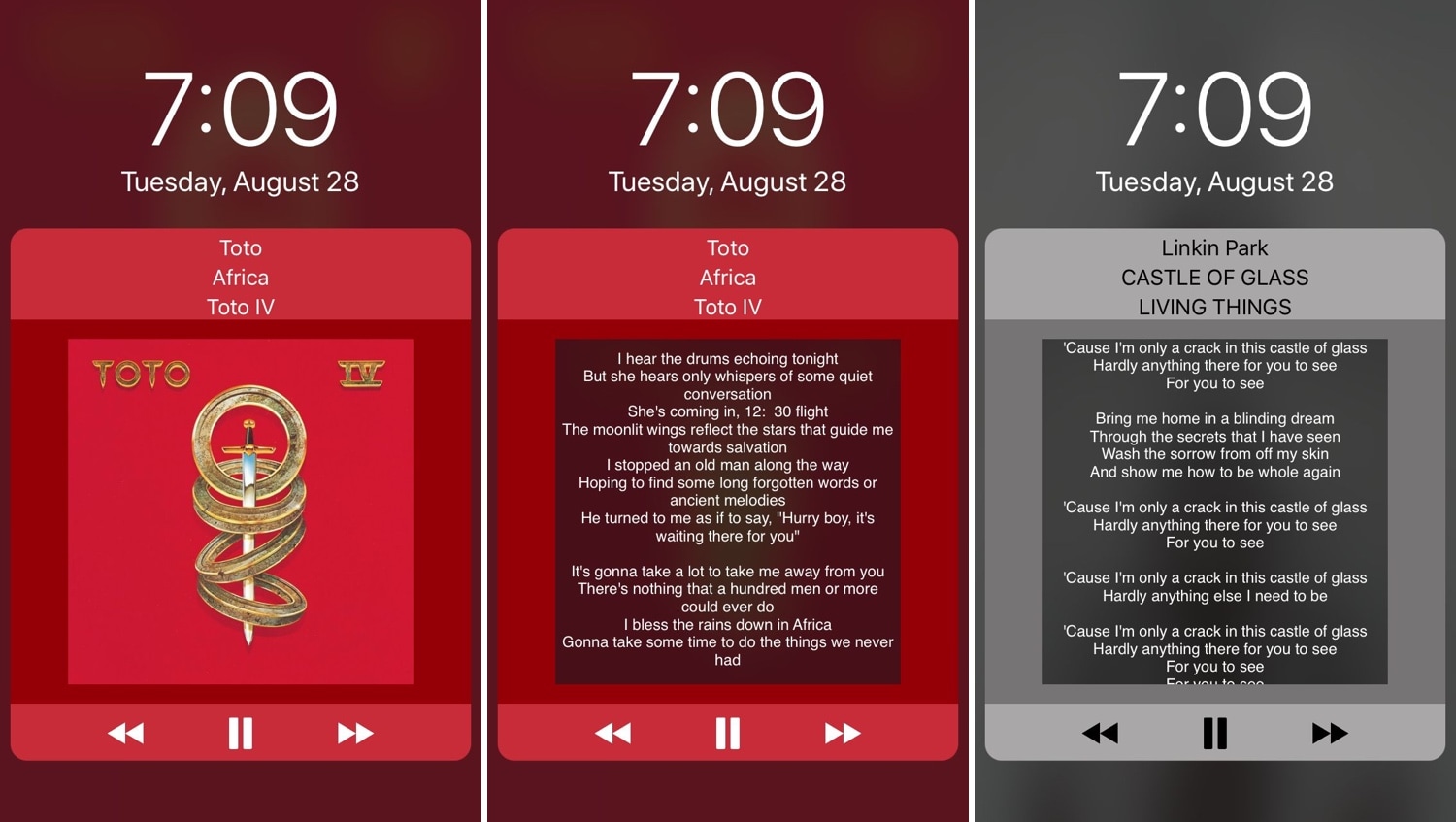
While there’s nothing wrong with the stock Lock screen music controls, that’s not to say that they couldn’t do with some improvement. HeliusXI is a jailbreak tweak by iOS developer s1ris that redesigns these controls with a different look and feel on pwned iOS 11 handsets.

If the concept shown above seems familiar, then that’s because it is. HeliusXI is the newest iteration of the tweak for Apple’s latest mobile operating system, while Helius and Helius 2 previously served jailbreakers using earlier versions of iOS.

Want circular music controls for your jailbroken iOS 11 device? Try SpinXI

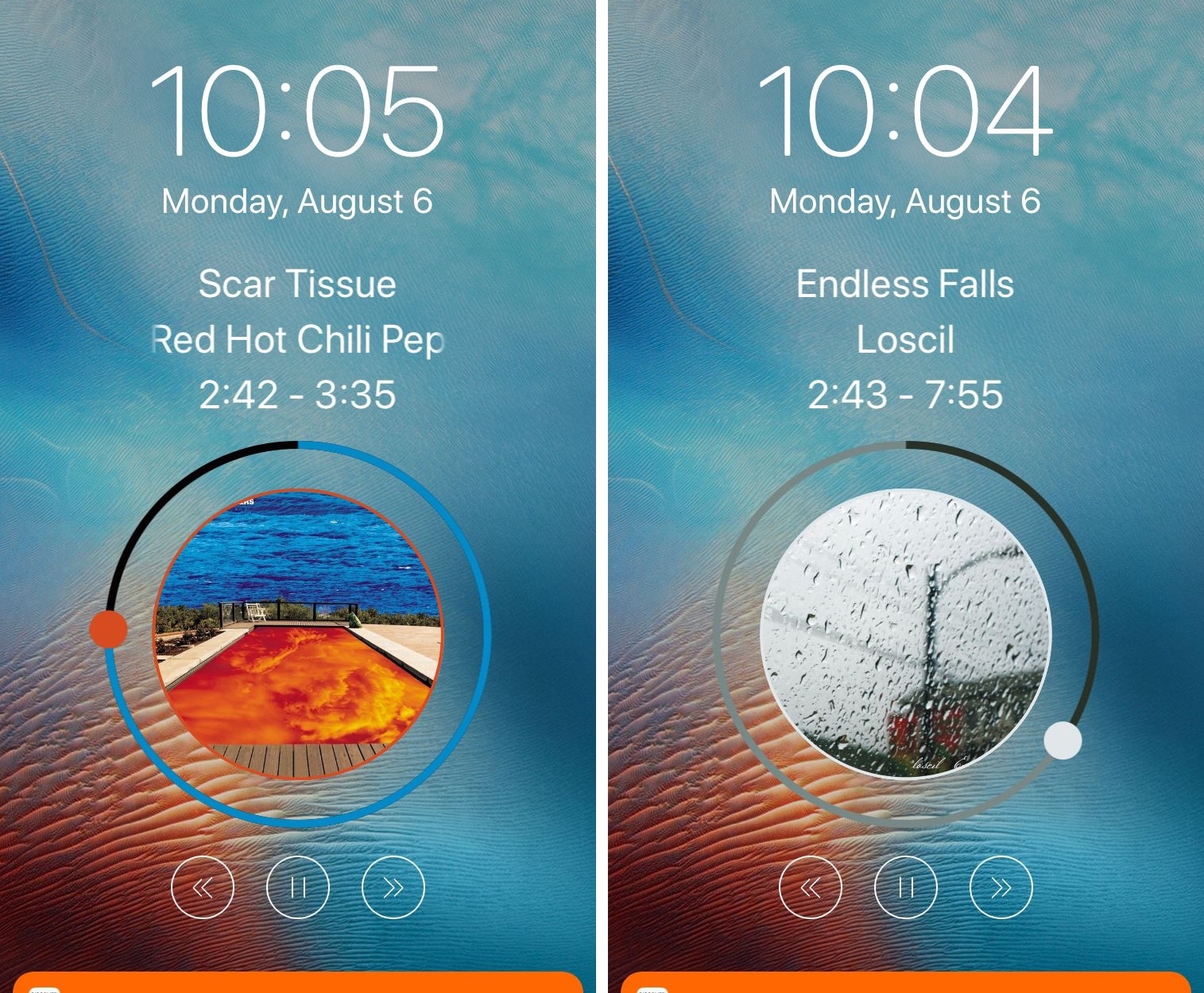
Whenever you play music on your iPhone or iPad, iOS automatically displays the Now Playing music controls on your Lock screen and in other parts of the operating system such that they’re always in reach.

SpinXI is a new jailbreak tweak by iOS developer s1ris that transforms the look and feel of said music controls, causing them to adopt a circular appearance, as shown above.

Palette lets you colorize your notifications and widgets

If you’re a jailbreaker, then chances are you enjoy standing out from the rest of the crowd. One way you can accomplish this is by changing the look and feel of your iOS device, and a new free jailbreak tweak called Palette by iOS developer Maxwell Dausch can help you do just that.

As the name implies, Palette produces a handful of colorization options for your jailbroken handset. More specifically, it focuses on incoming notifications and widgets, which most people interact with every day.