Lockscreen

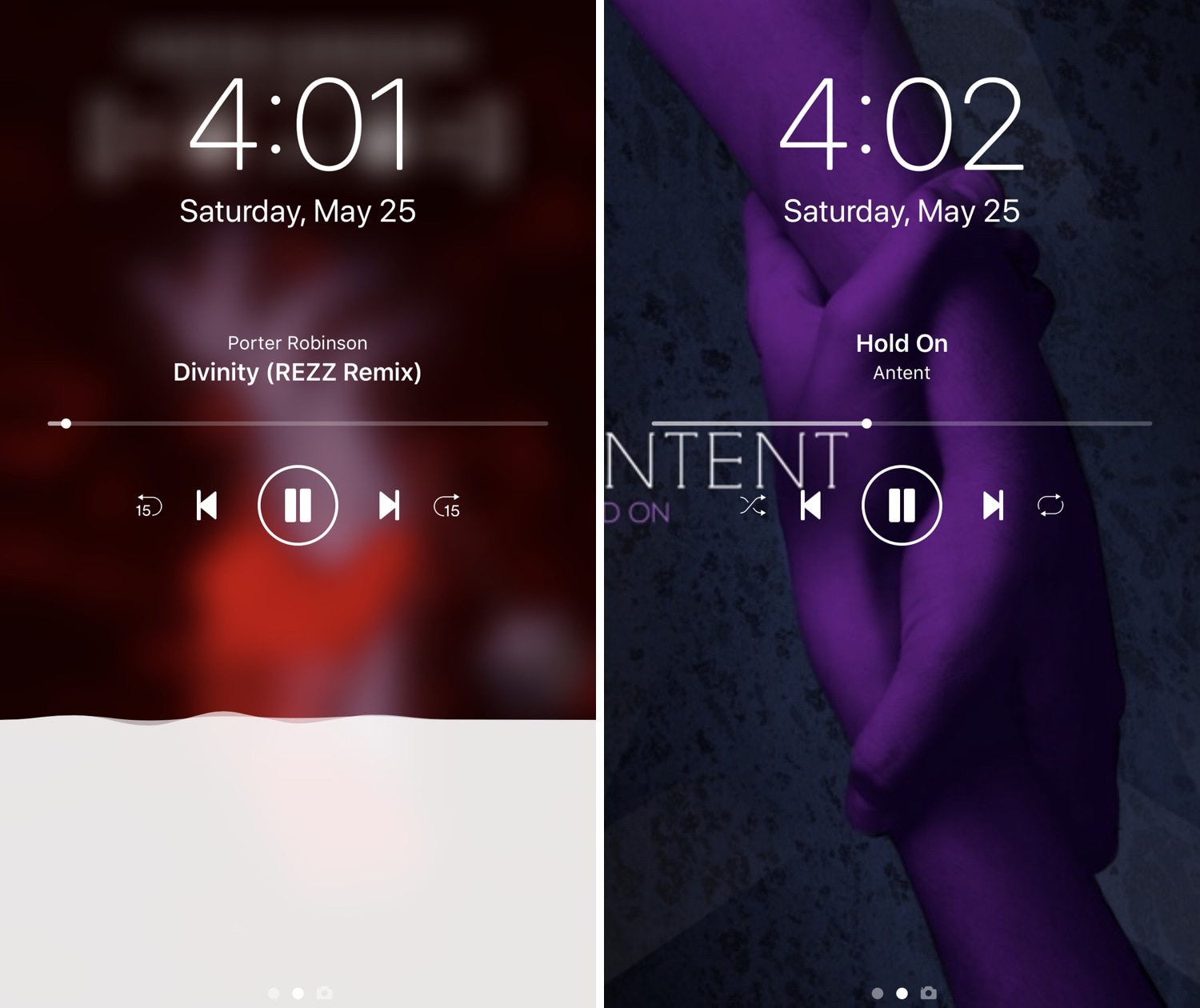
Nereid offers a pleasant upgrade for the Lock screen’s Now Playing interface

iOS’ native Now Playing interface is good enough for most people, but if you demand more out of your user experience than the average Joe and have a jailbroken iPhone or iPad in your possession, then you may want to feast your eyes on a newly-released jailbreak tweak called Nereid by iOS developer Nepeta.

From what we can gather, Nereid brings an improved Now Playing interface to your handset’s Lock screen as you listen to your music. It can set your wallpaper as the Now Playing track’s album artwork, permit color and control customizations, and much more.
Customize your Lock screen text’s aesthetics with Fabric

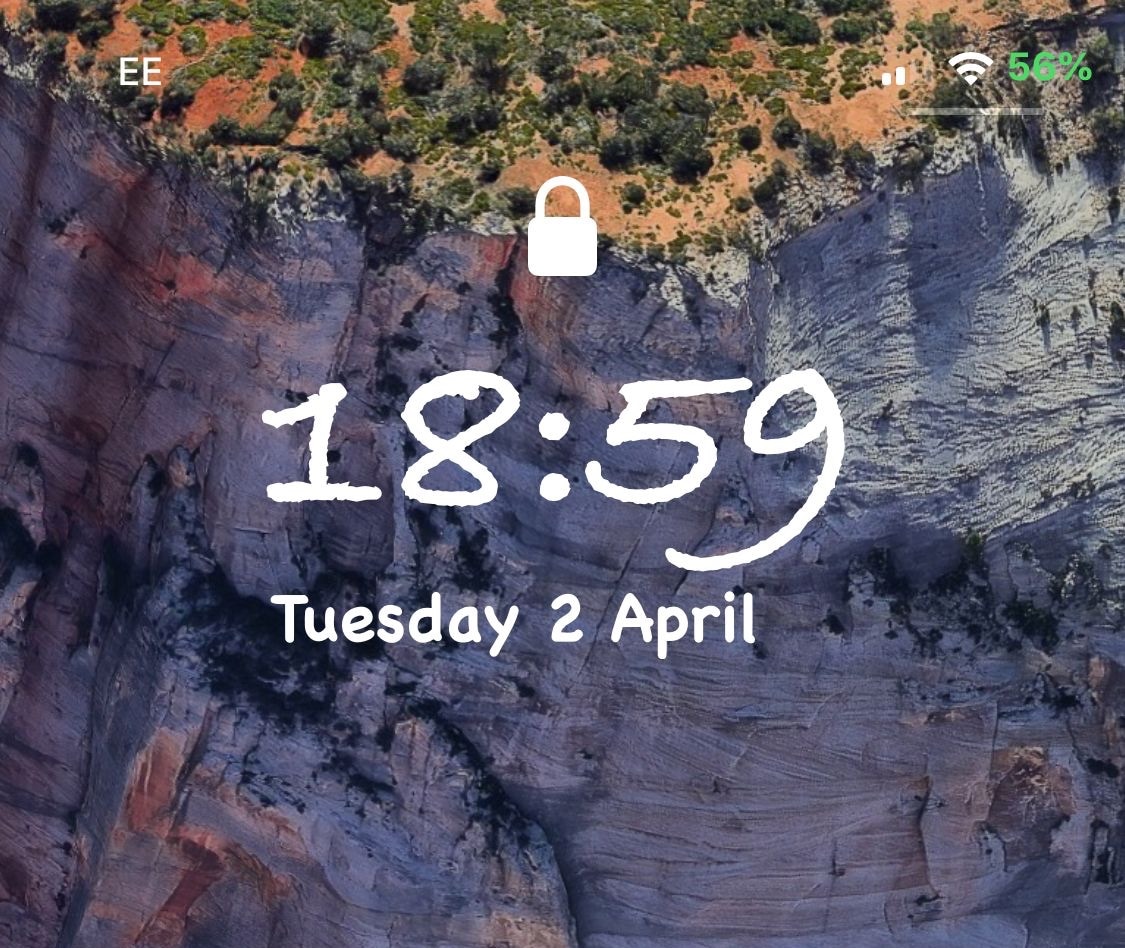
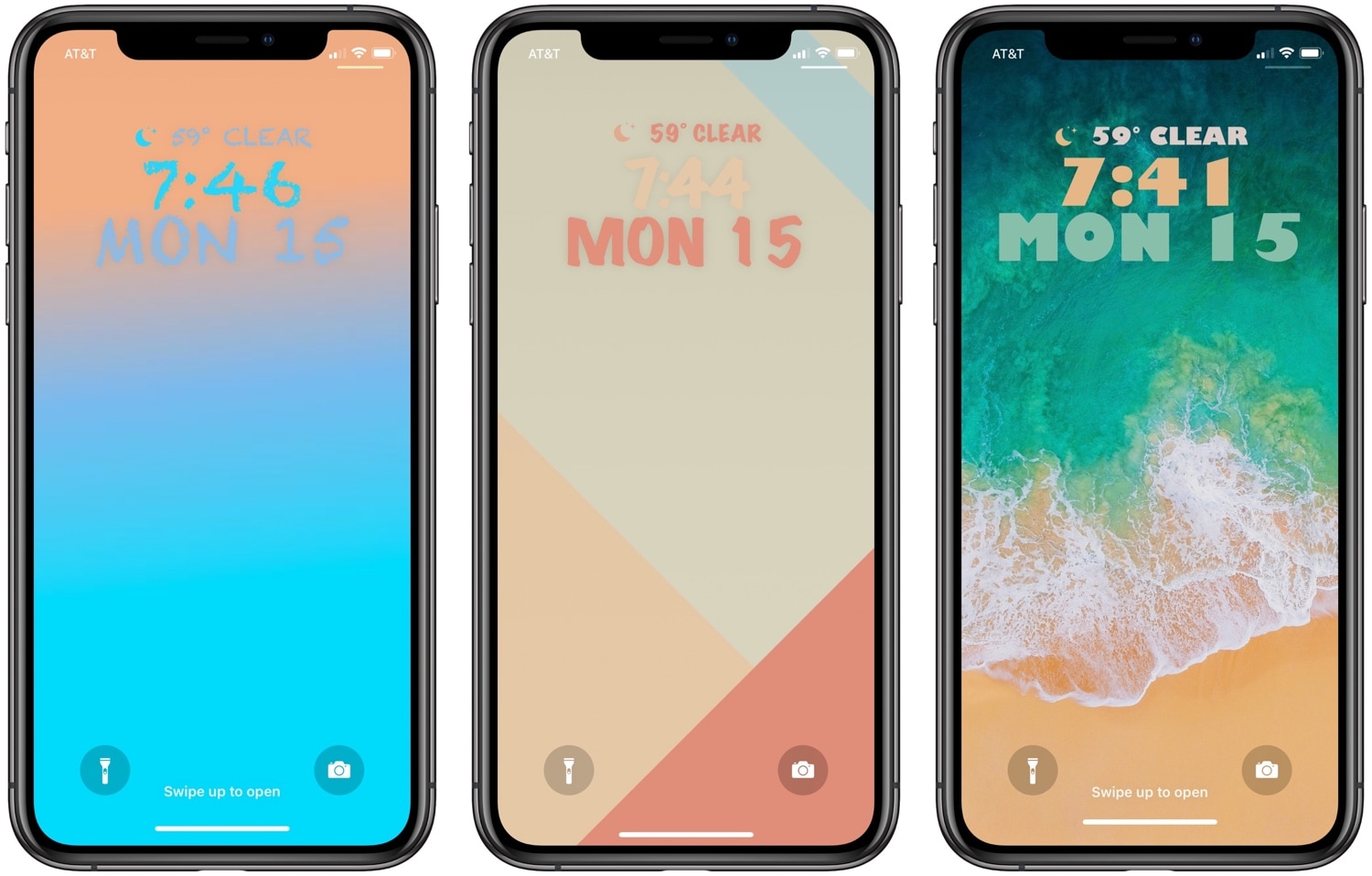
One of the best ways to show your jailbroken device off to the rest of the world is to customize how it looks, and a newly-released jailbreak tweak dubbed Fabric by iOS developer CreatureSurvive will help you do just that.

As you might’ve noticed in the screenshot examples above, Fabric lets you get creative with the text strings that appear on your Lock screen; this includes, but isn’t limited to, the date and time. Not only can you change how large the text is, but you can choose custom fonts and formatting, among other things.

RotaryPass brings a rotary-style passcode entry interface to iOS

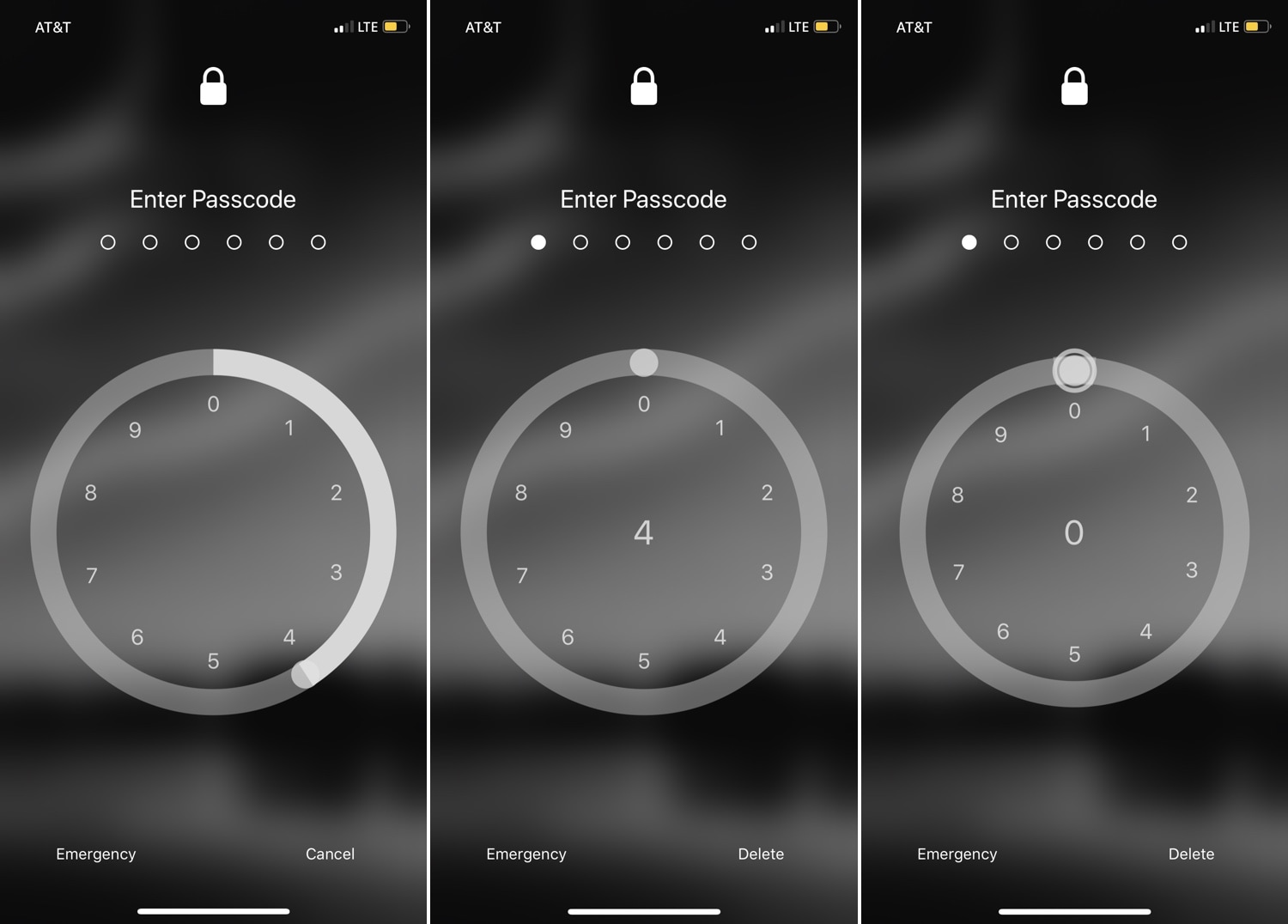
For years, the iPhone’s passcode interface has appeared as a traditional number pad. But if you’re looking for something a bit more exotic that will help your handset stand out from the crowd, then you just might come to appreciate a newly-released jailbreak tweak called RotaryPass by Geometric Software.

As you can discern for yourself in the screenshot examples above, RotaryPass brings an entirely new passcode entry interface to your iPhone – more specifically, one that’s based on those antiquated rotary-style telephones that were commonplace before the 21stcentury.

Lisa: A new OLED-friendly notification experience for iOS

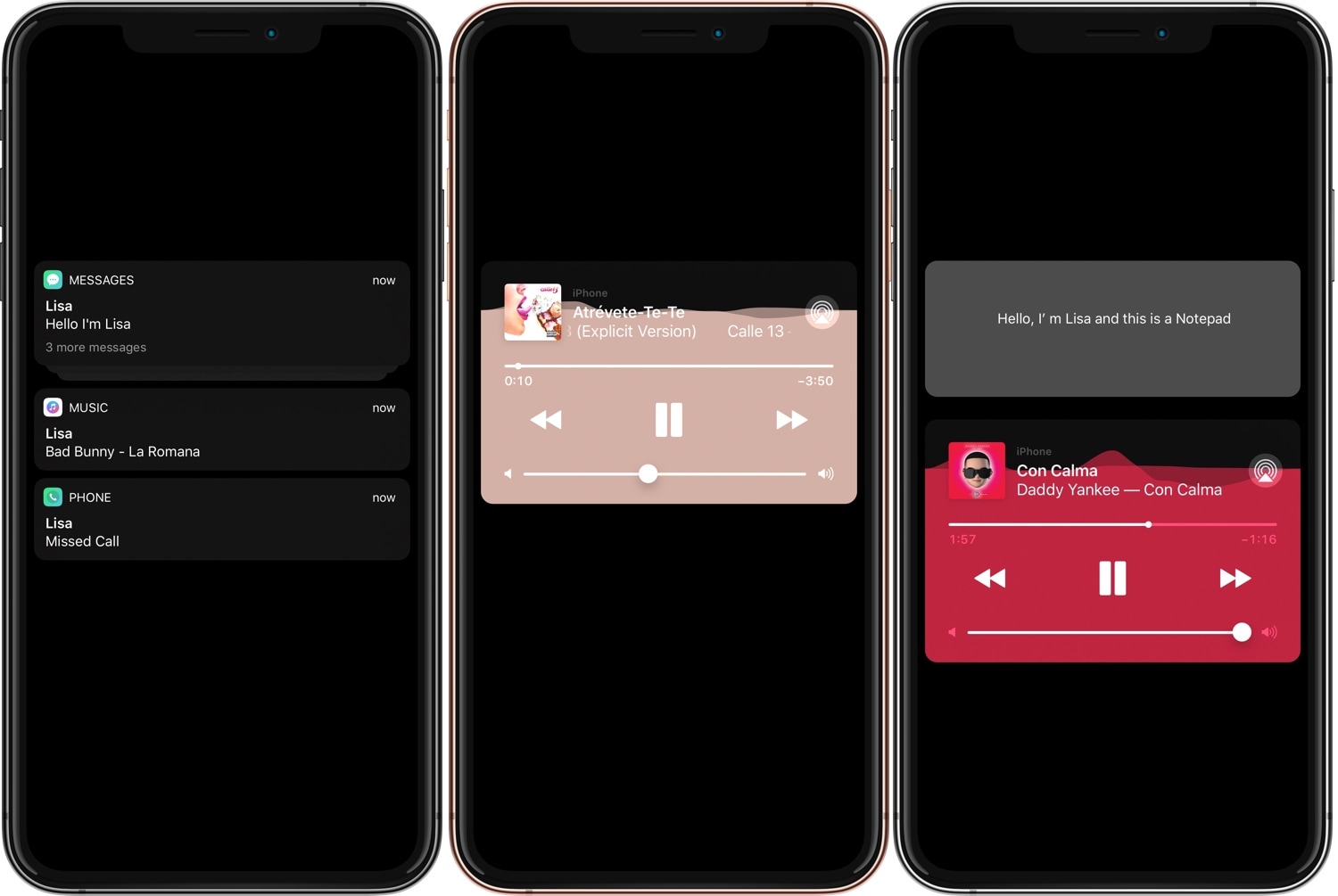
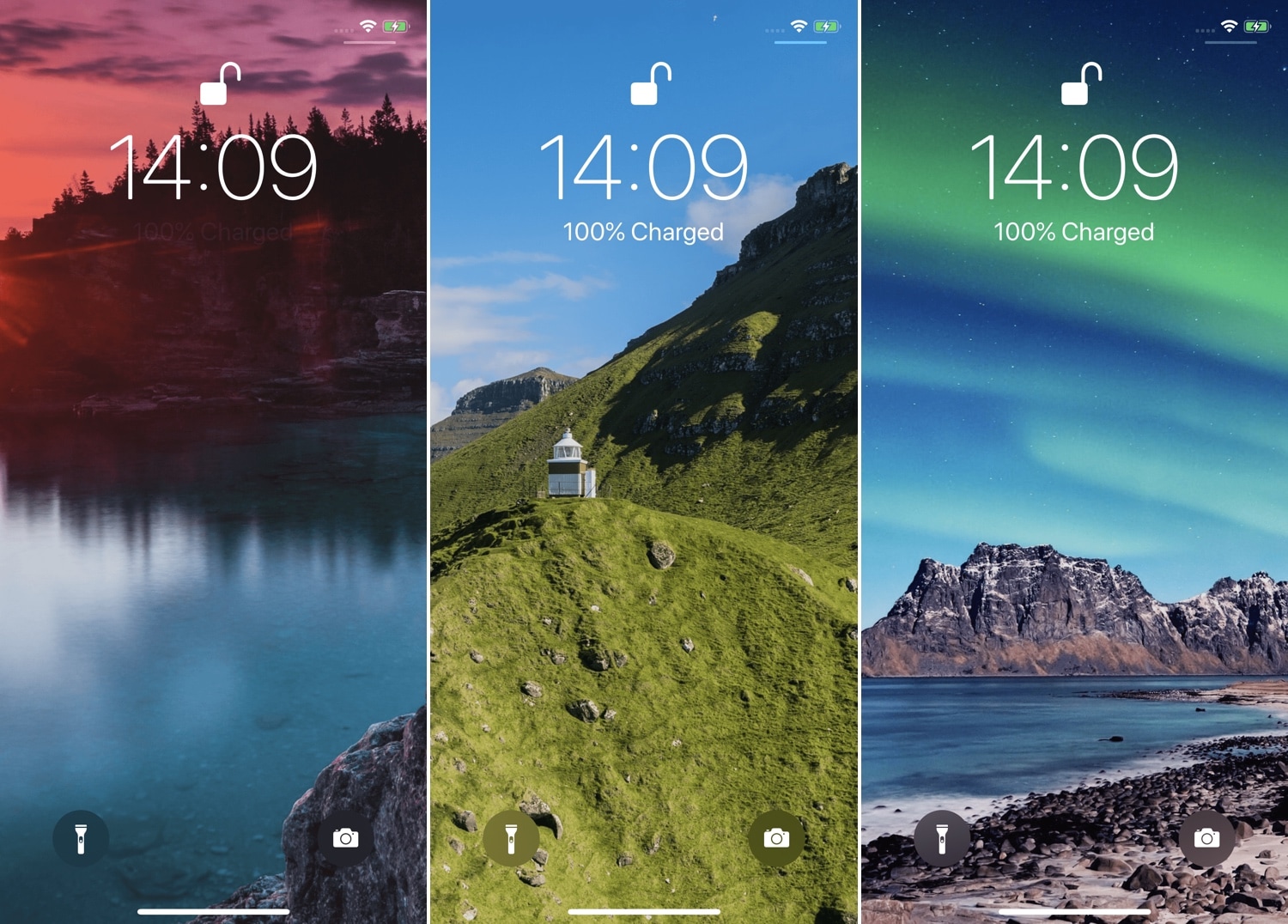
Ever since Apple first debuted an OLED display on the iPhone X, users have been begging for a refreshed OLED-friendly Lock screen experience akin to what some might get when using competing Android handsets.

While Apple certainly hasn’t stepped up to the plate in this department, that hasn’t stopped the jailbreak community from doing what it does best. With that in mind, we’re excited to show you a new free jailbreak tweak release dubbed Lisa by iOS developerEsquilli.

Augment iOS’ Do Not Disturb feature with LeaveMeAlone

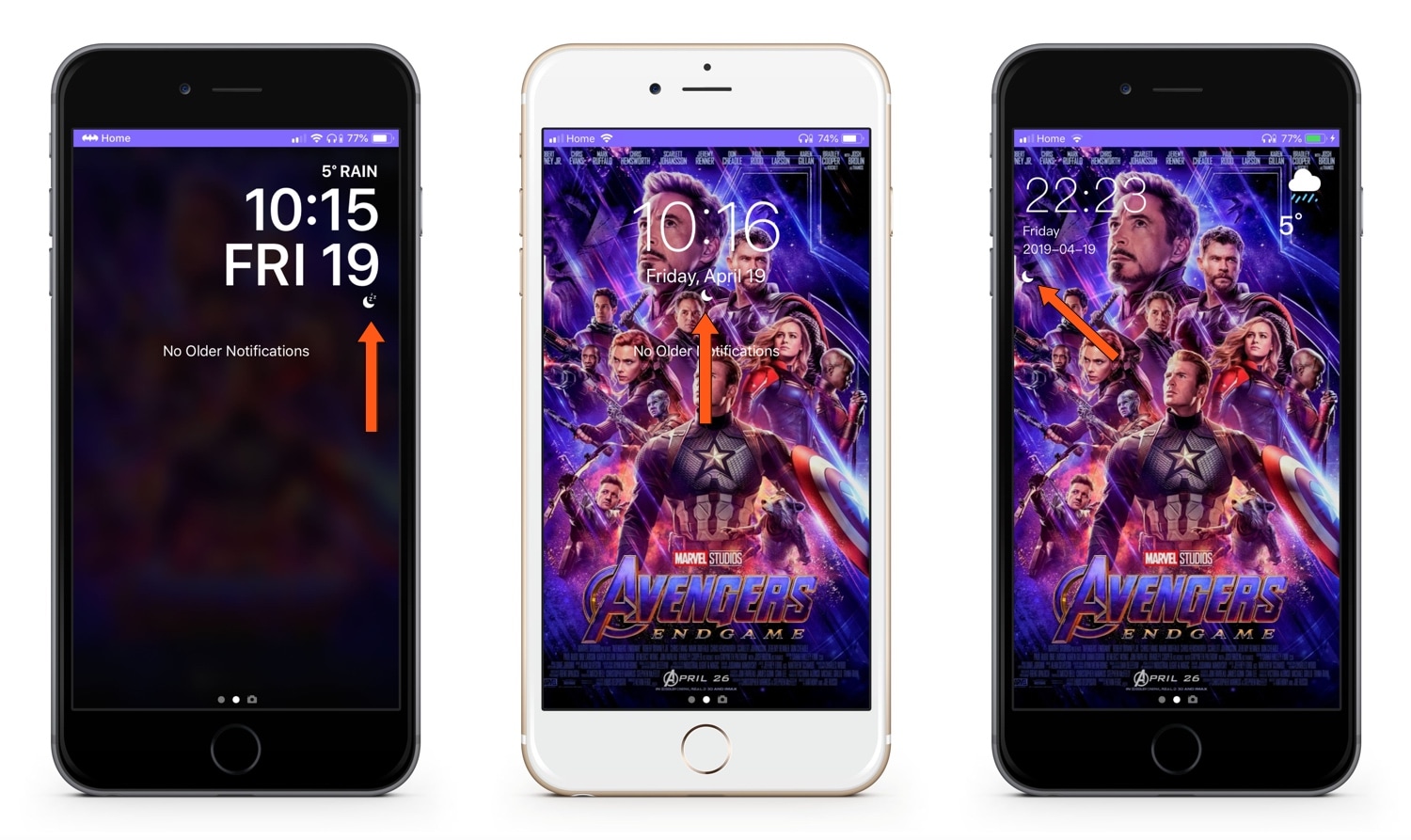
I use Do Not Disturb mode all the time, because, like anyone else, there are times when I simply don’t want to be bothered by my smartphone. On the other hand, Apple’s Do Not Disturb feature is implemented in such a way that it can be an annoyance in and of itself.

LeaveMeAlone is a new free jailbreak tweak by iOS developer Karimo299 that resolves some of these problems by making Do Not Disturb less of a distance. More specifically, it does away with iOS 12’s annoying Do Not Disturb banner and moves the Status Bar icon beneath the Lock screen’s date and time indicator, as shown above.

Maple brings the AirPower charging interface to your jailbroken iPhone

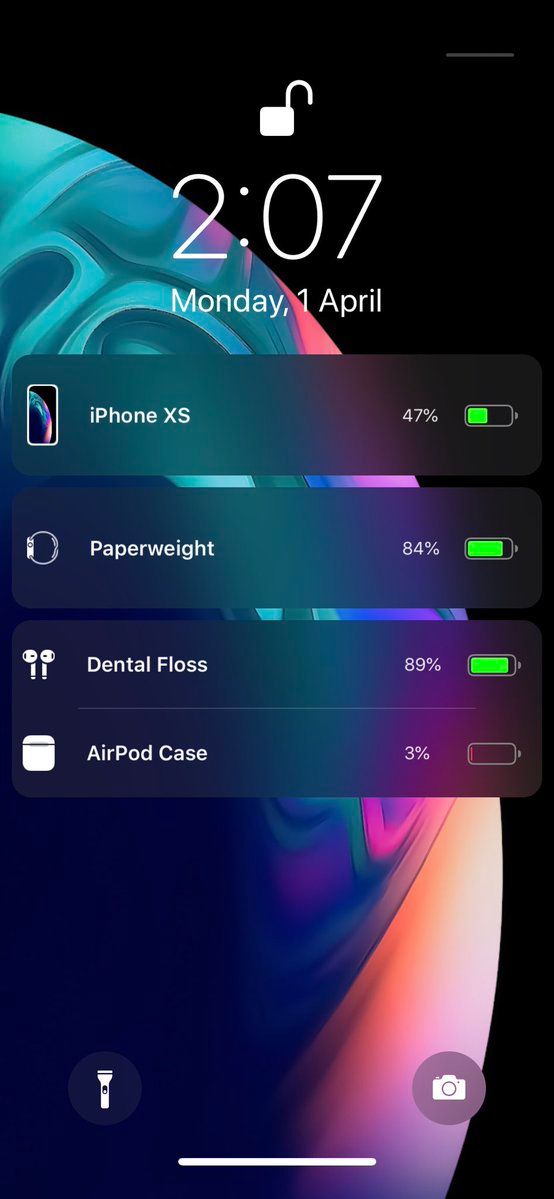
Apple may have officially canceled its AirPower concept due to manufacturing difficulties, but that doesn’t mean that jailbreakers can’t enjoy an AirPower-like experience when charging their multitude of Apple devices.

iOS developer LaughingQuoll has released Maple, a new jailbreak tweak that displays all actively-charging devices connected to your handset as individual AirPower-style banners on the Lock screen.

Customize your Lock screen’s text font with Lafon

If you have a jailbroken iPhone or iPad and you haven’t customized it with third-party fonts yet, then you’re missing out. On the other hand, popular classics like BytaFont tend to take things a bit too far for minimalists, adjusting the handset’s font on a system-wide level.

Those who demand a subtler footprint in the name of font customization will take a liking to a new free jailbreak tweak called Lafon by iOS developer Aesthyrica, as it only impacts the font of the text strings that appear on your Lock screen.

ChargeAnimation brings a plethora of new charging animations to iOS

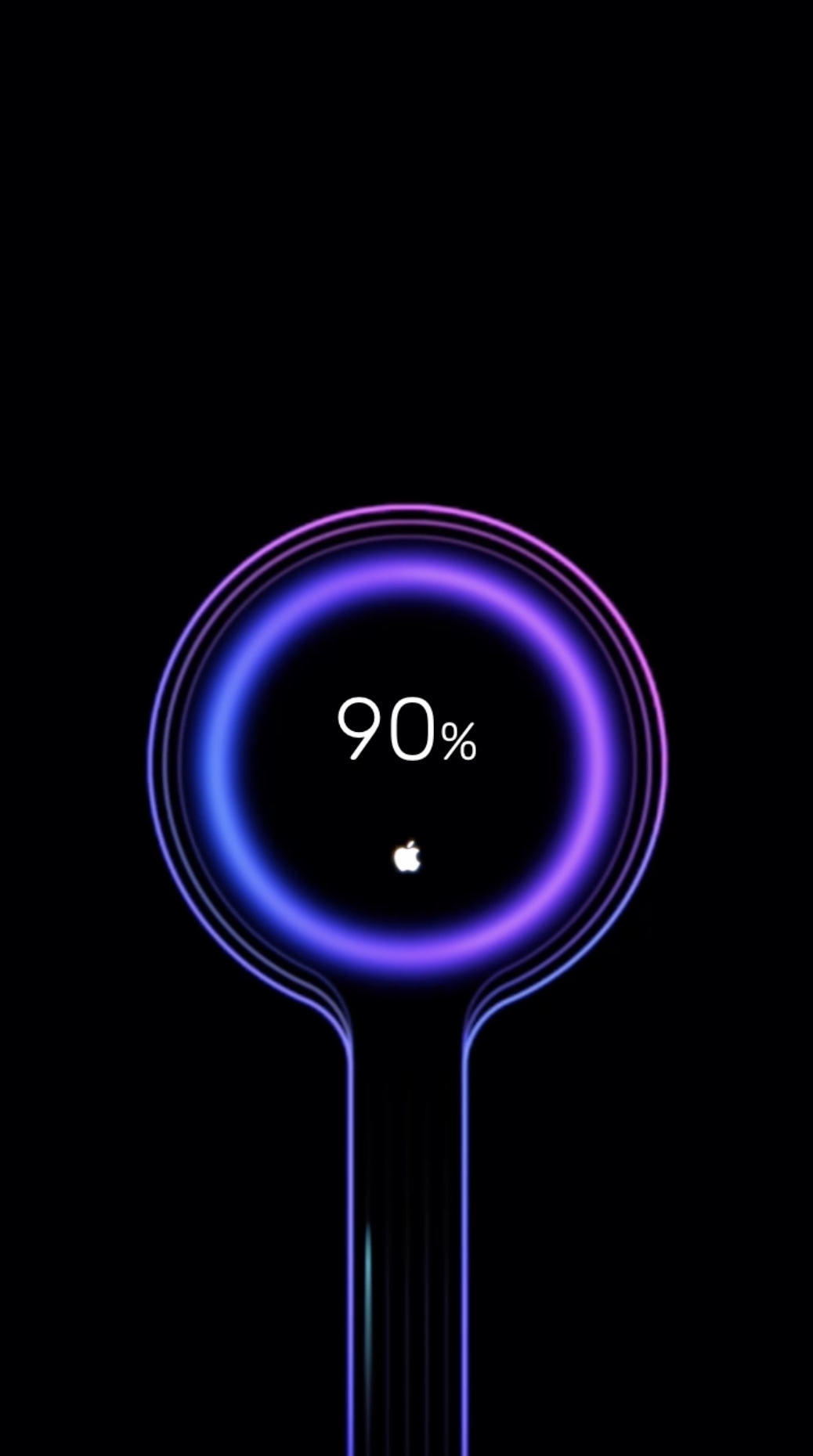
Whenever you plug your iPhone or iPad into a power source, a familiar battery icon appears on the Lock screen in place the date and time to depict your battery’s current charge. This implementation works, but it’s not quite as aesthetically pleasing as some would have hoped. Fortunately, jailbreakers now have a way to make this interface more interesting.

Say hello to a jailbreak tweak called ChargeAnimations by iOS developer c1der, which as you might have inferred already from the name, brings a bevy of new charging animations to your pwned handset.

Amour 2 lets you customize your locking and unlocking animations

If you’ve just jailbroken your iOS 12 device with unc0ver and you’re looking for new and exciting ways to customize the user experience, then you might take an interest in a newly-released jailbreak tweak called Amour 2 by iOS developers Luke Muris and Geometric Software.

With Amour 2, you can make your handset stand out from everyone else’s by customizing the handset’s locking and unlocking animations. The concept isn’t particularly new, but the apparent popularity of the original Amour tweak helped motivate the developer to release to the latest version.

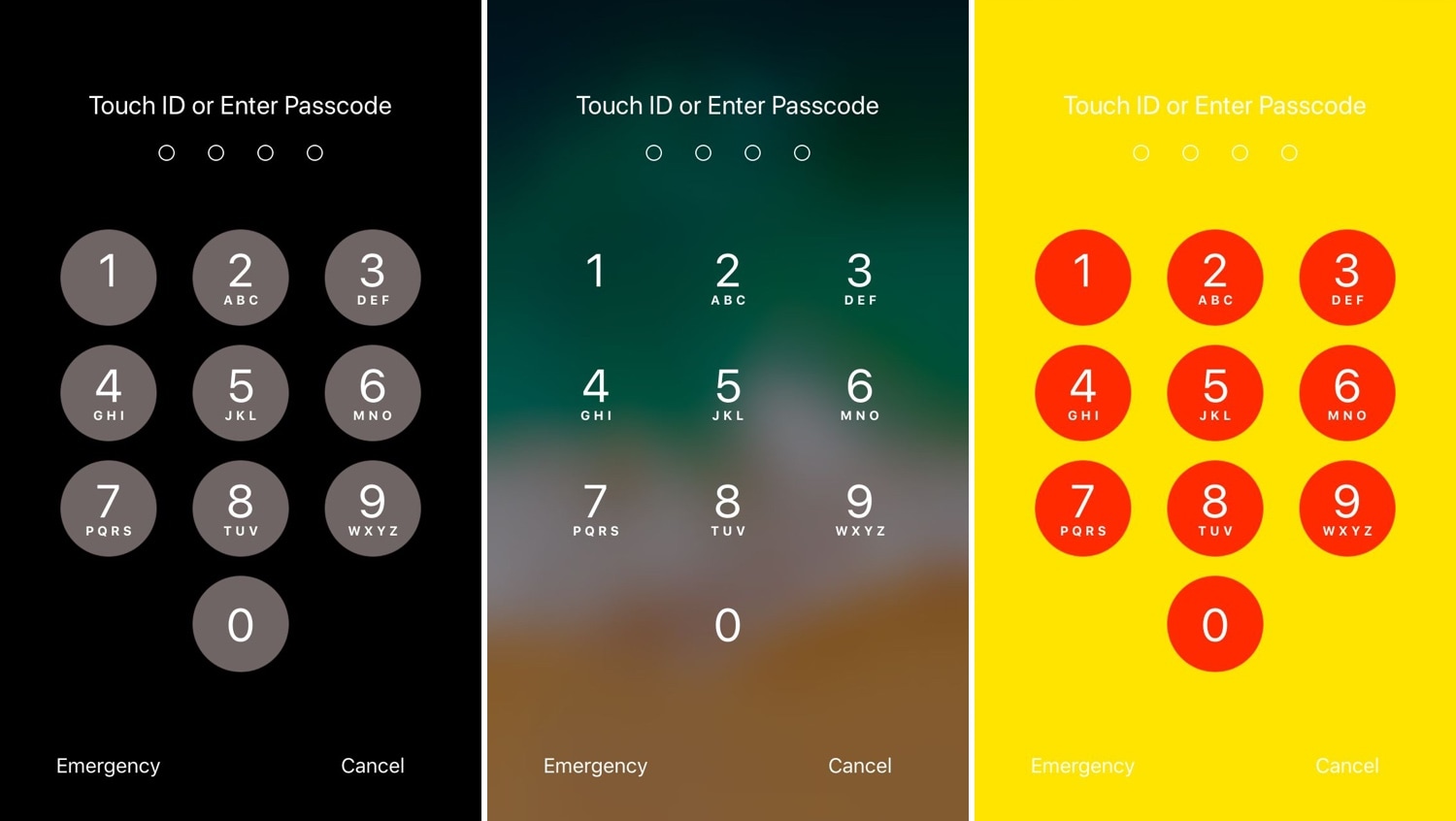
This tweak lets you add a splash of color to your iPhone’s passcode entry interface

One of the most exciting parts of owning a jailbroken iPhone or iPad is having the freedom to customize the handset’s look and feel outside the realm of Apple’s stock parameters and disturb the monotony exhibited by most iOS devices. If you agree, then you might take a liking to a new free jailbreak tweak called NudePassScreen by iOS developer Kiran Patil.

As you might have discerned from the screenshot examples above, NudePassScreen empowers the user to colorize their handset’s passcode entry interface with virtually any color scheme they want, helping them to stand out from the rest of the crowd.

FreshWall gives you a new wallpaper to look at every time you unlock your device

At iDB, we understand the importance of finding the right wallpaper for your handset, and that’s one of the reasons why we host a weekly wallpaper roundup. But if you have a jailbroken handset and feel the need for more frequent wallpaper changes, then you might take a liking to a new tweak release called FreshWall by iOS developer SparkDev.

As you might have inferred already from the context above, FreshWall keeps things ‘fresh’ by updating your wallpaper whenever you unlock your handset. The tweak makes use of numerous wallpaper sources to grab images, which ensures you get something fresh to look at each and every time.

Jellyfish: a new Lock screen aesthetic inspired by watchOS’ Motion face

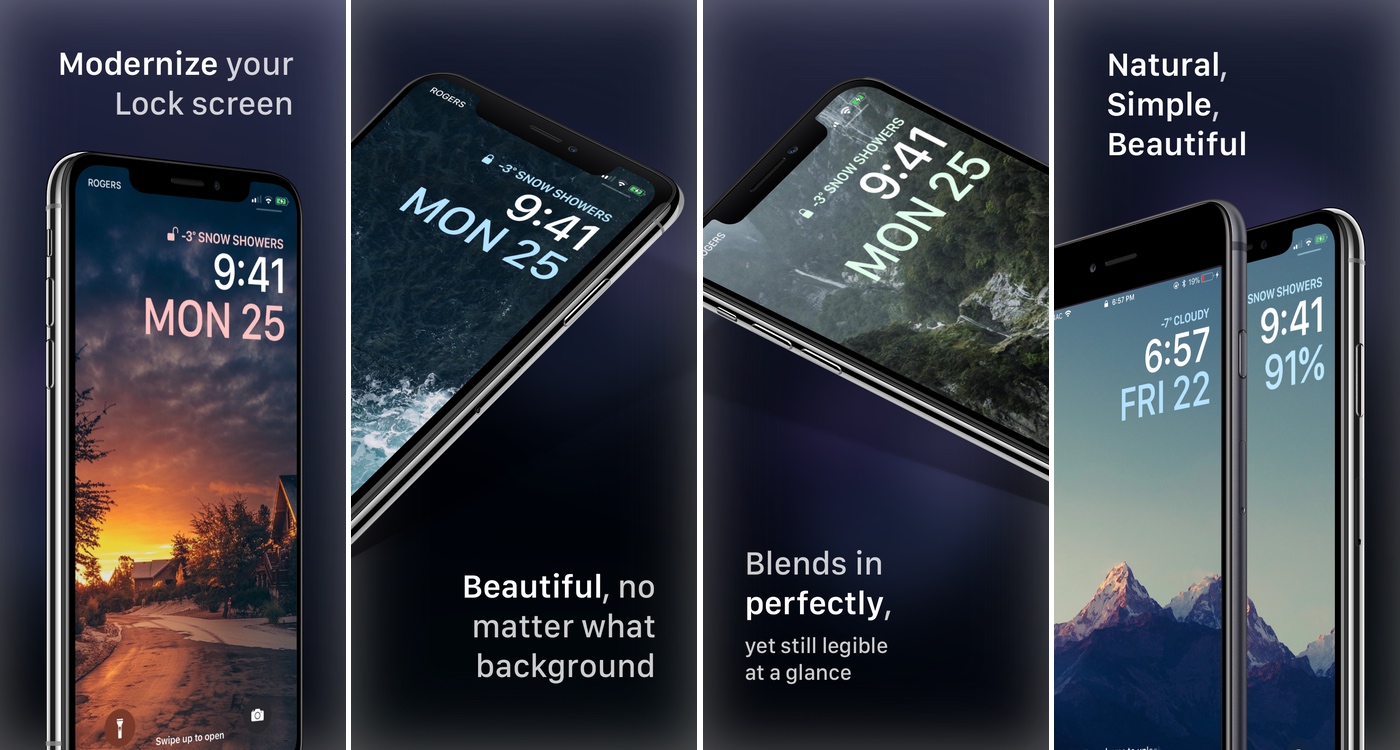
With each meaningful iteration of iOS, Apple slightly tweaks the aesthetic of the iPhone’s Lock screen, but these changes aren’t significant enough to warrant much praise. That said, if you’re looking for something extraordinary, then you might have more luck with a jailbroken handset.

Enter Jellyfish, a jailbreak tweak by iOS developers Justin Proulx and Ayden Panhuyzen that aims to modernize the look and feel of your handset’s Lock screen interface.