Learn about this quick tip that shrinks the iPhone keyboard onto the left or right side, making it easy to type while holding your phone with one hand.
How to use one-handed left or right keyboard on iPhone
Learn about this quick tip that shrinks the iPhone keyboard onto the left or right side, making it easy to type while holding your phone with one hand.
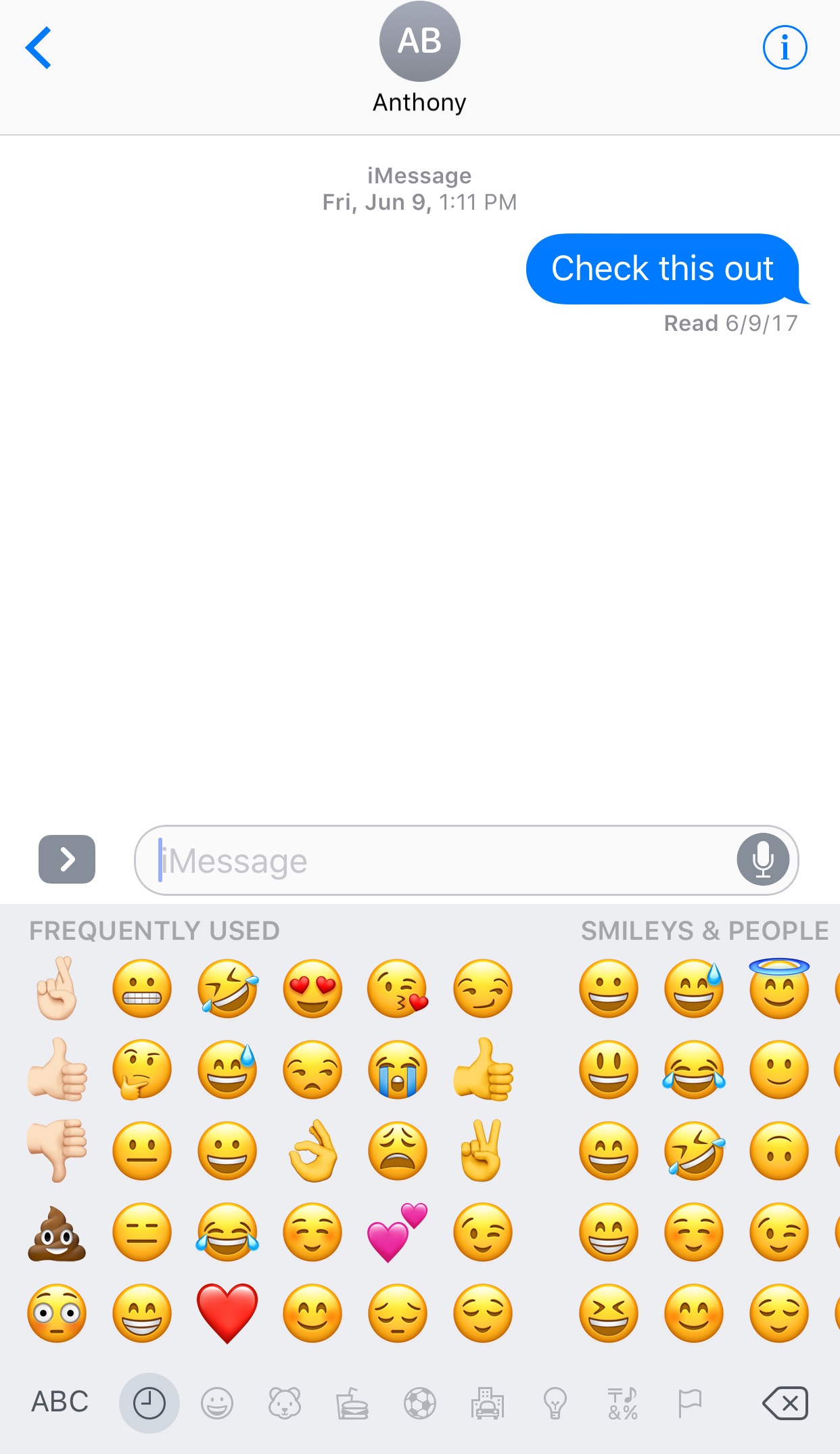
Emojis are one of the joys of texting and instant messaging, and iOS integrates them right into the keyboard for your convenience. A feature embedded within the Emoji selector keeps track of the Emojis you use the most often and puts them in a category called “Frequently Used.”
Since you might prefer to manually designate your favorite Emojis for this section, a jailbreak tweak called FavoriteEmojis was recently released for this purpose, but a new competing tweak called Selectmoji by iOS developer Cole Cabral is now available that is said to address some of the shortcomings of the former tweak.
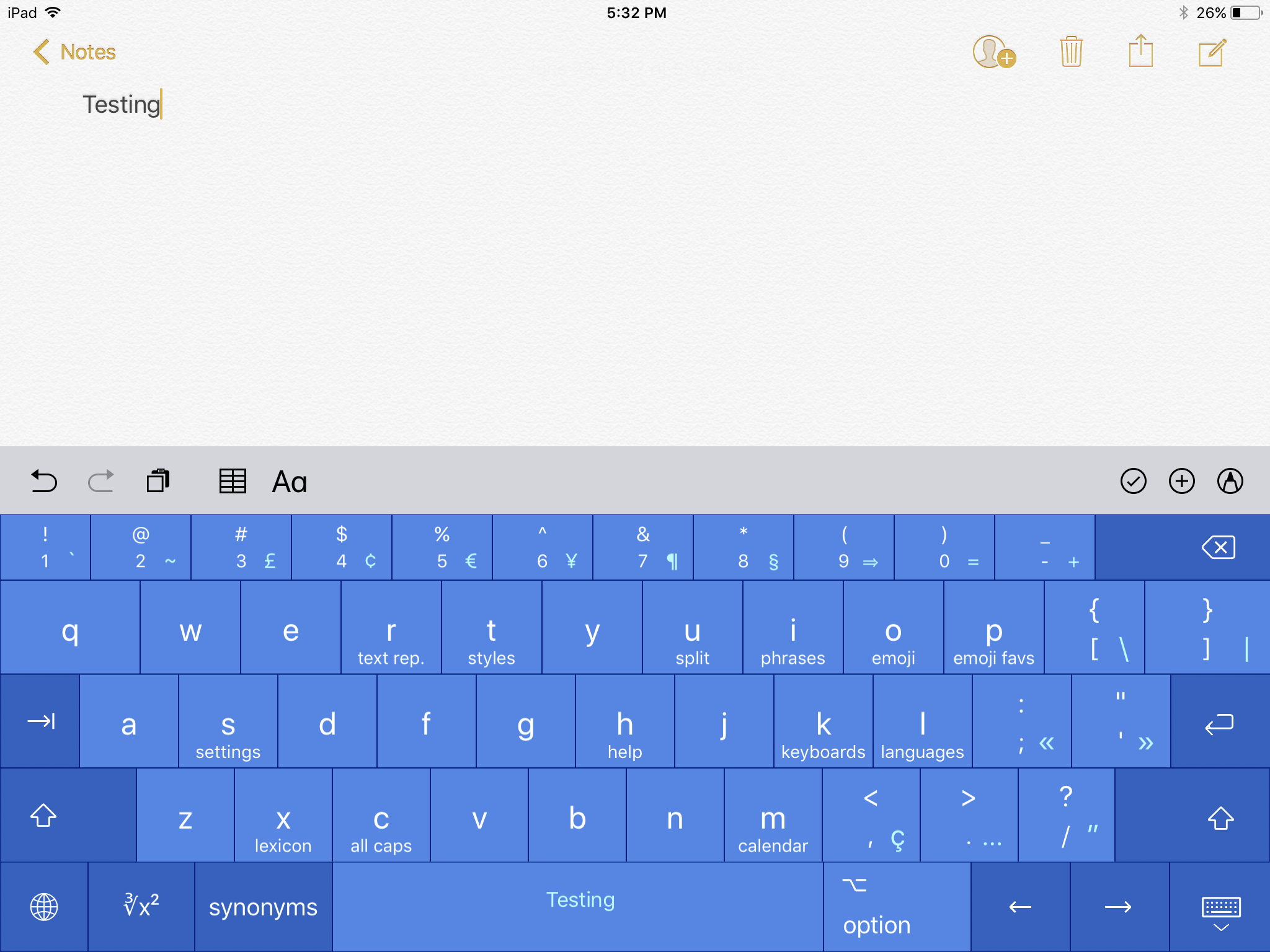
It's long been the consensus that Apple could be doing more with the iOS keyboard to help users be more productive and work more efficiently. It has taken a few steps in the right direction with iOS 11, but there's still a lot left to be desired. And that's where a third-party keyboard like Prokeyboard comes into play.
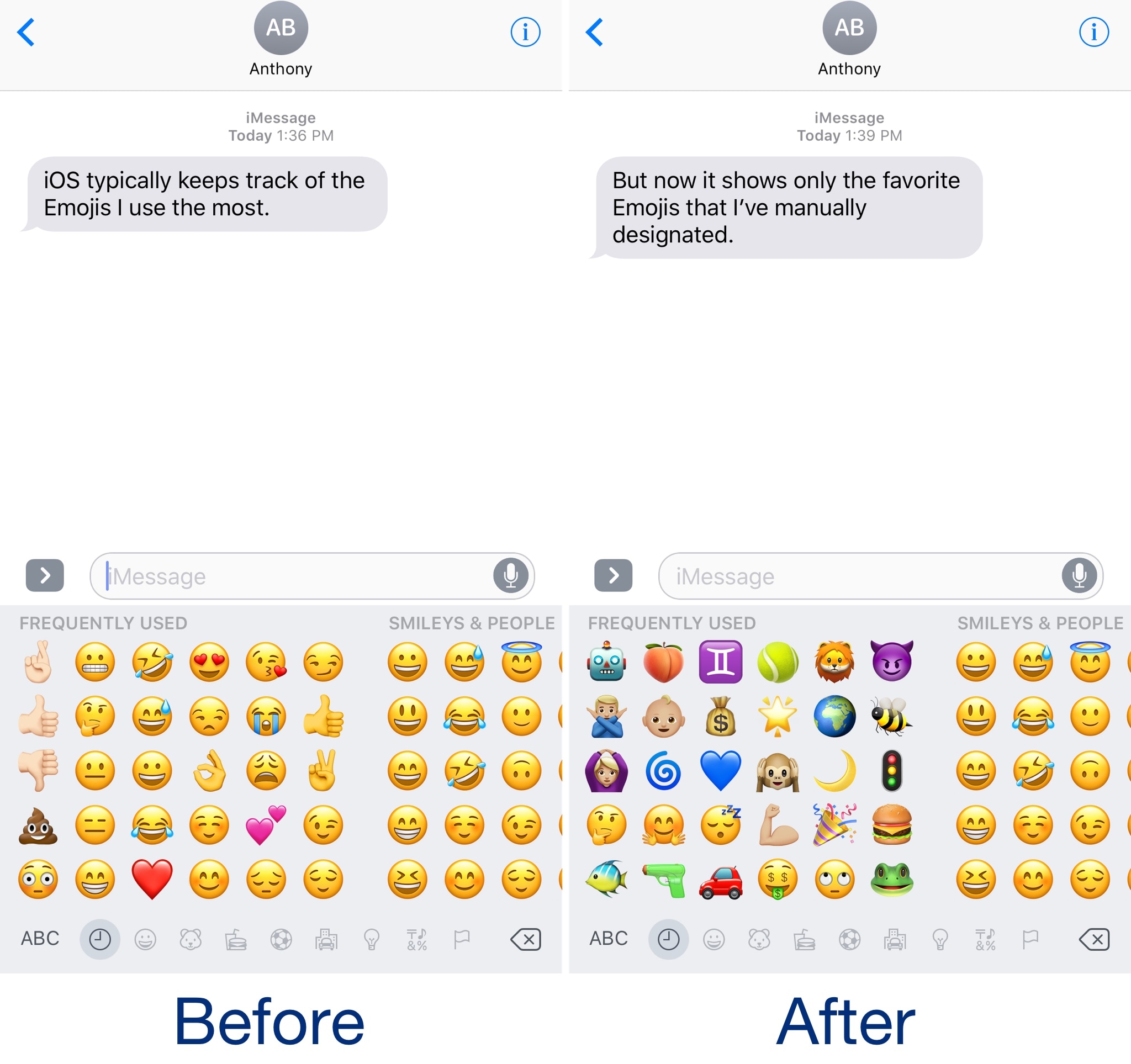
The iOS keyboard includes a key dedicated specifically to accessing the host of Emojis you can use to express your mood. Part of this interface includes a section for Emojis you use frequently, and while it can be useful, suggestions aren't always ideal.
With a new jailbreak tweak dubbed FavoriteEmojis by iOS developer Adeem Mawani, you can manually designate your favorite Emojis by choice; these are the ones that will begin populating the “Frequently Used."
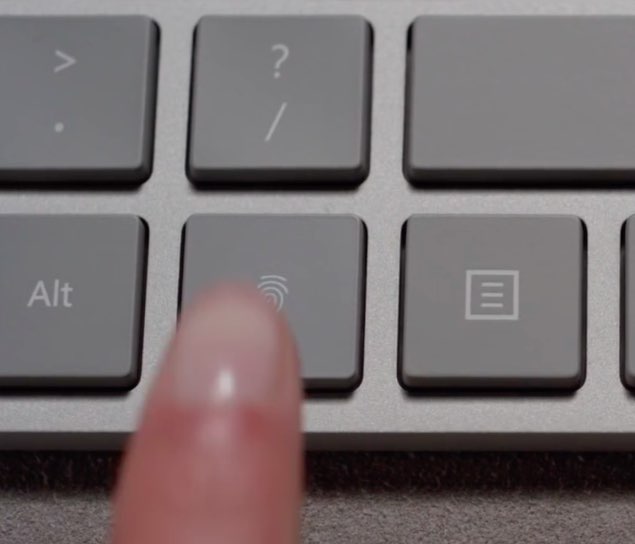
Windows giant Microsoft today unveiled a nicely designed wireless keyboard with a built-in fingerprint sensor located between the Alt and Ctrl keys, as reported by Engadget.
Dubbed Modern Keyboard and priced at $129.99, the accessory lets users unlock their Windows 10 devices with a finger press using Windows Hello.
The dedicated Fingerprint ID key was designed to blend seamlessly so it would appear to be any other key, said Microsoft. The keyboard supports both wired connections via USB and wireless connections via the low-energy Bluetooth 4.0/4.1 standard.
Although Modern Keyboard can be paired with any device via Bluetooth, fingerprint scanning does not work on iOS and macOS due to the lack of a dedicated Secure Enclave chip.
https://www.youtube.com/watch?v=YDpGtDzAw4I
Featuring slim, low-profile design and a robust aluminum-clade frame, Modern Keyboard is “heavy and virtually indestructible”, according to Microsoft.
Like Apple's Magic Keyboard, Modern Keyboard sports a built-in rechargeable battery with up to two months on full charge and provides seamless Bluetooth paring experience, with automatic pairing when first connected to a computer via a cable.
Microsoft also unveiled a brand new mouse.
https://www.youtube.com/watch?v=5eI0klTsqnA
Called Modern Mouse and priced at $49.99, it has an aluminum body and a metal scroll wheel.
The device looks visually similar to Modern Keyboard to match Microsoft's Surface styling. Unfortunately, it uses AAA batteries with up to 12 months of run time on a single charge, not a rechargeable lithium-ion battery.
Furthermore, Modern Mouse is not compatible with macOS.
Both Modern Keyboard and Modern Mouse are listed as “coming soon” on Microsoft Store.
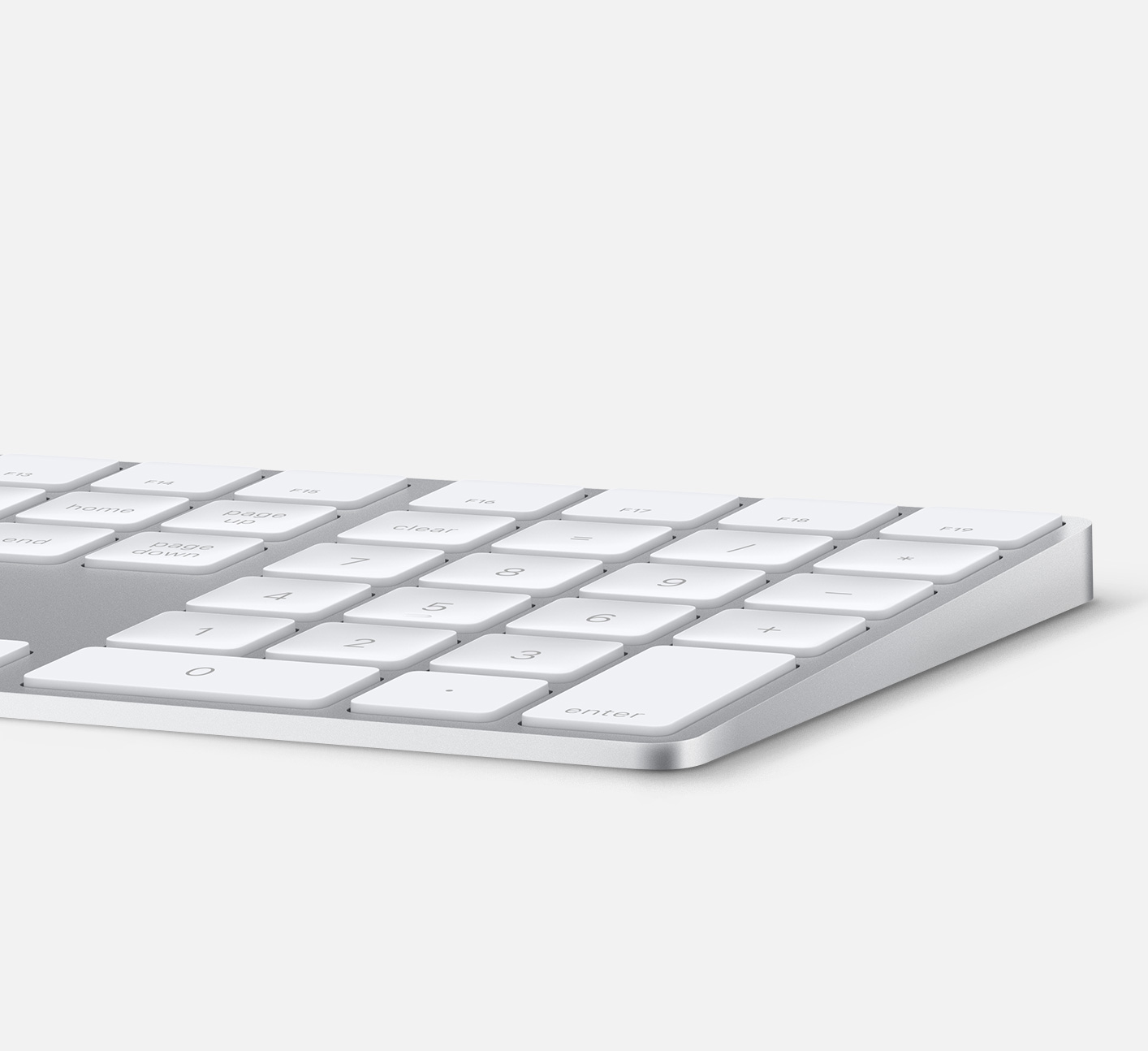
Apple currently sells an extended keyboard with a numeric pad that can be used in either wired or wireless mode. However, the company has yet to make a standalone keyboard with a built-in Touch ID sensor.
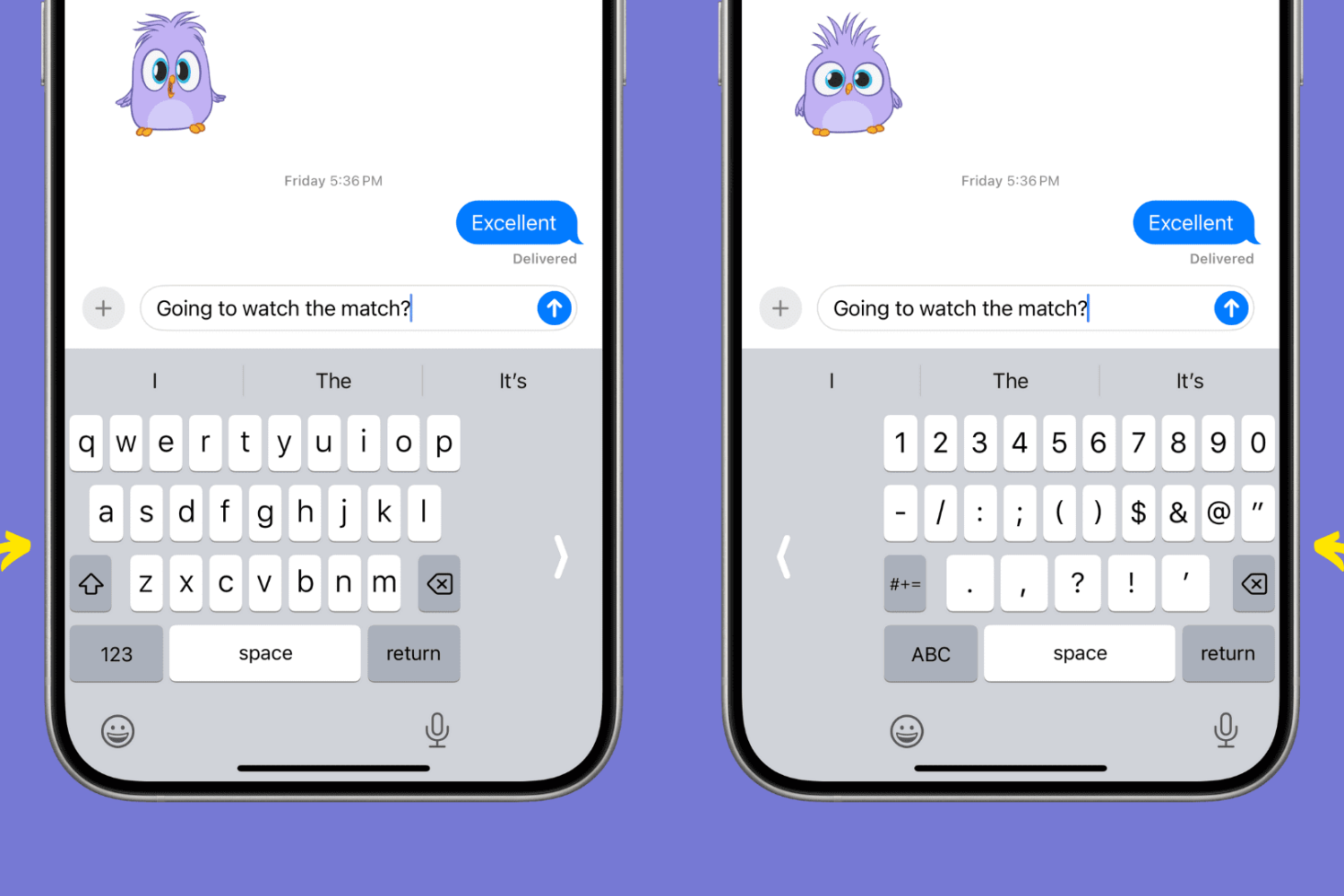
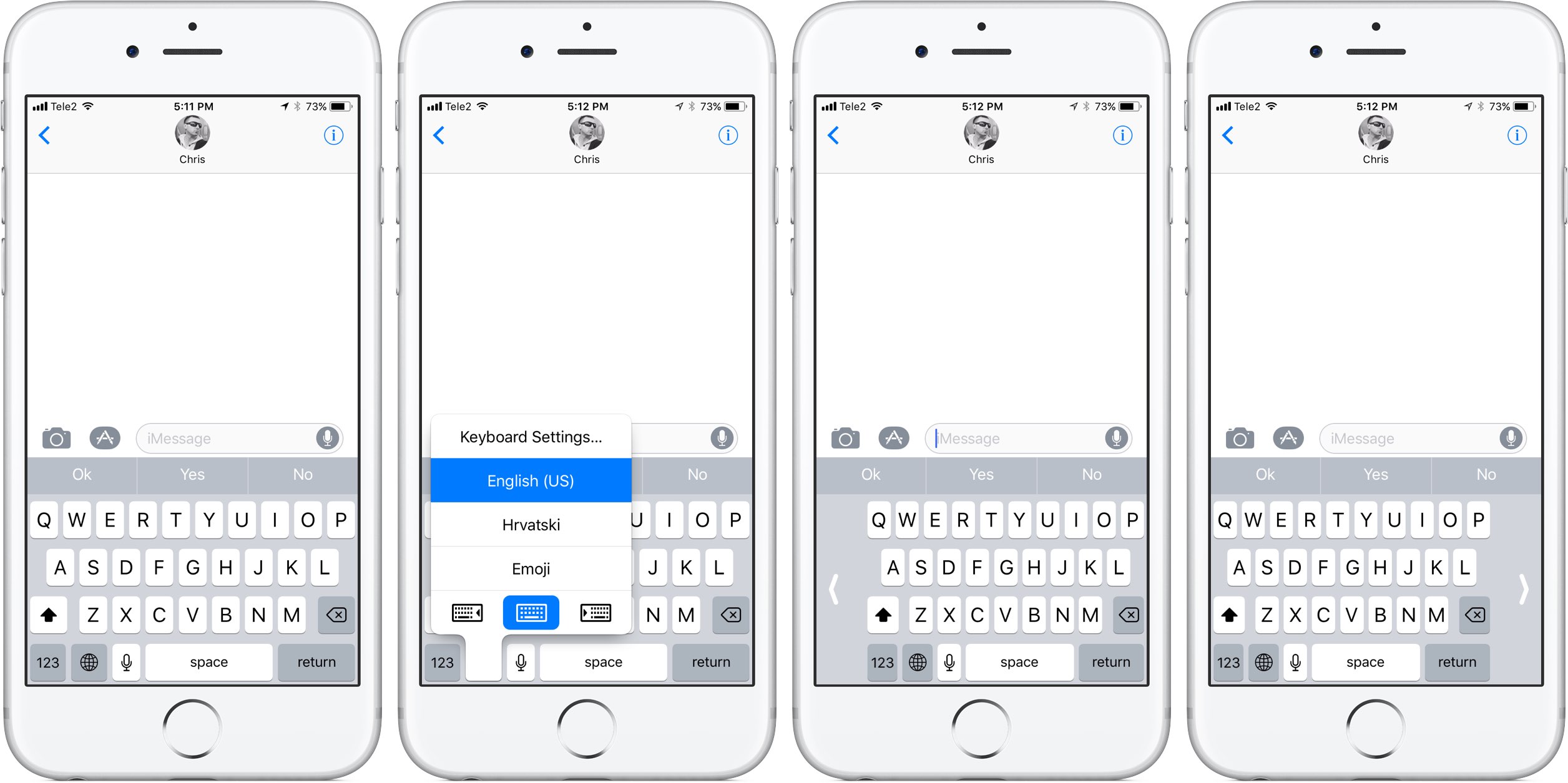
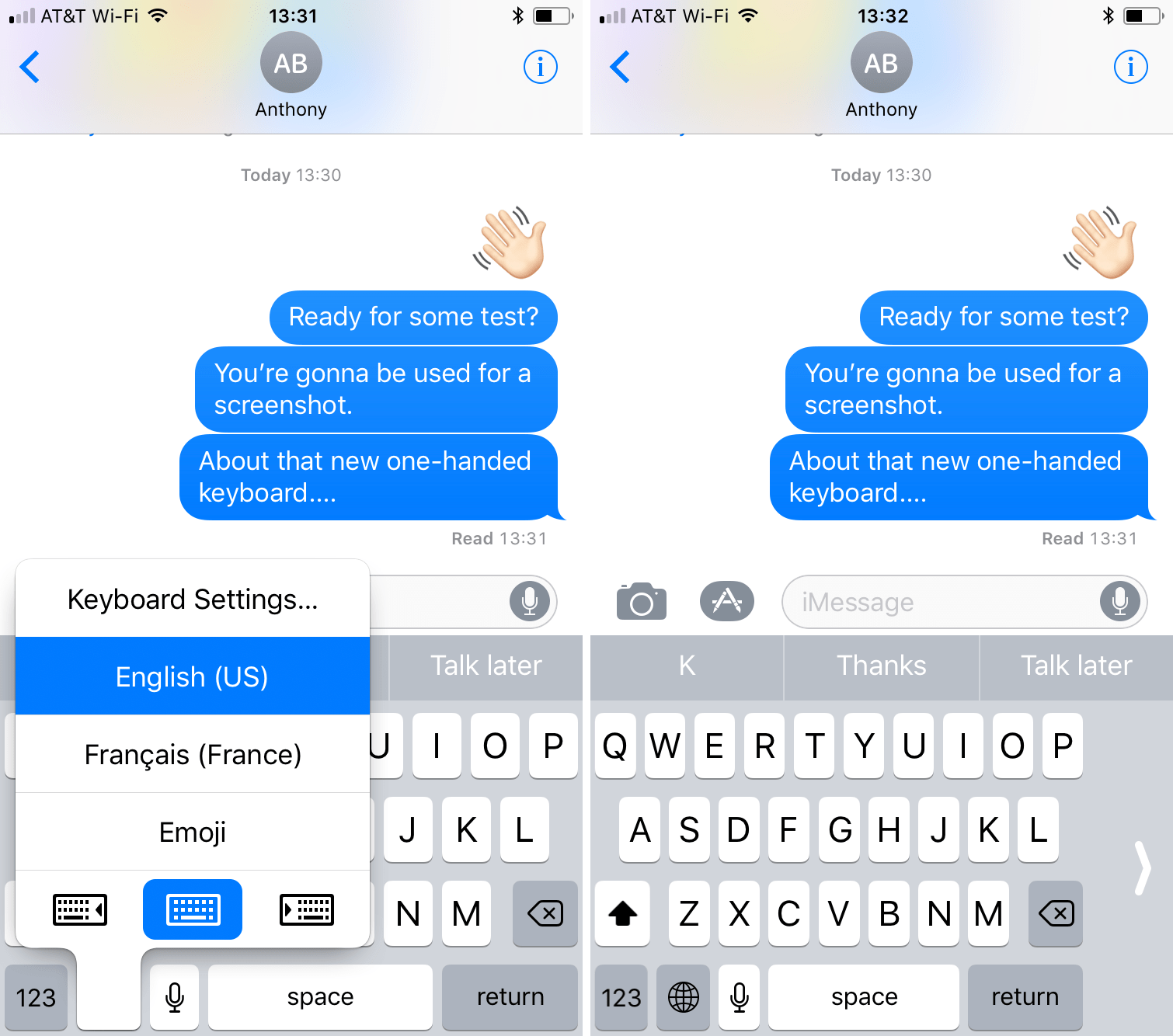
As previously suspected, and officially announced at the Worldwide Developers Conference, iOS 11 provides a new keyboard feature making it easier to type in one-handed mode, whether you're a right or left-handed user. It works on both 4.7 and 5.5-inch iPhones and is easily invoked at any time via the keyboard's Emoji key.
Andrew O'Hara put together a short video demonstration of this feature in action. Watch it embedded below, then read the rest of the article before meeting us in comments.
https://www.youtube.com/watch?v=nq0xDpcCGKA
Subscribe to iDownloadBlog on YouTube
To activate this keyboard mode, tap and hold the Emoji key on the keyboard.
You'll notice a trio of new icons lined up alongside the bottom of the menu. These icons let you move the entire keyboard either fully to the left or to the right of the screen so that typing with a single thumb is easier.
The keyboard shrinks exactly to the width of the keyboard on a four-inch iPhone.
To return to the normal-size keyboard, tap the Emoji key again, then hit the middle icon at the bottom of the menu. Alternatively, tap the arrow on either side of the keyboard to quickly get back to the normal layout.
What are your thoughts on iOS 11's new one-handed keyboard? Do you think you'll be using it on your iPhone when iOS 11 drops? Share in the comments section below!
Apple has long offered a wireless keyboard. Most recently refreshing them last year to include Lightning ports alongside a new Magic Trackpad and Magic Mouse. Apple's packed keynote kicking off WWDC 2017 understandably didn't have time to touch on a welcomed addition to their peripheral lineup.
Typing on those little mobile device screens has always been a cumbersome process compared to typing on a full-sized keyboard, but with iOS 11, Apple intends to take away some of the sting with new features on the iPhone.
With less than a week until Apple's Worldwide Developers Conference, French outlet Consomac has discovered (Google Translate) a Russian-language regulatory filing in the Eurasian Economic Commission database which identifies five unreleased Mac computers by their model number: A1289, A1347, A1418, A1419 and A1481.
As noted by MacRumors, these numbers differ from the AXX prefixes attributed to current MacBook models. The new model numbers are probably related to the upcoming 13 and 15-inch MacBook Pro updates. According to Bloomberg, Apple will refresh its Mac notebooks at WWDC next week with faster Intel chips and updated internal architecture.
Among the Mac notebooks said to be up for a refresh could be Apple's popular MacBook Air, which hasn't seen a major design change since its 2010 introduction.
The filing also identifies some spare parts for the Macs along with a next-generation Apple wireless keyboard (model number A1843) and four numbers classified under iOS 10 (A1671, A1709, A1670 and A1701) that probably refer to the Wi-Fi and cellular editions of the upcoming iPad Pro models, including the rumored new 10.5-inch model.
For years, the only way you would’ve had a haptic keyboard on your iPhone is if you jailbroke your device. Fortunately, it seems as through the days of yore are over.
A new third-party keyboard just launched in the App Store that appears to be capable of providing satisfying haptic feedback as you type on your iPhone.
Anyone who does a lot of texting or typing on their iPhone or iPad knows that iOS’ copy and paste system leaves a lot to be desired.
Fortunately, a jailbreak tweak called Pasithea 2 by Cannathea can help make using the pasteboard less of a hassle by integrating it right into the keyboard itself.
Developer Steve Troughton-Smith recently discovered a one-handed floating iPad keyboard in a beta of iOS 10.3. While it's unclear whether or not Apple will debut this handy unpublished keyboard officially when the software update releases for public consumption, Troughton-Smith has kindly provided a way for iPad owners to try it out early using Apple's free Swift Playgrounds app, here's how.