Jailbreak

Check out the most comprehensive jailbreaking coverage on the internet, including the latest news, apps, tweaks, and detailed tutorials about everything jailbreak.

Let’s Talk Jailbreak 132: I wanna see the receipts!

Episode 132: Sebastien and Cody jailbreak their devices and share their experiences with the Pangu for Mac tool, the million dollar jailbreak that you can't have, WinterBoard and Terminal now work well with iOS 9, Pegasus brings Picture in Picture mode to all iOS 9 devices, and lots of other jailbreak tweaks are discussed.

Subscribe via RSS

Support Let’s Talk Jailbreak

Visit RedHat.com to find out how Red had is redefining enterprise technology.

BreadCrumbArrow: a new jailbreak tweak that removes back-to-app text in the status bar

iOS 9's new back-to-app feature, which places a handy link in the upper left hand corner of the status bar to venture back to a prior used app, is a wonderful new feature. But not everyone is thrilled over the fact that it truncates that normal information contained within the status bar, effectively hiding the cellular data signal and carrier name, and other information in the process.

BreadCrumbArrow is a brand new jailbreak tweak that aims to modify the back-to-app links in such a way that they still display the iPhone's cellular data information. Instead of the name of the app, only the small arrow resides in the upper left-corner of the status bar as a means to link back to the original app.

BytaFont 3 goes live on Cydia to bring custom fonts to iOS 9

Good news for all of you custom font lovers out there: BytaFont, the jailbreak app that lets you install custom fonts on your jailbroken iPhone, is now updated for iOS 9.

BytaFont 3 supports swap mode for iOS 9, new font weights and more. If you're at all keen on customizing the iOS fonts used throughout the entire iOS interface, or within specific apps, then BytaFont is a jailbreak app that worthy of taking for a spin.

The million dollar jailbreak you can’t have

Vulnerability and exploit acquisition platform Zerodium announced today that the million dollar bounty it had put together has expired, noting that a team of researchers has won the prize. Launched in September of this year, the bounty program aimed at rewarding anyone one who would come forward with an "exclusive, browser-based, and untethered jailbreak for the latest Apple iOS 9 operating system and devices."

It looks like they have their winners, as a team who made a remote browser-based iOS 9.1 and iOS 9.2 beta untethered jailbreak has apparently come forward. But don't get your hopes too high.

Tweaks of the week: Popcorn, Tactful, and more…

Now that Apple has stopped signing iOS 9.0.2, any chance to downgrade to that firmware version has gone down the drain, so we sure hope you did what you had to do when it was still possible to do it.

This week saw once again a solid amount of jailbreak tweak releases. We're still waiting for "the" tweak for iOS 9, but until then, all these smaller releases will do just fine.

In this post, we list all the tweaks that were released this week on Cydia. Check them out, and tell us which ones are your favorites.

How to auto-close browser tabs when tapping the back-to-app button [jailbreak]

BrowserBreadcrumbCleanup is an awkwardly named, but very useful jailbreak tweak that helps you keep your open Safari tabs to a minimum when using back-to-app breadcrumb links.

Normally, when you tap the back-to-app breadcrumb link in the status bar, you're shipped back to the original app, but the Safari tab stays opened. With BrowserBreadcrumbCleanup installed, Safari tabs are automatically closed when venturing back to the original app. Watch our video walkthrough for an explanation.

How to add 3D Touch gestures to Cydia

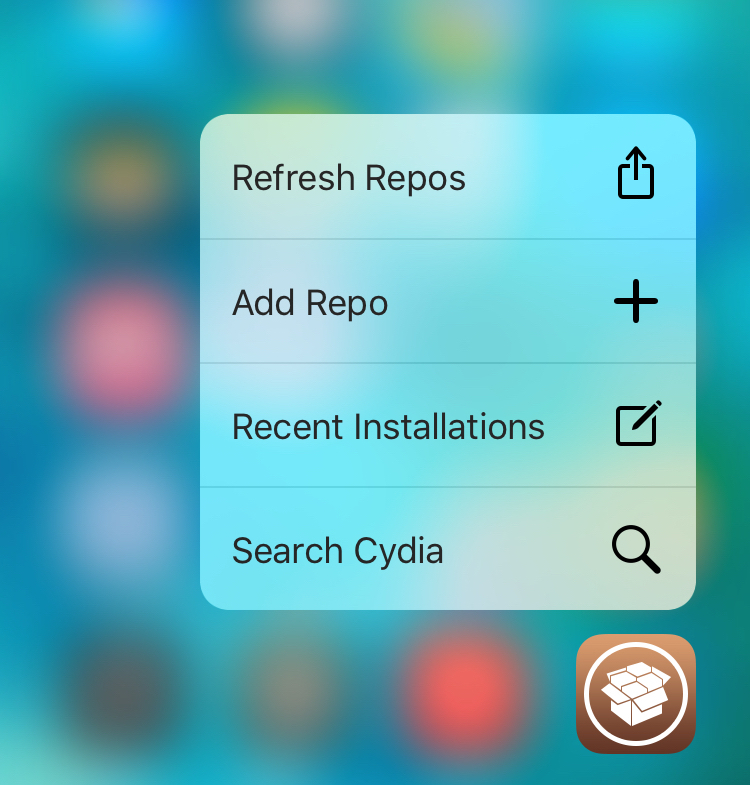
I've always thought that Cydia would heavily benefit from 3D Touch gestures, and surprisingly, it's taken up until today for us to finally get them. A new tweak called Tactful landed on Cydia earlier today, and it not only enables 3D Touch shortcuts on the Home screen Cydia icon, but it also allows you to peek into Cydia packages within the app itself.

WinterBoard now works with iOS 9

Good news for those of you who are into theming your jailbroken iPhone—WinterBoard, the framework that's pretty much the standard for theming iOS devices, is now compatible with iOS 9. This means that you can now enjoy all of the many wonderful themes available on Cydia with the latest available jailbreak.

iOS 9.0.2 is no longer being signed by Apple, downgrading now impossible

Apple has stopped signing all versions of iOS 9.0.2 for iPhone, iPad, and iPod touch this afternoon. As always, the closing of this signing window makes downgrading to this software version impossible.

Users who jailbreak their devices are the ones to get most likely affected by this situation. With downgrading now impossible, jailbreak users must be careful to not accidentally update to iOS 9.1 and lose their jailbreak in the process.

Tether: a unique new jailbreak tweak for creating quick Alarms, Reminders, or Calendar events

Tether is a new $0.99 jailbreak tweak from Philip Tennen and Evan Luther, and it's pretty awesome. I like this tweak, not so much for what it does, although that's handy as well, but I like it for its originality.

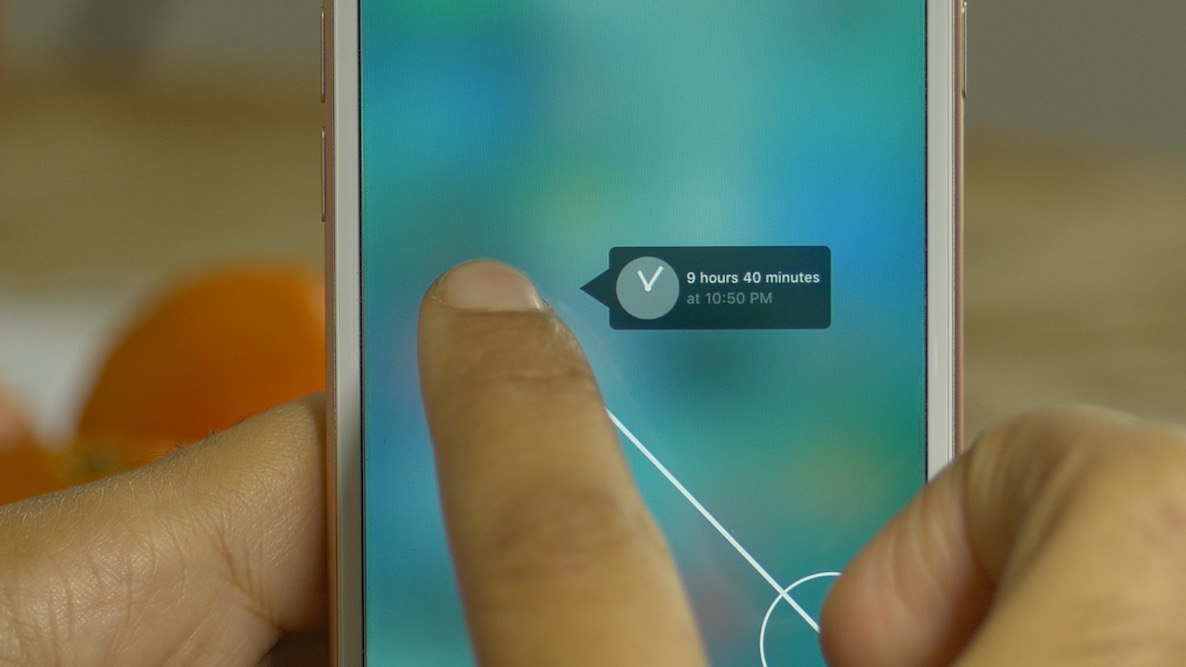
By using a 3D Touch gesture on the Home screen, you can invoke the Tether interface. Tether's interface consists of a clock-like glyph with a line extending from it. As you drag your finger away from the point of origin, you'll see a small time readout spell out a future time. The further your finger is away from the origination point, the further in time your tether will be.

When you release your finger, you have the option to set up an Alarm, Reminder, or Calendar event at the specific time that you selected. If it all sounds  little confusing, it's because it's much easier to explain by watching it in action. With that in mind, have a look at our hands-on video walkthrough for all of the details.

Pegasus: a tweak that brings Picture in Picture mode to all iOS 9 devices

The iPad has a leg up on other devices in the iOS family, because later model versions can take advantage of iOS 9's new Picture in Picture mode for video multitasking. Picture in Picture mode lets you watch videos or conduct FaceTime calls in a smaller window while using other apps at the same time.

Unfortunately, for those of you on iPads that predate the iPad Air, along with iPhone and iPod touch users, Picture in Picture mode is not available. That's unless you decide to jailbreak and install Pegasus, a tweak by developer Evan Swick. Pegasus is a new jailbreak tweak that enables Picture in Picture mode on previously unsupported devices. Have a look at our full video walkthrough to see how it works.