Jailbreak Apps

Jailbreaker’s Choice: top five free tweaks roundup

Well readers, the results are in for our second Jailbreak's Choice. Your votes have been counted for the top five free jailbreak tweaks. Over 150 iDB readers shared their favorite free downloads from Cydia, and the results are a bit surprising.

Among the most popular are a few expected veterans and a few essential newcomers. Read on to see the results of the poll and to cast your vote for the number one tweak…

‘SiriStatus’ can help you troubleshoot Siri

SiriStatus is a recently released jailbreak tweak that reveals a hidden Siri status bar. This bar is located at the top of your screen, and is used for checking the current query status and manually entering in queries via the keyboard.

If you tend to find yourself experiencing problems with Siri, then SiriStatus can help you decipher what the problem may be.

Check out our video walkthrough straight ahead...

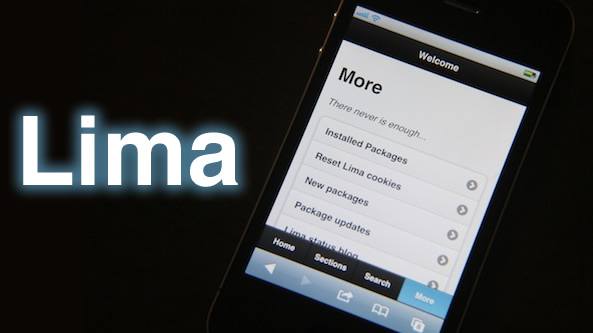
Hands on with Lima, a browser based Cydia alternative

Over the years there has been no shortage of proclaimed Cydia replacements, alternatives, and supplements.

Lima is the latest such purported alternative, but it has one unique thing going for it that makes it a bit different from the others — it's entirely browser based.

Is Lima a legitimate threat to Cydia's dominance?

I've had the privilege to go hands-on with a beta copy, and I'd like to share some of the things that I found with you.

New iPad jailbreak tweak ‘Quasar’ allows for true iPad window based multitasking [Video]

A new $9.99 jailbreak tweak was released for the iPad today on Cydia, and it goes by the name of Quasar.

Quasar is a tweak that's exclusive to jailbroken iPad's, and it allows you to have a true window based multitasking session with your iPad.

As you know we've been fairly adamant about a true multitasking solution for the iPad for quite some time now, so we're excited to see what Quasar can do for iPad users.

Full story and video walkthrough inside...

Cookie: backup and restore your unlock activation ticket right from your iPhone

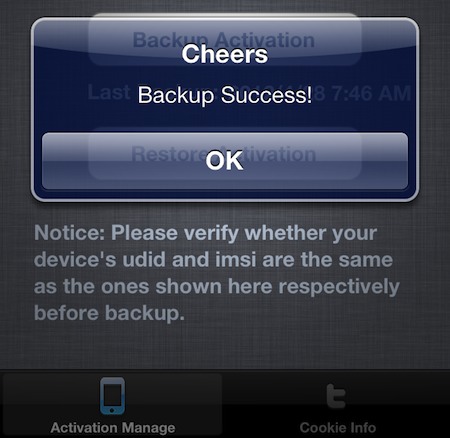
We've shown you how to manually backup your iPhone's unlock activation ticket. And then a new version of Red Sn0w came out that made the process even easier. Well now, thanks to a new jailbreak utility, you can do it right from your iPhone.

Folks using the new SAM method to unlock their handsets have been directed to backup their activation tickets to make unlocking a possibility in the future. And now with Cookie, the task is as easy as opening an app and tapping a button...

‘Sparrow Plus’ now available on Cydia

[tube]http://www.youtube.com/watch?v=8AfGbZv7gQM[/tube]

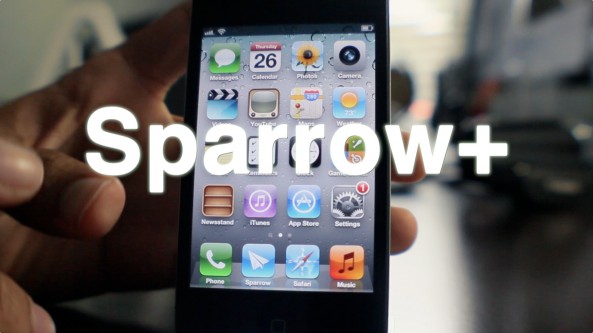
Sparrow+ — the jailbreak tweak that allows you to set Sparrow as the iPhone's default mail client, along with enabling push notifications — is now available on Cydia.

Sparrow is the 3rd party email client that has proved to be a popular alternative to the stock iOS Mail app, despite some glaring shortcomings.

You can download Sparrow+ for free from Cydia's BigBoss repo starting today. You can also download the Sparrow iOS app for $2.99.

Once you give it a try, be sure to share your thoughts on the combo in the comments section.

How to restore your SAM unlock activation ticket to unlock your iPhone

Since it appears that Apple has fixed the issue with their activation servers, latecomers to the SAM iPhone unlock party are left in the lurch. Fortunately, not all users have lost the potential to unlock their iPhones.

Those who were proactive enough to unlock their iPhone using SAM, and backed up their activation tickets can still easily restore those tickets and unlock their iPhones if they have to restore their device for whatever reason.

If you're currently unlocked on an unofficial SIM by means of the SAM unlock, backup your activation ticket now before you lose it. We can't stress this enough.

Keep in mind that you will still need a jailbroken iPhone to accomplish this, and you will need your backed up Lockdown folder that you saved-off after successfully unlocking your device the first go-round...

If you meet the criteria, step right inside and take a look at our easy to follow guide for restoring your iPhone unlock...

It looks like the SAM iPhone unlock no longer works

Many readers are reporting that — as suggested last night — Apple has fixed its issue with its activation server that the SAM unlock method relied on.

I've tested the tried and true unlock method that I posted yesterday, and indeed, it's not working for me either.

For those that did successfully use the SAM tool to unlock your iPhone before today, congratulations. Now we just hope that you are proactive enough to backup your activation ticket either manually, or via RedSn0w...

Make Sparrow your iPhone’s default mail client with ‘SparrowPlus’ [Updated]

If you remember my Sparrow review, I said it was a great app that was marred by a few missing features — namely: push notification capability, and the ability to make Sparrow the default Mail app.

In due time the folks at Sparrow will undoubtedly solve the push notification issue, and a few enterprising iOS jailbreak devs have already taken the liberty on that issue as well.

One feature that's not so easy to implement is making Sparrow iOS' default mail client. In fact, unless Apple does a virtual 180 on its current stance, this will never be a feature of Sparrow, or any other 3rd party Email app for that matter.

The only hope to implement such functionality rests with the jailbreak community. In fact, I reached out to iOS developer Majd Alfhaily yesterday, and he graciously accepted my request for such a feature in his upcoming jailbreak tweak coined: Sparrow+.

Want to see it in action? Have a look...
Should hackers wait for iOS 6 to release the next jailbreak?

Pod2g has just put up quite the interesting poll on his personal blog. The infamous hacker, who is responsible for a majority of the recent exploits found in iOS, is asking folks to vote on the following question: "Shall we hold off the jailbreak for iOS 6?"

The question comes just a few days after we heard that hackers were finally making some progress on the iOS 5.1 jailbreak. Of course, if it's released before iOS 6 comes out, the exploits will almost certainly be patched up in the new software...

New concept video shows multiple iPad apps running on screen at once

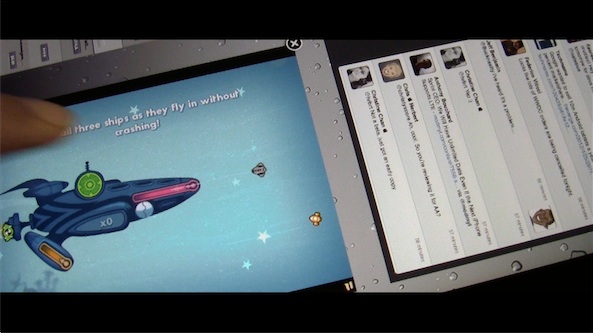
This isn't exactly what I envisioned when I created a concept for MultiLayer iPad app functionality a few weeks ago, but it's certainly a start.

After speaking at length with iOS developer Kyle Howells — the brains behind the awesome jailbreak tweak CardSwitcher — he graciously agreed to compile a specialized version of said tweak, which allows users to interface with multiple iPad apps on the same screen.

This means that it's entirely feasible to play games while watching your Twitter timeline, or check your stock prices while browsing the web via Safari — all from the same iPad.

Running multiple apps on-screen simultaneously has been a dream of many iPad owners. We've seen similar concepts from Kyle in the past, so I'm confident that if anyone could pull this off, it would be him. Check inside for a demonstration video of the concept tweak in action...