Jailbreak Apps & Tweaks

These are the latest jailbreak apps and tweaks available for your iPhone or iPad. We save you time by highlighting only the best tweaks.

Tune provides a sexier Now Playing interface for pwned iPhones

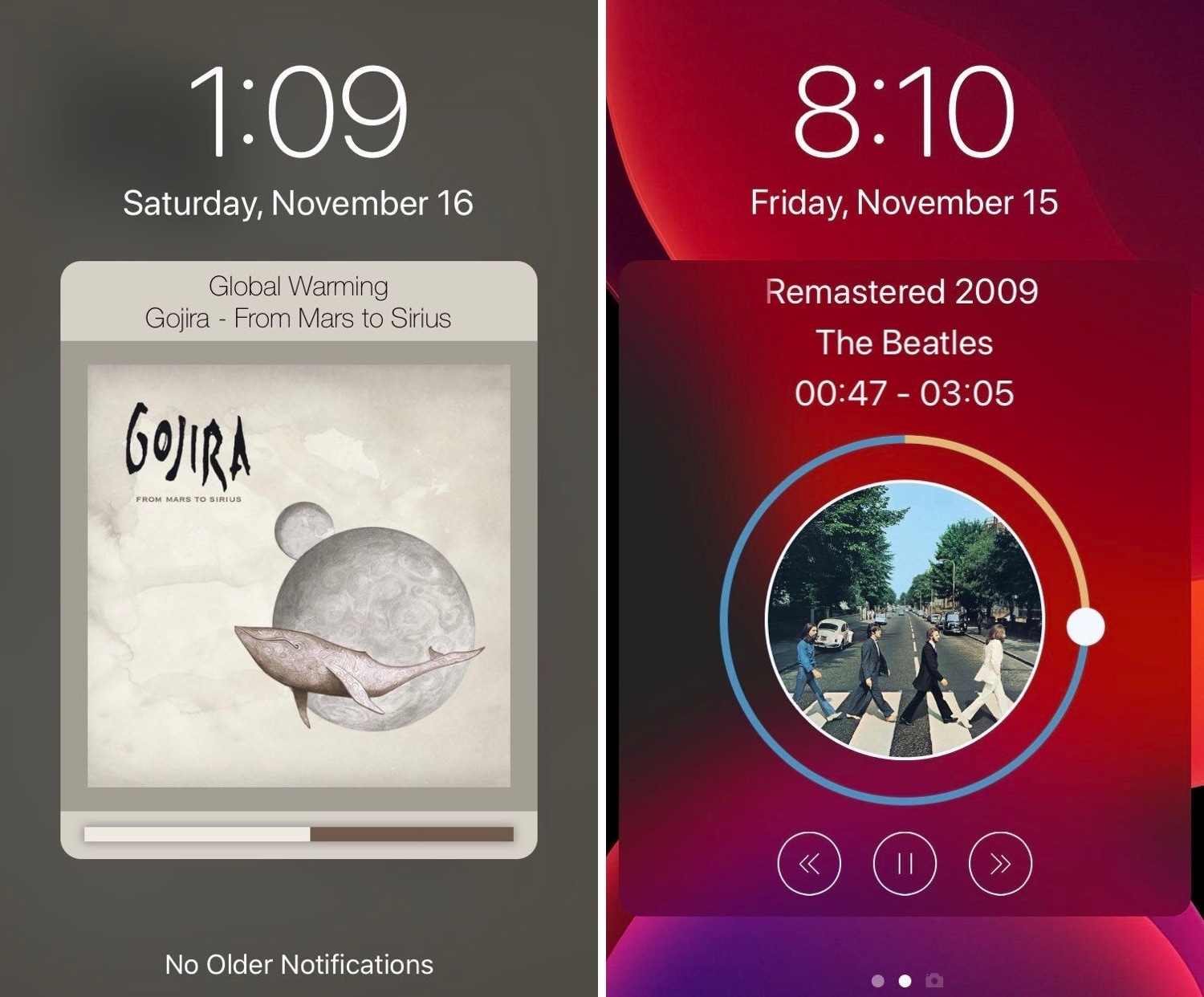
Those who listen to a lot of music on their iPhones are probably accustomed to looking at what seems like the same Now Playing interface Apple has provided for years. But if you’re like me and you’re looking for something a bit more eccentric, then you might enjoy using a newly released jailbreak tweak called Tune by iOS developer s1ris.

As depicted in the screenshot examples above, Tune can replace the traditional Now Playing interface with something a lot more aesthetically pleasing. At this time, the tweak supports two different styles, including Helius (left) and Spin (right).

Juice introduces limitless battery icon customization to jailbroken iPhones

If you’re freshly jailbroken on iOS 13 by way of checkra1n, then you may want to do yourself a favor and follow a project called Juice, a new public beta jailbreak tweak by iOS developer SparkDev that permits users to customize the appearance of the Status Bar’s battery indicator in a satisfying way.

The concept of customizing iOS’ native battery indicator certainly isn’t new, but Juice is in a league of its own. An intuitive interface coupled with seemingly endless options spells out a user experience that seems unparalleled by anything else we’ve seen to date.

Supercharge aims to redefine tweaking on jailbroken & non-jailbroken devices

Tweaking your iOS device may soon become significantly easier with the introduction of an exceptionally captivating project dubbed Supercharge led by iOS developer Kabir Oberai and designer Alessandro Chiarlitti, and contributed to by others.

Supercharge aims to become a platform that will make the process of tweaking your iPhone or iPad easier, whether you’re jailbroken or not. The work is being advertised as an innovative new tweak editor that will empower users with the ability to create and modify tweaks without writing a single line of code. Moreover, users will be able to share their works with other Supercharge users.

Jailbreak tweaks of the week: Maple 2, Watermelon, and more…

The checkra1n team is currently developing the first public jailbreak for iOS 13, and for those already taking advantage of the public beta during its initial public testing phases, we’d totally understand if you wanted to find some interesting jailbreak tweaks to trick out your newly liberated handset. The same goes for those who are already enjoying jailbreaks on Chimera, Electra, or unc0ver.

In this roundup, we’ll talk about all the latest jailbreak tweaks released from Monday, December 2nd to Sunday, December 8th. As usual, we’ll kick things off by talking about our favorites first and then wrap things up with an outline of the rest afterward.

Make iOS’ Rotation Lock less cumbersome with Oriental

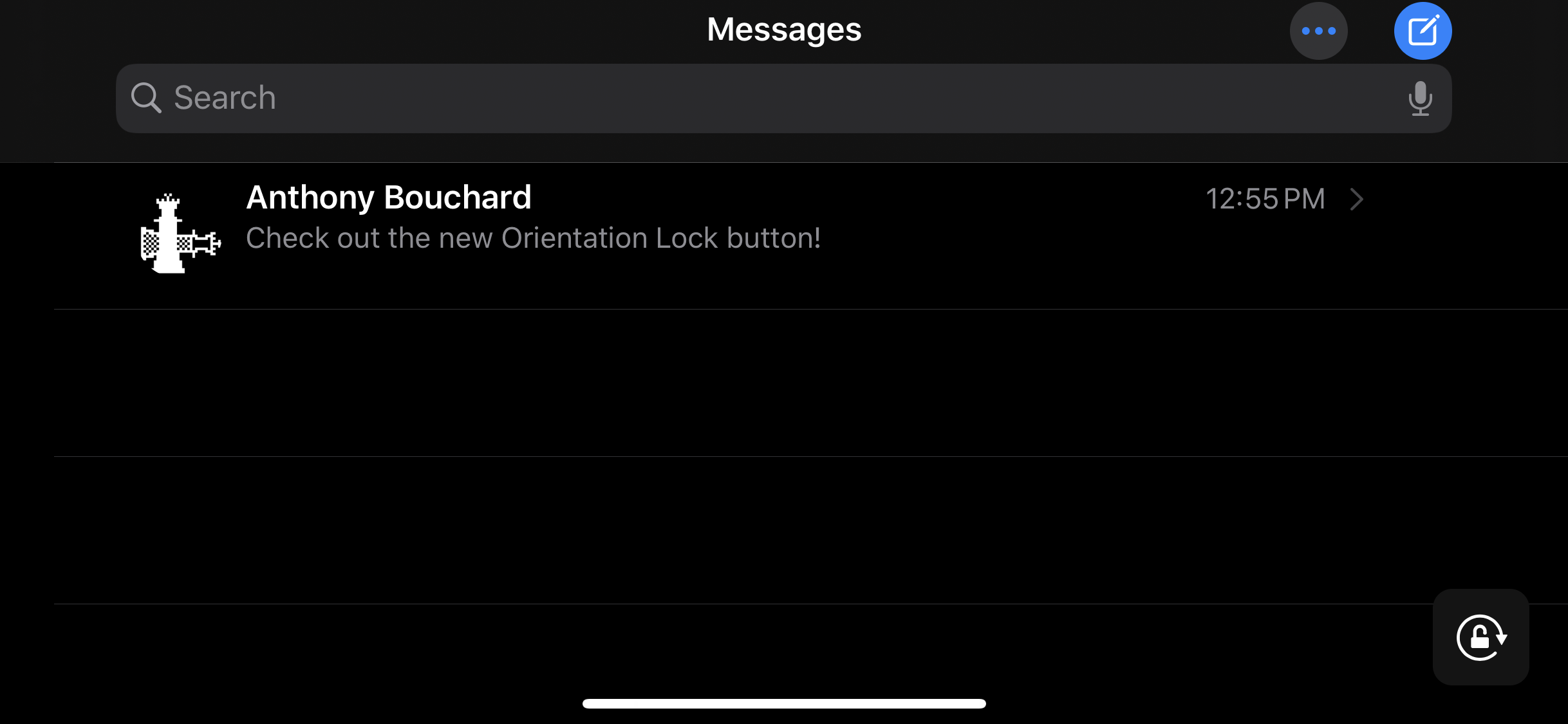
The ability to switch between landscape and portrait orientation on the iPhone can be godsend in certain situations, but in certain situations, it can be a real pain in the (redacted) — especially when in bed and your iPhone thinks laying on your side means that you want landscape orientation.

Apple combats this problem with iOS’ optional Rotation Lock feature, but this necessitates an additional step on the user’s part. For that reason, iOS developer Ubik has made a new and free jailbreak tweak called Oriental, which aims to make display rotation smarter for the iOS platform in general.

Blots brings a dot-based notification system to jailbroken iPhones

If you’re in search of a subtle way to augment iOS’ native notification system, then you might want to turn your attention to that of a newly released and free jailbreak tweak called Blots by iOS developer Antique.

As you accumulate missed notifications, Blots displays colored dots at the top of your display, just underneath the Status Bar. These dots are specifically colorized to match the dominant color of the app icon for which the notification represents.

Watermelon brings Apple Watch Complications to iOS

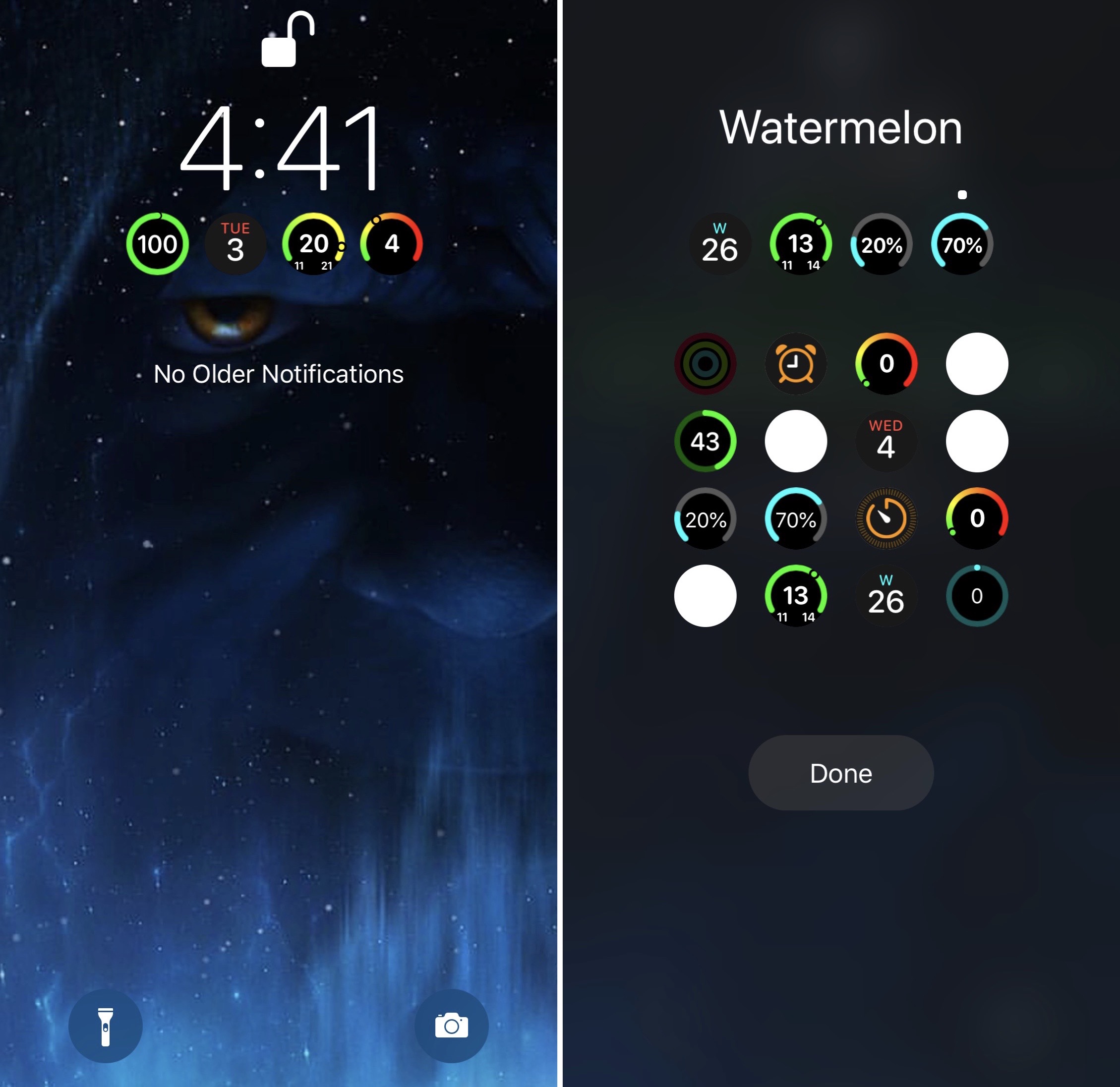
One of the reasons I love my Apple Watch so much is having the ability to glance at my wrist to see information from Complications. On the other hand, I spend most of my time using  my iPhone as opposed to my Apple Watch, and it’d be nice to have watchOS-like Complications present on my iOS devices.

If you’re thinking along the same lines I am, then you might be interested in a newly released jailbreak tweak called Watermelon by iOS developer LaughingQuoll.

This tweak makes YouTube videos look nicer on notched iPhones

YouTube dark icon.

When watching videos in the YouTube app for iOS, those with notched handsets can view them one of two ways when the handset is in landscape orientation: 1) zoomed out such that the notch remains hidden in the video’s black side border; and 2) zoomed in such that the notch physically cuts into the video frame. Switching between these modes is as easy as using a pinch gesture while a video is playing.

As you might have noticed by now, some YouTube videos take better advantage of the wider display canvas, filling the display up to where the notch begins. This usually depends solely on the aspect ratio of the videographer’s filming equipment, but with the help of a new jailbreak tweak called UniZoom by iOS developer Lavie Gariv, users can synthetically impose similar scaling effects on virtually any video on YouTube.

Maple 2 brings configurable AirPower-like charging aesthetics to jailbroken handsets

Before Apple abandoned its plan to release a first-party all-in-one wireless charging station slated to be called AirPower, the company also showed off some rather appealing charging banners and animations to accompany it. Sadly, those quirky bells and whistles died with AirPower, and Apple never bothered to enable them for other Qi-enabled wireless charging solutions.

Jailbreakers don’t have to do without, however. Maple 2 is a newly released jailbreak tweak by iOS developer LaughingQuoll that brings these fantastic charging features to pwned devices, and even better, the tweak can be customized more profoundly than Apple ever would have permitted out of the box in a native implementation.

Jailbreak tweaks of the week: Gump, Little11, Sonus13, and more

If you’re freshly jailbroken on iOS 12 or 13 by way of any of the most popular jailbreaks like checkra1n, Chimera, or unc0ver, then you’re probably looking for new and exciting ways to trick out your device. We’ve got you covered.

This roundup encompasses all the latest jailbreak tweaks released from Monday, November 24th to Sunday, December 1st. As always, we’ll kick things off by discussing our favorites and then wrap things up with a comprehensive outline afterward.

Make iOS 13’s new volume HUD even better with Sonus13

For the first time in years, iOS 13 introduced an overhauled volume HUD to the iOS platform. While the redesign finally did away with the intrusive volume HUD monstrosity iPhone users have lived with for so long, that doesn’t mean everyone likes how the new interface looks.

If you’re jailbroken and looking for an augmented volume HUD experience that incorporates gorgeous athletics and endless customization in one package, then you won’t want to miss a newly released jailbreak tweak dubbed Sonus13 by iOS developer ubik.

Gump keeps backgrounded apps running amid device resprings

Respring screen.

Perhaps one of the most bothersome parts about respringing your jailbroken handset is that when you have music playing in the background, the respring interrupts it, forcing you to manually tap on the ‘Play’ button to continue music playback.

Those who’ve been plagued by this nuisance for as long as I have will be thrilled to learn about the launch of a new jailbreak tweak called Gump by iOS developer Kurrt, as it effectively keeps backgrounded apps and music running even throughout the course of a standard respring.