iPod Touch

Revamped NHL app with HD live video, picture-in-picture support and more now available

Today, the National Hockey League (NHL) has rebooted its iOS application with tons of goodies, including full support for iOS 9 features like picture-in-picture mode on compatible iPad models.

The new NHL 7.0 app delivers high-definition live video streaming at a silky smooth sixty frames per second on the iPhone 6 Plus and iPhone 6s Plus.

It also provides the ability to subscribe to NHL Premium, a new package that lets you watch the dramatic final minutes of NHL games, including 3-on-3 OT and shootouts, and extended highlight packages, and includes a bunch of other enhancements that hockey fans will very much appreciate.

Mac email client Airmail hits iPhone with snooze, 3D Touch, interactive notifications and more

Airmail, the popular desktop email client for the Mac, is now available for the iPhone and iPod touch. Lightweight and fast, Airmail by Italy-based developer Bloop packs in a number of advanced features such as support for 3D Touch shortcuts on the iPhone 6s and iPhone 6s Plus, interactive notifications, snooze features, customizable actions and appearance, iCloud sync and much more.

The app is available in the App Store for $4.99.

Whimsical jetpack-flying game Piloteer selected as Apple’s Free App of the Week

Apple's editors have cherry-picked the Piloteer game as its new Free App of the Week on the App Store, meaning you can now download this $1.99 title at no charge until next Thursday. Created by Fixpoint Productions and released on the App Store in June of 2015, Piloteer has an average rating of four stars based on more than 155 reviews.

In this physics-based game, a renowned inventor is determined to overcome the stigma associated with flying a jetpack and convince the world that jetpacks should be revered by all. It sounds easier said than done, however.

76 percent of devices are now using iOS 9

As measured by the App Store on January 25, 2016, and published on Apple's App Store dashboard for developers, iOS 9 is now powering 76 percent of iPhone, iPad and iPod touch devices, a one-percentage point gain versus the 75 percent mark that was recorded two weeks ago.

At the same time, the adoption rate for iOS 8 has dropped from nineteen percent as of January 13, 2016, to seventeen percent, a two-point loss.

Turn off HDR photo duplicates to save storage space

High Dynamic Range (HDR) photography is great for making the most from your iPhone's camera, especially in high-contrast situations.

With this feature, your iPhone takes multiple photos in rapid succession, each at a different exposure, and automatically blends them together. You get an image that has optimized highlights and really brings the shadows out of the noise, with way better detail in the bright and midtown areas.

When you enable HDR photography by tapping the HDR icon in the Camera app, your iPhone will save two copies of the image in your photo library: the “normal” image (without HDR) along with its HDR counterpart.

This can put a strain on your iPhone's storage, especially when taking a lot of HDR photos. If your iPhone's storage is low, or you're the type of person who likes to plan ahead, read this tutorial to learn how to turn off HDR photo duplicates and save significant amounts of storage space on your device.

Google updates Chrome for iOS with 70% fewer crashes, Spotlight integration and more

Google's mobile Chrome browser was updated this morning in the App Store and the new release promises a whopping 70 percent fewer crashes along with a few other goodies, such as Spotlight Search integration.

Google said that the dramatically reduced crash rate is due to Chrome's adoption of WKWebView, a rendering engine from Apple which was first introduced with the release of iOS 8 back in 2014.

In addition, this release of Chrome for the iPhone, iPod touch and iPad should be faster overall, with JavaScript execution now “dramatically faster.”

How to filter mature language for Siri and Dictation

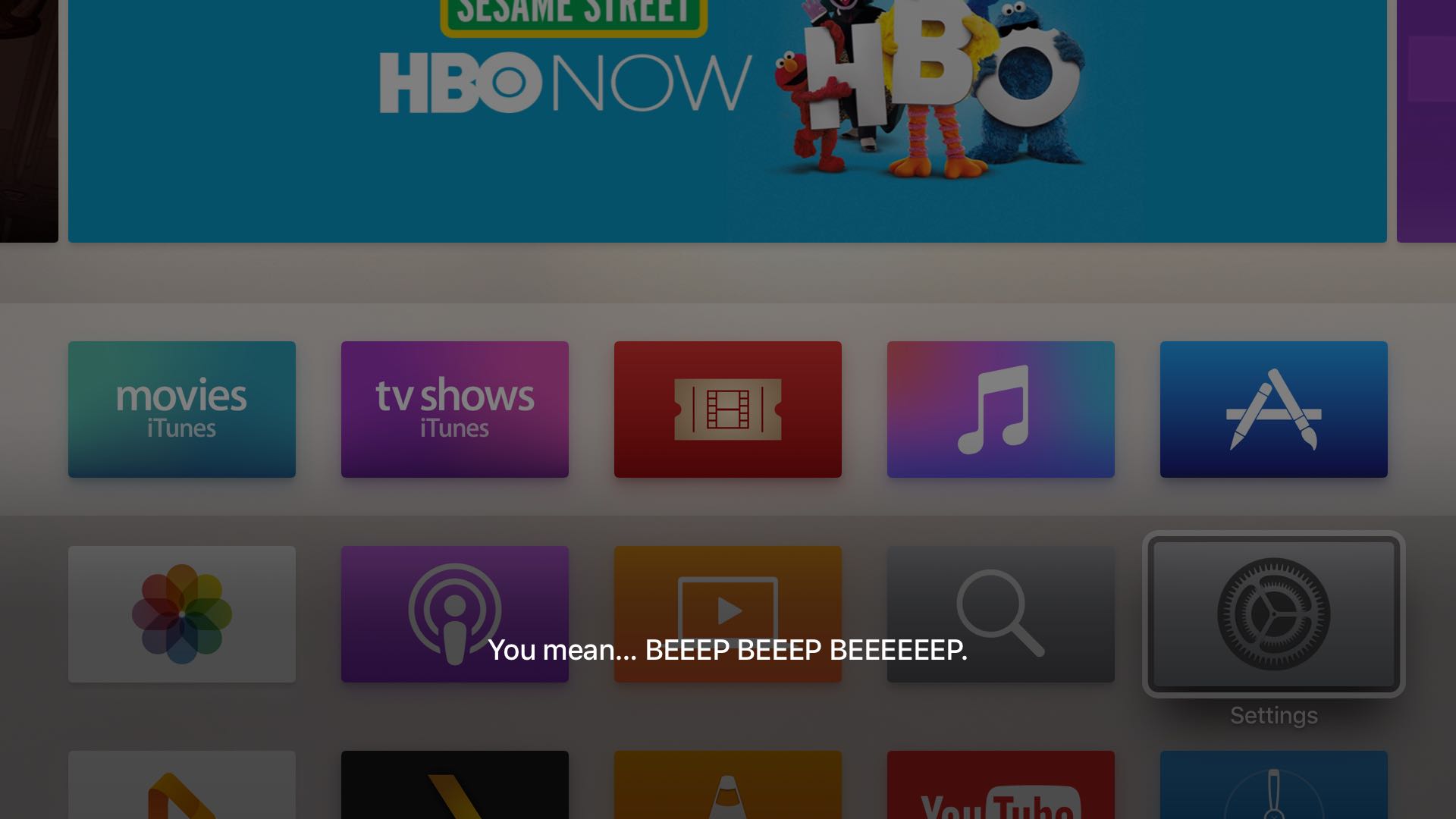
Sometimes when you use the dictation feature on your iPhone, iPod touch or iPad—or just converse with Siri and it misunderstands you—you might be in for a surprise seeing explicit language that you don't really want others to see, especially if you talk to Siri on your new Apple TV and kids are present.

Fortunately, both iOS and tvOS give you all the controls you need to prevent profanities from showing up when you use speech-to-text or Siri. In this post, you'll learn how to disable explicit language for Siri and Dictation on your iPhone, iPod touch or iPad and filter out explicit language for Siri on your Apple TV.

Spotify’s iPhone app gaining video content from BBC, Maker Studios and ESPN next week

A Spotify-branded video-streaming service that should augment its music platform has been in the works since May 2015 and now the Swedish startup is poised to launch the new product, The Wall Street Journal said yesterday.

An update to Spotify's iPhone and iPad application with support for ad-free video content for all users in the United States, the United Kingdom, Germany and Sweden is expected by the end of next week.

How to find a specific word inside webpages in Safari for iPhone and iPad

Since the release of iOS 7, Safari for the iPhone, iPod touch and iPad has ditched its dedicated search field in favor of a unified URL/search bar at the top, not unlike Google's Chrome. But did you know that this field also lets you easily find all occurrences of a specific word or a phrase within any webpage?

I use this feature on a daily basis to jump to specific pieces of information within long articles without having to read them in their entirety.

In this post, I'll show you how searching inside webpages works in Safari for iOS.

This prank webpage will crash your iPhone, iPad and Mac

Jokers on Twitter are tweeting out links to a new prank webpage that, when clicked, will crash your iPhone, iPod touch, iPad or Mac, or cause the device to become unresponsive.

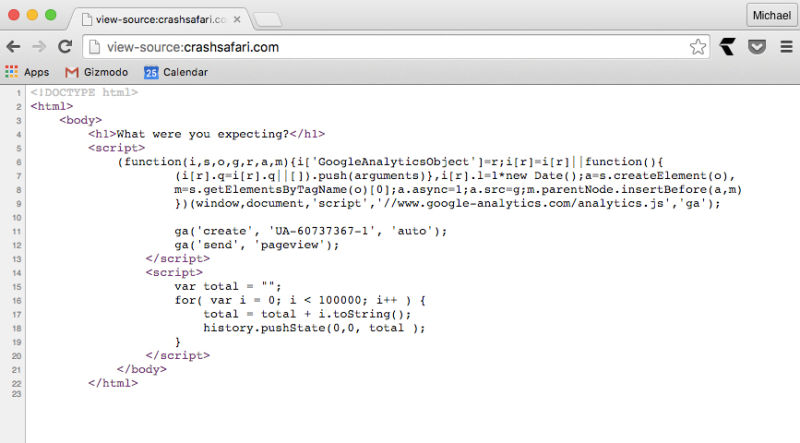
As Gizmodo explains, the aptly named website CrashSafari.com uses just four lines of code to crash Safari for iOS and OS X by running a script which adds thousands of characters per second into the address bar, causing Safari to overload its memory.

In the case of the Mac, you'll see the beach ball spinning and your computer will become unresponsive. On the iPhone, iPod touch or iPad, Safari will hang and start heating up your phone until it reboots itself.

Browse viral memes and see posts that are blowing up on Vine’s new Trends page

Yesterday, Vine celebrated its third anniversary and launched a dedicated Trends webpage which collects all the clips that have gone viral on the service in one central place. Users can check out the original video that started the trend, see related Vines and select a growing trend.

In addition, they have collected 2015's most entertaining Vines, remixes and collaborations at the website year3.vine.co, including stuff like the most-looped Vine of Year 3 and posts that sparked some of the biggest trends of the year, such as What are Those?, Why You Always Lying? and Duck Army.